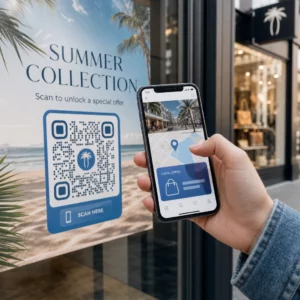
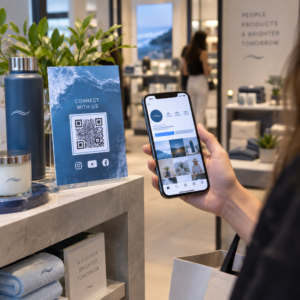
Besoin de générer des centaines – ou des milliers – de codes QR sans créer chacun d'eux manuellement ? Les créer un par un est impraticable à grande échelle et introduit une incohérence dans vos campagnes. Ce guide vous présente les méthodes les plus rapides et les plus fiables pour la création de codes QR en masse, des téléchargements CSV à l'automatisation de niveau entreprise.
Pourquoi la création de codes QR en masse est importante
Lorsque vous lancez un produit, gérez des inscriptions à des événements ou étiquetez des stocks, la création individuelle de codes QR ne s'adapte tout simplement pas. Même pour 50 codes, la génération manuelle consomme des heures de travail répétitif – et ce, avant de prendre en compte la cohérence du design, l'organisation des fichiers ou la configuration du suivi.
Les outils de codes QR en masse résolvent ce problème en vous permettant de définir tous vos codes dans un fichier structuré – généralement un CSV ou une feuille de calcul – et de générer l'ensemble du lot en un seul flux de travail. Le résultat est un ensemble de codes cohérent, prêt à être téléchargé et pouvant être déployé immédiatement.
Les cas d'utilisation couvrent presque toutes les industries :
- Commerce de détail et e-commerce: codes produit uniques par SKU, liés aux spécifications, aux avis ou aux pages d'achat
- Événements: codes par participant pour l'enregistrement, l'accès aux sessions ou les programmes numériques
- Hospitalité: codes de menu table par table ou liens d'informations spécifiques à la salle
- Logistique et inventaire: étiquettes d'actifs liées aux dossiers de maintenance ou aux données de localisation
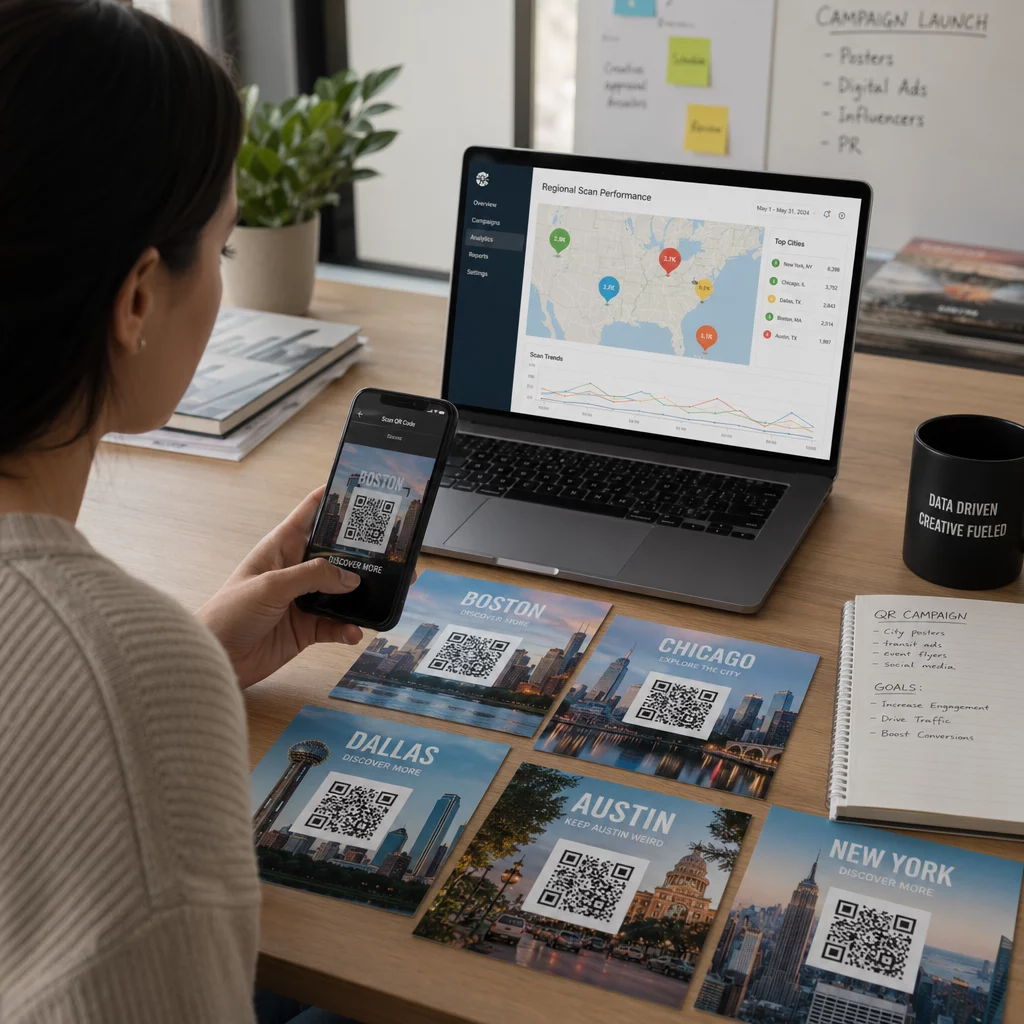
- Agences de marketing: codes spécifiques à la campagne avec suivi individuel par emplacement
Ce dont vous avez besoin avant de commencer
Avant de générer votre lot, quelques décisions façonneront considérablement votre flux de travail.
Codes statiques vs. dynamiques: Les codes QR statiques encodent la destination directement dans le motif. Une fois imprimés, ils ne peuvent pas être modifiés. Les codes QR dynamiques utilisent une URL de redirection courte gérée par la plateforme, ce qui signifie que vous pouvez mettre à jour la destination à tout moment – même après que les codes sont déjà imprimés et distribués. Pour les campagnes en masse où le contenu peut évoluer, les codes QR dynamiques sont le meilleur choix.
Votre fichier de données: Les outils de génération en masse acceptent généralement un CSV ou une feuille de calcul avec une ligne par code QR. Au minimum, chaque ligne nécessite l'URL de destination ou le contenu. Selon la plateforme, vous pouvez également inclure des champs pour le nom du code, l'affectation de dossier, les paramètres UTM ou le modèle de design.
Cohérence du design: Si vos codes doivent porter les couleurs de votre marque, des logos ou des styles de cadre spécifiques, confirmez que l'outil vous permet d'appliquer un modèle de design partagé à l'ensemble du lot plutôt que de configurer chaque code individuellement.
Volume: Connaissez votre échelle avant de sélectionner un outil. Certaines plateformes limitent la génération en masse à quelques centaines de codes par lot ; les plateformes de niveau entreprise comme Pageloot prennent en charge jusqu'à 100 000 codes QR via un seul téléchargement CSV.
Comment créer des codes QR en masse à l'aide d'un téléchargement CSV
La génération en masse basée sur CSV est la méthode la plus courante. Voici comment le processus fonctionne sur une plateforme comme Pageloot.
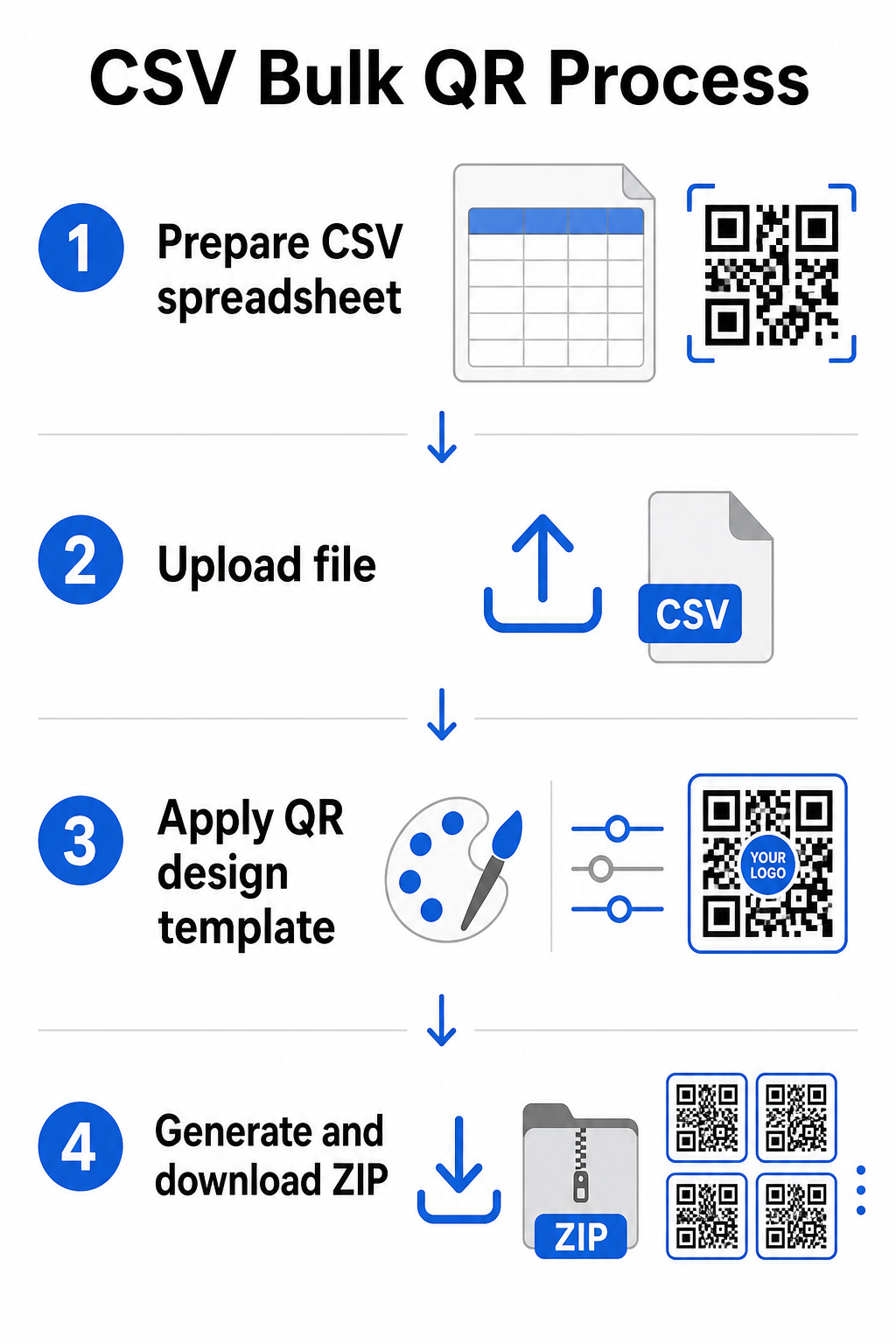
Étape 1 : Préparez votre feuille de calcul
Ouvrez un outil de feuille de calcul – Excel, Google Sheets ou tout éditeur CSV – et structurez vos données. Chaque ligne représente un code QR. Incluez au minimum :
- L'URL de destination ou le contenu de chaque code
- Un nom ou une étiquette pour chaque code (cela aide à l'organisation plus tard)
- Tous les identifiants de campagne ou de dossier que vous souhaitez utiliser
Exportez le fichier au format CSV (valeurs séparées par des virgules) lorsque vous êtes prêt à le télécharger.
Étape 2 : Téléchargez le CSV vers le générateur en masse
Connectez-vous à votre compte Pageloot et naviguez vers la section de création en masse. Téléchargez votre fichier CSV. La plateforme analysera chaque ligne et mettra les codes en file d'attente pour la génération. Vérifiez l'aperçu pour confirmer que le mappage est correct – les URL de destination doivent correspondre aux lignes prévues.
Étape 3 : Appliquez un modèle de design
Plutôt que de styliser chaque code manuellement, sélectionnez un modèle de design partagé à appliquer à l'ensemble du lot. C'est ici que vous ajoutez le logo de votre marque, choisissez les couleurs et configurez les styles de cadre. L'application d'un design cohérent à ce stade garantit que tous les codes sont uniformes sur les emballages, les supports imprimés ou la signalisation.
Étape 4 : Générez et téléchargez
Lancez le lot. La plateforme génère tous les codes simultanément et les regroupe pour le téléchargement, généralement sous forme de fichier ZIP contenant des fichiers image individuels (PNG, SVG, PDF ou EPS selon vos besoins de sortie). Les noms de fichiers correspondent généralement aux noms de codes de votre feuille de calcul, ce qui facilite l'association de chaque code à son utilisation prévue.
Générez votre lot entier en une seule fois Évitez le travail manuel et créez des centaines ou des milliers de codes QR à partir d'une seule feuille de calcul. Utilisez les Générateur de codes QR ou explorez options de codes QR dynamiques pour commencer la création en masse dès aujourd'hui.
Utiliser Google Sheets pour les codes QR statiques en masse
Si votre équipe travaille déjà dans Google Sheets, Pageloot prend en charge l'intégration directe pour générer plusieurs codes QR statiques à partir de données de feuille de calcul. Cette approche est particulièrement pratique pour les équipes qui gèrent des données en direct dans Sheets – catalogues de produits, listes de participants à des événements, ou répertoires de lieux – où les données source sont déjà structurées et mises à jour de manière collaborative.
Le processus est similaire à la méthode CSV, mais au lieu d'exporter et de re-télécharger, vous connectez votre feuille directement. Chaque ligne de la colonne désignée devient l'entrée pour un code QR. Cela réduit les frictions pour les équipes qui ne veulent pas gérer des exportations CSV séparées à chaque fois que les données source changent.
Organisation de grands lots après la génération
La génération de codes n'est qu'une partie du défi. À grande échelle, les maintenir organisés devient une tâche à part entière. Quelques pratiques aident considérablement.
Utilisez des dossiers pour trier les codes par campagne, projet, client, ou ligne de produits. La fonctionnalité de dossier de codes QR de Pageloot facilite la séparation de dizaines de campagnes actives afin que les membres de l'équipe puissent naviguer sans confusion. Établissez une convention de nommage claire dans votre CSV avant de télécharger – quelque chose comme `nom-de-campagneEMPLACEMENTvariante` – afin que les codes individuels soient faciles à localiser et à associer à leurs données analytiques plus tard. Enfin, regroupez par cas d'utilisation dès le début : gardez les codes d'événement, les codes de produit et les codes marketing dans des dossiers séparés afin que le rapport de performance reste clair et exploitable.
Codes QR en masse avec mise à jour dynamique
Une limitation significative des codes QR statiques en masse est que tout changement de destination nécessite une réimpression. Si vous générez 5 000 étiquettes de produits et que l'URL de la page de destination liée change, ces codes deviennent obsolètes dès qu'ils sont distribués.
Les codes QR dynamiques en masse éliminent ce problème. Chaque code de votre lot pointe vers une URL de redirection courte maintenue par Pageloot. Vous pouvez mettre à jour la destination pour des codes individuels – ou pousser des changements sur un lot entier – sans toucher le code physique lui-même. Ceci est particulièrement précieux pour les campagnes saisonnières où les pages de destination changent, les emballages de produits où les pages d'information sont mises à jour après l'impression, et les supports d'événement préparés à l'avance avant que les URL finales ne soient confirmées.
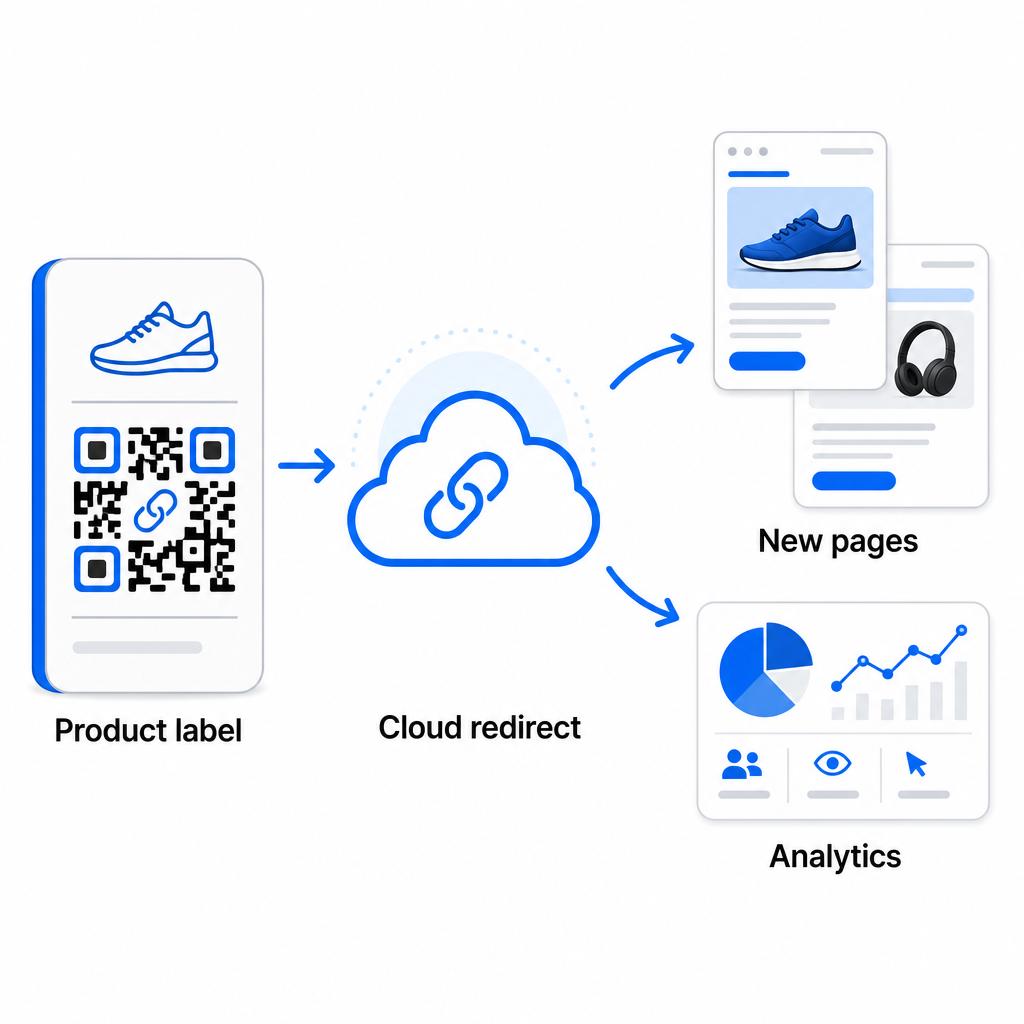
Au-delà de la flexibilité, les codes dynamiques débloquent également des analyses de scan détaillées: nombre de scans, heures de scan, localisations géographiques, types d'appareils, données de navigateur et de système d'exploitation, et suivi de localisation basé sur le GPS. Pour tout déploiement en masse où la performance compte, ces données vous donnent une vue directe des codes qui fonctionnent et où l'engagement est le plus élevé. Vous pouvez en savoir plus sur comment les codes QR dynamiques soutiennent les campagnes marketing et pourquoi cette flexibilité est importante à grande échelle.
Suivez chaque scan sur l'ensemble de votre lot Les codes QR dynamiques vous permettent de mettre à jour les destinations et de surveiller les performances en temps réel – pour chaque code de votre campagne. Explorez les Générateur de QR code dynamique pour créer des codes en masse traçables avec un tableau de bord d'analyse complet.
Mise à l'échelle pour le volume d'entreprise
Pour les organisations générant des dizaines de milliers de codes – pensez aux grandes chaînes de vente au détail, aux opérations logistiques d'entreprise, ou aux campagnes marketing nationales – le flux de travail doit être plus robuste qu'un simple téléchargement CSV.
Celui de Pageloot plateforme de codes QR d'entreprise prend en charge la génération par lots à grande échelle, avec des flux de travail basés sur CSV capables de produire jusqu'à 100 000 codes QR en une seule opération. À ce niveau, des considérations supplémentaires entrent en jeu.
l'intégration API supprime entièrement les étapes manuelles en automatisant la génération de codes directement à partir de systèmes internes tels que les CRM, les plateformes de gestion des stocks, ou les backends e-commerce. Les flux de travail basés sur API vous permettent de générer, mettre à jour et retirer des codes de manière programmatique à mesure que vos données changent. Pour un aperçu plus approfondi de la façon dont cela fonctionne en pratique, consultez le guide sur la gestion de codes QR basée sur l'API.
L'accès basé sur les rôles devient important pour les grandes équipes, permettant à différents utilisateurs de gérer des campagnes ou des clients spécifiques sans accéder à des données non pertinentes.
Les options en marque blanche sont particulièrement pertinentes pour les agences gérant des déploiements de codes QR en masse pour le compte de clients. Avec les fonctionnalités en marque blanche, les codes QR se résolvent vers les domaines des clients et les tableaux de bord affichent la marque du client – maintenant l'expérience client fluide et professionnelle.
Erreurs courantes à éviter lors de la génération en masse
Quelques problèmes apparaissent régulièrement lorsque les équipes génèrent des codes QR en volume, et la plupart d'entre eux sont faciles à prévenir avec un peu de planification préalable.
Ne pas tester avant d'imprimer est l'erreur la plus coûteuse. Scannez toujours un échantillon représentatif de votre lot avant de vous engager dans une impression. Une seule erreur de formatage dans votre CSV peut se propager à des centaines de codes cassés. De même, utiliser des codes statiques pour du contenu susceptible de changer est un risque que les codes dynamiques éliminent entièrement – s'il y a la moindre chance qu'une URL de destination ou une page de destination soit mise à jour, intégrez cette flexibilité dès le départ.
Les exigences de format de fichier sont également plus importantes que ce que les équipes attendent souvent. La production imprimée nécessite des formats vectoriels (SVG, EPS, PDF) pour un rendu net à n'importe quelle taille, tandis que les fichiers PNG fonctionnent pour une utilisation numérique mais peuvent se dégrader lorsqu'ils sont mis à l'échelle pour l'impression grand format. Sauter l'organisation avant la génération crée rapidement des maux de tête de gestion – configurez votre structure de dossiers et votre convention de nommage avant l'exécution du lot, pas après. Enfin, une conception incohérente sur un grand lot semble non professionnelle et nuit à la crédibilité de la marque ; appliquer un modèle partagé au moment de la génération est bien plus efficace que d'éditer les codes individuellement après coup.
Questions fréquentes
La plupart des outils de codes QR en masse, y compris Pageloot, acceptent les fichiers CSV (valeurs séparées par des virgules). Vous pouvez préparer vos données dans Excel ou Google Sheets et les exporter au format CSV. Chaque ligne de votre fichier devient un code QR. Pageloot prend également en charge l'intégration directe de Google Sheets pour la génération statique en masse sans avoir besoin d'exporter un fichier séparé.
Les codes QR statiques encodent la destination de manière permanente – une fois générés et imprimés, la destination ne peut pas être modifiée. Les codes QR dynamiques utilisent une URL de redirection gérée par la plateforme, vous pouvez donc mettre à jour la destination à tout moment sans réimprimer. Pour les grands lots où le contenu peut changer – tels que les pages de produits, les détails d'événements ou les pages de destination de campagne – les codes dynamiques sont fortement recommandés. Ils fournissent également des analyses de scan détaillées que les codes statiques ne peuvent pas offrir.
Cela dépend de la plateforme et du plan. Les outils de niveau entreprise de Pageloot prennent en charge la génération de jusqu'à 100 000 codes QR à partir d'un seul téléchargement CSV, ce qui les rend adaptés aux opérations de vente au détail, de logistique et de marketing à grande échelle. Pour les lots plus petits, les plans standard répondent aux besoins commerciaux typiques tels que les événements, les gammes de produits ou les campagnes spécifiques à un lieu.