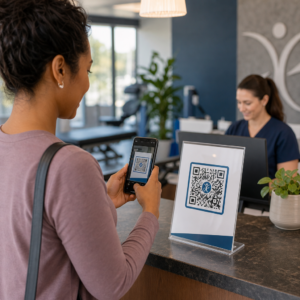
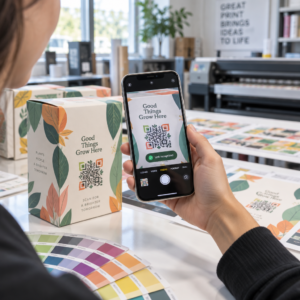
Moet u honderden – of duizenden – QR-codes genereren zonder elke code handmatig te bouwen? Ze één voor één maken is onpraktisch op schaal en introduceert inconsistentie binnen uw campagnes. Deze gids leidt u door de snelste, meest betrouwbare methoden voor het bulksgewijs aanmaken van QR-codes, van CSV-uploads tot automatisering op bedrijfsniveau.
Waarom het bulksgewijs aanmaken van QR-codes belangrijk is
Wanneer u een productlancering uitvoert, evenementregistraties beheert, of inventaris labelt, schaalt het individueel aanmaken van QR-codes simpelweg niet. Zelfs bij 50 codes kost handmatige generatie uren repetitief werk – en dat is nog voordat rekening wordt gehouden met ontwerpconsistentie, bestandsorganisatie, of tracking-instellingen.
Bulk QR-codetools lossen dit op door u al uw codes te laten definiëren in een gestructureerd bestand – typisch een CSV of spreadsheet – en de hele batch in één workflow te genereren. Het resultaat is een consistente, downloadklare set codes die onmiddellijk kan worden ingezet.
De gebruiksscenario's omvatten bijna elke branche:
- Detailhandel en e-commerce: unieke productcodes per SKU die linken naar specificaties, recensies, of aankoopagina's
- Evenementen: codes per deelnemer voor check-in, sessietoegang, of digitale programma's
- Gastvrijheid: tafel-voor-tafel menucodes of kamerspecifieke informatielinks
- Logistiek en inventaris: activatags die linken naar onderhoudsgegevens of locatiegegevens
- Marketingbureaus: campagnespecifieke codes met individuele tracking per plaatsing
Wat je nodig hebt voordat je begint
Voordat u uw batch genereert, zullen enkele beslissingen uw workflow aanzienlijk beïnvloeden.
Statische vs. dynamische codes: Statische QR-codes coderen de bestemming direct in het patroon. Eenmaal afgedrukt, kunnen ze niet meer worden gewijzigd. Dynamische QR-codes gebruiken een korte omleidings-URL die door het platform wordt beheerd, wat betekent dat u de bestemming op elk moment kunt bijwerken – zelfs nadat de codes al zijn afgedrukt en verspreid. Voor bulkcampagnes waarbij de inhoud kan evolueren, dynamische QR-codes zijn de betere keuze.
Uw gegevensbestand: Hulpmiddelen voor bulkgeneratie accepteren doorgaans een CSV of spreadsheet met één rij per QR-code. Minimaal heeft elke rij de bestemmings-URL of inhoud nodig. Afhankelijk van het platform kunt u ook velden opnemen voor de naam van de code, maptoewijzing, UTM-parameters, of ontwerpsjabloon.
Ontwerpconsistentie: Als uw codes merkkleuren, logo's, of specifieke framestijlen moeten dragen, bevestig dan dat de tool u toestaat een gedeeld ontwerpsjabloon toe te passen op de hele batch in plaats van elke code afzonderlijk te configureren.
Volume: Ken uw schaal voordat u een tool selecteert. Sommige platforms beperken bulkgeneratie tot een paar honderd codes per batch; enterprise-grade platforms zoals Pageloot ondersteunen tot 100.000 QR-codes via één enkele CSV-upload.
Hoe QR-codes bulksgewijs aan te maken met een CSV-upload
CSV-gebaseerde bulkgeneratie is de meest voorkomende methode. Zo werkt het proces op een platform zoals Pageloot.
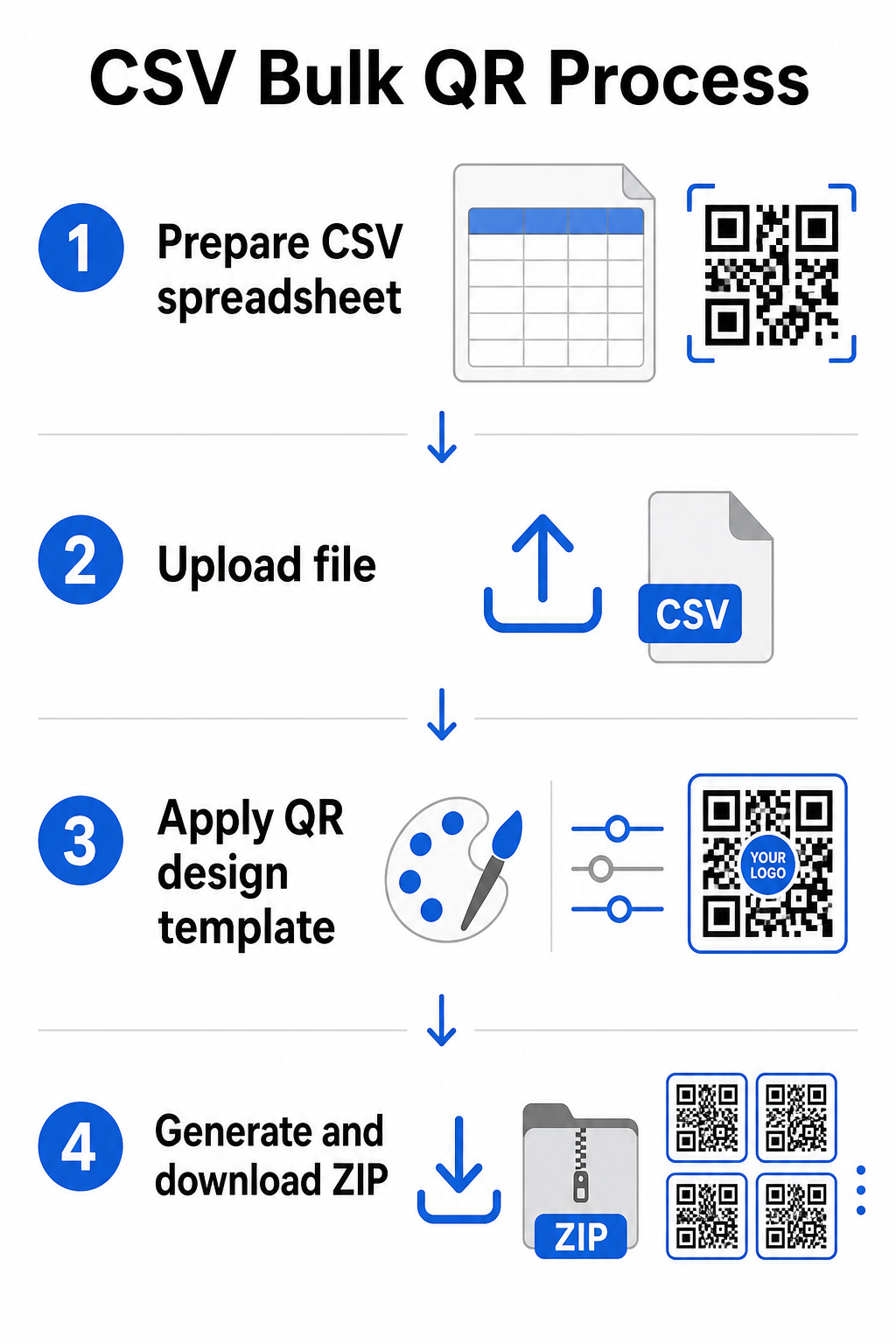
Stap 1: Bereid uw spreadsheet voor
Open een spreadsheettool – Excel, Google Sheets, of een willekeurige CSV-editor – en structureer uw gegevens. Elke rij vertegenwoordigt één QR-code. Neem minimaal op:
- De bestemmings-URL of inhoud voor elke code
- Een naam of label voor elke code (dit helpt later bij de organisatie)
- Eventuele campagne- of mapidentificatoren die u wilt gebruiken
Exporteer het bestand als een CSV (comma-separated values) wanneer u klaar bent om te uploaden.
Stap 2: Upload de CSV naar de bulkgenerator
Log in op uw Pageloot-account en navigeer naar de sectie voor bulkcreatie. Upload uw CSV-bestand. Het platform zal elke rij parsen en de codes in de wachtrij plaatsen voor generatie. Controleer de preview om te bevestigen dat de mapping correct is – bestemmings-URL's moeten overeenkomen met de bedoelde rijen.
Stap 3: Pas een ontwerpsjabloon toe
In plaats van elke code handmatig te stylen, selecteert u een gedeeld ontwerpsjabloon om toe te passen op de hele batch. Dit is waar u uw merklogo toevoegt, kleuren kiest, en framestijlen configureert. Het toepassen van een consistent ontwerp in dit stadium zorgt ervoor dat alle codes er uniform uitzien op verpakkingen, drukwerk, of bewegwijzering.
Stap 4: Genereren en downloaden
Start de batch. Het platform genereert alle codes tegelijkertijd en verpakt ze voor download, typisch als een ZIP-bestand met individuele afbeeldingsbestanden (PNG, SVG, PDF, of EPS afhankelijk van uw uitvoerbehoeften). Bestandsnamen komen meestal overeen met de codenamen uit uw spreadsheet, waardoor het eenvoudig is om elke code te matchen aan het beoogde gebruik.
Genereer Uw Hele Batch in Eén Keer Sla het handmatige werk over en creëer honderden of duizenden QR-codes vanuit één enkele spreadsheet. Gebruik de QR-codegenerator of verken Dynamische QR-code opties om vandaag nog te beginnen met bulkcreatie.
Google Sheets gebruiken voor statische QR-codes in bulk
Als uw team al werkt in Google Sheets, ondersteunt Pageloot directe integratie voor het genereren van meerdere statische QR-codes uit spreadsheetgegevens. Deze aanpak is bijzonder handig voor teams die live gegevens bijhouden in Sheets – productcatalogi, lijsten met evenementdeelnemers, of locatiemappen – waar de brongegevens al gestructureerd en gezamenlijk worden bijgewerkt.
Het proces weerspiegelt de CSV-methode, maar in plaats van exporteren en opnieuw uploaden, verbindt u uw Sheet direct. Elke rij in de aangewezen kolom wordt de invoer voor één QR-code. Dit vermindert de frictie voor teams die geen aparte CSV-exports willen beheren elke keer dat de brongegevens veranderen.
Grote batches organiseren na generatie
Het genereren van codes is slechts een deel van de uitdaging. Bij volume wordt het georganiseerd houden ervan een eigen taak. Enkele praktijken helpen aanzienlijk.
Gebruik mappen om codes te sorteren op campagne, project, klant, of productlijn. Pageloot's QR-code mapfunctie maakt het gemakkelijk om tientallen actieve campagnes gescheiden te houden, zodat teamleden zonder verwarring kunnen navigeren. Stel een duidelijke naamgevingsconventie in uw CSV in voordat u uploadt – iets als `campagne-naam`PLAATSINGvariant` – zodat individuele codes later gemakkelijk te vinden en te matchen zijn met hun analysedata. Groepeer ten slotte vanaf het begin op gebruiksscenario: houd evenementcodes, productcodes en marketingcodes in aparte mappen, zodat de prestatierapportage schoon en bruikbaar blijft.
Bulk QR-codes met dynamische updates
Een belangrijke beperking van statische bulk QR-codes is dat elke bestemmingswijziging opnieuw afdrukken vereist. Als u 5.000 productlabels genereert en de gekoppelde landingspagina-URL verandert, worden die codes verouderd op het moment dat ze worden verspreid.
Dynamische bulk QR-codes elimineren dit probleem. Elke code in uw batch verwijst naar een korte omleidings-URL die door Pageloot wordt onderhouden. U kunt de bestemming voor individuele codes bijwerken – of wijzigingen doorvoeren over een hele batch – zonder de fysieke code zelf aan te raken. Dit is bijzonder waardevol voor seizoenscampagnes waarbij landingspagina's veranderen, productverpakkingen waarbij informatiepagina's na het afdrukken worden bijgewerkt, en evenementmaterialen die van tevoren worden voorbereid voordat de definitieve URL's zijn bevestigd.
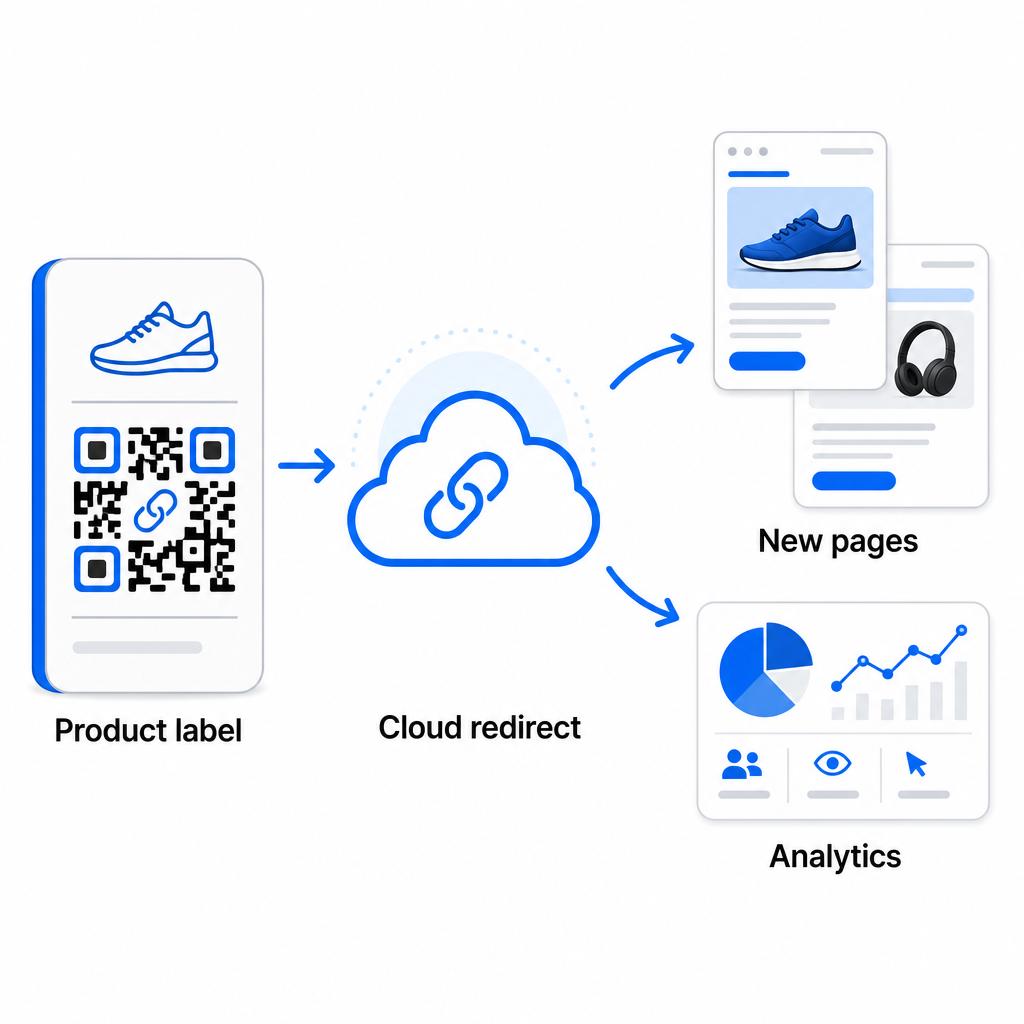
Naast flexibiliteit ontgrendelen dynamische codes ook gedetailleerde scananalyses: aantal scans, scantijden, geografische locaties, apparaattypen, browser- en OS-gegevens, en GPS-gebaseerde locatietracking. Voor elke bulkimplementatie waar prestaties belangrijk zijn, geeft deze data u een direct inzicht in welke codes werken en waar de betrokkenheid het hoogst is. U kunt meer leren over hoe dynamische QR-codes marketingcampagnes ondersteunen en waarom die flexibiliteit op schaal belangrijk is.
Volg elke scan over uw hele batch Dynamische QR-codes laten u bestemmingen bijwerken en prestaties in realtime monitoren – over elke code in uw campagne. Verken de Dynamische QR code generator om traceerbare bulkcodes te creëren met een volledig analysedashboard.
Schalen naar bedrijfsvolume
Voor organisaties die tienduizenden codes genereren – denk aan grote winkelketens, logistieke operaties van bedrijven, of nationale marketingcampagnes – moet de workflow robuuster zijn dan een enkele CSV-upload.
Pageloot's bedrijfs-QR-codeplatform ondersteunt batchgeneratie op schaal, met CSV-gebaseerde workflows die tot 100.000 QR-codes kunnen produceren in één enkele operatie. Op dit niveau komen er aanvullende overwegingen bij kijken.
API-integratie verwijdert handmatige stappen volledig door codegeneratie direct te automatiseren vanuit interne systemen zoals CRM's, voorraadbeheerplatforms, of e-commerce backends. API-gebaseerde workflows stellen u in staat om codes programmatisch te genereren, bij te werken en buiten gebruik te stellen naarmate uw gegevens veranderen. Voor een diepere blik op hoe dit in de praktijk werkt, zie de gids over API-gebaseerd QR-codebeheer.
Op rollen gebaseerde toegang wordt belangrijk voor grote teams, waardoor verschillende gebruikers specifieke campagnes of klanten kunnen beheren zonder toegang te krijgen tot ongerelateerde gegevens.
White-label opties zijn vooral relevant voor bureaus die bulk QR-implementaties beheren namens klanten. Met white-label functies verwijzen QR-codes naar klantendomeinen en dragen dashboards de branding van de klant – waardoor de klantervaring naadloos en professioneel blijft.
Veelvoorkomende fouten te vermijden bij bulkgeneratie
Enkele problemen doen zich herhaaldelijk voor wanneer teams QR-codes genereren bij volume, en de meeste zijn gemakkelijk te voorkomen met een beetje planning vooraf.
Niet testen voor het printen is de meest kostbare fout. Scan altijd een representatieve steekproef uit uw batch voordat u een printrun start. Een enkele opmaakfout in uw CSV kan zich verspreiden naar honderden kapotte codes. Op dezelfde manier is het gebruik van statische codes voor inhoud die kan veranderen een risico dat dynamische codes volledig elimineren – als er een kans is dat een bestemmings-URL of landingspagina wordt bijgewerkt, bouw die flexibiliteit dan vanaf het begin in.
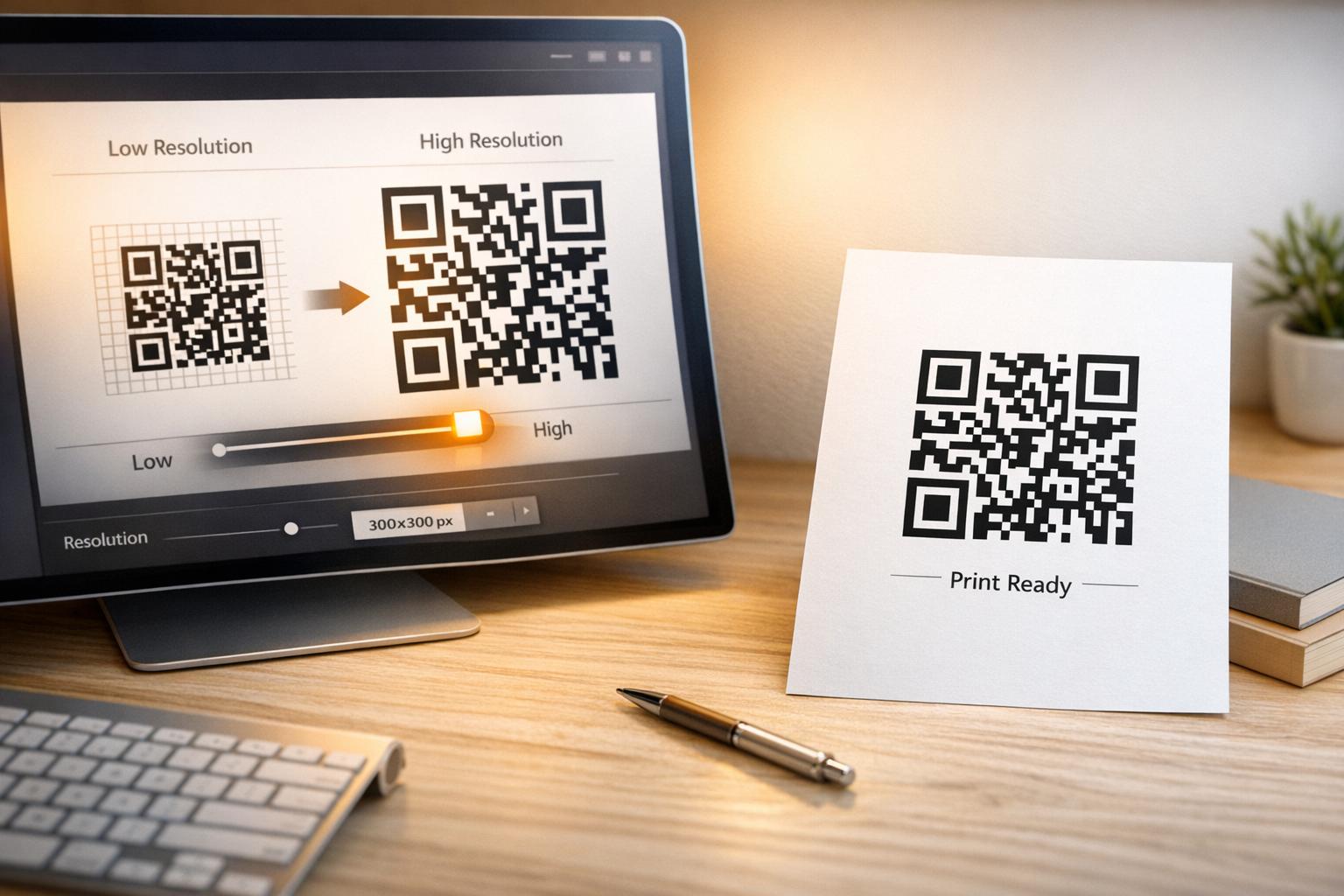
Bestandsformaatvereisten zijn ook belangrijker dan teams vaak verwachten. Printproductie heeft vectorformaten (SVG, EPS, PDF) nodig voor scherpe uitvoer op elke grootte, terwijl PNG-bestanden werken voor digitaal gebruik, maar kunnen degraderen wanneer ze worden opgeschaald voor grootformaat printen. Het overslaan van organisatie voor de generatie creëert snel managementproblemen – stel uw mapstructuur en naamgevingsconventie in voordat de batch draait, niet erna. Ten slotte ziet inconsistent ontwerp over een grote batch er onprofessioneel uit en ondermijnt het de merkwaardigheid; het toepassen van een gedeelde sjabloon bij de generatie is veel efficiënter dan het achteraf individueel bewerken van codes.
Veelgestelde vragen
De meeste bulk QR-code tools, waaronder Pageloot, accepteren CSV (comma-separated values) bestanden. U kunt uw gegevens voorbereiden in Excel of Google Sheets en exporteren als CSV. Elke rij in uw bestand wordt één QR-code. Pageloot ondersteunt ook directe Google Sheets integratie voor statische bulk generatie zonder dat u een apart bestand hoeft te exporteren.
Statische QR-codes coderen de bestemming permanent – eenmaal gegenereerd en afgedrukt, kan de bestemming niet worden gewijzigd. Dynamische QR-codes gebruiken een omleidings-URL die door het platform wordt beheerd, zodat u de bestemming op elk moment kunt bijwerken zonder opnieuw af te drukken. Voor grote batches waarbij de inhoud kan veranderen – zoals productpagina's, evenementdetails of landingspagina's van campagnes – worden dynamische codes sterk aanbevolen. Ze bieden ook gedetailleerde scananalyses die statische codes niet kunnen bieden.
Dit hangt af van het platform en het plan. De enterprise-level tools van Pageloot ondersteunen het genereren van maximaal 100.000 QR codes vanuit een enkele CSV-upload, waardoor het geschikt is voor grootschalige retail-, logistieke en marketingoperaties. Voor kleinere batches voldoen standaardplannen aan typische zakelijke behoeften zoals evenementen, productlijnen of locatiespecifieke campagnes.