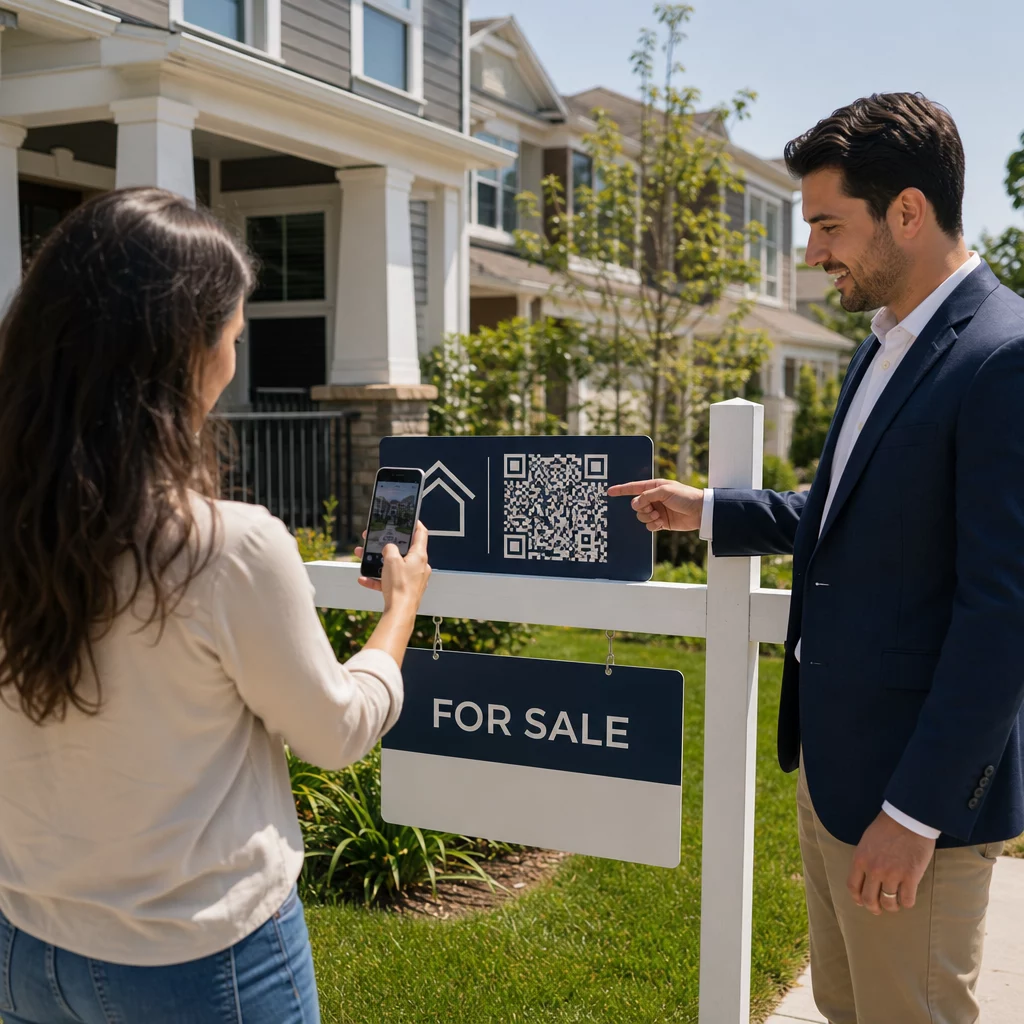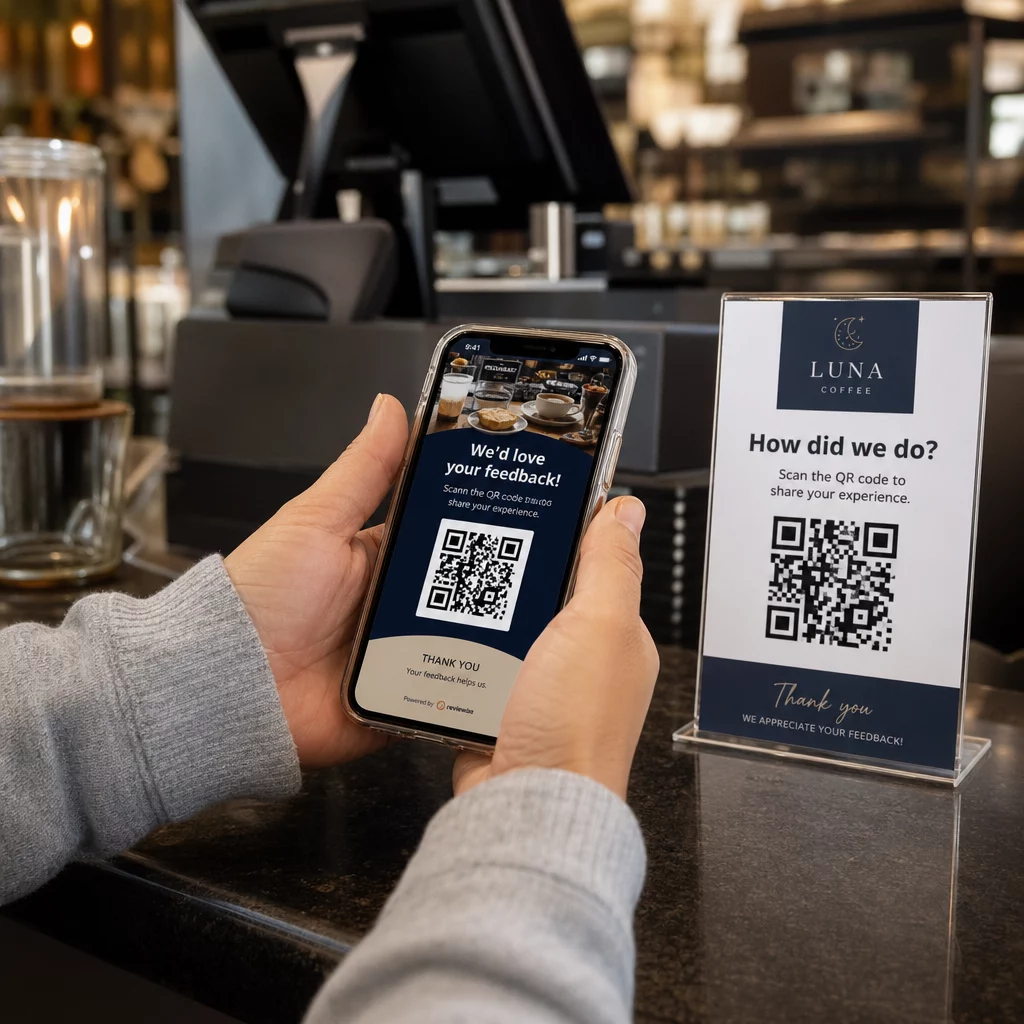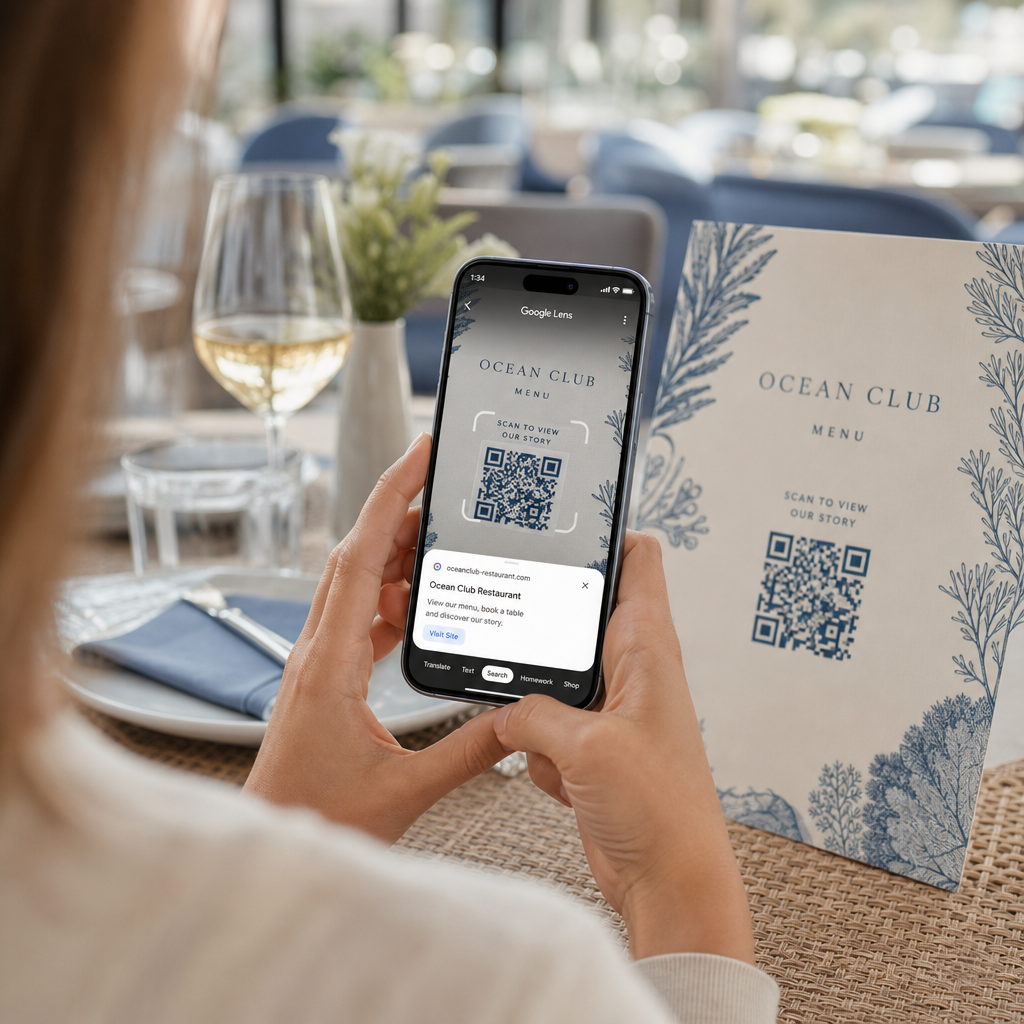
Simtu vai tūkstošu QR kodu pārvaldīšana pa vienam nav darba plūsma – tas ir šķērslis. Kad kampaņas aptver produktu līnijas, atrašanās vietas vai veselus izplatīšanas tīklus, manuāla izveide rada kļūdas, kavējumus un atkārtotas drukāšanas izmaksas, kas klusi iztukšo resursus. Šajā rokasgrāmatā ir paskaidrots, kā izmantot lielapjoma dinamisko QR kodu rīkus, lai efektīvi ģenerētu, pārvaldītu un izsekotu lielu kodu apjomu visā jūsu uzņēmumā.
Kāpēc dinamiskie QR kodi ir pareizais pamats
Pirms iedziļināties lielapjoma ģenerēšanā, ir vērts saprast, kāpēc dinamiskie QR kodi ir īpaši svarīgi uzņēmuma mērogā.
A statisks QR kods kodē fiksētu galamērķi tieši savā modelī. Pēc izdrukāšanas šo galamērķi nevar mainīt. Ja mainās URL, pārvietojas produkta lapa vai beidzas kampaņa, katrs izdrukātais kods kļūst novecojis – un tūkstošiem etiķešu vai materiālu atkārtota drukāšana ir dārga.
Dinamiskie QR kodi darbojas atšķirīgi. Tie norāda uz īsu novirzīšanas saiti, ko jūs kontrolējat. Kad kāds skenē kodu, viņš tiek novirzīts caur šo novirzīšanu uz jebkuru galamērķi, ko esat pašlaik iestatījis. Jūs varat jebkurā laikā atjaunināt galamērķi – pat pēc kodu izdrukāšanas un izplatīšanas – neģenerējot jaunu kodu un nepieskaroties nevienam drukātam materiālam. Tie atbalsta arī skenēšanas izsekošanu un analīzi, ko statiskie kodi nevar nodrošināt.
Uzņēmumiem, kas pārvalda lielas kampaņas, produktu līnijas vai fiziskos aktīvus, dinamiskie kodi novērš atkārtotas drukāšanas ciklu un nodrošina pastāvīgu pārskatu par katra koda veiktspēju.
Sāciet veidot dinamiskos QR kodus lielā apjomā Vai esat gatavs ģenerēt rediģējamus, izsekojamus QR kodus savām uzņēmuma kampaņām? Izmēģiniet Dinamisks QR kodu ģenerators bez maksas 14 dienas – nav nepieciešama kredītkarte.
Kā darbojas lielapjoma QR kodu ģenerēšana
Tūkstošiem unikālu QR kodu ģenerēšanai nav jānozīmē tūkstošiem manuālu darbību. Uzņēmuma QR platformas atbalsta divas galvenās lielapjoma izveides metodes: CSV augšupielādes un API integrāciju.
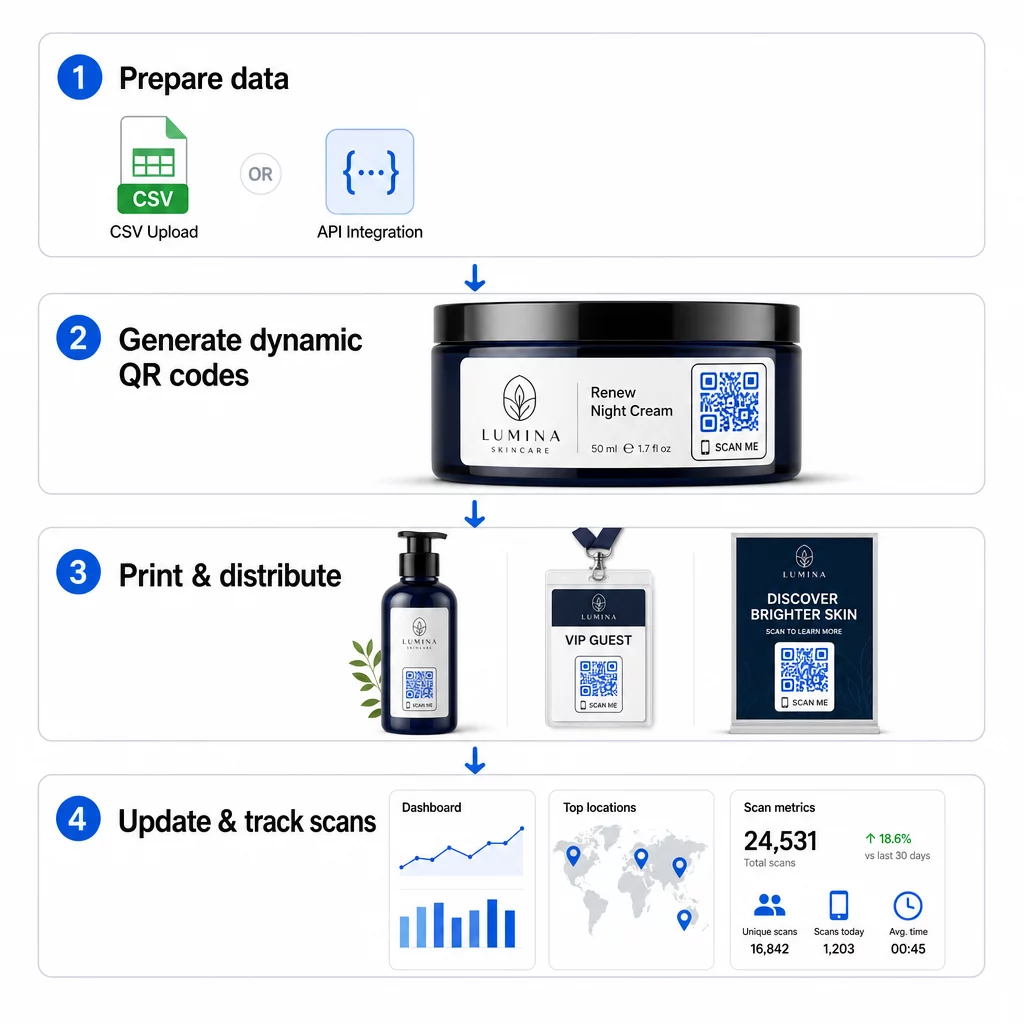
CSV augšupielāde
CSV augšupielāde ir vispieejamākā lielapjoma ģenerēšanas metode. Jūs sagatavojat izklājlapu, kurā katra rinda satur datus vienam QR kodam – parasti galamērķa URL, etiķeti vai identifikatoru un jebkādu mainīgu informāciju, piemēram, produkta SKU, partijas numuru vai kampaņas tagu. Pēc tam jūs augšupielādējat šo failu platformā, un sistēma ģenerē atbilstošu QR kodu katrai rindai.
Sagatavojot CSV failu, ņemiet vērā šādas prakses:
- Saglabājiet failu CSV UTF-8 formātā, lai izvairītos no kodēšanas kļūdām
- Novietojiet identifikatora vai mapes kolonnu pirmo
- Izmantojiet konsekventu datuma formatējumu (gggg-mm-dd) visiem datuma laukiem
- Skaidri definējiet nepieciešamās kolonnas un apstipriniet galvenes pirms augšupielādes
Tādas platformas kā Pageloot ļauj lietotājiem ģenerēt simtiem kodu no vienas CSV augšupielādes, padarot to praktisku produktu katalogiem, pasākumu biļešu tirdzniecībai vai atrašanās vietai specifiskām kampaņām, kur katram kodam nepieciešami unikāli dati.
API integrācija
Komandām, kurām nepieciešama QR kodu ģenerēšana, kas tieši integrēta esošajās darba plūsmās, API integrācija ir jaudīgāka pieeja. Tā vietā, lai manuāli eksportētu CSV, jūsu sistēmas tieši nodod parametrus QR platformai – automātiski iedarbinot kodu ģenerēšanu, kad tiek pievienoti jauni produkti, veiktas pasūtījumi vai uzsāktas kampaņas.
Uz API balstīta ģenerēšana atbalsta arī dinamiskus masveida atjauninājumus. Izmantojot PATCH vai PUT pieprasījumus, jūs varat vienlaicīgi atjaunināt mērķa URL tūkstošiem kodu – bez jebkādas manuālas iejaukšanās. Tas ir īpaši noderīgi, ja mainās kampaņas URL, tiek pārstrukturēta produkta lapa vai sezonāls saturs ir jānomaina visā produktu līnijā.
API integrācija savieno QR kodu ģenerēšanu ar rīkiem, ko jau izmantojat: krājumu pārvaldības sistēmām, CRM platformām, e-komercijas aizmugursistēmām un mārketinga automatizācijas rīkiem. Rezultāts ir nevainojama datu plūsma, kurā QR kodi tiek izveidoti, atjaunināti un izņemti no lietošanas sinhroni ar jūsu plašākām darbībām.
Galvenās funkcijas, kas jāizvērtē uzņēmuma platformā
Ne visas QR platformas ir paredzētas uzņēmuma darba slodzēm. Izvērtējot iespējas, prioritāte jāpiešķir šīm iespējām:
Masveida ģenerēšanas jauda – Platformai jāspēj apstrādāt jūsu apjomu, nepasliktinot veiktspēju. Meklējiet atbalstu neierobežotai vai liela apjoma partiju izveidei, nevis tikai mazām partijām.
Dinamiskā rediģēšana – Katram kodam jūsu bibliotēkā jābūt rediģējamam pēc izveides. Tas novērš atkārtotas drukāšanas izmaksas, mainoties galamērķiem, un ļauj atkārtoti izmantot fiziskos materiālus vairākās kampaņās.
Centralizēta pārvaldība – Viens informācijas panelis, lai organizētu, meklētu un atjauninātu visu jūsu QR kodu portfeli. Uzņēmumiem, kas vada desmitiem vienlaicīgu kampaņu, organizācija ir tikpat svarīga kā ģenerēšanas ātrums.
Zīmola veidošana un pielāgošana – Uzņēmuma kodiem jāatspoguļo jūsu zīmols. Meklējiet logotipa integrāciju, pielāgotas krāsu shēmas un dizaina veidnes, ko var konsekventi lietot lielām partijām. Mainīgo datu atbalsts ļauj iegult unikālus identifikatorus – piemēram, produktu SKU vai reklāmas kodus – katra koda dizainā vai galamērķī.
Analītika un atskaites - QR koda izsekošana pārvērš katru skenēšanu par datu punktu. Reāllaika informācijas paneļiem jāparāda skenēšanas skaits, ģeogrāfiskās atrašanās vietas, ierīču veidi un laika zīmogi. Kampaņas līmeņa atskaitēm jāparāda konversijas rādītāji un iesaistes tendences, lai jūs varētu optimizēt kampaņu tās norises laikā.
Drošība un atbilstība – Uzņēmuma izvietošanai nepieciešamas uz lomām balstītas piekļuves kontroles, lai tikai pilnvaroti lietotāji varētu izveidot, rediģēt vai dzēst kodus. Datu šifrēšana aizsargā informāciju pārsūtīšanas un glabāšanas laikā. Atbilstība GDPR, HIPAA vai SOX ir atkarīga no jūsu nozares un datu veida, ko apstrādā jūsu QR kodi.
Eksporta formāti – Augstas izšķirtspējas vektoru formāti (SVG, EPS, PDF) nodrošina, ka kodi tiek tīri reproducēti jebkurā izmērā, sākot no produktu etiķetēm līdz izstāžu baneriem.
Uzņēmuma lietošanas gadījumi lielapjoma dinamiskajiem QR kodiem
Lielapjoma ģenerēšanas un dinamiskās rediģēšanas kombinācija paver plašas operatīvās pielietošanas iespējas:
Produktu marķēšana un iepakošana – Ģenerējiet unikālus kodus katram SKU vai partijai, saistot tos ar digitālajām rokasgrāmatām, garantijas reģistrācijas lapām vai autentiskuma pārbaudi. Ja galamērķa URL mainās, atjauniniet to centralizēti, nevis atkārtoti drukājiet etiķetes.
Pasākumu biļešu tirdzniecība un reģistrācija – Izveidojiet vienu kodu katram apmeklētājam, kas satur sesijas piekļuves atļaujas un reģistrācijas datus. Dinamiskie kodi ļauj atjaunināt norises vietas informāciju vai sesiju grafikus pēc biļešu izplatīšanas.
Bezkontakta maksājumi un digitālās ēdienkartes – Piešķiriet unikālus kodus katram galdam, kioskām vai atrašanās vietai. Atjauniniet ēdienkartes saturu vai cenas centralizēti, neaizstājot fiziskos materiālus.
Personalizētas mārketinga kampaņas – Saistiet katru kodu ar galveno lapu, kas pielāgota konkrētam auditorijas segmentam, reģionam vai pirkumu vēsturei. Sekojiet līdzi, kuras versijas nodrošina visaugstāko iesaisti, un attiecīgi pielāgojiet kampaņas.
Programmatūras un lietotņu izvietošana – Izplatiet unikālus kodus, kas aktivizē nodaļai specifiskas lietotņu instalācijas vai konfigurācijas, samazinot IT atbalsta izmaksas liela mēroga ieviešanas laikā.
Piegādes ķēdes un aktīvu izsekošana – Iegultiet partijas numurus, ražošanas datumus un pārbaudes ierakstus kodos, kas pievienoti fiziskiem aktīviem. Skenētie dati nodrošina reāllaika audita pēdas visā jūsu izplatīšanas tīklā.
Analītika un automatizācija lielā mērogā
Masveida ģenerēšana ir tikai puse no vienādojuma. Lai pamatotu investīcijas un uzlabotu nākotnes kampaņas, jums ir nepieciešami uzticami veiktspējas dati.
A QR kodu pārvaldības sistēma apkopo rādītājus, tostarp kopējo skenējumu skaitu, unikālos skenējumus, skenēšanas laika zīmogus, ģeogrāfisko atrašanās vietu un ierīces veidu. Reāllaika informācijas paneļi padara šos datus izmantojamus – jūs varat identificēt, kuri kodi kampaņas vidū darbojas nepietiekami, un atjaunināt to galamērķus, lai pārbaudītu atšķirīgu saturu vai piedāvājumus.
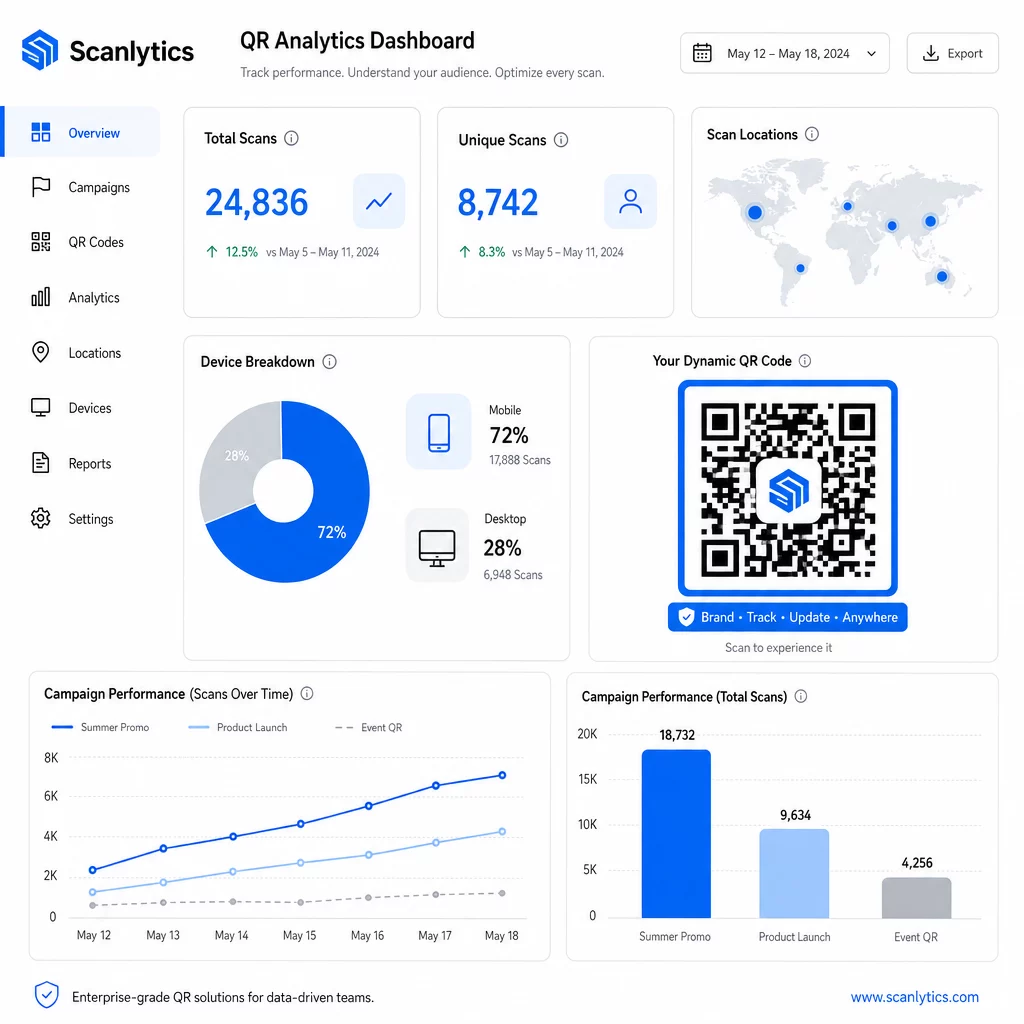
Apvienojot ar mārketinga automatizācijas rīkiem, skenēšanas notikumi var automātiski aktivizēt sekojošas darbības. Klients, skenējot produkta kodu, var iekļūt retargetinga auditorijā, saņemt SMS vai tikt pievienots CRM darbplūsmai – bez manuālas datu pārsūtīšanas.
Plānotās izvietošanas pievieno vēl vienu efektivitātes slāni. Kodus var konfigurēt tā, lai tie automātiski aktivizētos kampaņas sākumā un deaktivizētos akcijas beigās, nodrošinot, ka saturs vienmēr ir aktuāls, neprasot manuālu uzraudzību.
Izsekojiet katru skenējumu visās jūsu kampaņās Portāls Pageloot QR kodu platforma nodrošina uzņēmumu komandām centralizētu informācijas paneli reāllaika analīzei, dinamiskai rediģēšanai un masveida pārvaldībai – viss vienuviet.
Salīdzinot uzņēmumu QR kodu platformas
Izvērtējot platformas, galvenie atšķirības faktori ir masveida jauda, dinamiskā rediģēšana, analītikas dziļums, drošības standarti un integrācijas elastība.
| Platforma | Masveida ģenerēšana | Dinamiskā rediģēšana | ANALĪTIKA | Integrācijas | Drošība |
|---|---|---|---|---|---|
| Pageloot | Neierobežota partiju izveide, izmantojot CSV vai API | Reāllaika rediģēšana bez atkārtotas drukāšanas | Skenēšanas skaits, atrašanās vieta, ierīce, reāllaika informācijas panelis | CRM, API piekļuve | Atbilst GDPR, šifrēti dati |
| Uniqode | Līdz 2000 kodiem vienā partijā | Dinamiski satura atjauninājumi | Atrašanās vieta, laiks, ierīces izsekošana | HubSpot, Salesforce, Zapier (5000+ rīki) | SOC 2 Type II, SSO, uz lomām balstīta piekļuve |
| QR Batch | Liela apjoma partija no datu ievades | Reāllaika URL atjauninājumi | Piekļuves laika uzraudzība | Ierobežots | Standarta |
| Hovercode | Centralizēts informācijas panelis lieliem apjomiem | Dinamiski atjauninājumi | Skenēšanas atrašanās vieta, ierīce, laika zīmogi | API, tīmekļa āķi, CRM | Vairāku lietotāju atļaujas |
| Tiešraides QR koda ģenerators | Tūkstošiem kodu, izmantojot API vai Google Sheets | Dinamiskā QR atbalsts | Ģeogrāfiskā analītika | CRM, krājumu sistēmas | Standarta |
Pageloot atbalsts vairāk nekā 25 QR kodu veidi un neierobežota masveida izveide padara to īpaši daudzpusīgu uzņēmumiem, kas vienlaikus pārvalda dažādus kampaņu veidus. Komandām, kurām nepieciešamas dziļas trešo pušu integrācijas, platformas, piemēram, Uniqode, piedāvā plašākas savienotāju bibliotēkas. Pareizā izvēle ir atkarīga no jūsu apjoma, esošā tehnoloģiju kopuma un atbilstības prasībām.
Aģentūrām, kas pārvalda QR kampaņas vairāku klientu vārdā, Pageloot aģentūras rīki pievieno koplietojamus klientu pārskatus, baltās etiķetes iespējas un uz lomām balstītas atļaujas, kas nodrošina klientu datu nodalīšanu un profesionālu prezentāciju.
Darba sākšana ar masveida dinamiskajiem QR kodiem
Visefektīvākais ceļš uz uzņēmuma līmeņa QR kodu pārvaldību seko konsekventam modelim:
- Veiciet savu pašreizējo QR kodu lietošanas gadījumu auditu un nosakiet, kur masveida ģenerēšana ietaupītu visvairāk laika
- Izplānojiet datu laukus, kas nepieciešami katram koda tipam – galamērķa URL adreses, mainīgos identifikatorus, kampaņu tagus
- Izvēlieties platformu, kas atbalsta gan CSV augšupielādes, gan API integrāciju, lai jūs varētu pielāgot jebkuru pieeju pēc vajadzības
- Izveidojiet nosaukumu un mapju struktūru pirms pirmās masveida augšupielādes, lai uzturētu lielus portfeļus sakārtotus
- Pārbaudiet nelielu partiju pirms pilnīgas ieviešanas, pārliecinoties, ka katrs kods tiek pareizi skenēts un novirza uz pareizo galamērķi
- Iestatiet analītikas izsekošanu no pirmās dienas, lai jums būtu bāzes veiktspējas dati katrai kampaņai
Masveida dinamiskie QR kodi darbojas vislabāk, kad ģenerēšana, pārvaldība un analītika tiek apstrādāta vienā platformā. Šo funkciju sadalīšana starp vairākiem rīkiem rada datu nepilnības un manuālu saskaņošanas darbu, kas mazina efektivitātes ieguvumus, ko cenšaties sasniegt.
Portāls Pageloot dinamisko QR kodu ģenerators aptver visas trīs funkcijas – izveidot kodus masveidā, rediģēt galamērķus bez atkārtotas drukāšanas un uzraudzīt veiktspēju reāllaikā – no viena centralizēta informācijas paneļa. Sāciet bezmaksas 14 dienu izmēģinājuma periodu, lai ģenerētu savu pirmo partiju un redzētu, kā platforma pielāgojas jūsu kampaņas vajadzībām.
Biežāk uzdotie jautājumi
Statiskie QR kodi kodē fiksētu galamērķi, ko nevar mainīt pēc ģenerēšanas. Ja mainās URL vai saturs, jums ir jāpārprintē katrs kods. Dinamiskie QR kodi izmanto īsu novirzīšanas saiti, ko jūs kontrolējat, ļaujot jums atjaunināt galamērķi jebkurā laikā bez pārprintēšanas. Uzņēmumiem, kas pārvalda lielu skaitu kodu ilgstošās kampaņās vai fiziskos materiālos, dinamiskie kodi novērš pārprintēšanas izmaksas un nodrošina nepārtrauktu skenēšanas izsekošanu.
Jūs sagatavojat izklājlapu, kurā katra rinda satur datus vienam QR kodam – parasti galamērķa URL, unikālu identifikatoru un jebkādus mainīgos laukus, piemēram, produktu SKU vai kampaņas tagus. Jūs saglabājat failu CSV UTF-8 formātā un augšupielādējat to platformā. Sistēma ģenerē unikālu QR kodu katrai rindai un iepako tos lejupielādei, bieži vien kā ZIP failu. Šī pieeja labi darbojas produktu katalogiem, pasākumu biļešu tirdzniecībai un atrašanās vietai specifiskām kampaņām, kur katram kodam nepieciešami atšķirīgi dati.
Uzņēmumu QR platformas izseko rādītājus, tostarp kopējo skenēšanas skaitu, unikālās skenēšanas reizes, skenēšanas laika zīmogus, katras skenēšanas ģeogrāfisko atrašanās vietu un ierīces veidu (tostarp operētājsistēmu). Reāllaika informācijas paneļi padara šos datus pieejamus skenēšanas brīdī, lai komandas varētu identificēt nepietiekami veiktspējīgus kodus un kampaņas vidū atjaunināt to galamērķus. Progresīvākas platformas atbalsta arī konversiju izsekošanu un integrāciju ar CRM vai mārketinga automatizācijas rīkiem, lai skenēšanas notikumi varētu automātiski iedarbināt pēcpārbaudes darbplūsmas.