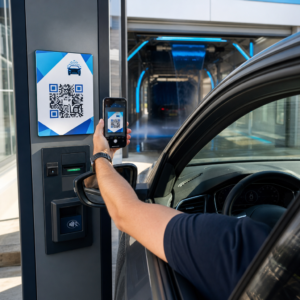
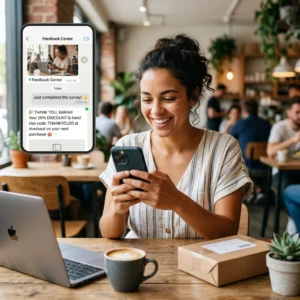
Нужно сгенерировать сотни – или тысячи – QR-кодов, не создавая каждый вручную? Создание их по одному непрактично в масштабе и приводит к несогласованности в ваших кампаниях. Это руководство проведет вас через самые быстрые и надежные методы массового создания QR-кодов, от загрузки CSV до автоматизации корпоративного уровня.
Почему массовое создание QR-кодов важно
Когда вы запускаете продукт, управляете регистрацией на мероприятия или маркируете инвентарь, индивидуальное создание QR-кодов просто не масштабируется. Даже при 50 кодах ручная генерация занимает часы повторяющейся работы – и это еще до учета согласованности дизайна, организации файлов или настройки отслеживания.
Инструменты для массового создания QR-кодов решают эту проблему, позволяя вам определить все ваши коды в структурированном файле – обычно это CSV или электронная таблица – и сгенерировать всю партию в одном рабочем процессе. Результатом является согласованный, готовый к загрузке набор кодов, который можно немедленно развернуть.
Варианты использования охватывают почти каждую отрасль:
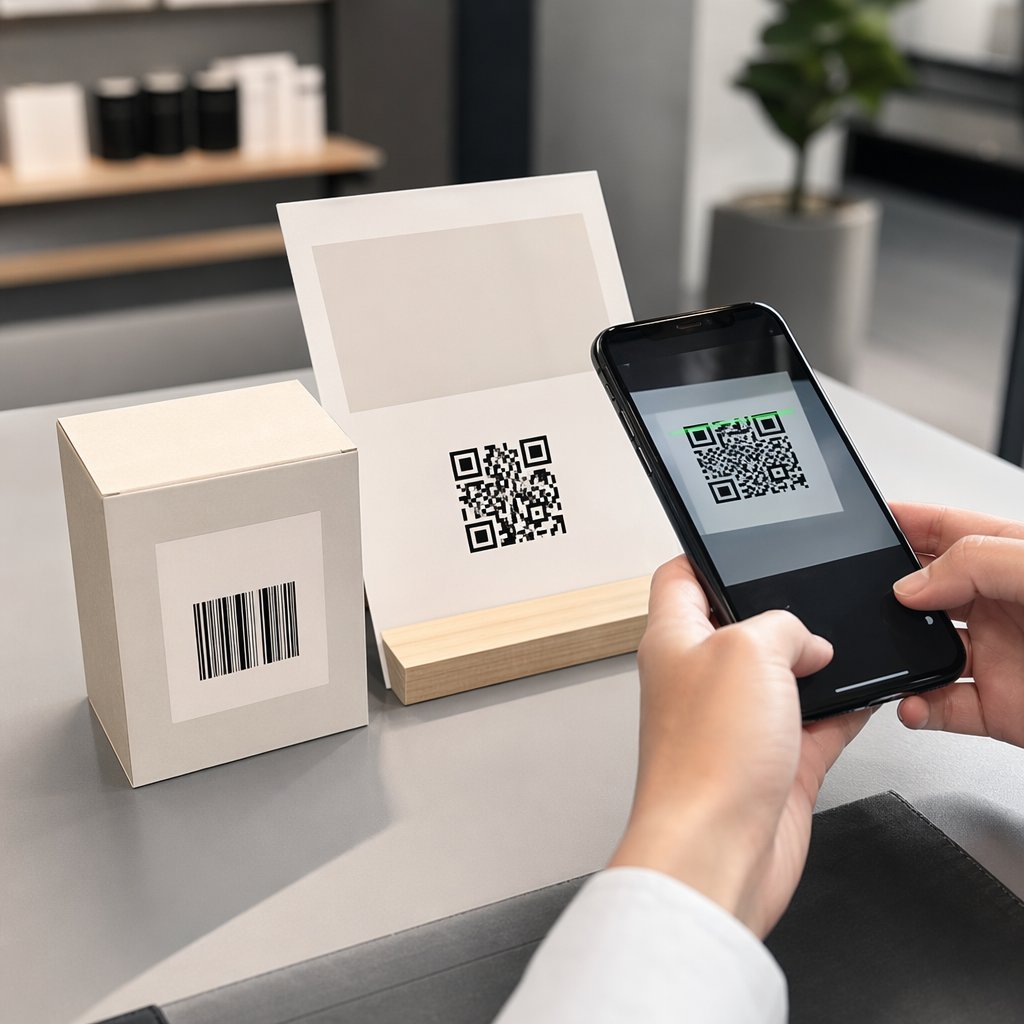
- Розничная торговля и электронная коммерция: уникальные коды продуктов для каждого SKU, ссылающиеся на спецификации, обзоры или страницы покупки
- Мероприятия: коды для каждого участника для регистрации, доступа к сессиям или цифровых программ
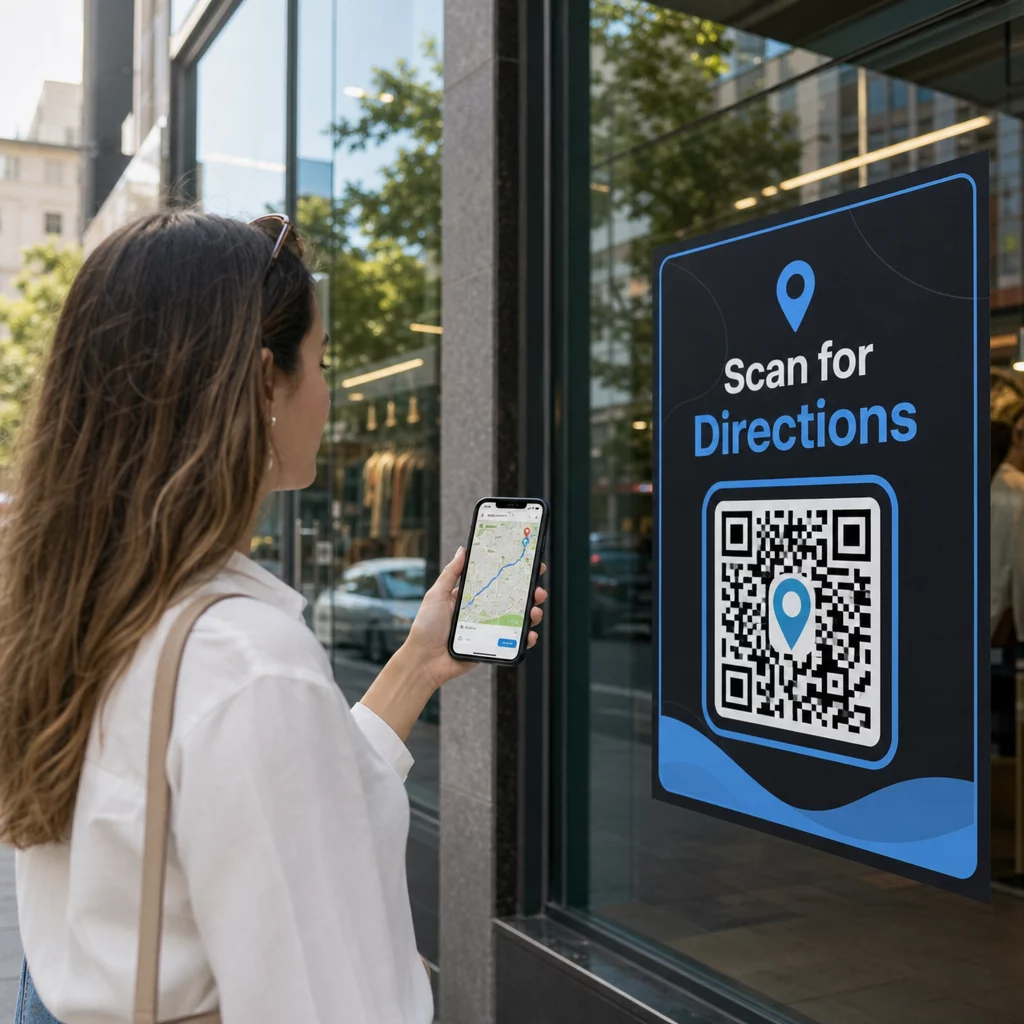
- Гостеприимство: коды меню для каждого стола или ссылки на информацию для конкретной комнаты
- Логистика и инвентаризация: метки активов, ссылающиеся на записи о техническом обслуживании или данные о местоположении
- Маркетинговые агентства: коды для конкретных кампаний с индивидуальным отслеживанием для каждого размещения
Что вам понадобится перед началом
Перед генерацией вашей партии несколько решений значительно повлияют на ваш рабочий процесс.
Статические против динамических кодов: Статические QR-коды кодируют место назначения непосредственно в шаблон. После печати их нельзя изменить. Динамические QR-коды используют короткий URL-адрес перенаправления, управляемый платформой, что означает, что вы можете обновить место назначения в любое время – даже после того, как коды уже напечатаны и распространены. Для массовых кампаний, где контент может меняться, динамические QR-коды являются лучшим выбором.
Ваш файл данных: Инструменты массовой генерации обычно принимают CSV или электронную таблицу с одной строкой для каждого QR-кода. Как минимум, каждая строка должна содержать URL-адрес назначения или контент. В зависимости от платформы, вы также можете включить поля для имени кода, назначения папки, UTM-параметров или шаблона дизайна.
Согласованность дизайна: Если ваши коды должны содержать фирменные цвета, логотипы или определенные стили рамок, убедитесь, что инструмент позволяет применять общий шаблон дизайна ко всей партии, а не настраивать каждый код индивидуально.
Объем: Знайте свой масштаб, прежде чем выбирать инструмент. Некоторые платформы ограничивают массовую генерацию несколькими сотнями кодов за партию; платформы корпоративного уровня, такие как Pageloot, поддерживают до 100 000 QR-кодов через одну загрузку CSV.
Как создавать QR-коды массово с помощью загрузки CSV
Массовая генерация на основе CSV является наиболее распространенным методом. Вот как работает этот процесс на платформе, такой как Pageloot.
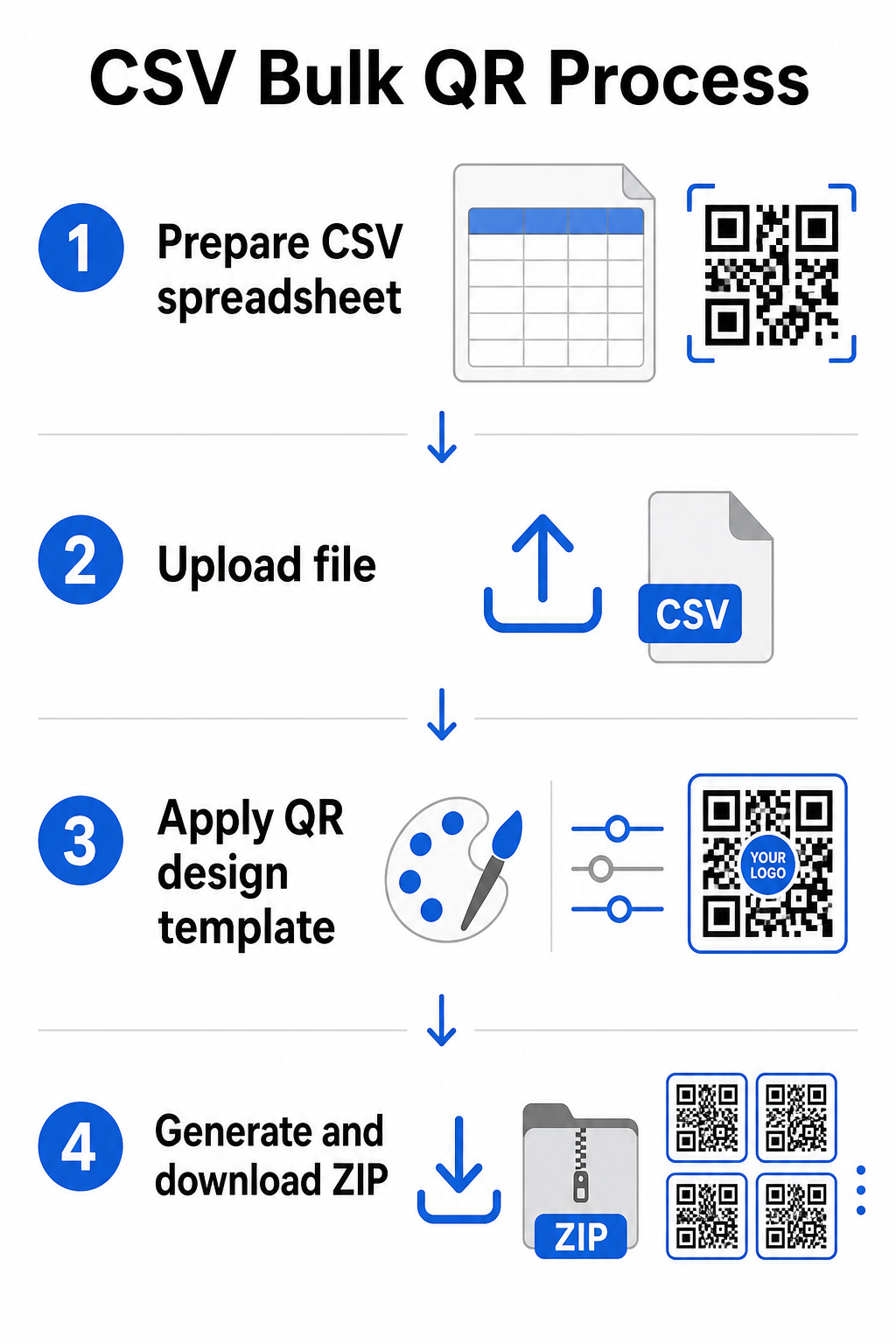
Шаг 1: Подготовьте свою электронную таблицу
Откройте инструмент для работы с электронными таблицами – Excel, Google Sheets или любой редактор CSV – и структурируйте свои данные. Каждая строка представляет один QR-код. Включите как минимум:
- URL-адрес назначения или контент для каждого кода
- Имя или метку для каждого кода (это поможет с организацией позже)
- Любые идентификаторы кампаний или папок, которые вы хотите использовать
Экспортируйте файл как CSV (значения, разделенные запятыми), когда будете готовы к загрузке.
Шаг 2: Загрузите CSV в генератор массовых кодов
Войдите в свою учетную запись Pageloot и перейдите в раздел массового создания. Загрузите свой CSV-файл. Платформа проанализирует каждую строку и поставит коды в очередь для генерации. Просмотрите предварительный просмотр, чтобы подтвердить правильность сопоставления – URL-адреса назначения должны соответствовать предполагаемым строкам.
Шаг 3: Примените шаблон дизайна
Вместо того чтобы вручную стилизовать каждый код, выберите общий шаблон дизайна для применения ко всей партии. Здесь вы добавляете логотип своего бренда, выбираете цвета и настраиваете стили рамок. Применение согласованного дизайна на этом этапе гарантирует, что все коды будут выглядеть единообразно на упаковке, печатных материалах или вывесках.
Шаг 4: Сгенерируйте и загрузите
Инициируйте партию. Платформа генерирует все коды одновременно и упаковывает их для загрузки, обычно в виде ZIP-файла, содержащего отдельные файлы изображений (PNG, SVG, PDF или EPS в зависимости от ваших потребностей в выводе). Имена файлов обычно соответствуют именам кодов из вашей электронной таблицы, что упрощает сопоставление каждого кода с его предполагаемым использованием.
Сгенерируйте всю свою партию за один раз Избегайте ручной работы и создавайте сотни или тысячи QR-кодов из одной электронной таблицы. Используйте Генератор QR-кодов или изучите Опции динамических QR-кодов чтобы начать массовое создание сегодня.
Использование Google Таблиц для массовых статических QR-кодов
Если ваша команда уже работает в Google Таблицах, Pageloot поддерживает прямую интеграцию для генерации нескольких статических QR-кодов из данных электронной таблицы. Этот подход особенно удобен для команд, которые поддерживают актуальные данные в Таблицах – каталоги продуктов, списки участников мероприятий или справочники местоположений – где исходные данные уже структурированы и обновляются совместно.
Процесс аналогичен методу CSV, но вместо экспорта и повторной загрузки вы подключаете свою Таблицу напрямую. Каждая строка в указанном столбце становится входными данными для одного QR-кода. Это уменьшает сложности для команд, которые не хотят управлять отдельными экспортами CSV каждый раз, когда исходные данные меняются.
Организация больших партий после генерации
Генерация кодов — это лишь часть задачи. При больших объемах их организация становится отдельной задачей. Несколько практик значительно помогают.
Используйте папки для сортировки кодов по кампании, проекту, клиенту или продуктовой линейке. Pageloot’s функция папок для QR-кодов позволяет легко разделять десятки активных кампаний, чтобы члены команды могли ориентироваться без путаницы. Установите четкое соглашение об именовании в вашем CSV перед загрузкой – что-то вроде `campaign-nameРАЗМЕЩЕНИЕvariant` – чтобы отдельные коды было легко найти и сопоставить с их аналитическими данными позже. Наконец, группируйте по сценариям использования с самого начала: храните коды мероприятий, коды продуктов и маркетинговые коды в отдельных папках, чтобы отчетность по производительности оставалась чистой и действенной.
Массовые QR-коды с динамическим обновлением
Одним существенным ограничением статических массовых QR-кодов является то, что любое изменение назначения требует повторной печати. Если вы генерируете 5000 этикеток продуктов и URL связанной целевой страницы меняется, эти коды устаревают в момент их распространения.
Динамические массовые QR-коды устраняют эту проблему. Каждый код в вашей партии указывает на короткий URL-адрес перенаправления, поддерживаемый Pageloot. Вы можете обновить назначение для отдельных кодов – или применить изменения ко всей партии – не затрагивая сам физический код. Это особенно ценно для сезонных кампаний, где меняются целевые страницы, упаковок продуктов, где информационные страницы обновляются после печати, и материалов мероприятий, подготовленных заранее до подтверждения окончательных URL-адресов.
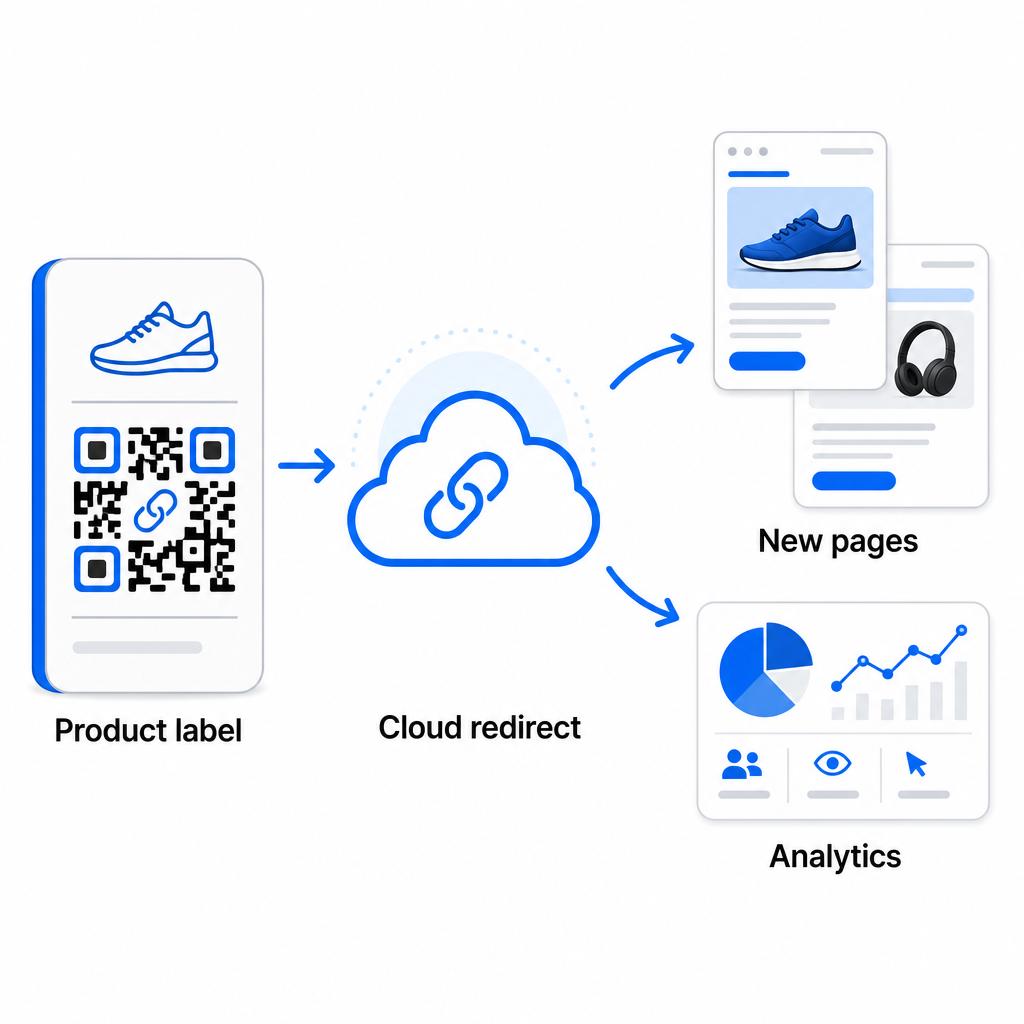
Помимо гибкости, динамические коды также открывают подробную аналитику сканирований: количество сканирований, время сканирования, географические местоположения, типы устройств, данные браузера и ОС, а также отслеживание местоположения на основе GPS. Для любого массового развертывания, где важна производительность, эти данные дают вам прямое представление о том, какие коды работают и где вовлеченность самая высокая. Вы можете узнать больше о как динамические QR-коды поддерживают маркетинговые кампании и почему эта гибкость важна в масштабе.
Отслеживайте каждое сканирование по всей вашей партии Динамические QR-коды позволяют обновлять назначения и отслеживать производительность в реальном времени – для каждого кода в вашей кампании. Изучите Динамический QR код: генератор чтобы создавать отслеживаемые массовые коды с полной аналитической панелью.
Масштабирование до корпоративного объема
Для организаций, генерирующих десятки тысяч кодов – например, крупные розничные сети, корпоративные логистические операции или национальные маркетинговые кампании – рабочий процесс должен быть более надежным, чем простая загрузка одного CSV-файла.
Pageloot’s корпоративная платформа QR-кодов поддерживает пакетную генерацию в масштабе, с рабочими процессами на основе CSV, способными производить до 100 000 QR-кодов за одну операцию. На этом уровне вступают в игру дополнительные соображения.
интеграция API полностью устраняет ручные шаги, автоматизируя генерацию кодов непосредственно из внутренних систем, таких как CRM, платформы управления запасами или бэкэнды электронной коммерции. Рабочие процессы на основе API позволяют генерировать, обновлять и выводить из эксплуатации коды программно по мере изменения ваших данных. Для более глубокого изучения того, как это работает на практике, см. руководство по Управление QR-кодами на основе API.
Доступ на основе ролей становится важным для больших команд, позволяя различным пользователям управлять конкретными кампаниями или клиентами без доступа к несвязанным данным.
Варианты белой этикетки особенно актуальны для агентств управляющих массовыми развертываниями QR-кодов от имени клиентов. С функциями белой этикетки QR-коды разрешаются в домены клиентов, а панели управления несут брендинг клиента – сохраняя клиентский опыт бесшовным и профессиональным.
Распространенные ошибки, которых следует избегать при массовой генерации
Несколько проблем появляются неоднократно, когда команды генерируют QR-коды в больших объемах, и большинство из них легко предотвратить с небольшим предварительным планированием.
Не тестировать перед печатью — самая дорогостоящая ошибка. Всегда сканируйте репрезентативный образец из вашей партии, прежде чем запускать печать. Одна ошибка форматирования в вашем CSV может распространиться на сотни неработающих кодов. Аналогично, использование статических кодов для контента, который может измениться, — это риск, который динамические коды полностью устраняют – если есть хоть малейший шанс, что целевой URL или целевая страница будут обновлены, заложите эту гибкость с самого начала.
Требования к формату файлов также имеют большее значение, чем команды часто ожидают. Для полиграфического производства требуются векторные форматы (SVG, EPS, PDF) для четкого вывода при любом размере, в то время как файлы PNG подходят для цифрового использования, но могут ухудшаться при масштабировании для широкоформатной печати. Пропуск организации перед генерацией быстро создает проблемы с управлением – настройте структуру папок и соглашение об именовании до запуска партии, а не после. Наконец, непоследовательный дизайн в большой партии выглядит непрофессионально и подрывает доверие к бренду; применение общего шаблона во время генерации гораздо эффективнее, чем редактирование кодов по отдельности впоследствии.
Часто задаваемые вопросы
Большинство инструментов для массовых QR-кодов, включая Pageloot, принимают CSV-файлы (значения, разделенные запятыми). Вы можете подготовить ваши данные в Excel или Google Таблицах и экспортировать их как CSV. Каждая строка в вашем файле становится одним QR-кодом. Pageloot также поддерживает прямую интеграцию с Google Таблицами для статической массовой генерации без необходимости экспортировать отдельный файл.
Статические QR-коды кодируют пункт назначения постоянно – после создания и печати пункт назначения изменить нельзя. Динамические QR-коды используют URL-адрес перенаправления, управляемый платформой, поэтому вы можете обновить пункт назначения в любое время без повторной печати. Для больших партий, где контент может меняться – например, страницы продуктов, детали событий или целевые страницы кампаний – динамические коды настоятельно рекомендуются. Они также предоставляют подробную аналитику сканирований, которую статические коды предложить не могут.
Это зависит от платформы и плана. Инструменты корпоративного уровня Pageloot поддерживают генерацию до 100 000 QR-кодов из одной загрузки CSV, что делает их подходящими для крупномасштабных розничных, логистических и маркетинговых операций. Для меньших партий стандартные планы удовлетворяют типичные потребности бизнеса, такие как мероприятия, продуктовые линейки или кампании, привязанные к местоположению.