Har du brug for at generere hundredvis – eller tusindvis – af QR-koder uden at bygge hver enkelt manuelt? At oprette dem én ad gangen er upraktisk i stor skala og introducerer inkonsekvens på tværs af dine kampagner. Denne guide fører dig gennem de hurtigste, mest pålidelige metoder til oprettelse af QR-koder i bulk, fra CSV-uploads til automatisering på virksomhedsniveau.
Hvorfor oprettelse af QR-koder i bulk er vigtigt
Når du kører en produktlancering, administrerer eventregistreringer eller mærker lagerbeholdning, skalerer individuel oprettelse af QR-koder simpelthen ikke. Selv ved 50 koder forbruger manuel generering timer af gentaget arbejde – og det er før man tager højde for designkonsistens, filorganisering eller opsætning af sporing.
Værktøjer til QR-koder i bulk løser dette ved at lade dig definere alle dine koder i en struktureret fil – typisk en CSV eller et regneark – og generere hele batchen i én arbejdsgang. Resultatet er et konsistent, download-klart sæt koder, der kan implementeres med det samme.
Anvendelsesmulighederne spænder over næsten alle brancher:
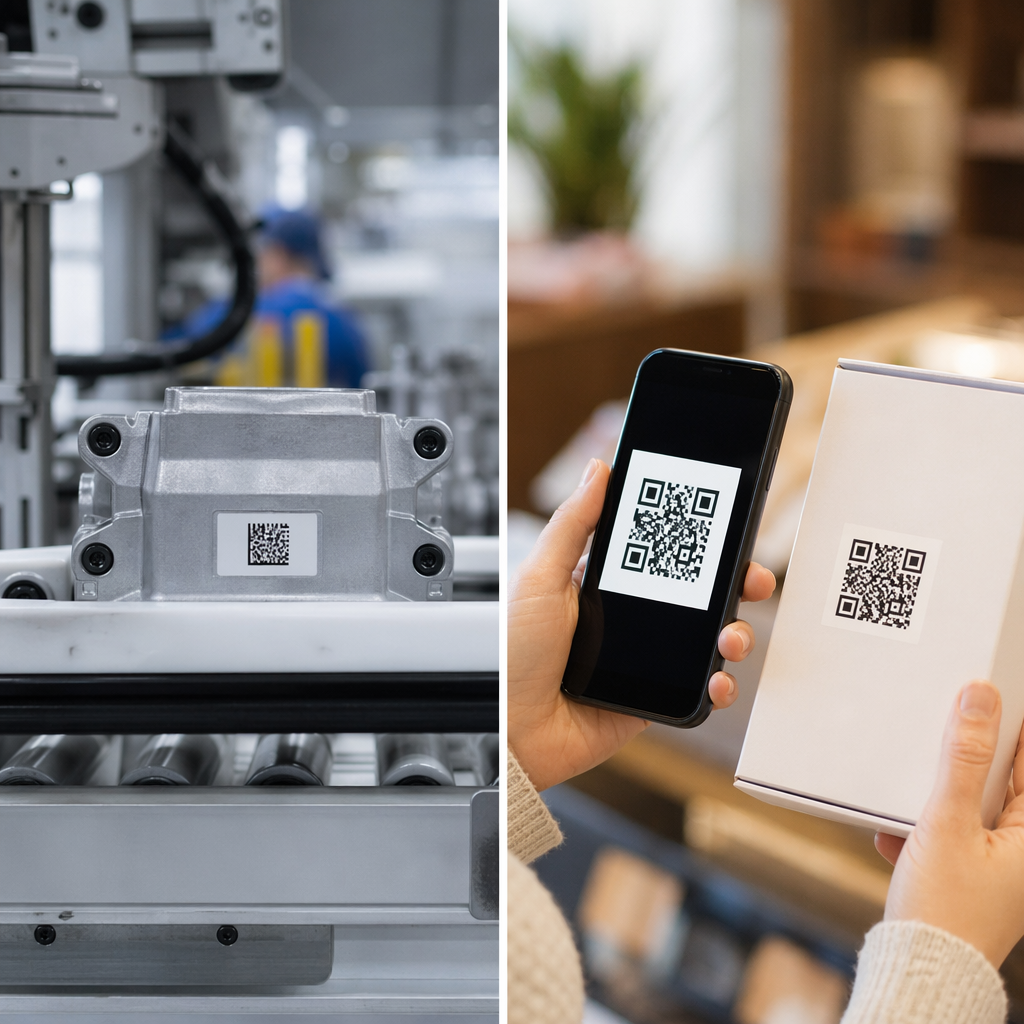
- Detailhandel og e-handel: unikke produktkoder pr. SKU, der linker til specifikationer, anmeldelser eller købssider
- Events: koder pr. deltager til check-in, sessionsadgang eller digitale programmer
- Gæstfrihed: bord-for-bord menukoder eller rumspecifikke informationslinks
- Logistik og lager: aktivmærker, der linker til vedligeholdelsesregistre eller lokationsdata
- Marketingbureauer: kampagnespecifikke koder med individuel sporing pr. placering
Hvad du skal bruge, før du starter
Før du genererer din batch, vil et par beslutninger forme din arbejdsgang betydeligt.
Statiske vs. dynamiske koder: Statiske QR-koder indkoder destinationen direkte i mønsteret. Når de er printet, kan de ikke ændres. Dynamiske QR-koder bruger en kort omdirigerings-URL, der administreres af platformen, hvilket betyder, at du kan opdatere destinationen til enhver tid – selv efter at koderne allerede er printet og distribueret. For bulk-kampagner, hvor indholdet kan udvikle sig, dynamiske QR-koder er det bedre valg.
Din datafil: Værktøjer til bulkgenerering accepterer typisk en CSV eller et regneark med én række pr. QR-kode. Som minimum skal hver række indeholde destinations-URL'en eller indholdet. Afhængigt af platformen kan du også inkludere felter for kodens navn, mappeopgave, UTM-parametre eller designskabelon.
Designkonsistens: Hvis dine koder skal bære brandfarver, logoer eller specifikke rammestile, skal du bekræfte, at værktøjet giver dig mulighed for at anvende en delt designskabelon på tværs af hele batchen i stedet for at konfigurere hver kode individuelt.
Volumen: Kend din skala, før du vælger et værktøj. Nogle platforme begrænser bulkgenerering til et par hundrede koder pr. batch; virksomhedsplatforme som Pageloot understøtter op til 100.000 QR-koder via en enkelt CSV-upload.
Sådan opretter du QR-koder i bulk ved hjælp af en CSV-upload
CSV-baseret bulkgenerering er den mest almindelige metode. Her er, hvordan processen fungerer på en platform som Pageloot.
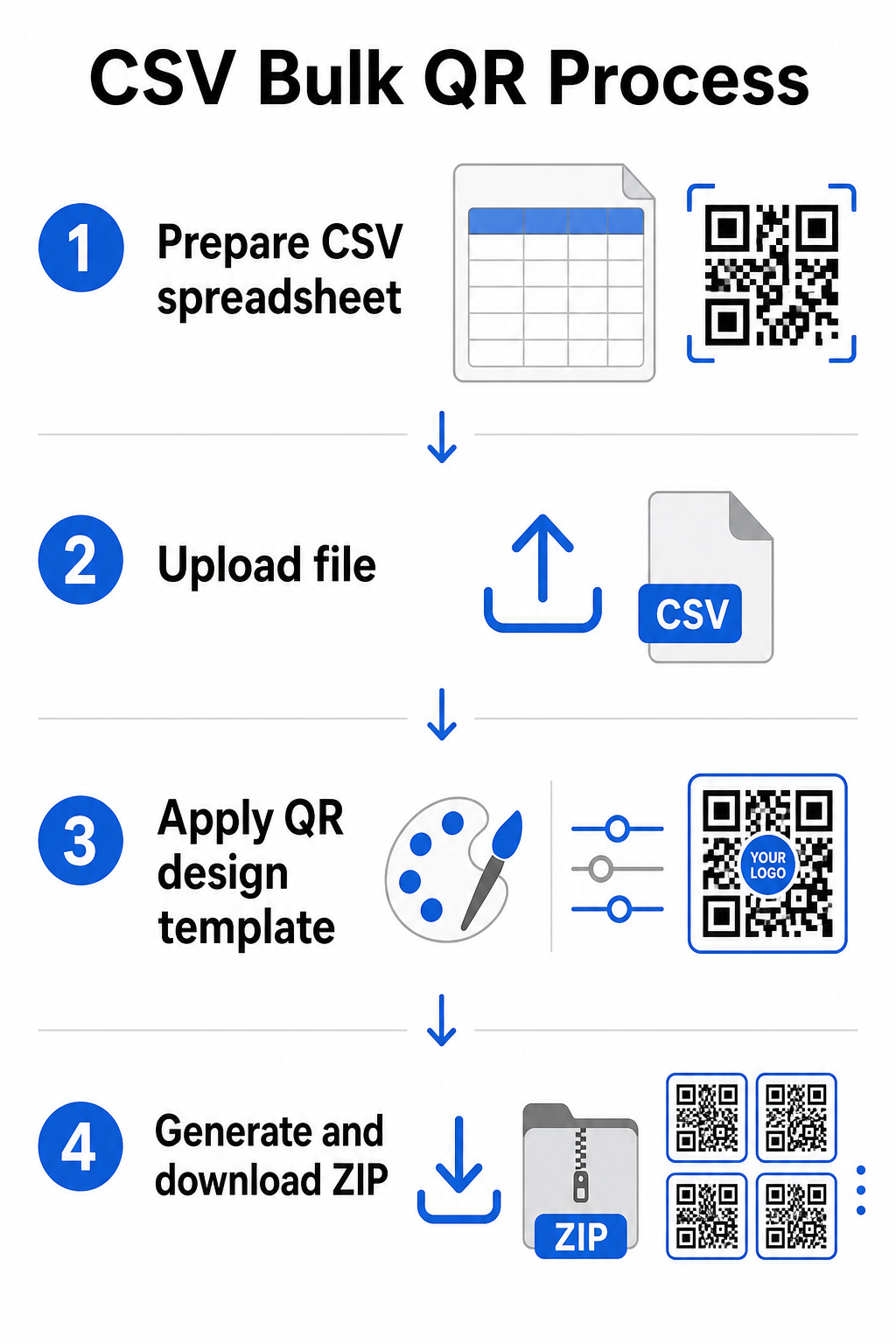
Trin 1: Forbered dit regneark
Åbn et regnearksværktøj – Excel, Google Sheets eller enhver CSV-editor – og strukturer dine data. Hver række repræsenterer én QR-kode. Inkluder som minimum:
- Destinations-URL'en eller indholdet for hver kode
- Et navn eller en etiket for hver kode (dette hjælper med organisering senere)
- Eventuelle kampagne- eller mappeidentifikatorer, du vil bruge
Eksporter filen som en CSV (kommaseparerede værdier), når du er klar til at uploade.
Trin 2: Upload CSV'en til bulkgeneratoren
Log ind på din Pageloot-konto og naviger til sektionen for bulkoprettelse. Upload din CSV-fil. Platformen vil parse hver række og sætte koderne i kø til generering. Gennemgå forhåndsvisningen for at bekræfte, at kortlægningen er korrekt – destinations-URL'er skal matche de tilsigtede rækker.
Trin 3: Anvend en designskabelon
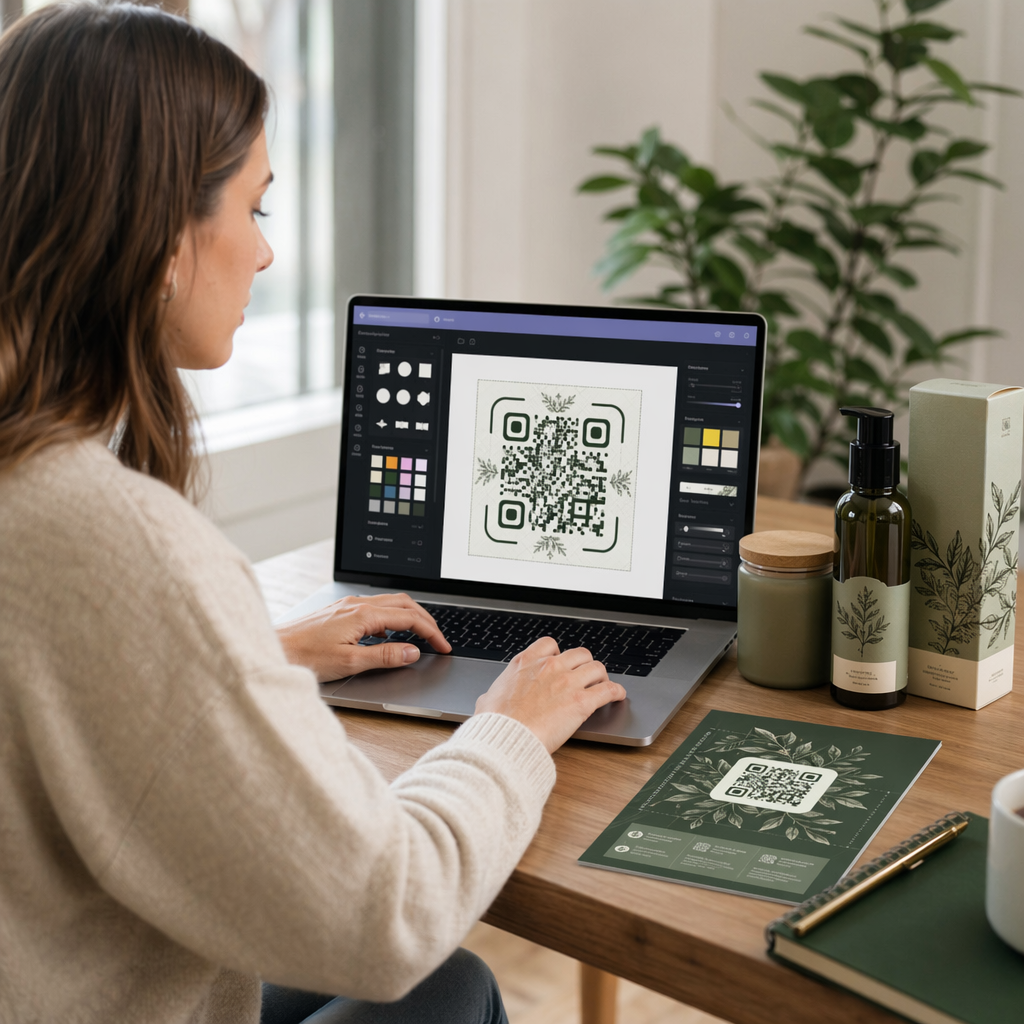
I stedet for at style hver kode manuelt skal du vælge en delt designskabelon, der skal anvendes på tværs af hele batchen. Det er her, du tilføjer dit brandlogo, vælger farver og konfigurerer rammestile. Anvendelse af et konsistent design på dette stadie sikrer, at alle koder ser ensartede ud på tværs af emballage, printmaterialer eller skiltning.
Trin 4: Generer og download
Start batchen. Platformen genererer alle koder samtidigt og pakker dem til download, typisk som en ZIP-fil, der indeholder individuelle billedfiler (PNG, SVG, PDF eller EPS afhængigt af dine outputbehov). Filnavne svarer normalt til kodenavnene fra dit regneark, hvilket gør det ligetil at matche hver kode til dens tilsigtede brug.
Generer hele din batch på én gang Spring det manuelle arbejde over og opret hundredvis eller tusindvis af QR-koder fra et enkelt regneark. Brug de QR-kodegenerator eller udforsk Dynamiske QR-kodeindstillinger for at komme i gang med bulkoprettelse i dag.
Brug af Google Sheets til statiske QR-koder i bulk
Hvis dit team allerede arbejder i Google Sheets, understøtter Pageloot direkte integration til generering af flere statiske QR-koder fra regnearksdata. Denne tilgang er særligt praktisk for teams, der vedligeholder live data i Sheets – produktkataloger, deltagerlister til arrangementer eller stedfortegnelser – hvor kildedataene allerede er struktureret og opdateres i samarbejde.
Processen afspejler CSV-metoden, men i stedet for at eksportere og gen-uploade, forbinder du dit Sheet direkte. Hver række i den udpegede kolonne bliver input til én QR-kode. Dette reducerer friktion for teams, der ikke ønsker at administrere separate CSV-eksport hver gang kildedataene ændres.
Organisering af store partier efter generering
Generering af koder er kun en del af udfordringen. Ved store mængder bliver det en selvstændig opgave at holde dem organiseret. Et par fremgangsmåder hjælper betydeligt.
Brug mapper til at sortere koder efter kampagne, projekt, klient eller produktlinje. Pageloots QR-kode mappe-funktion gør det nemt at holde snesevis af aktive kampagner adskilt, så teammedlemmer kan navigere uden forvirring. Etabler en klar navngivningskonvention i din CSV, før du uploader – noget i stil med `kampagne-navn`PLACERING`variant` – så individuelle koder er nemme at finde og matche med deres analysedata senere. Endelig, gruppér efter brugsscenarie fra starten: hold eventkoder, produktkoder og marketingkoder i separate mapper, så præstationsrapporteringen forbliver ren og handlingsorienteret.
Bulk QR-koder med dynamisk opdatering
En væsentlig begrænsning ved statiske bulk QR-koder er, at enhver destinationsændring kræver genoptryk. Hvis du genererer 5.000 produktetiketter, og den linkede landingsside-URL ændres, bliver disse koder forældede i det øjeblik, de distribueres.
Dynamiske bulk QR-koder eliminerer dette problem. Hver kode i dit parti peger på en kort omdirigerings-URL, der vedligeholdes af Pageloot. Du kan opdatere destinationen for individuelle koder – eller skubbe ændringer ud over et helt parti – uden at røre selve den fysiske kode. Dette er særligt værdifuldt for sæsonbestemte kampagner, hvor landingssider ændres, produktemballage, hvor informationssider opdateres efter tryk, og eventmaterialer, der er forberedt på forhånd, før endelige URL'er bekræftes.
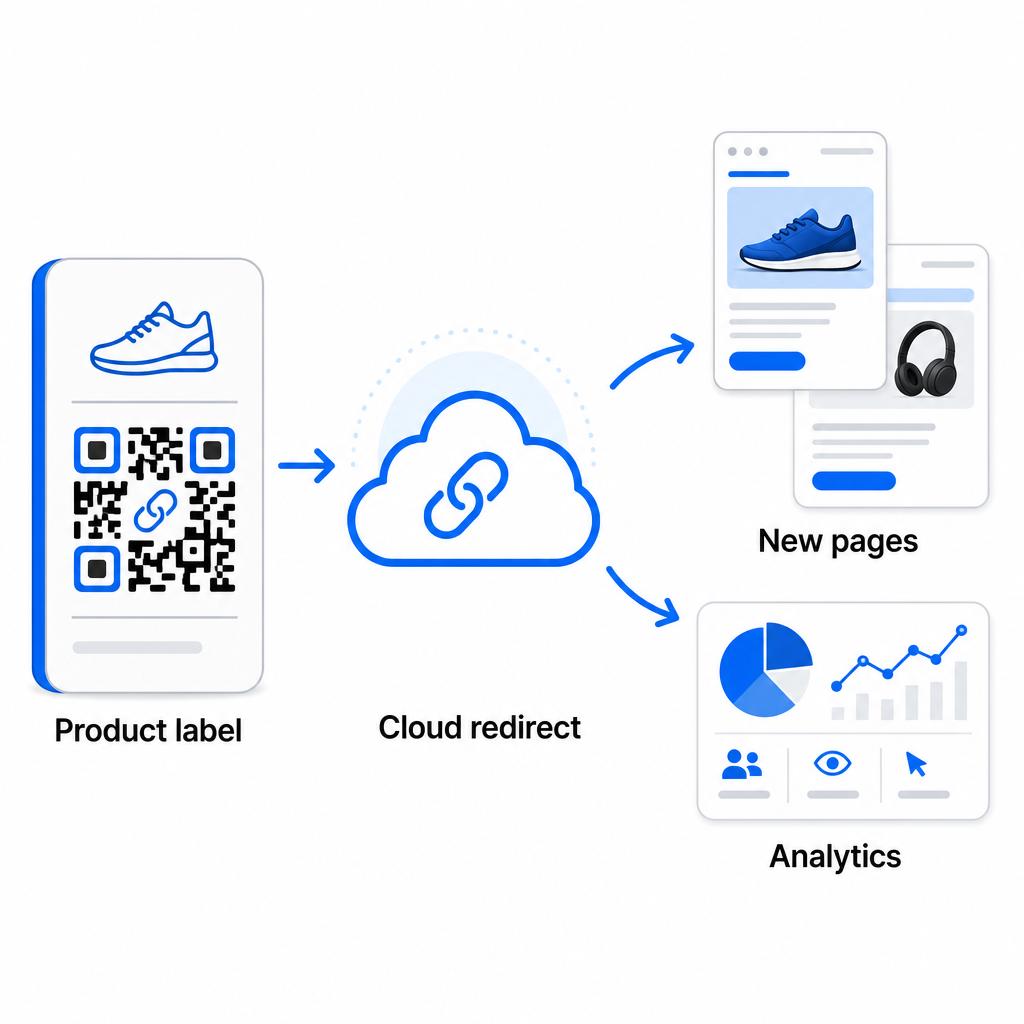
Ud over fleksibilitet låser dynamiske koder også op for detaljeret scanningsanalyse: antal scanninger, scanningstider, geografiske placeringer, enhedstyper, browser- og OS-data og GPS-baseret lokationssporing. For enhver bulk-udrulning, hvor ydeevne betyder noget, giver disse data dig et direkte indblik i, hvilke koder der fungerer, og hvor engagementet er højest. Du kan lære mere om hvordan dynamiske QR-koder understøtter marketingkampagner og hvorfor den fleksibilitet betyder noget i stor skala.
Spor hver scanning på tværs af hele dit parti Dynamiske QR-koder lader dig opdatere destinationer og overvåge ydeevne i realtid – på tværs af hver kode i din kampagne. Udforsk Dynamisk QR-kode generator for at oprette sporbare bulk-koder med et komplet analysedashboard.
Skalering til virksomhedsvolumen
For organisationer, der genererer titusindvis af koder – tænk store detailkæder, virksomhedslogistikoperationer eller nationale marketingkampagner – skal arbejdsgangen være mere robust end en enkelt CSV-upload.
Pageloots virksomheds QR-kode platform understøtter batchgenerering i stor skala, med CSV-baserede arbejdsgange, der er i stand til at producere op til 100.000 QR-koder i en enkelt operation. På dette niveau kommer yderligere overvejelser i spil.
API-integration fjerner manuelle trin fuldstændigt ved at automatisere kodegenerering direkte fra interne systemer som CRM'er, lagerstyringsplatforme eller e-handelsbackends. API-baserede arbejdsgange giver dig mulighed for at generere, opdatere og udfase koder programmatisk, når dine data ændres. For et dybere kig på, hvordan dette fungerer i praksis, se guiden om API-baseret QR-kodehåndtering.
Rollebaseret adgang bliver vigtigt for store teams, hvilket giver forskellige brugere mulighed for at administrere specifikke kampagner eller klienter uden at få adgang til urelaterede data.
White-label muligheder er især relevante for bureauer der administrerer bulk QR-udrulninger på vegne af klienter. Med white-label funktioner løser QR-koder til klientdomæner, og dashboards bærer klientbranding – hvilket holder klientoplevelsen problemfri og professionel.
Almindelige fejl at undgå ved bulkgenerering
Et par problemer opstår gentagne gange, når teams genererer QR-koder i stor skala, og de fleste af dem er nemme at forhindre med lidt planlægning på forhånd.
Ikke at teste før udskrivning er den mest omkostningsfulde fejl. Scan altid en repræsentativ prøve fra din batch, før du forpligter dig til en udskrivning. En enkelt formateringsfejl i din CSV kan sprede sig til hundredvis af ødelagte koder. På samme måde er brugen af statiske koder til indhold, der måtte ændre sig, en risiko, som dynamiske koder eliminerer fuldstændigt – hvis der er nogen chance for, at en destinations-URL eller landingsside vil blive opdateret, skal du indbygge den fleksibilitet fra starten.
Krav til filformater betyder også mere, end teams ofte forventer. Printproduktion kræver vektorformater (SVG, EPS, PDF) for skarpt output ved enhver størrelse, mens PNG-filer fungerer til digital brug, men kan forringes, når de skaleres op til storformatudskrivning. At springe organisering over før generering skaber hurtigt administrationshovedpine – opsæt din mappestruktur og navngivningskonvention, før batchen kører, ikke efter. Endelig ser inkonsekvent design på tværs af en stor batch uprofessionelt ud og underminerer brandets troværdighed; at anvende en delt skabelon ved genereringstidspunktet er langt mere effektivt end at redigere koder individuelt bagefter.
Ofte stillede spørgsmål
De fleste masse-QR-kodeværktøjer, herunder Pageloot, accepterer CSV (komma-separerede værdier) filer. Du kan forberede dine data i Excel eller Google Sheets og eksportere som CSV. Hver række i din fil bliver til én QR-kode. Pageloot understøtter også direkte Google Sheets-integration til statisk massegenerering uden at skulle eksportere en separat fil.
Statiske QR-koder koder destinationen permanent – når de er genereret og printet, kan destinationen ikke ændres. Dynamiske QR-koder bruger en omdirigerings-URL, der administreres af platformen, så du kan opdatere destinationen til enhver tid uden genudskrivning. For store partier, hvor indholdet kan ændre sig – såsom produktsider, begivenhedsdetaljer eller kampagnelandingssider – anbefales dynamiske koder kraftigt. De giver også detaljerede scanningsanalyser, som statiske koder ikke kan tilbyde.
Dette afhænger af platformen og planen. Pageloots værktøjer på virksomhedsniveau understøtter generering af op til 100.000 QR-koder fra en enkelt CSV-upload, hvilket gør det velegnet til storstilet detailhandel, logistik og marketingoperationer. For mindre batches imødekommer standardplaner typiske forretningsbehov såsom begivenheder, produktlinjer eller lokationsspecifikke kampagner.