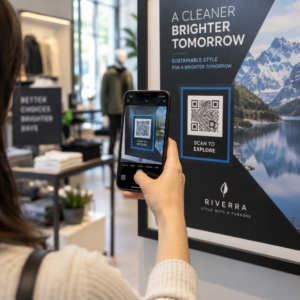
Tarvitseeko sinun luoda satoja – tai tuhansia – QR-koodeja rakentamatta jokaista manuaalisesti? Niiden luominen yksi kerrallaan on epäkäytännöllistä suuressa mittakaavassa ja aiheuttaa epäjohdonmukaisuutta kampanjoissasi. Tämä opas opastaa sinut nopeimpien ja luotettavimpien menetelmien läpi massiiviseen QR-koodien luomiseen, CSV-latauksista yritystason automaatioon.
Miksi massiivinen QR-koodien luominen on tärkeää
Kun olet käynnistämässä tuotelanseerausta, hallinnoimassa tapahtumarekisteröintejä tai merkitsemässä varastoa, yksittäisten QR-koodien luominen ei yksinkertaisesti skaalaudu. Jopa 50 koodin kohdalla manuaalinen luominen kuluttaa tunteja toistuvaa työtä – ja tämä on ennen kuin otetaan huomioon suunnittelun johdonmukaisuus, tiedostojen järjestely tai seurannan asennus.
Massiiviset QR-koodityökalut ratkaisevat tämän antamalla sinun määritellä kaikki koodisi jäsennellyssä tiedostossa – tyypillisesti CSV- tai taulukkolaskentatiedostossa – ja luoda koko erän yhdessä työnkulussa. Tuloksena on johdonmukainen, latausvalmis koodisarja, joka voidaan ottaa käyttöön välittömästi.
Käyttötapaukset kattavat lähes kaikki toimialat:
- Vähittäiskauppa ja verkkokauppa: yksilölliset tuotekoodit per SKU, jotka linkittävät teknisiin tietoihin, arvosteluihin tai ostossivuille
- Tapahtumat: osallistujakohtaiset koodit sisäänkirjautumiseen, istuntojen käyttöön tai digitaalisiin ohjelmiin
- Vieraanvaraisuus: pöytäkohtaiset ruokalistakoodit tai huonekohtaiset tietolinkit
- Logistiikka ja varasto: omaisuustunnisteet, jotka linkittävät huoltotietoihin tai sijaintitietoihin
- Markkinointitoimistot: kampanjakohtaiset koodit yksilöllisellä seurannalla sijoittelua kohden
Mitä tarvitset ennen aloittamista
Ennen erän luomista muutama päätös muokkaa työnkulkuasi merkittävästi.
Staattiset vs. dynaamiset koodit: Staattiset QR-koodit koodaavat kohteen suoraan kuvioon. Kun ne on tulostettu, niitä ei voi muuttaa. Dynaamiset QR-koodit käyttävät alustan hallinnoimaa lyhyttä uudelleenohjaus-URL-osoitetta, mikä tarkoittaa, että voit päivittää kohteen milloin tahansa – jopa sen jälkeen, kun koodit on jo tulostettu ja jaettu. Massiivisiin kampanjoihin, joissa sisältö voi kehittyä, dynaamiset QR-koodit ovat parempi valinta.
Tietotiedostosi: Massiivisen luomisen työkalut hyväksyvät tyypillisesti CSV- tai taulukkolaskentatiedoston, jossa on yksi rivi per QR-koodi. Vähintään jokainen rivi tarvitsee kohde-URL-osoitteen tai sisällön. Alustasta riippuen voit sisällyttää myös kenttiä koodin nimelle, kansiomääritykselle, UTM-parametreille tai suunnittelumallille.
Suunnittelun johdonmukaisuus: Jos koodiesi on sisällettävä brändivärejä, logoja tai tiettyjä kehystyylejä, varmista, että työkalu antaa sinun soveltaa jaettua suunnittelumallia koko erään sen sijaan, että määrittäisit jokaisen koodin erikseen.
Määrä: Tunne mittakaavasi ennen työkalun valitsemista. Jotkut alustat rajoittavat massiivisen luomisen muutamaan sataan koodiin per erä; yritystason alustat, kuten Pageloot, tukevat jopa 100 000 QR-koodia yhdellä CSV-latauksella.
Kuinka luoda QR-koodeja massana CSV-latauksen avulla
CSV-pohjainen massiivinen luominen on yleisin menetelmä. Näin prosessi toimii Pagelootin kaltaisella alustalla.
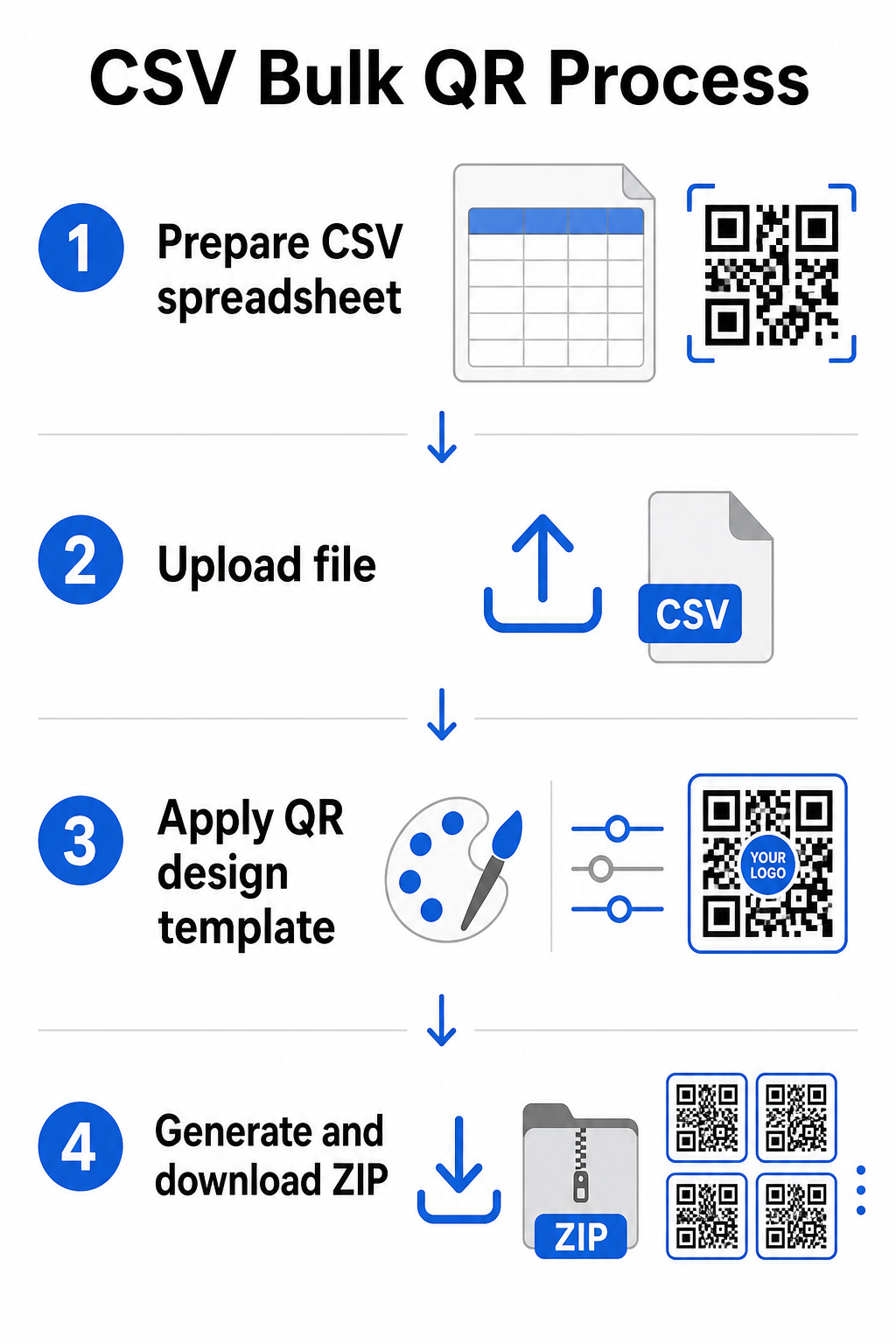
Vaihe 1: Valmistele taulukkolaskentatiedostosi
Avaa taulukkolaskentatyökalu – Excel, Google Sheets tai mikä tahansa CSV-editori – ja jäsennä tietosi. Jokainen rivi edustaa yhtä QR-koodia. Sisällytä vähintään:
- Kunkin koodin kohde-URL-osoite tai sisältö
- Nimi tai tunniste kullekin koodille (tämä auttaa myöhemmin järjestelyssä)
- Kaikki kampanja- tai kansiotunnisteet, joita haluat käyttää
Vie tiedosto CSV-muodossa (pilkuin erotellut arvot), kun olet valmis lataamaan.
Vaihe 2: Lataa CSV massageneraattoriin
Kirjaudu Pageloot-tilillesi ja siirry massaluontiosioon. Lataa CSV-tiedostosi. Alusta jäsentää jokaisen rivin ja asettaa koodit jonoon luomista varten. Tarkista esikatselu varmistaaksesi, että vastaavuus on oikea – kohde-URL-osoitteiden tulisi vastata tarkoitettuja rivejä.
Vaihe 3: Käytä suunnittelumallia
Sen sijaan, että muotoilisit jokaisen koodin manuaalisesti, valitse jaettu suunnittelumalli, jota sovelletaan koko erään. Tässä lisäät brändilogosi, valitset värit ja määrität kehystyylit. Johdonmukaisen suunnittelun soveltaminen tässä vaiheessa varmistaa, että kaikki koodit näyttävät yhtenäisiltä pakkauksissa, painomateriaaleissa tai kylteissä.
Vaihe 4: Luo ja lataa
Käynnistä erä. Alusta luo kaikki koodit samanaikaisesti ja pakkaa ne ladattavaksi, tyypillisesti ZIP-tiedostona, joka sisältää yksittäisiä kuvatiedostoja (PNG, SVG, PDF tai EPS riippuen tulostustarpeistasi). Tiedostonimet vastaavat yleensä taulukkolaskentatiedostosi koodinimiä, mikä tekee kunkin koodin yhdistämisestä sen tarkoitettuun käyttöön suoraviivaista.
Luo koko eräsi kerralla Ohita manuaalinen työ ja luo satoja tai tuhansia QR-koodeja yhdestä taulukkolaskentatiedostosta. Käytä QR-koodigeneraattori tai tutustu Dynaamisen QR-koodin vaihtoehtoja aloittaaksesi massaluomisen tänään.
Google Sheetsin käyttö staattisten QR-koodien massaluomiseen
Jos tiimisi työskentelee jo Google Sheetsissä, Pageloot tukee suoraa integrointia useiden staattisten QR-koodien luomiseen laskentataulukon tiedoista. Tämä lähestymistapa on erityisen kätevä tiimeille, jotka ylläpitävät reaaliaikaista dataa Sheetsissä – tuoteluettelot, tapahtumien osallistujalistat tai sijaintihakemistot – joissa lähdetiedot ovat jo jäsenneltyjä ja päivitetään yhteistyössä.
Prosessi peilaa CSV-menetelmää, mutta viennin ja uudelleenlataamisen sijaan yhdistät Sheets-tiedostosi suoraan. Jokainen nimetyn sarakkeen rivi tulee yhden QR-koodin syötteeksi. Tämä vähentää kitkaa tiimeille, jotka eivät halua hallita erillisiä CSV-vientejä joka kerta, kun lähdetiedot muuttuvat.
Suurten erien järjestäminen luomisen jälkeen
Koodien luominen on vain osa haastetta. Suurissa määrissä niiden järjestäminen muuttuu omaksi tehtäväkseen. Muutama käytäntö auttaa merkittävästi.
Käytä kansioita koodien lajitteluun kampanjan, projektin, asiakkaan tai tuotelinjan mukaan. Pagelootin QR-koodikansio-ominaisuus helpottaa kymmenien aktiivisten kampanjoiden pitämistä erillään, jotta tiimin jäsenet voivat navigoida ilman sekaannusta. Määritä selkeä nimeämiskäytäntö CSV-tiedostoosi ennen lataamista – esimerkiksi `kampanjan-nimi`SIJOITUSvariantti` – jotta yksittäiset koodit on helppo paikantaa ja yhdistää niiden analytiikkatietoihin myöhemmin. Lopuksi, ryhmittele käyttötapauksen mukaan alusta alkaen: pidä tapahtumakoodit, tuotekoodit ja markkinointikoodit erillisissä kansioissa, jotta suorituskykyraportointi pysyy selkeänä ja toimivana.
Massatuotetut QR-koodit dynaamisella päivityksellä
Yksi staattisten massatuotettujen QR-koodien merkittävä rajoitus on, että kaikki kohdemuutokset edellyttävät uudelleenpainatusta. Jos luot 5 000 tuotetarraa ja linkitetyn laskeutumissivun URL-osoite muuttuu, nämä koodit vanhenevat heti, kun ne jaetaan.
Dynaamiset massatuotetut QR-koodit poistavat tämän ongelman. Jokainen eräsi koodi osoittaa lyhyeen uudelleenohjaus-URL-osoitteeseen, jota Pageloot ylläpitää. Voit päivittää yksittäisten koodien kohdetta – tai viedä muutoksia koko erään – koskematta fyysiseen koodiin itseensä. Tämä on erityisen arvokasta kausiluonteisissa kampanjoissa, joissa laskeutumissivut muuttuvat, tuotepakkauksissa, joissa tietosivuja päivitetään painatuksen jälkeen, ja tapahtumamateriaaleissa, jotka on valmisteltu etukäteen ennen lopullisten URL-osoitteiden vahvistamista.
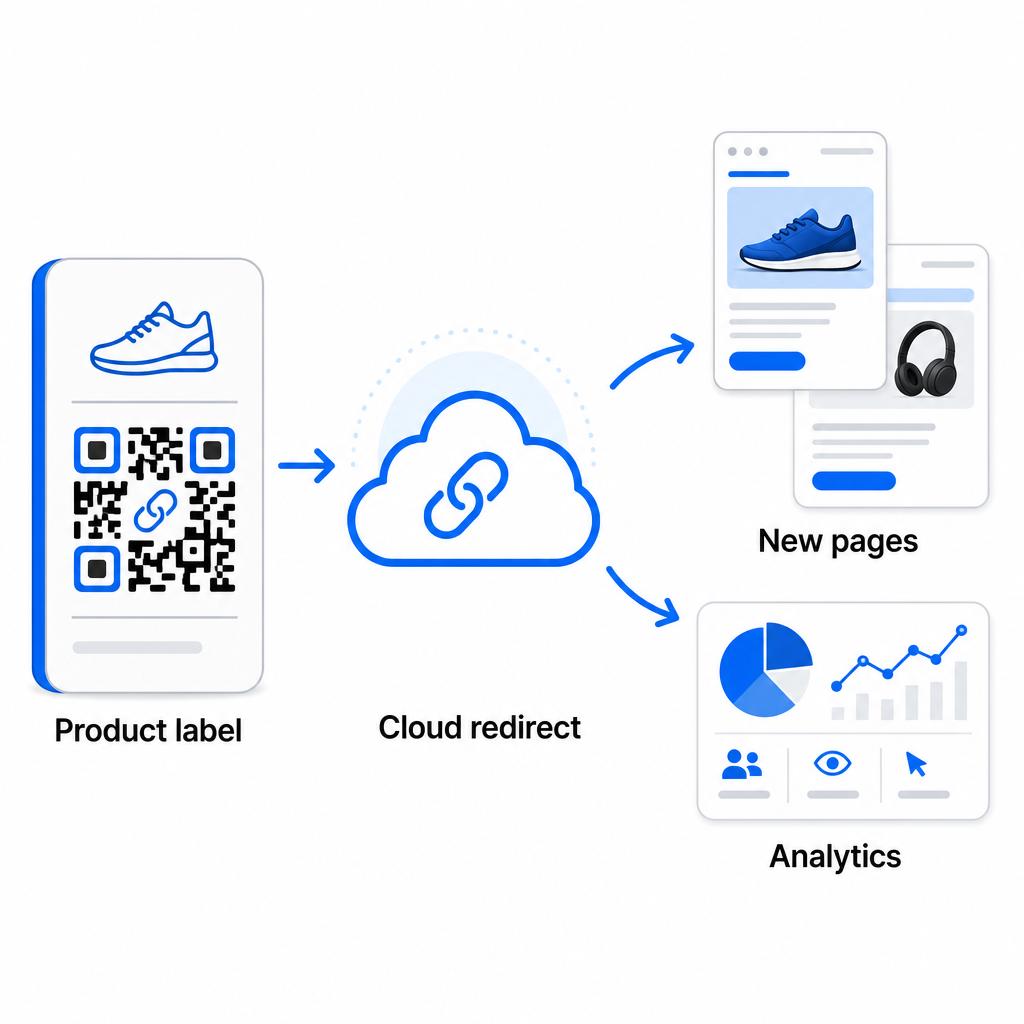
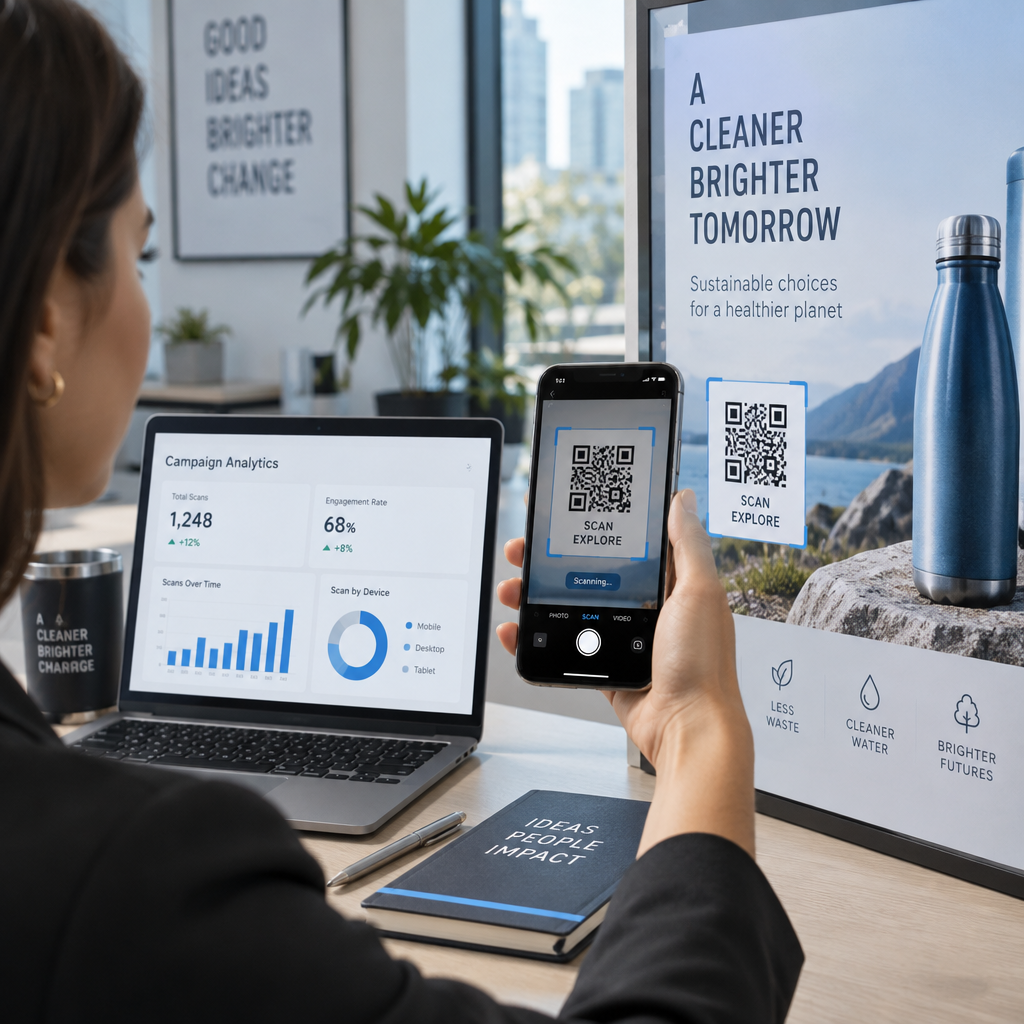
Joustavuuden lisäksi dynaamiset koodit avaavat myös yksityiskohtaisen skannausanalytiikan: skannausten määrä, skannausajat, maantieteelliset sijainnit, laitetyypit, selain- ja käyttöjärjestelmätiedot sekä GPS-pohjainen sijainnin seuranta. Kaikissa massajulkaisuissa, joissa suorituskyvyllä on merkitystä, nämä tiedot antavat suoran näkymän siihen, mitkä koodit toimivat ja missä sitoutuminen on korkeinta. Voit oppia lisää siitä, miten dynaamiset QR-koodit tukevat markkinointikampanjoita ja miksi tämä joustavuus on tärkeää mittakaavassa.
Seuraa jokaista skannausta koko erässäsi Dynaamiset QR-koodit antavat sinun päivittää kohteita ja seurata suorituskykyä reaaliaikaisesti – jokaisen kampanjasi koodin osalta. Tutustu Dynaaminen QR-koodi generaattori luodaksesi seurattavia massakoodeja täydellä analytiikan hallintapaneelilla.
Skaalaus yritystasolle
Organisaatioille, jotka luovat kymmeniä tuhansia koodeja – ajattele suuria vähittäiskauppaketjuja, yritysten logistiikkatoimintoja tai kansallisia markkinointikampanjoita – työnkulun on oltava vankempi kuin yhden CSV-latauksen.
Pagelootin yritystason QR-koodialusta tukee massaluomista mittakaavassa, CSV-pohjaisilla työnkuluilla, jotka pystyvät tuottamaan jopa 100 000 QR-koodia yhdessä toiminnossa. Tällä tasolla mukaan tulevat lisähuomioitavat asiat.
API-integraatio poistaa manuaaliset vaiheet kokonaan automatisoimalla koodin luomisen suoraan sisäisistä järjestelmistä, kuten CRM:istä, varastonhallintajärjestelmistä tai verkkokaupan taustajärjestelmistä. API-pohjaiset työnkulut mahdollistavat koodien luomisen, päivittämisen ja poistamisen ohjelmallisesti tietojesi muuttuessa. Syvemmän katsauksen siihen, miten tämä toimii käytännössä, löydät oppaasta API-pohjainen QR-koodien hallinta.
Roolipohjainen pääsy tulee tärkeäksi suurille tiimeille, mahdollistaen eri käyttäjien hallita tiettyjä kampanjoita tai asiakkaita pääsemättä käsiksi asiaankuulumattomiin tietoihin.
White-label-vaihtoehdot ovat erityisen merkityksellisiä toimistoille jotka hallinnoivat massatuotettuja QR-julkaisuja asiakkaiden puolesta. White-label-ominaisuuksien avulla QR-koodit ohjautuvat asiakkaiden verkkotunnuksiin ja hallintapaneelit sisältävät asiakkaan brändäyksen – pitäen asiakaskokemuksen saumattomana ja ammattimaisena.
Yleisiä virheitä, joita kannattaa välttää massatuotannossa
Muutama ongelma ilmenee toistuvasti, kun tiimit luovat QR-koodeja suurissa määrin, ja useimmat niistä on helppo estää pienellä ennakoinnilla.
Testaamatta jättäminen ennen tulostusta on kallein virhe. Skannaa aina edustava näyte erästäsi ennen tulostuskierrokseen sitoutumista. Yksi muotoiluvirhe CSV-tiedostossasi voi levitä satoihin rikkinäisiin koodeihin. Vastaavasti staattisten koodien käyttö sisällölle, joka saattaa muuttua, on riski, jonka dynaamiset koodit poistavat kokonaan – jos on olemassa pienikin mahdollisuus, että kohde-URL tai aloitussivu päivitetään, rakenna tämä joustavuus mukaan alusta alkaen.
Tiedostomuotovaatimukset ovat myös tärkeämpiä kuin tiimit usein odottavat. Painotuotanto tarvitsee vektorimuotoja (SVG, EPS, PDF) terävään tulosteeseen missä tahansa koossa, kun taas PNG-tiedostot toimivat digitaaliseen käyttöön, mutta voivat heikentyä, kun niitä skaalataan suurikokoiseen tulostukseen. Organisoinnin ohittaminen ennen generointia aiheuttaa hallinnollisia päänsärkyjä nopeasti – määritä kansiorakenteesi ja nimeämiskäytäntösi ennen erän ajamista, ei sen jälkeen. Lopuksi, epäjohdonmukainen suunnittelu suuressa erässä näyttää epäammattimaiselta ja heikentää brändin uskottavuutta; jaetun mallin soveltaminen generointivaiheessa on paljon tehokkaampaa kuin koodien yksittäinen muokkaaminen jäl.
Usein kysytyt kysymykset
Useimmat massa-QR-koodityökalut, mukaan lukien Pageloot, hyväksyvät CSV (pilkuin erotellut arvot) -tiedostoja. Voit valmistella tietosi Excelissä tai Google Taulukoissa ja viedä CSV-muodossa. Jokainen rivi tiedostossasi muuttuu yhdeksi QR-koodiksi. Pageloot tukee myös suoraa Google Taulukot -integraatiota staattiseen massatuotantoon ilman, että sinun tarvitsee viedä erillistä tiedostoa.
Staattiset QR-koodit koodaavat kohteen pysyvästi – kun ne on luotu ja tulostettu, kohdetta ei voi muuttaa. Dynaamiset QR-koodit käyttävät alustan hallinnoimaa uudelleenohjaus-URL-osoitetta, joten voit päivittää kohteen milloin tahansa ilman uudelleentulostusta. Suuriin eriin, joissa sisältö voi muuttua – kuten tuotesivut, tapahtumatiedot tai kampanjoiden laskeutumissivut – dynaamisia koodeja suositellaan vahvasti. Ne tarjoavat myös yksityiskohtaisia skannausanalytiikkaa, joita staattiset koodit eivät voi tarjota.
Tämä riippuu alustasta ja suunnitelmasta. Pagelootin yritystason työkalut tukevat jopa 100 000 QR-koodin luomista yhdellä CSV-latauksella, mikä tekee siitä sopivan suuren mittakaavan vähittäiskaupan, logistiikan ja markkinoinnin toimintoihin. Pienempiä eriä varten vakiopaketit vastaavat tyypillisiin liiketoiminnan tarpeisiin, kuten tapahtumiin, tuotelinjoihin tai sijaintikohtaisiin kampanjoihin.