Trebate generirati stotine – ili tisuće – QR kodova bez ručne izrade svakog pojedinog? Izrada jednog po jednog je nepraktična u velikom opsegu i uvodi nedosljednost u vaše kampanje. Ovaj vodič vas vodi kroz najbrže, najpouzdanije metode za masovno stvaranje QR kodova, od CSV prijenosa do automatizacije na razini poduzeća.
Zašto je masovno stvaranje QR kodova važno
Kada pokrećete proizvod, upravljate registracijama za događaje ili označavate inventar, pojedinačno stvaranje QR kodova jednostavno se ne skalira. Čak i za 50 kodova, ručno generiranje troši sate ponavljajućeg rada – i to prije nego što uzmete u obzir dosljednost dizajna, organizaciju datoteka ili postavljanje praćenja.
Alati za masovne QR kodove to rješavaju tako što vam omogućuju definiranje svih vaših kodova u strukturiranoj datoteci – obično CSV-u ili proračunskoj tablici – i generiranje cijele serije u jednom tijeku rada. Rezultat je dosljedan skup kodova spreman za preuzimanje koji se može odmah implementirati.
Slučajevi upotrebe obuhvaćaju gotovo svaku industriju:
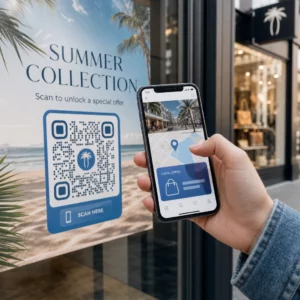
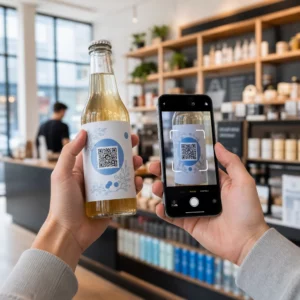
- Maloprodaja i e-trgovina: jedinstveni kodovi proizvoda po SKU-u koji vode na specifikacije, recenzije ili stranice za kupnju
- Događaji: kodovi po sudioniku za prijavu, pristup sesijama ili digitalne programe
- Gostoljubivost: kodovi jelovnika po stolu ili veze na informacije specifične za sobu
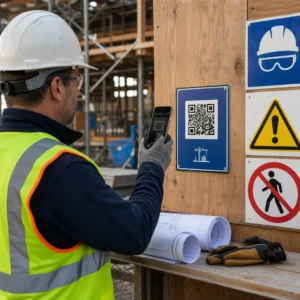
- Logistika i inventar: oznake imovine koje vode na zapise o održavanju ili podatke o lokaciji
- Marketinške agencije: kodovi specifični za kampanju s individualnim praćenjem po postavljanju
Što vam je potrebno prije nego počnete
Prije generiranja vaše serije, nekoliko odluka značajno će oblikovati vaš tijek rada.
Statički vs. dinamički kodovi: Statički QR kodovi izravno kodiraju odredište u uzorak. Jednom ispisani, ne mogu se mijenjati. Dinamički QR kodovi koriste kratki URL za preusmjeravanje kojim upravlja platforma, što znači da odredište možete ažurirati u bilo kojem trenutku – čak i nakon što su kodovi već ispisani i distribuirani. Za masovne kampanje gdje se sadržaj može razvijati, dinamični QR kodovi su bolji izbor.
Vaša podatkovna datoteka: Alati za masovno generiranje obično prihvaćaju CSV ili proračunsku tablicu s jednim retkom po QR kodu. Minimalno, svaki redak treba odredišni URL ili sadržaj. Ovisno o platformi, možete uključiti i polja za naziv koda, dodjelu mape, UTM parametre ili predložak dizajna.
Dosljednost dizajna: Ako vaši kodovi trebaju nositi boje marke, logotipe ili specifične stilove okvira, potvrdite da alat omogućuje primjenu zajedničkog predloška dizajna na cijelu seriju, umjesto konfiguriranja svakog koda pojedinačno.
Volumen: Znajte svoj opseg prije odabira alata. Neke platforme ograničavaju masovno generiranje na nekoliko stotina kodova po seriji; platforme poslovne razine poput Pageloota podržavaju do 100.000 QR kodova putem jednog CSV prijenosa.
Kako stvoriti QR kodove masovno koristeći CSV prijenos
Masovno generiranje temeljeno na CSV-u je najčešća metoda. Evo kako proces funkcionira na platformi poput Pageloota.
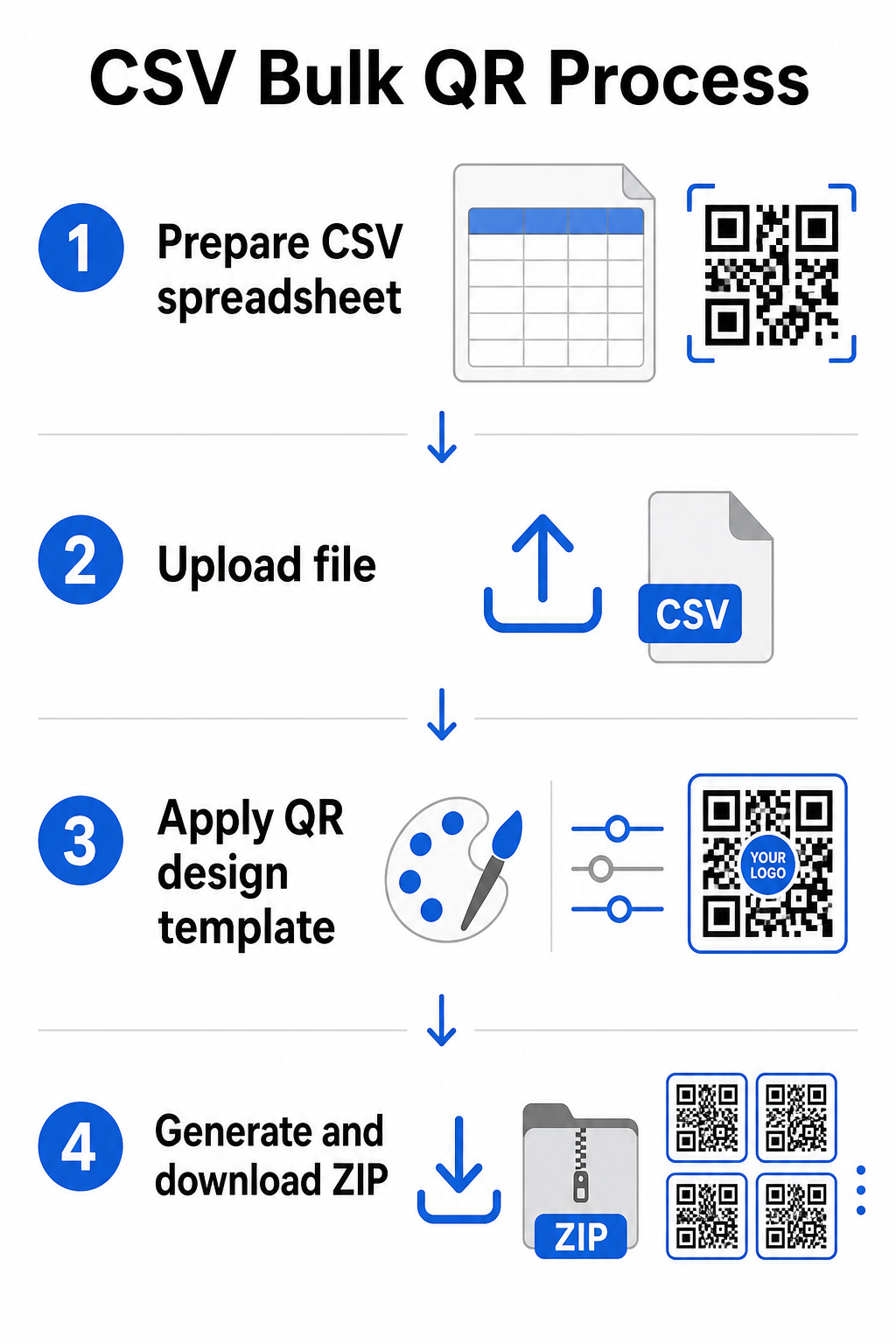
Korak 1: Pripremite svoju proračunsku tablicu
Otvorite alat za proračunske tablice – Excel, Google Sheets ili bilo koji CSV uređivač – i strukturirajte svoje podatke. Svaki redak predstavlja jedan QR kod. Uključite minimalno:
- Odredišni URL ili sadržaj za svaki kod
- Naziv ili oznaka za svaki kod (ovo pomaže pri kasnijoj organizaciji)
- Bilo koje identifikatore kampanje ili mape koje želite koristiti
Izvezite datoteku kao CSV (vrijednosti odvojene zarezima) kada ste spremni za prijenos.
Korak 2: Prenesite CSV u masovni generator
Prijavite se na svoj Pageloot račun i idite na odjeljak za masovno stvaranje. Prenesite svoju CSV datoteku. Platforma će analizirati svaki redak i staviti kodove u red za generiranje. Pregledajte pretpregled kako biste potvrdili da je mapiranje ispravno – odredišni URL-ovi trebaju odgovarati namijenjenim recima.
Korak 3: Primijenite predložak dizajna
Umjesto ručnog stiliziranja svakog koda, odaberite zajednički predložak dizajna za primjenu na cijelu seriju. Ovdje dodajete logotip svoje marke, birate boje i konfigurirate stilove okvira. Primjena dosljednog dizajna u ovoj fazi osigurava da svi kodovi izgledaju jednolično na ambalaži, tiskanim materijalima ili natpisima.
Korak 4: Generirajte i preuzmite
Pokrenite seriju. Platforma generira sve kodove istovremeno i pakira ih za preuzimanje, obično kao ZIP datoteku koja sadrži pojedinačne slikovne datoteke (PNG, SVG, PDF ili EPS ovisno o vašim potrebama izlaza). Nazivi datoteka obično odgovaraju nazivima kodova iz vaše proračunske tablice, što olakšava podudaranje svakog koda s njegovom namijenjenom upotrebom.
Generirajte cijelu seriju odjednom Preskočite ručni rad i stvorite stotine ili tisuće QR kodova iz jedne proračunske tablice. Koristite Generator QR kodova ili istražite Opcije dinamičkih QR kodova za početak masovnog stvaranja danas.
Korištenje Google Sheetsa za masovne statičke QR kodove
Ako vaš tim već radi u Google tablicama, Pageloot podržava izravnu integraciju za generiranje više statičnih QR kodova iz podataka proračunske tablice. Ovaj pristup je posebno prikladan za timove koji održavaju žive podatke u tablicama – katalozi proizvoda, popisi sudionika događaja, ili imenici lokacija – gdje su izvorni podaci već strukturirani i ažurirani suradnički.
Proces zrcali CSV metodu, ali umjesto izvoza i ponovnog učitavanja, izravno povezujete svoju tablicu. Svaki redak u označenom stupcu postaje ulaz za jedan QR kod. To smanjuje trenje za timove koji ne žele upravljati zasebnim CSV izvozima svaki put kada se izvorni podaci promijene.
Organiziranje velikih serija nakon generiranja
Generiranje kodova je samo dio izazova. Pri velikom volumenu, njihovo organiziranje postaje zaseban zadatak. Nekoliko praksi značajno pomaže.
Koristite mape za sortiranje kodova po kampanji, projektu, klijentu, ili liniji proizvoda. Pagelootova značajka mape QR kodova olakšava držanje desetaka aktivnih kampanja odvojenima tako da se članovi tima mogu snalaziti bez zabune. Uspostavite jasnu konvenciju imenovanja u svom CSV-u prije nego što ga učitate – nešto poput `naziv-kampanje`SMJEŠTAJ`varijanta` – tako da se pojedinačni kodovi lako lociraju i podudaraju s njihovim analitičkim podacima kasnije. Konačno, grupirajte po slučaju upotrebe od početka: držite kodove događaja, kodove proizvoda i marketinške kodove u zasebnim mapama tako da izvještavanje o performansama ostane čisto i djelotvorno.
Skupni QR kodovi s dinamičkim ažuriranjem
Jedno značajno ograničenje statičnih skupnih QR kodova je da svaka promjena odredišta zahtijeva ponovno ispisivanje. Ako generirate 5.000 naljepnica proizvoda i URL poveznice odredišne stranice se promijeni, ti kodovi postaju zastarjeli u trenutku kada su distribuirani.
Dinamički skupni QR kodovi eliminiraju ovaj problem. Svaki kod u vašoj seriji upućuje na kratki URL za preusmjeravanje koji održava Pageloot. Možete ažurirati odredište za pojedinačne kodove – ili primijeniti promjene na cijelu seriju – bez dodirivanja samog fizičkog koda. To je posebno vrijedno za sezonske kampanje gdje se odredišne stranice mijenjaju, pakiranje proizvoda gdje se informativne stranice ažuriraju nakon ispisa, i materijale za događaje pripremljene unaprijed prije potvrde konačnih URL-ova.
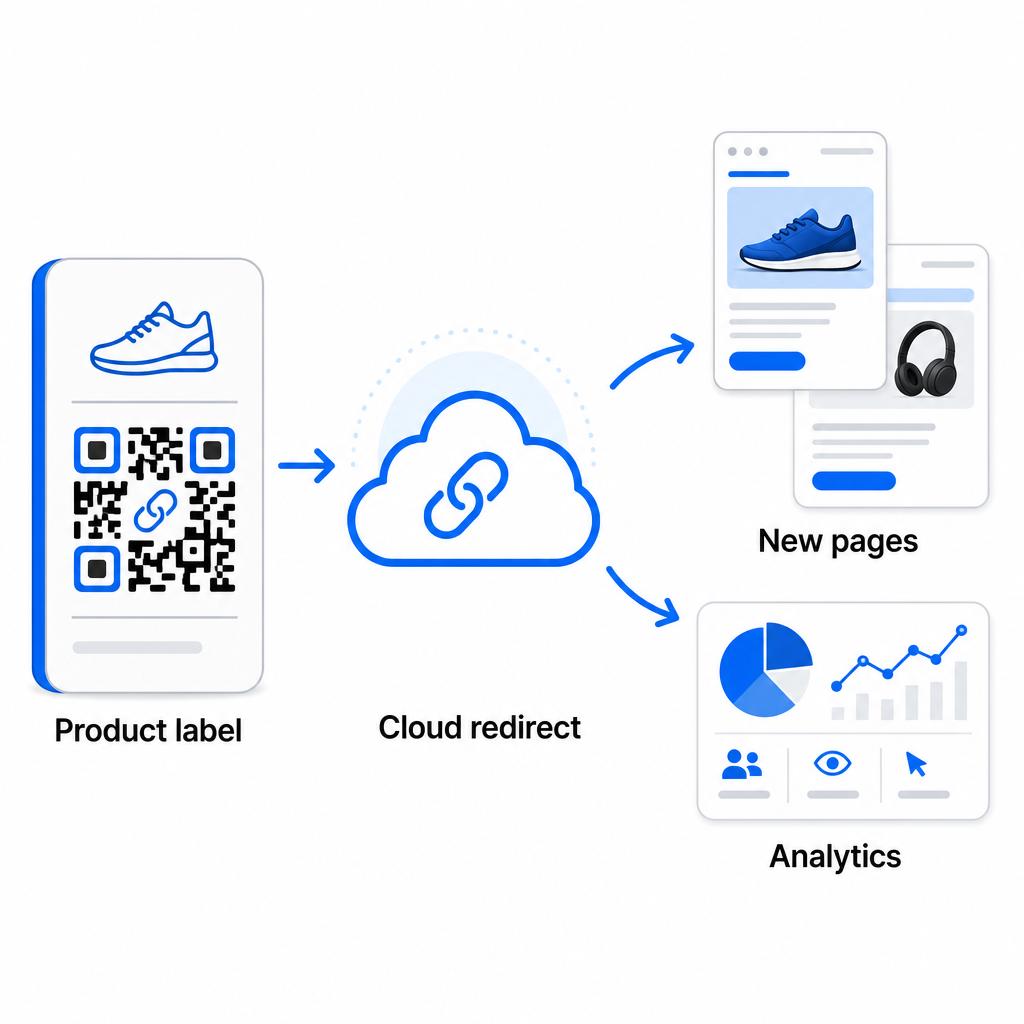
Osim fleksibilnosti, dinamički kodovi također otključavaju detaljnu analitiku skeniranja: broj skeniranja, vremena skeniranja, geografske lokacije, vrste uređaja, podaci o pregledniku i OS-u, i praćenje lokacije temeljeno na GPS-u. Za svako skupno postavljanje gdje su performanse važne, ovi podaci vam daju izravan uvid u to koji kodovi rade i gdje je angažman najveći. Možete saznati više o kako dinamički QR kodovi podržavaju marketinške kampanje i zašto je ta fleksibilnost važna u velikom opsegu.
Pratite svako skeniranje kroz cijelu vašu seriju Dinamički QR kodovi omogućuju vam ažuriranje odredišta i praćenje performansi u stvarnom vremenu – kroz svaki kod u vašoj kampanji. Istražite Dinamični QR kod generator za stvaranje skupnih kodova koji se mogu pratiti s potpunom analitičkom nadzornom pločom.
Skaliranje na korporativni volumen
Za organizacije koje generiraju desetke tisuća kodova – zamislite velike maloprodajne lance, korporativne logističke operacije, ili nacionalne marketinške kampanje – radni tijek mora biti robusniji od jednog CSV učitavanja.
Pagelootov korporativna platforma za QR kodove podržava skupno generiranje u velikom opsegu, s radnim tijekovima temeljenim na CSV-u sposobnim proizvesti do 100.000 QR kodova u jednoj operaciji. Na ovoj razini, dodatna razmatranja dolaze u obzir.
API integracija u potpunosti uklanja ručne korake automatiziranjem generiranja kodova izravno iz internih sustava kao što su CRM-ovi, platforme za upravljanje zalihama, ili e-commerce pozadine. Radni tijekovi temeljeni na API-ju omogućuju vam generiranje, ažuriranje i povlačenje kodova programski kako se vaši podaci mijenjaju. Za dublji uvid u to kako ovo funkcionira u praksi, pogledajte vodič o Upravljanje QR kodovima putem API-ja.
Pristup temeljen na ulogama postaje važan za velike timove, omogućujući različitim korisnicima upravljanje specifičnim kampanjama ili klijentima bez pristupa nepovezanim podacima.
Opcije bijele etikete su posebno relevantne za agencije koje upravljaju skupnim QR implementacijama u ime klijenata. S značajkama bijele etikete, QR kodovi se rješavaju na domene klijenata i nadzorne ploče nose brendiranje klijenta – održavajući korisničko iskustvo besprijekornim i profesionalnim.
Uobičajene pogreške koje treba izbjegavati u skupnom generiranju
Nekoliko problema se ponavlja kada timovi generiraju QR kodove u velikom volumenu, i većinu njih je lako spriječiti s malo planiranja unaprijed.
Netestiranje prije ispisa je najskuplja pogreška. Uvijek skenirajte reprezentativni uzorak iz vaše serije prije nego što se obvežete na ispis. Jedna pogreška u formatiranju u vašem CSV-u može se proširiti na stotine neispravnih kodova. Slično tome, korištenje statičnih kodova za sadržaj koji se može promijeniti je rizik koji dinamički kodovi u potpunosti eliminiraju – ako postoji ikakva šansa da će odredišni URL ili odredišna stranica biti ažurirani, ugradite tu fleksibilnost od samog početka.
Zahtjevi za format datoteke također su važniji nego što timovi često očekuju. Tiskarska proizvodnja treba vektorske formate (SVG, EPS, PDF) za oštar izlaz u bilo kojoj veličini, dok PNG datoteke rade za digitalnu upotrebu, ali se mogu degradirati kada se povećaju za ispis velikog formata. Preskakanje organizacije prije generiranja brzo stvara glavobolje u upravljanju – postavite svoju strukturu mapa i konvenciju imenovanja prije nego što se serija pokrene, a ne poslije. Konačno, nedosljedan dizajn u velikoj seriji izgleda neprofesionalno i potkopava vjerodostojnost marke; primjena zajedničkog predloška u vrijeme generiranja daleko je učinkovitija nego pojedinačno uređivanje kodova poslije.
Često postavljana pitanja
Većina alata za skupno generiranje QR kodova, uključujući Pageloot, prihvaća CSV (vrijednosti odvojene zarezom) datoteke. Možete pripremiti svoje podatke u Excelu ili Google Tablicama i izvesti ih kao CSV. Svaki redak u vašoj datoteci postaje jedan QR kod. Pageloot također podržava izravnu integraciju s Google Tablicama za statično skupno generiranje bez potrebe za izvozom zasebne datoteke.
Statični QR kodovi trajno kodiraju odredište – jednom generirani i ispisani, odredište se ne može promijeniti. Dinamični QR kodovi koriste URL za preusmjeravanje kojim upravlja platforma, tako da odredište možete ažurirati u bilo kojem trenutku bez ponovnog ispisa. Za velike serije gdje se sadržaj može mijenjati – kao što su stranice proizvoda, detalji događaja ili odredišne stranice kampanja – dinamični kodovi se snažno preporučuju. Oni također pružaju detaljnu analitiku skeniranja koju statični kodovi ne mogu ponuditi.
To ovisi o platformi i planu. Pagelootovi alati na razini poduzeća podržavaju generiranje do 100.000 QR kodova iz jednog CSV prijenosa, čineći ga prikladnim za maloprodaju velikih razmjera, logistiku i marketinške operacije. Za manje serije, standardni planovi udovoljavaju tipičnim poslovnim potrebama kao što su događaji, linije proizvoda ili kampanje specifične za lokaciju.