Vai jūsu mārketinga kampaņas sniedz vienu un to pašu vēstījumu visiem, neatkarīgi no tā, kas viņi ir vai kur viņi jūs atrada? Vispārīga saziņa tērē budžetu un frustrē klientus. Šis ceļvedis parāda, kā izmantot QR kodus, lai nodrošinātu mērķtiecīgu, izsekojamu pieredzi, kas atbilst jūsu auditorijas kontekstam un nodomam.
Kāpēc personalizācija ir atkarīga no fizisko un digitālo saskares punktu savienošanas
Personalizētais mārketings ir pārvērties no "būtu jauki, ja būtu" par biznesa prioritāti. Contentful pētījums liecina, ka 89% mārketinga lēmumu pieņēmēju uzskata personalizāciju par būtisku panākumiem nākamo trīs gadu laikā, un 80% uzņēmumu ziņo par palielinātiem patērētāju tēriņiem – vidēji par 38% vairāk – ja pieredze ir personalizēta. Tikmēr 77% klientu apgalvo, ka viņus frustrē neatbilstoši reklāmas paziņojumi.
Izaicinājums ir tāds, ka lielākā daļa personalizācijas rīku darbojas tīri digitālās vidēs. E-pasta platformas segmentē pēc atvēršanas uzvedības. Reklāmu tīkli mērķē pēc pārlūkošanas vēstures. Bet kas notiek, ja jūsu klients tur produktu veikalā, apmeklē tiešraides pasākumu vai lasa tiešā pasta sūtījumu? Tieši tur rodas fiziskās un digitālās vides plaisa – un QR kodi to aizver.
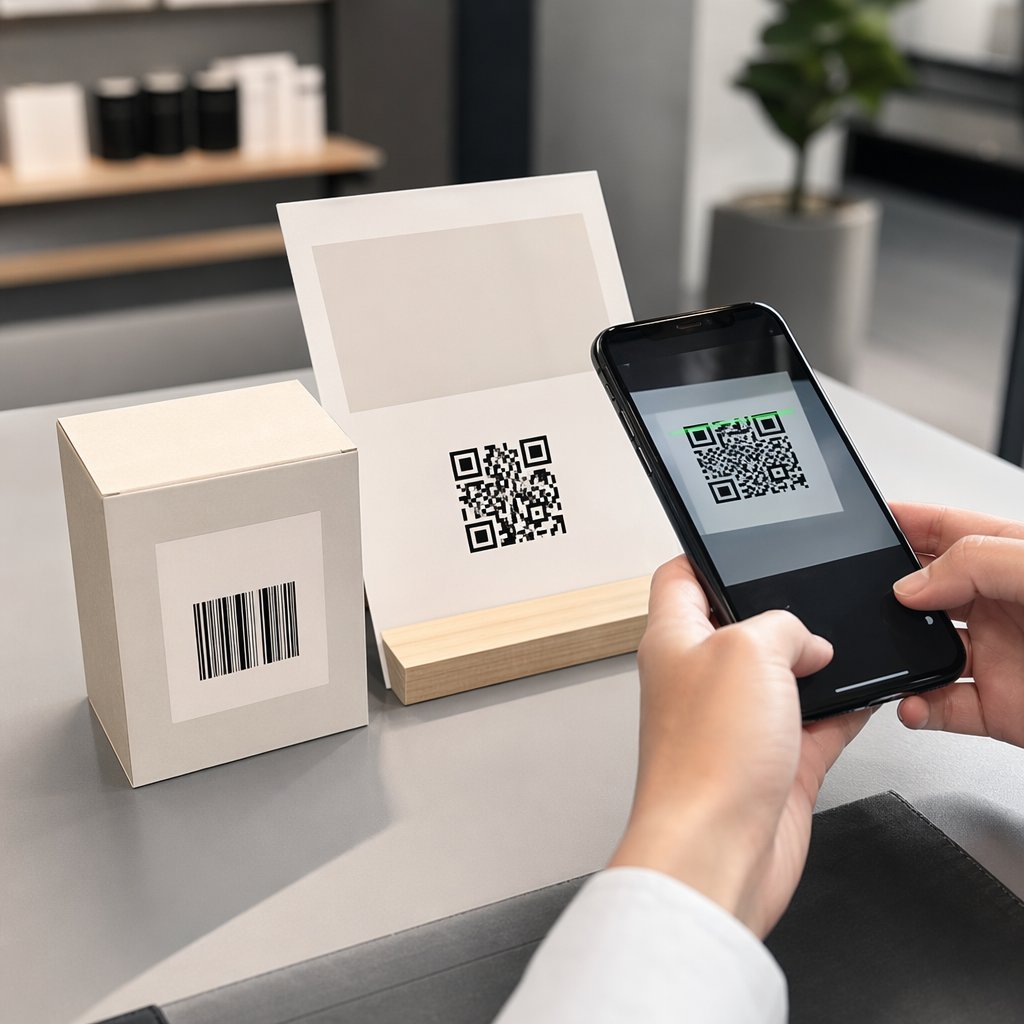
QR kods, kas uzdrukāts uz skrejlapas, iepakojuma vai displeja, darbojas kā tilts. Skenējiet to, un klients nekavējoties nonāk digitālā pieredzē, ko esat izstrādājis tieši viņam. Galvenais ir nodrošināt, lai šī pieredze atspoguļotu to, kas viņi ir, no kurienes viņi nākuši un ko viņi, visticamāk, vēlēsies tālāk.
Segmentācijas izpratne pirms personalizācijas
Efektīva personalizācija sākas ar segmentāciju – klientu grupu identificēšanu, kuriem ir kopīgas atbilstošas īpašības, lai jūs varētu katrai grupai runāt atšķirīgi. Segmentācija parasti balstās uz uzvedības, demogrāfiskajiem, ģeogrāfiskajiem, psihogrāfiskajiem un tehnogrāfiskajiem kritērijiem. Svarīgs princips ir tas, ka segmentācijai jābūt pirms personalizācijas: tā vispirms norāda, vai un kā tirgoties klientam, un pēc tam personalizācija veido vēstījumu.
QR kodu kontekstā segmentācija nozīmē dažādu kodu izveidi dažādām auditorijas grupām, kampaņu kontekstiem vai fiziskām atrašanās vietām – un pēc tam katra koda novirzīšanu uz šim segmentam pielāgotu saturu. Lūk, kā tas izpaužas praksē:
- Pēc auditorijas veida: Mazumtirdzniecības zīmols izvieto atsevišķus QR kodus veikala izkārtnēs un tiešā pasta sūtījumos. Veikalā skenētāji nonāk lojalitātes atlīdzību lapā; tiešā pasta saņēmēji nonāk pirmā pirkuma atlaides lapā.
- Pēc atrašanās vietas: Reģionālā kampaņa izmanto atšķirīgus QR kodus katrai pilsētai. Katrs kods ved uz galveno lapu, kas atsaucas uz vietējām akcijām, tuvumā esošajām veikalu atrašanās vietām vai reģionam specifiskiem piedāvājumiem.
- Pēc kanāla: Pasākumu uzņēmums izmanto vienu QR kodu uz biļetēm un citu sociālo mediju ierakstos. Biļešu versija ved uz personalizētu apmeklētāju grafiku; sociālo mediju versija ved uz publisku pasākuma lapu.
- Pēc klienta posma: SaaS uzņēmums drukā QR kodus jaunu klientu sagaidīšanas pakās un atjaunošanas paziņojumos esošajiem klientiem. Katrs ved uz pilnīgi atšķirīgu ievadīšanas vai jaunināšanas saturu.
Jo skaidrāk definējat savus segmentus pirms kodu izveides, jo atbilstošāka kļūst katra skenēšanas pieredze.
Dinamiskie QR kodi: Personalizētu kampaņu pamats
Ne visi QR kodi vienlīdz labi atbalsta personalizāciju. Statiskie QR kodi kodē fiksētu URL, ko nekad nevar mainīt. Pēc izdrukāšanas tie ir bloķēti – un tie nesniedz nekādus skenēšanas datus. Tas padara tos nepiemērotus jebkurai kampaņai, kurā vēlaties pielāgot saturu, veikt testus vai mērīt rezultātus.
Dinamiskie QR kodi darbojas atšķirīgi. Pats kods norāda uz īsu novirzīšanas saiti, ko pārvalda jūsu QR kodu platforma. Jūs varat atjaunināt šo galamērķi jebkurā laikā – pat pēc koda izdrukāšanas un izplatīšanas – bez jauna koda ģenerēšanas vai atkārtotas drukāšanas. Šis novirzīšanas slānis ir arī tas, kas nodrošina izsekošanu: katra skenēšana notiek caur platformu, reģistrējot datus pirms lietotāja nosūtīšanas uz galamērķi.
Personalizētām kampaņām dinamiskie kodi sniedz četras kritiskas iespējas:
| Iespēja | Kāpēc tas ir svarīgi personalizācijai |
|---|---|
| Rediģējams galamērķis | Atjaunināt galvenās lapas saturu katram segmentam bez materiālu atkārtotas drukāšanas |
| Skenēšanas izsekošana | Zināt, cik daudz cilvēku no katra segmenta iesaistījās un kad |
| Atrašanās vietas un ierīces dati | Izprast ģeogrāfiskos modeļus un optimizēt mobilajai pieredzei |
| A/B testēšana | Testēt dažādas galvenās lapas vienam un tam pašam auditorijas segmentam |
Lai dziļāk aplūkotu, kad izmantot katru koda veidu, pareizā QR koda izvēle jūsu kampaņai detalizēti aplūko kompromisus. Īsā versija: ja jūsu kampaņa ietver personalizāciju, izsekošanu vai jebkādu saturu, ko vēlaties atjaunināt, dinamiskie kodi ir pareizā izvēle. Varat arī izpētīt 5 dinamisku QR kodu priekšrocības mārketingā lai iegūtu pilnīgāku priekšstatu par to, ko tie padara iespējamu.
Sāciet izsekot savai personalizētajai kampaņai Izveidojiet dinamiskus QR kodus katram auditorijas segmentam un reāllaikā uzraugiet skenēšanas datus. Izmēģiniet Dinamisks QR kodu ģenerators un piekļūstiet pilnai analīzei no sava informācijas paneļa.
Segmentētu QR kodu kampaņu veidošana soli pa solim
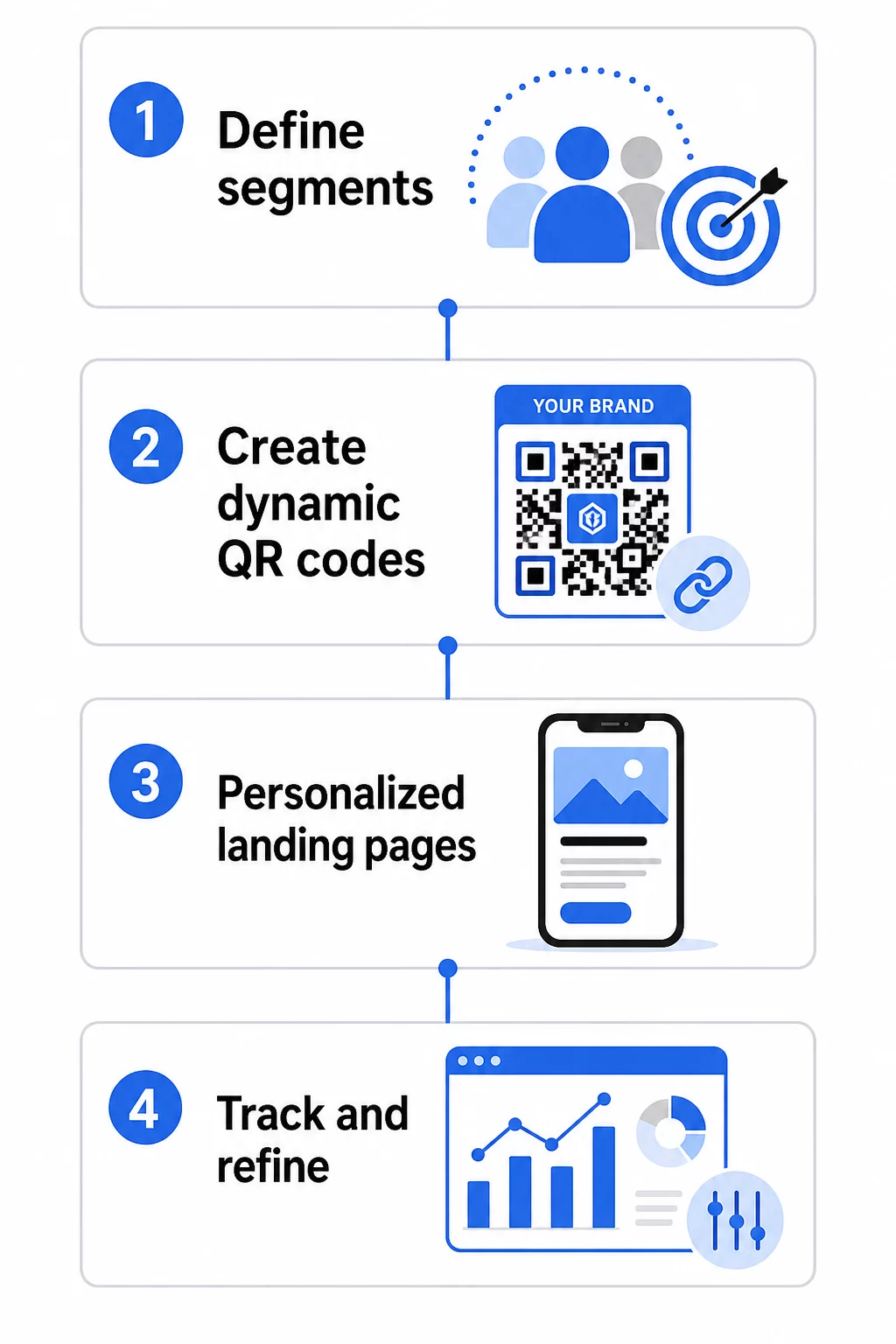
1. Definējiet savus segmentus un mērķus
Sāciet ar savu auditoriju, pirms pieskaraties jebkādiem rīkiem. Kuras klientu grupas jūs mēģināt sasniegt? Kādu darbību vēlaties, lai katra grupa veiktu? Jūsu kampaņas mērķiem jābūt specifiskiem un izmērāmiem – piemēram, “palielināt tiešā pasta piedāvājumu izmantošanas rādītāju neaktīviem klientiem par 20%”, nevis tikai “palielināt iesaisti”.”
Kad zināt savus segmentus un mērķus, plānojiet atsevišķu QR kodu un galveno lapu katrai jēgpilnai kombinācijai. Kampaņai, kas vērsta uz trim klientu segmentiem divās fiziskās izvietošanas vietās, var būt nepieciešami seši atšķirīgi kodi.
2. Izveidojiet unikālus kodus katram segmentam
Izmantojot platformu, piemēram, Pageloot QR kodu ģenerators, ģenerējiet atsevišķu dinamisku kodu katram segmentam. Piešķiriet katram kodam skaidru iekšējo nosaukumu, kas identificē segmentu, kampaņu un izvietojumu – šī disciplīna atmaksājas, analizējot rezultātus desmitiem kodu.
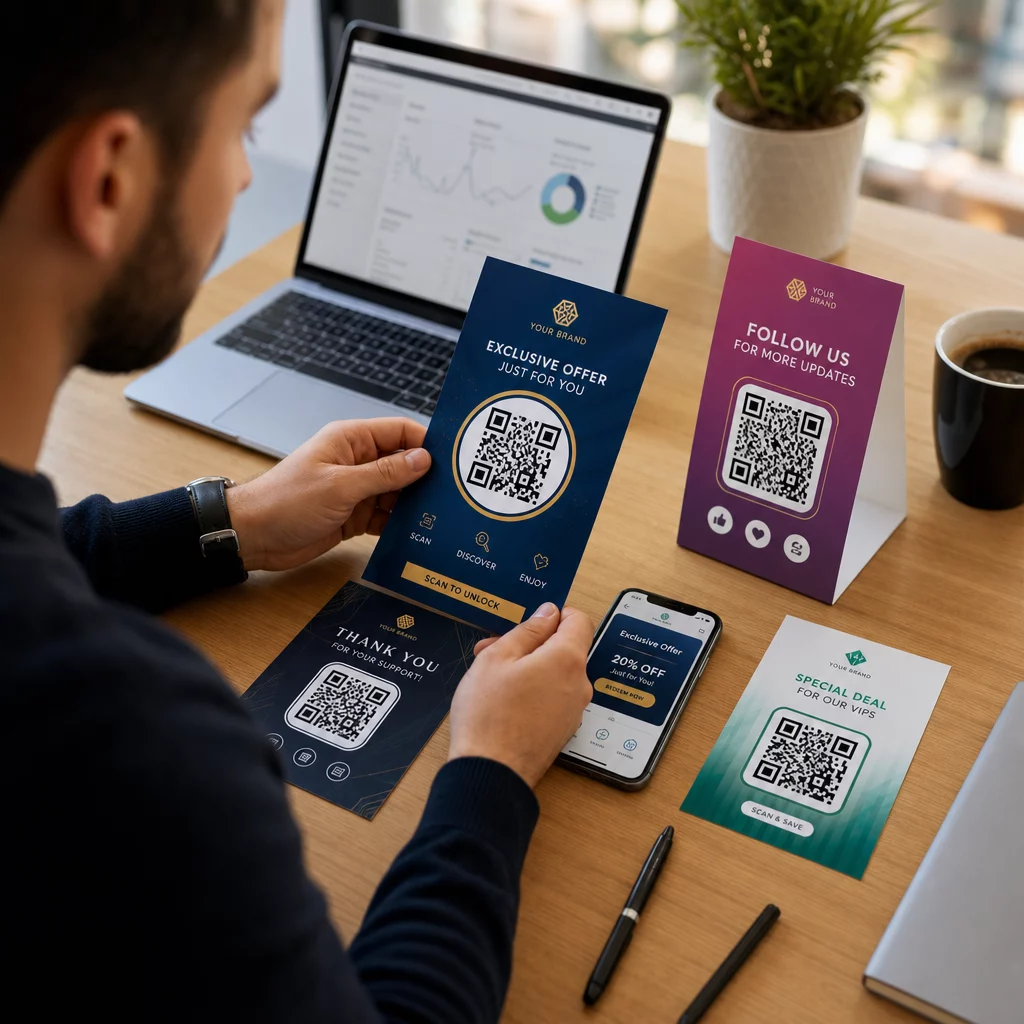
Ja jūsu kampaņā tiek izmantoti drukāti materiāli, pielāgojiet katra koda izskatu, lai tas atbilstu dizainam. QR kodi ar logotipiem un zīmola krāsām stiprina uzticību un signalizē, ka skenēšana ir apzināta, nevis nejauša. Zīmolu QR kodi arī vizuāli izceļas pārpildītās vidēs, kas tieši ietekmē to, vai kāds apstājas, lai skenētu.
3. Izveidojiet personalizētas galvenās lapas katram segmentam
QR kods ir tik vērtīgs, cik vērtīga ir pieredze, uz kuru tas ved. Pirmreizējs apmeklētājs, kas nonāk jūsu mājaslapā pēc tiešā pasta sūtījuma skenēšanas, nav personalizēta pieredze – tā ir palaista garām iespēja.
Katram segmentam jānonāk lapā, kas:
- Atzīst kontekstu (“Laipni lūgti, [Pilsēta] pircēji” vai “Ekskluzīvs piedāvājums lojalitātes programmas dalībniekiem”)
- Piedāvā skaidru, segmentam atbilstošu piedāvājumu vai ziņojumu
- Ietver vienu, mērķtiecīgu aicinājumu uz darbību
- Ielādējas ātri un labi darbojas mobilajās ierīcēs
Tā kā lielākā daļa QR skenēšanas notiek viedtālruņos, mobilā optimizācija ir neapspriežama. Pirms palaišanas pārbaudiet katru galveno lapu gan iOS, gan Android ierīcēs.
4. Pievienojiet UTM parametrus pilnīgai analītikas integrācijai
Dinamiskie QR kodi nodrošina vietējos skenēšanas datus – skaitu, laika zīmogus, ierīču tipus un atrašanās vietas. Bet jūs varat iegūt vēl dziļāku ieskatu, pievienojot UTM parametrus savu galveno lapu URL adresēm. Tas savieno QR skenēšanas datplūsmu ar Google Analytics, ļaujot jums mērīt uzvedību pēc skenēšanas, piemēram, lapā pavadīto laiku, atlēcienu līmeni un konversijas notikumus kopā ar jūsu skenēšanas datiem.
UTM atzīmēts URL tiešā pasta kampaņai, kas vērsta uz zaudētiem klientiem Čikāgā, varētu izskatīties šādi:
“```
https://yoursite.com/reactivate?utmsource=directmailchicago&utmvide=QRkods&utmcampaign=reactivation_q3
“```
Detalizētu UTM iestatīšanas un Google Analytics integrācijas aprakstu skatiet UTM parametri QR kodiem: Google Analytics padomi.
5. Izvietojiet kodus stratēģiski katram segmentam
Tas, kur parādās QR kods, ietekmē to, kurš to skenē un kādā kontekstā. Saskaņojiet izvietojumu ar jūsu segmenta uzvedību:
- Tiešais pasts: Iekļaujiet kodu redzamā vietā pie piedāvājuma ar īsu norādījumu, piemēram, “Skenējiet, lai saņemtu savu ekskluzīvo atlaidi.” Tiešā pasta saņēmējiem ir pietiekami daudz laika, lai apzināti iesaistītos.
- Produkta iepakojums: Pievienojiet kodus etiķetēm, pateicības kartītēm vai sūtījumu ieliktņiem, lai atkārtoti iesaistītu klientus pēc pirkuma.
- Veikala izkārtnes: Novietojiet kodus acu līmenī pie attiecīgā produkta vai nodaļas. Pievienojiet redzamu aicinājumu uz darbību (CTA), lai pircēji saprastu, ko viņi saņems.
- Pasākumi un konferences: Izmantojiet QR kodus uz nozīmītēm, biļetēm vai drukātiem grafikiem, lai novirzītu apmeklētājus uz personalizētu saturu, piemēram, sesiju detaļām vai runātāju biogrāfijām.
- Uzlīmes un birkas: Mazākiem fiziskiem saskares punktiem labi novietots kods ar skaidru aicinājumu uz darbību (CTA) var veicināt iesaisti no auditorijas, kas jau tur jūsu produktu.
Portāls QR koda mārketinga kontrolsaraksts mazajiem uzņēmumiem aptver papildu izvietojuma un iestatīšanas apsvērumus, ja uzsākat savu pirmo kampaņu.
QR kodu datu izmantošana segmentu precizēšanai
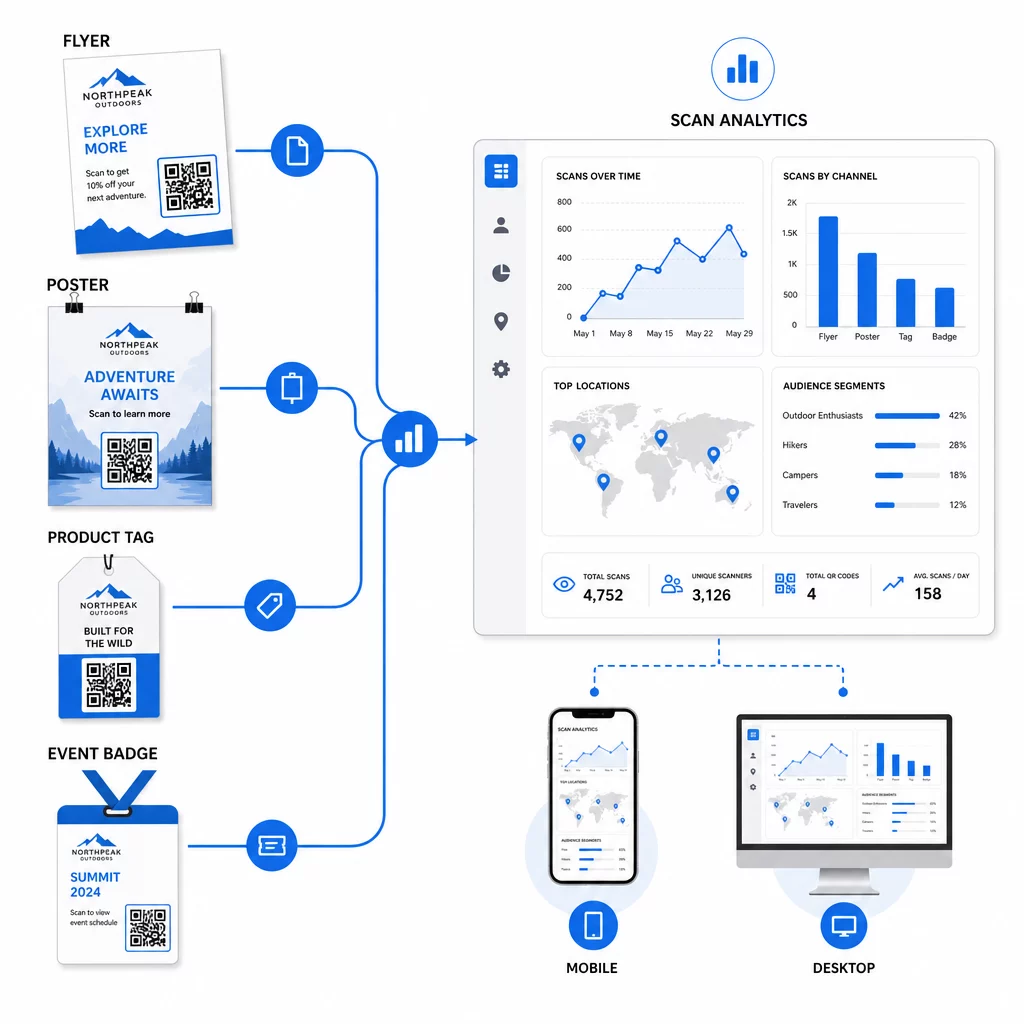
Dati, ko ģenerē jūsu dinamiskie QR kodi, paši par sevi ir personalizācijas resurss. Katra skenēšana sniedz signālu par to, kurš atbildēja uz kādu ziņojumu, kad un no kurienes. Laika gaitā tas veido skaidrāku priekšstatu par to, kuri segmenti ir visatsaucīgākie un kuri izvietojumi piesaista viskvalificētāko datplūsmu.
Galvenie rādītāji, kas jāuzrauga katram segmentam:
- Skenēšanas skaits un unikālās skenēšanas reizes: Norāda kopējo sasniedzamību un to, vai atgriežas tie paši cilvēki
- Skenēšanas laika modeļi: Atklāj, kad katrs segments ir visaktīvākais, noderīgi, lai plānotu turpmāko saziņu
- Ģeogrāfiskais sadalījums: Parāda, vai jūsu kampaņa sasniedz paredzētos reģionus – noderīgi, lai izsekotu QR kodu kampaņas pa reģioniem un pielāgotu vietējos tēriņus
- Ierīces tips: Ja viens segments ir izteikti orientēts uz konkrētu ierīci, varat optimizēt galvenās lapas pieredzi šai platformai
- Konversijas pēc skenēšanas: Izsekots, izmantojot UTM parametrus Google Analytics, tas parāda, kuras segmentu un izvietojuma kombinācijas patiešām nodrošina jums svarīgos rezultātus
Lai iegūtu strukturētu pieeju dažādu mainīgo testēšanai segmentā, skatiet ceļvedi A/B testēšanai QR kodu kampaņām. Dinamiskie kodi ir īpaši piemēroti A/B testēšanai, jo varat mainīt galvenās lapas galamērķus, nepieskaroties izdrukātajam kodam.
Varat arī izmantot skenēšanas vietas un ierīces datus kā ievades dziļākai personalizācijai – piemēram, novirzot skenerus no dažādām pilsētām uz reģionam specifiskām galvenajām lapām, vai pielāgojot saturu atkarībā no tā, vai ierīce ir iOS vai Android. ceļvedis par QR kodiem datu virzītai personalizācijai detalizēti aptver šīs metodes.
Skatiet, kuri segmenti ir visaktīvākie Izmantojiet Dinamisks QR kodu ģenerators lai izveidotu atsevišķus izsekojamus kodus katram auditorijas segmentam un salīdzinātu veiktspēju dažādās izvietojuma vietās vienā informācijas panelī.
Privātuma apsvērumi personalizētām QR kampaņām
QR kodi vāc pirmās puses datus – informāciju, ko ģenerē jūsu auditorijas pašu mijiedarbība ar jūsu materiāliem. Tas kļūst arvien vērtīgāks, jo trešo pušu izsekošanas metodes saskaras ar regulatīvo spiedienu un patērētāju kontroli. Tomēr datu vākšana, izmantojot QR kodus, joprojām rada saistības.
ASV privātuma tiesību akti ir sadrumstaloti starp federālajiem nozaru specifiskajiem statūtiem un pieaugošo visaptverošo valsts privātuma tiesību aktu kopumu, no kuriem daudzi regulē, kā personas informācija tiek vākta un izmantota mārketingam. Labākā prakse ir būt caurspīdīgam attiecībā uz to, kādus datus jūsu QR kodi vāc un kāpēc.
Praktiski soļi, lai nodrošinātu atbilstību:
- Parādiet īsu paziņojumu pie katra QR koda vai sākotnējā galvenajā lapā, paskaidrojot, kādi dati tiek izsekoti (piemēram, skenēšanas vieta, ierīces tips)
- Nodrošiniet saiti uz jūsu privātuma politiku jebkurā lapā, kas vāc personas informāciju
- Izvairieties no personiski identificējamas informācijas pasīvas vākšanas bez atklāšanas
- Izmantojiet savāktos datus tikai tiem mērķiem, ko esat paziņojis lietotājiem
Caurspīdīgums arī veido uzticību skenēšanai. Vairāk nekā 80% ASV bāzētu QR kodu lietotāju apgalvo, ka uzskata QR kodus par drošiem, taču skaidrs aicinājums uz darbību (CTA) un atpazīstams zīmola dizains ievērojami palīdz nomierināt ikvienu, kurš vilcinās.
Biežākās personalizācijas taktikas pēc kanāla
| Kanāls | Personalizācijas taktika | QR koda loma |
|---|---|---|
| Tiešais pasts | Unikāls kods katram saņēmēju segmentam ar personalizētu piedāvājumu | Saites uz segmentam specifisku galveno lapu |
| Produktu iepakojums | Pēcpirkuma atkārtota iesaistīšana pēc produkta veida | Saites uz pamācību saturu, papildu pārdošanu vai atsauksmju pieprasījumu |
| Veikalā esošās norādes | Uz atrašanās vietu balstītas akcijas | Saites uz vietējiem piedāvājumiem vai tuvākās pakalpojumu lapas |
| Pasākumi | Dalībnieka veids (runātājs, sponsors, vispārējs) | Saites uz lomai specifiskiem grafikiem vai saturu |
| Sociālo mediju reklāmas | Auditorijas interese vai atkārtotas mērķauditorijas atlases segments | Saites uz saturu, kas atbilst reklāmas radošajam materiālam |
Katrs no šiem lietošanas gadījumiem gūst labumu no vienas un tās pašas pamatpieejas: viens unikāls dinamisks kods katram segmentam, katrs norādot uz mērķētu galamērķi, katrs tiek izsekots neatkarīgi, lai jūs varētu mērīt rezultātus un atkārtot.
Lai plašāk aplūkotu, kā QR kodi iekļaujas jūsu kopējā mārketinga rīku komplektā, Pageloot funkciju pārskats aptver pilnu QR kodu veidu un iespēju klāstu, kas pieejami kampaņu izmantošanai.
Pielietojums praksē
Personalizētām QR kodu kampaņām nav nepieciešama sarežģīta infrastruktūra – tām ir nepieciešama skaidrība par jūsu segmentiem, disciplīna atsevišķu kodu izveidē katram un platforma, kas sniedz jums izsekošanas datus, lai rīkotos atbilstoši apgūtajam. Sāciet ar vienu kampaņu, diviem vai trim segmentiem un skaidru konversijas mērķi. Izmantojiet skenēšanas datus, lai saprastu, kas darbojas, un pēc tam paplašiniet pieeju vairākos kanālos un auditorijas grupās.
Portāls saites QR koda ģenerators ir labs sākumpunkts, ja savienojat segmentus ar konkrētiem URL. Kad esat gatavs pilnīgai izsekošanai, atjaunināšanai un kampaņu pārvaldībai, Dinamisks QR kodu ģenerators sniedz jums elastību vadīt, pielāgot un mērīt personalizētas kampaņas, nepārprintējot nevienu materiālu.
Biežāk uzdotie jautājumi
Statisks QR kods kodē fiksētu URL, ko nevar mainīt pēc izveides, un nenodrošina skenēšanas datus. Dinamisks QR kods norāda uz novirzīšanas saiti, ko varat atjaunināt jebkurā laikā, un tas reģistrē skenēšanas metrikas, tostarp skaitu, atrašanās vietu, ierīces veidu un laika zīmogu. Personalizētam mārketingam – kur jums ir jāizseko veiktspēja katram segmentam un potenciāli jāatjaunina mērķlapas – dinamiskie kodi ir piemērotākā izvēle.
Jums ir nepieciešams viens unikāls QR kods katrai jēgpilnai auditorijas segmenta un izvietojuma kombinācijai. Piemēram, ja jūs mērķējat trīs klientu grupas divos fiziskos materiālos, jums būtu jāizveido seši kodi. Izmantojot tādu platformu kā Pageloot, jūs varat pārvaldīt tos visus no viena informācijas paneļa, kas padara izsekošanu un atjaunināšanu vienkāršu pat lielākām kampaņām.
Pievienojiet UTM parametrus galamērķa URL pirms tā kodēšanas QR kodā. Izmantojiet aprakstošas vērtības utmsource (piemēram, “directmailnyc”), konsekventu utmmedium (piemēram, “qr_code”) un kampaņas nosaukumu, kas identificē konkrēto kampaņu. Kad lietotāji skenē un nonāk jūsu lapā, Google Analytics ieraksta sesiju ar šiem parametriem, ļaujot jums mērīt datplūsmu, iesaisti un konversijas katrā segmentā. Dinamiskie QR kodi padara to īpaši elastīgu, jo varat atjaunināt ar UTM atzīmēto URL, nepārprintējot kodu.