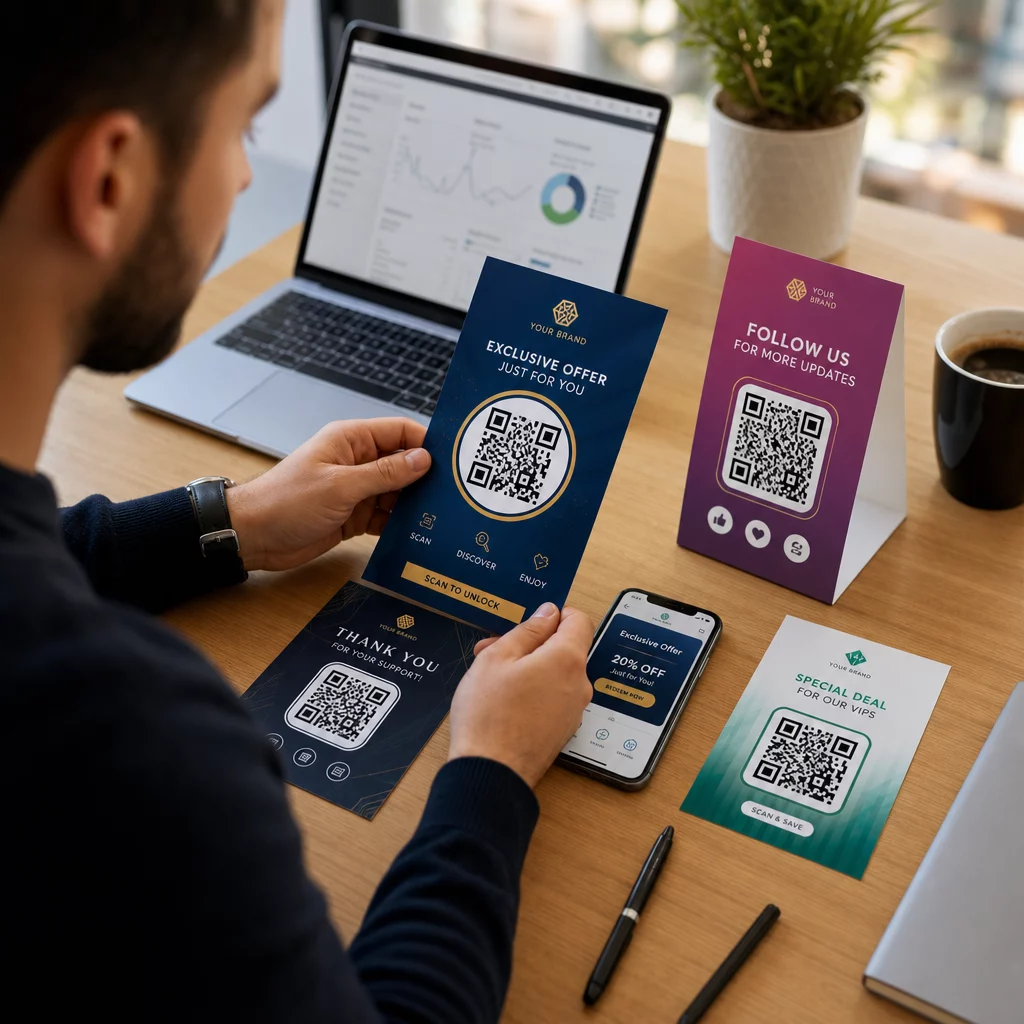
Liefern Ihre Marketingkampagnen jedem die gleiche Botschaft, unabhängig davon, wer sie sind oder wo sie Sie gefunden haben? Generische Ansprache verschwendet Budget und frustriert Kunden. Dieser Leitfaden zeigt Ihnen, wie Sie QR-Codes verwenden, um zielgerichtete, nachverfolgbare Erlebnisse zu liefern, die dem Kontext und der Absicht Ihres Publikums entsprechen.
Warum Personalisierung vom Verbinden physischer und digitaler Berührungspunkte abhängt
Personalisiertes Marketing hat sich von einem "Nice-to-have" zu einer Geschäftspriorität entwickelt. Eine Studie von Contentful zeigt, dass 89 % der Marketing-Entscheidungsträger Personalisierung für den Erfolg in den nächsten drei Jahren als wesentlich erachten, und 80 % der Unternehmen berichten von erhöhten Konsumausgaben – im Durchschnitt 38 % mehr – wenn Erlebnisse personalisiert sind. Gleichzeitig geben 77 % der Kunden an, sich durch irrelevante Werbenachrichten frustriert zu fühlen.
Die Herausforderung besteht darin, dass die meisten Personalisierungstools in rein digitalen Umgebungen funktionieren. E-Mail-Plattformen segmentieren nach Öffnungsverhalten. Werbenetzwerke zielen nach dem Browserverlauf. Aber was passiert, wenn Ihr Kunde ein Produkt in einem Geschäft hält, eine Live-Veranstaltung besucht oder ein Direktmailing liest? Dort öffnet sich die physisch-digitale Lücke – und dort schließen QR-Codes sie.
Ein auf einem Flyer, einer Verpackung oder einem Display gedruckter QR-Code fungiert als Brücke. Scannen Sie ihn, und der Kunde landet sofort auf einem digitalen Erlebnis, das Sie speziell für ihn entworfen haben. Der Schlüssel ist sicherzustellen, dass dieses Erlebnis widerspiegelt, wer sie sind, woher sie kommen und was sie als Nächstes wahrscheinlich wünschen.
Segmentierung verstehen, bevor Sie personalisieren
Effektive Personalisierung beginnt mit der Segmentierung – der Identifizierung von Kundengruppen, die relevante Merkmale teilen, damit Sie jede Gruppe unterschiedlich ansprechen können. Die Segmentierung basiert typischerweise auf verhaltensbezogenen, demografischen, geografischen, psychografischen und technografischen Kriterien. Das wichtige Prinzip ist, dass die Segmentierung vor der Personalisierung erfolgen sollte: Sie sagt Ihnen, ob und wie Sie einen Kunden überhaupt ansprechen sollen, dann formt die Personalisierung die Botschaft.
Im Kontext von QR-Codes bedeutet Segmentierung, verschiedene Codes für unterschiedliche Zielgruppen, Kampagnenkontexte oder physische Standorte zu erstellen – und dann jeden Code auf Inhalte zu verweisen, die auf dieses Segment zugeschnitten sind. So sieht das in der Praxis aus:
- Nach Zielgruppentyp: Eine Handelsmarke platziert separate QR-Codes auf Ladenbeschilderungen und Direktmailings. Scanner im Geschäft landen auf einer Treueprämienseite; Empfänger von Direktmailings landen auf einem Erstkauf-Rabatt.
- Nach Standort: Eine regionale Kampagne verwendet für jede Stadt unterschiedliche QR-Codes. Jeder Code verlinkt auf eine Landingpage, die lokale Aktionen, nahegelegene Filialen oder regionsspezifische Angebote referenziert.
- Nach Kanal: Ein Veranstaltungsunternehmen verwendet einen QR-Code auf Tickets und einen anderen auf Social-Media-Beiträgen. Die Ticket-Version verlinkt auf einen personalisierten Teilnehmerplan; die Social-Media-Version verlinkt auf eine öffentliche Veranstaltungsseite.
- Nach Kundenphase: Ein SaaS-Unternehmen druckt QR-Codes in Willkommenspaketen für Neukunden und in Verlängerungsmitteilungen für Bestandskunden. Jeder verlinkt auf völlig unterschiedliche Onboarding- oder Upgrade-Inhalte.
Je klarer Sie Ihre Segmente definieren, bevor Sie Ihre Codes erstellen, desto relevanter wird jedes Scan-Erlebnis.
Dynamische QR-Codes: Die Grundlage personalisierter Kampagnen
Nicht alle QR-Codes unterstützen Personalisierung gleichermaßen. Statische QR-Codes kodieren eine feste URL, die sich niemals ändern kann. Einmal gedruckt, sind sie gesperrt – und sie liefern keinerlei Scan-Daten. Das macht sie ungeeignet für jede Kampagne, bei der Sie Inhalte anpassen, Tests durchführen oder Ergebnisse messen möchten.
Dynamische QR-Codes funktionieren anders. Der Code selbst verweist auf einen kurzen Weiterleitungslink, der über Ihre QR-Code-Plattform verwaltet wird. Sie können dieses Ziel jederzeit aktualisieren – auch nachdem der Code gedruckt und verteilt wurde – ohne etwas neu zu generieren oder nachzudrucken. Diese Weiterleitungsebene ermöglicht auch das Tracking: Jeder Scan läuft über die Plattform, protokolliert Daten, bevor der Benutzer an sein Ziel gesendet wird.
Für personalisierte Kampagnen bieten dynamische Codes vier entscheidende Funktionen:
| Funktion | Warum es für die Personalisierung wichtig ist |
|---|---|
| Bearbeitbares Ziel | Aktualisieren Sie den Inhalt der Landingpage für jedes Segment, ohne Materialien neu zu drucken |
| Scanverfolgung | Wissen, wie viele Personen aus jedem Segment interagiert haben und wann |
| Standort- und Gerätedaten | Geografische Muster verstehen und für mobile Erlebnisse optimieren |
| A/B-Tests | Verschiedene Landingpages für dasselbe Zielgruppensegment testen |
Für einen tieferen Einblick, wann welcher Codetyp zu verwenden ist, den richtigen QR-Code für Ihre Kampagne auswählen behandelt die Kompromisse im Detail. Die Kurzversion: Wenn Ihre Kampagne Personalisierung, Tracking oder Inhalte beinhaltet, die Sie möglicherweise aktualisieren möchten, sind dynamische Codes die richtige Wahl. Sie können auch die 5 Vorteile dynamischer QR-Codes für das Marketing für ein vollständigeres Bild dessen, was sie ermöglichen.
Starten Sie die Verfolgung Ihrer personalisierten Kampagne Erstellen Sie dynamische QR-Codes für jedes Zielgruppensegment und überwachen Sie Scandaten in Echtzeit. Probieren Sie die Dynamischer QR-Code Generator und greifen Sie auf vollständige Analysen von Ihrem Dashboard aus zu.
Segmentierte QR-Code-Kampagnen Schritt für Schritt aufbauen
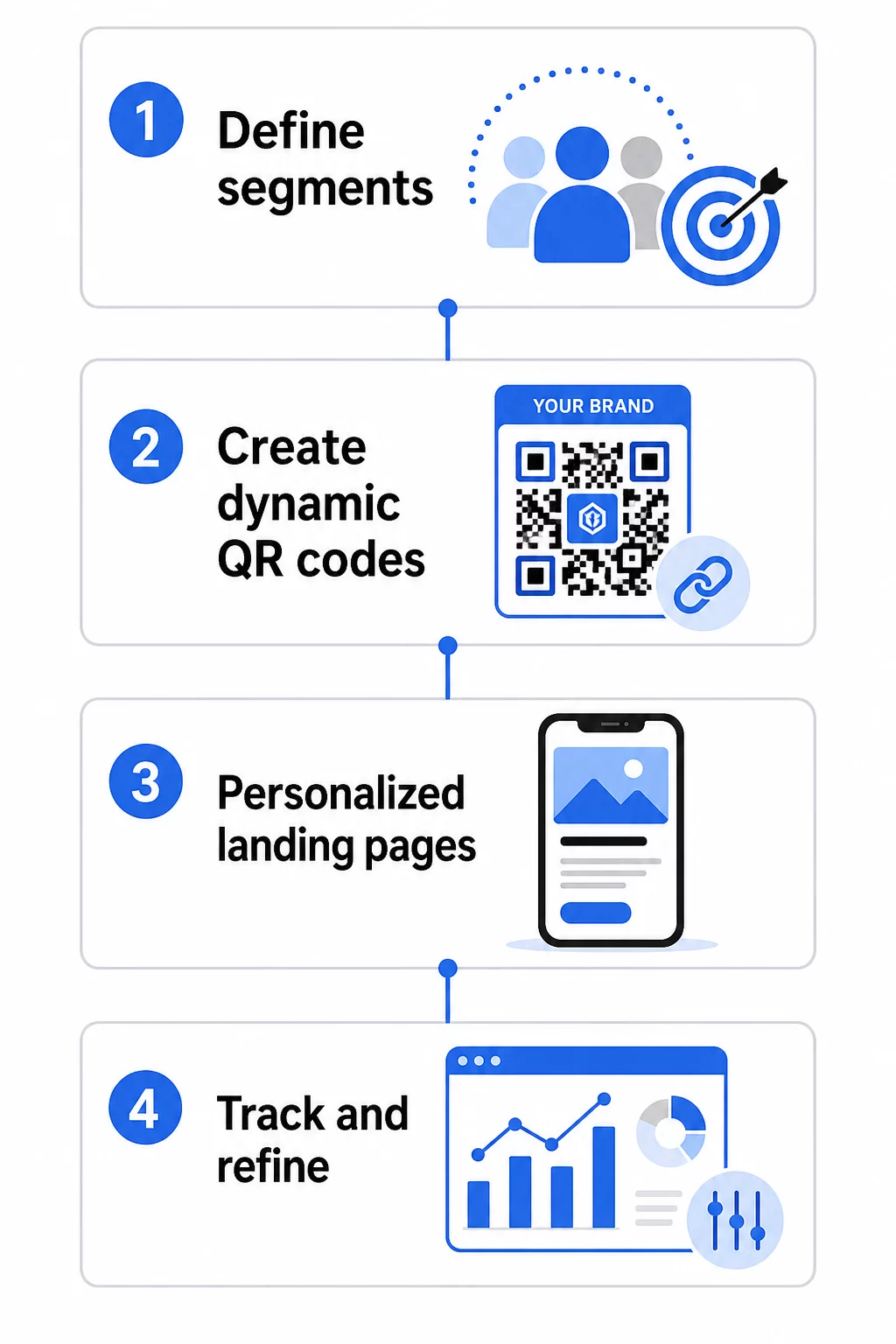
1. Definieren Sie Ihre Segmente und Ziele
Beginnen Sie mit Ihrer Zielgruppe, bevor Sie Tools verwenden. Welche Kundengruppen möchten Sie erreichen? Welche Aktion soll jede Gruppe ausführen? Ihre Kampagnenziele sollten spezifisch und messbar sein – zum Beispiel “Erhöhung der Einlösungsrate von Direktmailing-Angeboten an ehemalige Kunden um 20 %”, nicht nur “Engagement steigern”.”
Sobald Sie Ihre Segmente und Ziele kennen, planen Sie für jede sinnvolle Kombination einen separaten QR-Code und eine separate Landingpage. Eine Kampagne, die drei Kundensegmente an zwei physischen Standorten anspricht, benötigt möglicherweise sechs verschiedene Codes.
2. Erstellen Sie einzigartige Codes für jedes Segment
Mithilfe einer Plattform wie der Pageloot QR-Code-Generator, generieren Sie für jedes Segment einen separaten dynamischen Code. Geben Sie jedem Code einen klaren internen Namen, der das Segment, die Kampagne und die Platzierung identifiziert – diese Disziplin zahlt sich aus, wenn Sie Ergebnisse über Dutzende von Codes hinweg analysieren.
Wenn Ihre Kampagne gedruckte Materialien verwendet, passen Sie das Erscheinungsbild jedes Codes an das Design an. QR-Codes mit Logos und Markenfarben stärken das Vertrauen und signalisieren, dass das Scannen beabsichtigt und nicht zufällig ist. Marken-QR-Codes fallen auch in überfüllten Umgebungen visuell auf, was direkt beeinflusst, ob jemand anhält, um zu scannen.
3. Erstellen Sie personalisierte Landingpages für jedes Segment
Der QR-Code ist nur so wertvoll wie das Erlebnis, zu dem er führt. Ein Erstbesucher, der nach dem Scannen eines Direktmailings auf Ihrer Homepage landet, ist keine personalisierte Erfahrung – es ist eine verpasste Gelegenheit.
Jedes Segment sollte auf einer Seite landen, die:
- Berücksichtigt den Kontext (“Willkommen, Käufer aus [Stadt]” oder “Exklusives Angebot für Treuemitglieder”)
- Präsentiert ein klares, segmentrelevantes Angebot oder eine Nachricht
- Enthält einen einzigen, fokussierten Call-to-Action
- Lädt schnell und funktioniert gut auf Mobilgeräten
Da die meisten QR-Scans auf Smartphones erfolgen, ist die mobile Optimierung nicht verhandelbar. Testen Sie jede Landingpage vor dem Start sowohl auf iOS als auch auf Android.
4. UTM-Parameter für die vollständige Analyseintegration hinzufügen
Dynamische QR-Codes liefern native Scandaten – Zählungen, Zeitstempel, Gerätetypen und Standorte. Sie können jedoch noch tiefere Einblicke gewinnen, indem Sie UTM-Parameter zu Ihren Landingpage-URLs hinzufügen. Dies verbindet den QR-Scan-Traffic mit Google Analytics, sodass Sie das Verhalten nach dem Scan, wie Verweildauer auf der Seite, Absprungrate und Konversionsereignisse, zusammen mit Ihren Scandaten messen können.
Eine mit UTM-Parametern versehene URL für eine Direktmailing-Kampagne, die ehemalige Kunden in Chicago anspricht, könnte so aussehen:
“`
https://yoursite.com/reactivate?utmsource=directmailchicago&utmmedium=qrCode&utmcampaign=reactivation_q3
“`
Für eine detaillierte Anleitung zur UTM-Einrichtung und Google Analytics-Integration, siehe UTM-Parameter für QR-Codes: Google Analytics-Tipps.
5. Codes strategisch für jedes Segment platzieren
Wo ein QR-Code erscheint, beeinflusst, wer ihn scannt und in welchem Kontext. Passen Sie die Platzierung an das Verhalten Ihres Segments an:
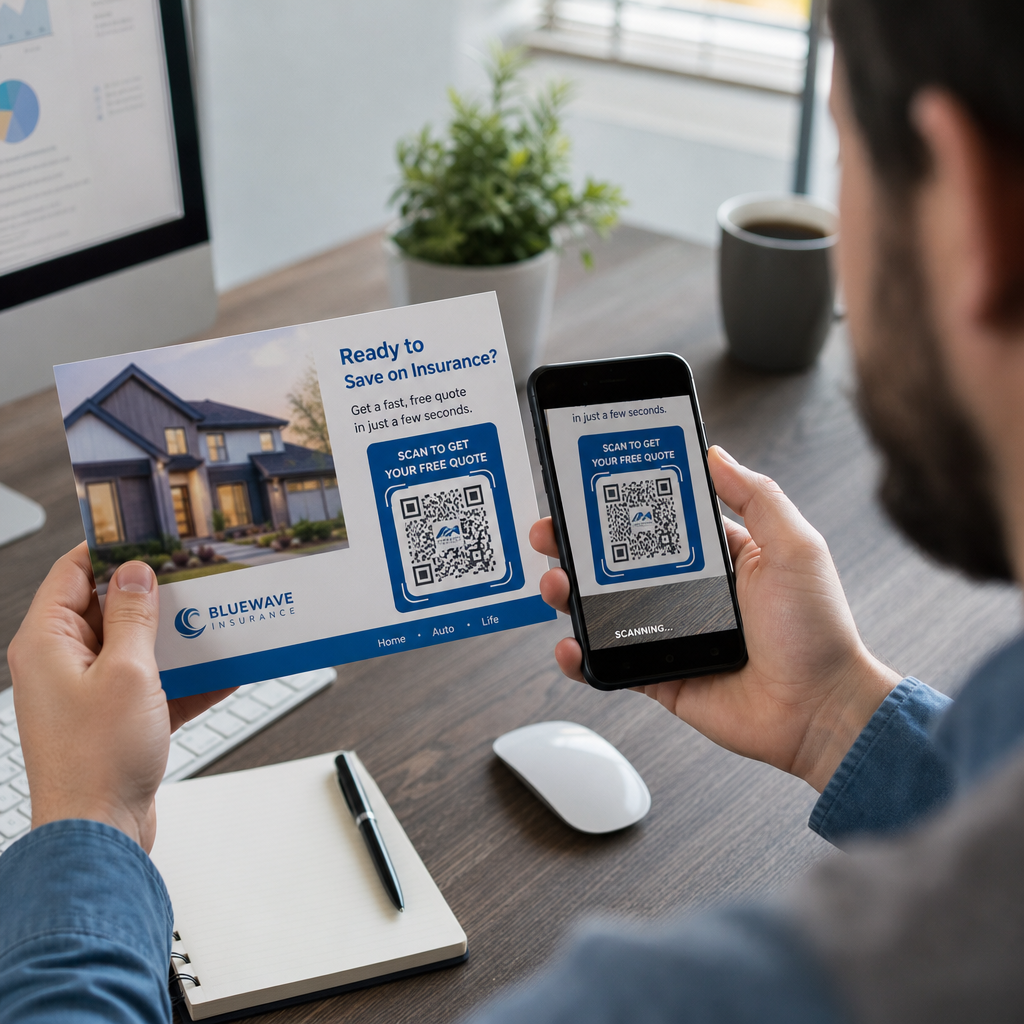
- Direktwerbung: Platzieren Sie den Code gut sichtbar in der Nähe des Angebots, mit einer kurzen Anweisung wie “Scannen Sie für Ihren exklusiven Rabatt.” Empfänger von Direktwerbung haben genug Zeit, sich bewusst damit auseinanderzusetzen.
- Produktverpackungen: Fügen Sie Codes zu Etiketten, Dankeskarten oder Versandbeilagen hinzu, um Kunden nach dem Kauf erneut anzusprechen.
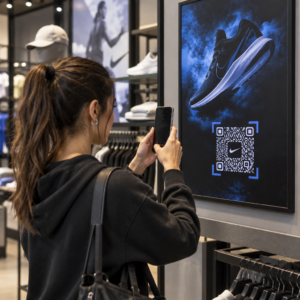
- Beschilderung im Geschäft: Positionieren Sie Codes auf Augenhöhe in der Nähe des relevanten Produkts oder der Abteilung. Fügen Sie einen sichtbaren CTA hinzu, damit Käufer verstehen, was sie erhalten.
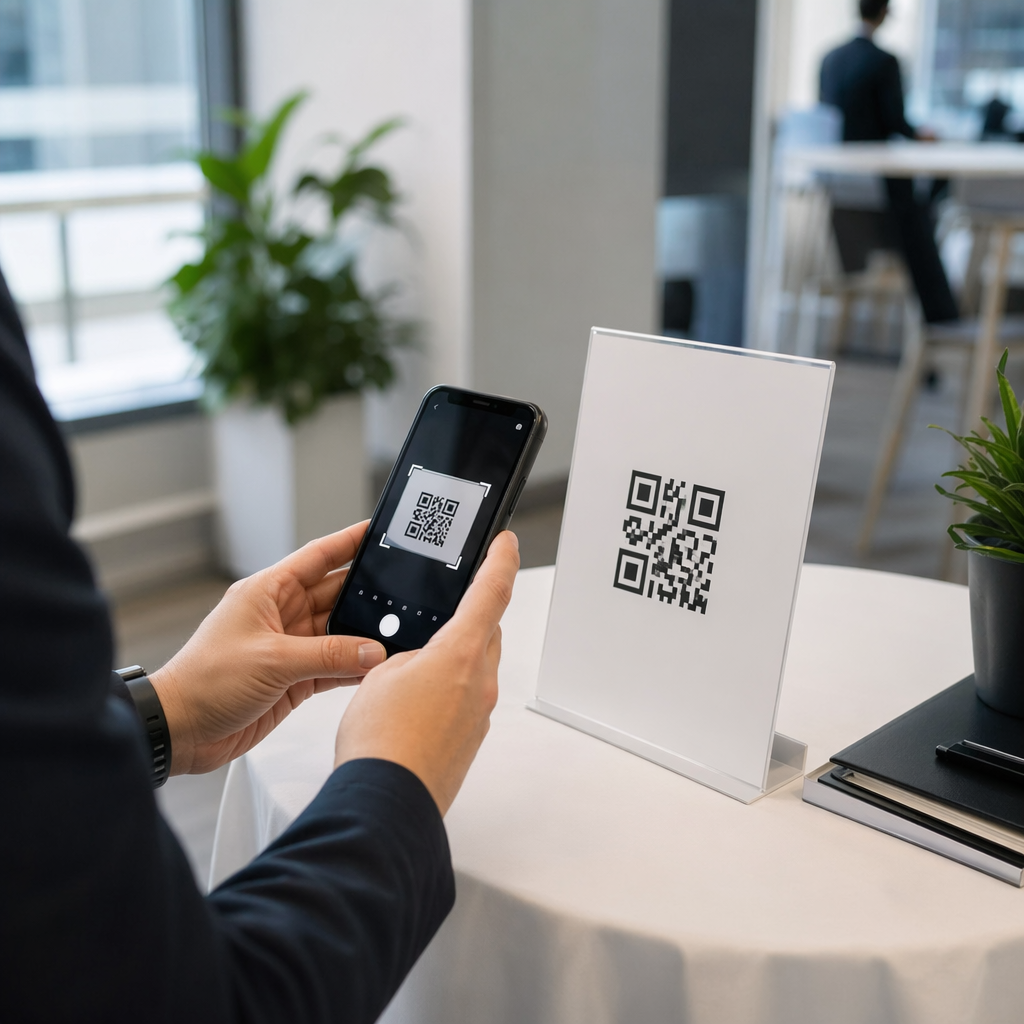
- Veranstaltungen und Konferenzen: Verwenden Sie QR-Codes auf Ausweisen, Tickets oder gedruckten Zeitplänen, um Teilnehmer zu personalisierten Inhalten wie Sitzungsdetails oder Sprecherbiografien zu leiten.
- Aufkleber und Etiketten: Für kleinere physische Berührungspunkte kann ein gut platzierter Code mit einem klaren CTA das Engagement eines Publikums fördern, das Ihr Produkt bereits in den Händen hält.
Die QR-Code Marketing Checkliste für kleine Unternehmen behandelt zusätzliche Platzierungs- und Einrichtungsüberlegungen, wenn Sie Ihre erste Kampagne starten.
QR-Code-Daten zur Verfeinerung Ihrer Segmente nutzen
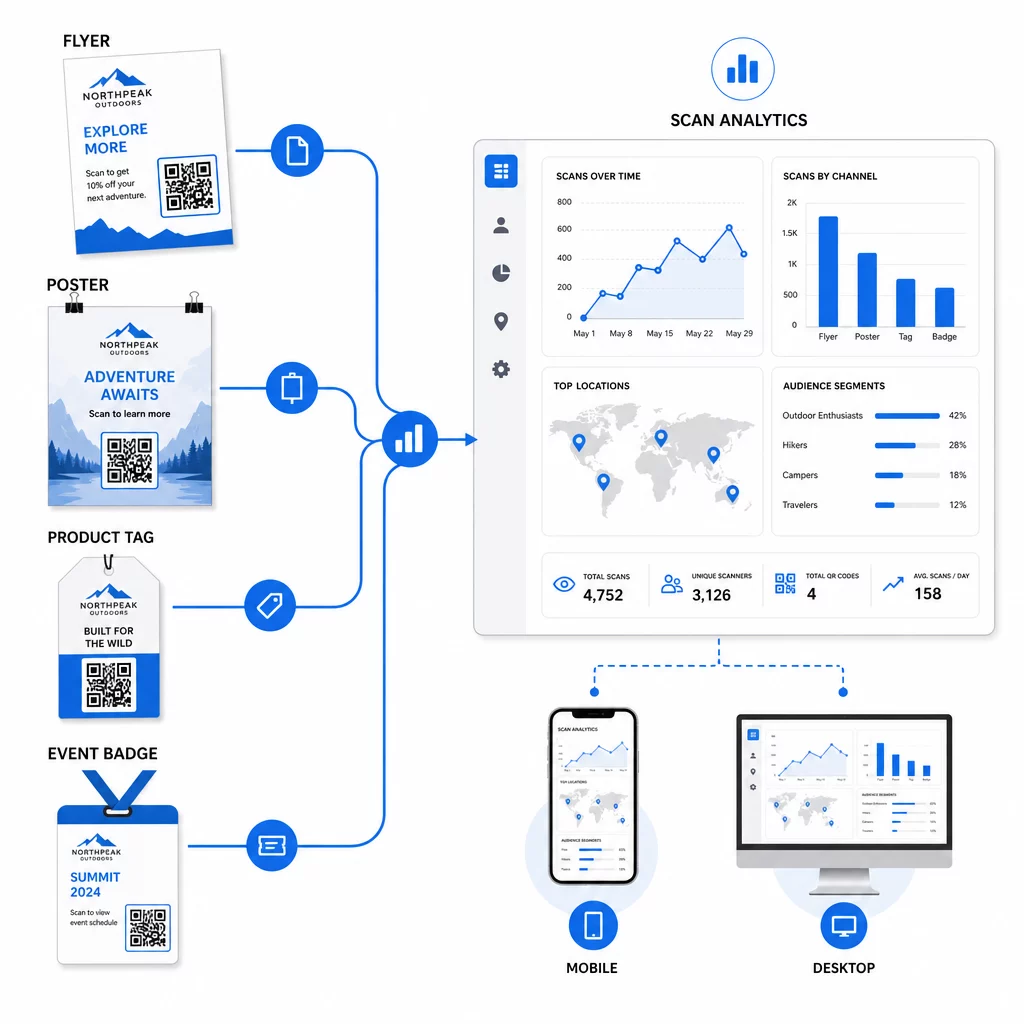
Die Daten, die Ihre dynamischen QR-Codes generieren, sind selbst ein Personalisierungs-Asset. Jeder Scan gibt Ihnen ein Signal darüber, wer auf welche Nachricht wann und von wo reagiert hat. Im Laufe der Zeit entsteht so ein klareres Bild davon, welche Segmente am reaktionsschnellsten sind und welche Platzierungen den qualifiziertesten Traffic generieren.
Wichtige Metriken, die pro Segment überwacht werden sollten:
- Scan-Anzahl und eindeutige Scans: Zeigt die Gesamtreichweite an und ob dieselben Personen zurückkehren
- Scan-Zeit-Muster: Zeigt, wann jedes Segment am aktivsten ist, nützlich für die Zeitplanung der Folgekommunikation
- Geografische Verteilung: Zeigt, ob Ihre Kampagne die beabsichtigten Regionen erreicht – nützlich für die Verfolgung von QR-Code-Kampagnen nach Region und die Anpassung lokaler Ausgaben
- Gerätetyp: Wenn ein Segment stark zu einem bestimmten Gerät tendiert, können Sie das Landingpage-Erlebnis für diese Plattform optimieren
- Konversionen nach dem Scan: Über UTM-Parameter in Google Analytics verfolgt, zeigt dies, welche Segment- und Platzierungskombinationen tatsächlich die Ergebnisse liefern, die Ihnen wichtig sind
Für einen strukturierten Ansatz zum Testen verschiedener Variablen innerhalb eines Segments, siehe die Leitfaden zum A/B-Testen von QR-Code-Kampagnen. Dynamische Codes eignen sich besonders gut für A/B-Tests, da Sie Landingpage-Ziele austauschen können, ohne den gedruckten Code zu ändern.
Sie können auch Scan-Standort- und Gerätedaten als Eingaben für eine tiefere Personalisierung verwenden – zum Beispiel, indem Sie Scanner aus verschiedenen Städten auf regionsspezifische Landingpages umleiten oder Inhalte anpassen, je nachdem, ob das Gerät iOS oder Android ist. Der Leitfaden zu QR-Codes für datengesteuerte Personalisierung behandelt diese Techniken im Detail.
Siehe Welche Segmente am meisten engagieren Verwenden Sie die Dynamischer QR-Code Generator um separate verfolgbare Codes für jedes Zielgruppensegment zu erstellen und die Leistung über verschiedene Platzierungen hinweg in einem Dashboard zu vergleichen.
Datenschutzüberlegungen für personalisierte QR-Kampagnen
QR-Codes sammeln Erstanbieterdaten – Informationen, die durch die eigene Interaktion Ihres Publikums mit Ihren Materialien generiert werden. Dies wird zunehmend wertvoller, da Tracking-Methoden von Drittanbietern regulatorischem Druck und der Prüfung durch Verbraucher ausgesetzt sind. Die Datenerfassung über QR-Codes bringt jedoch weiterhin Verpflichtungen mit sich.
Das US-Datenschutzrecht ist fragmentiert über bundesstaatliche sektorspezifische Gesetze und eine wachsende Anzahl umfassender staatlicher Datenschutzgesetze, von denen viele regeln, wie personenbezogene Daten für Marketingzwecke gesammelt und verwendet werden. Es ist bewährte Praxis, transparent darüber zu sein, welche Daten Ihre QR-Codes sammeln und warum.
Praktische Schritte zur Einhaltung der Vorschriften:
- Zeigen Sie einen kurzen Hinweis in der Nähe jedes QR-Codes oder auf der ersten Landingpage an, der erklärt, welche Daten verfolgt werden (z. B. Scan-Standort, Gerätetyp)
- Stellen Sie auf jeder Seite, die personenbezogene Daten sammelt, einen Link zu Ihrer Datenschutzerklärung bereit
- Vermeiden Sie die passive Erfassung personenbezogener Daten ohne Offenlegung
- Verwenden Sie die gesammelten Daten nur für die Zwecke, die Sie den Nutzern mitgeteilt haben
Transparenz schafft auch Vertrauen beim Scannen. Über 80 % der US-amerikanischen QR-Code-Nutzer geben an, QR-Codes für sicher zu halten, aber ein klarer CTA und ein wiedererkennbares Markendesign tragen wesentlich dazu bei, Zögernde zu beruhigen.
Gängige Personalisierungstaktiken nach Kanal
| Kanal | Personalisierungstaktik | Rolle des QR-Codes |
|---|---|---|
| Direktwerbung | Einzigartiger Code pro Empfängersegment mit personalisiertem Angebot | Verlinkt auf segmentspezifische Landingpage |
| Produktverpackungen | Wiederansprache nach dem Kauf nach Produkttyp | Links zu Anleitungen, Upselling oder Bewertungsanfragen |
| Beschilderung im Laden | Standortbasierte Werbeaktionen | Links zu lokalen Angeboten oder der nächstgelegenen Serviceseite |
| Events | Teilnehmertyp (Referent, Sponsor, allgemein) | Links zu rollenspezifischen Zeitplänen oder Inhalten |
| Social-Media-Anzeigen | Zielgruppeninteresse oder Retargeting-Segment | Links zu Inhalten, die zum Anzeigenmotiv passen |
Jeder dieser Anwendungsfälle profitiert vom gleichen zugrunde liegenden Ansatz: ein einzigartiger dynamischer Code pro Segment, jeder verweist auf ein gezieltes Ziel, jeder wird unabhängig verfolgt, sodass Sie Ergebnisse messen und iterieren können.
Für einen umfassenderen Überblick darüber, wie QR-Codes in Ihr gesamtes Marketing-Toolkit passen, ist der Pageloot Funktionsübersicht deckt die gesamte Palette der für Kampagnen verfügbaren QR-Code-Typen und -Funktionen ab.
In die Praxis umsetzen
Personalisierte QR-Code-Kampagnen erfordern keine komplexe Infrastruktur – sie erfordern Klarheit über Ihre Segmente, Disziplin bei der Erstellung separater Codes für jedes Segment und eine Plattform, die Ihnen die Tracking-Daten liefert, um auf das Gelernte zu reagieren. Beginnen Sie mit einer Kampagne, zwei oder drei Segmenten und einem klaren Konversionsziel. Nutzen Sie die Scan-Daten, um zu verstehen, was funktioniert, und skalieren Sie den Ansatz dann über weitere Kanäle und Zielgruppen.
Die Link-QR-Code-Generator ist ein guter Ausgangspunkt, wenn Sie Segmente mit bestimmten URLs verbinden. Wenn Sie bereit sind für vollständiges Tracking, Aktualisierung und Kampagnenmanagement, bietet der Dynamischer QR-Code Generator bietet Ihnen die Flexibilität, personalisierte Kampagnen durchzuführen, anzupassen und zu messen, ohne ein einziges Material neu drucken zu müssen.
Häufig gestellte Fragen
Ein statischer QR-Code kodiert eine feste URL, die nach der Erstellung nicht geändert werden kann und keine Scandaten liefert. Ein dynamischer QR-Code verweist auf einen Weiterleitungslink, den Sie jederzeit aktualisieren können, und er protokolliert Scan-Metriken einschließlich Anzahl, Standort, Gerätetyp und Zeitstempel. Für personalisiertes Marketing – wo Sie die Leistung pro Segment verfolgen und möglicherweise Landing Pages aktualisieren müssen – sind dynamische Codes die passende Wahl.
Sie benötigen einen einzigartigen QR-Code für jede sinnvolle Kombination aus Zielgruppensegment und Platzierung. Wenn Sie beispielsweise drei Kundengruppen über zwei physische Materialien ansprechen, würden Sie sechs Codes erstellen. Mit einer Plattform wie Pageloot können Sie alle von einem einzigen Dashboard aus verwalten, was das Tracking und die Aktualisierung auch bei größeren Kampagnen unkompliziert macht.
Fügen Sie UTM-Parameter zur Ziel-URL hinzu, bevor Sie diese in Ihren QR-Code kodieren. Verwenden Sie beschreibende Werte für utmsource (z. B. “directmailnyc”), ein konsistentes utmmedium (z. B. “qr_code”) und einen Kampagnennamen, der die spezifische Kampagne identifiziert. Sobald Benutzer scannen und auf Ihrer Seite landen, zeichnet Google Analytics die Sitzung unter diesen Parametern auf, sodass Sie Traffic, Engagement und Konversionen pro Segment messen können. Dynamische QR-Codes machen dies besonders flexibel, da Sie die mit UTM versehene URL aktualisieren können, ohne den Code neu drucken zu müssen.