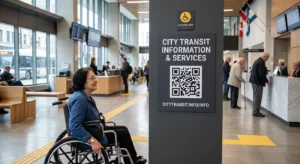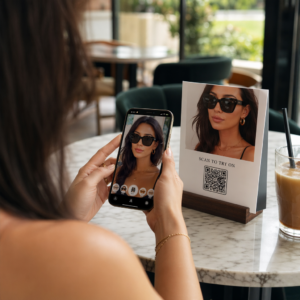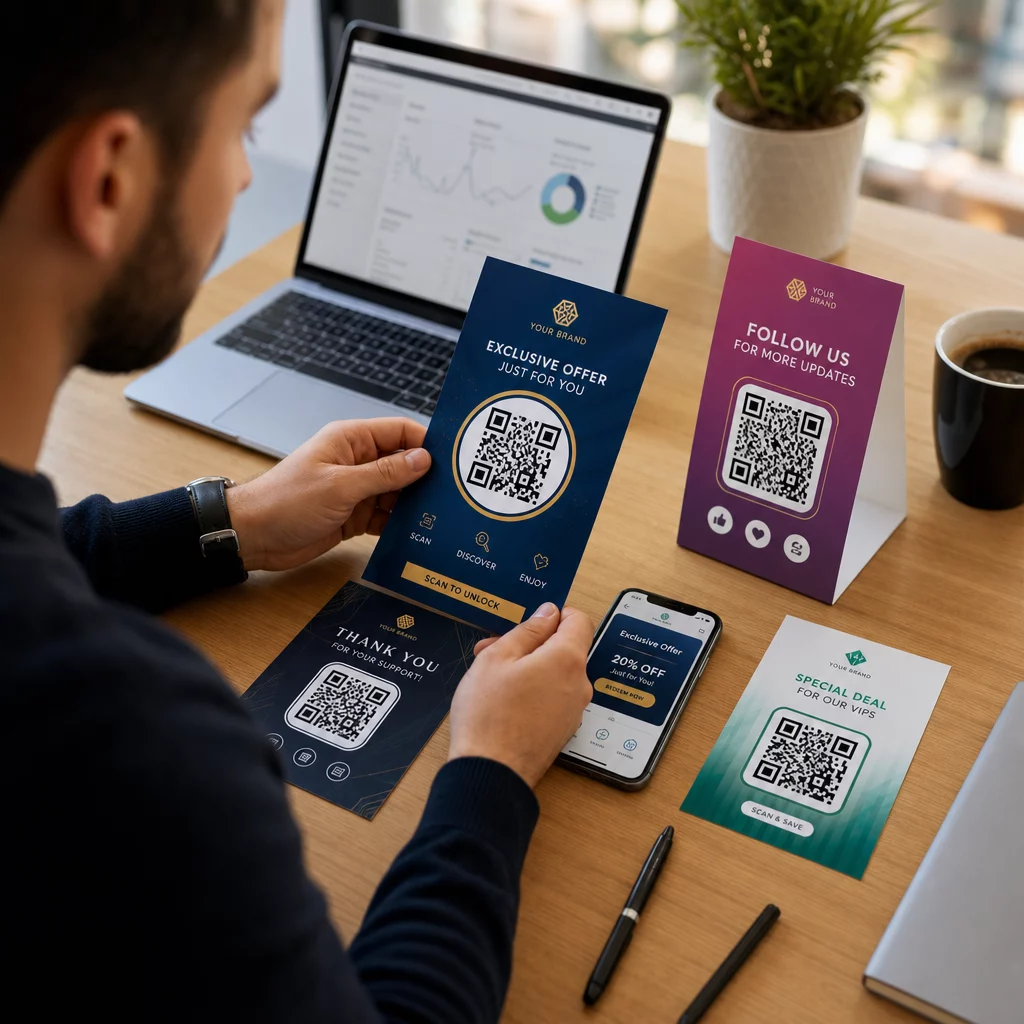
แคมเปญการตลาดของคุณกำลังส่งข้อความเดียวกันถึงทุกคน โดยไม่คำนึงว่าพวกเขาเป็นใครหรือพบคุณจากที่ไหนใช่หรือไม่? การเข้าถึงแบบทั่วไปทำให้สิ้นเปลืองงบประมาณและสร้างความไม่พอใจให้กับลูกค้า คู่มือนี้จะแสดงวิธีใช้ QR โค้ดเพื่อมอบประสบการณ์ที่ตรงเป้าหมายและติดตามได้ ซึ่งสอดคล้องกับบริบทและความตั้งใจของกลุ่มเป้าหมายของคุณ.
เหตุใดการปรับแต่งเฉพาะบุคคลจึงขึ้นอยู่กับการเชื่อมโยงจุดสัมผัสทางกายภาพและดิจิทัล
การตลาดแบบเฉพาะบุคคลได้เปลี่ยนจากสิ่งที่ "มีก็ดี" มาเป็นสิ่งสำคัญทางธุรกิจ การวิจัยจาก Contentful แสดงให้เห็นว่า 89% ของผู้มีอำนาจตัดสินใจด้านการตลาดพิจารณาว่าการปรับแต่งเฉพาะบุคคลเป็นสิ่งจำเป็นสำหรับความสำเร็จในอีกสามปีข้างหน้า และ 80% ของธุรกิจรายงานว่ามีการใช้จ่ายของผู้บริโภคเพิ่มขึ้น – โดยเฉลี่ย 38% มากขึ้น – เมื่อประสบการณ์ได้รับการปรับแต่งเฉพาะบุคคล ในขณะเดียวกัน 77% ของลูกค้ากล่าวว่าพวกเขารู้สึกหงุดหงิดกับการแจ้งเตือนโปรโมชันที่ไม่เกี่ยวข้อง.
ความท้าทายคือเครื่องมือปรับแต่งเฉพาะบุคคลส่วนใหญ่ทำงานในสภาพแวดล้อมดิจิทัลล้วนๆ แพลตฟอร์มอีเมลแบ่งกลุ่มตามพฤติกรรมการเปิด เครือข่ายโฆษณากำหนดเป้าหมายตามประวัติการเข้าชม แต่จะเกิดอะไรขึ้นเมื่อลูกค้าของคุณกำลังถือสินค้าอยู่ในร้านค้า เข้าร่วมกิจกรรมสด หรืออ่านจดหมายตรง? นั่นคือจุดที่ช่องว่างระหว่างกายภาพกับดิจิทัลเปิดขึ้น – และเป็นจุดที่ QR โค้ดเข้ามาปิดช่องว่างนั้น.
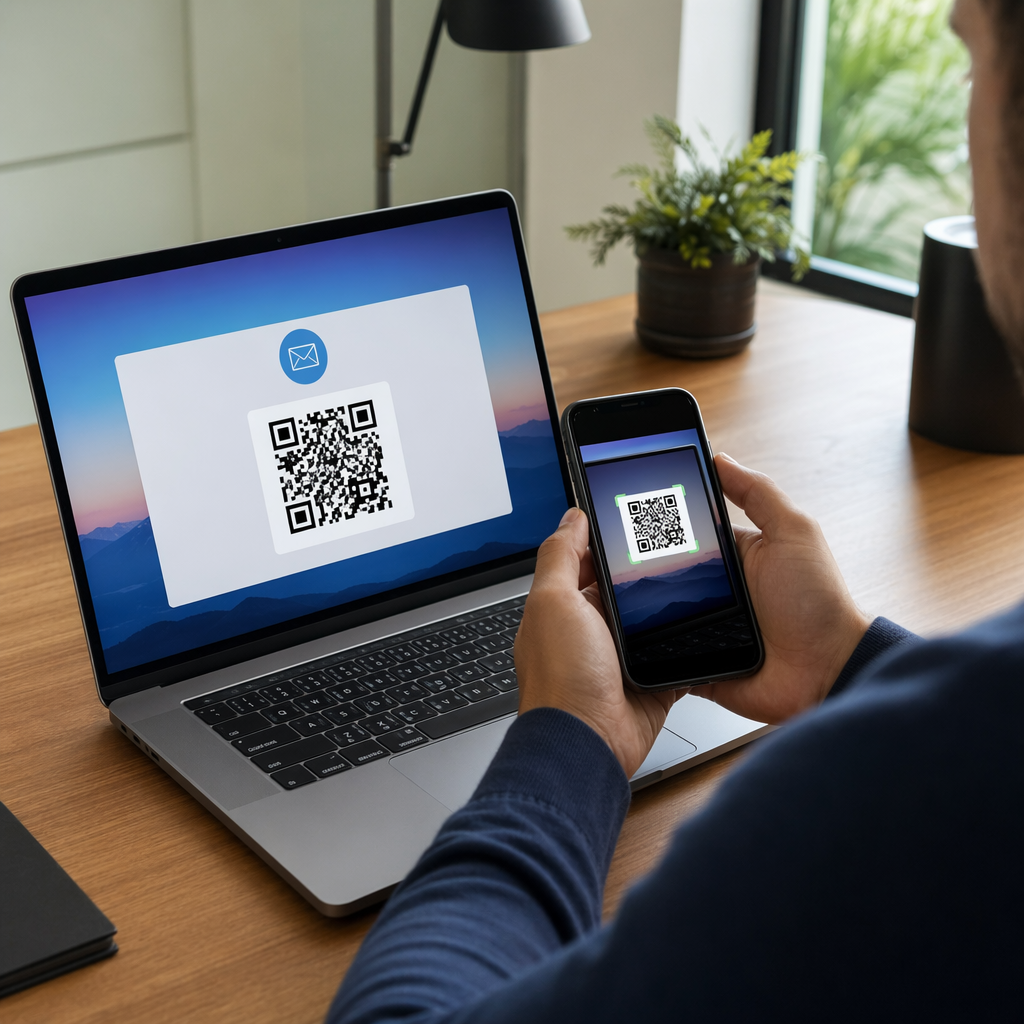
QR โค้ดที่พิมพ์บนใบปลิว บรรจุภัณฑ์ หรือจอแสดงผลทำหน้าที่เป็นสะพานเชื่อม เมื่อสแกนแล้ว ลูกค้าจะเข้าสู่ประสบการณ์ดิจิทัลที่คุณออกแบบมาเพื่อพวกเขาโดยเฉพาะทันที สิ่งสำคัญคือต้องแน่ใจว่าประสบการณ์นั้นสะท้อนถึงตัวตนของพวกเขา มาจากไหน และสิ่งที่พวกเขาน่าจะต้องการต่อไป.
ทำความเข้าใจการแบ่งกลุ่มก่อนที่คุณจะปรับแต่งเฉพาะบุคคล
การปรับแต่งเฉพาะบุคคลที่มีประสิทธิภาพเริ่มต้นด้วยการแบ่งกลุ่ม – การระบุกลุ่มลูกค้าที่มีลักษณะที่เกี่ยวข้องร่วมกัน เพื่อให้คุณสามารถสื่อสารกับแต่ละกลุ่มได้แตกต่างกัน การแบ่งกลุ่มมักจะอาศัยเกณฑ์ด้านพฤติกรรม ประชากรศาสตร์ ภูมิศาสตร์ จิตวิทยา และเทคโนโลยี หลักการสำคัญคือการแบ่งกลุ่มควรมาก่อนการปรับแต่งเฉพาะบุคคล: มันจะบอกคุณว่าควรทำการตลาดกับลูกค้าอย่างไรและเมื่อใดในตอนแรก จากนั้นการปรับแต่งเฉพาะบุคคลจะกำหนดรูปแบบข้อความ.
ในแง่ของ QR โค้ด การแบ่งกลุ่มหมายถึงการสร้างโค้ดที่แตกต่างกันสำหรับกลุ่มเป้าหมาย บริบทของแคมเปญ หรือสถานที่ทางกายภาพที่แตกต่างกัน – จากนั้นชี้แต่ละโค้ดไปยังเนื้อหาที่ปรับแต่งสำหรับกลุ่มนั้น นี่คือวิธีการนำไปใช้จริง:
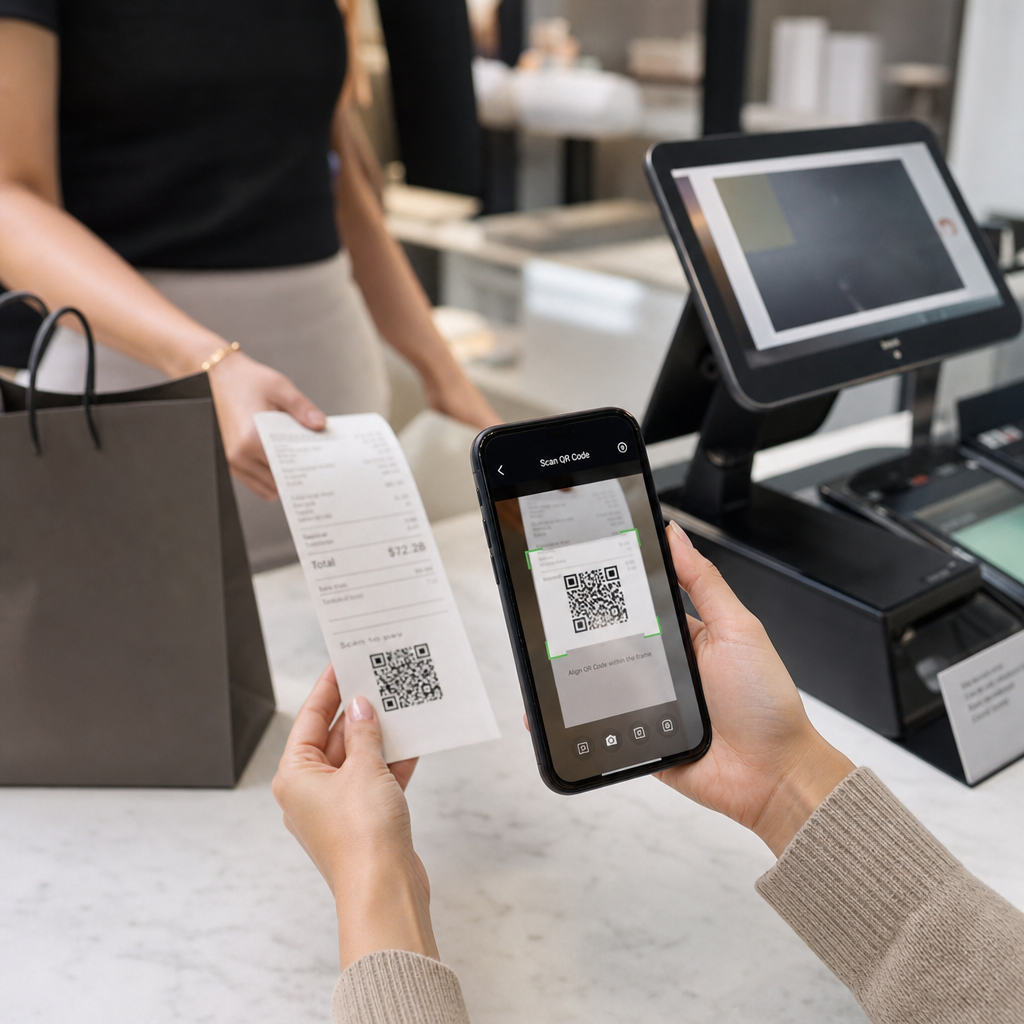
- ตามประเภทกลุ่มเป้าหมาย: แบรนด์ค้าปลีกวาง QR โค้ดแยกกันบนป้ายในร้านค้าและจดหมายตรง ผู้สแกนในร้านค้าจะเข้าสู่หน้าคะแนนสะสมความภักดี; ผู้รับจดหมายตรงจะเข้าสู่ส่วนลดสำหรับการซื้อครั้งแรก.
- ตามสถานที่: แคมเปญระดับภูมิภาคใช้ QR โค้ดที่แตกต่างกันสำหรับแต่ละเมือง แต่ละโค้ดเชื่อมโยงไปยังหน้า Landing Page ที่อ้างอิงโปรโมชันท้องถิ่น ที่ตั้งร้านค้าใกล้เคียง หรือข้อเสนอเฉพาะภูมิภาค.
- ตามช่องทาง: บริษัทจัดงานอีเวนต์ใช้ QR โค้ดหนึ่งบนตั๋วและอีกอันบนโพสต์โซเชียลมีเดีย เวอร์ชันตั๋วเชื่อมโยงไปยังตารางเวลาของผู้เข้าร่วมที่ปรับแต่งเฉพาะบุคคล; เวอร์ชันโซเชียลเชื่อมโยงไปยังหน้ากิจกรรมสาธารณะ.
- ตามขั้นตอนของลูกค้า: บริษัท SaaS พิมพ์ QR โค้ดในชุดต้อนรับสำหรับลูกค้าใหม่และประกาศการต่ออายุสำหรับลูกค้าปัจจุบัน แต่ละโค้ดเชื่อมโยงไปยังเนื้อหาการเริ่มต้นใช้งานหรือการอัปเกรดที่แตกต่างกันโดยสิ้นเชิง.
ยิ่งคุณกำหนดกลุ่มเป้าหมายได้ชัดเจนก่อนสร้างโค้ด ประสบการณ์การสแกนแต่ละครั้งก็จะยิ่งมีความเกี่ยวข้องมากขึ้นเท่านั้น.
คิวอาร์โค้ดแบบไดนามิก: รากฐานของแคมเปญส่วนบุคคล
คิวอาร์โค้ดบางประเภทไม่รองรับการปรับแต่งเฉพาะบุคคลเท่ากัน คิวอาร์โค้ดแบบคงที่ (Static QR codes) จะเข้ารหัส URL ที่ตายตัวซึ่งไม่สามารถเปลี่ยนแปลงได้ เมื่อพิมพ์แล้วจะถูกล็อก และไม่ให้ข้อมูลการสแกนใดๆ เลย ทำให้ไม่เหมาะสำหรับแคมเปญที่คุณต้องการปรับเนื้อหา ทดสอบ หรือวัดผล.
รหัส QR แบบไดนามิก ทำงานแตกต่างกัน ตัวโค้ดเองจะชี้ไปยังลิงก์เปลี่ยนเส้นทางสั้นๆ ที่จัดการผ่านแพลตฟอร์มคิวอาร์โค้ดของคุณ คุณสามารถอัปเดตปลายทางนั้นได้ตลอดเวลา แม้หลังจากพิมพ์และแจกจ่ายโค้ดไปแล้ว โดยไม่ต้องสร้างหรือพิมพ์ซ้ำใดๆ เลเยอร์การเปลี่ยนเส้นทางนี้ยังเป็นสิ่งที่ช่วยให้สามารถติดตามได้: การสแกนทุกครั้งจะผ่านแพลตฟอร์ม บันทึกข้อมูลก่อนที่จะส่งผู้ใช้ไปยังปลายทาง.
สำหรับแคมเปญส่วนบุคคล โค้ดแบบไดนามิกให้ความสามารถที่สำคัญสี่ประการแก่คุณ:
| ความสามารถ | เหตุใดจึงสำคัญต่อการปรับแต่งเฉพาะบุคคล |
|---|---|
| ปลายทางที่แก้ไขได้ | อัปเดตเนื้อหาหน้า Landing Page สำหรับแต่ละกลุ่มเป้าหมายโดยไม่ต้องพิมพ์สื่อใหม่ |
| การติดตามการสแกน | ทราบจำนวนผู้ที่เข้าร่วมจากแต่ละกลุ่มเป้าหมาย และเมื่อใด |
| ข้อมูลตำแหน่งและอุปกรณ์ | ทำความเข้าใจรูปแบบทางภูมิศาสตร์และเพิ่มประสิทธิภาพสำหรับประสบการณ์บนมือถือ |
| การทดสอบ A/B | ทดสอบหน้า Landing Page ที่แตกต่างกันสำหรับกลุ่มเป้าหมายเดียวกัน |
สำหรับข้อมูลเชิงลึกเพิ่มเติมเกี่ยวกับเวลาที่ควรใช้โค้ดแต่ละประเภท, การเลือกคิวอาร์โค้ดที่เหมาะสมสำหรับแคมเปญของคุณ ครอบคลุมข้อดีข้อเสียโดยละเอียด สรุปสั้นๆ: หากแคมเปญของคุณเกี่ยวข้องกับการปรับแต่งเฉพาะบุคคล การติดตาม หรือเนื้อหาใดๆ ที่คุณอาจต้องการอัปเดต โค้ดแบบไดนามิกคือตัวเลือกที่เหมาะสม คุณยังสามารถสำรวจ 5 ประโยชน์ของคิวอาร์โค้ดแบบไดนามิกสำหรับการตลาด เพื่อดูภาพรวมที่สมบูรณ์ยิ่งขึ้นว่าสิ่งเหล่านี้ทำอะไรได้บ้าง.
เริ่มติดตามแคมเปญส่วนบุคคลของคุณ สร้างรหัส QR แบบไดนามิกสำหรับแต่ละกลุ่มเป้าหมายและตรวจสอบข้อมูลการสแกนแบบเรียลไทม์ ลองใช้ สร้าง Dynamic QR Code และเข้าถึงการวิเคราะห์ทั้งหมดจากแดชบอร์ดของคุณ.
การสร้างแคมเปญรหัส QR แบบแบ่งกลุ่มทีละขั้นตอน
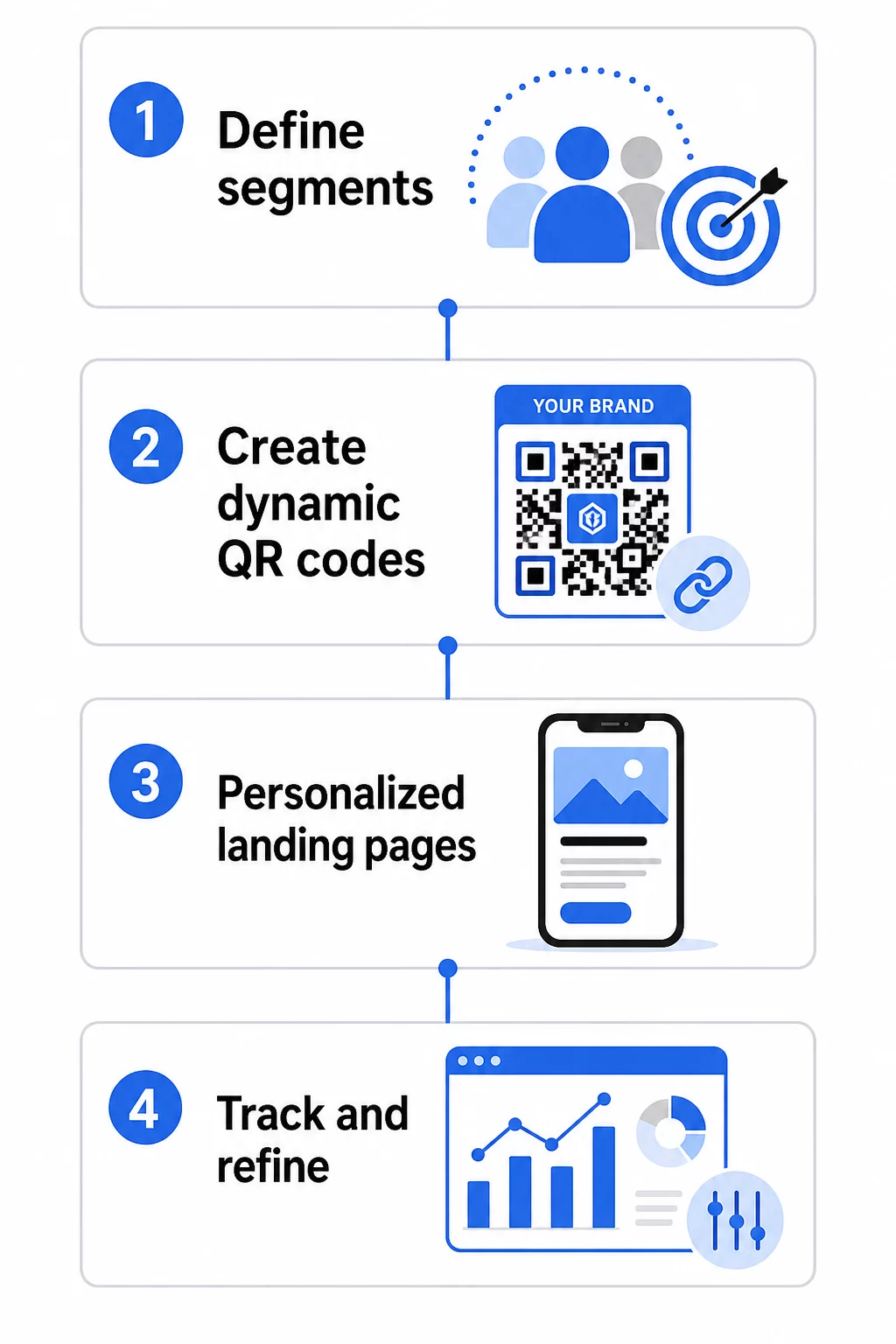
1. กำหนดกลุ่มเป้าหมายและเป้าหมายของคุณ
เริ่มต้นด้วยกลุ่มเป้าหมายของคุณก่อนที่จะใช้เครื่องมือใดๆ คุณกำลังพยายามเข้าถึงกลุ่มลูกค้าใด คุณต้องการให้แต่ละกลุ่มดำเนินการใด เป้าหมายแคมเปญของคุณควรเฉพาะเจาะจงและวัดผลได้ – ตัวอย่างเช่น “เพิ่มอัตราการแลกรับข้อเสนอทางไปรษณีย์ตรงสำหรับลูกค้าที่เลิกใช้บริการแล้ว 20%” ไม่ใช่แค่ “เพิ่มการมีส่วนร่วม”
เมื่อคุณทราบกลุ่มเป้าหมายและเป้าหมายของคุณแล้ว ให้วางแผนรหัส QR และหน้า Landing Page แยกต่างหากสำหรับแต่ละการผสมผสานที่มีความหมาย แคมเปญที่กำหนดเป้าหมายลูกค้าสามกลุ่มในสองตำแหน่งทางกายภาพอาจต้องใช้รหัสที่แตกต่างกันหกชุด.
2. สร้างรหัสเฉพาะสำหรับแต่ละกลุ่ม
การใช้แพลตฟอร์มเช่น เครื่องสร้าง QR โค้ด Pageloot, สร้างรหัสไดนามิกแยกต่างหากสำหรับแต่ละกลุ่ม ตั้งชื่อรหัสแต่ละรหัสให้ชัดเจนภายในเพื่อระบุกลุ่ม แคมเปญ และตำแหน่ง – วินัยนี้จะให้ผลตอบแทนเมื่อคุณวิเคราะห์ผลลัพธ์จากรหัสหลายสิบชุด.
หากแคมเปญของคุณใช้วัสดุสิ่งพิมพ์ ให้ปรับแต่งรูปลักษณ์ของรหัสแต่ละรหัสให้เข้ากับการออกแบบ. รหัส QR ที่มีโลโก้และสีแบรนด์ เสริมสร้างความไว้วางใจและส่งสัญญาณว่าการสแกนเป็นไปโดยตั้งใจ ไม่ใช่โดยบังเอิญ รหัส QR ที่มีแบรนด์ยังโดดเด่นทางสายตาในสภาพแวดล้อมที่วุ่นวาย ซึ่งส่งผลโดยตรงต่อว่ามีคนหยุดสแกนหรือไม่.
3. สร้างหน้า Landing Page ส่วนบุคคลสำหรับแต่ละกลุ่ม
รหัส QR จะมีค่าก็ต่อเมื่อประสบการณ์ที่นำไปสู่มัน ผู้เยี่ยมชมครั้งแรกที่เข้าสู่หน้าแรกของคุณหลังจากสแกนชิ้นส่วนไปรษณีย์ตรงไม่ใช่ประสบการณ์ส่วนบุคคล – มันคือโอกาสที่พลาดไป.
แต่ละกลุ่มควรเข้าสู่หน้าเว็บที่:
- รับทราบบริบท (“ยินดีต้อนรับนักช้อป [เมือง]” หรือ “ข้อเสนอพิเศษสำหรับสมาชิกผู้ภักดี”)
- นำเสนอข้อเสนอหรือข้อความที่ชัดเจนและเกี่ยวข้องกับกลุ่มเป้าหมาย
- มีคำกระตุ้นการตัดสินใจที่ชัดเจนและมุ่งเน้นเพียงหนึ่งเดียว
- โหลดเร็วและทำงานได้ดีบนมือถือ
เนื่องจากการสแกน QR ส่วนใหญ่เกิดขึ้นบนสมาร์ทโฟน การเพิ่มประสิทธิภาพสำหรับมือถือจึงเป็นสิ่งที่ไม่สามารถต่อรองได้ ทดสอบหน้า Landing Page ทุกหน้าบนทั้ง iOS และ Android ก่อนเปิดตัว.
4. เพิ่มพารามิเตอร์ UTM เพื่อการผสานรวมการวิเคราะห์อย่างสมบูรณ์
รหัส QR แบบไดนามิกให้ข้อมูลการสแกนแบบเนทีฟ – จำนวนครั้ง, การประทับเวลา, ประเภทอุปกรณ์ และตำแหน่งที่ตั้ง แต่คุณสามารถเพิ่มข้อมูลเชิงลึกที่ลึกซึ้งยิ่งขึ้นได้โดยการเพิ่มพารามิเตอร์ UTM ไปยัง URL ของหน้า Landing Page ของคุณ ซึ่งจะเชื่อมโยงการเข้าชมจากการสแกน QR เข้ากับ Google Analytics ทำให้คุณสามารถวัดพฤติกรรมหลังการสแกน เช่น เวลาที่ใช้บนหน้า, อัตราตีกลับ และเหตุการณ์การแปลง ควบคู่ไปกับข้อมูลการสแกนของคุณ.
URL ที่ติดแท็ก UTM สำหรับแคมเปญจดหมายตรงที่กำหนดเป้าหมายลูกค้าที่ไม่ได้ใช้งานในชิคาโกอาจมีลักษณะดังนี้:
“`
https://yoursite.com/reactivate?utmsource=directmailchicago&utm`medium=qr`โค้ด&utmcampaign=reactivation_q3
“`
สำหรับคำแนะนำโดยละเอียดเกี่ยวกับการตั้งค่า UTM และการผสานรวม Google Analytics โปรดดู พารามิเตอร์ UTM สำหรับรหัส QR: เคล็ดลับ Google Analytics.
5. วางรหัสอย่างมีกลยุทธ์สำหรับแต่ละกลุ่มเป้าหมาย
ตำแหน่งที่รหัส QR ปรากฏมีอิทธิพลต่อผู้ที่สแกนและบริบทใด จับคู่ตำแหน่งกับการกระทำของกลุ่มเป้าหมายของคุณ:
- จดหมายตรง: ใส่รหัสให้เด่นชัดใกล้กับข้อเสนอ พร้อมคำแนะนำสั้นๆ เช่น “สแกนเพื่อรับส่วนลดพิเศษของคุณ” ผู้รับจดหมายตรงมีเวลาเพียงพอที่จะมีส่วนร่วมอย่างตั้งใจ.
- บรรจุภัณฑ์สินค้า: เพิ่มรหัสลงในฉลาก, การ์ดขอบคุณ หรือเอกสารแนบในการจัดส่ง เพื่อดึงดูดลูกค้าอีกครั้งหลังการซื้อ.
- ป้ายในร้าน: วางรหัสในระดับสายตาใกล้กับผลิตภัณฑ์หรือแผนกที่เกี่ยวข้อง เพิ่ม CTA ที่มองเห็นได้เพื่อให้ผู้ซื้อเข้าใจว่าจะได้รับอะไร.
- งานอีเวนต์และการประชุม: ใช้รหัส QR บนป้าย, ตั๋ว หรือตารางเวลาที่พิมพ์ เพื่อนำผู้เข้าร่วมไปยังเนื้อหาส่วนบุคคล เช่น รายละเอียดเซสชัน หรือประวัติวิทยากร.
- สติกเกอร์และแท็ก: สำหรับจุดสัมผัสทางกายภาพที่เล็กกว่า รหัสที่วางไว้อย่างดีพร้อม CTA ที่ชัดเจนสามารถกระตุ้นการมีส่วนร่วมจากกลุ่มเป้าหมายที่กำลังถือผลิตภัณฑ์ของคุณอยู่แล้ว.
เดอะ รายการตรวจสอบการตลาดคิวอาร์โค้ดสำหรับธุรกิจขนาดเล็ก ครอบคลุมการพิจารณาการจัดวางและการตั้งค่าเพิ่มเติม หากคุณกำลังเปิดตัวแคมเปญแรกของคุณ.
การใช้ข้อมูลรหัส QR เพื่อปรับปรุงกลุ่มเป้าหมายของคุณ
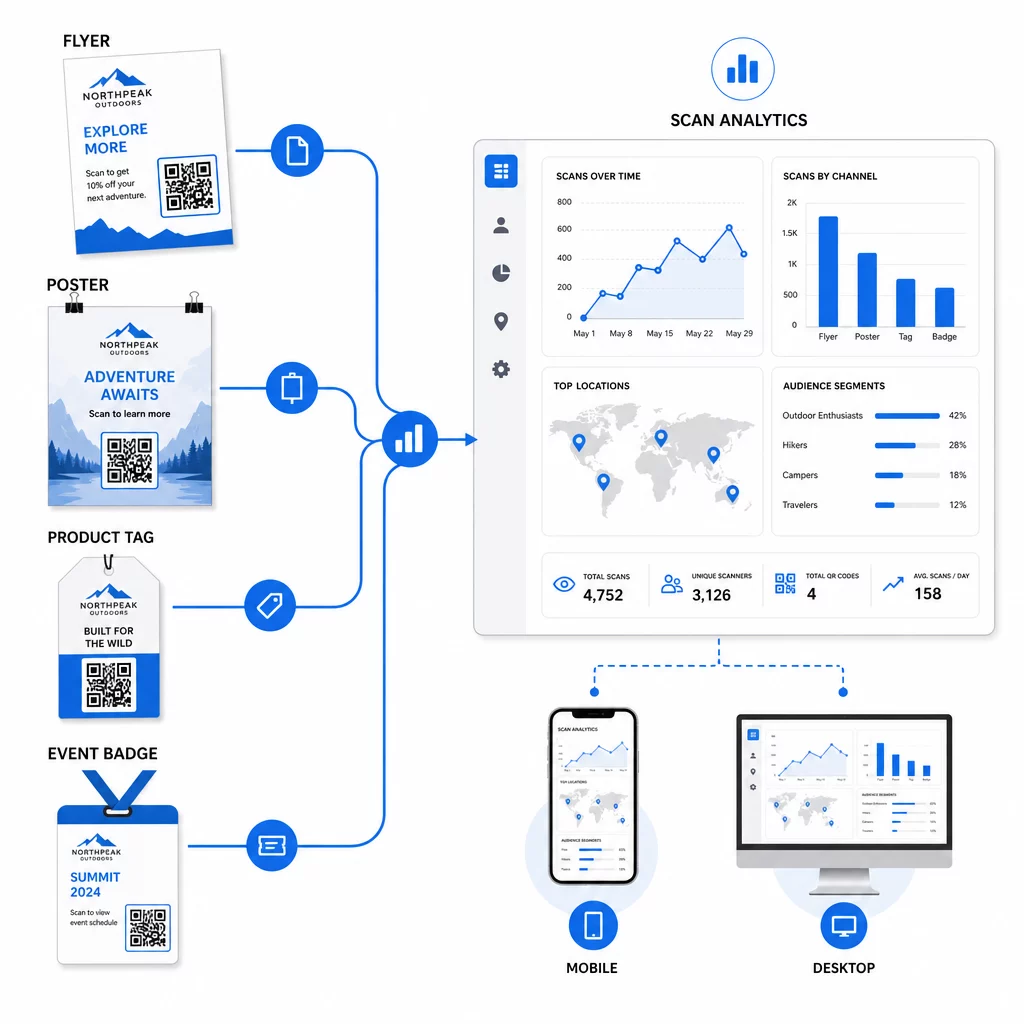
ข้อมูลที่รหัส QR แบบไดนามิกของคุณสร้างขึ้นนั้นเป็นสินทรัพย์ในการปรับแต่งส่วนบุคคล การสแกนแต่ละครั้งจะให้สัญญาณเกี่ยวกับว่าใครตอบสนองต่อข้อความใด เมื่อใด และจากที่ไหน เมื่อเวลาผ่านไป สิ่งนี้จะสร้างภาพที่ชัดเจนขึ้นว่ากลุ่มเป้าหมายใดตอบสนองมากที่สุด และการจัดวางใดที่ดึงดูดการเข้าชมที่มีคุณภาพมากที่สุด.
ตัวชี้วัดสำคัญที่ต้องติดตามต่อกลุ่มเป้าหมาย:
- จำนวนการสแกนและการสแกนที่ไม่ซ้ำกัน: ระบุการเข้าถึงโดยรวมและว่าคนเดิมกลับมาอีกหรือไม่
- รูปแบบเวลาการสแกน: เผยให้เห็นว่าแต่ละกลุ่มมีความเคลื่อนไหวมากที่สุดเมื่อใด มีประโยชน์สำหรับการกำหนดเวลาการสื่อสารติดตามผล
- การกระจายทางภูมิศาสตร์: แสดงให้เห็นว่าแคมเปญของคุณเข้าถึงภูมิภาคที่ตั้งใจไว้หรือไม่ – มีประโยชน์สำหรับ การติดตามแคมเปญรหัส QR ตามภูมิภาค และการปรับค่าใช้จ่ายในท้องถิ่น
- ประเภทอุปกรณ์: หากกลุ่มใดกลุ่มหนึ่งมีแนวโน้มไปทางอุปกรณ์ใดอุปกรณ์หนึ่งมาก คุณสามารถปรับปรุงประสบการณ์หน้า Landing Page ให้เหมาะสมกับแพลตฟอร์มนั้นได้
- การแปลงหลังการสแกน: ติดตามผ่านพารามิเตอร์ UTM ใน Google Analytics ซึ่งจะบอกคุณว่าการรวมกันของกลุ่มและตำแหน่งใดที่ขับเคลื่อนผลลัพธ์ที่คุณสนใจจริงๆ
สำหรับแนวทางที่มีโครงสร้างในการทดสอบตัวแปรต่างๆ ภายในกลุ่ม โปรดดูที่ คู่มือการทดสอบ A/B แคมเปญ QR โค้ด. รหัสไดนามิกเหมาะอย่างยิ่งสำหรับการทดสอบ A/B เนื่องจากคุณสามารถสลับปลายทางของหน้า Landing Page ได้โดยไม่ต้องแก้ไขรหัสที่พิมพ์ออกมา.
คุณยังสามารถใช้ข้อมูลตำแหน่งการสแกนและอุปกรณ์เป็นข้อมูลป้อนเข้าสำหรับการปรับแต่งเฉพาะบุคคลที่ลึกซึ้งยิ่งขึ้น – ตัวอย่างเช่น การเปลี่ยนเส้นทางผู้สแกนจากเมืองต่างๆ ไปยังหน้า Landing Page เฉพาะภูมิภาค หรือการปรับเนื้อหาตามว่าอุปกรณ์เป็น iOS หรือ Android คู่มือรหัส QR สำหรับการปรับแต่งเฉพาะบุคคลที่ขับเคลื่อนด้วยข้อมูล ครอบคลุมเทคนิคเหล่านี้โดยละเอียด.
ดูว่ากลุ่มใดมีส่วนร่วมมากที่สุด ใช้ สร้าง Dynamic QR Code เพื่อสร้างรหัสที่สามารถติดตามได้แยกกันสำหรับแต่ละกลุ่มเป้าหมาย และเปรียบเทียบประสิทธิภาพในตำแหน่งต่างๆ ในแดชบอร์ดเดียว.
ข้อควรพิจารณาด้านความเป็นส่วนตัวสำหรับแคมเปญ QR ส่วนบุคคล
รหัส QR รวบรวมข้อมูลบุคคลที่หนึ่ง ซึ่งเป็นข้อมูลที่สร้างขึ้นจากการโต้ตอบของผู้ชมของคุณกับเนื้อหาของคุณเอง สิ่งนี้มีคุณค่าเพิ่มขึ้นเรื่อยๆ เนื่องจากวิธีการติดตามของบุคคลที่สามเผชิญกับแรงกดดันด้านกฎระเบียบและการตรวจสอบจากผู้บริโภค อย่างไรก็ตาม การรวบรวมข้อมูลผ่านรหัส QR ยังคงมีข้อผูกพัน.
กฎหมายความเป็นส่วนตัวของสหรัฐอเมริกามีความกระจัดกระจายไปตามกฎหมายเฉพาะภาคส่วนของรัฐบาลกลาง และกฎหมายความเป็นส่วนตัวของรัฐที่ครอบคลุมซึ่งมีจำนวนเพิ่มขึ้น ซึ่งหลายฉบับควบคุมวิธีการรวบรวมและใช้ข้อมูลส่วนบุคคลเพื่อการตลาด แนวปฏิบัติที่ดีที่สุดคือการโปร่งใสเกี่ยวกับข้อมูลที่รหัส QR ของคุณรวบรวมและเหตุผล.
ขั้นตอนปฏิบัติเพื่อรักษาการปฏิบัติตามข้อกำหนด:
- แสดงประกาศสั้นๆ ใกล้รหัส QR แต่ละรหัส หรือบนหน้า Landing Page เริ่มต้นที่อธิบายว่ามีการติดตามข้อมูลใดบ้าง (เช่น ตำแหน่งการสแกน ประเภทอุปกรณ์)
- ระบุลิงก์ไปยังนโยบายความเป็นส่วนตัวของคุณในหน้าใดๆ ที่รวบรวมข้อมูลส่วนบุคคล
- หลีกเลี่ยงการรวบรวมข้อมูลที่สามารถระบุตัวบุคคลได้โดยไม่เปิดเผยข้อมูล
- ใช้ข้อมูลที่คุณรวบรวมเพื่อวัตถุประสงค์ที่คุณได้แจ้งให้ผู้ใช้ทราบเท่านั้น
ความโปร่งใสยังช่วยสร้างความมั่นใจในการสแกน ผู้ใช้รหัส QR ในสหรัฐอเมริกามากกว่า 80% กล่าวว่าพวกเขามองว่ารหัส QR ปลอดภัย แต่ CTA ที่ชัดเจนและการออกแบบแบรนด์ที่เป็นที่รู้จักจะช่วยสร้างความมั่นใจให้กับผู้ที่ลังเลได้มาก.
กลยุทธ์การปรับแต่งส่วนบุคคลทั่วไปตามช่องทาง
| ช่องทาง | กลยุทธ์การปรับแต่งส่วนบุคคล | บทบาทของรหัส QR |
|---|---|---|
| จดหมายตรง | รหัสเฉพาะสำหรับกลุ่มผู้รับแต่ละกลุ่มพร้อมข้อเสนอส่วนบุคคล | ลิงก์ไปยังหน้า Landing Page เฉพาะกลุ่ม |
| บรรจุภัณฑ์ผลิตภัณฑ์ | การมีส่วนร่วมหลังการซื้อซ้ำตามประเภทผลิตภัณฑ์ | ลิงก์ไปยังเนื้อหาวิธีการ, การขายเพิ่ม, หรือคำขอรีวิว |
| ป้ายภายในร้าน | โปรโมชั่นตามสถานที่ | ลิงก์ไปยังข้อเสนอในท้องถิ่นหรือหน้าบริการที่ใกล้ที่สุด |
| อีเวนต์ | ประเภทผู้เข้าร่วม (วิทยากร, ผู้สนับสนุน, ทั่วไป) | ลิงก์ไปยังตารางเวลาหรือเนื้อหาเฉพาะบทบาท |
| โฆษณาบนโซเชียลมีเดีย | ความสนใจของกลุ่มเป้าหมายหรือกลุ่มเป้าหมายที่กำหนดเป้าหมายใหม่ | ลิงก์ไปยังเนื้อหาที่ตรงกับโฆษณา |
กรณีการใช้งานแต่ละกรณีเหล่านี้ได้รับประโยชน์จากแนวทางพื้นฐานเดียวกัน: รหัสไดนามิกที่ไม่ซ้ำกันหนึ่งรหัสต่อกลุ่ม แต่ละรหัสชี้ไปยังปลายทางที่กำหนดเป้าหมาย แต่ละรหัสถูกติดตามอย่างอิสระเพื่อให้คุณสามารถวัดผลลัพธ์และปรับปรุงได้.
สำหรับภาพรวมที่กว้างขึ้นว่ารหัส QR เข้ากับชุดเครื่องมือทางการตลาดโดยรวมของคุณอย่างไร ภาพรวมคุณสมบัติของ Pageloot ครอบคลุมประเภทและความสามารถของรหัส QR ทั้งหมดที่มีให้สำหรับการใช้งานแคมเปญ.
นำไปปฏิบัติ
แคมเปญรหัส QR ส่วนบุคคลไม่จำเป็นต้องมีโครงสร้างพื้นฐานที่ซับซ้อน – แต่ต้องมีความชัดเจนเกี่ยวกับกลุ่มเป้าหมายของคุณ มีวินัยในการสร้างรหัสแยกต่างหากสำหรับแต่ละกลุ่ม และแพลตฟอร์มที่ให้ข้อมูลการติดตามเพื่อให้คุณดำเนินการตามสิ่งที่คุณเรียนรู้ เริ่มต้นด้วยหนึ่งแคมเปญ สองหรือสามกลุ่ม และเป้าหมายการแปลงที่ชัดเจน ใช้ข้อมูลการสแกนเพื่อทำความเข้าใจว่าอะไรได้ผล จากนั้นขยายแนวทางนี้ไปยังช่องทางและกลุ่มเป้าหมายที่มากขึ้น.
เดอะ เครื่องสร้างรหัส QR สำหรับลิงก์ เป็นจุดเริ่มต้นที่ดีหากคุณกำลังเชื่อมโยงกลุ่มเป้าหมายเข้ากับ URL เฉพาะ เมื่อคุณพร้อมสำหรับการติดตาม อัปเดต และการจัดการแคมเปญอย่างเต็มรูปแบบ สร้าง Dynamic QR Code ให้ความยืดหยุ่นในการเรียกใช้ ปรับเปลี่ยน และวัดผลแคมเปญส่วนบุคคลโดยไม่ต้องพิมพ์วัสดุใหม่แม้แต่ชิ้นเดียว.
คำถามที่พบบ่อย
คิวอาร์โค้ดแบบคงที่เข้ารหัส URL ที่ตายตัวซึ่งไม่สามารถเปลี่ยนแปลงได้หลังจากสร้างขึ้น และไม่มีข้อมูลการสแกน คิวอาร์โค้ดแบบไดนามิกชี้ไปยังลิงก์เปลี่ยนเส้นทางที่คุณสามารถอัปเดตได้ตลอดเวลา และบันทึกเมตริกการสแกน รวมถึงจำนวนครั้ง, ตำแหน่ง, ประเภทอุปกรณ์ และเวลาที่สแกน สำหรับการตลาดแบบเฉพาะบุคคล – ที่คุณต้องติดตามประสิทธิภาพต่อกลุ่มเป้าหมายและอาจต้องอัปเดตหน้า Landing Page – โค้ดแบบไดนามิกคือตัวเลือกที่เหมาะสม.
คุณต้องมีรหัส QR ที่ไม่ซ้ำกันหนึ่งรหัสสำหรับการรวมกันที่มีความหมายของกลุ่มเป้าหมายและตำแหน่งการจัดวางแต่ละครั้ง ตัวอย่างเช่น หากคุณกำหนดเป้าหมายลูกค้าสามกลุ่มในวัสดุทางกายภาพสองชิ้น คุณจะต้องสร้างรหัสหกชุด การใช้แพลตฟอร์มอย่าง Pageloot คุณสามารถจัดการทั้งหมดได้จากแดชบอร์ดเดียว ซึ่งทำให้การติดตามและอัปเดตเป็นเรื่องง่ายแม้สำหรับแคมเปญขนาดใหญ่.
เพิ่มพารามิเตอร์ UTM ไปยัง URL ปลายทางก่อนที่จะเข้ารหัสลงในคิวอาร์โค้ดของคุณ ใช้ค่าที่สื่อความหมายสำหรับ utmsource (เช่น “directmailnyc”), utmmedium ที่สอดคล้องกัน (เช่น “qr_code”) และชื่อแคมเปญที่ระบุแคมเปญเฉพาะ เมื่อผู้ใช้สแกนและเข้าสู่หน้าของคุณ Google Analytics จะบันทึกเซสชันภายใต้พารามิเตอร์เหล่านั้น ทำให้คุณสามารถวัดปริมาณการเข้าชม การมีส่วนร่วม และการเปลี่ยนใจได้ต่อแต่ละส่วน คิวอาร์โค้ดแบบไดนามิกทำให้สิ่งนี้มีความยืดหยุ่นเป็นพิเศษ เนื่องจากคุณสามารถอัปเดต URL ที่ติดแท็ก UTM ได้โดยไม่ต้องพิมพ์โค้ดใหม่.