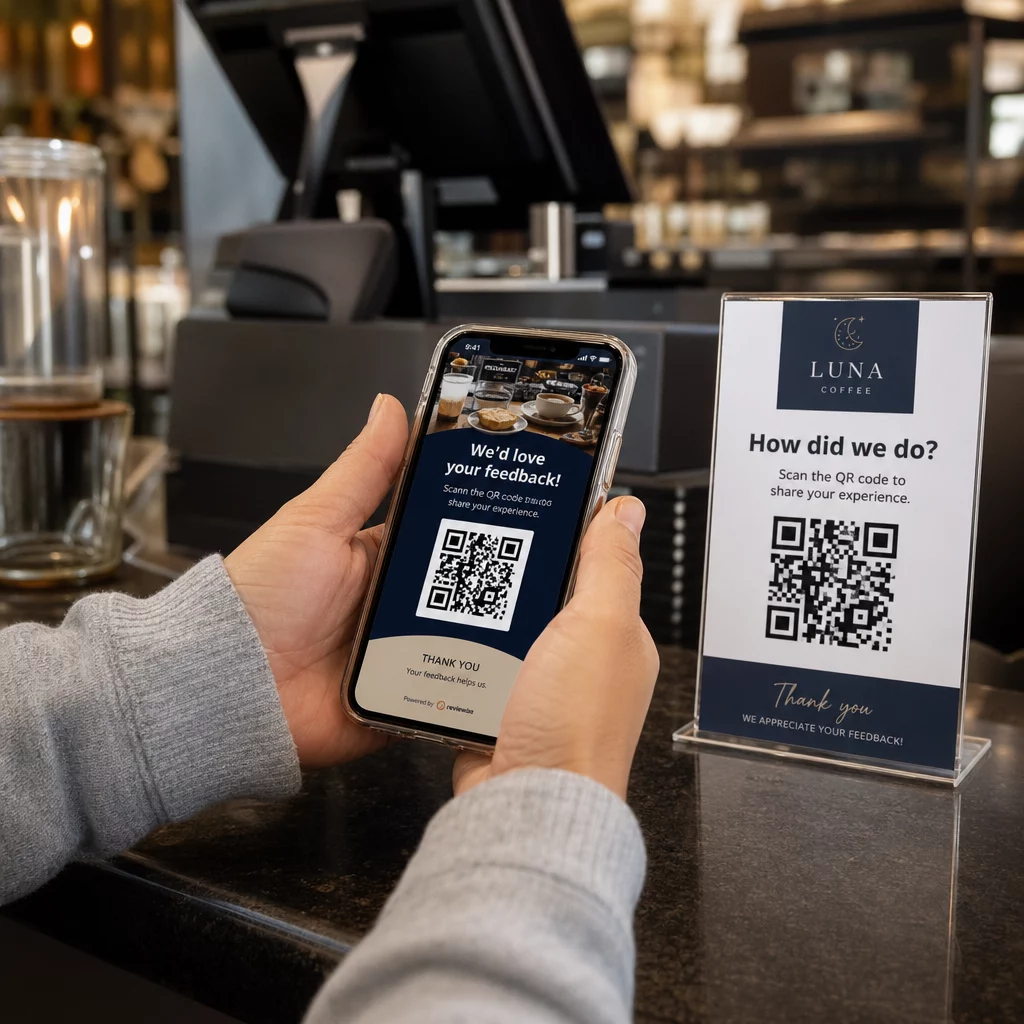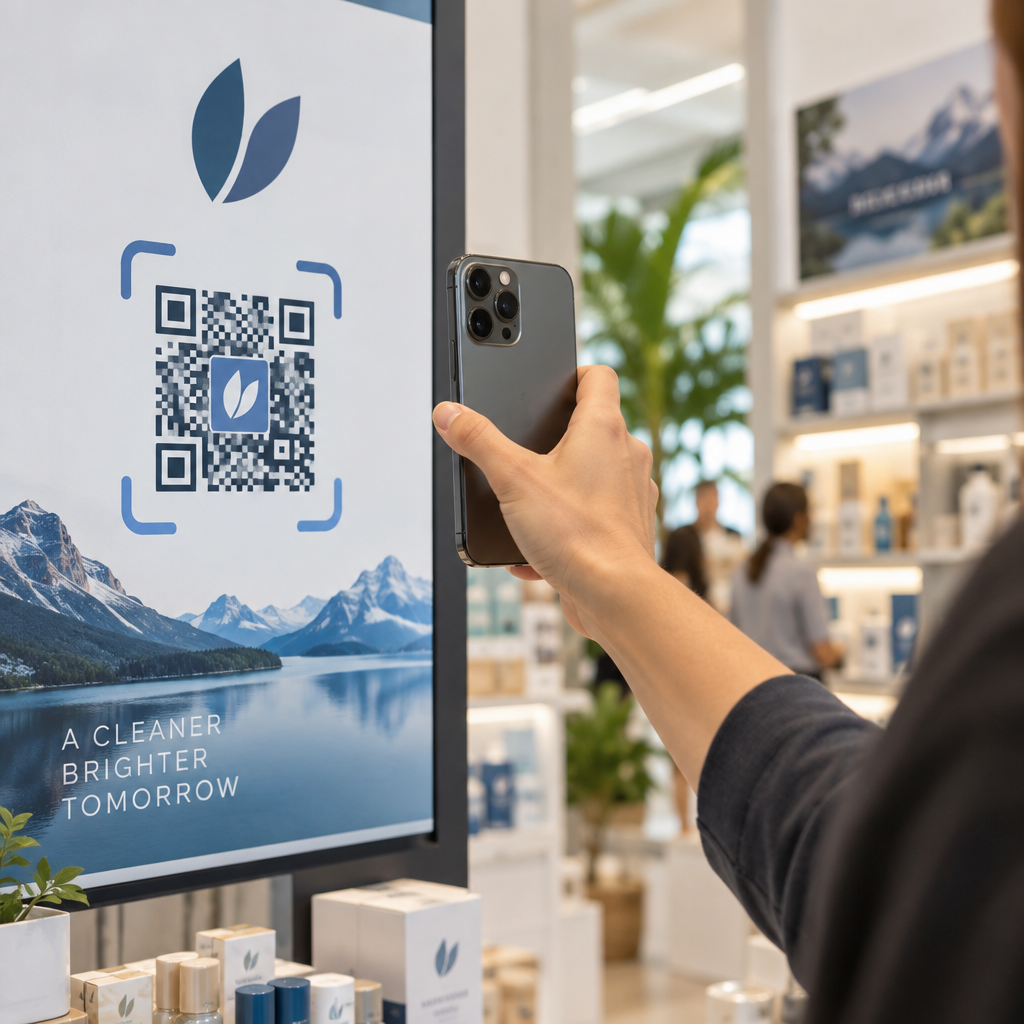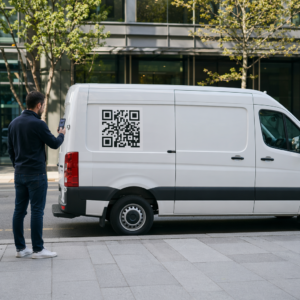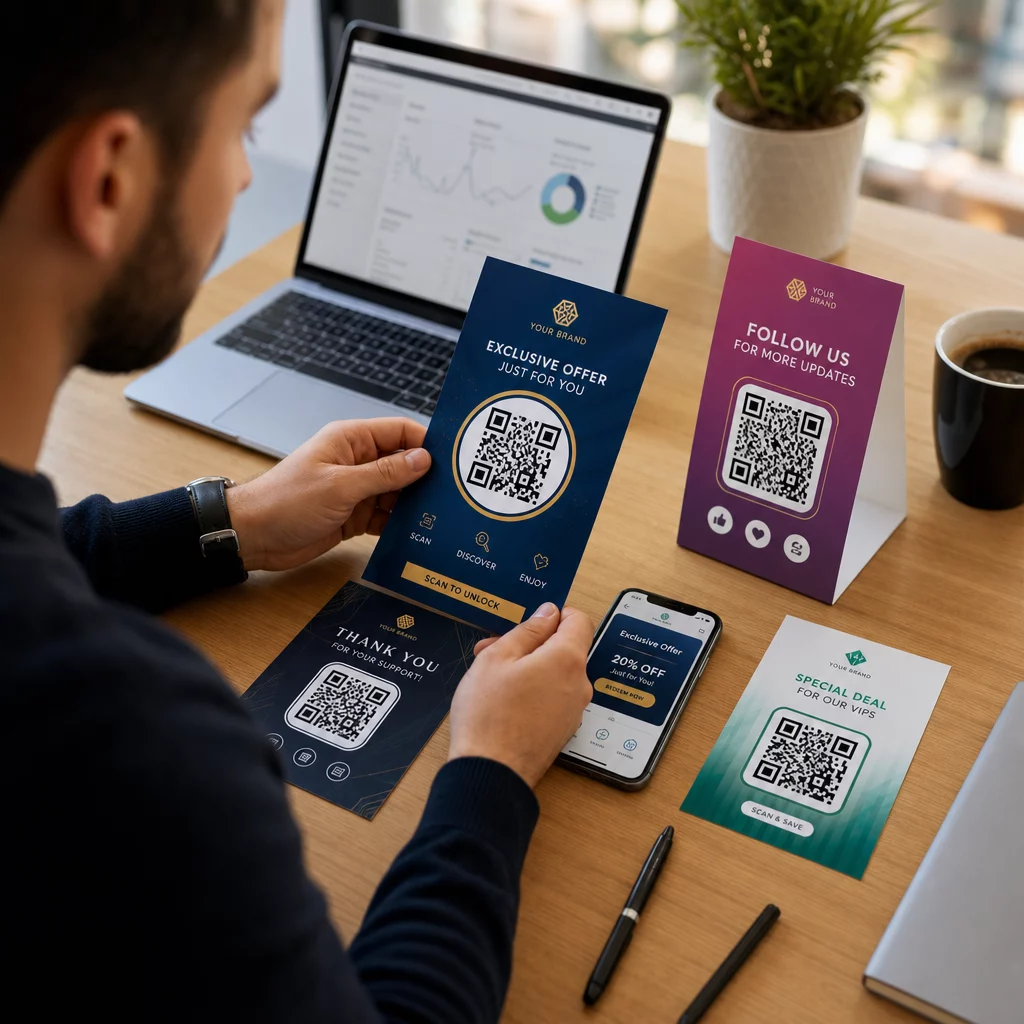
Leveren uw marketingcampagnes dezelfde boodschap aan iedereen, ongeacht wie ze zijn of waar u ze heeft gevonden? Generieke outreach verspilt budget en frustreert klanten. Deze gids laat zien hoe u QR-codes kunt gebruiken om gerichte, traceerbare ervaringen te leveren die passen bij de context en intentie van uw publiek.
Waarom personalisatie afhangt van het verbinden van fysieke en digitale touchpoints
Gepersonaliseerde marketing is verschoven van een 'nice-to-have' naar een bedrijfsprioriteit. Onderzoek van Contentful toont aan dat 89% van de marketingbeslissers personalisatie essentieel acht voor succes in de komende drie jaar, en 80% van de bedrijven meldt een toename van consumentenuitgaven – gemiddeld 38% meer – wanneer ervaringen gepersonaliseerd zijn. Ondertussen zegt 77% van de klanten gefrustreerd te zijn door irrelevante promotionele meldingen.
De uitdaging is dat de meeste personalisatietools werken in puur digitale omgevingen. E-mailplatforms segmenteren op basis van open-gedrag. Advertentienetwerken targeten op basis van browsegeschiedenis. Maar wat gebeurt er wanneer uw klant een product in een winkel vasthoudt, een live evenement bijwoont of een direct mail-stuk leest? Dat is waar de fysiek-naar-digitale kloof ontstaat – en waar QR-codes deze dichten.
Een QR-code afgedrukt op een flyer, verpakking of display fungeert als een brug. Scan deze, en de klant komt direct terecht op een digitale ervaring die u speciaal voor hen heeft ontworpen. De sleutel is ervoor te zorgen dat die ervaring weerspiegelt wie ze zijn, waar ze vandaan komen en wat ze waarschijnlijk hierna willen.
Segmentatie begrijpen voordat u personaliseert
Effectieve personalisatie begint met segmentatie – het identificeren van groepen klanten die relevante kenmerken delen, zodat u elke groep anders kunt benaderen. Segmentatie maakt doorgaans gebruik van gedrags-, demografische, geografische, psychografische en technografische criteria. Het belangrijke principe is dat segmentatie vóór personalisatie moet komen: het vertelt u of en hoe u een klant in de eerste plaats moet benaderen, waarna personalisatie de boodschap vormgeeft.
In termen van QR-codes betekent segmentatie het creëren van verschillende codes voor verschillende doelgroepen, campagnecontexten of fysieke locaties – en vervolgens elke code te laten verwijzen naar inhoud die is afgestemd op dat segment. Zo werkt dat in de praktijk:
- Op doelgroeptype: Een retailmerk plaatst afzonderlijke QR-codes op winkelborden en direct mail. Scanners in de winkel komen terecht op een loyaliteitspuntenpagina; ontvangers van direct mail komen terecht op een korting voor de eerste aankoop.
- Op locatie: Een regionale campagne gebruikt afzonderlijke QR-codes voor elke stad. Elke code linkt naar een landingspagina met lokale promoties, nabijgelegen winkellocaties of regiospecifieke aanbiedingen.
- Op kanaal: Een evenementenbedrijf gebruikt één QR-code op tickets en een andere op social media posts. De ticketversie linkt naar een gepersonaliseerd deelnemersschema; de sociale versie linkt naar een openbare evenementenpagina.
- Op klantfase: Een SaaS-bedrijf print QR-codes in welkomstpakketten voor nieuwe klanten en verlengingsberichten voor bestaande klanten. Elk linkt naar volledig verschillende onboarding- of upgrade-inhoud.
Hoe duidelijker u uw segmenten definieert voordat u uw codes bouwt, hoe relevanter elke scanervaring wordt.
Dynamische QR-codes: De basis van gepersonaliseerde campagnes
Niet alle QR-codes ondersteunen personalisatie gelijkwaardig. Statische QR-codes coderen een vaste URL die nooit kan veranderen. Eenmaal afgedrukt, zijn ze vergrendeld – en ze leveren helemaal geen scangegevens op. Dat maakt ze ongeschikt voor elke campagne waarbij u inhoud wilt aanpassen, tests wilt uitvoeren of resultaten wilt meten.
Dynamische QR codes werken anders. De code zelf verwijst naar een korte omleidingslink die wordt beheerd via uw QR-codeplatform. U kunt die bestemming op elk moment bijwerken – zelfs nadat de code is afgedrukt en verspreid – zonder iets te genereren of opnieuw af te drukken. Deze omleidingslaag is ook wat tracking mogelijk maakt: elke scan passeert het platform, logt gegevens voordat de gebruiker naar zijn bestemming wordt gestuurd.
Voor gepersonaliseerde campagnes bieden dynamische codes u vier cruciale mogelijkheden:
| Mogelijkheid | Waarom het belangrijk is voor personalisatie |
|---|---|
| Bewerkbare bestemming | Landingspagina-inhoud bijwerken voor elk segment zonder materialen opnieuw af te drukken |
| Scan volgen | Weten hoeveel mensen uit elk segment betrokken waren, en wanneer |
| Locatie- en apparaatgegevens | Geografische patronen begrijpen en optimaliseren voor mobiele ervaring |
| A/B-testen | Verschillende landingspagina's testen voor hetzelfde doelgroepsegment |
Voor een diepere blik op wanneer elk codetype te gebruiken, de juiste QR-code kiezen voor uw campagne behandelt de afwegingen in detail. De korte versie: als uw campagne personalisatie, tracking of inhoud omvat die u mogelijk wilt bijwerken, zijn dynamische codes de juiste keuze. U kunt ook de 5 voordelen van dynamische QR-codes voor marketing voor een completer beeld van wat ze mogelijk maken.
Begin met het volgen van uw gepersonaliseerde campagne Maak dynamische QR-codes voor elk doelgroepsegment en monitor scan data in realtime. Probeer de Dynamische QR code generator en krijg toegang tot volledige analyses vanuit uw dashboard.
Gesegmenteerde QR-code campagnes stap voor stap opbouwen
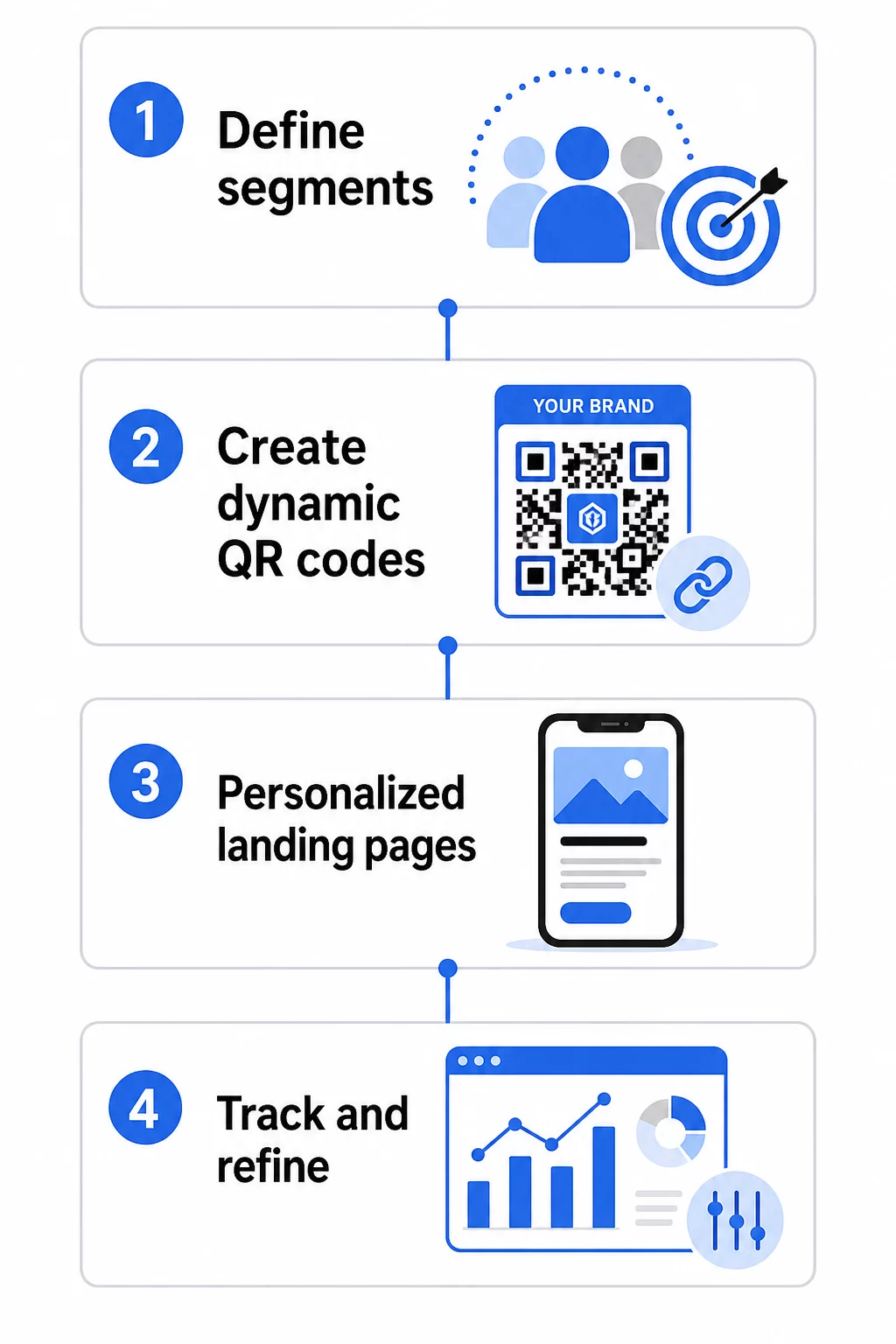
1. Definieer uw segmenten en doelen
Begin met uw doelgroep voordat u tools aanraakt. Welke klantgroepen probeert u te bereiken? Welke actie wilt u dat elke groep onderneemt? Uw campagnedoelen moeten specifiek en meetbaar zijn – bijvoorbeeld, “verhoog de inwisselingsgraad van direct mail aanbiedingen voor inactieve klanten met 20%,” niet alleen “verhoog de betrokkenheid.”
Zodra u uw segmenten en doelen kent, plant u een aparte QR-code en landingspagina voor elke zinvolle combinatie. Een campagne gericht op drie klantsegmenten over twee fysieke locaties heeft mogelijk zes verschillende codes nodig.
2. Maak unieke codes voor elk segment
Gebruikmakend van een platform zoals de Pageloot QR-codegenerator, genereer een aparte dynamische code voor elk segment. Geef elke code een duidelijke interne naam die het segment, de campagne en de plaatsing identificeert – deze discipline werpt zijn vruchten af wanneer u resultaten analyseert over tientallen codes.
Als uw campagne gedrukt materiaal gebruikt, pas dan het uiterlijk van elke code aan het ontwerp aan. QR-codes met logo's en merkkleuren versterken het vertrouwen en geven aan dat scannen opzettelijk is, niet toevallig. Branded QR-codes vallen ook visueel op in drukke omgevingen, wat direct van invloed is op de vraag of iemand stopt om te scannen.
3. Bouw gepersonaliseerde landingspagina's voor elk segment
De QR-code is slechts zo waardevol als de ervaring waartoe deze leidt. Een eersteklaps bezoeker die op uw homepage terechtkomt na het scannen van een direct mail stuk is geen gepersonaliseerde ervaring – het is een gemiste kans.
Elk segment moet terechtkomen op een pagina die:
- Erkent de context (“Welkom, [Stad] shoppers” of “Exclusieve aanbieding voor loyaliteitsleden”)
- Presenteert een duidelijke, segmentrelevante aanbieding of boodschap
- Bevat één, gerichte call-to-action
- Laadt snel en werkt goed op mobiel
Aangezien de meeste QR-scans plaatsvinden op smartphones, is mobiele optimalisatie niet onderhandelbaar. Test elke landingspagina op zowel iOS als Android voordat u lanceert.
4. Voeg UTM-parameters toe voor volledige analyse-integratie
Dynamische QR-codes bieden native scangegevens – aantallen, tijdstempels, apparaattypen en locaties. Maar u kunt nog diepere inzichten toevoegen door UTM-parameters toe te voegen aan de URL's van uw landingspagina's. Dit verbindt QR-scantraffic met Google Analytics, waardoor u gedrag na de scan kunt meten, zoals tijd op de pagina, bouncepercentage en conversiegebeurtenissen, naast uw scangegevens.
Een UTM-getagde URL voor een direct mail-campagne gericht op inactieve klanten in Chicago zou er als volgt uit kunnen zien:
“`
https://yoursite.com/reactivate?utmsource=directmailchicago&utmmedium=qrcode&utmcampaign=reactivation_q3
“`
Voor een gedetailleerde uitleg van de UTM-instelling en Google Analytics-integratie, zie UTM-parameters voor QR-codes: Google Analytics-tips.
5. Plaats codes strategisch voor elk segment
Waar een QR-code verschijnt, beïnvloedt wie deze scant en in welke context. Stem de plaatsing af op het gedrag van uw segment:
- Direct mail: Plaats de code prominent bij de aanbieding, met een korte instructie zoals “Scan voor uw exclusieve korting.” Ontvangers van direct mail hebben voldoende tijd om bewust te reageren.
- Productverpakkingen: Voeg codes toe aan labels, bedankkaarten of verzendbijlagen om klanten na aankoop opnieuw te betrekken.
- Bewegwijzering in de winkel: Plaats codes op ooghoogte bij het relevante product of de afdeling. Voeg een zichtbare CTA toe zodat shoppers begrijpen wat ze krijgen.
- Evenementen en conferenties: Gebruik QR-codes op badges, tickets of gedrukte schema's om deelnemers naar gepersonaliseerde inhoud te leiden, zoals sessiedetails of sprekersbiografieën.
- Stickers en tags: Voor kleinere fysieke contactpunten kan een goed geplaatste code met een duidelijke CTA de betrokkenheid stimuleren van een publiek dat uw product al vasthoudt.
De QR-code marketing checklist voor kleine bedrijven behandelt aanvullende plaatsings- en setup-overwegingen als u uw eerste campagne lanceert.
QR-codegegevens gebruiken om uw segmenten te verfijnen
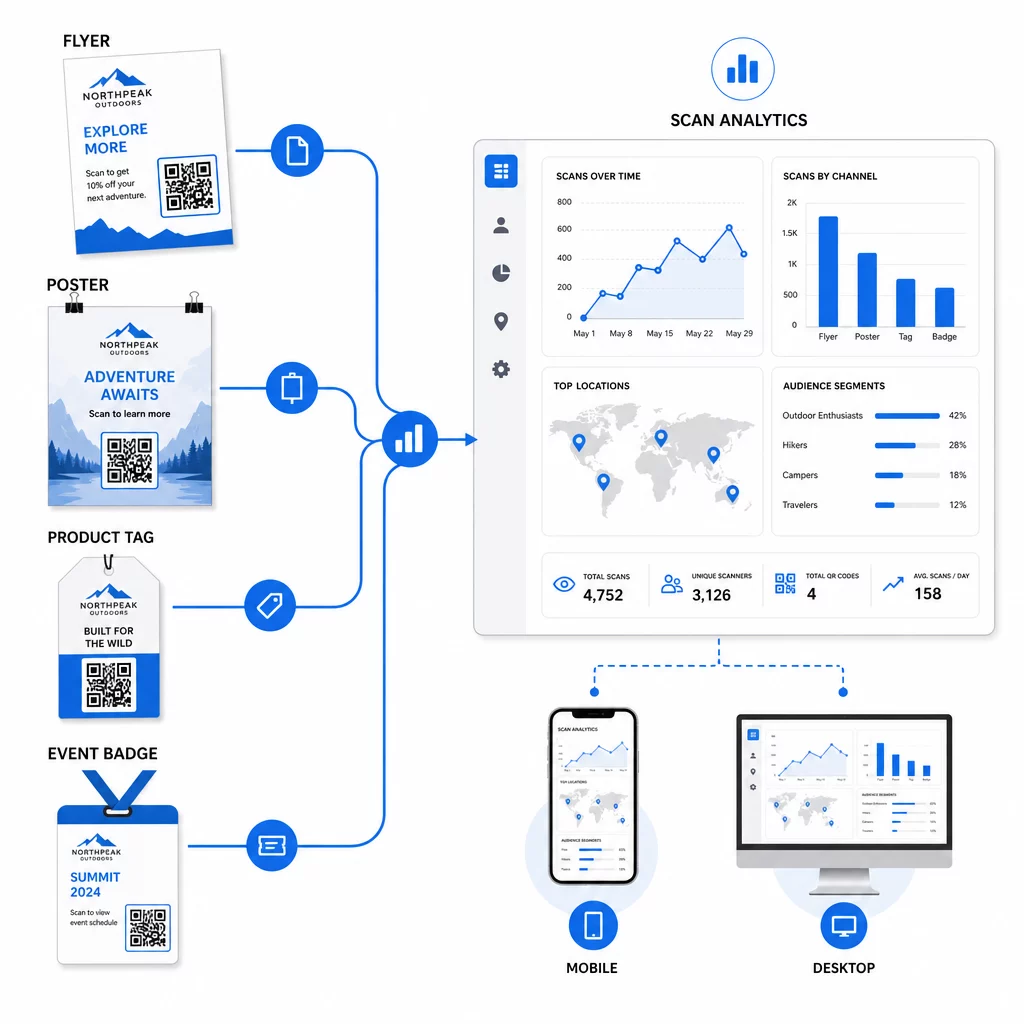
De gegevens die uw dynamische QR-codes genereren, zijn op zichzelf een personalisatie-asset. Elke scan geeft u een signaal over wie op welk bericht reageerde, wanneer en van waaruit. Na verloop van tijd ontstaat zo een duidelijker beeld van welke segmenten het meest responsief zijn en welke plaatsingen het meest gekwalificeerde verkeer genereren.
Belangrijkste statistieken om per segment te monitoren:
- Aantal scans en unieke scans: Geeft het totale bereik aan en of dezelfde mensen terugkeren
- Scan tijdspatronen: Onthult wanneer elk segment het meest actief is, nuttig voor het timen van vervolgcommunicatie
- Geografische spreiding: Toont of uw campagne de beoogde regio's bereikt – nuttig voor het volgen van QR-codecampagnes per regio en het aanpassen van lokale uitgaven
- Apparaattype: Als één segment sterk neigt naar een bepaald apparaat, kunt u de landingspagina-ervaring voor dat platform optimaliseren
- Conversies na scan: Bijgehouden via UTM-parameters in Google Analytics, vertelt dit u welke segment- en plaatsingscombinaties daadwerkelijk de resultaten opleveren die u belangrijk vindt
Voor een gestructureerde aanpak voor het testen van verschillende variabelen binnen een segment, zie de gids voor A/B-testen van QR-code campagnes. Dynamische codes zijn bijzonder geschikt voor A/B-testen, omdat u landingspagina-bestemmingen kunt wisselen zonder de gedrukte code aan te raken.
U kunt ook scanlocatie- en apparaatgegevens gebruiken als input voor diepere personalisatie – bijvoorbeeld door scanners uit verschillende steden om te leiden naar regiospecifieke landingspagina's, of door inhoud aan te passen op basis van of het apparaat iOS of Android is. De gids voor QR-codes voor datagestuurde personalisatie behandelt deze technieken in detail.
Zie Welke Segmenten Het Meest Betrokken Zijn Gebruik de Dynamische QR code generator om afzonderlijke traceerbare codes te maken voor elk doelgroepsegment en de prestaties over verschillende plaatsingen in één dashboard te vergelijken.
Privacyoverwegingen voor gepersonaliseerde QR-campagnes
QR-codes verzamelen first-party data – informatie die wordt gegenereerd door de eigen interactie van uw publiek met uw materialen. Dit wordt steeds waardevoller naarmate trackingmethoden van derden te maken krijgen met regelgevende druk en consumentenonderzoek. Het verzamelen van gegevens via QR-codes brengt echter nog steeds verplichtingen met zich mee.
De Amerikaanse privacywetgeving is gefragmenteerd over federale sectorspecifieke statuten en een groeiend aantal uitgebreide staatswetten inzake privacy, waarvan vele regelen hoe persoonlijke informatie wordt verzameld en gebruikt voor marketing. De beste praktijk is om transparant te zijn over welke gegevens uw QR-codes verzamelen en waarom.
Praktische stappen om compliant te blijven:
- Toon een korte mededeling bij elke QR-code of op de initiële landingspagina waarin wordt uitgelegd welke gegevens worden bijgehouden (bijv. scanlocatie, apparaattype)
- Geef een link naar uw privacybeleid op elke pagina die persoonlijke informatie verzamelt
- Vermijd het passief verzamelen van persoonlijk identificeerbare informatie zonder openbaarmaking
- Gebruik de gegevens die u verzamelt alleen voor de doeleinden die u aan gebruikers hebt gecommuniceerd
Transparantie bouwt ook scanvertrouwen op. Meer dan 80% van de Amerikaanse QR-codegebruikers zegt dat ze QR-codes veilig vinden, maar een duidelijke CTA en een herkenbaar merkontwerp dragen veel bij aan het geruststellen van iedereen die aarzelt.
Veelvoorkomende personalisatietactieken per kanaal
| Kanaal | Personalisatietactiek | Rol van de QR-code |
|---|---|---|
| Direct mail | Unieke code per ontvangersegment met gepersonaliseerde aanbieding | Links naar segmentspecifieke landingspagina |
| Productverpakkingen | Herbetrokkenheid na aankoop per producttype | Links naar instructie-inhoud, upsell, of verzoek om recensie |
| Bewegwijzering in de winkel | Locatiegebonden promoties | Links naar lokale aanbiedingen of de dichtstbijzijnde servicepagina |
| Evenementen | Type deelnemer (spreker, sponsor, algemeen) | Links naar rolspecifieke schema's of inhoud |
| Advertenties op sociale media | Doelgroepinteresse of retargetingsegment | Links naar inhoud die overeenkomt met de advertentiecreatie |
Elk van deze gebruiksscenario's profiteert van dezelfde onderliggende aanpak: één unieke dynamische code per segment, elk wijzend naar een gerichte bestemming, elk onafhankelijk bijgehouden zodat u resultaten kunt meten en kunt herhalen.
Voor een bredere kijk op hoe QR-codes passen in uw algehele marketingtoolkit, de Pageloot functies overzicht behandelt het volledige scala aan QR-codetypen en -mogelijkheden die beschikbaar zijn voor campagnegebruik.
In de praktijk brengen
Gepersonaliseerde QR-codecampagnes vereisen geen complexe infrastructuur – ze vereisen duidelijkheid over uw segmenten, discipline bij het creëren van afzonderlijke codes voor elk, en een platform dat u de trackinggegevens geeft om te handelen naar wat u leert. Begin met één campagne, twee of drie segmenten, en een duidelijk conversiedoel. Gebruik de scangegevens om te begrijpen wat werkt, en schaal de aanpak vervolgens op naar meer kanalen en doelgroepen.
De link QR-codegenerator is een goed startpunt als u segmenten koppelt aan specifieke URL's. Wanneer u klaar bent voor volledige tracking, updates en campagnemanagement, de Dynamische QR code generator geeft u de flexibiliteit om gepersonaliseerde campagnes uit te voeren, aan te passen en te meten zonder één enkel materiaal opnieuw af te drukken.
Veelgestelde vragen
Een statische QR-code codeert een vaste URL die na aanmaak niet kan worden gewijzigd en geen scangegevens levert. Een dynamische QR-code verwijst naar een omleidingslink die u op elk moment kunt bijwerken, en het registreert scanstatistieken waaronder aantal, locatie, apparaattype en tijdstempel. Voor gepersonaliseerde marketing – waarbij u de prestaties per segment moet bijhouden en mogelijk landingspagina's moet bijwerken – zijn dynamische codes de juiste keuze.
U heeft één unieke QR-code nodig voor elke zinvolle combinatie van doelgroepsegment en plaatsing. Als u bijvoorbeeld drie klantgroepen target via twee fysieke materialen, maakt u zes codes. Met een platform zoals Pageloot kunt u ze allemaal beheren vanuit één dashboard, wat tracking en updates eenvoudig maakt, zelfs voor grotere campagnes.
Voeg UTM-parameters toe aan de bestemmings-URL voordat u deze codeert in uw QR-code. Gebruik beschrijvende waarden voor utmsource (bijv. “directmailnyc”), een consistente utmmedium (bijv. “qr_code”), en een campagnenaam die de specifieke campagne identificeert. Zodra gebruikers scannen en op uw pagina terechtkomen, registreert Google Analytics de sessie onder die parameters, zodat u verkeer, betrokkenheid en conversies per segment kunt meten. Dynamische QR-codes maken dit bijzonder flexibel omdat u de UTM-getagde URL kunt bijwerken zonder de code opnieuw af te drukken.