Poskytujú vaše marketingové kampane rovnakú správu všetkým, bez ohľadu na to, kto sú alebo kde vás našli? Generický dosah plytvá rozpočtom a frustruje zákazníkov. Táto príručka vám ukáže, ako používať QR kódy na poskytovanie cielených, sledovateľných zážitkov, ktoré zodpovedajú kontextu a zámeru vášho publika.
Prečo personalizácia závisí od prepojenia fyzických a digitálnych kontaktných bodov
Personalizovaný marketing sa posunul z „bolo by fajn mať“ na obchodnú prioritu. Výskum spoločnosti Contentful ukazuje, že 89 % marketingových manažérov považuje personalizáciu za nevyhnutnú pre úspech v nasledujúcich troch rokoch a 80 % podnikov hlási zvýšené spotrebiteľské výdavky – v priemere o 38 % viac – keď sú zážitky personalizované. Medzitým 77 % zákazníkov uvádza, že sú frustrovaní irelevantnými propagačnými oznámeniami.
Výzvou je, že väčšina nástrojov na personalizáciu funguje v čisto digitálnom prostredí. E-mailové platformy segmentujú podľa správania pri otváraní. Reklamné siete cielia podľa histórie prehliadania. Ale čo sa stane, keď váš zákazník drží produkt v obchode, zúčastňuje sa živej udalosti alebo číta priamu poštu? Tam sa otvára medzera medzi fyzickým a digitálnym svetom – a tam ju QR kódy uzatvárajú.
QR kód vytlačený na letáku, obale alebo displeji slúži ako most. Naskenujte ho a zákazník sa okamžite dostane k digitálnemu zážitku, ktorý ste navrhli špeciálne pre neho. Kľúčom je zabezpečiť, aby tento zážitok odrážal, kto sú, odkiaľ prišli a čo pravdepodobne budú chcieť ďalej.
Pochopenie segmentácie pred personalizáciou
Efektívna personalizácia začína segmentáciou – identifikáciou skupín zákazníkov, ktorí zdieľajú relevantné charakteristiky, aby ste mohli ku každej skupine pristupovať inak. Segmentácia sa zvyčajne opiera o behaviorálne, demografické, geografické, psychografické a technografické kritériá. Dôležitým princípom je, že segmentácia by mala predchádzať personalizácii: najprv vám povie, či a ako marketingovo osloviť zákazníka, a potom personalizácia formuje správu.
Z hľadiska QR kódov segmentácia znamená vytváranie rôznych kódov pre rôzne skupiny publika, kontexty kampaní alebo fyzické miesta – a následné nasmerovanie každého kódu na obsah prispôsobený danému segmentu. Takto to vyzerá v praxi:
- Podľa typu publika: Maloobchodná značka umiestňuje samostatné QR kódy na označenie v predajni a na priamu poštu. Skeneri v predajni sa dostanú na stránku s vernostnými odmenami; príjemcovia priamej pošty sa dostanú na zľavu pri prvom nákupe.
- Podľa lokality: Regionálna kampaň používa odlišné QR kódy pre každé mesto. Každý kód odkazuje na vstupnú stránku s odkazmi na miestne akcie, blízke predajne alebo ponuky špecifické pre daný región.
- Podľa kanála: Eventová spoločnosť používa jeden QR kód na vstupenkách a ďalší na príspevkoch na sociálnych sieťach. Verzia pre vstupenky odkazuje na personalizovaný program účastníka; sociálna verzia odkazuje na verejnú stránku udalosti.
- Podľa fázy zákazníka: Spoločnosť SaaS tlačí QR kódy do uvítacích balíčkov pre nových zákazníkov a do oznámení o obnove pre existujúcich. Každý odkazuje na úplne iný obsah pre onboarding alebo upgrade.
Čím jasnejšie definujete svoje segmenty pred vytvorením kódov, tým relevantnejšia bude každá skúsenosť so skenovaním.
Dynamické QR kódy: Základ personalizovaných kampaní
Nie všetky QR kódy podporujú personalizáciu rovnako. Statické QR kódy kódujú pevnú URL adresu, ktorá sa nikdy nemôže zmeniť. Po vytlačení sú uzamknuté – a neposkytujú žiadne údaje o skenovaní. To ich robí nevhodnými pre akúkoľvek kampaň, kde chcete upravovať obsah, spúšťať testy alebo merať výsledky.
Dynamické kódy QR fungujú inak. Samotný kód odkazuje na krátky presmerovací odkaz spravovaný prostredníctvom vašej platformy QR kódov. Tento cieľ môžete kedykoľvek aktualizovať – dokonca aj po vytlačení a distribúcii kódu – bez generovania alebo opätovnej tlače čohokoľvek. Táto vrstva presmerovania tiež umožňuje sledovanie: každé skenovanie prechádza cez platformu, zaznamenáva údaje pred odoslaním používateľa na jeho cieľ.
Pre personalizované kampane vám dynamické kódy poskytujú štyri kľúčové možnosti:
| Možnosť | Prečo je to dôležité pre personalizáciu |
|---|---|
| Upraviteľný cieľ | Aktualizujte obsah vstupnej stránky pre každý segment bez opätovnej tlače materiálov |
| Sledovanie skenovania | Zistite, koľko ľudí z každého segmentu sa zapojilo a kedy |
| Údaje o polohe a zariadení | Pochopte geografické vzorce a optimalizujte pre mobilné prostredie |
| A/B testovanie | Testujte rôzne vstupné stránky pre rovnaký segment publika |
Pre hlbší pohľad na to, kedy použiť každý typ kódu, výber správneho QR kódu pre vašu kampaň podrobne pokrýva kompromisy. Stručná verzia: ak vaša kampaň zahŕňa personalizáciu, sledovanie alebo akýkoľvek obsah, ktorý by ste chceli aktualizovať, dynamické kódy sú správnou voľbou. Môžete tiež preskúmať 5 výhod dynamických QR kódov pre marketing pre úplnejší obraz o tom, čo umožňujú.
Začnite sledovať svoju personalizovanú kampaň Vytvorte dynamické QR kódy pre každý segment publika a monitorujte údaje o skenovaní v reálnom čase. Vyskúšajte Dynamický QR kód generátor a získajte prístup k úplnej analýze z vášho ovládacieho panela.
Vytváranie segmentovaných kampaní s QR kódmi krok za krokom
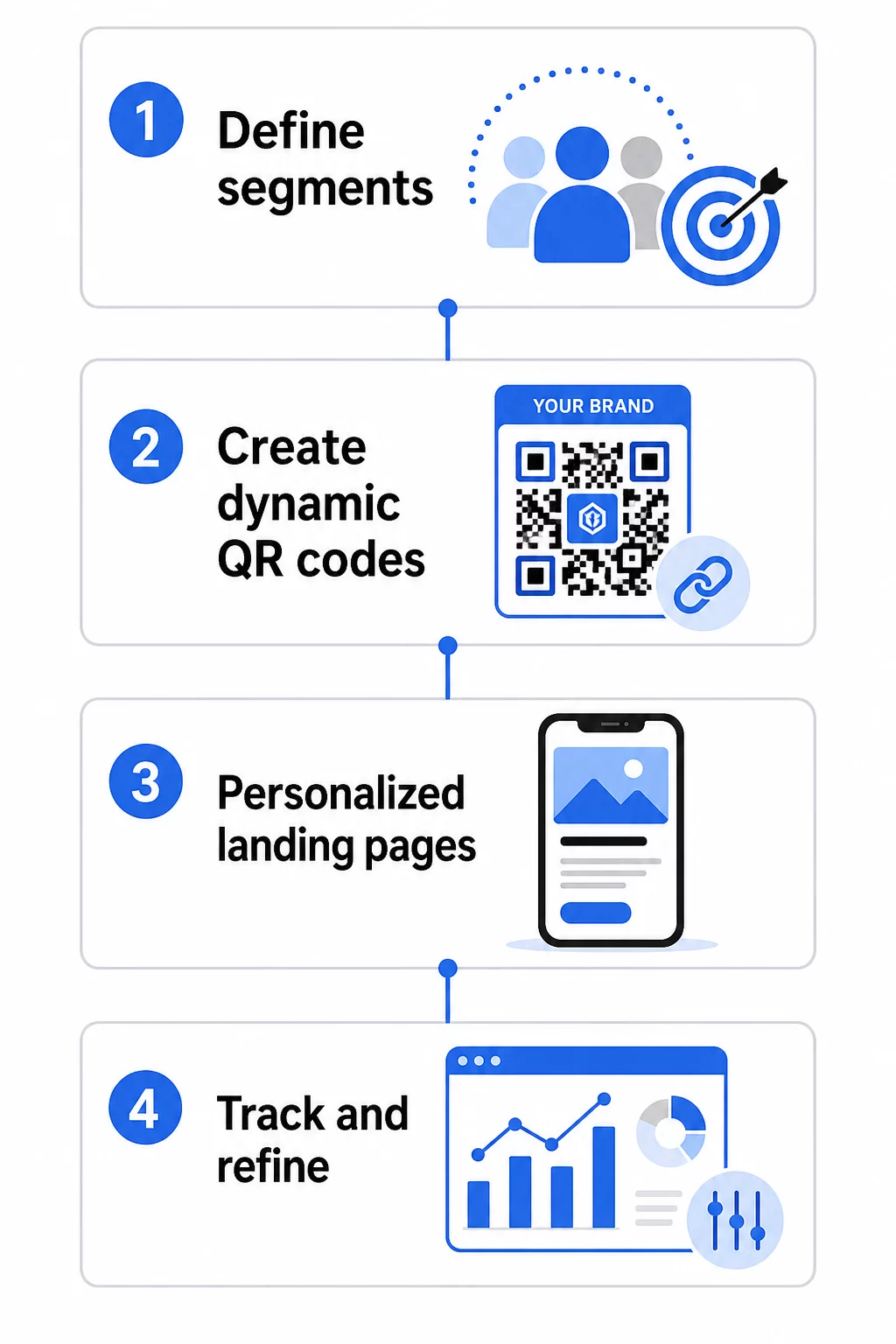
1. Definujte svoje segmenty a ciele
Začnite s vaším publikom predtým, než sa dotknete akýchkoľvek nástrojov. Ktoré skupiny zákazníkov sa snažíte osloviť? Akú akciu chcete, aby každá skupina vykonala? Ciele vašej kampane by mali byť špecifické a merateľné – napríklad “zvýšiť mieru uplatnenia ponúk priamej pošty pre neaktívnych zákazníkov o 20 %”, nielen “zvýšiť angažovanosť”.”
Akonáhle poznáte svoje segmenty a ciele, naplánujte samostatný QR kód a vstupnú stránku pre každú zmysluplnú kombináciu. Kampaň zameraná na tri segmenty zákazníkov naprieč dvoma fyzickými umiestneniami môže potrebovať šesť odlišných kódov.
2. Vytvorte jedinečné kódy pre každý segment
Použitím platformy ako je Generátor QR kódov Pageloot, vygenerujte samostatný dynamický kód pre každý segment. Dajte každému kódu jasný interný názov, ktorý identifikuje segment, kampaň a umiestnenie – táto disciplína sa vyplatí, keď analyzujete výsledky naprieč desiatkami kódov.
Ak vaša kampaň používa tlačené materiály, prispôsobte vzhľad každého kódu tak, aby zodpovedal dizajnu. QR kódy s logami a farbami značky posilňujú dôveru a signalizujú, že skenovanie je úmyselné, nie náhodné. Značkové QR kódy tiež vizuálne vynikajú v preplnených prostrediach, čo priamo ovplyvňuje, či sa niekto zastaví a naskenuje ich.
3. Vytvorte personalizované vstupné stránky pre každý segment
QR kód je cenný len natoľko, nakoľko je cenná skúsenosť, ku ktorej vedie. Návštevník, ktorý prvýkrát pristane na vašej domovskej stránke po naskenovaní priamej pošty, nie je personalizovaná skúsenosť – je to premrhaná príležitosť.
Každý segment by mal pristáť na stránke, ktorá:
- Uznáva kontext (“Vitajte, nakupujúci z [Mesta]” alebo “Exkluzívna ponuka pre verných členov”)
- Predstavuje jasnú ponuku alebo správu relevantnú pre segment
- Obsahuje jednu, cielenú výzvu k akcii
- Načíta sa rýchlo a dobre funguje na mobilných zariadeniach
Keďže väčšina skenov QR kódov prebieha na smartfónoch, mobilná optimalizácia je nevyhnutná. Pred spustením otestujte každú vstupnú stránku na iOS aj Android.
4. Pridajte parametre UTM pre úplnú integráciu analýz
Dynamické QR kódy poskytujú natívne údaje o skenovaní – počty, časové pečiatky, typy zariadení a polohy. Ešte hlbší prehľad však môžete získať pridaním parametrov UTM do URL adries vašich vstupných stránok. Týmto sa prepojí prevádzka zo skenov QR kódov s Google Analytics, čo vám umožní merať správanie po skenovaní, ako je čas strávený na stránke, miera odchodov a konverzné udalosti, spolu s vašimi údajmi o skenovaní.
URL adresa s UTM tagmi pre kampaň priamej pošty zameranú na neaktívnych zákazníkov v Chicagu by mohla vyzerať takto:
“`
https://yoursite.com/reactivate?utmsource=directmailchicago&utmmedium=qrkód&utmcampaign=reactivation_q3
“`
Podrobný návod na nastavenie UTM a integráciu Google Analytics nájdete tu: Parametre UTM pre QR kódy: Tipy pre Google Analytics.
5. Umiestnite kódy strategicky pre každý segment
Kde sa QR kód objaví, ovplyvňuje, kto ho naskenuje a v akom kontexte. Prispôsobte umiestnenie správaniu vášho segmentu:
- Priama pošta: Kód umiestnite výrazne blízko ponuky s krátkym pokynom ako “Naskenujte pre vašu exkluzívnu zľavu.” Príjemcovia priamej pošty majú dostatok času na zámerné zapojenie.
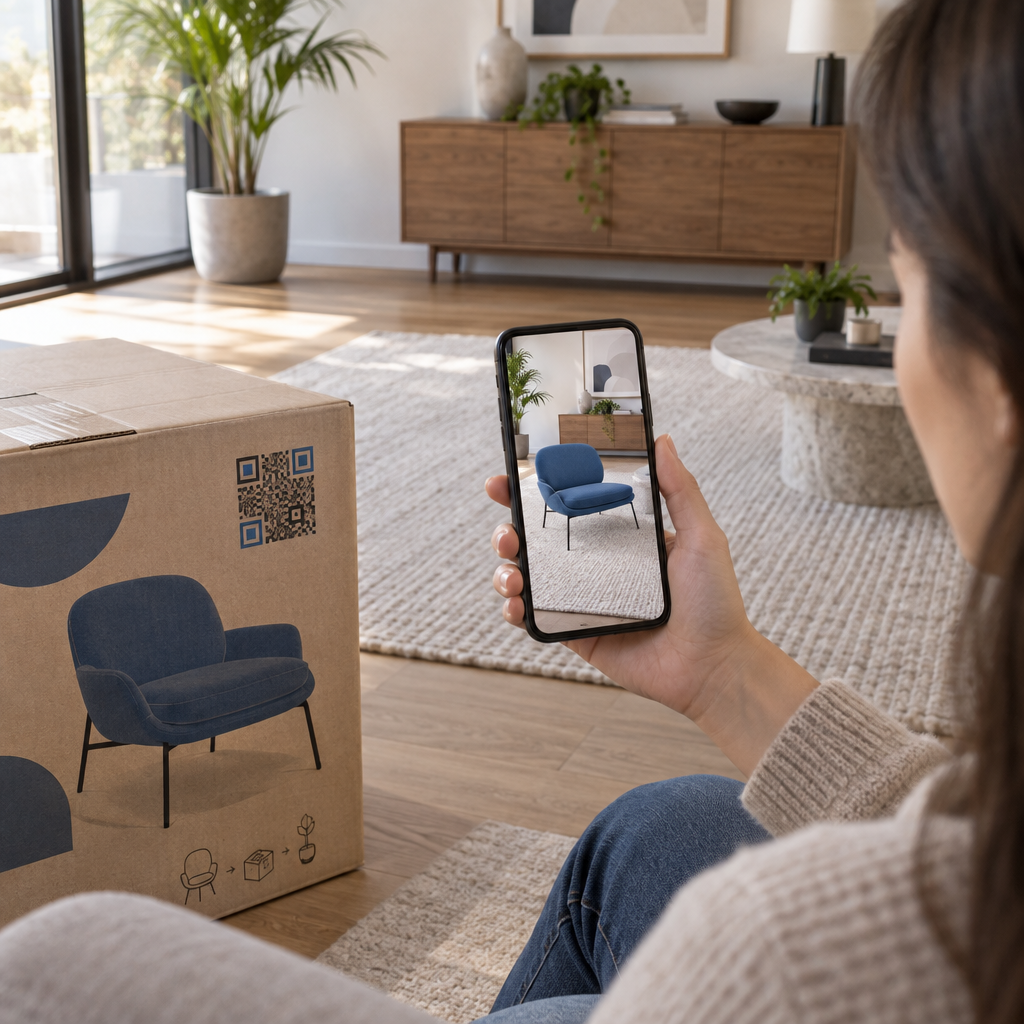
- Balenie produktu: Pridajte kódy na štítky, ďakovné karty alebo vložky do zásielok, aby ste opätovne zapojili zákazníkov po nákupe.
- Označenie v obchode: Umiestnite kódy vo výške očí blízko relevantného produktu alebo oddelenia. Pridajte viditeľnú výzvu na akciu (CTA), aby nakupujúci pochopili, čo získajú.
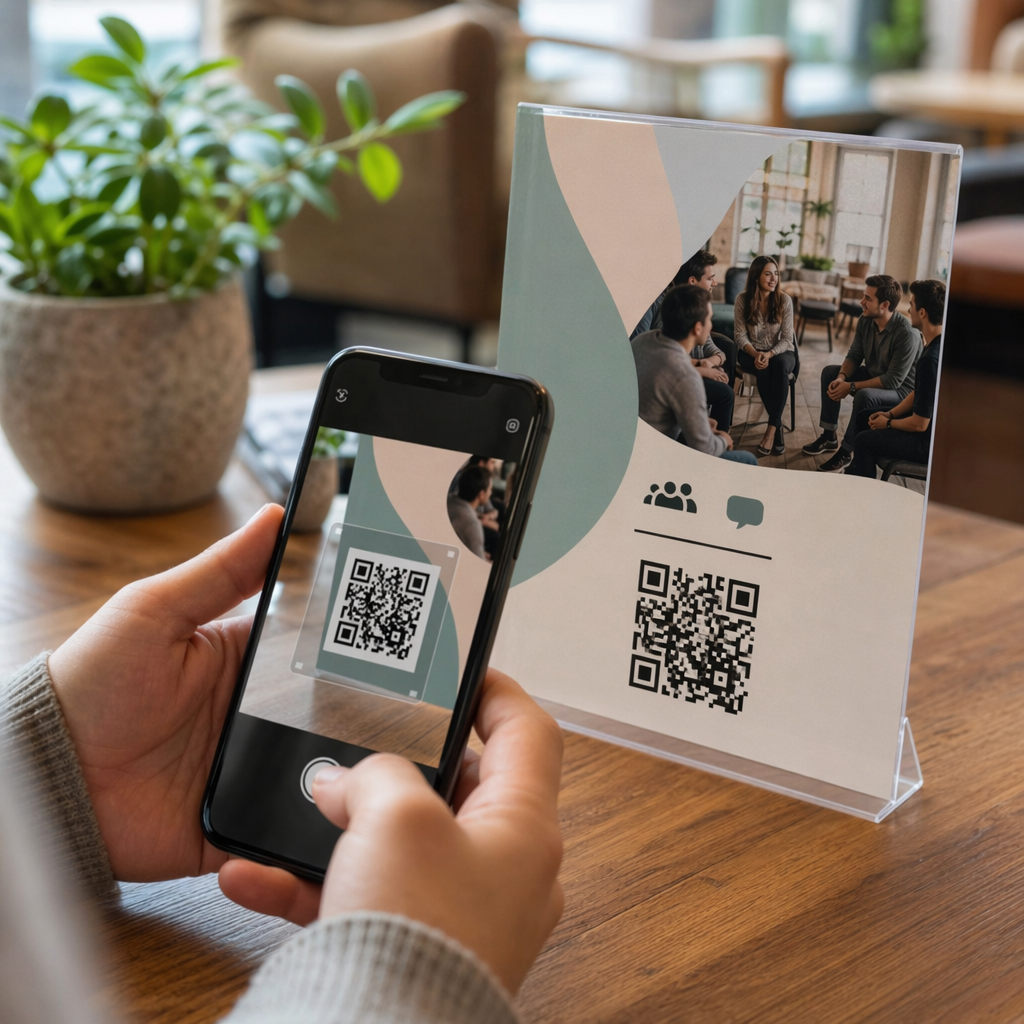
- Podujatia a konferencie: Použite QR kódy na odznakoch, vstupenkách alebo tlačených programoch, aby ste nasmerovali účastníkov k personalizovanému obsahu, ako sú detaily relácií alebo životopisy rečníkov.
- Nálepky a štítky: Pre menšie fyzické kontaktné body môže dobre umiestnený kód s jasnou výzvou na akciu (CTA) zvýšiť angažovanosť publika, ktoré už drží váš produkt.
Ten QR kód marketingový kontrolný zoznam pre malé podniky pokrýva dodatočné úvahy o umiestnení a nastavení, ak spúšťate svoju prvú kampaň.
Používanie dát z QR kódov na spresnenie vašich segmentov
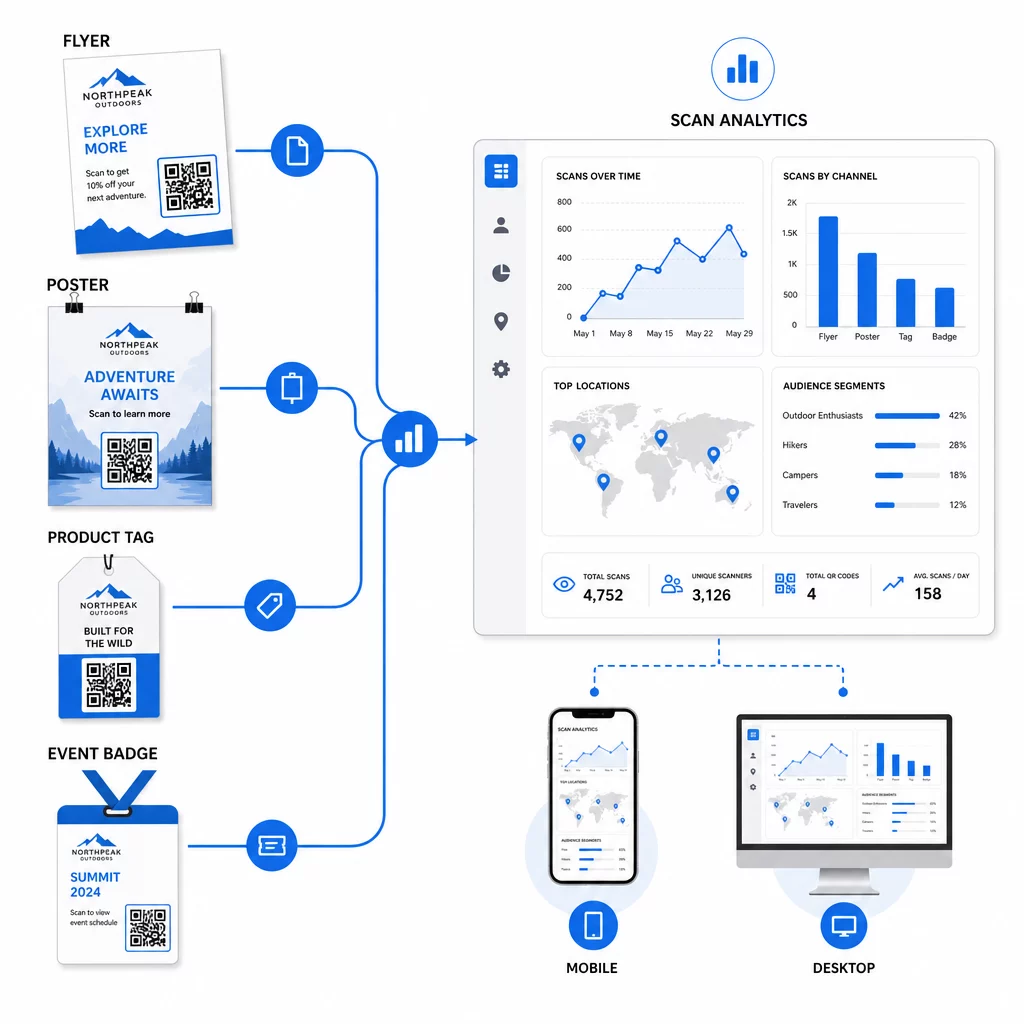
Dáta, ktoré generujú vaše dynamické QR kódy, sú samy o sebe personalizačným aktívom. Každé skenovanie vám dáva signál o tom, kto reagoval na ktorú správu, kedy a odkiaľ. Postupom času to vytvára jasnejší obraz o tom, ktoré segmenty sú najcitlivejšie a ktoré umiestnenia prinášajú najkvalifikovanejšiu návštevnosť.
Kľúčové metriky na sledovanie pre každý segment:
- Počet skenov a unikátne skeny: Označuje celkový dosah a či sa vracajú tí istí ľudia
- Vzory času skenovania: Odhaľuje, kedy je každý segment najaktívnejší, užitočné pre načasovanie následnej komunikácie
- Geografické rozloženie: Ukazuje, či vaša kampaň dosahuje zamýšľané regióny – užitočné pre sledovanie kampaní s QR kódmi podľa regiónu a úpravu lokálnych výdavkov
- Typ zariadenia: Ak sa jeden segment výrazne prikláňa k určitému zariadeniu, môžete optimalizovať skúsenosti s cieľovou stránkou pre túto platformu
- Konverzie po skenovaní: Sledované prostredníctvom parametrov UTM v Google Analytics, toto vám povie, ktoré kombinácie segmentov a umiestnení skutočne vedú k výsledkom, na ktorých vám záleží
Pre štruktúrovaný prístup k testovaniu rôznych premenných v rámci segmentu, pozrite si sprievodcu A/B testovaním kampaní s QR kódmi. Dynamické kódy sú obzvlášť vhodné pre A/B testovanie, pretože môžete meniť cieľové stránky bez toho, aby ste sa dotkli vytlačeného kódu.
Údaje o mieste skenovania a type zariadenia môžete tiež použiť ako vstupy pre hlbšiu personalizáciu – napríklad presmerovanie skenerov z rôznych miest na cieľové stránky špecifické pre región, alebo úpravu obsahu na základe toho, či je zariadenie iOS alebo Android. sprievodca QR kódmi pre personalizáciu založenú na dátach podrobne pokrýva tieto techniky.
Pozrite si, ktoré segmenty sa najviac zapájajú Použi Dynamický QR kód generátor na vytvorenie samostatných sledovateľných kódov pre každý segment publika a porovnanie výkonu naprieč umiestneniami v jednom paneli.
Súkromné aspekty personalizovaných QR kampaní
QR kódy zbierajú dáta prvej strany – informácie generované vlastnou interakciou vášho publika s vašimi materiálmi. Toto je čoraz cennejšie, keďže metódy sledovania tretích strán čelia regulačnému tlaku a kontrole spotrebiteľov. Zber dát prostredníctvom QR kódov však stále so sebou nesie povinnosti.
Americké zákony o ochrane súkromia sú roztrieštené medzi federálne sektorovo špecifické zákony a rastúci súbor komplexných štátnych zákonov o ochrane súkromia, z ktorých mnohé upravujú, ako sa osobné informácie zbierajú a používajú na marketing. Osvedčeným postupom je byť transparentný v tom,aké dáta vaše QR kódy zbierajú a prečo.
Praktické kroky na zachovanie súladu:
- Zobrazte krátke upozornenie v blízkosti každého QR kódu alebo na úvodnej vstupnej stránke vysvetľujúce, aké dáta sa sledujú (napr. miesto skenovania, typ zariadenia)
- Poskytnite odkaz na vaše zásady ochrany osobných údajov na akejkoľvek stránke, ktorá zbiera osobné informácie
- Vyhnite sa pasívnemu zbieraniu osobne identifikovateľných informácií bez zverejnenia
- Používajte dáta, ktoré zbierate, len na účely, ktoré ste oznámili používateľom
Transparentnosť tiež buduje dôveru pri skenovaní. Viac ako 80 % používateľov QR kódov v USA tvrdí, že QR kódy považujú za bezpečné, ale jasná výzva na akciu (CTA) a rozpoznateľný značkový dizajn výrazne prispievajú k upokojeniu každého, kto váha.
Bežné personalizačné taktiky podľa kanála
| Kanál | Personalizačná taktika | Úloha QR kódu |
|---|---|---|
| Priama pošta | Unikátny kód pre segment príjemcov s personalizovanou ponukou | Odkazy na vstupnú stránku špecifickú pre segment |
| Obal produktu | Opätovné zapojenie po nákupe podľa typu produktu | Prepojenia na obsah s návodmi, upsell alebo žiadosť o recenziu |
| Označenie v predajni | Propagácie založené na polohe | Prepojenia na miestne ponuky alebo stránku najbližšej služby |
| Podujatia | Typ účastníka (rečník, sponzor, všeobecný) | Prepojenia na rozvrhy alebo obsah špecifický pre rolu |
| Reklamy na sociálnych médiách | Záujem publika alebo segment retargetingu | Prepojenia na obsah zodpovedajúci kreatíve reklamy |
Každý z týchto prípadov použitia ťaží z rovnakého základného prístupu: jeden unikátny dynamický kód na segment, každý smerujúci na cielenú destináciu, každý sledovaný nezávisle, aby ste mohli merať výsledky a iterovať.
Pre širší pohľad na to, ako sa QR kódy hodia do vášho celkového marketingového nástroja, Prehľad funkcií Pageloot pokrýva celý rad typov a možností QR kódov dostupných pre použitie v kampaniach.
Uvedenie do praxe
Personalizované kampane s QR kódmi nevyžadujú komplexnú infraštruktúru – vyžadujú jasnosť ohľadom vašich segmentov, disciplínu pri vytváraní samostatných kódov pre každý z nich a platformu, ktorá vám poskytne údaje o sledovaní, aby ste mohli konať na základe toho, čo sa naučíte. Začnite s jednou kampaňou, dvoma alebo troma segmentmi a jasným cieľom konverzie. Použite údaje zo skenovania na pochopenie toho, čo funguje, a potom rozšírte prístup na viac kanálov a skupín publika.
Ten generátor QR kódov odkazov je dobrým východiskovým bodom, ak spájate segmenty s konkrétnymi URL adresami. Keď ste pripravení na úplné sledovanie, aktualizáciu a správu kampaní, Dynamický QR kód generátor vám poskytuje flexibilitu spúšťať, upravovať a merať personalizované kampane bez predtlače jediného materiálu.
Často kladené otázky
Statický QR kód kóduje pevnú URL adresu, ktorú nemožno po vytvorení zmeniť a neposkytuje žiadne údaje o skenovaní. Dynamický QR kód odkazuje na presmerovací odkaz, ktorý môžete kedykoľvek aktualizovať, a zaznamenáva metriky skenovania vrátane počtu, polohy, typu zariadenia a časovej pečiatky. Pre personalizovaný marketing – kde potrebujete sledovať výkonnosť podľa segmentu a potenciálne aktualizovať vstupné stránky – sú dynamické kódy vhodnou voľbou.
Potrebujete jeden unikátny QR kód pre každú zmysluplnú kombináciu segmentu publika a umiestnenia. Napríklad, ak cielite na tri skupiny zákazníkov prostredníctvom dvoch fyzických materiálov, vytvorili by ste šesť kódov. Pomocou platformy ako Pageloot môžete všetky spravovať z jedného ovládacieho panela, čo zjednodušuje sledovanie a aktualizáciu aj pre väčšie kampane.
Pridajte parametre UTM do cieľovej URL predtým, ako ju zakódujete do vášho QR kódu. Použite popisné hodnoty pre utmsource (napr. “directmailnyc”), konzistentné utmmedium (napr. “qr_code”) a názov kampane, ktorý identifikuje konkrétnu kampaň. Keď používatelia naskenujú a pristanú na vašej stránke, Google Analytics zaznamená reláciu pod týmito parametrami, čo vám umožní merať návštevnosť, angažovanosť a konverzie na segment. Dynamické QR kódy robia toto obzvlášť flexibilným, pretože môžete aktualizovať URL s UTM tagmi bez opätovnej tlače kódu.