Kas teie turunduskampaaniad edastavad kõigile sama sõnumit, olenemata sellest, kes nad on või kust nad teid leidsid? Üldine teavitustöö raiskab eelarvet ja frustreerib kliente. See juhend näitab teile, kuidas kasutada QR-koode sihipäraste, jälgitavate kogemuste pakkumiseks, mis vastavad teie sihtrühma kontekstile ja kavatsusele.
Miks isikupärastamine sõltub füüsiliste ja digitaalsete puutepunktide ühendamisest
Isikupärastatud turundus on muutunud meeldivast lisast äriprioriteediks. Contentfuli uuring näitab, et 89% turundusotsuste tegijatest peab isikupärastamist järgmise kolme aasta edu jaoks hädavajalikuks ning 80% ettevõtetest teatab suurenenud tarbijakulutustest – keskmiselt 38% rohkem – kui kogemused on isikupärastatud. Samal ajal ütleb 77% klientidest, et nad tunnevad end ebaoluliste reklaamteavituste tõttu frustreerituna.
Väljakutse seisneb selles, et enamik isikupärastamise tööriistu töötab puhtalt digitaalsetes keskkondades. E-posti platvormid segmenteerivad avamiskäitumise järgi. Reklaamivõrgustikud sihivad sirvimisajaloo järgi. Aga mis juhtub, kui teie klient hoiab poes toodet, osaleb otseüritusel või loeb otsepostitust? Just seal avaneb füüsilise ja digitaalse vaheline lõhe – ja QR-koodid sulgevad selle.
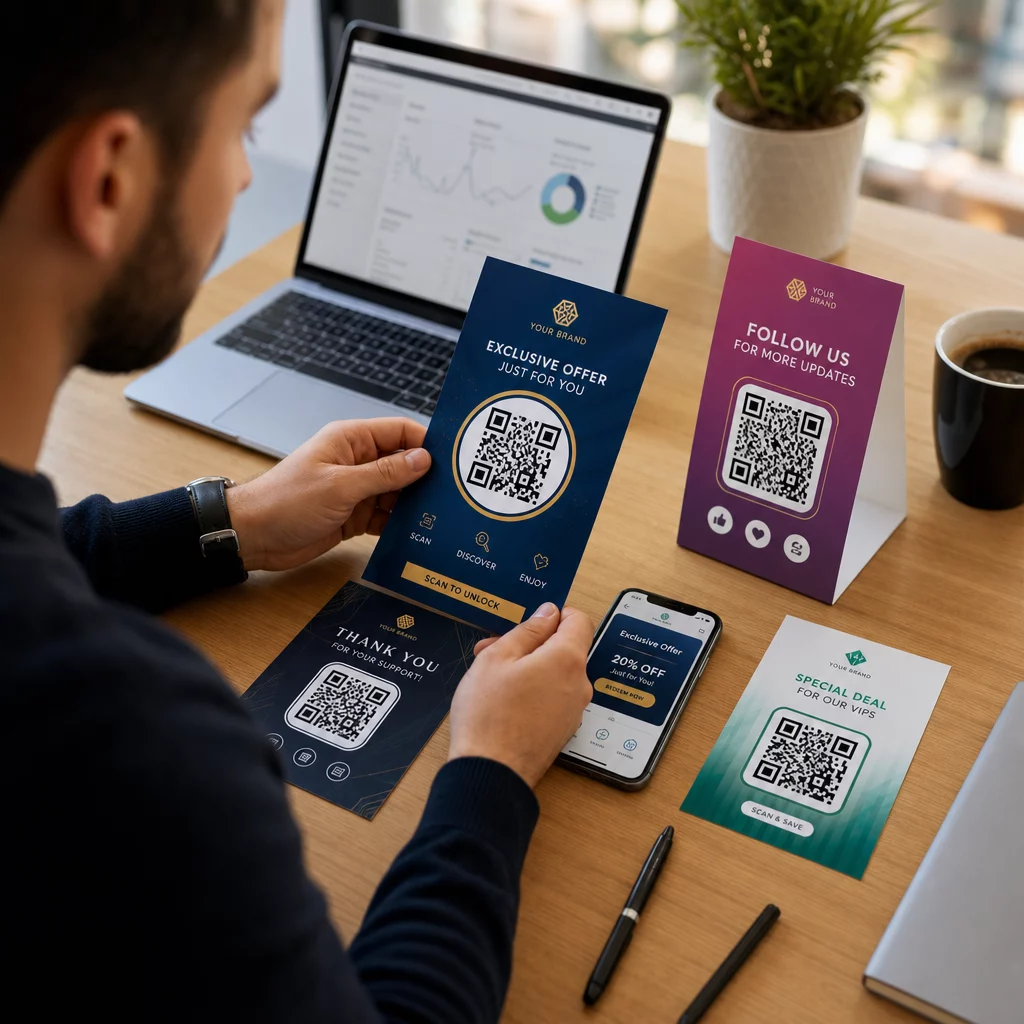
Flaierile, pakendile või väljapanekule trükitud QR-kood toimib sillana. Skaneerige see ja klient jõuab koheselt digitaalsele kogemusele, mille olete spetsiaalselt tema jaoks kujundanud. Peamine on tagada, et see kogemus peegeldaks seda, kes nad on, kust nad tulid ja mida nad tõenäoliselt järgmiseks soovivad.
Segmenteerimise mõistmine enne isikupärastamist
Tõhus isikupärastamine algab segmenteerimisest – klientide rühmade tuvastamisest, kellel on sarnased omadused, et saaksite iga rühmaga erinevalt suhelda. Segmenteerimine tugineb tavaliselt käitumuslikele, demograafilistele, geograafilistele, psühhograafilistele ja tehnograafilistele kriteeriumidele. Oluline põhimõte on, et segmenteerimine peaks eelnema isikupärastamisele: see ütleb teile esmalt, kas ja kuidas kliendile turundada, seejärel kujundab isikupärastamine sõnumi.
QR-koodide puhul tähendab segmenteerimine erinevate koodide loomist erinevatele sihtrühmadele, kampaania kontekstidele või füüsilistele asukohtadele – ja seejärel iga koodi suunamine sellele segmendile kohandatud sisule. Nii see praktikas välja näeb:
- Sihtrühma tüübi järgi: Jaemüügibränd paigutab eraldi QR-koodid kauplusesisestele siltidele ja otsepostitustele. Kaupluses skaneerijad jõuavad lojaalsuspreemiate lehele; otsepostituse saajad jõuavad esimese ostu allahindlusele.
- Asukoha järgi: Piirkondlik kampaania kasutab iga linna jaoks eraldi QR-koode. Iga kood lingib maandumislehele, mis viitab kohalikele pakkumistele, lähedalasuvatele kaupluste asukohtadele või piirkonnapõhistele pakkumistele.
- Kanali järgi: Ürituste korraldaja kasutab ühte QR-koodi piletitel ja teist sotsiaalmeedia postitustes. Pileti versioon lingib isikupärastatud osalejate ajakavale; sotsiaalmeedia versioon lingib avalikule ürituse lehele.
- Kliendi etapi järgi: SaaS-ettevõte trükib QR-koode uute klientide tervituspakettidesse ja olemasolevate klientide uuendamisteatistesse. Igaüks lingib täiesti erinevale sisseelamis- või uuendussisule.
Mida selgemalt te oma segmendid enne koodide loomist määratlete, seda asjakohasemaks muutub iga skaneerimiskogemus.
Dünaamilised QR-koodid: personaliseeritud kampaaniate alus
Kõik QR-koodid ei toeta võrdselt isikupärastamist. Staatilised QR-koodid kodeerivad fikseeritud URL-i, mis ei saa kunagi muutuda. Pärast printimist on need lukustatud – ja need ei anna mingit skaneerimisandmeid. See muudab need sobimatuks igaks kampaaniaks, kus soovite sisu kohandada, teste läbi viia või tulemusi mõõta.
Dünaamilised QR-koodid töötavad erinevalt. Kood ise osutab lühikesele ümbersuunamislingile, mida hallatakse teie QR-koodi platvormi kaudu. Saate seda sihtkohta igal ajal värskendada – isegi pärast koodi printimist ja levitamist – ilma midagi genereerimata või uuesti printimata. See ümbersuunamiskiht on ka see, mis võimaldab jälgimist: iga skaneering läbib platvormi, logides andmeid enne kasutaja sihtkohta saatmist.
Personaliseeritud kampaaniate jaoks annavad dünaamilised koodid teile neli kriitilist võimalust:
| Võimalus | Miks see on oluline isikupärastamise jaoks |
|---|---|
| Muudetav sihtkoht | Värskendage iga segmendi sihtlehe sisu materjale uuesti printimata |
| Skannimise jälgimine | Teage, kui palju inimesi igast segmendist osales ja millal |
| Asukoha- ja seadmeandmed | Mõistke geograafilisi mustreid ja optimeerige mobiilikogemust |
| A/B testimine | Testige erinevaid sihtlehti sama sihtrühma segmendi jaoks |
Et süveneda sellesse, millal iga kooditüüpi kasutada, õige QR-koodi valimine oma kampaania jaoks käsitleb kompromisse üksikasjalikult. Lühidalt: kui teie kampaania hõlmab isikupärastamist, jälgimist või mis tahes sisu, mida soovite värskendada, on dünaamilised koodid õige valik. Saate uurida ka 5 dünaamilise QR-koodi eelist turunduses et saada täielikum pilt sellest, mida need võimalikuks teevad.
Alustage oma isikupärastatud kampaania jälgimist Looge iga sihtrühma segmendi jaoks dünaamilised QR-koodid ja jälgige skannimisandmeid reaalajas. Proovige Dünaamilise QR koodi generaator ja pääsete oma juhtpaneelilt ligi täielikule analüütikale.
Segmenteeritud QR-koodikampaaniate loomine samm-sammult
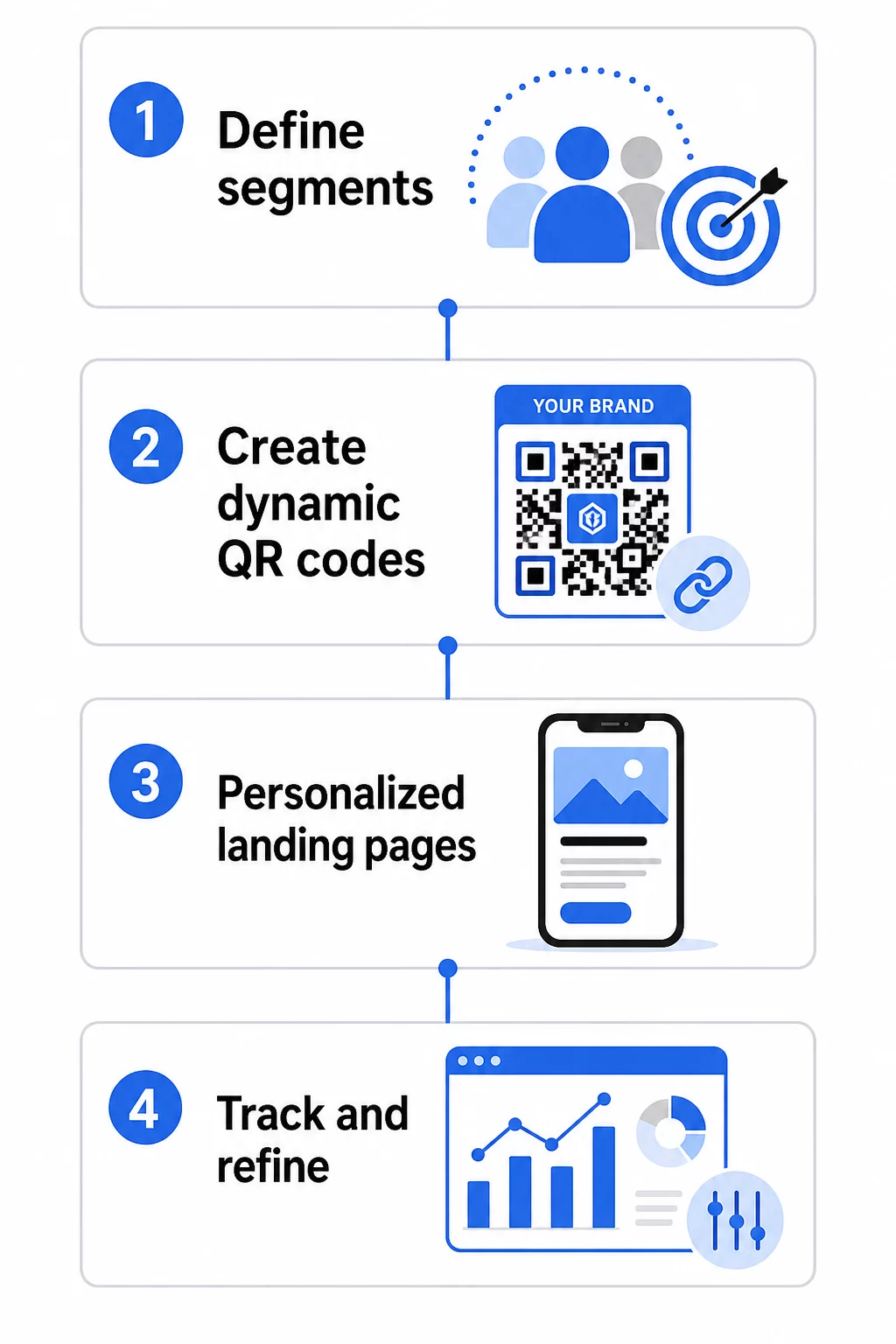
1. Määrake oma segmendid ja eesmärgid
Alustage oma sihtrühmast, enne kui puudutate mingeid tööriistu. Milliseid kliendigruppe proovite te jõuda? Millist tegevust soovite, et iga grupp teeks? Teie kampaania eesmärgid peaksid olema konkreetsed ja mõõdetavad – näiteks “suurendada otsepostituse pakkumiste lunastamise määra passiivsete klientide puhul 20% võrra”, mitte lihtsalt “suurendada kaasatust”.”
Kui teate oma segmente ja eesmärke, planeerige iga sisuka kombinatsiooni jaoks eraldi QR-kood ja sihtleht. Kampaania, mis on suunatud kolmele kliendisegmendile kahes füüsilises paigutuses, võib vajada kuut erinevat koodi.
2. Looge iga segmendi jaoks unikaalsed koodid
Kasutades platvormi nagu Pageloot QR-koodi generaatorit, genereerige iga segmendi jaoks eraldi dünaamiline kood. Andke igale koodile selge sisemine nimi, mis identifitseerib segmendi, kampaania ja paigutuse – see distsipliin tasub end ära, kui analüüsite tulemusi kümnete koodide lõikes.
Kui teie kampaania kasutab trükimaterjale, kohandage iga koodi välimust disainiga sobivaks. QR-koodid logode ja brändivärvidega tugevdavad usaldust ja annavad märku, et skannimine on tahtlik, mitte juhuslik. Bränditud QR-koodid paistavad visuaalselt silma ka segastes keskkondades, mis mõjutab otseselt seda, kas keegi peatub skannimiseks.
3. Looge iga segmendi jaoks isikupärastatud sihtlehed
QR-kood on väärtuslik ainult niivõrd, kuivõrd on väärtuslik kogemus, milleni see viib. Esmakordne külastaja, kes maandub teie kodulehel pärast otsepostituse skannimist, ei ole isikupärastatud kogemus – see on kasutamata võimalus.
Iga segment peaks maanduma lehel, mis:
- Tunnustab konteksti (“Tere tulemast, [Linn] ostlejad” või “Eksklusiivne pakkumine püsikliendile”)
- Esitab selge, segmendile asjakohase pakkumise või sõnumi
- Sisaldab ühte, keskendunud üleskutset tegevusele
- Laeb kiiresti ja töötab hästi mobiilis
Kuna enamik QR-skaneeringuid toimub nutitelefonides, on mobiili optimeerimine vältimatu. Testi iga sihtlehte nii iOS-is kui ka Androidis enne käivitamist.
4. Lisa UTM-parameetrid täielikuks analüütika integreerimiseks
Dünaamilised QR-koodid pakuvad natiivseid skaneerimisandmeid – loendusi, ajatempleid, seadmetüüpe ja asukohti. Kuid saate lisada veelgi sügavama ülevaate, lisades oma sihtlehe URL-idele UTM-parameetrid. See ühendab QR-skaneerimise liikluse Google Analyticsiga, võimaldades teil mõõta skaneerimisjärgset käitumist, nagu lehel veedetud aeg, põrkemäär ja konversioonisündmused koos skaneerimisandmetega.
UTM-märgistatud URL otsepostituse kampaania jaoks, mis on suunatud Chicagos passiivsetele klientidele, võiks välja näha järgmiselt:
“`
https://yoursite.com/reactivate?utmsource=directmailchicago&utmmeedia=qrkood&utmcampaign=reactivation_q3
“`
Üksikasjaliku ülevaate saamiseks UTM-i seadistamisest ja Google Analyticsi integreerimisest vaata UTM-parameetrid QR-koodide jaoks: Google Analyticsi näpunäited.
5. Paiguta koodid strateegiliselt iga segmendi jaoks
See, kus QR-kood ilmub, mõjutab seda, kes seda skaneerib ja millises kontekstis. Sobita paigutus oma segmendi käitumisega:
- Otsepostitus: Lisage kood silmatorkavalt pakkumise lähedale koos lühikese juhisega, näiteks “Skaneeri oma eksklusiivse allahindluse saamiseks.” Otsepostituse saajatel on piisavalt aega teadlikult tegeleda.
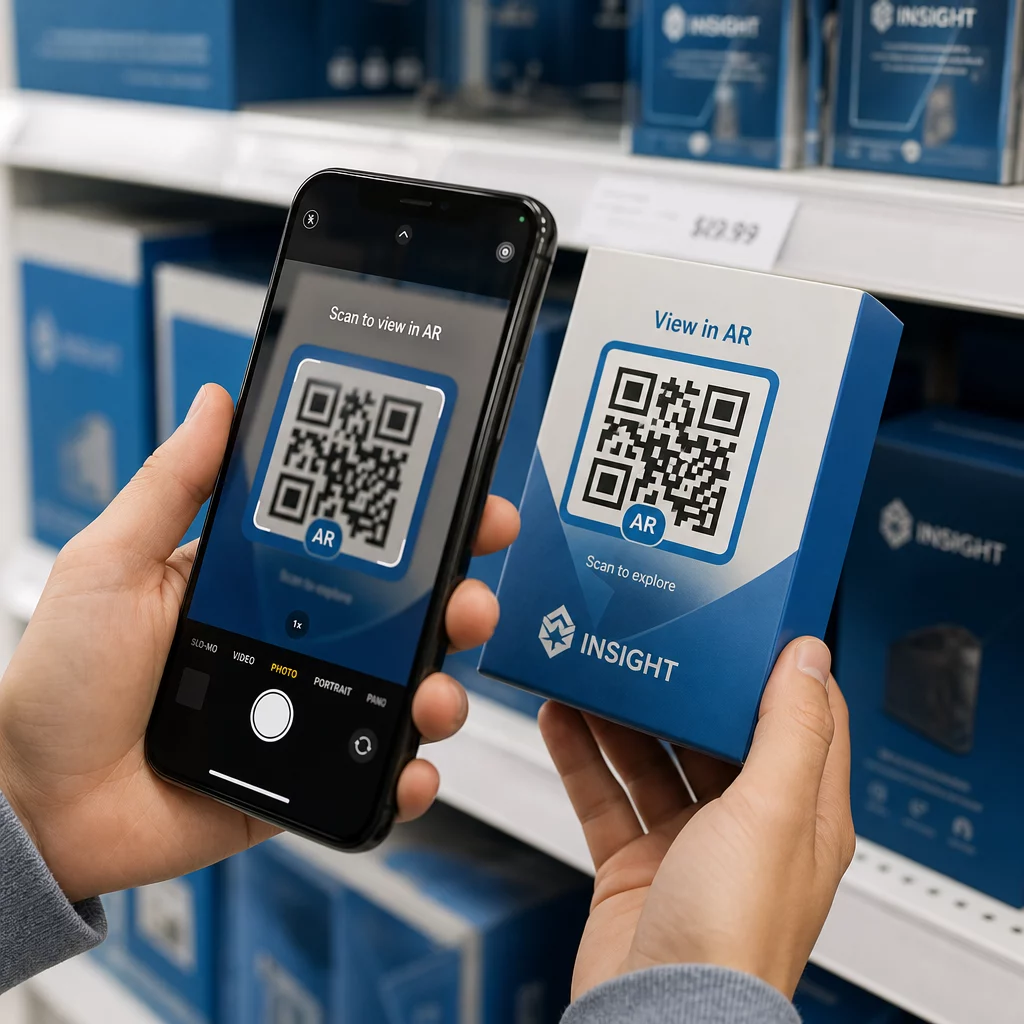
- Tootepakendid: Lisage koode siltidele, tänukaartidele või saadetise lisadele, et kliente pärast ostu uuesti kaasata.
- Kauplusesisesed sildid: Paigutage koodid silmade kõrgusele asjakohase toote või osakonna lähedale. Lisage nähtav üleskutse tegevusele (CTA), et ostjad mõistaksid, mida nad saavad.
- Üritused ja konverentsid: Kasutage QR-koode märkidel, piletitel või trükitud ajakavadel, et suunata osalejaid isikupärastatud sisule, nagu sessioonide üksikasjad või esinejate elulood.
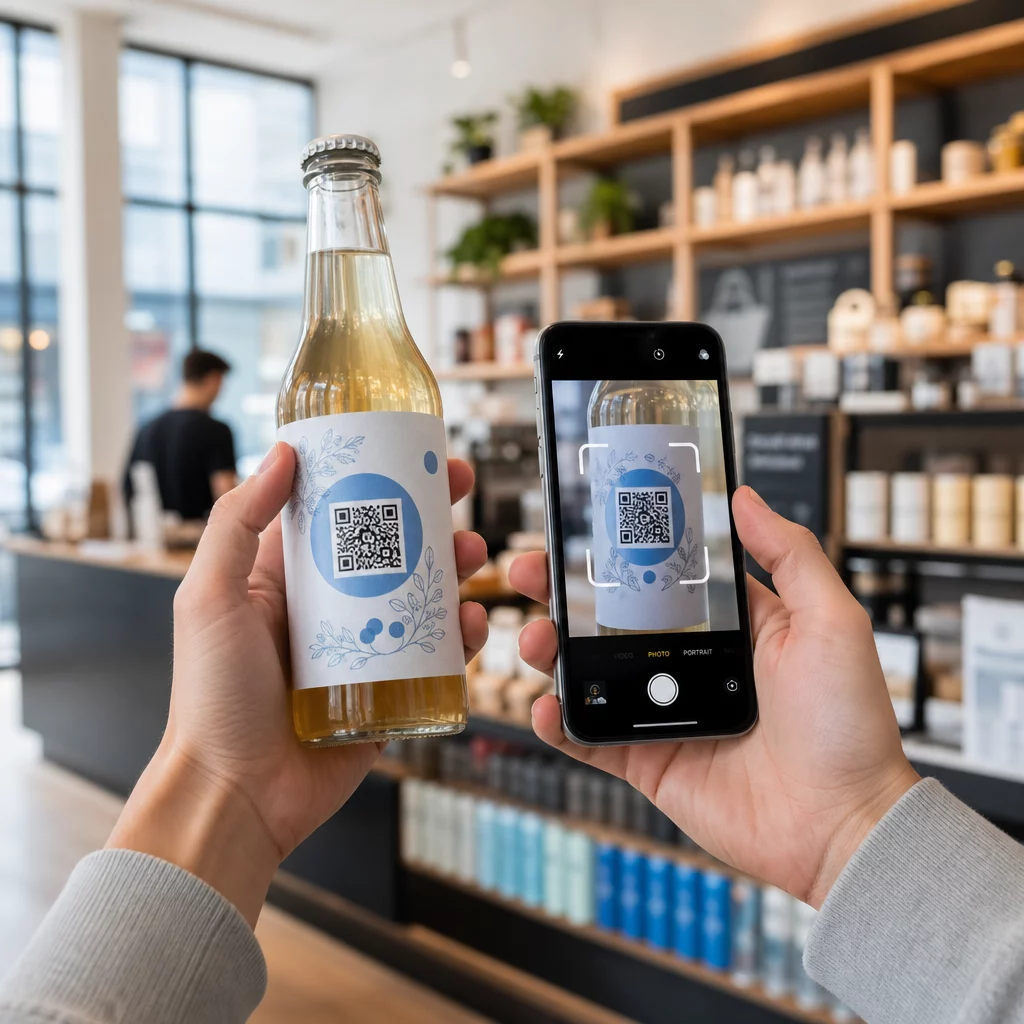
- Kleepsud ja sildid: Väiksemate füüsiliste puutepunktide puhul võib hästi paigutatud kood selge üleskutsega tegevusele (CTA) suurendada kaasatust publikult, kes juba hoiab teie toodet.
See QR-koodi turunduse kontrollnimekiri väikeettevõtetele käsitleb täiendavaid paigutuse ja seadistamise kaalutlusi, kui käivitate oma esimest kampaaniat.
QR-koodi andmete kasutamine oma segmentide täpsustamiseks
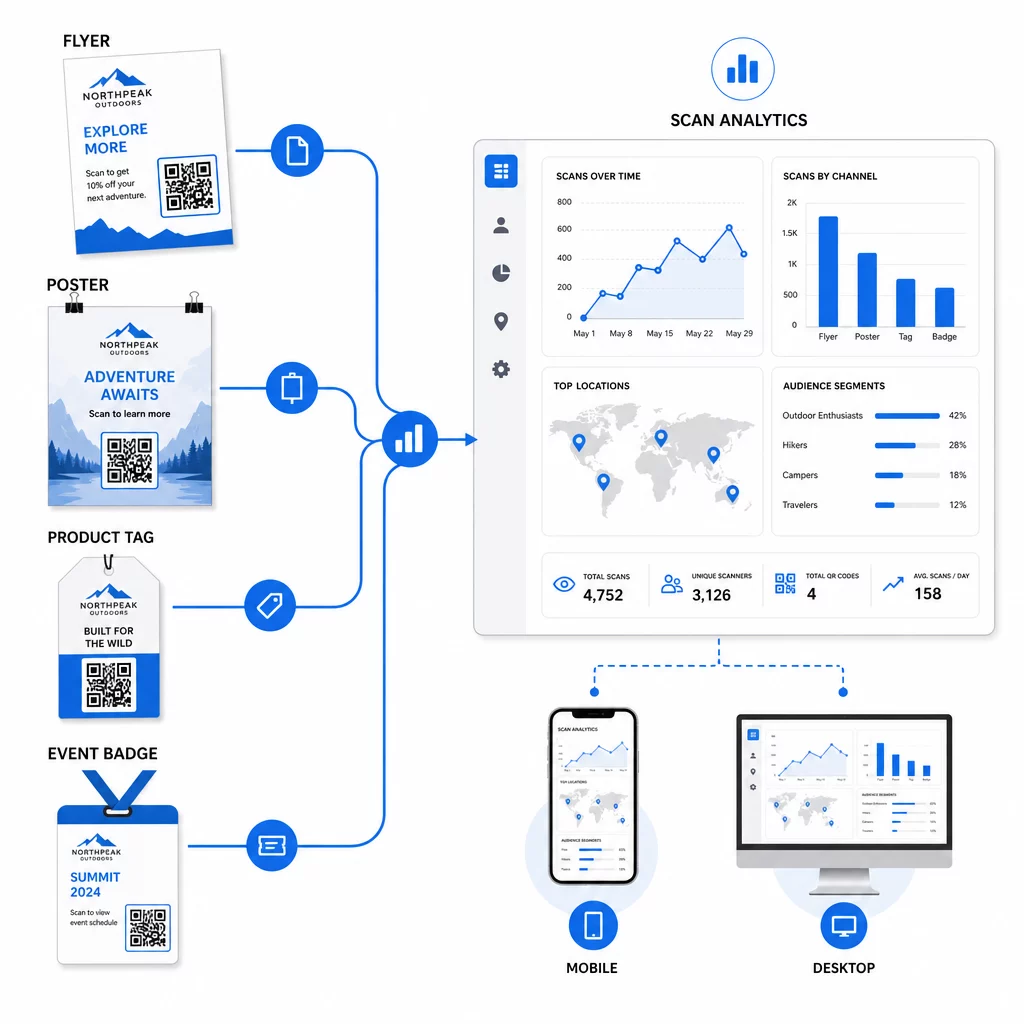
Teie dünaamiliste QR-koodide genereeritud andmed on iseenesest isikupärastamise vara. Iga skaneering annab teile signaali selle kohta, kes millisele sõnumile reageeris, millal ja kust. Aja jooksul loob see selgema pildi sellest, millised segmendid on kõige vastuvõtlikumad ja millised paigutused toovad kõige kvalifitseeritumat liiklust.
Peamised mõõdikud, mida segmendi kohta jälgida:
- Skaneeringute arv ja unikaalsed skaneeringud: Näitab üldist ulatust ja seda, kas samad inimesed naasevad
- Skaneerimise aja mustrid: Näitab, millal iga segment on kõige aktiivsem, kasulik järelsuhtluse ajastamiseks
- Geograafiline jaotus: Näitab, kas teie kampaania jõuab kavandatud piirkondadesse – kasulik QR-koodi kampaaniate jälgimiseks piirkonniti ja kohalike kulutuste kohandamiseks
- Seadme tüüp: Kui üks segment kaldub tugevalt teatud seadme poole, saate optimeerida sihtlehe kogemust selle platvormi jaoks
- Skannimisjärgsed konversioonid: Jälgitakse Google Analyticsi UTM-parameetrite kaudu, see näitab teile, millised segmendi- ja paigutuskombinatsioonid tegelikult juhivad teile olulisi tulemusi
Struktureeritud lähenemise saamiseks erinevate muutujate testimiseks segmendis, vaadake juhendit QR-koodi kampaaniate A/B testimiseks. Dünaamilised koodid sobivad eriti hästi A/B testimiseks, sest saate vahetada sihtlehe sihtkohti ilma trükitud koodi puudutamata.
Saate kasutada ka skannimiskoha ja seadme andmeid sügavama isikupärastamise sisenditena – näiteks suunates skannerid erinevatest linnadest piirkonnapõhistele sihtlehtedele või kohandades sisu selle põhjal, kas seade on iOS või Android. The juhend QR-koodidele andmepõhiseks isikupärastamiseks käsitleb neid tehnikaid üksikasjalikult.
Vaadake, millised segmendid on kõige kaasahaaravamad Kasuta Dünaamilise QR koodi generaator et luua iga sihtrühma segmendi jaoks eraldi jälgitavad koodid ja võrrelda jõudlust erinevate paigutuste vahel ühel armatuurlaual.
Privaatsuskaalutlused isikupärastatud QR-kampaaniate puhul
QR-koodid koguvad esimese osapoole andmeid – teavet, mis on genereeritud teie publiku enda interaktsioonist teie materjalidega. See on üha väärtuslikum, kuna kolmanda osapoole jälgimismeetodid seisavad silmitsi regulatiivse surve ja tarbijate kontrolliga. Kuid andmete kogumine QR-koodide kaudu toob endaga siiski kaasa kohustusi.
USA privaatsusõigus on killustatud föderaalsete sektoripõhiste seaduste ja kasvava hulga terviklike osariikide privaatsusseaduste vahel, millest paljud reguleerivad isikuandmete kogumist ja kasutamist turunduse eesmärgil. Parim tava on olla läbipaistev selle suhtes, milliseid andmeid teie QR-koodid koguvad ja miks.
Praktilised sammud vastavuse tagamiseks:
- Kuvage iga QR-koodi lähedal või esialgsel sihtlehel lühike teade, mis selgitab, milliseid andmeid jälgitakse (nt skaneerimiskoht, seadme tüüp)
- Esitage link oma privaatsuspoliitikale igal lehel, mis kogub isikuandmeid
- Vältige isikut tuvastava teabe passiivset kogumist ilma avalikustamiseta
- Kasutage kogutud andmeid ainult nendel eesmärkidel, millest olete kasutajatele teada andnud
Läbipaistvus suurendab ka skaneerimiskindlust. Üle 80% USA-s asuvatest QR-koodi kasutajatest ütleb, et nad peavad QR-koode ohutuks, kuid selge üleskutse tegevusele (CTA) ja äratuntav brändidisain aitavad oluliselt rahustada kõiki, kes kõhklevad.
Levinud isikupärastamise taktikad kanali kaupa
| Kanal | Isikupärastamise taktika | QR-koodi roll |
|---|---|---|
| Otsepostitus | Unikaalne kood saaja segmendi kohta koos isikupärastatud pakkumisega | Lingid segmendispetsiifilisele sihtlehele |
| Tootepakend | Ostujärgne uuesti kaasamine toote tüübi järgi | Lingid juhendsisule, lisamüügile või arvustuse palvele |
| Kaupluse sisemised sildid | Asukohapõhised kampaaniad | Lingid kohalikele pakkumistele või lähima teeninduse lehele |
| Üritused | Osaleja tüüp (esineja, sponsor, üldine) | Lingid rollipõhistele ajakavadele või sisule |
| Sotsiaalmeedia reklaamid | Sihtrühma huvi või uuesti sihtimise segment | Lingid reklaami loovmaterjaliga sobivale sisule |
Kõik need kasutusjuhud saavad kasu samast aluspõhimõttest: üks unikaalne dünaamiline kood segmendi kohta, millest igaüks osutab sihtotstarbelisele sihtkohale, ja igaüht jälgitakse iseseisvalt, et saaksite tulemusi mõõta ja korrata.
Laiema ülevaate saamiseks sellest, kuidas QR-koodid teie üldisesse turundustööriistakomplekti sobivad, Pagelooti funktsioonide ülevaade hõlmab kõiki kampaania kasutamiseks saadaolevaid QR-koodi tüüpe ja võimalusi.
Praktikasse rakendamine
Isikupärastatud QR-koodi kampaaniad ei vaja keerulist infrastruktuuri – need nõuavad selgust teie segmentide osas, distsipliini igaühe jaoks eraldi koodide loomisel ja platvormi, mis annab teile jälgimisandmed, et õpitu põhjal tegutseda. Alustage ühe kampaania, kahe või kolme segmendi ja selge konversioonieesmärgiga. Kasutage skannimisandmeid, et mõista, mis töötab, seejärel laiendage lähenemist rohkemate kanalite ja sihtrühmade vahel.
See lingi QR-koodi generaator on hea lähtepunkt, kui ühendate segmente konkreetsete URL-idega. Kui olete valmis täielikuks jälgimiseks, värskendamiseks ja kampaania haldamiseks, Dünaamilise QR koodi generaator annab teile paindlikkuse isikupärastatud kampaaniate käivitamiseks, kohandamiseks ja mõõtmiseks ilma ühtegi materjali uuesti printimata.
Korduma kippuvad küsimused
Staatiline QR-kood kodeerib fikseeritud URL-i, mida ei saa pärast loomist muuta ega anna skaneerimisandmeid. Dünaamiline QR-kood viitab ümbersuunamislingile, mida saate igal ajal uuendada, ja see logib skaneerimismõõdikuid, sealhulgas loendust, asukohta, seadme tüüpi ja ajatemplit. Isikupärastatud turunduse jaoks – kus teil on vaja jälgida jõudlust segmendi kohta ja potentsiaalselt uuendada sihtlehti – on dünaamilised koodid sobiv valik.
Vajate ühte unikaalset QR-koodi iga sihtrühma segmendi ja paigutuse tähendusliku kombinatsiooni jaoks. Näiteks kui sihtite kolme kliendigruppi kahe füüsilise materjali kaudu, looksite kuus koodi. Kasutades platvormi nagu Pageloot, saate neid kõiki hallata ühest juhtpaneelist, mis muudab jälgimise ja värskendamise lihtsaks isegi suuremate kampaaniate puhul.
Lisage UTM-parameetrid siht-URL-ile enne selle kodeerimist oma QR-koodi. Kasutage kirjeldavaid väärtusi utmsource'i jaoks (nt “directmailnyc”), järjepidevat utmmedium'i (nt “qr_code”) ja kampaania nime, mis identifitseerib konkreetse kampaania. Kui kasutajad skaneerivad ja teie lehele jõuavad, salvestab Google Analytics seansi nende parameetrite alusel, võimaldades teil mõõta liiklust, kaasatust ja konversioone segmendi kohta. Dünaamilised QR-koodid muudavad selle eriti paindlikuks, sest saate UTM-märgistatud URL-i värskendada koodi uuesti printimata.