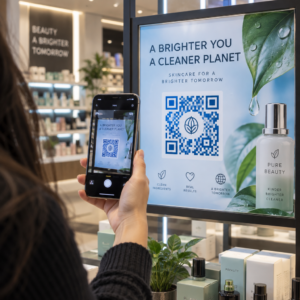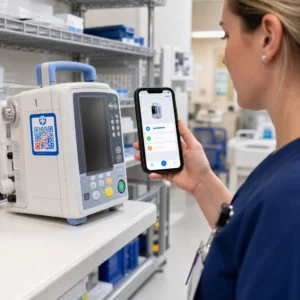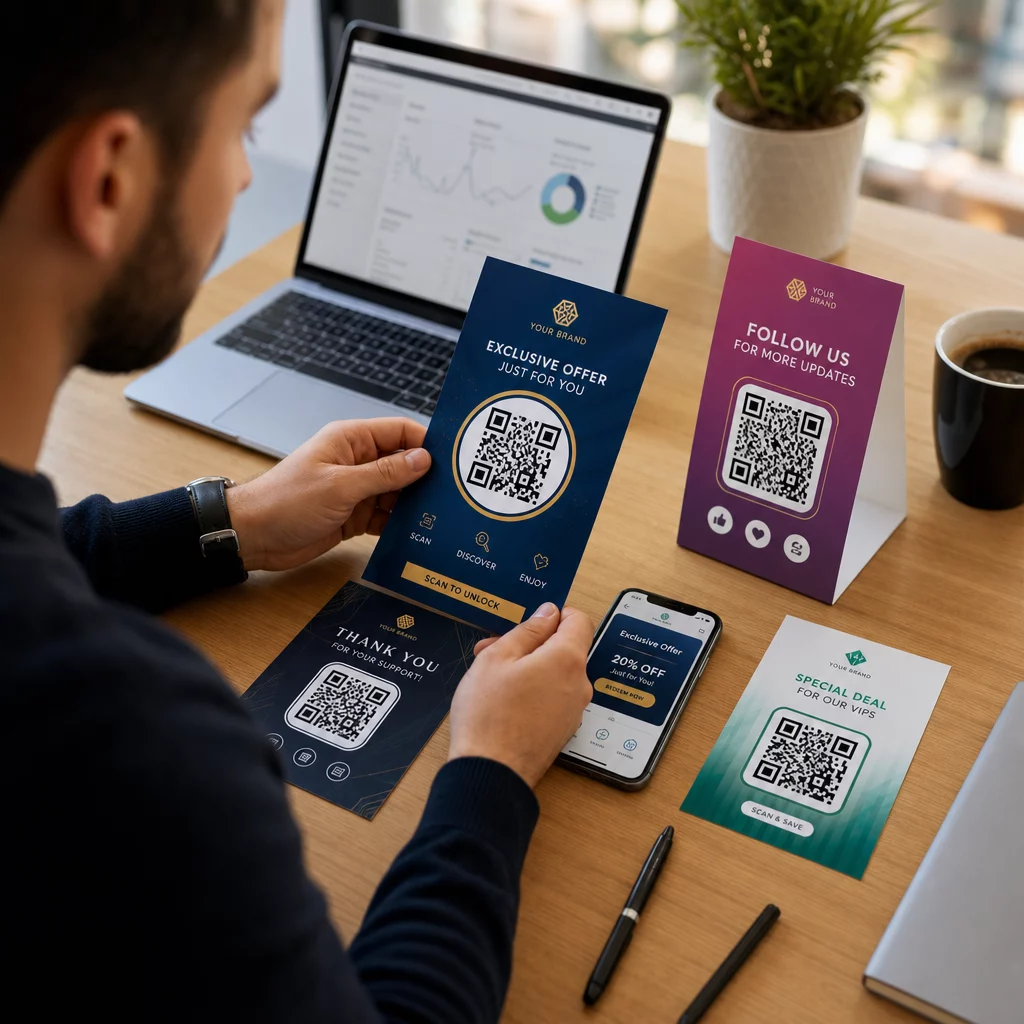
Ar jūsų rinkodaros kampanijos siunčia tą pačią žinutę visiems, nepriklausomai nuo to, kas jie yra ar kur jus rado? Bendrinis pasiekiamumas švaisto biudžetą ir erzina klientus. Šis vadovas parodo, kaip naudoti QR kodus, kad būtų galima teikti tikslines, stebimas patirtis, atitinkančias jūsų auditorijos kontekstą ir ketinimus.
Kodėl personalizavimas priklauso nuo fizinių ir skaitmeninių sąlyčio taškų sujungimo
Personalizuota rinkodara iš „gerai turėti“ tapo verslo prioritetu. „Contentful“ tyrimai rodo, kad 89 % rinkodaros sprendimų priėmėjų personalizavimą laiko esminiu sėkmei per ateinančius trejus metus, o 80 % įmonių praneša apie padidėjusias vartotojų išlaidas – vidutiniškai 38 % daugiau – kai patirtys yra personalizuotos. Tuo tarpu 77 % klientų teigia, kad juos erzina nereikšmingi reklaminiai pranešimai.
Iššūkis yra tas, kad dauguma personalizavimo įrankių veikia grynai skaitmeninėje aplinkoje. El. pašto platformos segmentuoja pagal atidarymo elgseną. Reklamos tinklai taiko pagal naršymo istoriją. Bet kas nutinka, kai jūsų klientas laiko produktą parduotuvėje, dalyvauja gyvame renginyje ar skaito tiesioginio pašto siuntą? Būtent čia atsiveria fizinio ir skaitmeninio pasaulio atotrūkis – ir būtent čia QR kodai jį uždaro.
Ant skrajutės, pakuotės ar stendo atspausdintas QR kodas veikia kaip tiltas. Nuskenavus jį, klientas iškart patenka į skaitmeninę patirtį, kurią sukūrėte specialiai jam. Svarbiausia yra užtikrinti, kad ši patirtis atspindėtų, kas jie yra, iš kur jie atėjo ir ko greičiausiai norės toliau.
Segmentavimo supratimas prieš personalizuojant
Efektyvus personalizavimas prasideda nuo segmentavimo – klientų grupių, turinčių bendrų svarbių savybių, nustatymo, kad galėtumėte su kiekviena grupe bendrauti skirtingai. Segmentavimas paprastai remiasi elgsenos, demografiniais, geografiniais, psichografiniais ir technografiniais kriterijais. Svarbus principas yra tas, kad segmentavimas turėtų būti prieš personalizavimą: jis pasako, ar ir kaip apskritai reklamuoti klientui, o tada personalizavimas formuoja žinutę.
Kalbant apie QR kodus, segmentavimas reiškia skirtingų kodų kūrimą skirtingoms auditorijos grupėms, kampanijų kontekstams ar fizinėms vietoms – tada kiekvieną kodą nukreipiant į tam segmentui pritaikytą turinį. Štai kaip tai atrodo praktikoje:
- Pagal auditorijos tipą: Mažmeninės prekybos prekės ženklas patalpina atskirus QR kodus parduotuvės iškabose ir tiesioginiame pašte. Parduotuvės skaitytuvai nukreipia į lojalumo apdovanojimų puslapį; tiesioginio pašto gavėjai patenka į pirmojo pirkimo nuolaidą.
- Pagal vietą: Regioninė kampanija naudoja skirtingus QR kodus kiekvienam miestui. Kiekvienas kodas susieja su nukreipimo puslapiu, kuriame nurodomos vietinės akcijos, netoliese esančios parduotuvės vietos arba regionui skirti pasiūlymai.
- Pagal kanalą: Renginių įmonė naudoja vieną QR kodą ant bilietų, o kitą – socialinės žiniasklaidos įrašuose. Bilieto versija susieja su personalizuotu dalyvio tvarkaraščiu; socialinė versija susieja su viešu renginio puslapiu.
- Pagal kliento etapą: SaaS įmonė spausdina QR kodus naujų klientų pasveikinimo paketuose ir esamų klientų atnaujinimo pranešimuose. Kiekvienas susieja su visiškai skirtingu įdiegimo ar atnaujinimo turiniu.
Kuo aiškiau apibrėšite savo segmentus prieš kurdami kodus, tuo aktualesnė taps kiekviena nuskaitymo patirtis.
Dinaminiai QR kodai: personalizuotų kampanijų pagrindas
Ne visi QR kodai vienodai palaiko personalizavimą. Statiniai QR kodai užkoduoja fiksuotą URL, kuris niekada negali pasikeisti. Atspausdinti jie yra užrakinti – ir jie neteikia jokių nuskaitymo duomenų. Dėl to jie netinka jokiai kampanijai, kurioje norite koreguoti turinį, atlikti testus ar matuoti rezultatus.
Dinaminiai QR kodai veikia kitaip. Pats kodas nukreipia į trumpą peradresavimo nuorodą, valdomą per jūsų QR kodo platformą. Šį tikslą galite atnaujinti bet kuriuo metu – net ir po to, kai kodas yra atspausdintas ir išplatintas – nieko negeneruodami ar neatspausdindami iš naujo. Šis peradresavimo sluoksnis taip pat leidžia stebėti: kiekvienas nuskaitymas praeina per platformą, registruodamas duomenis prieš nukreipdamas vartotoją į jo paskirties vietą.
Personalizuotoms kampanijoms dinaminiai kodai suteikia keturias svarbias galimybes:
| Galimybė | Kodėl tai svarbu personalizavimui |
|---|---|
| Redaguojama paskirties vieta | Atnaujinkite nukreipimo puslapio turinį kiekvienam segmentui, neperspausdindami medžiagos |
| Skenavimo sekimas | Žinokite, kiek žmonių iš kiekvieno segmento įsitraukė ir kada |
| Vietos ir įrenginio duomenys | Supraskite geografinius modelius ir optimizuokite mobiliojo ryšio patirtį |
| A/B testavimas | Išbandykite skirtingus nukreipimo puslapius tam pačiam auditorijos segmentui |
Norėdami išsamiau sužinoti, kada naudoti kiekvieną kodo tipą, tinkamo QR kodo pasirinkimas jūsų kampanijai išsamiai aprašo kompromisus. Trumpai tariant: jei jūsų kampanija apima personalizavimą, stebėjimą ar bet kokį turinį, kurį galbūt norėsite atnaujinti, dinaminiai kodai yra teisingas pasirinkimas. Taip pat galite ištirti 5 dinamiškų QR kodų privalumai rinkodarai kad gautumėte išsamesnį vaizdą apie tai, ką jie leidžia pasiekti.
Pradėkite sekti savo suasmenintą kampaniją Kurkite dinaminius QR kodus kiekvienam auditorijos segmentui ir stebėkite nuskaitymo duomenis realiuoju laiku. Išbandykite Dinaminis QR kodo generatorius ir pasiekite visą analizę iš savo prietaisų skydelio.
Segmentuotų QR kodų kampanijų kūrimas žingsnis po žingsnio
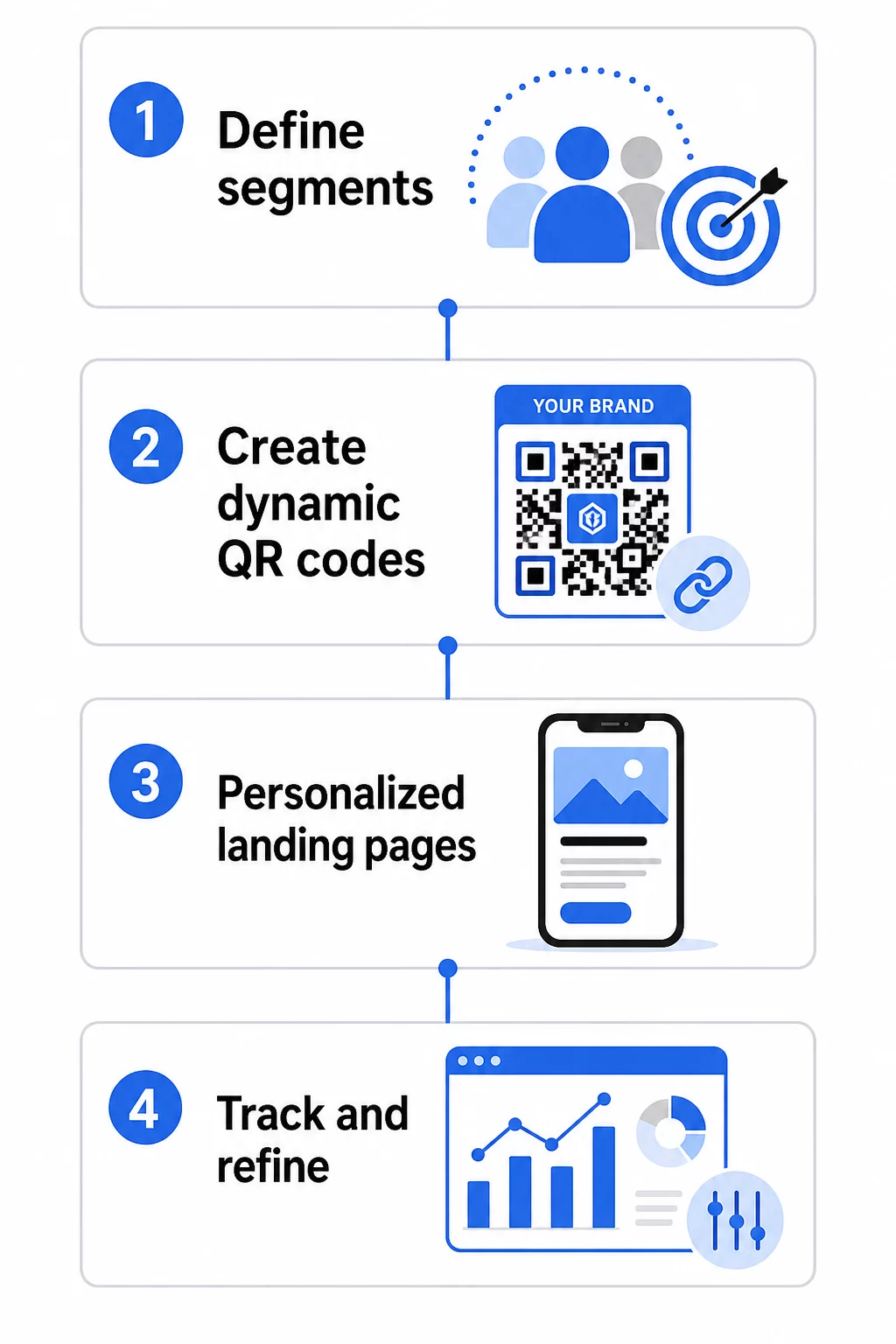
1. Apibrėžkite savo segmentus ir tikslus
Pradėkite nuo savo auditorijos, prieš imdamiesi bet kokių įrankių. Kokias klientų grupes bandote pasiekti? Kokio veiksmo norite, kad imtųsi kiekviena grupė? Jūsų kampanijos tikslai turėtų būti konkretūs ir išmatuojami – pavyzdžiui, “padidinti tiesioginio pašto pasiūlymų išpirkimo rodiklį neaktyviems klientams 20%”, o ne tiesiog “padidinti įsitraukimą”.”
Kai žinote savo segmentus ir tikslus, suplanuokite atskirą QR kodą ir nukreipimo puslapį kiekvienam prasmingam deriniui. Kampanijai, nukreiptai į tris klientų segmentus dviejose fizinėse vietose, gali prireikti šešių skirtingų kodų.
2. Kurkite unikalius kodus kiekvienam segmentui
Naudodami platformą, tokią kaip Pageloot QR kodo generatorius, sugeneruokite atskirą dinaminį kodą kiekvienam segmentui. Suteikite kiekvienam kodui aiškų vidinį pavadinimą, kuris identifikuoja segmentą, kampaniją ir vietą – ši disciplina atsiperka, kai analizuojate rezultatus dešimčių kodų atžvilgiu.
Jei jūsų kampanijoje naudojamos spausdintos medžiagos, pritaikykite kiekvieno kodo išvaizdą, kad ji atitiktų dizainą. QR kodai su logotipais ir prekės ženklo spalvomis sustiprina pasitikėjimą ir signalizuoja, kad nuskaitymas yra tyčinis, o ne atsitiktinis. Prekės ženklo QR kodai taip pat vizualiai išsiskiria perpildytose aplinkose, o tai tiesiogiai veikia, ar kas nors sustos nuskaityti.
3. Kurkite suasmenintus nukreipimo puslapius kiekvienam segmentui
QR kodas yra vertingas tik tiek, kiek vertinga patirtis, į kurią jis veda. Pirmą kartą apsilankęs lankytojas, nuskenavęs tiesioginio pašto siuntą ir atsidūręs jūsų pagrindiniame puslapyje, nėra suasmeninta patirtis – tai praleista galimybė.
Kiekvienas segmentas turėtų patekti į puslapį, kuris:
- Pripažįsta kontekstą (“Sveiki, [Miestas] pirkėjai” arba “Išskirtinis pasiūlymas lojaliems nariams”)
- Pateikia aiškų, segmentui aktualų pasiūlymą ar žinutę
- Apima vieną, sutelktą raginimą veikti
- Greitai įkelia ir gerai veikia mobiliajame telefone
Kadangi dauguma QR nuskaitymų vyksta išmaniuosiuose telefonuose, optimizavimas mobiliesiems yra nediskutuotinas. Išbandykite kiekvieną nukreipimo puslapį tiek „iOS“, tiek „Android“ sistemose prieš paleidžiant.
4. Pridėkite UTM parametrus visai analizės integracijai
Dinaminiai QR kodai teikia vietinius nuskaitymo duomenis – skaičių, laiko žymas, įrenginių tipus ir vietas. Tačiau galite gauti dar gilesnių įžvalgų, pridėdami UTM parametrus prie savo nukreipimo puslapio URL. Tai sujungia QR nuskaitymo srautą su „Google Analytics“, leidžiančiu matuoti elgesį po nuskaitymo, pvz., praleistą laiką puslapyje, atmetimo rodiklį ir konversijos įvykius kartu su nuskaitymo duomenimis.
UTM žymėtas URL tiesioginio pašto kampanijai, skirtas praradusiems klientams Čikagoje, gali atrodyti taip:
“`
https://yoursite.com/reactivate?utmsource=directmailchicago&utmmedium=qrkodas&utmcampaign=reactivation_q3
“`
Išsamų UTM nustatymo ir „Google Analytics“ integravimo aprašymą rasite UTM parametrai QR kodams: „Google Analytics“ patarimai.
5. Strategiškai išdėstykite kodus kiekvienam segmentui
Kur atsiranda QR kodas, daro įtaką tam, kas jį nuskaito ir kokiame kontekste. Suderinkite išdėstymą su savo segmento elgesiu:
- Tiesioginis paštas: Įdėkite kodą gerai matomoje vietoje prie pasiūlymo, su trumpa instrukcija, pvz., “Nuskaitykite, kad gautumėte išskirtinę nuolaidą.” Tiesioginio pašto gavėjai turi pakankamai laiko sąmoningai įsitraukti.
- Produktų pakuotės: Pridėkite kodus prie etikečių, padėkos atvirukų ar siuntimo įdėklų, kad vėl sudomintumėte klientus po pirkimo.
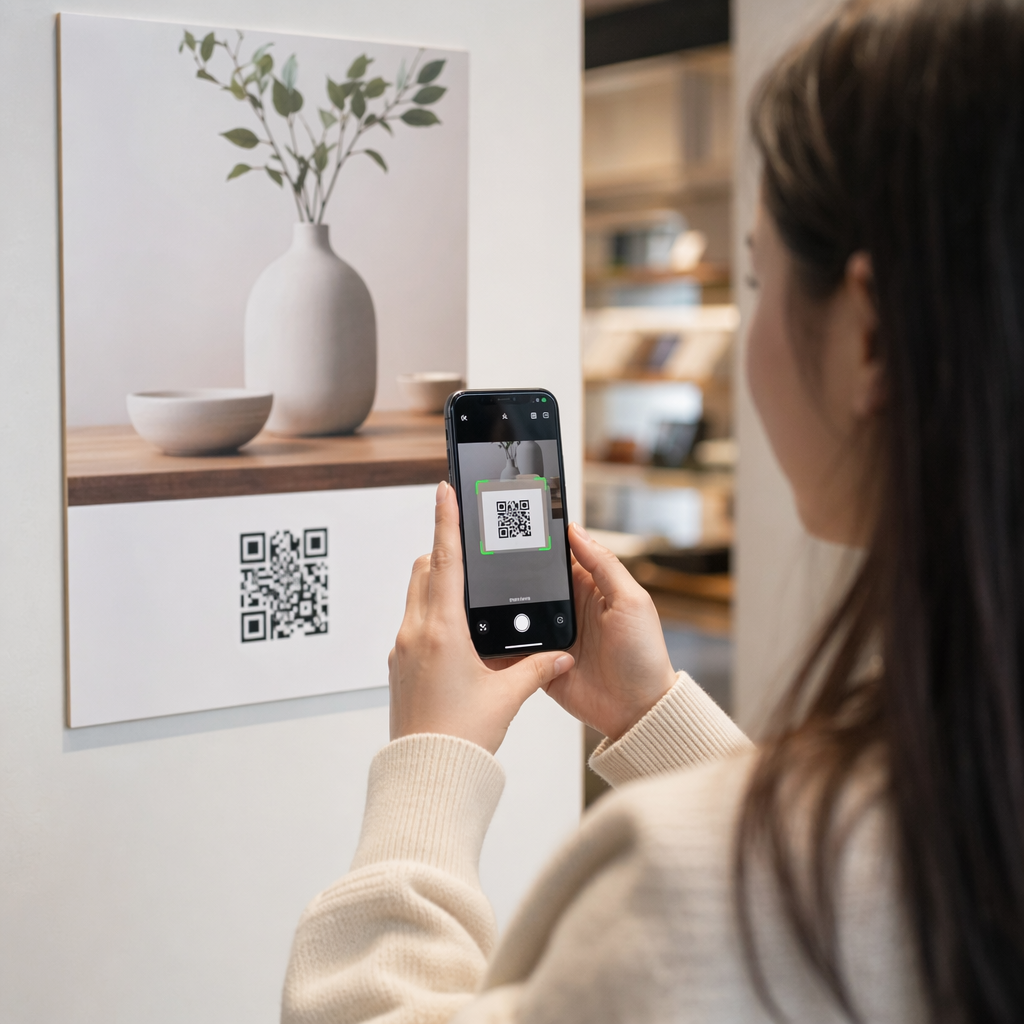
- Parduotuvės iškabos: Padėkite kodus akių lygyje prie atitinkamo produkto ar skyriaus. Pridėkite matomą raginimą veikti (CTA), kad pirkėjai suprastų, ką gaus.
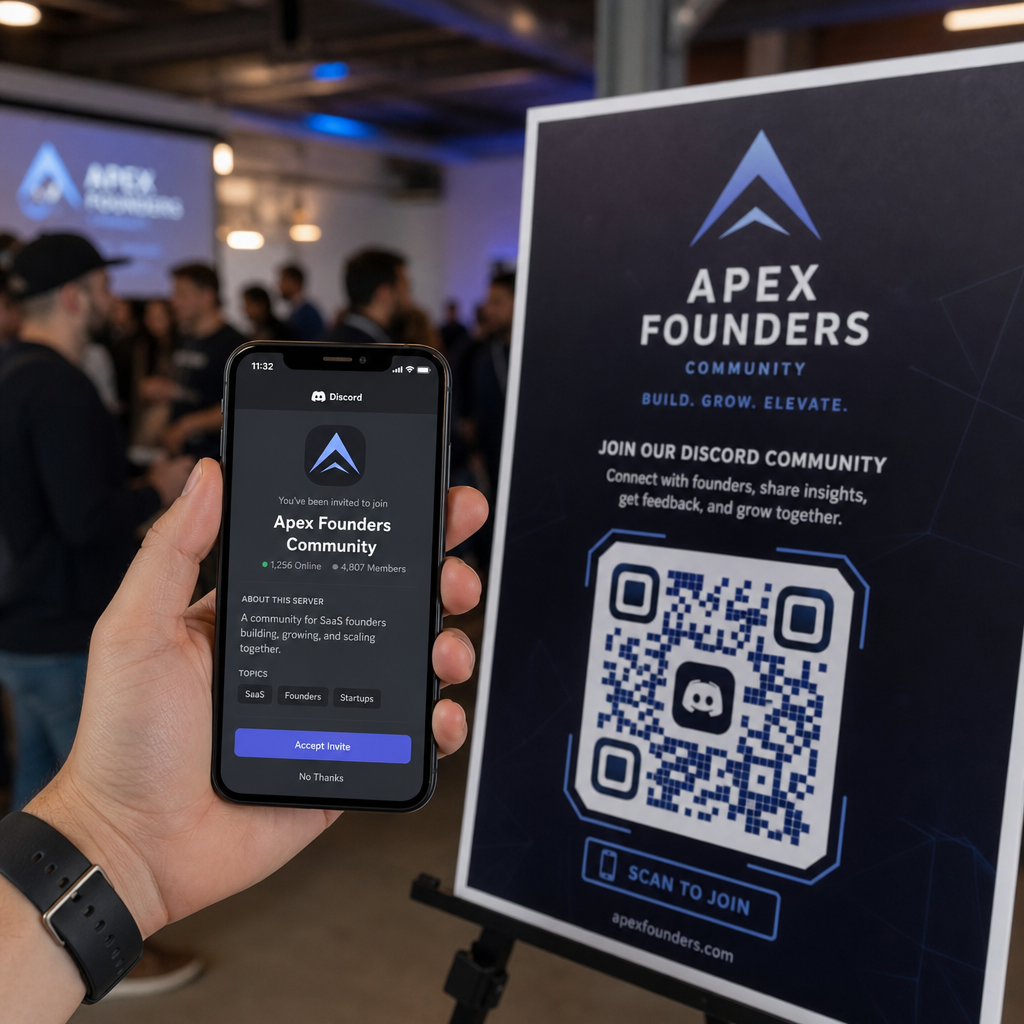
- Renginiai ir konferencijos: Naudokite QR kodus ant ženklelių, bilietų ar spausdintų tvarkaraščių, kad nukreiptumėte dalyvius į suasmenintą turinį, pvz., sesijų detales ar pranešėjų biografijas.
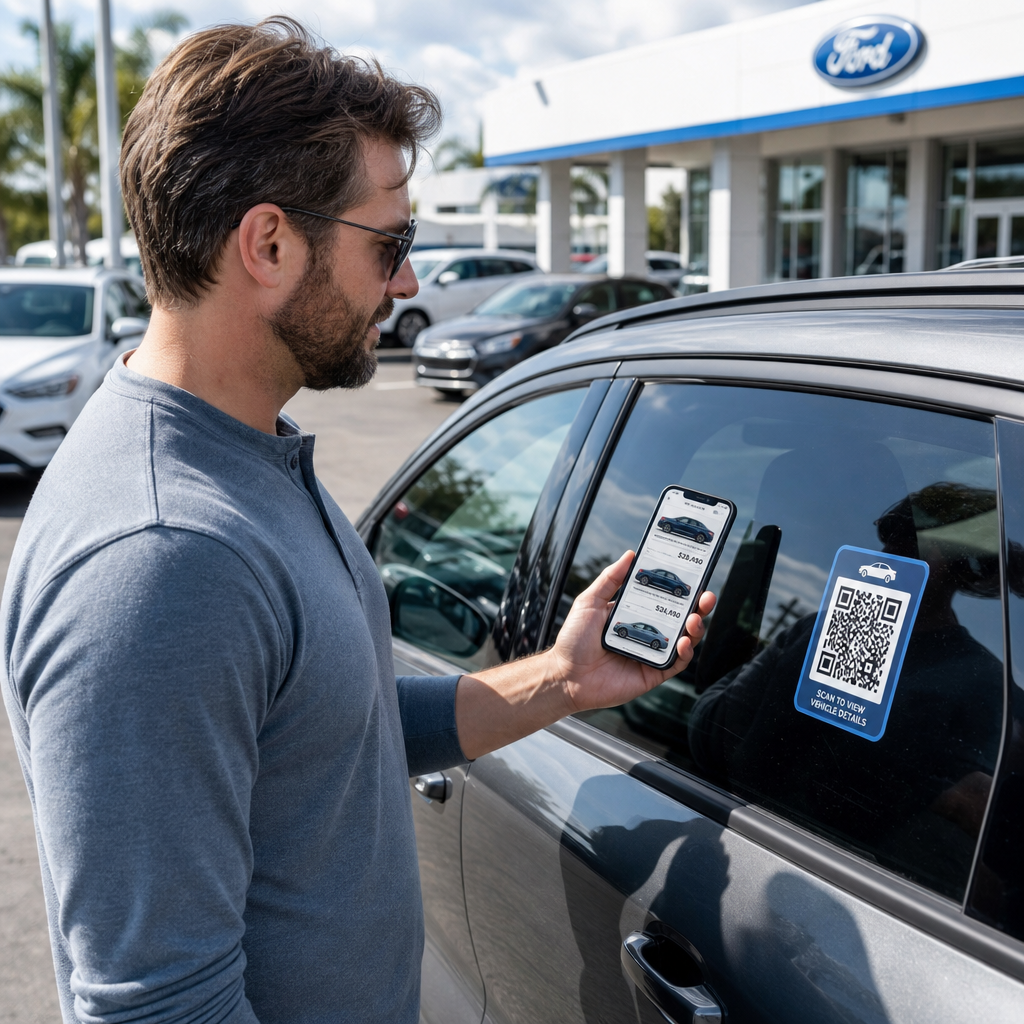
- Lipdukai ir etiketės: Mažesniuose fiziniuose sąlyčio taškuose gerai patalpintas kodas su aiškiu raginimu veikti (CTA) gali paskatinti auditorijos, kuri jau laiko jūsų produktą, įsitraukimą.
Tas QR kodo rinkodaros kontrolinis sąrašas mažoms įmonėms apima papildomas išdėstymo ir nustatymo aplinkybes, jei pradedate savo pirmąją kampaniją.
QR kodo duomenų naudojimas segmentams tobulinti
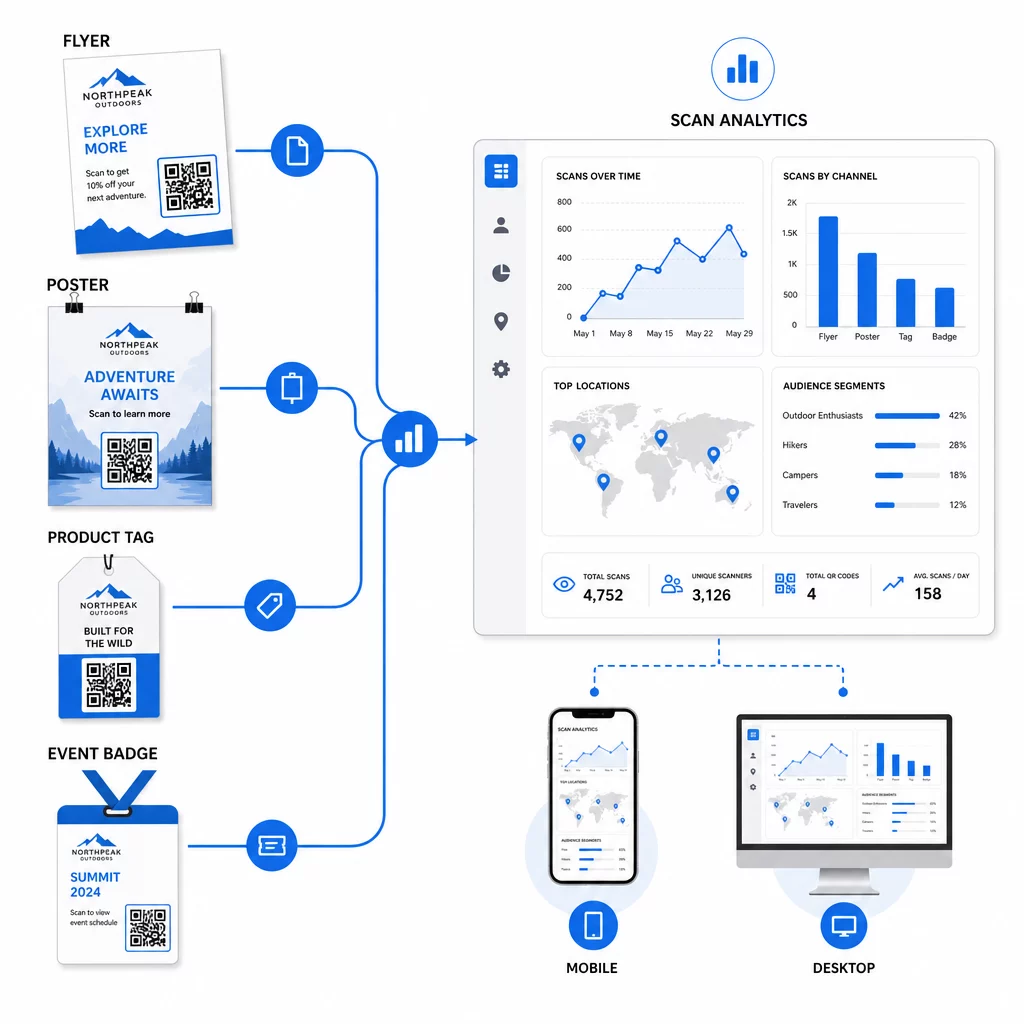
Dinaminių QR kodų generuojami duomenys patys yra personalizavimo turtas. Kiekvienas nuskaitymas suteikia signalą apie tai, kas atsakė į kokią žinutę, kada ir iš kur. Laikui bėgant, tai sukuria aiškesnį vaizdą, kurie segmentai yra jautriausi ir kurios vietos pritraukia kvalifikuočiausią srautą.
Pagrindiniai rodikliai, kuriuos reikia stebėti kiekvienam segmentui:
- Nuskaitymų skaičius ir unikalūs nuskaitymai: Rodo bendrą pasiekiamumą ir ar tie patys žmonės grįžta
- Nuskaitymo laiko modeliai: Atskleidžia, kada kiekvienas segmentas yra aktyviausias, naudinga planuojant tolesnį bendravimą
- Geografinis pasiskirstymas: Rodo, ar jūsų kampanija pasiekia numatytus regionus – naudinga stebint QR kodų kampanijas pagal regionus ir koreguojant vietines išlaidas
- Įrenginio tipas: Jei vienas segmentas yra stipriai linkęs į konkretų įrenginį, galite optimizuoti nukreipimo puslapio patirtį tai platformai
- Konversijos po nuskaitymo: Stebima naudojant UTM parametrus „Google Analytics“, tai parodo, kurie segmentų ir vietų deriniai iš tikrųjų lemia jums svarbius rezultatus
Norėdami struktūrizuotai išbandyti skirtingus kintamuosius segmente, žr. A/B testavimo QR kodo kampanijų vadovu. Dinaminiai kodai ypač tinka A/B testavimui, nes galite keisti nukreipimo puslapių paskirties vietas neliesdami atspausdinto kodo.
Taip pat galite naudoti nuskaitymo vietos ir įrenginio duomenis kaip įvestis gilesniam personalizavimui – pavyzdžiui, nukreipiant skaitytuvus iš skirtingų miestų į konkretiems regionams skirtus nukreipimo puslapius arba koreguojant turinį pagal tai, ar įrenginys yra iOS, ar Android. Šis vadovas apie QR kodus duomenimis pagrįstam personalizavimui išsamiai aprašo šias technikas.
Žr. kurie segmentai įsitraukia labiausiai Naudoti Dinaminis QR kodo generatorius norėdami sukurti atskirus stebimus kodus kiekvienam auditorijos segmentui ir palyginti našumą skirtingose vietose vienoje prietaisų skydelyje.
Privatumo aspektai personalizuotoms QR kampanijoms
QR kodai renka pirmosios šalies duomenis – informaciją, kurią sugeneruoja jūsų auditorijos sąveika su jūsų medžiaga. Tai tampa vis vertingiau, nes trečiųjų šalių sekimo metodai susiduria su reguliavimo spaudimu ir vartotojų patikrinimu. Tačiau duomenų rinkimas per QR kodus vis dar įpareigoja.
JAV privatumo teisė yra suskaidyta tarp federalinių sektoriui skirtų įstatymų ir augančio išsamių valstybinių privatumo įstatymų skaičiaus, daugelis kurių reglamentuoja, kaip asmeninė informacija renkama ir naudojama rinkodarai. Geriausia praktika yra būti skaidriems, kokius duomenis renka jūsų QR kodai ir kodėl.
Praktiniai žingsniai, kaip išlikti atitinkantiems reikalavimus:
- Šalia kiekvieno QR kodo arba pradiniame nukreipimo puslapyje pateikite trumpą pranešimą, paaiškinantį, kokie duomenys yra sekami (pvz., nuskaitymo vieta, įrenginio tipas)
- Pateikite nuorodą į savo privatumo politiką bet kuriame puslapyje, kuriame renkama asmeninė informacija
- Venkite pasyviai rinkti asmenį identifikuojančią informaciją be atskleidimo
- Naudokite surinktus duomenis tik tiems tikslams, apie kuriuos pranešėte vartotojams
Skaidrumas taip pat didina pasitikėjimą nuskaitymu. Daugiau nei 80% JAV gyvenančių QR kodų vartotojų teigia, kad QR kodus laiko saugiais, tačiau aiškus raginimas veikti (CTA) ir atpažįstamas prekės ženklo dizainas labai padeda nuraminti bet kurį dvejojantį asmenį.
Dažnos personalizavimo taktikos pagal kanalą
| Kanalas | Personalizavimo taktika | QR kodo vaidmuo |
|---|---|---|
| Tiesioginis paštas | Unikalus kodas kiekvienam gavėjų segmentui su personalizuotu pasiūlymu | Nuorodos į segmentui skirtą nukreipimo puslapį |
| Produkto pakuotė | Pakartotinis įtraukimas po pirkimo pagal produkto tipą | Nuorodos į mokomąjį turinį, papildomą pardavimą arba atsiliepimų užklausą |
| Parduotuvėje esantys ženklai | Vietove pagrįstos akcijos | Nuorodos į vietinius pasiūlymus arba artimiausio paslaugų centro puslapį |
| Renginiai | Dalyvio tipas (pranešėjas, rėmėjas, bendras) | Nuorodos į konkrečiam vaidmeniui skirtus tvarkaraščius ar turinį |
| Socialinės žiniasklaidos skelbimai | Auditorijos interesų arba pakartotinio taikymo segmentas | Nuorodos į turinį, atitinkantį skelbimo kūrybinę medžiagą |
Kiekvienas iš šių naudojimo atvejų gauna naudos iš to paties pagrindinio požiūrio: vienas unikalus dinaminis kodas kiekvienam segmentui, kiekvienas nukreipiantis į tikslinę paskirties vietą, kiekvienas stebimas nepriklausomai, kad galėtumėte įvertinti rezultatus ir tobulinti.
Norėdami plačiau sužinoti, kaip QR kodai dera prie jūsų bendro rinkodaros įrankių rinkinio, Pageloot funkcijų apžvalga apima visą QR kodų tipų ir galimybių spektrą, prieinamą kampanijų naudojimui.
Taikymas praktikoje
Personalizuotos QR kodų kampanijos nereikalauja sudėtingos infrastruktūros – joms reikia aiškumo dėl jūsų segmentų, drausmės kuriant atskirus kodus kiekvienam ir platformos, kuri suteikia jums stebėjimo duomenis, kad galėtumėte veikti pagal tai, ką sužinojote. Pradėkite nuo vienos kampanijos, dviejų ar trijų segmentų ir aiškaus konversijos tikslo. Naudokite nuskaitymo duomenis, kad suprastumėte, kas veikia, tada išplėskite metodą į daugiau kanalų ir auditorijos grupių.
Tas nuorodos QR kodo generatorius yra geras atspirties taškas, jei segmentus jungiate su konkrečiais URL. Kai būsite pasiruošę visapusiškam stebėjimui, atnaujinimui ir kampanijos valdymui, Dinaminis QR kodo generatorius suteikia jums lankstumo vykdyti, koreguoti ir matuoti personalizuotas kampanijas neperspausdinant nė vienos medžiagos.
Dažniausiai užduodami klausimai
Statinis QR kodas užkoduoja fiksuotą URL, kurio negalima pakeisti po sukūrimo ir kuris neteikia nuskaitymo duomenų. Dinaminis QR kodas nukreipia į peradresavimo nuorodą, kurią galite atnaujinti bet kuriuo metu, ir registruoja nuskaitymo metriką, įskaitant skaičių, vietą, įrenginio tipą ir laiko žymę. Personalizuotai rinkodarai – kur reikia stebėti našumą pagal segmentus ir galbūt atnaujinti nukreipimo puslapius – dinaminiai kodai yra tinkamas pasirinkimas.
Jums reikia vieno unikalaus QR kodo kiekvienam prasmingam auditorijos segmento ir vietos deriniui. Pavyzdžiui, jei taikote į tris klientų grupes per dvi fizines medžiagas, sukurtumėte šešis kodus. Naudodami tokią platformą kaip Pageloot, galite juos visus valdyti iš vienos prietaisų skydelio, o tai palengvina stebėjimą ir atnaujinimą net ir didesnėms kampanijoms.
Pridėkite UTM parametrus į paskirties URL prieš jį užkoduodami į savo QR kodą. Naudokite aprašomąsias reikšmes utmsource (pvz., “directmailnyc”), nuoseklų utmmedium (pvz., “qr_code”) ir kampanijos pavadinimą, kuris identifikuoja konkrečią kampaniją. Kai vartotojai nuskaito ir patenka į jūsų puslapį, „Google Analytics“ įrašo sesiją pagal tuos parametrus, leisdama jums matuoti srautą, įsitraukimą ir konversijas pagal segmentą. Dinaminiai QR kodai daro tai ypač lankstu, nes galite atnaujinti URL su UTM žymėmis neperspausdinant kodo.