首页 > 博客 > Using QR Codes for Personalized Marketing Campaigns
Personalized QR marketing

Using QR Codes for Personalized Marketing Campaigns

Use dynamic QR codes to deliver personalized marketing. Segment your audience, track scan data, and bridge the physical-to-digital gap with targeted content.
Updated on 6 月 10, 2026
目录

Are your marketing campaigns delivering the same message to everyone, regardless of who they are or where they found you? Generic outreach wastes budget and frustrates customers. This guide shows you how to use QR codes to deliver targeted, trackable experiences that match your audience’s context and intent.

Why Personalization Depends on Connecting Physical and Digital Touchpoints

Personalized marketing has moved from a nice-to-have to a business priority. Research from Contentful shows that 89% of marketing decision-makers consider personalization essential for success over the next three years, and 80% of businesses report increased consumer spending – averaging 38% more – when experiences are personalized. Meanwhile, 77% of customers say they feel frustrated by irrelevant promotional notifications.

The challenge is that most personalization tools work in purely digital environments. Email platforms segment by open behavior. Ad networks target by browsing history. But what happens when your customer is holding a product in a store, attending a live event, or reading a direct mail piece? That’s where the physical-to-digital gap opens up – and where QR codes close it.

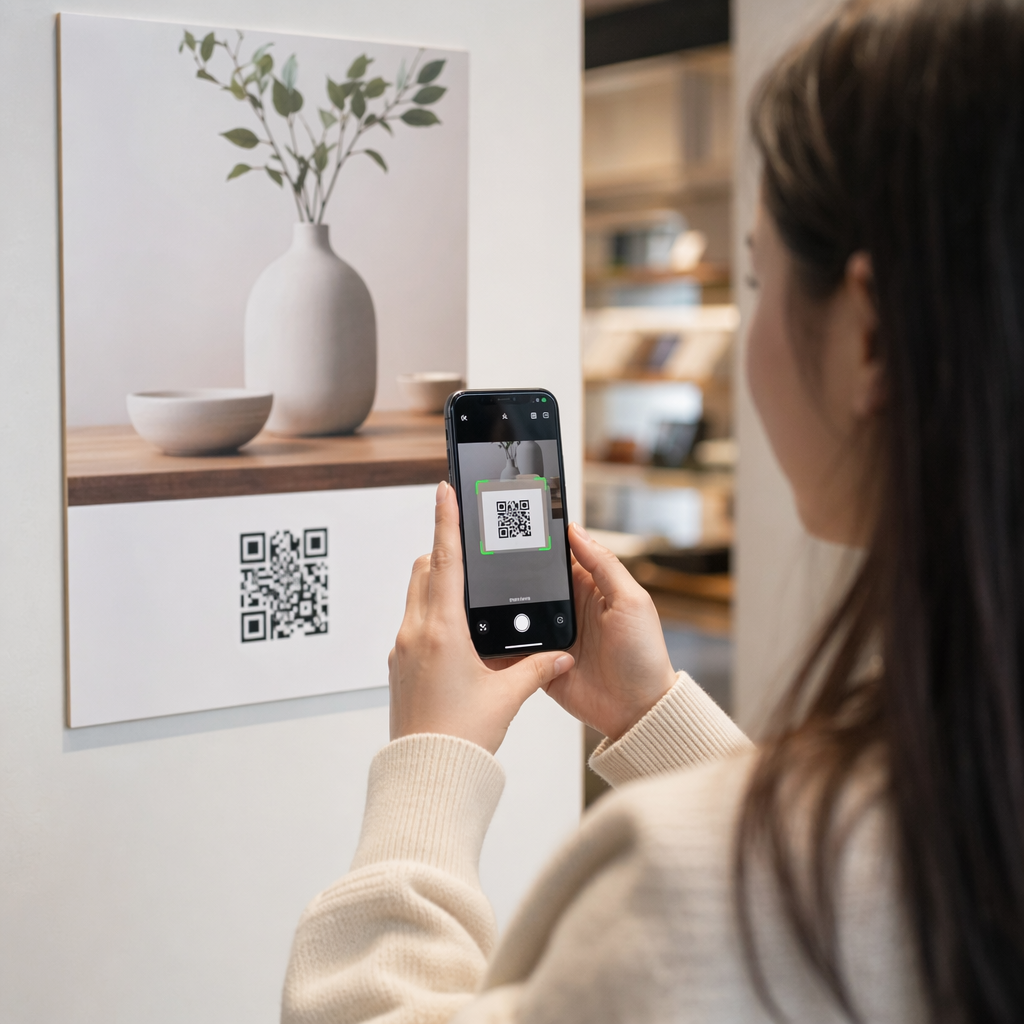
A QR code printed on a flyer, package, or display acts as a bridge. Scan it, and the customer instantly lands on a digital experience you’ve designed specifically for them. The key is making sure that experience reflects who they are, where they came from, and what they’re likely to want next.

Understanding Segmentation Before You Personalize

Effective personalization starts with segmentation – identifying groups of customers who share relevant characteristics so you can speak to each group differently. Segmentation typically draws on behavioral, demographic, geographic, psychographic, and technographic criteria. The important principle is that segmentation should come before personalization: it tells you whether and how to market to a customer in the first place, then personalization shapes the message.

In QR code terms, segmentation means creating different codes for different audience groups, campaign contexts, or physical locations – then pointing each code to content tailored for that segment. Here’s how that plays out in practice:

  • By audience type: A retail brand places separate QR codes on in-store signage and direct mail. In-store scanners land on a loyalty rewards page; direct mail recipients land on a first-purchase discount.
  • By location: A regional campaign uses distinct QR codes for each city. Each code links to a landing page referencing local promotions, nearby store locations, or region-specific offers.
  • By channel: An event company uses one QR code on tickets and another on social media posts. The ticket version links to a personalized attendee schedule; the social version links to a public event page.
  • By customer stage: A SaaS company prints QR codes in welcome packets for new customers and renewal notices for existing ones. Each links to entirely different onboarding or upgrade content.

The more clearly you define your segments before building your codes, the more relevant each scan experience becomes.

Dynamic QR Codes: The Foundation of Personalized Campaigns

Not all QR codes support personalization equally. Static QR codes encode a fixed URL that can never change. Once printed, they’re locked – and they provide no scan data whatsoever. That makes them unsuitable for any campaign where you want to adjust content, run tests, or measure results.

动态 QR 码 work differently. The code itself points to a short redirect link managed through your QR code platform. You can update that destination at any time – even after the code is printed and distributed – without generating or reprinting anything. This redirect layer is also what enables tracking: every scan passes through the platform, logging data before sending the user to their destination.

For personalized campaigns, dynamic codes give you four critical capabilities:

Capability Why It Matters for Personalization
Editable destination Update landing page content for each segment without reprinting materials
扫描追踪 Know how many people from each segment engaged, and when
Location and device data Understand geographic patterns and optimize for mobile experience
A/B testing Test different landing pages for the same audience segment

For a deeper look at when to use each code type, choosing the right QR code for your campaign covers the tradeoffs in detail. The short version: if your campaign involves personalization, tracking, or any content you might want to update, dynamic codes are the right choice. You can also explore the 动态二维码在营销中的5大优势 for a fuller picture of what they make possible.

Start Tracking Your Personalized Campaign Create dynamic QR codes for each audience segment and monitor scan data in real time. Try the 动态二维码生成器 and access full analytics from your dashboard.

Building Segmented QR Code Campaigns Step by Step

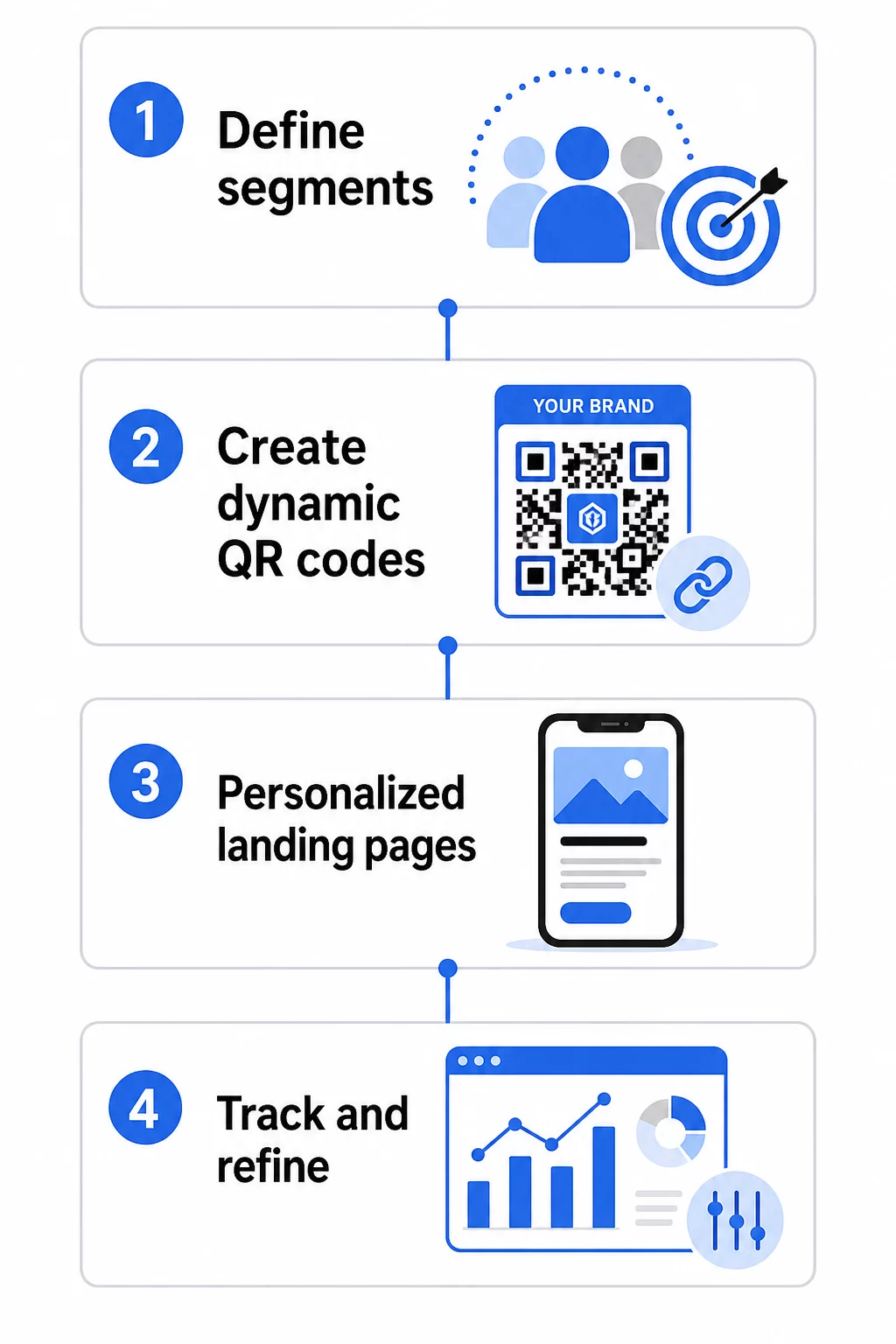
QR campaign steps

1. Define Your Segments and Goals

Start with your audience before you touch any tools. Which customer groups are you trying to reach? What action do you want each group to take? Your campaign goals should be specific and measurable – for example, “increase redemption rate on direct mail offers to lapsed customers by 20%,” not just “boost engagement.”

Once you know your segments and goals, plan a separate QR code and landing page for each meaningful combination. A campaign targeting three customer segments across two physical placements might need six distinct codes.

2. Create Unique Codes for Each Segment

Using a platform like the Pageloot 二维码生成器, generate a separate dynamic code for each segment. Give each code a clear internal name that identifies the segment, campaign, and placement – this discipline pays off when you’re analyzing results across dozens of codes.

If your campaign uses printed materials, customize each code’s appearance to fit the design. QR codes with logos and brand colors reinforce trust and signal that scanning is intentional, not incidental. Branded QR codes also stand out visually in cluttered environments, which directly affects whether someone stops to scan.

3. Build Personalized Landing Pages for Each Segment

The QR code is only as valuable as the experience it leads to. A first-time visitor landing on your homepage after scanning a direct mail piece is not a personalized experience – it’s a missed opportunity.

Each segment should land on a page that:

  • Acknowledges the context (“Welcome, [City] shoppers” or “Exclusive offer for loyalty members”)
  • Presents a clear, segment-relevant offer or message
  • Includes a single, focused call to action
  • Loads quickly and works well on mobile

Since most QR scans happen on smartphones, mobile optimization is non-negotiable. Test every landing page on both iOS and Android before launching.

4. Add UTM Parameters for Full Analytics Integration

Dynamic QR codes provide native scan data – counts, timestamps, device types, and locations. But you can layer even deeper insight by adding UTM parameters to your landing page URLs. This connects QR scan traffic to Google Analytics, letting you measure post-scan behavior like time on page, bounce rate, and conversion events alongside your scan data.

A UTM-tagged URL for a direct mail campaign targeting lapsed customers in Chicago might look like:

“`

https://yoursite.com/reactivate?utmsource=directmailchicago&utm媒介=二维码code&utmcampaign=reactivation_q3

“`

For a detailed walkthrough of UTM setup and Google Analytics integration, see UTM parameters for QR codes: Google Analytics tips.

5. Place Codes Strategically for Each Segment

Where a QR code appears influences who scans it and in what context. Match placement to your segment’s behavior:

  • Direct mail: Include the code prominently near the offer, with a short instruction like “Scan for your exclusive discount.” Direct mail recipients have enough time to engage deliberately.
  • Product packaging: Add codes to labels, thank-you cards, or shipping inserts to re-engage customers post-purchase.
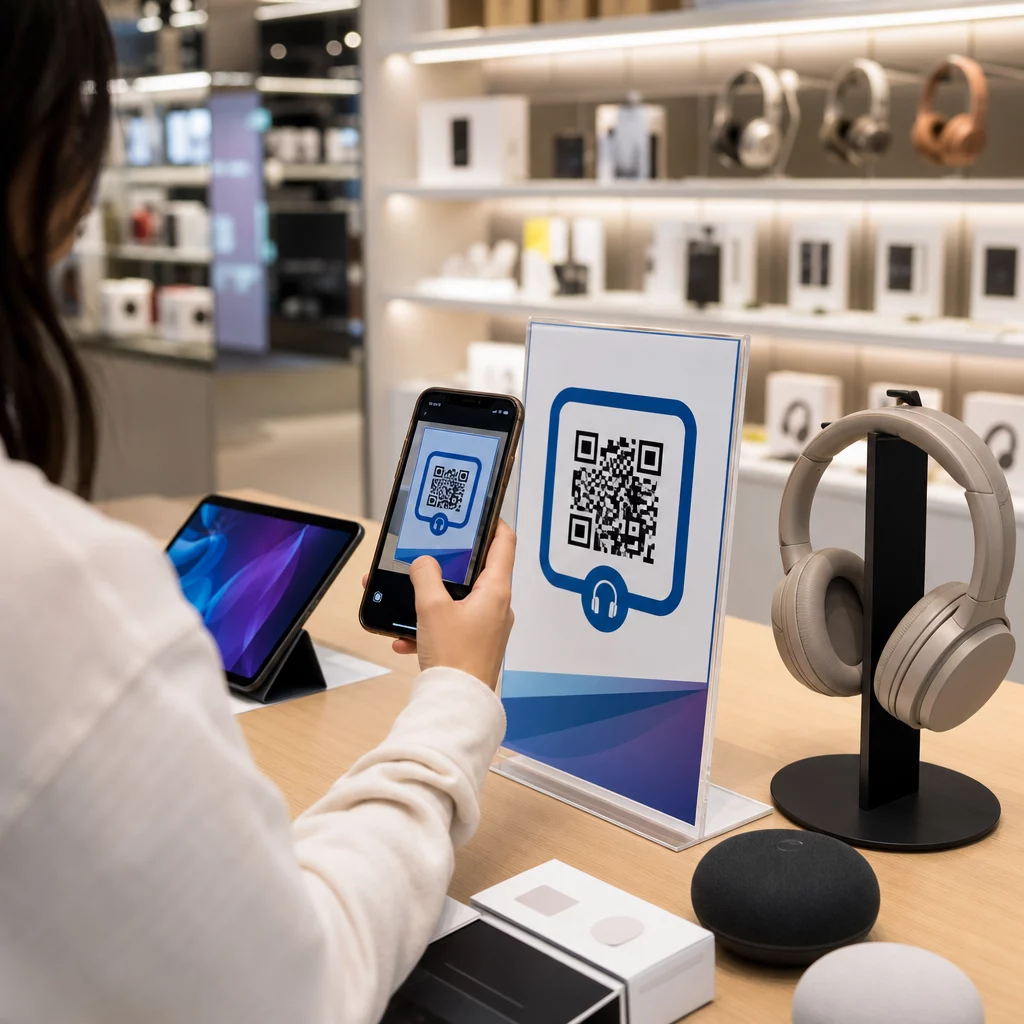
  • In-store signage: Position codes at eye level near the relevant product or department. Add a visible CTA so shoppers understand what they’ll get.
  • Events and conferences: Use QR codes on badges, tickets, or printed schedules to direct attendees to personalized content like session details or speaker bios.
  • Stickers and tags: For smaller physical touchpoints, a well-placed code with a clear CTA can drive engagement from an audience that’s already holding your product.

小型企业二维码营销清单 covers additional placement and setup considerations if you’re launching your first campaign.

Using QR Code Data to Refine Your Segments

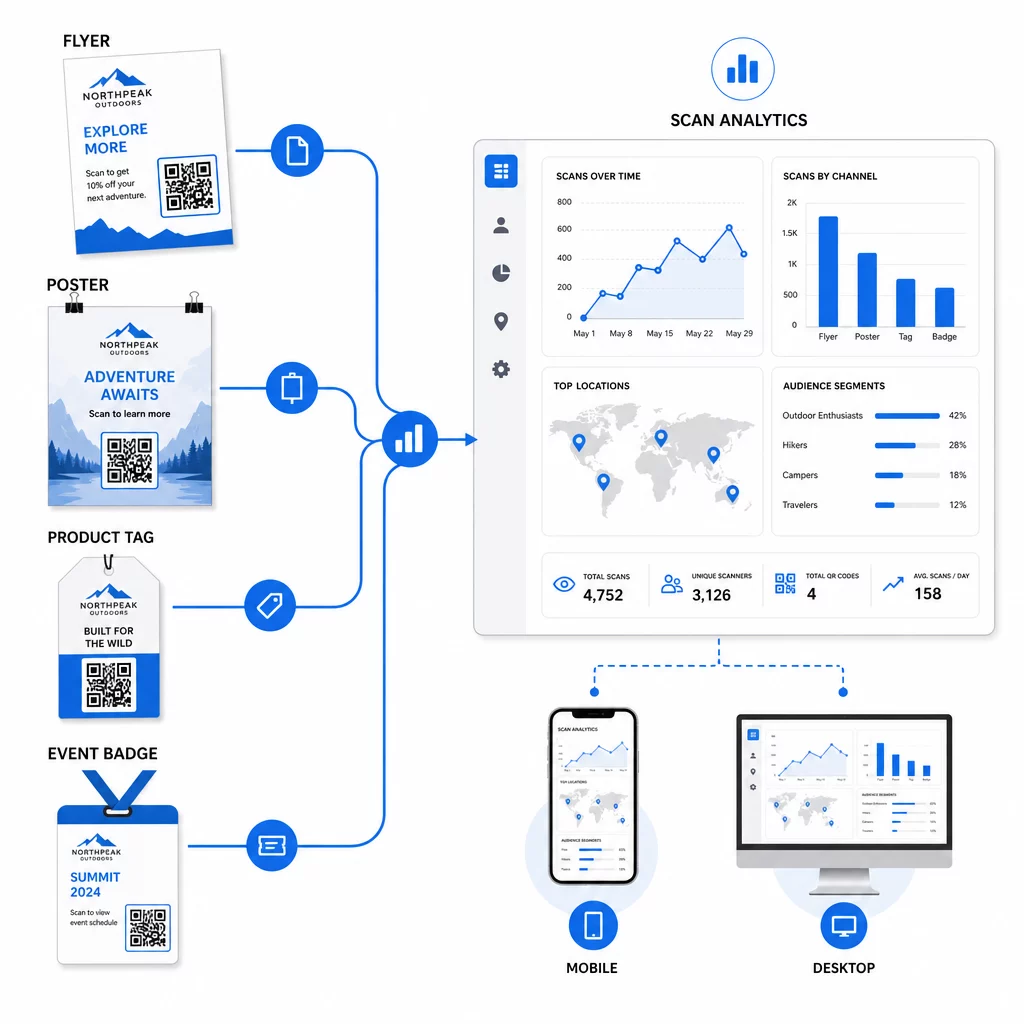
QR data dashboard

The data your dynamic QR codes generate is itself a personalization asset. Every scan gives you a signal about who responded to which message, when, and from where. Over time, this builds a clearer picture of which segments are most responsive and which placements are driving the most qualified traffic.

Key metrics to monitor per segment:

  • Scan count and unique scans: Indicates overall reach and whether the same people are returning
  • Scan time patterns: Reveals when each segment is most active, useful for timing follow-up communication
  • Geographic distribution: Shows whether your campaign is reaching the intended regions – useful for tracking QR code campaigns by region and adjusting local spend
  • Device type: If one segment skews heavily toward a particular device, you can optimize the landing page experience for that platform
  • Post-scan conversions: Tracked via UTM parameters in Google Analytics, this tells you which segment-and-placement combinations are actually driving the outcomes you care about

For a structured approach to testing different variables within a segment, see the 二维码营销活动 A/B 测试指南. Dynamic codes are particularly well-suited to A/B testing because you can swap landing page destinations without touching the printed code.

You can also use scan location and device data as inputs for deeper personalization – for example, redirecting scanners from different cities to region-specific landing pages, or adjusting content based on whether the device is iOS or Android. The guide to QR codes for data-driven personalization covers these techniques in detail.

See Which Segments Are Engaging Most 使用 动态二维码生成器 to create separate trackable codes for each audience segment and compare performance across placements in one dashboard.

Privacy Considerations for Personalized QR Campaigns

QR codes collect first-party data – information generated by your audience’s own interaction with your materials. This is increasingly valuable as third-party tracking methods face regulatory pressure and consumer scrutiny. However, data collection through QR codes still carries obligations.

U.S. privacy law is fragmented across federal sector-specific statutes and a growing body of comprehensive state privacy laws, many of which govern how personal information is collected and used for marketing. Best practice is to be transparent about what data your QR codes collect and why.

Practical steps to stay compliant:

  • Display a brief notice near each QR code or on the initial landing page explaining what data is tracked (e.g., scan location, device type)
  • Provide a link to your privacy policy on any page that collects personal information
  • Avoid collecting personally identifiable information passively without disclosure
  • Use data you collect only for the purposes you’ve communicated to users

Transparency also builds scan confidence. Over 80% of U.S.-based QR code users say they consider QR codes safe, but a clear CTA and recognizable branded design go a long way toward reassuring anyone who hesitates.

Common Personalization Tactics by Channel

Channel Personalization Tactic QR Code Role
Direct mail Unique code per recipient segment with personalized offer Links to segment-specific landing page
产品包装 Post-purchase re-engagement by product type Links to how-to content, upsell, or review request
店内标识 Location-based promotions Links to local offers or nearest service page
大事记 Attendee type (speaker, sponsor, general) Links to role-specific schedules or content
Social media ads Audience interest or retargeting segment Links to content matching the ad creative

Each of these use cases benefits from the same underlying approach: one unique dynamic code per segment, each pointing to a targeted destination, each tracked independently so you can measure results and iterate.

For a broader look at how QR codes fit into your overall marketing toolkit, the Pageloot features overview covers the full range of QR code types and capabilities available for campaign use.

Putting It Into Practice

Personalized QR code campaigns don’t require complex infrastructure – they require clarity about your segments, discipline in creating separate codes for each, and a platform that gives you the tracking data to act on what you learn. Start with one campaign, two or three segments, and a clear conversion goal. Use the scan data to understand what’s working, then scale the approach across more channels and audience groups.

链接二维码生成器 is a good starting point if you’re connecting segments to specific URLs. When you’re ready for full tracking, updating, and campaign management, the 动态二维码生成器 gives you the flexibility to run, adjust, and measure personalized campaigns without reprinting a single material.

常见问题

What is the difference between a static and dynamic QR code for personalized marketing?

A static QR code encodes a fixed URL that cannot be changed after creation and provides no scan data. A dynamic QR code points to a redirect link you can update at any time, and it logs scan metrics including count, location, device type, and timestamp. For personalized marketing – where you need to track performance per segment and potentially update landing pages – dynamic codes are the appropriate choice.

How many QR codes do I need for a segmented campaign?

You need one unique QR code for each meaningful combination of audience segment and placement. For example, if you’re targeting three customer groups across two physical materials, you’d create six codes. Using a platform like Pageloot, you can manage all of them from a single dashboard, which makes tracking and updating straightforward even for larger campaigns.

How do I connect QR code scans to conversions in Google Analytics?

Add UTM parameters to the destination URL before encoding it into your QR code. Use descriptive values for utmsource (e.g., “directmailnyc”), a consistent utmmedium (e.g., “qr_code”), and a campaign name that identifies the specific campaign. Once users scan and land on your page, Google Analytics records the session under those parameters, letting you measure traffic, engagement, and conversions per segment. Dynamic QR codes make this especially flexible because you can update the UTM-tagged URL without reprinting the code.

关于作者

Siim Kostabi 是 Pageloot 的内容主管,负责撰写关于我们创新型二维码生成器服务的文章。凭借五年多来在二维码领域积累的深厚专业知识,Siim 是该领域的专家。他致力于利用二维码技术简化和增强数字交互,并取得了显著的成果。.

类别
了解更多关于
QR QR码的#1解决方案

如果您需要在线创建QR码,则可以 制作二维码 就在这里免费!
Pageloot是 #1转到解决方案 创建和扫描QR码。

BL-0043

受到超过 20,000 个品牌的信赖,可获得更多销售、评论和关注者。

客户徽标
受到顶级品牌的信赖
评分为 4.8(共 5)

4.86 / 5 星评级

雨果·劳伦特
雨果·劳伦特
餐馆老板
有史以来最容易和最可靠的QR码生成器。PDF文件可以立即上传。我们的餐厅菜单现在是数字化的。
卢卡斯-詹森
卢卡斯-詹森
房地产开发商
这是一个很好的工具,二维码带你到你想要的地方。我们只使用位置二维码,但有许多有用的功能。
艾玛-莫雷蒂
艾玛-莫雷蒂
零售产品
易于使用和快速。它工作得很好,创造了一个完美的图像,所以员工可以下载我的vCard。
雨果·劳伦特
雨果·劳伦特
餐馆老板
有史以来最容易和最可靠的QR码生成器。PDF文件可以立即上传。我们的餐厅菜单现在是数字化的。
卢卡斯-詹森
卢卡斯-詹森
房地产开发商
这是一个很好的工具,二维码带你到你想要的地方。我们只使用位置二维码,但有许多有用的功能。
艾玛-莫雷蒂
艾玛-莫雷蒂
零售产品
易于使用和快速。它工作得很好,创造了一个完美的图像,所以员工可以下载我的vCard。
查看更多QR码
营销人员与二维码宣传册
如何 编辑QR码
Modern barcode scanning
是条码 死的?
扫描应用二维码
如何 下载应用程序
将一切转化为数字体验 不到3分钟。

免费试用 14 天。

无需信用卡。

首次购买可享受 30% 折扣

使用代码:

分享您的 MP3 文件

注册以创建 PDF QR 码

上传和显示你需要的一切。

  • 音频文件
  • 播客
  • 音乐

注册即可享 14 天免费试用。.
试用期结束后,二维码将失效。.

注册以创建音频 mp3 二维码

使用边框获得更多扫描

注册以向您的二维码添加更多框架

呼叫行动框架帮助您的客户与QR码轻松互动。试试吧!

注册即可享 14 天免费试用。.
试用期结束后,二维码将失效。.

注册以向您的二维码添加更多框架

使用形状添加更多样式

注册以创建更多形状

二维码不一定是方形的。试着改变它以适应你的品牌形象。

注册即可享 14 天免费试用。.
试用期结束后,二维码将失效。.

注册以创建更多形状

为您的二维码添加徽标

注册以将您的徽标添加到二维码中

通过在二维码上添加你的标志和品牌,使你的二维码脱颖而出。

注册即可享 14 天免费试用。.
试用期结束后,二维码将失效。.

注册以将您的徽标添加到二维码中

智能应用商店重定向

注册以创建应用商店二维码

将您的应用程序链接添加到我们的智能应用程序商店QR码。用户会根据他们的设备被重新定向。

注册即可享 14 天免费试用。.
试用期结束后,二维码将失效。.

注册以创建应用商店二维码

将图片上传到二维码

注册以创建图像二维码

轻松分享你的图像。在几秒钟内动态地改变任何图像。

注册即可享 14 天免费试用。.
试用期结束后,二维码将失效。.

注册以创建图像二维码

分享您的 PDF 文件

注册以创建 PDF QR 码

上传和显示你需要的一切。

  • 菜单和价格表
  • 使用说明
  • 任何文件

注册即可享 14 天免费试用。.
试用期结束后,二维码将失效。.

注册以创建 PDF QR 码

稍后编辑,无需打印

注册即可编辑您的二维码,无需再次打印

动态QR码让你改变你的QR码的内容,而不需要打印新的QR码。

注册即可享 14 天免费试用。.
试用期结束后,二维码将失效。.

注册即可编辑您的二维码,无需再次打印

何时?何地?追踪您的二维码扫描

注册以追踪您的二维码

发现你的哪些二维码收到了最多的扫描,以及什么最能让你的客户兴奋。

注册即可享 14 天免费试用。.
试用期结束后,二维码将失效。.

注册以追踪您的二维码

提供可打印文件

注册以创建 PDF 和 SVG 等矢量二维码

.EPS, .PDF, .SVG

想下载高清分辨率的QR码吗?获得矢量或像素格式,可随时打印。

注册即可享 14 天免费试用。.
试用期结束后,二维码将失效。.

注册以创建 PDF 和 SVG 等矢量二维码

请等待。您的二维码是 正在加载... 正在加载...

打造专属

注册以保存您的二维码以供日后使用

通过创建具有不同颜色、标识和行动呼吁框架的出色的QR码,获得更多的扫描。

注册即可享 14 天免费试用。.
试用期结束后,二维码将失效。.

注册以保存您的二维码以供日后使用