Marketingkampányai ugyanazt az üzenetet juttatják el mindenkihez, függetlenül attól, hogy kik ők, vagy hol találtak rájuk? Az általános megkeresések pazarlóak és frusztrálják az ügyfeleket. Ez az útmutató megmutatja, hogyan használhatja a QR-kódokat célzott, nyomon követhető élmények nyújtására, amelyek illeszkednek közönsége kontextusához és szándékához.
Miért függ a perszonalizáció a fizikai és digitális érintkezési pontok összekapcsolásától
A perszonalizált marketing a "jó, ha van" kategóriából üzleti prioritássá vált. A Contentful kutatása szerint a marketing döntéshozók 89%-a tartja elengedhetetlennek a perszonalizációt a következő három év sikeréhez, és a vállalkozások 80%-a számol be megnövekedett fogyasztói kiadásokról – átlagosan 38%-kal többről –, ha az élmények perszonalizáltak. Eközben az ügyfelek 77%-a mondja, hogy frusztrálják őket az irreleváns promóciós értesítések.
A kihívás az, hogy a legtöbb perszonalizációs eszköz tisztán digitális környezetben működik. Az e-mail platformok megnyitási viselkedés alapján szegmentálnak. A hirdetési hálózatok böngészési előzmények alapján céloznak. De mi történik, ha az ügyfél egy terméket tart a kezében egy boltban, részt vesz egy élő eseményen, vagy egy direkt marketing levelet olvas? Itt nyílik meg a fizikai-digitális szakadék – és itt zárják be a QR-kódok.
Egy szórólapra, csomagolásra vagy kijelzőre nyomtatott QR-kód hídként funkcionál. Olvassa be, és az ügyfél azonnal egy olyan digitális élményre jut, amelyet kifejezetten számára tervezett. A lényeg az, hogy ez az élmény tükrözze, kik ők, honnan jöttek, és mit szeretnének valószínűleg legközelebb.
A szegmentáció megértése a perszonalizálás előtt
A hatékony perszonalizáció a szegmentációval kezdődik – olyan ügyfélcsoportok azonosításával, akik releváns jellemzőkkel rendelkeznek, így minden csoporthoz másképp szólhat. A szegmentáció jellemzően viselkedési, demográfiai, földrajzi, pszichográfiai és technográfiai kritériumokra támaszkodik. A fontos elv az, hogy a szegmentációnak meg kell előznie a perszonalizációt: ez mondja meg, hogy egyáltalán hogyan és miként marketingeljen egy ügyfélnek, majd a perszonalizáció formálja az üzenetet.
QR-kódos értelemben a szegmentáció azt jelenti, hogy különböző kódokat hozunk létre különböző célcsoportok, kampánykontextusok vagy fizikai helyszínek számára – majd minden kódot az adott szegmensre szabott tartalomra irányítunk. Íme, hogyan néz ki ez a gyakorlatban:
- Közönségtípus szerint: Egy kiskereskedelmi márka külön QR-kódokat helyez el az üzleten belüli táblákon és a direkt marketing leveleken. Az üzleten belüli szkennerek egy hűségprogram jutalmazási oldalára jutnak; a direkt marketing levelek címzettjei egy első vásárlási kedvezményre.
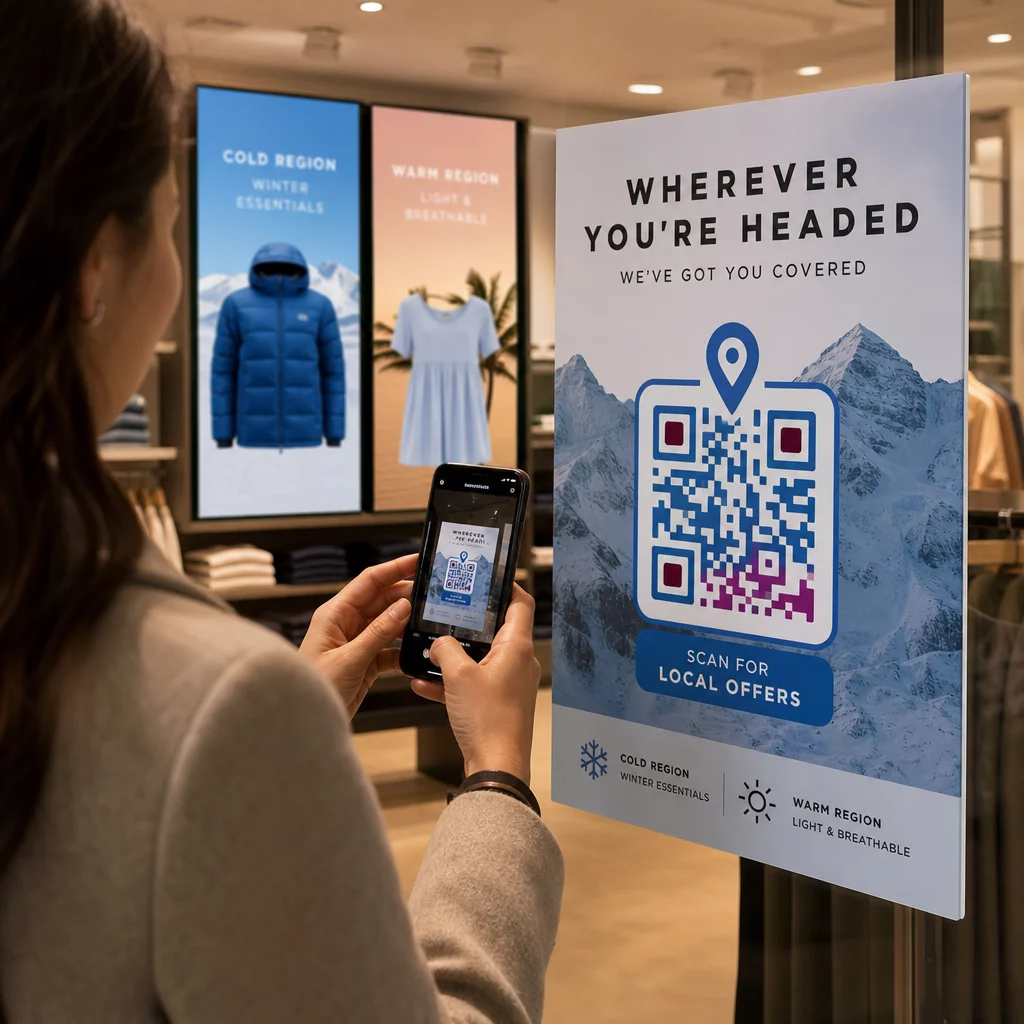
- Helyszín szerint: Egy regionális kampány minden városhoz külön QR-kódokat használ. Minden kód egy olyan céloldalra mutat, amely helyi promóciókra, közeli üzlethelyiségekre vagy régióspecifikus ajánlatokra hivatkozik.
- Csatorna szerint: Egy rendezvényszervező cég egy QR-kódot használ a jegyeken, egy másikat pedig a közösségi média posztokon. A jegyeken lévő verzió egy személyre szabott résztvevői ütemtervre mutat; a közösségi média verzió egy nyilvános eseményoldalra.
- Ügyfélfázis szerint: Egy SaaS vállalat QR-kódokat nyomtat az új ügyfelek üdvözlőcsomagjaiba és a meglévő ügyfelek megújítási értesítőibe. Mindegyik teljesen eltérő bevezető vagy frissítési tartalomra mutat.
Minél világosabban definiálja a szegmenseit a kódok létrehozása előtt, annál relevánsabbá válik minden szkennelési élmény.
Dinamikus QR-kódok: A személyre szabott kampányok alapja
Nem minden QR-kód támogatja egyformán a személyre szabást. A statikus QR-kódok egy rögzített URL-t kódolnak, amely soha nem változhat. Kinyomtatás után zárolva vannak – és semmilyen szkennelési adatot nem szolgáltatnak. Ez alkalmatlanná teszi őket minden olyan kampányhoz, ahol tartalmat szeretne módosítani, teszteket futtatni vagy eredményeket mérni.
Dinamikus QR-kódok másképp működnek. Maga a kód egy rövid átirányítási linkre mutat, amelyet a QR-kód platformja kezel. Ezt a célállomást bármikor frissítheti – még a kód kinyomtatása és terjesztése után is – anélkül, hogy bármit is generálna vagy újranyomtatna. Ez az átirányítási réteg teszi lehetővé a nyomon követést is: minden szkennelés áthalad a platformon, adatokat naplózva, mielőtt a felhasználót a célállomására küldené.
Személyre szabott kampányokhoz a dinamikus kódok négy kritikus képességet biztosítanak:
| Képesség | Miért fontos a személyre szabás szempontjából |
|---|---|
| Szerkeszthető cél | Frissítse a céloldal tartalmát minden szegmenshez az anyagok újranyomtatása nélkül |
| Szkenneléskövetés | Tudja, hány ember vett részt az egyes szegmensekből, és mikor |
| Hely- és eszközadatok | Értse meg a földrajzi mintákat és optimalizálja a mobilélményt |
| A/B tesztelés | Teszteljen különböző céloldalakat ugyanazon közönségszegmens számára |
A kódok típusainak használatáról részletesebben, a megfelelő QR-kód kiválasztása a kampányához részletesen bemutatja a kompromisszumokat. A rövid változat: ha a kampánya személyre szabást, nyomon követést vagy bármilyen frissíteni kívánt tartalmat tartalmaz, a dinamikus kódok a megfelelő választás. Felfedezheti a dinamikus QR-kódok 5 előnye a marketingben a teljesebb képért arról, hogy mit tesznek lehetővé.
Kezdje el nyomon követni személyre szabott kampányát Hozzon létre dinamikus QR-kódokat minden közönségszegmenshez, és valós időben figyelje a szkennelési adatokat. Próbálja ki a Dinamikus QR-kód generátor és hozzáférhet a teljes analitikához az irányítópultjáról.
Szegmentált QR-kód kampányok építése lépésről lépésre
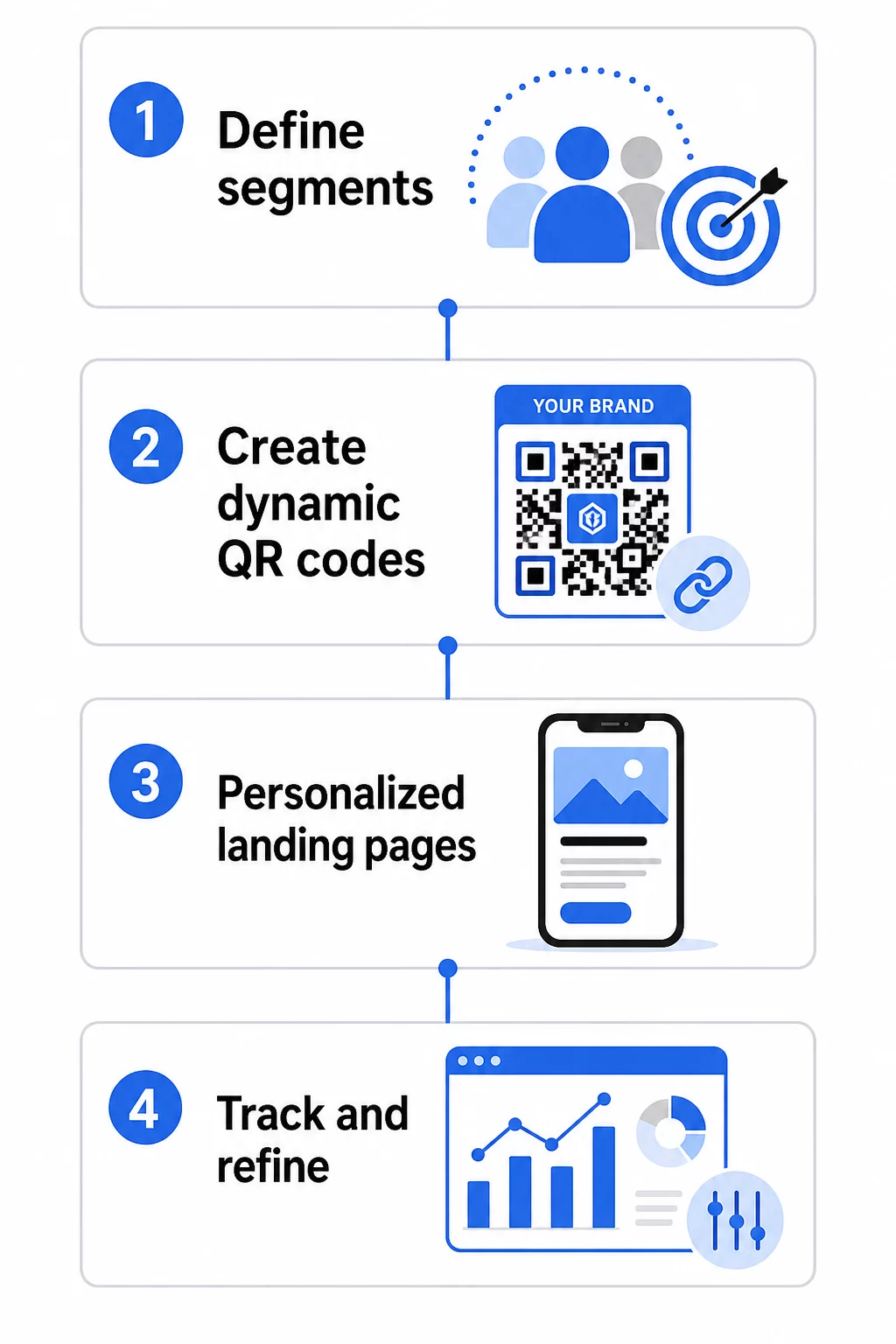
1. Határozza meg szegmenseit és céljait
Kezdje a közönségével, mielőtt bármilyen eszközt megérintene. Melyik ügyfélcsoportot próbálja elérni? Milyen cselekvést szeretne, hogy minden csoport végrehajtson? Kampánycéljainak specifikusnak és mérhetőnek kell lenniük – például “növelje a közvetlen postai ajánlatok beváltási arányát az inaktív ügyfelek körében 20%-kal”, nem csupán “növelje az elkötelezettséget”.”
Miután ismeri szegmenseit és céljait, tervezzen külön QR-kódot és céloldalt minden értelmes kombinációhoz. Egy kampány, amely három ügyfélszegmenst céloz meg két fizikai elhelyezésen keresztül, hat különböző kódot igényelhet.
2. Hozzon létre egyedi kódokat minden szegmenshez
Egy olyan platform használatával, mint a Pageloot QR-kód generátor, generáljon külön dinamikus kódot minden szegmenshez. Adjon minden kódnak egyértelmű belső nevet, amely azonosítja a szegmenst, a kampányt és az elhelyezést – ez a fegyelem megtérül, amikor több tucat kód eredményeit elemzi.
Ha kampánya nyomtatott anyagokat használ, szabja testre minden kód megjelenését a designhoz. QR-kódok logókkal és márkaszínekkel erősítik a bizalmat, és jelzik, hogy a szkennelés szándékos, nem véletlen. A márkás QR-kódok vizuálisan is kiemelkednek a zsúfolt környezetben, ami közvetlenül befolyásolja, hogy valaki megáll-e szkennelni.
3. Építsen személyre szabott céloldalakat minden szegmenshez
A QR-kód csak annyira értékes, amennyire az általa nyújtott élmény. Egy első alkalommal érkező látogató, aki a kezdőlapjára érkezik egy közvetlen postai küldemény beolvasása után, nem személyre szabott élmény – ez egy elszalasztott lehetőség.
Minden szegmensnek olyan oldalra kell érkeznie, amely:
- Felismeri a kontextust (“Üdvözöljük, [Város] vásárlók” vagy “Exkluzív ajánlat hűségtagoknak”)
- Világos, szegmensre releváns ajánlatot vagy üzenetet mutat be
- Egyetlen, fókuszált cselekvésre ösztönzést tartalmaz
- Gyorsan betöltődik és jól működik mobilon
Mivel a legtöbb QR-kód beolvasás okostelefonon történik, a mobiloptimalizálás nem alkuképes. Minden céloldalt teszteljen iOS-en és Androidon is a bevezetés előtt.
4. Adjon hozzá UTM paramétereket a teljes analitikai integrációhoz
A dinamikus QR-kódok natív beolvasási adatokat szolgáltatnak – számokat, időbélyegeket, eszköz típusokat és helyszíneket. De még mélyebb betekintést nyerhet, ha UTM paramétereket ad hozzá a céloldal URL-jeihez. Ez összekapcsolja a QR-kód beolvasási forgalmát a Google Analytics-szel, lehetővé téve a beolvasás utáni viselkedés mérését, mint például az oldalon töltött időt, a visszafordulási arányt és a konverziós eseményeket a beolvasási adatok mellett.
Egy UTM-címkével ellátott URL egy chicagói, inaktív ügyfeleket célzó direkt marketing kampányhoz így nézhet ki:
“`
https://yoursite.com/reactivate?utmsource=directmailchicago&utmközeg=QRkód&utmcampaign=reactivation_q3
“`
Az UTM beállítás és a Google Analytics integráció részletes áttekintéséért lásd: UTM paraméterek QR-kódokhoz: Google Analytics tippek.
5. Helyezze el a kódokat stratégiailag minden szegmenshez
Ahol egy QR-kód megjelenik, befolyásolja, hogy ki olvassa be és milyen kontextusban. Illessze a elhelyezést a szegmens viselkedéséhez:
- Közvetlen levélküldés: Helyezze el a kódot feltűnően az ajánlat közelében, egy rövid utasítással, például “Szkennelje be exkluzív kedvezményéért.” A közvetlen levélküldemények címzettjeinek elegendő idejük van a tudatos interakcióra.
- Termékcsomagolás: Helyezzen el kódokat címkéken, köszönőkártyákon vagy szállítási mellékletekben, hogy a vásárlás után újra bevonja az ügyfeleket.
- Bolti feliratok: Helyezze el a kódokat szemmagasságban a releváns termék vagy részleg közelében. Adjon hozzá egy látható CTA-t, hogy a vásárlók megértsék, mit kapnak.
- Események és konferenciák: Használjon QR-kódokat jelvényeken, jegyeken vagy nyomtatott programokon, hogy a résztvevőket személyre szabott tartalomhoz irányítsa, például előadás részleteihez vagy előadói életrajzokhoz.
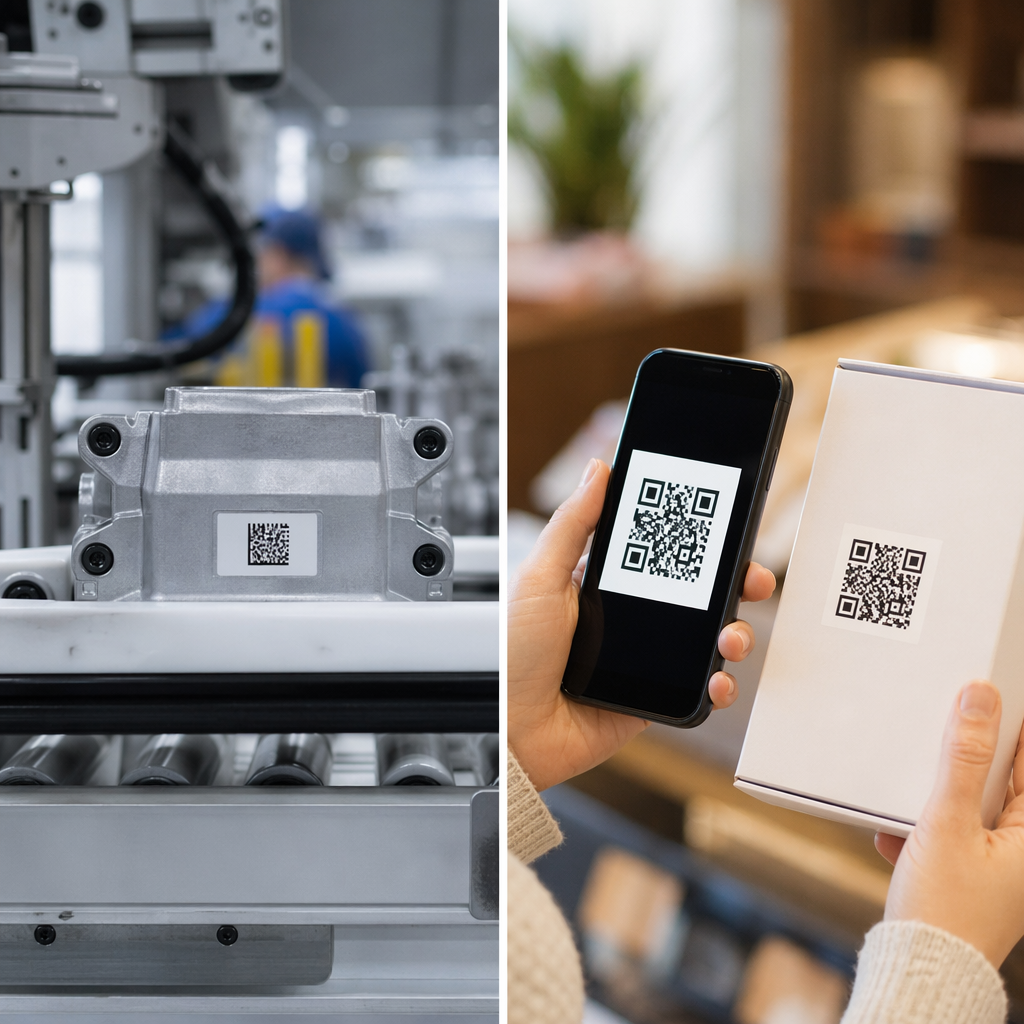
- Matricák és címkék: Kisebb fizikai érintkezési pontok esetén egy jól elhelyezett kód világos CTA-val növelheti az elkötelezettséget egy olyan közönség körében, amely már a termékét tartja.
A QR-kód marketing ellenőrzőlista kisvállalkozások számára további elhelyezési és beállítási szempontokat tárgyal, ha az első kampányát indítja.
QR-kód adatok felhasználása a szegmensek finomításához
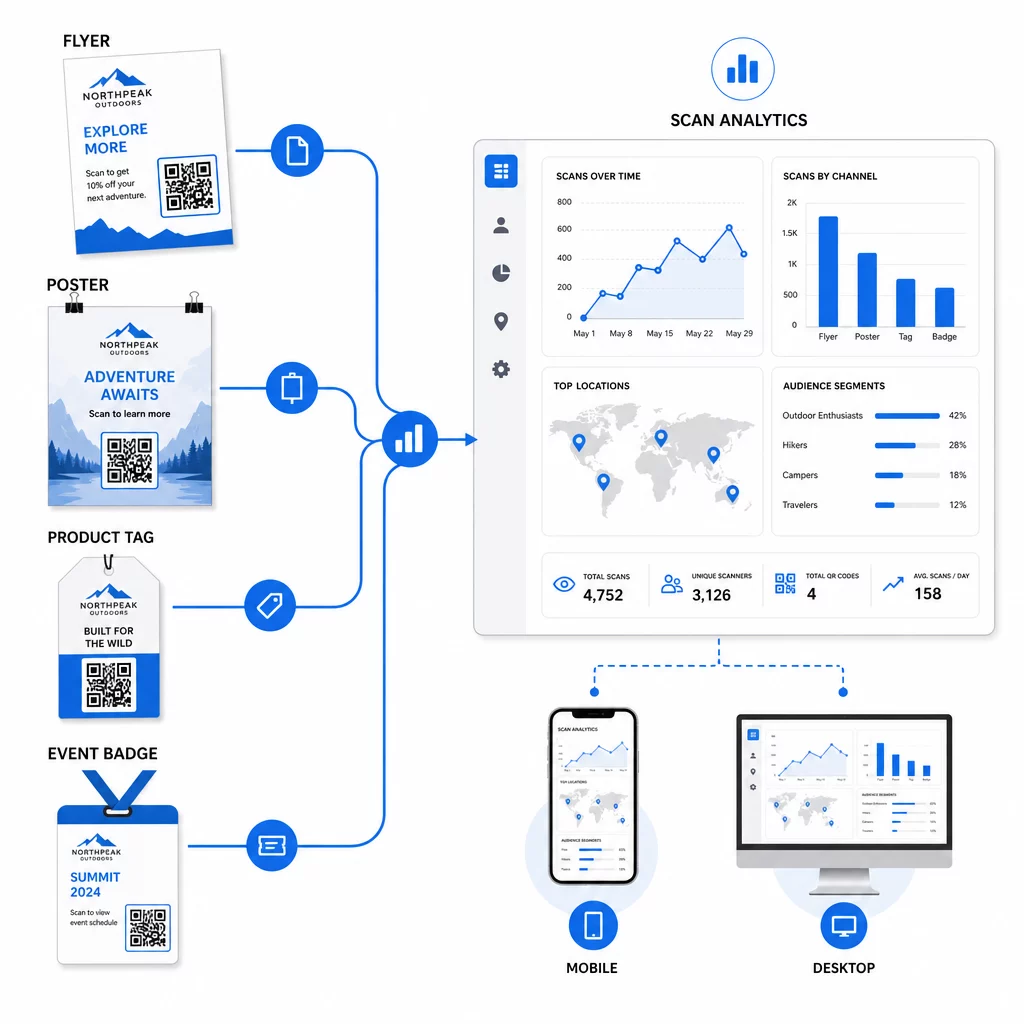
A dinamikus QR-kódjai által generált adatok önmagukban is személyre szabási eszközt jelentenek. Minden szkennelés jelzést ad arról, hogy ki, mikor és honnan reagált melyik üzenetre. Idővel ez tisztább képet ad arról, hogy mely szegmensek a legfogékonyabbak, és mely elhelyezések generálják a legkvalifikáltabb forgalmat.
Főbb mérőszámok, amelyeket szegmensenként figyelni kell:
- Szkennelések száma és egyedi szkennelések: Jelzi az általános elérést és azt, hogy ugyanazok az emberek visszatérnek-e
- Szkennelési időminták: Felfedi, hogy melyik szegmens mikor a legaktívabb, hasznos az utólagos kommunikáció időzítéséhez
- Földrajzi eloszlás: Megmutatja, hogy kampánya eléri-e a célzott régiókat – hasznos a QR-kód kampányok régiók szerinti nyomon követéséhez és a helyi kiadások módosításához
- Eszköztípus: Ha egy szegmens erősen egy adott eszköz felé hajlik, optimalizálhatja a céloldal élményét az adott platformra
- Szkennelés utáni konverziók: A Google Analytics UTM paraméterein keresztül nyomon követve ez megmondja, hogy mely szegmens- és elhelyezéskombinációk vezetik valójában az Ön számára fontos eredményeket
A szegmensen belüli különböző változók tesztelésének strukturált megközelítéséhez lásd a útmutatót a QR-kód kampányok A/B teszteléséhez. A dinamikus kódok különösen alkalmasak A/B tesztelésre, mert a céloldalakat kicserélheti anélkül, hogy a nyomtatott kódot módosítaná.
A szkennelés helye és az eszközadatok is felhasználhatók a mélyebb személyre szabáshoz – például a különböző városokból érkező szkennelők régióspecifikus céloldalakra irányításához, vagy a tartalom módosításához attól függően, hogy az eszköz iOS vagy Android. A útmutató az adatvezérelt személyre szabáshoz használt QR-kódokhoz részletesen tárgyalja ezeket a technikákat.
Lásd, mely szegmensek a legaktívabbak Használja a Dinamikus QR-kód generátor hogy külön nyomon követhető kódokat hozzon létre minden közönségszegmenshez, és összehasonlítsa a teljesítményt az elhelyezések között egyetlen irányítópulton.
Adatvédelmi megfontolások személyre szabott QR-kampányokhoz
A QR-kódok első féltől származó adatokat gyűjtenek – olyan információkat, amelyeket a közönség saját interakciója generál az Ön anyagaival. Ez egyre értékesebbé válik, mivel a harmadik féltől származó nyomkövetési módszerek szabályozási nyomás és fogyasztói ellenőrzés alá kerülnek. Azonban a QR-kódokon keresztül történő adatgyűjtés továbbra is kötelezettségekkel jár.
Az Egyesült Államok adatvédelmi joga széttagolt a szövetségi ágazatspecifikus törvények és az átfogó állami adatvédelmi törvények növekvő száma között, amelyek közül sok szabályozza a személyes adatok gyűjtését és marketing célú felhasználását. A legjobb gyakorlat az, ha átláthatóan kommunikálja, milyen adatokat gyűjtenek a QR-kódjai és miért.
Gyakorlati lépések a megfelelőség fenntartásához:
- Jelenítsen meg egy rövid értesítést minden QR-kód közelében vagy a kezdeti céloldalon, amely elmagyarázza, milyen adatokat követnek nyomon (pl. szkennelés helye, eszköz típusa)
- Adjon meg egy linket az adatvédelmi szabályzatához minden olyan oldalon, amely személyes adatokat gyűjt
- Kerülje a személyazonosításra alkalmas adatok passzív gyűjtését közzététel nélkül
- Az összegyűjtött adatokat csak azokra a célokra használja fel, amelyeket a felhasználókkal közölt
Az átláthatóság növeli a szkennelési bizalmat is. Az Egyesült Államokban élő QR-kód felhasználók több mint 80%-a szerint a QR-kódok biztonságosak, de egyértelmű CTA és felismerhető márkás design sokat segít a habozók megnyugtatásában.
Gyakori személyre szabási taktikák csatornánként
| Csatorna | Személyre szabási taktika | QR-kód szerepe |
|---|---|---|
| Közvetlen levél | Egyedi kód címzett szegmensenként, személyre szabott ajánlattal | Linkek szegmensspecifikus céloldalra |
| Termékcsomagolás | Vásárlás utáni újbóli bevonás terméktípus szerint | Linkek útmutató tartalomhoz, felülértékesítéshez vagy véleménykéréshez |
| Üzleten belüli feliratozás | Helyalapú promóciók | Linkek helyi ajánlatokhoz vagy a legközelebbi szolgáltatási oldalhoz |
| Rendezvények | Résztvevő típusa (előadó, szponzor, általános) | Linkek szerepkör-specifikus menetrendekhez vagy tartalomhoz |
| Közösségi média hirdetések | Közönség érdeklődése vagy remarketing szegmens | Linkek a hirdetés kreatívjához illeszkedő tartalomhoz |
Ezen felhasználási esetek mindegyike ugyanabból az alapvető megközelítésből profitál: egy egyedi dinamikus kód szegmensenként, mindegyik egy célzott úti célra mutat, mindegyik függetlenül követve, hogy mérhesse az eredményeket és iterálhasson.
A szélesebb körű áttekintéshez, hogy a QR-kódok hogyan illeszkednek az általános marketing eszköztárába, a Pageloot funkciók áttekintése oldalon lefedi a kampányhasználatra elérhető QR-kód típusok és képességek teljes skáláját.
Gyakorlatba ültetés
A személyre szabott QR-kód kampányok nem igényelnek komplex infrastruktúrát – világosságot igényelnek a szegmensekkel kapcsolatban, fegyelmet az egyes szegmensekhez külön kódok létrehozásában, és egy platformot, amely biztosítja a nyomon követési adatokat, hogy cselekedhessen a tanultak alapján. Kezdje egy kampánnyal, két vagy három szegmenssel és egy világos konverziós céllal. Használja a szkennelési adatokat annak megértéséhez, hogy mi működik, majd skálázza a megközelítést több csatornára és közönségcsoportra.
A link QR-kód generátor jó kiindulópont, ha szegmenseket konkrét URL-ekhez kapcsol. Amikor készen áll a teljes körű nyomon követésre, frissítésre és kampánymenedzsmentre, a Dinamikus QR-kód generátor rugalmasságot biztosít a személyre szabott kampányok futtatásához, módosításához és méréséhez anélkül, hogy egyetlen anyagot is újra kellene nyomtatnia.
Gyakori kérdések
Egy statikus QR-kód egy rögzített URL-t kódol, amely létrehozás után nem módosítható, és nem szolgáltat szkennelési adatokat. Egy dinamikus QR-kód egy átirányítási linkre mutat, amelyet bármikor frissíthet, és naplózza a szkennelési metrikákat, beleértve a darabszámot, helyszínt, eszköz típusát és időbélyeget. Személyre szabott marketinghez – ahol nyomon kell követnie a teljesítményt szegmensenként, és esetleg frissítenie kell a céloldalakat – a dinamikus kódok a megfelelő választás.
Egy egyedi QR-kódra van szüksége a közönségszegmens és az elhelyezés minden értelmes kombinációjához. Például, ha három ügyfélcsoportot céloz meg két fizikai anyagon keresztül, hat kódot hozna létre. Egy Pageloot-hoz hasonló platform használatával mindegyiket egyetlen irányítópultról kezelheti, ami a nyomon követést és a frissítést egyszerűvé teszi még nagyobb kampányok esetén is.
Adjon hozzá UTM paramétereket a cél URL-hez, mielőtt QR-kódba kódolná. Használjon leíró értékeket az utmsource-hoz (pl. “directmailnyc”), egy következetes utmmedium-ot (pl. “qr_code”), és egy kampánynevet, amely azonosítja az adott kampányt. Amint a felhasználók beolvassák és megérkeznek az oldalára, a Google Analytics rögzíti a munkamenetet ezekkel a paraméterekkel, lehetővé téve a forgalom, az elkötelezettség és a konverziók mérését szegmensenként. A dinamikus QR-kódok különösen rugalmassá teszik ezt, mivel a UTM-címkével ellátott URL-t a kód újranyomtatása nélkül frissítheti.