Vos campagnes marketing délivrent-elles le même message à tout le monde, indépendamment de qui ils sont ou de l'endroit où ils vous ont trouvé ? Une approche générique gaspille le budget et frustre les clients. Ce guide vous montre comment utiliser les codes QR pour offrir des expériences ciblées et traçables qui correspondent au contexte et à l'intention de votre public.
Pourquoi la personnalisation dépend de la connexion des points de contact physiques et numériques
Le marketing personnalisé est passé d'un "plus" à une priorité commerciale. Une étude de Contentful montre que 89 % des décideurs marketing considèrent la personnalisation comme essentielle pour le succès au cours des trois prochaines années, et 80 % des entreprises signalent une augmentation des dépenses des consommateurs – en moyenne 38 % de plus – lorsque les expériences sont personnalisées. Pendant ce temps, 77 % des clients déclarent se sentir frustrés par les notifications promotionnelles non pertinentes.
Le défi est que la plupart des outils de personnalisation fonctionnent dans des environnements purement numériques. Les plateformes d'e-mail segmentent par comportement d'ouverture. Les réseaux publicitaires ciblent par historique de navigation. Mais que se passe-t-il lorsque votre client tient un produit dans un magasin, assiste à un événement en direct ou lit un publipostage ? C'est là que le fossé physique-numérique s'ouvre – et où les codes QR le comblent.
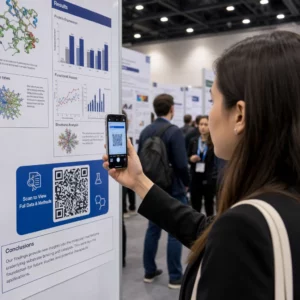
Un code QR imprimé sur un flyer, un emballage ou un affichage agit comme un pont. Scannez-le, et le client arrive instantanément sur une expérience numérique que vous avez conçue spécifiquement pour lui. La clé est de s'assurer que cette expérience reflète qui il est, d'où il vient et ce qu'il est susceptible de vouloir ensuite.
Comprendre la segmentation avant de personnaliser
Une personnalisation efficace commence par la segmentation – l'identification de groupes de clients qui partagent des caractéristiques pertinentes afin que vous puissiez vous adresser à chaque groupe différemment. La segmentation s'appuie généralement sur des critères comportementaux, démographiques, géographiques, psychographiques et technographiques. Le principe important est que la segmentation doit précéder la personnalisation : elle vous indique si et comment commercialiser auprès d'un client en premier lieu, puis la personnalisation façonne le message.
En termes de codes QR, la segmentation signifie créer différents codes pour différents groupes d'audience, contextes de campagne ou emplacements physiques – puis diriger chaque code vers un contenu adapté à ce segment. Voici comment cela se traduit en pratique :
- Par type d'audience : Une marque de détail place des codes QR distincts sur la signalisation en magasin et le publipostage. Les scanners en magasin accèdent à une page de récompenses de fidélité ; les destinataires du publipostage accèdent à une réduction sur le premier achat.
- Par emplacement : Une campagne régionale utilise des codes QR distincts pour chaque ville. Chaque code renvoie à une page de destination faisant référence à des promotions locales, des emplacements de magasins à proximité ou des offres spécifiques à la région.
- Par canal : Une entreprise événementielle utilise un code QR sur les billets et un autre sur les publications de médias sociaux. La version du billet renvoie à un programme personnalisé pour les participants ; la version sociale renvoie à une page d'événement public.
- Par étape client : Une entreprise SaaS imprime des codes QR dans les kits de bienvenue pour les nouveaux clients et les avis de renouvellement pour les clients existants. Chacun renvoie à un contenu d'intégration ou de mise à niveau entièrement différent.
Plus vous définissez clairement vos segments avant de créer vos codes, plus chaque expérience de scan devient pertinente.
Codes QR dynamiques : La base des campagnes personnalisées
Tous les codes QR ne prennent pas en charge la personnalisation de la même manière. Les codes QR statiques encodent une URL fixe qui ne peut jamais changer. Une fois imprimés, ils sont verrouillés – et ils ne fournissent aucune donnée de scan. Cela les rend inadaptés à toute campagne où vous souhaitez ajuster le contenu, effectuer des tests ou mesurer les résultats.
Codes QR dynamiques fonctionnent différemment. Le code lui-même pointe vers un court lien de redirection géré via votre plateforme de codes QR. Vous pouvez mettre à jour cette destination à tout moment – même après que le code a été imprimé et distribué – sans rien générer ni réimprimer. Cette couche de redirection est également ce qui permet le suivi : chaque scan passe par la plateforme, enregistrant des données avant d'envoyer l'utilisateur à sa destination.
Pour les campagnes personnalisées, les codes dynamiques vous offrent quatre capacités essentielles :
| Capacité | Pourquoi c'est important pour la personnalisation |
|---|---|
| Destination modifiable | Mettre à jour le contenu de la page de destination pour chaque segment sans réimprimer les supports |
| Suivi des analyses | Savoir combien de personnes de chaque segment se sont engagées, et quand |
| Données de localisation et d'appareil | Comprendre les schémas géographiques et optimiser l'expérience mobile |
| Tests A/B | Tester différentes pages de destination pour le même segment d'audience |
Pour un examen plus approfondi du moment où utiliser chaque type de code, choisir le bon code QR pour votre campagne couvre les compromis en détail. En bref : si votre campagne implique la personnalisation, le suivi ou tout contenu que vous pourriez vouloir mettre à jour, les codes dynamiques sont le bon choix. Vous pouvez également explorer le 5 avantages des codes QR dynamiques pour le marketing pour une image plus complète de ce qu'ils rendent possible.
Commencez à suivre votre campagne personnalisée Créez des codes QR dynamiques pour chaque segment d'audience et surveillez les données de scan en temps réel. Essayez le Générateur de QR code dynamique et accédez à l'analyse complète depuis votre tableau de bord.
Créer des campagnes de codes QR segmentées étape par étape
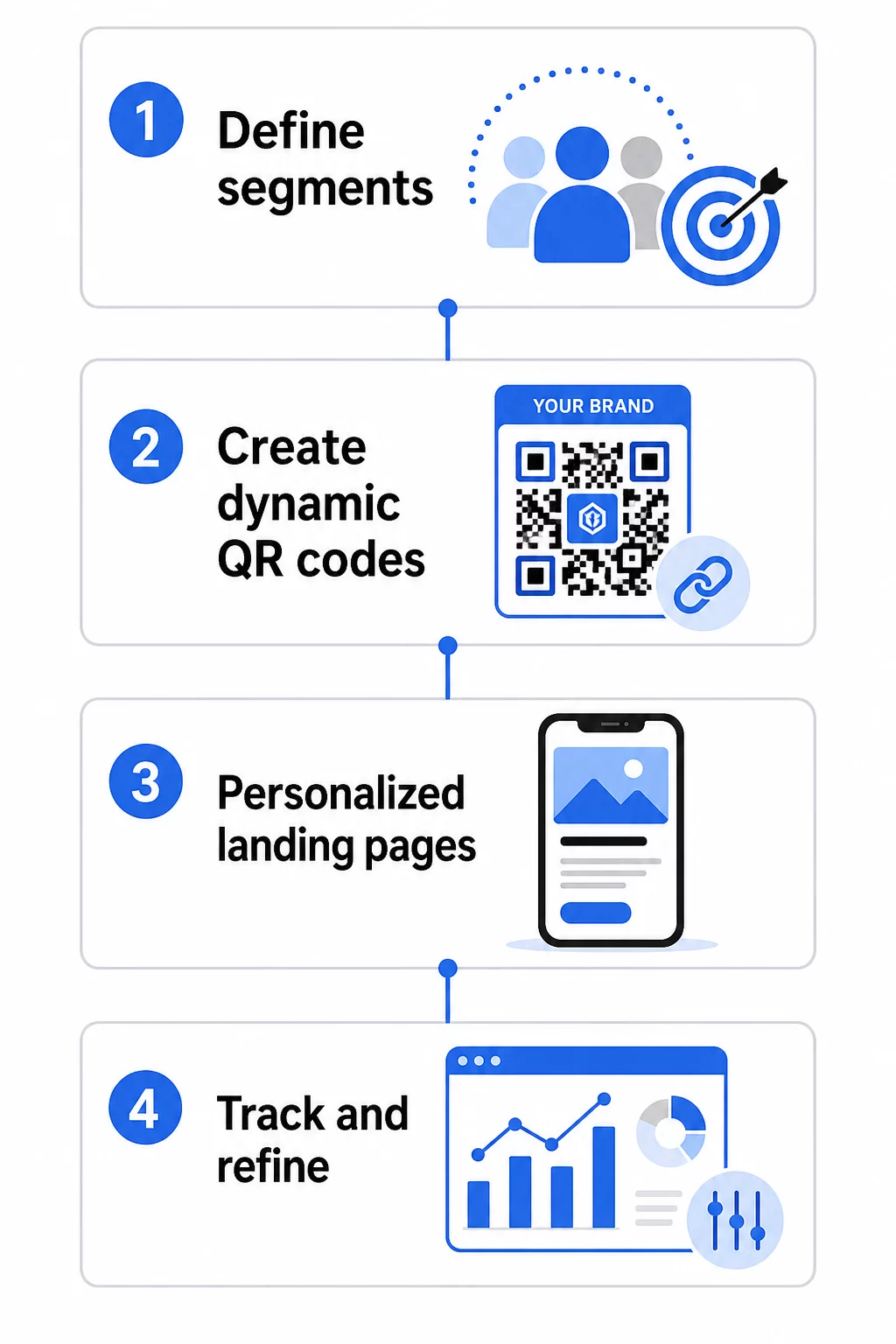
1. Définissez vos segments et vos objectifs
Commencez par votre audience avant de toucher à tout outil. Quels groupes de clients essayez-vous d'atteindre ? Quelle action souhaitez-vous que chaque groupe entreprenne ? Vos objectifs de campagne doivent être spécifiques et mesurables – par exemple, “ augmenter le taux de rachat des offres de publipostage aux clients inactifs de 20 % ”, et non pas seulement “ stimuler l'engagement ”.”
Une fois que vous connaissez vos segments et vos objectifs, planifiez un code QR et une page de destination distincts pour chaque combinaison significative. Une campagne ciblant trois segments de clients sur deux emplacements physiques pourrait nécessiter six codes distincts.
2. Créez des codes uniques pour chaque segment
En utilisant une plateforme comme le Générateur de code QR Pageloot, générez un code dynamique distinct pour chaque segment. Donnez à chaque code un nom interne clair qui identifie le segment, la campagne et l'emplacement – cette discipline est payante lorsque vous analysez les résultats de dizaines de codes.
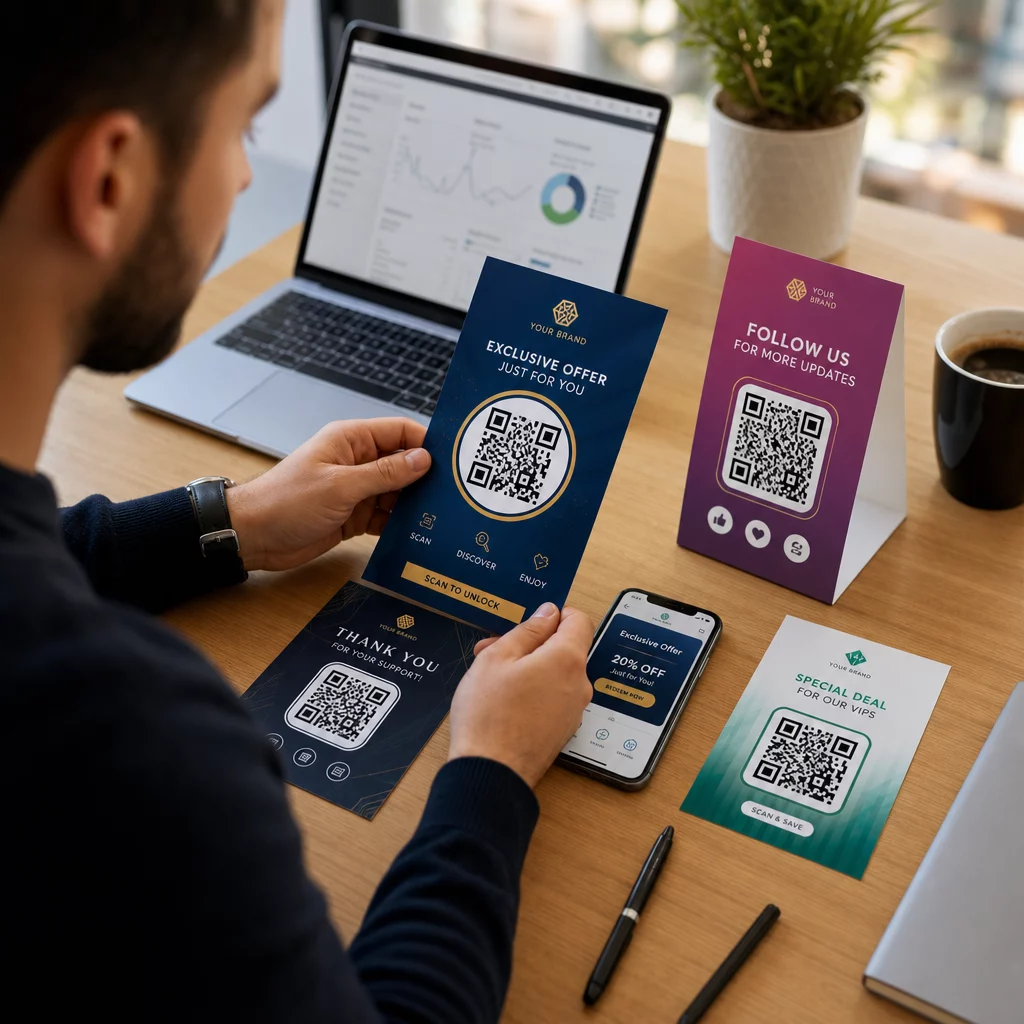
Si votre campagne utilise des supports imprimés, personnalisez l'apparence de chaque code pour qu'elle corresponde au design. Codes QR avec logos et couleurs de marque renforcent la confiance et signalent que le scan est intentionnel, et non fortuit. Les codes QR de marque se distinguent également visuellement dans des environnements encombrés, ce qui affecte directement la décision de quelqu'un de s'arrêter pour scanner.
3. Créez des pages de destination personnalisées pour chaque segment
Le code QR n'a de valeur que par l'expérience qu'il offre. Un visiteur qui arrive sur votre page d'accueil pour la première fois après avoir scanné un publipostage n'est pas une expérience personnalisée – c'est une occasion manquée.
Chaque segment devrait arriver sur une page qui :
- Reconnaît le contexte (“ Bienvenue, clients de [Ville] ” ou “ Offre exclusive pour les membres fidèles ”)
- Présente une offre ou un message clair et pertinent pour le segment
- Inclut un seul appel à l'action ciblé
- Se charge rapidement et fonctionne bien sur mobile
Étant donné que la plupart des scans de QR codes se produisent sur des smartphones, l'optimisation mobile est non négociable. Testez chaque page de destination sur iOS et Android avant le lancement.
4. Ajoutez des paramètres UTM pour une intégration complète des analyses
Les codes QR dynamiques fournissent des données de scan natives – nombre de scans, horodatages, types d'appareils et emplacements. Mais vous pouvez obtenir des informations encore plus approfondies en ajoutant des paramètres UTM à vos URL de pages de destination. Cela connecte le trafic de scan QR à Google Analytics, vous permettant de mesurer le comportement post-scan comme le temps passé sur la page, le taux de rebond et les événements de conversion, en plus de vos données de scan.
Une URL avec des balises UTM pour une campagne de publipostage ciblant les clients inactifs à Chicago pourrait ressembler à :
“`
https://yoursite.com/reactivate?utmsource=directmailchicago&utmmoyen=qrcode&utmcampaign=reactivation_q3
“`
Pour un guide détaillé sur la configuration des UTM et l'intégration de Google Analytics, voir Paramètres UTM pour les codes QR : conseils Google Analytics.
5. Placez les codes stratégiquement pour chaque segment
L'endroit où un code QR apparaît influence qui le scanne et dans quel contexte. Adaptez le placement au comportement de votre segment :
- Courrier direct : Incluez le code de manière proéminente près de l'offre, avec une courte instruction comme “ Scannez pour votre réduction exclusive. ” Les destinataires de courrier direct ont suffisamment de temps pour s'engager délibérément.
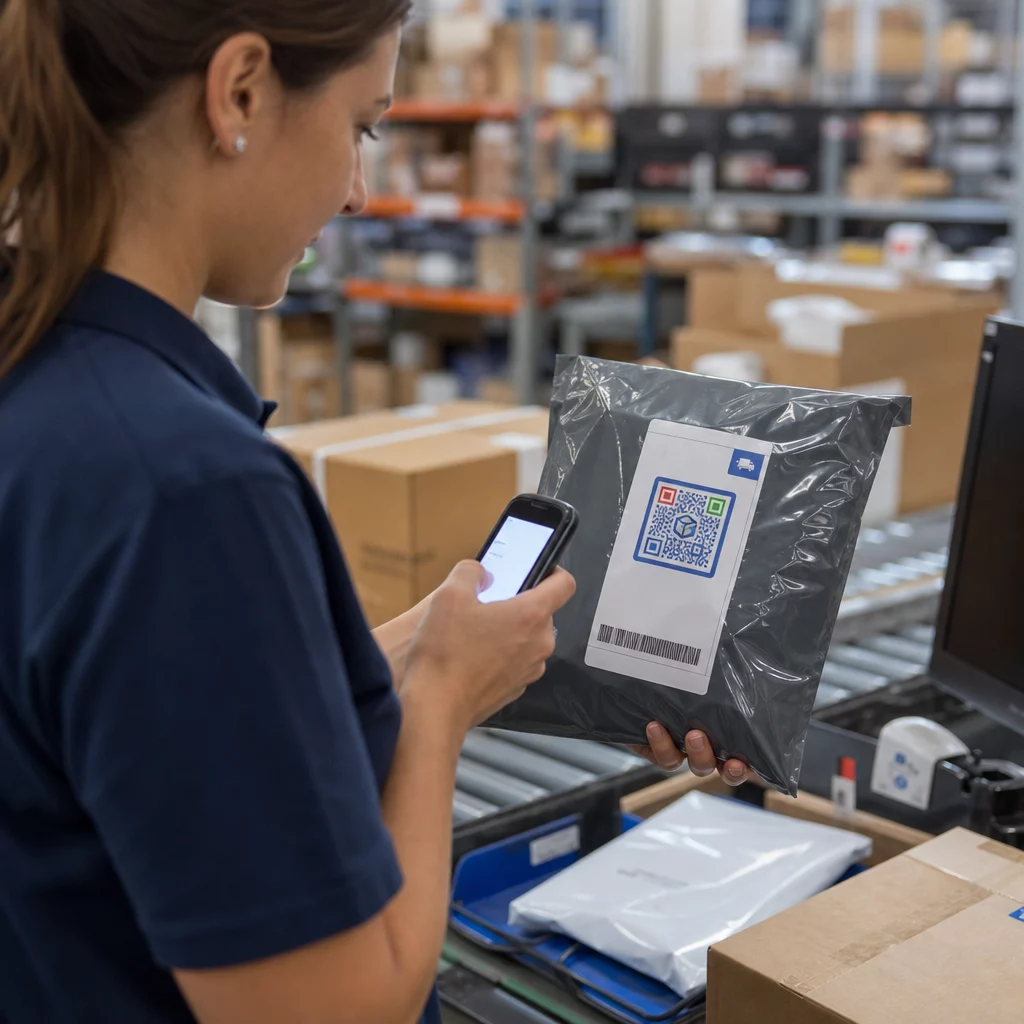
- Emballage de produit : Ajoutez des codes aux étiquettes, cartes de remerciement ou encarts d'expédition pour réengager les clients après l'achat.
- Signalisation en magasin : Positionnez les codes à hauteur des yeux près du produit ou du rayon pertinent. Ajoutez un CTA visible pour que les acheteurs comprennent ce qu'ils obtiendront.
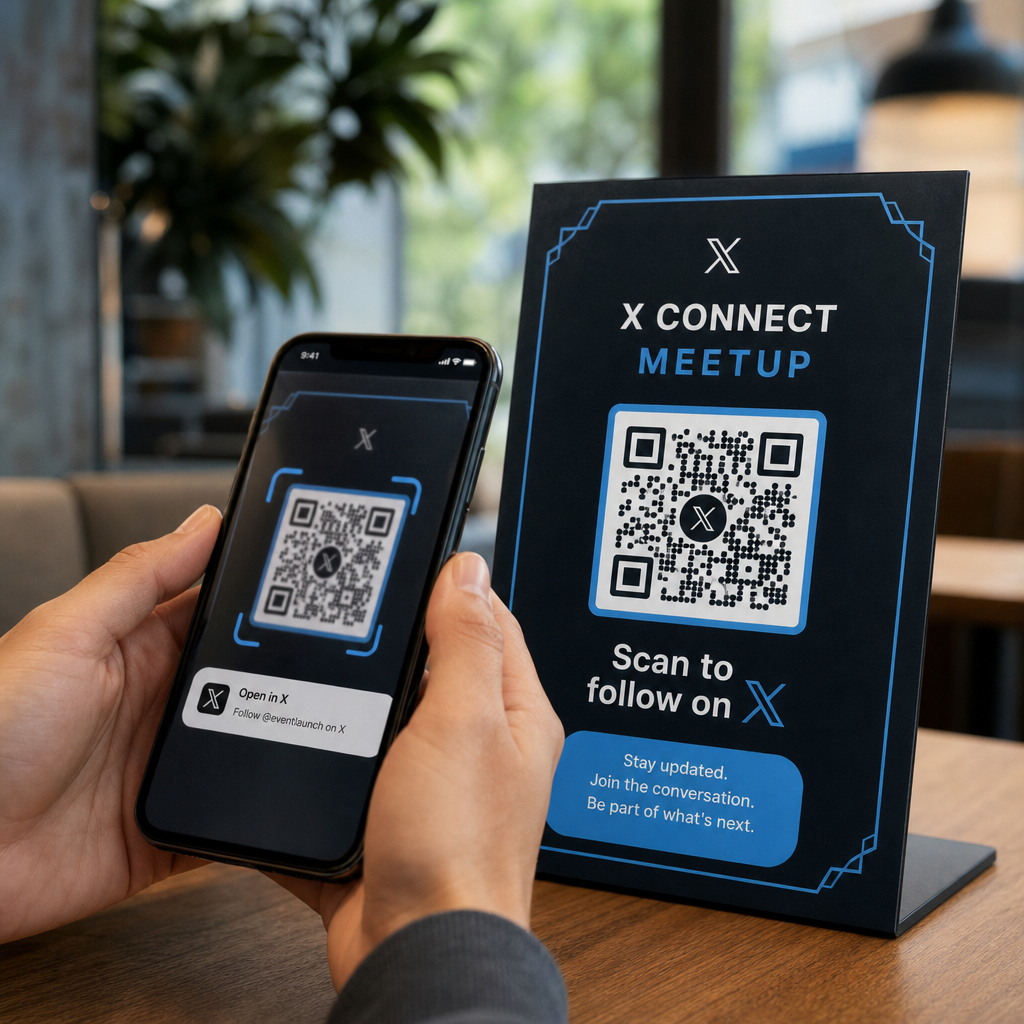
- Événements et conférences : Utilisez des codes QR sur les badges, les billets ou les programmes imprimés pour diriger les participants vers du contenu personnalisé comme les détails des sessions ou les biographies des conférenciers.
- Autocollants et étiquettes : Pour les points de contact physiques plus petits, un code bien placé avec un CTA clair peut stimuler l'engagement d'un public qui tient déjà votre produit.
Le Marketing par QR code : checklist pour petites entreprises couvre des considérations supplémentaires de placement et de configuration si vous lancez votre première campagne.
Utiliser les données des codes QR pour affiner vos segments
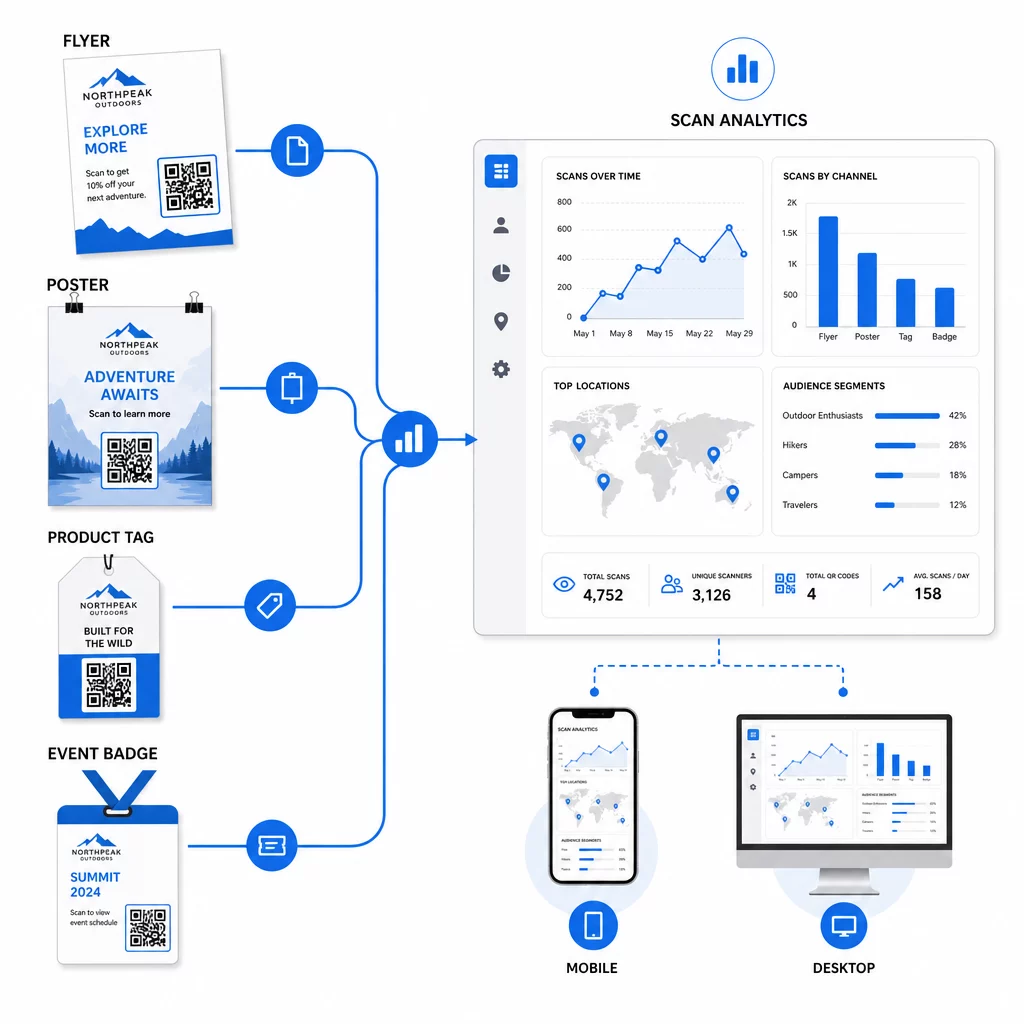
Les données générées par vos codes QR dynamiques sont en elles-mêmes un atout de personnalisation. Chaque scan vous donne un signal sur qui a répondu à quel message, quand et d'où. Au fil du temps, cela permet de dresser un tableau plus clair des segments les plus réactifs et des emplacements qui génèrent le trafic le plus qualifié.
Métriques clés à surveiller par segment :
- Nombre de scans et scans uniques : Indique la portée globale et si les mêmes personnes reviennent
- Modèles de temps de scan : Révèle quand chaque segment est le plus actif, utile pour planifier la communication de suivi
- Distribution géographique : Indique si votre campagne atteint les régions ciblées – utile pour suivre les campagnes de codes QR par région et ajuster les dépenses locales
- Type d'appareil : Si un segment penche fortement vers un appareil particulier, vous pouvez optimiser l'expérience de la page de destination pour cette plateforme
- Conversions post-scan : Suivi via les paramètres UTM dans Google Analytics, cela vous indique quelles combinaisons de segments et d'emplacements génèrent réellement les résultats qui vous intéressent
Pour une approche structurée du test de différentes variables au sein d'un segment, consultez le guide pour les campagnes de codes QR avec tests A/B. Les codes dynamiques sont particulièrement bien adaptés aux tests A/B car vous pouvez échanger les destinations des pages de destination sans toucher au code imprimé.
Vous pouvez également utiliser les données de localisation de scan et d'appareil comme entrées pour une personnalisation plus poussée – par exemple, rediriger les scanners de différentes villes vers des pages de destination spécifiques à la région, ou ajuster le contenu selon que l'appareil est iOS ou Android. Le guide des codes QR pour une personnalisation basée sur les données couvre ces techniques en détail.
Voir Quels Segments S'engagent le Plus Utilisez le Générateur de QR code dynamique pour créer des codes traçables distincts pour chaque segment d'audience et comparer les performances entre les emplacements dans un seul tableau de bord.
Considérations de confidentialité pour les campagnes QR personnalisées
Les codes QR collectent des données de première partie – des informations générées par l'interaction de votre public avec vos supports. Cela est de plus en plus précieux à mesure que les méthodes de suivi tierces sont soumises à la pression réglementaire et à l'examen des consommateurs. Cependant, la collecte de données via les codes QR comporte toujours des obligations.
Le droit américain de la confidentialité est fragmenté entre les lois fédérales sectorielles et un corpus croissant de lois étatiques complètes sur la confidentialité, dont beaucoup régissent la manière dont les informations personnelles sont collectées et utilisées à des fins de marketing. La meilleure pratique est d'être transparent sur les données que vos codes QR collectent et pourquoi.
Étapes pratiques pour rester conforme :
- Affichez une brève notification près de chaque code QR ou sur la page de destination initiale expliquant quelles données sont suivies (par exemple, lieu de scan, type d'appareil)
- Fournissez un lien vers votre politique de confidentialité sur toute page qui collecte des informations personnelles
- Évitez de collecter des informations personnellement identifiables passivement sans divulgation
- Utilisez les données que vous collectez uniquement aux fins que vous avez communiquées aux utilisateurs
La transparence renforce également la confiance dans le scan. Plus de 80 % des utilisateurs de codes QR basés aux États-Unis déclarent considérer les codes QR comme sûrs, mais un CTA clair et un design de marque reconnaissable contribuent grandement à rassurer ceux qui hésitent.
Tactiques de personnalisation courantes par canal
| Canal | Tactique de personnalisation | Rôle du code QR |
|---|---|---|
| Courrier direct | Code unique par segment de destinataires avec offre personnalisée | Liens vers une page de destination spécifique au segment |
| Emballages de produits | Réengagement post-achat par type de produit | Liens vers du contenu pratique, des ventes incitatives ou des demandes d'avis |
| Signalisation en magasin | Promotions basées sur la localisation | Liens vers des offres locales ou la page du service le plus proche |
| Événements | Type de participant (conférencier, sponsor, général) | Liens vers des horaires ou du contenu spécifiques à un rôle |
| Publicités sur les réseaux sociaux | Intérêt de l'audience ou segment de reciblage | Liens vers du contenu correspondant à la création publicitaire |
Chacun de ces cas d'utilisation bénéficie de la même approche sous-jacente : un code dynamique unique par segment, chacun pointant vers une destination ciblée, chacun suivi indépendamment afin que vous puissiez mesurer les résultats et itérer.
Pour un aperçu plus large de la façon dont les codes QR s'intègrent dans votre boîte à outils marketing globale, le Vue d'ensemble des fonctionnalités de Pageloot couvre toute la gamme des types et des capacités de codes QR disponibles pour une utilisation en campagne.
Mise en pratique
Les campagnes de codes QR personnalisées ne nécessitent pas d'infrastructure complexe – elles exigent de la clarté sur vos segments, de la discipline dans la création de codes distincts pour chacun, et une plateforme qui vous fournit les données de suivi pour agir sur ce que vous apprenez. Commencez par une campagne, deux ou trois segments, et un objectif de conversion clair. Utilisez les données de scan pour comprendre ce qui fonctionne, puis étendez l'approche à davantage de canaux et de groupes d'audience.
Le générateur de code QR de lien est un bon point de départ si vous connectez des segments à des URL spécifiques. Lorsque vous êtes prêt pour un suivi complet, des mises à jour et la gestion de campagne, le Générateur de QR code dynamique vous offre la flexibilité de lancer, d'ajuster et de mesurer des campagnes personnalisées sans réimprimer un seul support.
Questions fréquentes
Un code QR statique encode une URL fixe qui ne peut pas être modifiée après sa création et ne fournit aucune donnée de scan. Un code QR dynamique pointe vers un lien de redirection que vous pouvez mettre à jour à tout moment, et il enregistre des métriques de scan incluant le nombre, l'emplacement, le type d'appareil et l'horodatage. Pour le marketing personnalisé – où vous devez suivre les performances par segment et potentiellement mettre à jour les pages de destination – les codes dynamiques sont le choix approprié.
Vous avez besoin d'un code QR unique pour chaque combinaison significative de segment d'audience et de placement. Par exemple, si vous ciblez trois groupes de clients sur deux supports physiques, vous créeriez six codes. En utilisant une plateforme comme Pageloot, vous pouvez tous les gérer à partir d'un tableau de bord unique, ce qui rend le suivi et la mise à jour simples même pour les campagnes plus importantes.
Ajoutez des paramètres UTM à l'URL de destination avant de l'encoder dans votre code QR. Utilisez des valeurs descriptives pour utmsource (par exemple, “ directmailnyc ”), un utmmedium cohérent (par exemple, “ qr_code ”) et un nom de campagne qui identifie la campagne spécifique. Une fois que les utilisateurs scannent et arrivent sur votre page, Google Analytics enregistre la session sous ces paramètres, vous permettant de mesurer le trafic, l'engagement et les conversions par segment. Les codes QR dynamiques rendent cela particulièrement flexible car vous pouvez mettre à jour l'URL balisée UTM sans réimprimer le code.