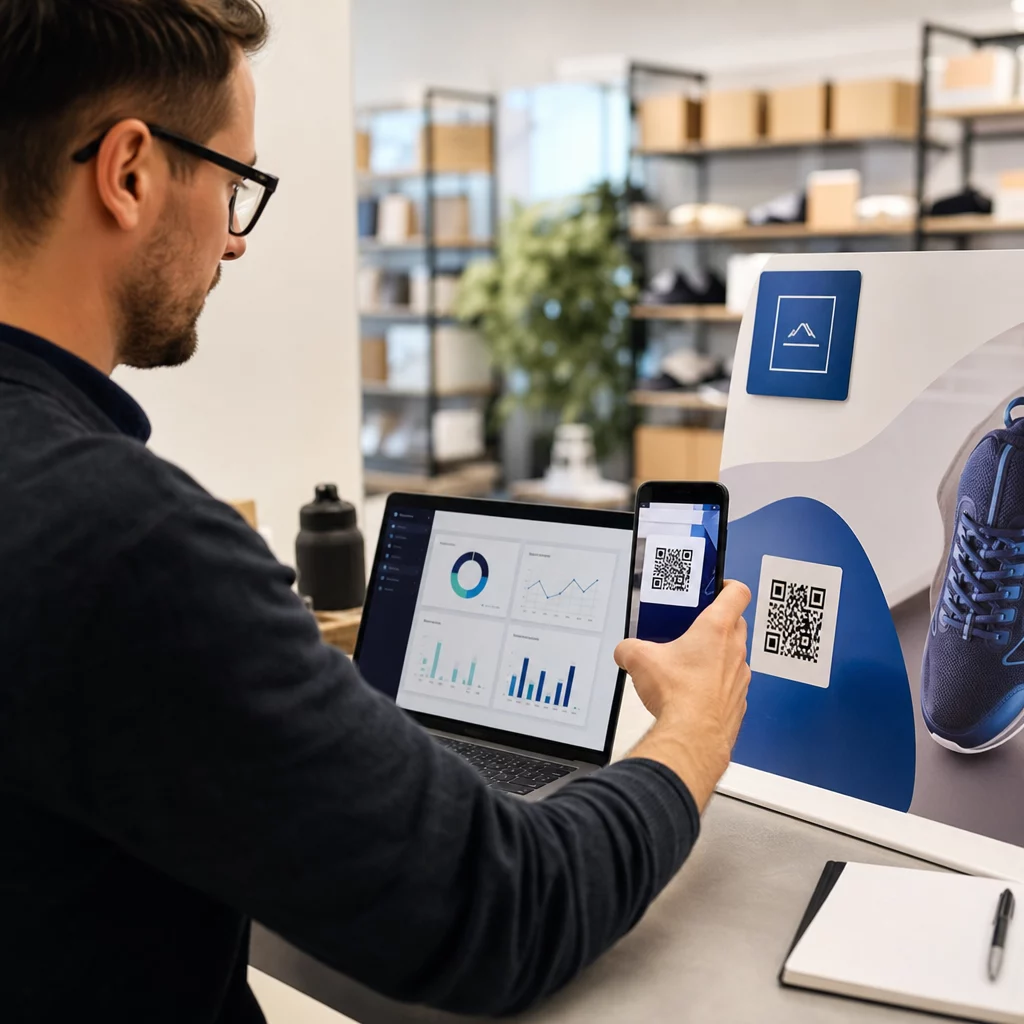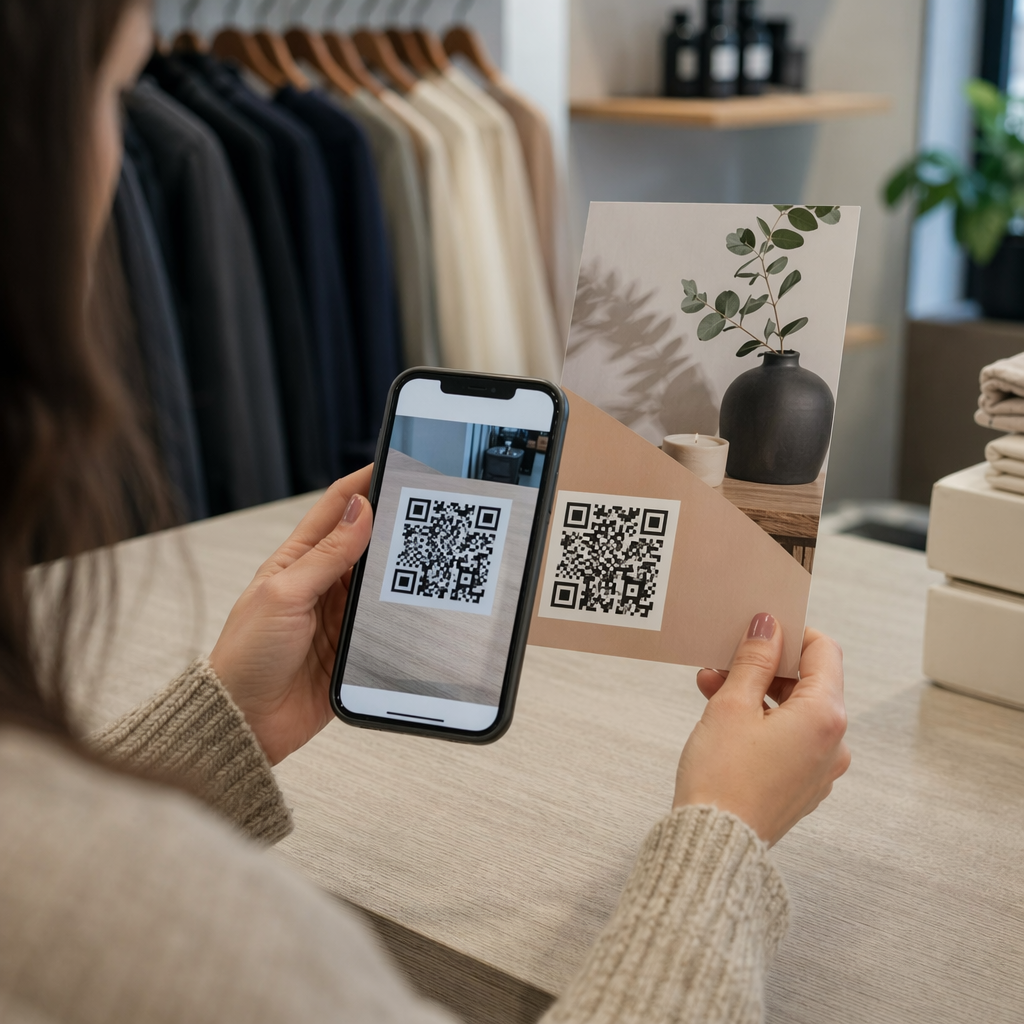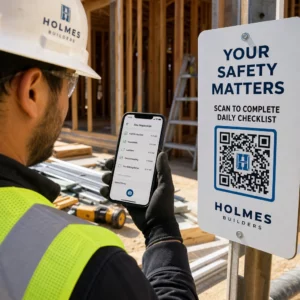
Mengelola identifikasi anggota dengan kartu kertas atau daftar check-in manual memperlambat Anda? Kartu hilang, antrean panjang, dan tidak ada cara untuk memverifikasi status keanggotaan secara real time menciptakan gesekan nyata bagi staf dan anggota. Panduan ini memandu Anda tentang cara mengimplementasikan kartu keanggotaan digital dengan kode QR – mulai dari membuat kode unik hingga memindainya di pintu dan menjaga keamanan data anggota.
Mengapa Kode QR Berfungsi Baik untuk Kartu Keanggotaan
Kartu keanggotaan plastik atau kertas tradisional memiliki masalah tetap: mereka membawa informasi statis, aus, hilang, dan tidak memberi Anda wawasan sama sekali tentang bagaimana anggota menggunakannya. Kode QR pada kartu keanggotaan digital menyelesaikan semua itu.
Ketika seorang anggota menunjukkan kartu mereka – di ponsel mereka, di aplikasi dompet mereka, atau bahkan dicetak di kertas – staf cukup memindai kode QR. Pemindai membaca pengidentifikasi unik yang terhubung ke catatan anggota tersebut dalam sistem Anda, mengonfirmasi status mereka, dan mencatat check-in. Seluruh proses hanya membutuhkan waktu beberapa detik.
Sekitar 99,5 juta pengguna smartphone di Amerika Serikat memindai kode QR pada tahun 2025, peningkatan 19% dibandingkan dengan tahun 2022. Anggota Anda hampir pasti sudah tahu cara menggunakannya. Selain kenyamanan, kartu keanggotaan berbasis QR memberi Anda sesuatu yang tidak pernah bisa diberikan oleh kartu fisik: data. Anda dapat melacak kapan anggota check-in, seberapa sering mereka berkunjung, dan lokasi atau acara mana yang mereka hadiri – informasi yang membantu Anda membuat keputusan yang lebih baik tentang staf, program, dan keterlibatan anggota.
Bagaimana Proses Verifikasi Bekerja
Memahami alur membantu Anda merancang sistem yang sesuai dengan organisasi Anda. Berikut adalah apa yang terjadi dari saat seorang anggota masuk hingga saat mereka diizinkan masuk.
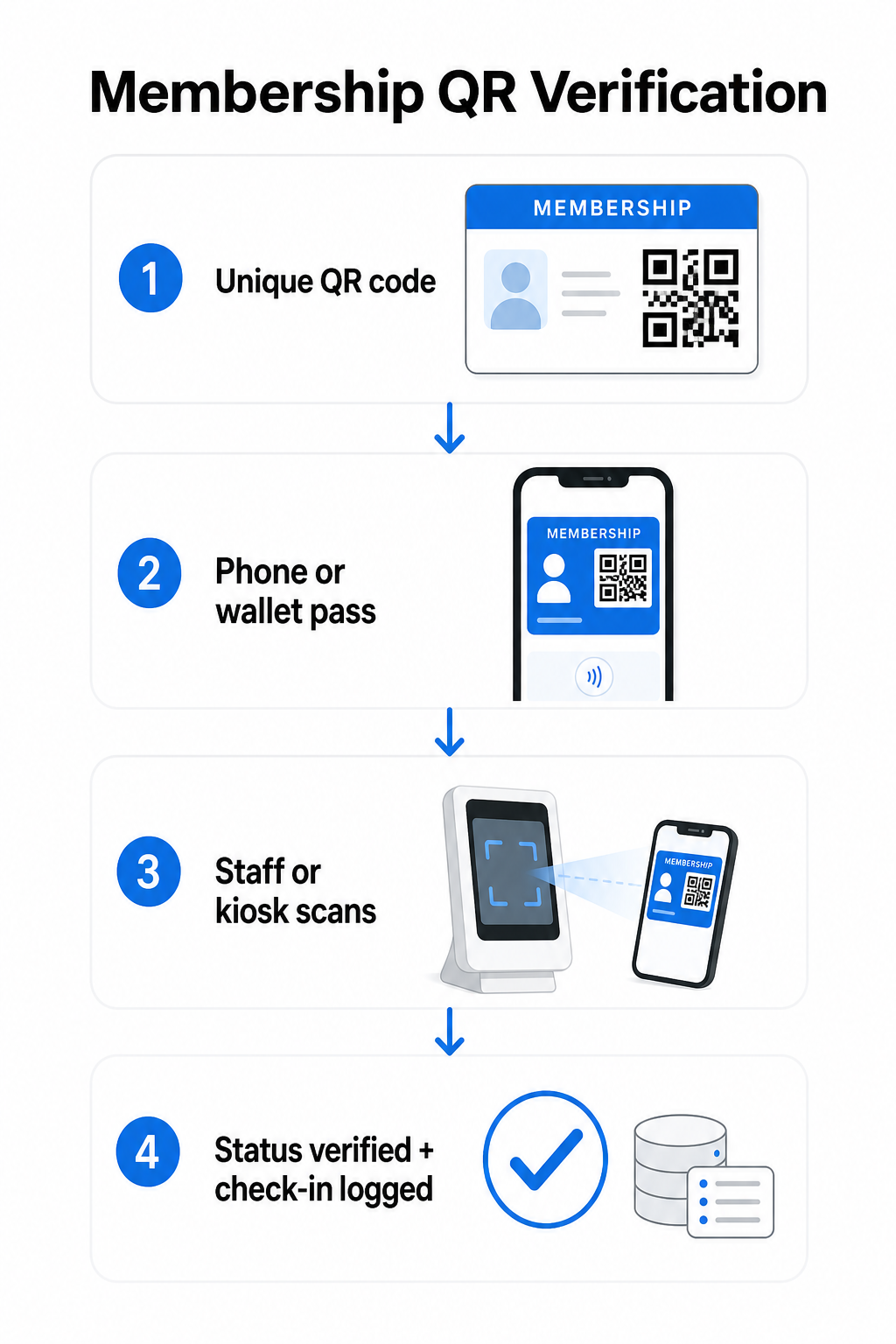
Kode QR unik ditugaskan kepada setiap anggota selama pendaftaran atau orientasi. Kode ini mengkodekan pengidentifikasi yang aman – bukan informasi pribadi anggota secara langsung, tetapi referensi yang dapat dicari oleh sistem Anda. Anggota menunjukkan kode QR mereka dengan membuka kartu digital mereka di ponsel, menunjukkan kartu cetak, atau menampilkan pass dari Apple Wallet atau Google Wallet. Staf atau kios kemudian memindai kode menggunakan kamera smartphone, pemindai barcode khusus, atau alat seperti Pageloot QR Code Scanner.
Sistem memvalidasi kredensial – mengonfirmasi status keanggotaan, tingkat akses, tanggal kedaluwarsa, atau izin lain yang telah Anda konfigurasikan – sebelum memberikan atau menandai masuk dan mencatat check-in dalam database keanggotaan Anda. Anda juga dapat menambahkan aturan berbasis waktu atau area tertentu, misalnya mengizinkan akses hanya selama jam kerja atau membatasi tingkat anggota tertentu ke fasilitas tertentu.
Proses ini berfungsi apakah Anda menjalankan gym, asosiasi profesional, klub, atau organisasi mana pun yang perlu memverifikasi siapa yang masuk melalui pintu.
Mulai Membuat Kode QR Keanggotaan Buat kode QR unik yang dapat dilacak untuk setiap anggota dengan Pembuat Kode QR Pageloot. Uji coba gratis 14 hari, tidak perlu kartu kredit.
Memilih Antara Kode QR Statis dan Dinamis
Tidak semua kode QR berperilaku sama, dan perbedaan itu penting untuk manajemen keanggotaan.
Kode QR statis mengodekan informasi secara permanen pada saat pembuatan. Setelah dicetak, data di dalamnya tidak dapat berubah. Mereka berfungsi untuk kasus penggunaan sederhana, tetapi jika status anggota berubah – misalnya, keanggotaan mereka kedaluwarsa atau mereka meningkatkan ke tingkat yang lebih tinggi – Anda tidak dapat memperbarui kode tersebut. Anda perlu mengeluarkan yang baru sepenuhnya.
Kode QR dinamis menyimpan pengalihan singkat secara internal dan menunjuk ke tujuan yang dapat Anda perbarui kapan saja, tanpa mencetak ulang kode. Untuk kartu keanggotaan, ini berarti Anda dapat mengubah apa yang dikembalikan oleh pemindaian – tingkat akses yang diperbarui, tanggal kedaluwarsa yang diperbarui, atau profil anggota yang direvisi – tanpa mengeluarkan kartu baru. Kode QR dinamis juga dapat dilacak, memberi Anda analitik tingkat pemindaian termasuk waktu, lokasi, dan data perangkat. Untuk organisasi yang mengelola puluhan atau ratusan anggota, visibilitas itu benar-benar berguna.
| FITUR | Kode QR Statis | Kode QR dinamis |
|---|---|---|
| Dapat diperbarui setelah dicetak | Tidak. | Ya. |
| Analitik pemindaian | Tidak. | Ya. |
| Berfungsi jika status anggota berubah | Membutuhkan penerbitan ulang | Perbarui tujuan, kode yang sama |
| Biaya | Gratis | Langganan berbayar diperlukan |
Untuk sebagian besar program keanggotaan, kode QR dinamis adalah pilihan yang tepat. Kode statis hanya dapat diterima jika detail keanggotaan Anda tidak pernah berubah dan Anda tidak memerlukan pelacakan.
Cara Membuat Kode QR Keanggotaan dengan Pageloot
Berikut adalah pendekatan langkah demi langkah praktis untuk membuat dan mendistribusikan kode QR untuk anggota Anda.
Langkah 1: Pilih jenis kode QR Anda. Masuk ke Pageloot dan pilih jenis kode QR yang sesuai dengan apa yang Anda ingin anggota akses – URL yang menautkan ke profil anggota mereka, vCard dengan detail kontak dan keanggotaan, atau formulir untuk konfirmasi check-in. Pageloot mendukung lebih dari 25 jenis kode QR, agar Anda dapat mencocokkan format dengan alur kerja Anda yang sudah ada.
Langkah 2: Masukkan informasi khusus anggota. Setiap anggota membutuhkan kode unik. Jika Anda menautkan ke profil anggota individu atau ID, pastikan setiap kode QR mengarah ke pengidentifikasi unik daripada konten umum yang dibagikan.
Langkah 3: Sesuaikan desain. Tambahkan logo organisasi Anda dan warna merek. Desain kartu yang mudah dikenali membangun kepercayaan anggota dan mengurangi kemungkinan penipuan. Jaga agar kode QR itu sendiri memiliki kontras tinggi – latar depan gelap pada latar belakang terang – dan pastikan memenuhi ukuran cetak minimum 0,8 × 0,8 inci untuk pemindaian jarak dekat.
Langkah 4: Unduh dan distribusikan. Pageloot menyediakan file siap cetak dalam format .SVG, .PDF, dan .EPS. Anda dapat menyematkan kode QR ke dalam desain kartu digital, mengirimkannya langsung melalui email kepada anggota, atau meminta mereka menambahkannya ke Apple Wallet atau Google Wallet sebagai kartu.
Langkah 5: Atur kode Anda. Gunakan Pageloot Folder QR code untuk mengelompokkan kode anggota berdasarkan tingkatan keanggotaan, lokasi, atau siklus perpanjangan. Ini menjaga dasbor Anda tetap mudah dikelola seiring bertambahnya daftar anggota Anda.
Lacak Setiap Check-In Anggota Pantau data pemindaian di seluruh keanggotaan Anda dari satu dasbor. Fitur Pembuat Kode QR Pageloot memungkinkan Anda membuat kode dinamis yang dapat dilacak dan memperbaruinya kapan saja tanpa perlu mencetak ulang.
Mendistribusikan Kartu kepada Anggota
Setelah Anda membuat kode, Anda memiliki beberapa opsi untuk memberikannya kepada anggota.
- Pengiriman melalui email: Kirimkan setiap anggota gambar kartu digital atau PDF yang berisi kode QR unik mereka. Ini berfungsi segera dan tidak memerlukan biaya distribusi.
- Apple Wallet dan Google Wallet: Anggota dapat menambahkan kartu keanggotaan langsung ke aplikasi dompet ponsel mereka. Apple Wallet menyimpan kartu dalam format `.pkpass`, yang dapat menyertakan kode QR dan detail anggota. Google Wallet mendukung fungsionalitas serupa melalui API Pass-nya. Setelah ditambahkan, anggota membuka kartu dan menunjukkan kode QR untuk dipindai di pintu.
- Kartu cetak: Untuk anggota yang lebih memilih kartu fisik, atau untuk titik masuk di mana ponsel tidak praktis, Anda dapat mencetak kode QR pada kartu standar. Gunakan pencetakan berkualitas tinggi untuk menjaga kemampuan pemindaian.
- Tampilan dalam aplikasi atau portal: Jika organisasi Anda memiliki portal anggota atau aplikasi, tampilkan kode QR langsung di dalamnya agar anggota selalu memiliki akses tanpa mengunduh file terpisah.
Untuk program yang berfokus pada kehadiran – kelas, lokakarya, atau acara berulang – yang didedikasikan sistem kehadiran kode QR memungkinkan anggota memindai diri mereka sendiri untuk masuk daripada menunggu staf memindai kartu mereka, yang dapat secara signifikan mengurangi waktu masuk.
Persyaratan Desain Kode QR untuk Pemindaian yang Andal
Kode QR kartu keanggotaan yang gagal dipindai di pintu menciptakan gesekan dan mengikis kepercayaan anggota. Ikuti persyaratan teknis ini untuk memastikan kinerja yang konsisten.
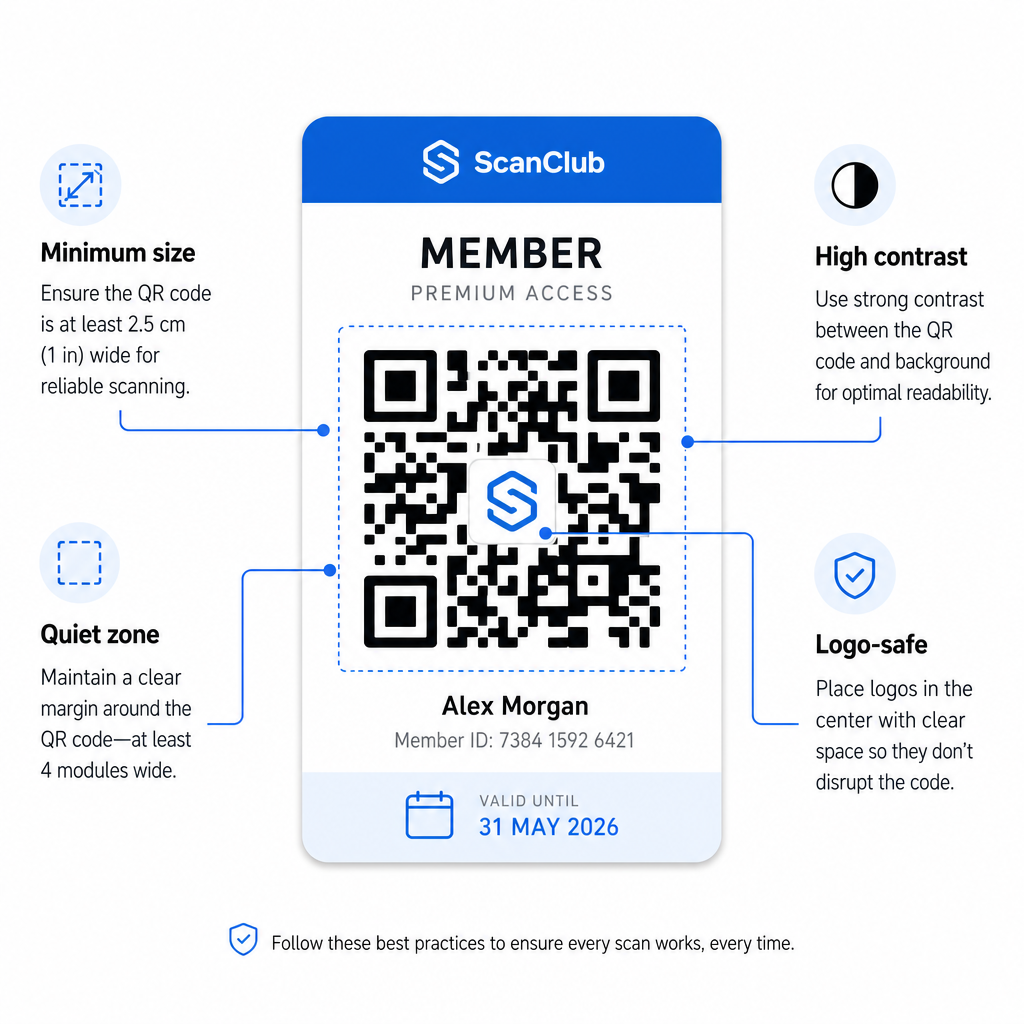
- Ukuran minimum: Cetak kode QR tidak lebih kecil dari 0,8 × 0,8 inci (2 cm × 2 cm) untuk pemindaian jarak dekat. Terapkan aturan 10:1 untuk jarak – untuk setiap 10 inci antara pemindai dan kode, kode harus setidaknya selebar 1 inci.
- Zona tenang: Pertahankan setidaknya 4 modul ruang kosong di semua sisi kode QR. Margin ini memungkinkan pemindai mendeteksi di mana kode dimulai dan berakhir.
- Kontras: Gunakan latar depan gelap pada latar belakang terang dengan rasio kontras minimum 4:1. Hindari menempatkan kode QR di atas gambar atau pola ramai yang mengurangi keterbacaan.
- Koreksi kesalahan: Jika Anda menyertakan logo organisasi Anda di dalam kode QR, gunakan koreksi kesalahan Level H, yang menyediakan kapasitas pemulihan hingga 30%. Ini mengkompensasi bagian kode yang tertutup secara visual oleh logo.
- Uji sebelum mendistribusikan: Pindai setiap templat kode di berbagai perangkat dan dalam kondisi pencahayaan yang berbeda sebelum meluncurkannya kepada anggota.
Prinsip-prinsip yang sama ini berlaku di seluruh lokasi fisik. Panduan kode QR untuk gym dan kebugaran mencakup bagaimana fasilitas kebugaran secara khusus menangani lingkungan pemindaian bervolume tinggi.
Pertimbangan Keamanan untuk Kode QR Anggota
Kartu keanggotaan sering kali memberikan hak akses nyata – ke fasilitas, acara, atau diskon – jadi keamanan bukanlah pilihan. Sistem QR yang dirancang dengan buruk dapat disalin, difoto, atau dibagikan.
- Enkode pengidentifikasi yang aman, bukan data pribadi. Kode QR harus berisi referensi yang tidak transparan – seperti ID anggota yang di-hash secara kriptografis – daripada nama, alamat email, atau informasi pribadi lainnya. Jika seseorang memotret kode QR, mereka tidak boleh mendapatkan akses langsung ke data anggota.
- Gunakan kode terbatas waktu atau sekali pakai untuk skenario keamanan tinggi. Untuk acara atau situasi akses satu kali, buat kode yang kedaluwarsa setelah jangka waktu singkat atau menjadi tidak valid setelah satu pemindaian. Ini mencegah penyalinan atau penerusan kode.
- Gunakan kode QR dinamis untuk keanggotaan berkelanjutan. Karena kode dinamis menunjuk ke tujuan sisi server, Anda dapat membatalkan keanggotaan yang kedaluwarsa atau disusupi secara instan – tidak perlu kartu baru.
- Pertahankan jejak audit. Catat setiap pemindaian dengan stempel waktu dan lokasi. Ini membantu Anda mengidentifikasi pola yang tidak biasa, seperti satu kode dipindai dari dua lokasi secara bersamaan.
- Patuhi peraturan perlindungan data. Jika kartu keanggotaan atau log pemindaian Anda berisi informasi pribadi, pastikan sistem Anda selaras dengan undang-undang privasi yang berlaku. Bekerja dengan vendor yang mempraktikkan minimalisasi data dan memiliki kebijakan retensi data yang jelas.
Untuk organisasi yang menangani data keanggotaan sensitif, panduan keamanan konsisten: kode QR yang digunakan untuk otentikasi harus hanya berisi pengidentifikasi buram, bukan informasi pribadi, dan kode harus dibatasi waktu serta dibuat secara dinamis jika memungkinkan.
Menghubungkan Kartu Keanggotaan QR ke Program Loyalitas
Kartu keanggotaan dan program loyalitas sering tumpang tindih. Jika organisasi Anda memberi penghargaan atas keterlibatan anggota – melalui poin, pencapaian kunjungan, atau manfaat berjenjang – kartu berbasis QR dapat melayani kedua fungsi secara bersamaan.
Ketika seorang anggota memindai masuk, peristiwa itu dapat memicu kredit poin, memperbarui jumlah kunjungan mereka, atau membuka tingkatan manfaat baru. Ini menghilangkan kebutuhan akan kartu loyalitas terpisah sepenuhnya. Panduan tentang cara menyiapkan program loyalitas kode QR menjelaskan cara menyusun hadiah di samping sistem keanggotaan. Untuk perbandingan berdampingan pendekatan digital dan fisik, perbandingan kode QR vs. kartu loyalitas tradisional mencakup pertukaran praktis secara rinci.
Jika program Anda mencakup acara ber tiket, infrastruktur QR yang sama berlaku di sana juga. panduan kode QR untuk tiket acara menjelaskan cara memperluas pengaturan Anda untuk mencakup akses khusus acara dan check-in.
Kartu keanggotaan digital dengan kode QR mengurangi biaya administrasi, memberikan anggota pengalaman yang lebih nyaman, dan menyediakan organisasi Anda dengan data nyata tentang keterlibatan dan kehadiran. Keputusan kunci – kode statis versus dinamis, pemindaian mandiri versus pemindaian staf, integrasi dompet versus pengiriman email – bergantung pada volume anggota dan pengaturan operasional Anda, tetapi alat yang mendasari dapat diakses terlepas dari ukuran organisasi. Mulailah dengan kode dinamis, rancang untuk kemudahan pemindaian, dan bangun metode distribusi Anda di sekitar bagaimana anggota Anda benar-benar berperilaku.
Bangun Sistem Kartu Keanggotaan Anda Hasilkan, sesuaikan, dan kelola kode QR untuk setiap anggota dari satu dasbor. Coba Pembuat Kode QR Pageloot gratis selama 14 hari – tidak memerlukan kartu kredit.
Pertanyaan yang sering diajukan
Ya. Anggota dapat menyimpan kode QR mereka sebagai pass di Apple Wallet atau Google Wallet, yang tidak memerlukan aplikasi pihak ketiga. Atau, Anda dapat mengirim email kepada mereka gambar kartu digital yang mereka buka langsung dari galeri foto atau klien email ponsel mereka. Staf memindai kode QR yang ditampilkan di layar menggunakan kamera standar apa pun atau Pemindai Kode QR Pageloot.
Dengan kode QR dinamis, Anda memperbarui tujuan atau status keanggotaan di dasbor Anda segera. Kartu fisik atau digital itu sendiri tidak berubah, tetapi saat berikutnya dipindai, sistem Anda mengembalikan status yang diperbarui – kedaluwarsa, ditangguhkan, atau diperbarui – tanpa mengeluarkan kartu baru kepada anggota.
Pageloot memungkinkan Anda membuat dan mengelola kode QR secara massal, diatur ke dalam folder berdasarkan tingkatan keanggotaan, lokasi, atau periode pembaruan. Dasbor terpusat menyediakan analitik pemindaian dan alat pengelolaan di semua kode Anda di satu tempat. Kunjungi halaman Pageloot QR Code Generator untuk detail tentang batasan khusus paket dan fitur.