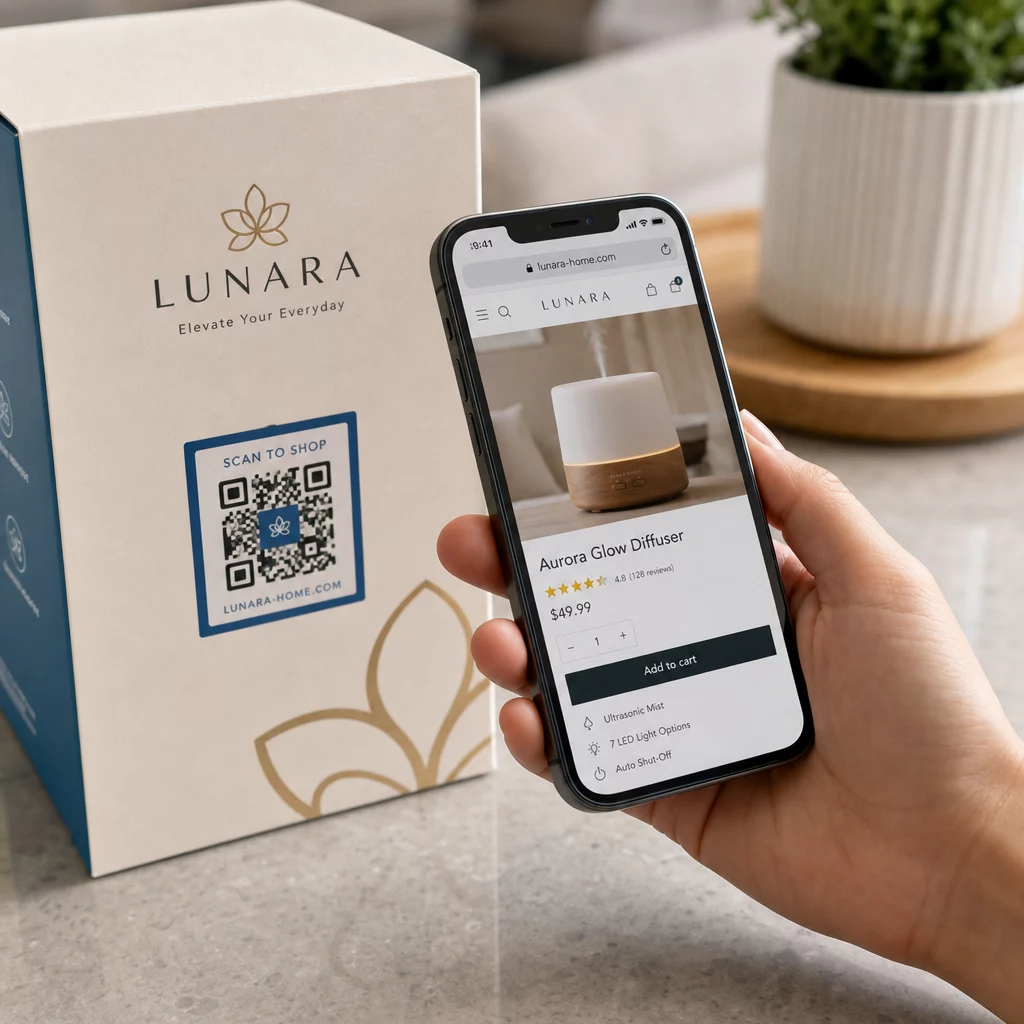
Apakah upaya pemasaran Anda menghasilkan lalu lintas tetapi tidak mengubahnya menjadi penjualan? Kesenjangan antara pelanggan yang menemukan produk Anda dan menyelesaikan pembelian adalah tempat sebagian besar pendapatan e-commerce hilang. Kode QR menutup kesenjangan itu dengan menghubungkan titik sentuh fisik langsung ke pengalaman pembelian digital – dan kode tersebut dapat diukur di setiap langkah.
Mengapa Kode QR Harus Ada dalam Strategi E-Commerce Anda
Adopsi kode QR oleh konsumen telah mencapai titik di mana gesekan untuk memindai sangat minimal. Menurut data industri, 64% pembeli memindai kode QR pada produk saat berbelanja di toko, dan 42% mengatakan kode QR telah secara signifikan meningkatkan pengalaman berbelanja langsung mereka. Pergeseran perilaku tersebut menciptakan peluang nyata bagi merek e-commerce untuk bertemu pelanggan di mana mereka sudah berada.
Bagi penjual online, kode QR memiliki dua tujuan: mempercepat jalur pembelian dengan menghilangkan langkah-langkah tambahan, dan menghasilkan data tingkat pemindaian yang membantu Anda memahami dengan tepat bagaimana kinerja kampanye Anda. Sebuah kode QR dinamis melangkah lebih jauh – ini memungkinkan Anda memperbarui URL tujuan kapan saja tanpa mencetak ulang, yang berarti kode pada kemasan produk dapat mengarah ke promosi musiman hari ini dan tutorial produk bulan depan.
Manfaat inti untuk bisnis e-commerce meliputi:
- Gesekan pembelian berkurang – Pelanggan memindai dan langsung mendarat di halaman produk atau alur pembayaran, melewati pencarian sepenuhnya
- Kontinuitas lintas saluran – Kemasan fisik, iklan cetak, dan materi email semuanya terhubung dengan mulus ke toko digital Anda
- Keterlibatan yang terukur – Analitik pemindaian mengungkapkan penempatan mana yang menghasilkan lalu lintas terbanyak dan mana yang mengonversi
- Konten fleksibel – Kode dinamis memungkinkan Anda mengubah tujuan tanpa menerbitkan ulang materi cetak
- Keterlibatan pasca-pembelian – Sisipan kemasan dan bahan pengiriman menjadi saluran pemasaran aktif
Kasus Penggunaan Utama untuk Kode QR E-Commerce
Memahami di mana kode QR memberikan nilai paling besar membantu Anda memprioritaskan di mana harus memulai. Setiap kasus penggunaan di bawah ini mengatasi titik gesekan tertentu dalam perjalanan pelanggan.
Menghubungkan Produk Fisik ke Toko Online
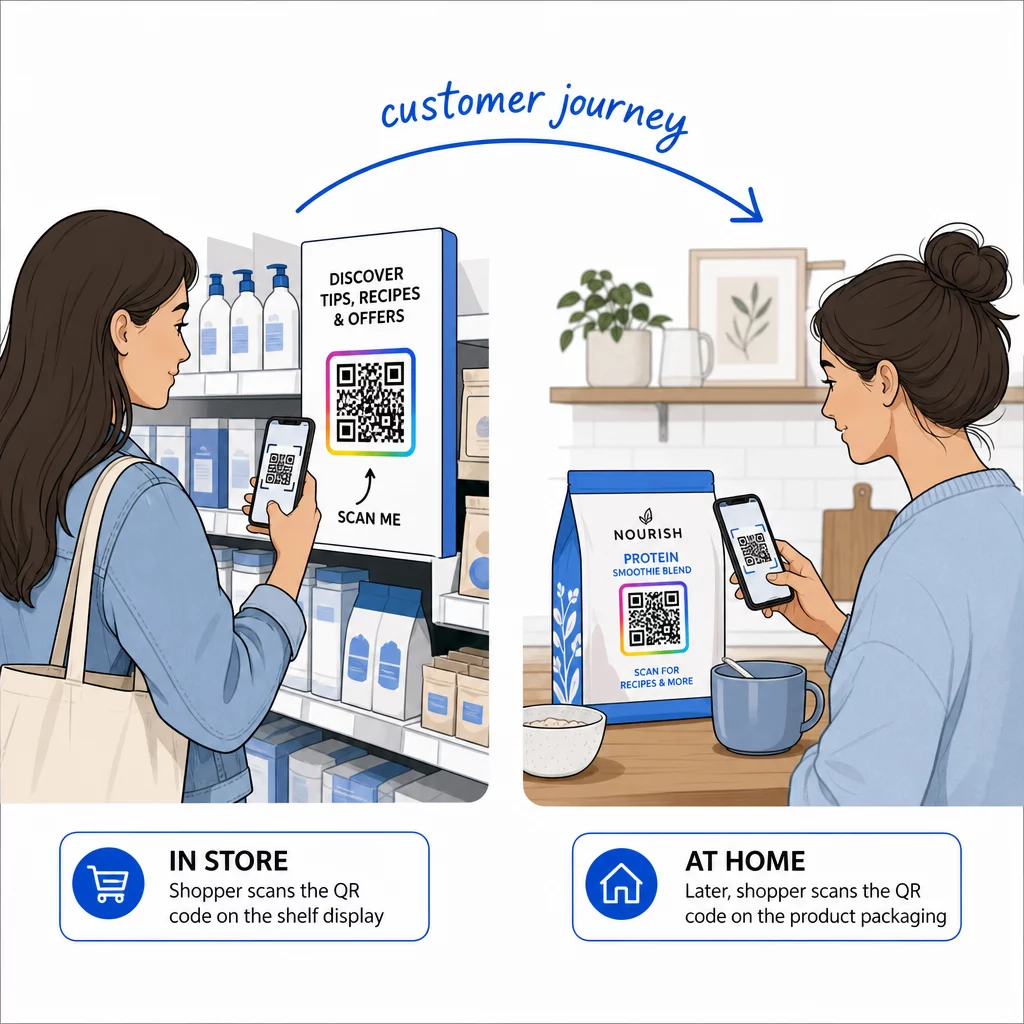
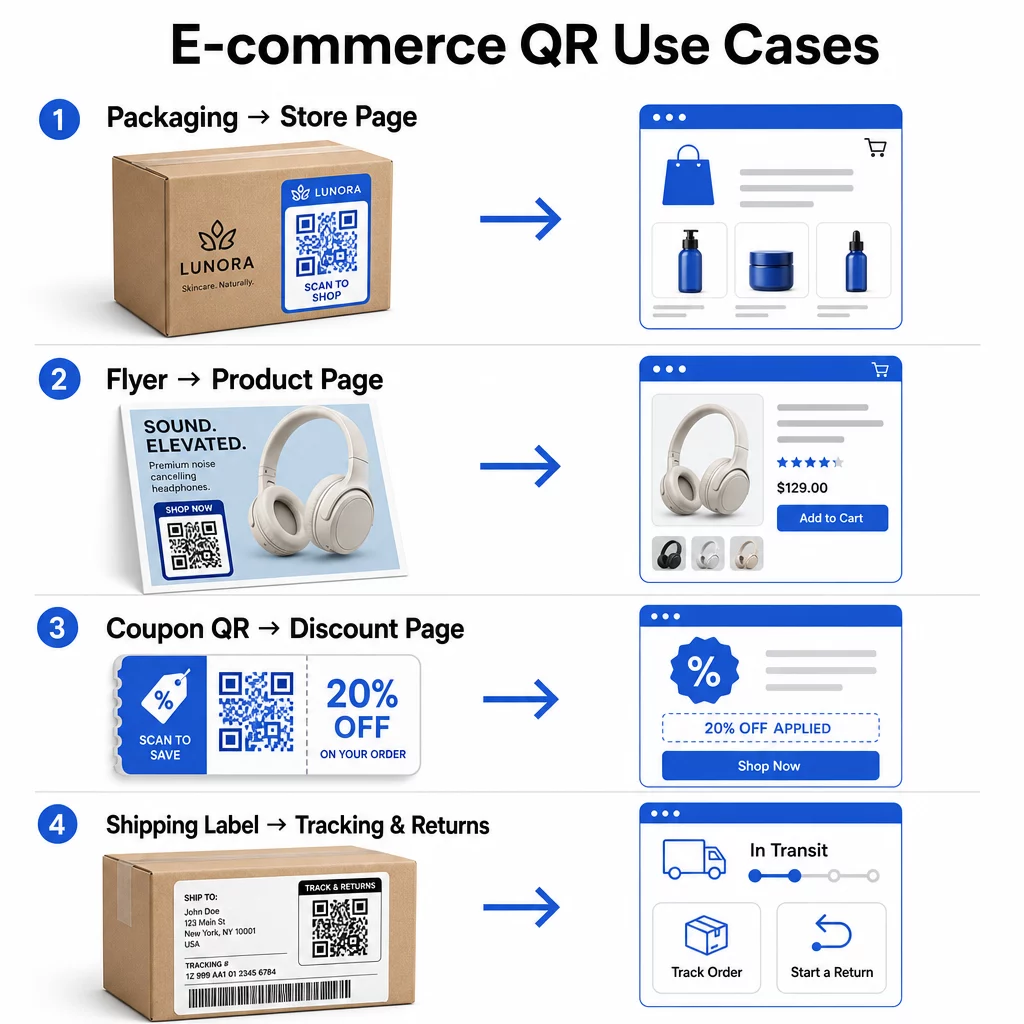
Kemasan produk adalah jembatan paling langsung antara barang fisik dan toko digital Anda. Kode QR pada kotak atau label dapat mengirim pelanggan ke halaman produk lengkap, aksesori terkait, video instruksional, atau tautan pemesanan ulang. Salah satu pelanggan Pageloot menempatkan kode QR di dalam kemasan mereka dan melaporkan peningkatan 27% dalam kunjungan berulang ke toko Shopify mereka dalam dua minggu.
Pendekatan ini sangat berharga untuk produk dengan detail lebih banyak daripada yang muat pada label – bahan, sertifikasi, tutorial, dan informasi garansi semuanya dapat berada di balik satu kode yang dapat dipindai. Pelajari lebih lanjut tentang Kode QR pada kemasan dan bagaimana manfaatnya bagi ritel.
Dorong Penjualan dengan Kode QR yang Dapat Dibeli
Ketika pelanggan melihat produk Anda dalam iklan cetak, katalog, atau pajangan di toko, kode QR menghilangkan langkah-langkah antara minat dan pembelian. Daripada mencari produk Anda atau mengetik URL, mereka memindai dan langsung mendarat di halaman produk atau koleksi yang dikurasi.
Gunakan pembuat kode QR tautan untuk mengarahkan setiap kode ke URL tertentu. Dengan kode dinamis, Anda dapat memperbarui tujuan tersebut untuk mencerminkan ketersediaan stok, harga musiman, atau bundel waktu terbatas tanpa mencetak ulang materi apa pun.
Tawarkan Kupon dan Promosi Berbatas Waktu
Kode QR sangat efektif untuk memberikan kode diskon dan penawaran promosi karena pengalamannya instan dan tanpa gesekan. Pelanggan memindai, melihat halaman arahan kupon, dan dapat menukarkan penawaran tersebut segera daripada mencari kode promo di kotak masuk mereka.
Tempatkan kode promosi pada kemasan produk, struk cetak, surat langsung, dan papan nama fisik untuk mendorong pembelian pertama dan pesanan berulang. The Generator QR Code Kupon memungkinkan Anda membangun halaman arahan khusus dengan berbagai penawaran dan ajakan bertindak yang jelas.
Buat Kode QR Kupon untuk Toko Anda Tampilkan penawaran terbatas waktu, kode promo, dan penawaran eksklusif di halaman arahan bermerek yang dapat dijangkau pelanggan Anda dengan satu pemindaian. Gunakan Generator QR Code Kupon untuk memulai.
Aktifkan Pembayaran Kode QR
Pembayaran tanpa kontak adalah harapan yang berkembang, terutama di lingkungan ritel dan perdagangan hibrida di mana pelanggan ingin membayar tanpa mengantre di kasir atau memasukkan detail kartu secara manual. Pembayaran kode QR berfungsi dengan mengarahkan pelanggan ke halaman pembayaran yang di-hosting – mereka memindai, mengonfirmasi jumlah, dan membayar menggunakan kartu tersimpan atau dompet seluler seperti Apple Pay atau Google Pay.
Kode QR statis tautan ke halaman pembayaran umum tempat pelanggan memasukkan jumlahnya sendiri. Kode QR dinamis dapat dibuat dengan data spesifik transaksi sehingga pelanggan hanya perlu mengonfirmasi dan mengotorisasi. Untuk bisnis yang menangani pembayaran berulang atau jumlah variabel, kode pembayaran dinamis mengurangi kesalahan input dan mempercepat proses checkout.
Keamanan adalah pertimbangan penting di sini. Setiap kode QR pembayaran harus menggunakan tujuan yang terverifikasi dan diamankan HTTPS. Gunakan kode dinamis jika memungkinkan, karena kode tersebut dapat dinonaktifkan atau diperbarui jika dirusak. The Generator QR Code PayPal menyediakan cara mudah untuk membuat kode pembayaran yang mengarahkan pelanggan ke alur pembayaran Anda. Anda juga dapat meninjau Praktik Terbaik Pembayaran QR Code yang Aksesibel untuk memastikan implementasi Anda aman dan inklusif.
Kumpulkan Ulasan Google dan Umpan Balik Pelanggan
Bukti sosial adalah salah satu aset paling berpengaruh yang dimiliki bisnis e-commerce. Tantangannya adalah sebagian besar pelanggan yang puas tidak meninggalkan ulasan kecuali prosesnya tanpa hambatan. Kode QR pada sisipan kemasan, kotak pengiriman, atau tanda terima mengurangi hambatan tersebut menjadi satu pemindaian.
Arahkan kode langsung ke halaman pengiriman ulasan Google Anda sehingga pelanggan mendarat tepat di tempat yang Anda inginkan. The Cara Buat QR Code Google Review memungkinkan Anda membuat dan menyesuaikan kode ulasan yang dapat Anda sematkan di seluruh materi fisik Anda. Untuk pengumpulan umpan balik yang lebih luas, kode QR juga dapat menautkan ke survei pasca-pembelian, memungkinkan Anda mengumpulkan wawasan terstruktur tentang pengalaman pembelian. Baca lebih lanjut tentang bagaimana kode QR mendukung layanan pelanggan e-commerce.
Tingkatkan Logistik Pengiriman dan Pengembalian
Label pengiriman dan email konfirmasi pesanan adalah saluran pemasaran dan layanan yang kurang dimanfaatkan. Kode QR pada label pengiriman dapat memberikan pelanggan akses instan ke pembaruan pelacakan waktu nyata tanpa mereka perlu mencari nomor pelacakan dan memasukkannya secara manual.
Untuk pengembalian, kode QR yang menautkan langsung ke formulir permintaan pengembalian menghilangkan bagian paling membuat frustrasi dari pengalaman pasca-pembelian. Merek seperti IKEA telah mengadopsi model ini – mengirimkan kode QR melalui email atau SMS setelah pelanggan mendaftarkan pengembalian – untuk merampingkan logistik terbalik dan mengurangi kontak dukungan. Jelajahi bagaimana kode QR meningkatkan pengalaman pengiriman e-commerce secara lebih rinci.
Kembangkan Audiens Media Sosial
Setiap kemasan fisik adalah saluran potensial untuk mengembangkan pengikut sosial Anda. Kode QR yang terhubung langsung ke profil Instagram, TikTok, atau YouTube Anda dapat mengubah pembeli pertama kali menjadi pengikut jangka panjang tanpa biaya iklan tambahan.
Ini bekerja sangat baik pada momen unboxing, di mana perhatian pelanggan tinggi dan antusiasme terhadap produk mencapai puncaknya.
Cara Melacak Kinerja Kampanye Kode QR
Membuat kode QR hanyalah separuh pekerjaan – memahami bagaimana kinerjanya adalah yang membedakan eksperimen taktis dari strategi yang dapat diskalakan.
Kode QR Dinamis dan Analitik Bawaan
Kode QR dinamis menyediakan pelacakan paling komprehensif karena mereka mengarahkan pemindaian melalui pengalihan terkelola yang mencatat metrik secara real-time. Platform manajemen kode QR seperti Pageloot menangkap:
- Total pemindaian dan pemindaian unik
- Waktu dan tanggal setiap pemindaian
- Lokasi geografis pemindaian
- Jenis perangkat dan sistem operasi
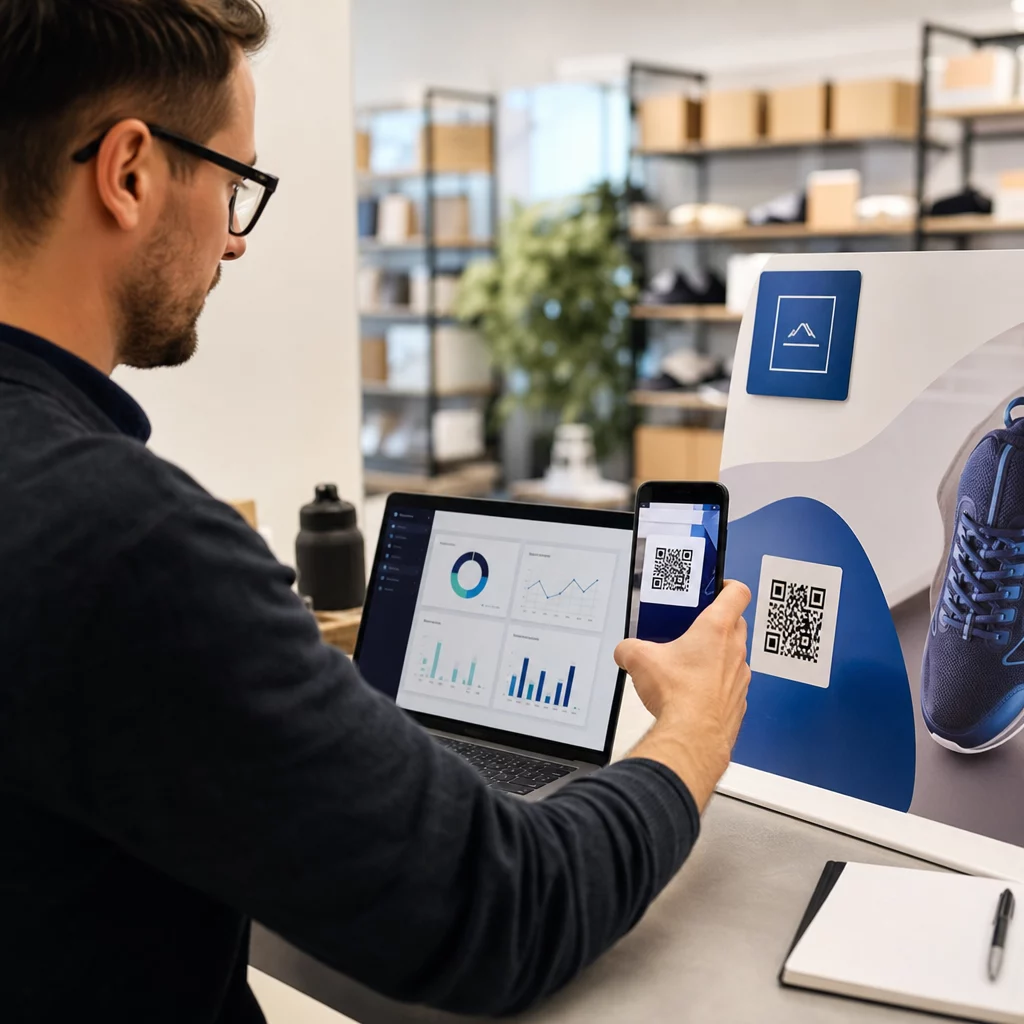
Data ini memberi tahu Anda penempatan mana yang mendorong keterlibatan paling banyak, kapan pelanggan paling mungkin memindai, dan di mana permintaan geografis terkonsentrasi. Untuk melihat lebih dalam cara kerja pelacakan, lihat panduan untuk melacak pemindaian dan analitik kode QR.
Pantau Kampanye Anda secara Real-Time Ingin melihat dengan tepat di mana dan kapan pelanggan Anda memindai materi Anda? Gunakan Generator QR Code Dinamis untuk membuat kode yang dapat dilacak dan mengakses dasbor kinerja lengkap hari ini.
Parameter UTM untuk Atribusi di Google Analytics
Untuk kampanye di mana Anda memerlukan kinerja kode QR untuk muncul bersama data saluran lain di Google Analytics, tambahkan parameter UTM ke URL tujuan sebelum membuat kode. Parameter UTM adalah cuplikan pendek yang ditambahkan ke URL yang memberi tahu platform analitik Anda sumber, medium, dan nama kampanye yang terkait dengan kunjungan.
URL dasar yang ditandai UTM untuk kode QR pada kemasan produk mungkin terlihat seperti:
“`
https://yourstore.com/product?utmsource=packaging&utmmedia=qrcode&utmcampaign=spring_launch
“`
Lima parameter UTM standar adalah:
- utm_source – Di mana lalu lintas berasal (misalnya, `kemasan`, `brosur`, `struk`)
- utmmedium – Saluran pemasaran (misalnya, `qrcode`)
- utmcampaign – Nama kampanye spesifik (misalnya, `musimpeluncuran`)
- utm_term – Kata kunci, biasanya untuk kampanye pencarian berbayar
- utm_content – Untuk membedakan tautan serupa atau varian kreatif
Setelah ditandai, perpendek URL dan buat kode QR Anda dari tautan yang dipersingkat. Pemindaian kemudian akan muncul sebagai sumber lalu lintas yang berbeda dalam laporan analitik Anda, memungkinkan Anda mengukur tingkat konversi, pendapatan, dan perilaku spesifik untuk lalu lintas yang didorong oleh QR.
Praktik Terbaik Desain Kode QR untuk E-Commerce
Kode QR yang tidak dapat atau tidak akan dipindai pelanggan tidak memberikan nilai. Prinsip desain ini memastikan kode Anda berfungsi dengan andal di semua penempatan:
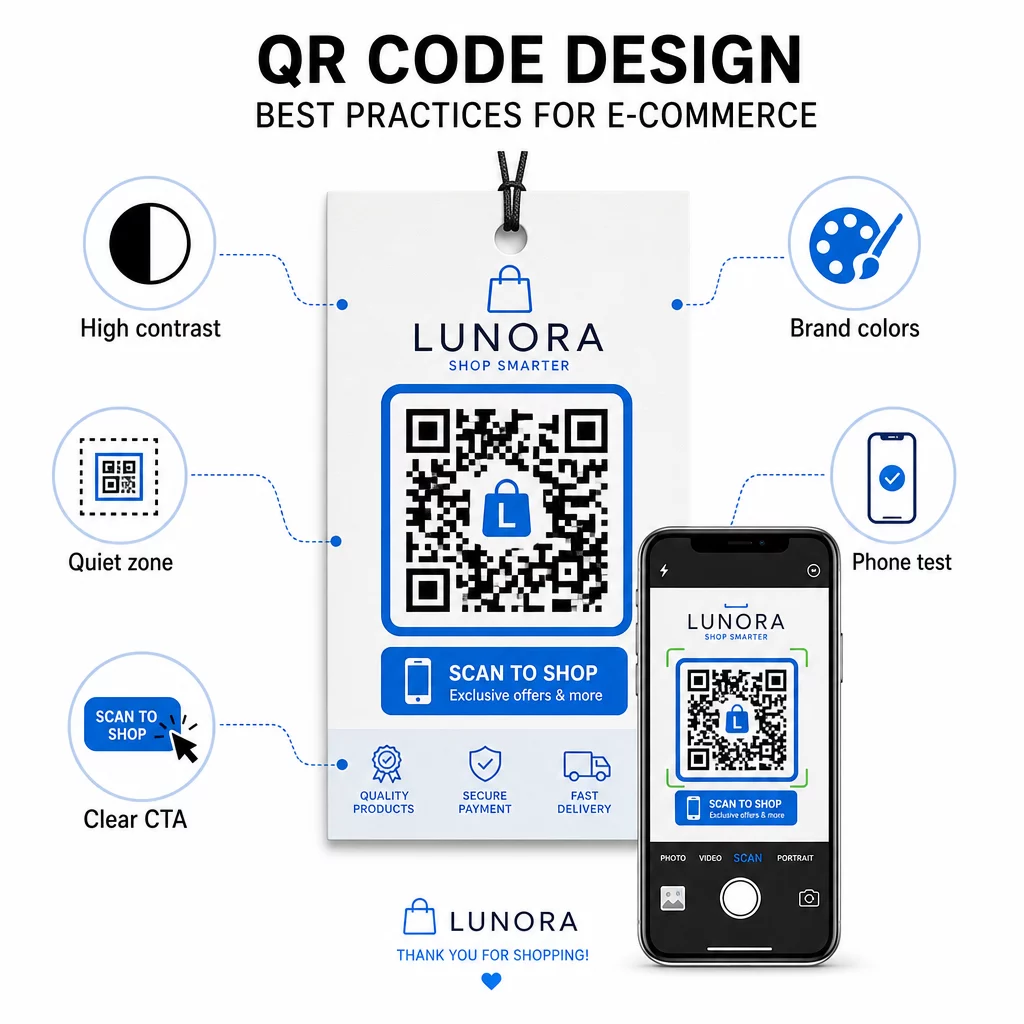
- Gunakan modul gelap pada latar belakang terang – Hitam di atas putih memberikan kontras terkuat untuk pengenalan kamera dan lebih mudah diakses oleh pengguna dalam kondisi cahaya rendah
- Pertahankan zona tenang – Sisakan setidaknya empat modul ruang kosong di sekitar kode agar grafik di sekitarnya tidak mengganggu pemindaian
- Ikuti panduan ukuran minimum – Setidaknya 1 inci × 1 inci untuk bahan cetak; lebih besar untuk papan nama, di mana aturan praktisnya adalah jarak pemindaian maksimum harus kira-kira sepuluh kali lebar kode
- Sertakan ajakan bertindak yang jelas – Beri label kode dengan instruksi singkat seperti “Pindai untuk diskon 10%” atau “Pindai untuk melacak pesanan Anda” untuk mengurangi keraguan dan meningkatkan tingkat pemindaian
- Uji sebelum dicetak – Verifikasi kode memindai dengan benar pada ukuran cetak akhir, dari jarak yang diharapkan, dalam pencahayaan realistis, dan di berbagai model ponsel
Untuk halaman arahan seluler yang ditautkan dari kode QR Anda, kecepatan muat dan tata letak yang mengutamakan seluler sangat penting. Halaman harus dimuat dalam waktu kurang dari tiga detik, dan tombol harus cukup besar untuk diketuk dengan mudah. Lihat praktik terbaik halaman arahan kode QR seluler untuk daftar periksa terperinci.
Cara Membuat Kode QR untuk Toko E-Commerce Anda
Memulai dengan kode QR untuk toko Anda membutuhkan tiga langkah:
- Hasilkan kode – Gunakan Pembuat kode QR Pageloot untuk membuat kode QR dinamis yang tertaut ke halaman produk, alur pembayaran, formulir ulasan, atau tujuan lainnya. Pilih dinamis daripada statis jika Anda ingin memperbarui tujuan nanti atau melacak kinerja.
- Sesuaikan dan beri merek – Tambahkan logo Anda, sesuaikan warna merek Anda, dan sertakan bingkai dengan label ajakan bertindak. Kode bermerek membangun pengenalan dan cenderung menghasilkan lebih banyak pemindaian daripada kode hitam-putih biasa.
- Terapkan dan pantau – Tempatkan kode pada kemasan, email, materi cetak, atau papan nama di toko. Gunakan dasbor analitik untuk meninjau kinerja pemindaian dan menyesuaikan kampanye berdasarkan apa yang berhasil.
Untuk ide implementasi khusus industri, halaman solusi kode QR e-commerce mencakup kasus penggunaan di Shopify, WooCommerce, dan platform lainnya. Anda juga dapat menelusuri solusi kode QR berdasarkan industri untuk konteks tentang bagaimana sektor lain mendekati tantangan serupa.
Hasil dunia nyata menunjukkan skala apa yang mungkin: studi kasus merek e-commerce terkemuka menunjukkan hasil seperti peningkatan 130% dalam penjualan online dan peningkatan 239% dalam keterlibatan aplikasi dari penerapan kode QR yang ditargetkan. studi kasus kode QR e-commerce halaman mencakup contoh-contoh ini secara rinci.
Kode QR bekerja paling baik ketika mereka memecahkan masalah spesifik bagi pelanggan – mendapatkan informasi lebih cepat, membayar lebih mudah, atau menyelesaikan pengembalian tanpa kerumitan. Mulailah dengan satu atau dua titik sentuh bernilai tinggi, ukur hasilnya, dan kembangkan dari sana.
Pertanyaan yang sering diajukan
Kode QR statis menyandikan URL tujuan langsung ke dalam pola dan tidak dapat diubah setelah dibuat. Kode QR dinamis mengarah ke tautan pengalihan singkat yang dapat diperbarui kapan saja, bahkan setelah kode dicetak. Untuk e-commerce, kode dinamis umumnya lebih disukai karena mendukung analitik waktu nyata, memungkinkan pembaruan tujuan saat promosi berubah, dan menghasilkan pola visual yang lebih bersih yang memindai lebih cepat. Pelajari lebih lanjut di halaman kode QR statis vs. dinamis.
Metode paling andal menggabungkan dua pendekatan. Pertama, gunakan kode QR dinamis melalui platform manajemen seperti Pageloot, yang secara otomatis mencatat jumlah pemindaian, stempel waktu, jenis perangkat, dan lokasi geografis. Kedua, tambahkan parameter UTM ke URL tujuan Anda agar pemindaian muncul sebagai sumber lalu lintas yang berbeda di Google Analytics, tempat Anda dapat mengukur tingkat konversi dan pendapatan yang diatribusikan ke setiap kode. Lihat panduan pelacakan kode QR untuk instruksi langkah demi langkah.
Penempatan dengan keterlibatan tertinggi dalam e-commerce adalah kemasan produk, kotak pengiriman, sisipan kemasan, dan email konfirmasi pesanan. Titik sentuh ini menjangkau pelanggan pada saat-saat niat tinggi – tepat setelah pembelian atau selama pengalaman unboxing – menjadikannya ideal untuk mendorong ulasan, pembelian berulang, dan pengikut media sosial. Materi pasca-pembelian seperti tanda terima dan instruksi pengembalian juga efektif karena pelanggan secara aktif terlibat dengan merek Anda pada saat itu.