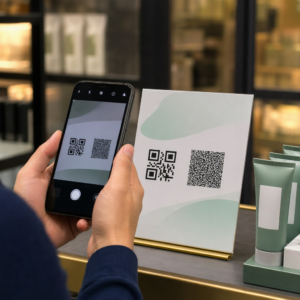
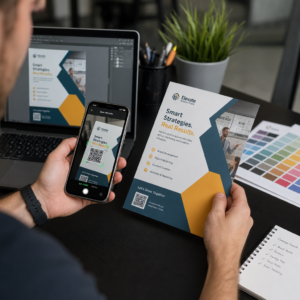
Apakah kode QR hitam-putih standar Anda gagal menarik perhatian pelanggan? Kode generik sering kali menyatu dengan lingkungan yang ramai, menyebabkan peluang pemasaran terlewatkan dan tingkat pemindaian yang mengecewakan. Pelajari cara menggabungkan perintah AI visual dengan standar desain fungsional untuk menghasilkan kode bermerek yang terlihat berbeda dan dapat dipindai dengan andal setiap saat.
Mengapa Desain Visual Mendorong Keterlibatan yang Lebih Tinggi
Selama bertahun-tahun, kode QR dipandang hanya sebagai barcode fungsional, tetapi estetika yang cermat secara langsung memengaruhi interaksi pengguna. Kode bermerek dengan logo dapat meningkatkan tingkat pemindaian sebesar 30% hingga 70% dibandingkan dengan desain generik karena konsumen mengaitkan tampilan visual yang rapi dengan kredibilitas dan keamanan merek. Saat membuat kode QR bermerek, menggunakan pembuat logo AI dapat membantu mengembangkan logo yang konsisten yang menyatu secara alami dengan identitas visual kode tersebut. Jika sebuah kode terlihat seperti bagian yang disengaja dari identitas visual Anda, pengguna merasa percaya diri mengarahkan kamera ponsel mereka padanya.
Di luar daya tarik estetika dasar, menggunakan kecerdasan buatan untuk menata kode memberikan manfaat operasional yang nyata. Penelitian menunjukkan bagaimana AI meningkatkan pemasaran kode QR dengan menyeimbangkan modifikasi artistik dengan rekonstruksi pola, yang dapat meningkatkan akurasi pemindaian sekitar 25%. Menerapkan pilihan palet warna yang cermat juga membuahkan hasil, karena kontras warna kode QR dan warna kustom dapat meningkatkan keterlibatan pengguna hingga 18%.
Aturan Teknis untuk Kode AI yang Dapat Dipindai
Menata kode QR melibatkan modifikasi piksel individual dan bentuk modul, yang dapat menimbulkan kesalahan pembacaan jika Anda mengabaikan batasan teknis. Pemindai bergantung pada penanda geometris yang jelas untuk mendekode tujuan yang tertanam. Mematuhi standar ISO yang diakui memastikan pilihan artistik Anda tidak merusak fungsionalitas:
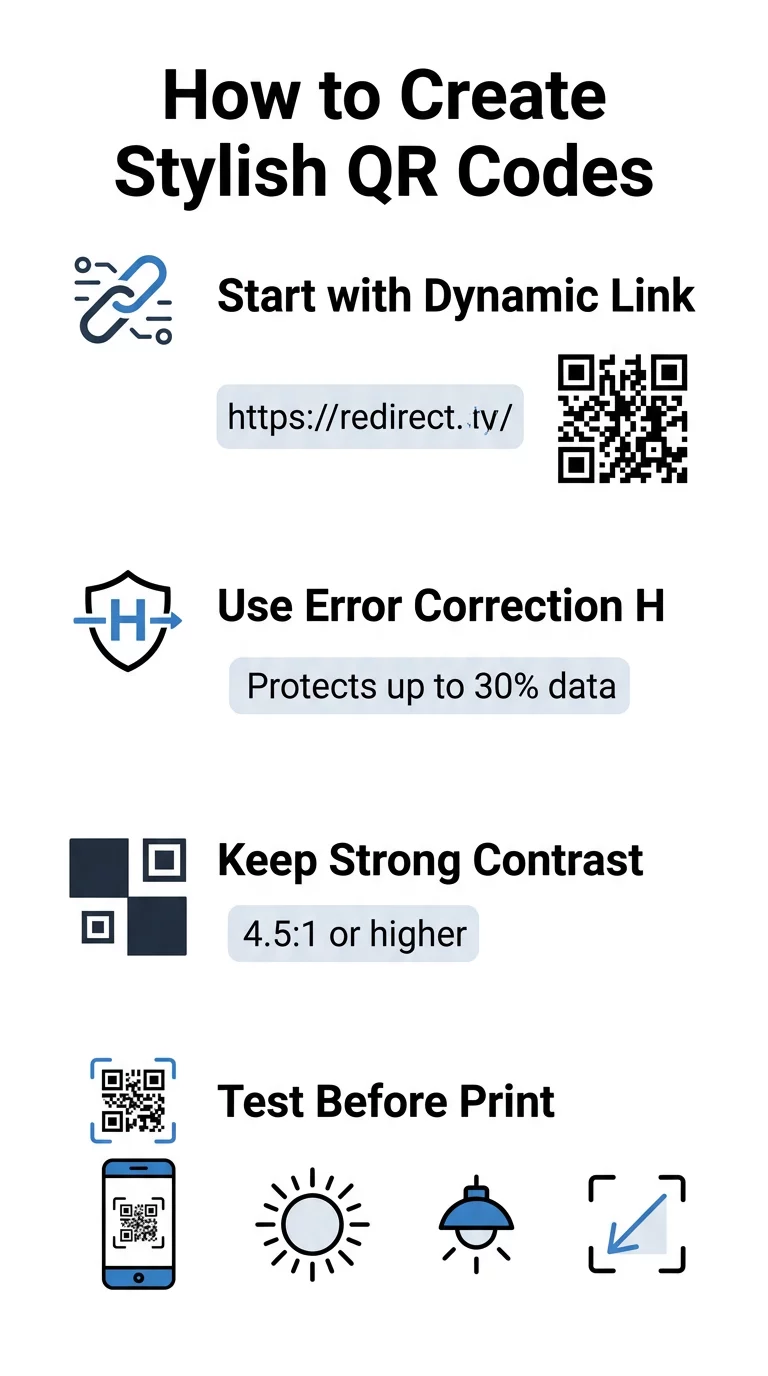
- Atur koreksi kesalahan ke Tingkat H: Memahami cara kerja koreksi kesalahan sangat penting untuk desain artistik. Tingkat H (Tinggi) memungkinkan kode untuk memulihkan hingga 30% data yang hilang atau tersembunyi, menyediakan penyangga yang diperlukan untuk memadukan tekstur AI atau melapisi logo.
- Lindungi pola pencari: Tiga kotak deteksi posisi di sudut menggunakan rasio lebar 1:1:3:1:1 yang berbeda. Pemindai mengandalkan penanda ini untuk mendeteksi orientasi dari sudut mana pun, jadi penanda ini harus tetap didefinisikan dengan jelas dan tidak terhalang.
- Pertahankan kontras warna yang kuat: Pembaca QR mengukur perbedaan reflektansi cahaya antara modul gelap dan ruang terang. Targetkan rasio kontras minimal 4,5:1, pertahankan pola gelap di atas latar belakang terang yang jernih, sambil menghindari palet warna terbalik.
- Pertahankan zona tenang: Selalu pertahankan margin tanpa halangan setidaknya selebar empat modul di keempat sisi kode. Batas kosong ini mengisolasi matriks data dari teks, karya seni, atau grafis kemasan di dekatnya.
- Ikuti formula ukuran: Untuk barang-barang genggam seperti pamflet atau kartu nama, jaga agar kode minimal 0,8 x 0,8 inci (2 x 2 cm). Seperti yang disorot dalam Tips desain kode QRkami, Anda harus menambahkan sekitar 0,3 inci dalam dimensi untuk setiap kaki jarak antara pengguna dan kode.
Tingkatkan Visual Merek Anda Secara Instan Ingin menggabungkan bakat kreatif dengan kinerja pemindaian yang andal? Gunakan generator kode QR Pageloot dengan logo untuk menyesuaikan warna, menambahkan ikon merek Anda, dan mengakses alat pelacakan dinamis hari ini.
Alur Kerja Praktis untuk Menggabungkan AI dan Kode QR
Membuat aset yang stylish dan dapat dibaca mesin membutuhkan langkah demi langkah dari data mentah hingga generasi artistik. Melewatkan langsung ke filter gambar tanpa mempersiapkan matriks dasar seringkali menghasilkan karya seni yang tidak dapat dibaca.
- Hasilkan kode dasar yang bersih: Mulai di dalam standar generator kode QR untuk memasukkan URL Anda dan memilih koreksi kesalahan Level H. Menghasilkan matriks digital bersih ini menetapkan kisi yang tepat yang akan digayakan oleh model AI Anda.
- Buat prompt AI yang tepat: Masukkan kode dasar Anda ke dalam model generasi gambar menggunakan parameter prompt deskriptif. Tentukan subjek yang jelas, gaya arsitektur, kondisi pencahayaan, atau palet warna, dan hindari prompt abstrak yang menggabungkan modul gelap dan terang.
- Pertahankan jangkar penting: Jaga bobot panduan prompt tetap seimbang agar alat tidak mengubah pola pencari tiga sudut atau mendistorsi kisi modul hingga tidak dapat dikenali.
- Integrasikan tanda merek yang terpusat: Gabungkan ikon atau tanda merek di tengah desain, pastikan ukurannya tidak melebihi 20% hingga 30% dari total area, mengikuti standar kode QR khusus panduan.
- Tambahkan bingkai ajakan bertindak luar: Kelilingi karya seni Anda yang sudah selesai dengan batas yang jelas dan frasa tindakan seperti “Pindai untuk Menjelajah” agar pengguna segera memahami ke mana kode tersebut mengarah.
Mengapa Kode QR Dinamis Mendukung Visual yang Lebih Baik
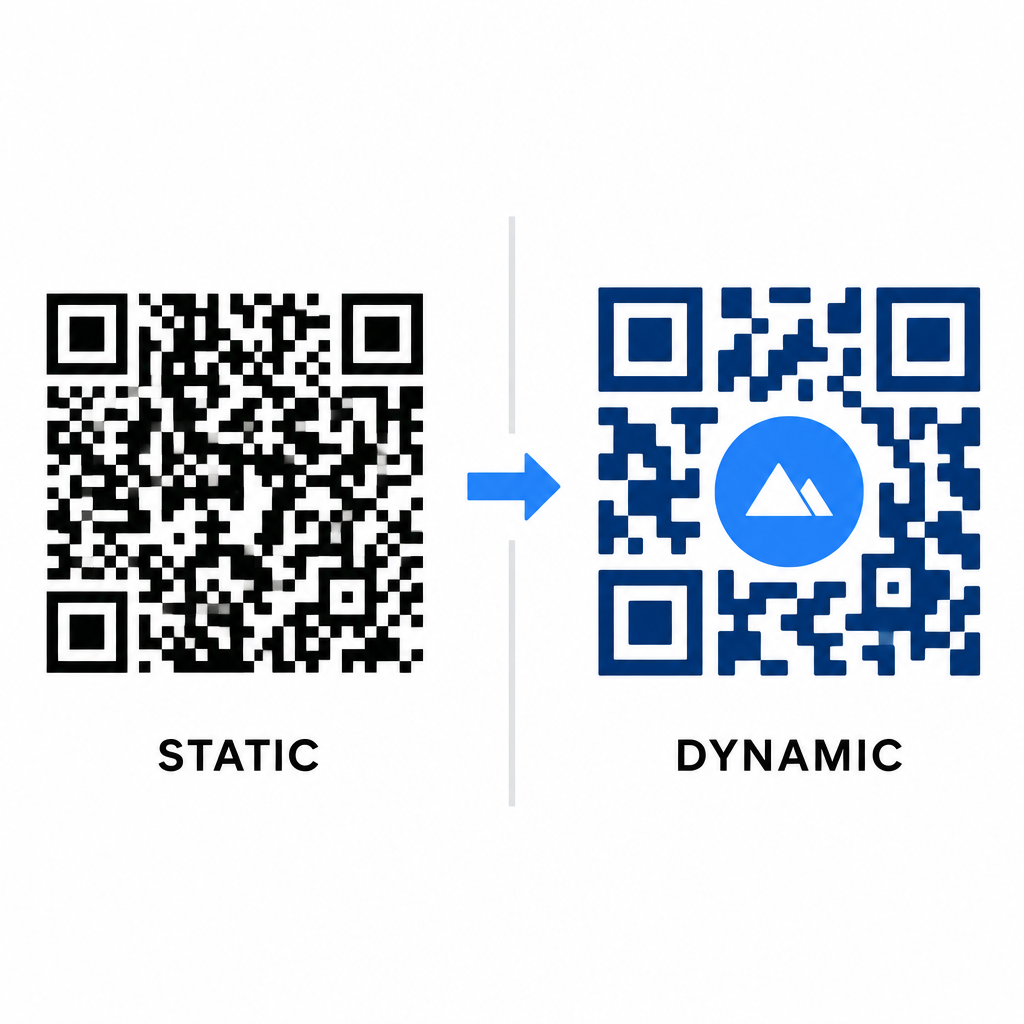
Kepadatan data secara langsung memengaruhi seberapa banyak kebebasan artistik yang Anda miliki. Kode QR statis mengodekan seluruh URL tujuan ke dalam pola fisik. Jika tautan Anda panjang, generator harus menghasilkan matriks padat modul kecil, menyisakan sedikit ruang untuk ilustrasi AI atau integrasi logo tanpa menyebabkan kegagalan pemindaian.
Kode dinamis mengatasi hambatan ini dengan menyimpan URL pengalihan singkat di server pusat. Ini menjaga kisi fisik tetap luas dan modul besar, sehingga jauh lebih mudah bagi lensa kamera untuk membaca bentuk yang distilasi. Menjelajahi dunia nyata contoh kode QR bermerek menunjukkan bahwa pengaturan dinamis juga memungkinkan Anda memperbarui tujuan setelah dicetak sambil mengakses semua Fitur kode QR seperti pelacakan perangkat, lokasi pemindaian, dan analitik keterlibatan.
Menguji dan Memvalidasi Desain Anda
Jangan pernah mengirim kode QR bergaya AI untuk dicetak tanpa memvalidasinya di berbagai perangkat keras dan pengaturan lingkungan. Model AI dapat memperkenalkan artefak halus yang berhasil pada satu kamera premium tetapi gagal pada perangkat standar.
- Uji beberapa perangkat seluler: Pindai kode menggunakan aplikasi kamera bawaan iOS dan Android, beserta aplikasi pemindai pihak ketiga yang lebih lama untuk memastikan kompatibilitas universal.
- Evaluasi kondisi pencahayaan yang bervariasi: Periksa keterbacaan di bawah sinar matahari langsung yang terik, di bawah lampu kantor dalam ruangan, dan di lingkungan yang redup untuk memastikan bayangan tidak memecah kontras.
- Pindai dari sudut alami: Arahkan perangkat Anda dari sudut 45 derajat dan jarak konsumen yang umum, bukan hanya menguji pemindaian datar dan langsung.
- Konfirmasi bahan cetak: Uji contoh fisik pada jenis kertas yang Anda rencanakan, karena laminasi mengkilap, karton bertekstur, atau kain dapat menimbulkan pantulan yang mendistorsi karya seni AI.
Menerapkan Seni Fungsional untuk Merek Anda
Mengubah kode generik menjadi aset merek yang bergaya memungkinkan Anda menarik perhatian pelanggan tanpa mengorbankan kegunaan. Dengan memulai tautan pendek dinamis, mengunci koreksi kesalahan Level H, menjaga zona tenang, dan mempertahankan rasio kontras yang ketat, Anda menciptakan desain yang menarik secara visual yang dapat dipindai dengan mudah.
Mulai sesuaikan titik kontak digital Anda hari ini menggunakan rangkaian pembuatan dan pelacakan Pageloot's untuk menghadirkan pengalaman yang berkesan dan siap dipindai di semua kampanye pemasaran Anda.
Pertanyaan yang sering diajukan
Anda sebaiknya menghindari skema warna terbalik karena banyak sensor ponsel pintar gagal menguraikan pola cahaya pada permukaan gelap. Gunakan modul latar depan gelap yang ditempatkan pada latar belakang putih atau terang untuk menjamin pemindaian yang konsisten.
Level H memungkinkan kode QR untuk memulihkan hingga 30% data yang hilang atau tersembunyi. Redundansi bawaan ini menyediakan penyangga keamanan yang diperlukan untuk memadukan tekstur AI atau menyematkan logo di tengah tanpa kehilangan integritas data.
Mereka akan dapat dipindai dengan andal di ponsel cerdas modern jika Anda menjaga pola penemu sudut tetap jelas, mempertahankan zona tenang, dan menjaga kontras yang kuat. Selalu uji desain Anda di berbagai model ponsel sebelum meluncurkan kampanye Anda.