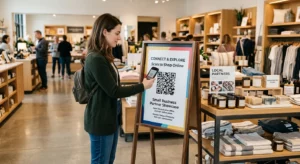
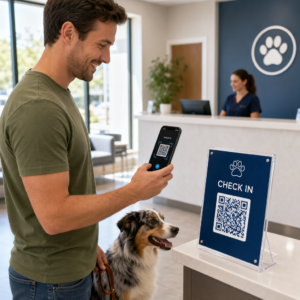
Standart siyah-beyaz QR kodlarınız müşterilerinizin ilgisini çekmekte başarısız mı oluyor? Jenerik kodlar genellikle kalabalık ortamlarda kaybolur, pazarlama fırsatlarının kaçırılmasına ve hayal kırıklığı yaratan tarama oranlarına neden olur. Görsel yapay zeka ipuçlarını işlevsel tasarım standartlarıyla birleştirerek, farklı görünen ve her zaman güvenilir bir şekilde taranabilen markalı kodlar üretmeyi öğrenin.
Görsel Tasarım Neden Daha Yüksek Etkileşim Sağlar?
Yıllardır QR kodlar kesinlikle işlevsel barkodlar olarak görülüyordu, ancak düşünceli estetik doğrudan kullanıcı etkileşimini etkiler. Logolu markalı kodlar, jenerik tasarımlara kıyasla tarama oranlarını ila oranında artırabilir çünkü tüketiciler görsel inceliği güvenilirlik ve marka güvenliği ile ilişkilendirir. Markalı bir QR kodu oluştururken, bir yapay zeka logo oluşturucu kodun görsel kimliğine doğal olarak uyan tutarlı bir logo geliştirmeye yardımcı olabilir. Eğer bir kod, görsel kimliğinizin kasıtlı bir parçası gibi görünüyorsa, kullanıcılar telefon kameralarını ona doğrultmaktan çekinmezler.
Temel estetik çekiciliğin ötesinde, kodları stilize etmek için yapay zeka kullanmak somut operasyonel faydalar sağlar. Araştırmalar gösteriyor ki yapay zekanın QR kod pazarlamasını nasıl geliştirdiğini sanatsal değişiklikleri desen yeniden yapılandırmasıyla dengeleyerek tarama doğruluğunu yaklaşık oranında artırabilir. Düşünceli palet seçimleri uygulamak da işe yarar, çünkü uygun QR kodu renk kontrastını ve özel renkler, kullanıcı etkileşimini 'e kadar artırabilir.
Taranabilir Yapay Zeka Kodları için Teknik Kurallar
Bir QR kodunu stilize etmek, bireysel pikselleri ve modül şekillerini değiştirmeyi içerir, bu da teknik sınırları göz ardı ederseniz okuma hatalarına yol açar. Tarayıcılar, gömülü hedefi çözmek için net geometrik işaretlere güvenir. Tanınmış ISO standartlarına uymak, sanatsal seçimlerinizin işlevselliği bozmamasını sağlar:
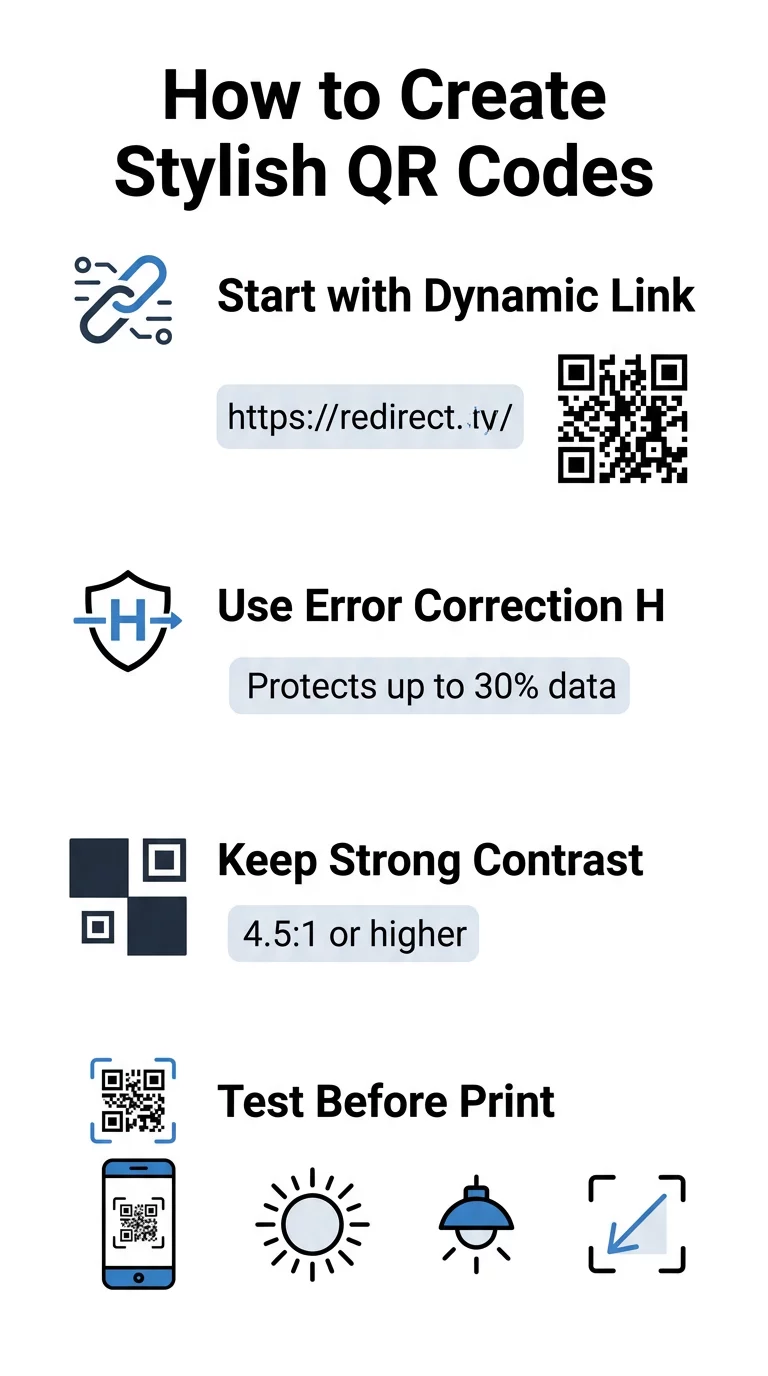
- Hata düzeltme seviyesini H olarak ayarlayın: Anlamak hata düzeltmenin nasıl çalıştığını sanatsal tasarımlar için hayati öneme sahiptir. H Seviyesi (Yüksek), bir kodun eksik veya gizlenmiş verilerin 'una kadarını geri yüklemesine olanak tanır ve yapay zeka dokularını karıştırmak veya logoları üst üste bindirmek için gereken arabelleği sağlar.
- Bulucu desenlerini koruyun: Köşelerdeki üç konum algılama karesi belirgin bir 1:1:3:1:1 genişlik oranına sahiptir. Tarayıcılar, herhangi bir açıdan yön tespiti için bu işaretçilere güvenir, bu nedenle açıkça tanımlanmış ve engellenmemiş kalmaları gerekir.
- Güçlü renk kontrastını koruyun: QR okuyucular, koyu modüller ile açık alanlar arasındaki ışık yansıtma farkını ölçer. En az 4.5:1 kontrast oranını hedefleyin, koyu desenleri net, açık arka planlar üzerinde tutarken ters renk paletlerinden kaçının.
- Sessiz alanı koruyun: Kodun dört tarafında da en az dört modül genişliğinde engelsiz bir kenar boşluğu bırakın. Bu boş kenar, veri matrisini yakındaki metinlerden, sanat eserlerinden veya ambalaj grafiklerinden ayırır.
- Boyutlandırma formüllerini takip edin: El ilanları veya kartvizitler gibi elde tutulan öğeler için kodları en az 0.8 x 0.8 inç (2 x 2 cm) boyutunda tutun. Bizim vurguladığımız gibi QR kodu tasarım ipuçları, kullanıcı ile kod arasındaki her bir fit mesafe için boyutlara yaklaşık 0.3 inç eklemelisiniz.
Marka Görsellerinizi Anında Yükseltin Yaratıcı yeteneği güvenilir tarama performansıyla birleştirmek mi istiyorsunuz? Kullanın Pageloot logolu QR kod oluşturucu ile renkleri özelleştirmek, marka simgenizi eklemek ve dinamik takip araçlarına bugün erişmek için.
Yapay Zeka ve QR Kodlarını Birleştirmek İçin Pratik İş Akışı
Şık, makine tarafından okunabilir bir öğe oluşturmak, ham veriden sanatsal üretmeye adım adım ilerlemeyi gerektirir. Temel matrisi hazırlamadan doğrudan görüntü filtrelerine geçmek, sıklıkla okunaksız sanat eserleriyle sonuçlanır.
- Temiz bir temel kod oluşturun: Standart bir QR kod oluşturucu URL'nizi girmek ve H Seviyesi hata düzeltmeyi seçmek için. Bu temiz dijital matrisi oluşturmak, yapay zeka modelinizin stilize edeceği kesin ızgarayı belirler.
- Hassas yapay zeka istemleri oluşturun: Temel kodunuzu, açıklayıcı istem parametreleri kullanarak bir görüntü oluşturma modeline girin. Belirgin konuları, mimari stilleri, aydınlatma koşullarını veya renk paletlerini belirtin ve koyu ve açık modülleri birbirine karıştıran soyut istemlerden kaçının.
- Kritik ankrajları koruyun: Aracın üç köşeli bulucu desenlerini değiştirmemesi veya modül ızgarasını tanınmayacak kadar bozmaması için istem kılavuz ağırlığını dengede tutun.
- Ortalanmış marka işaretlerini entegre edin: Tasarımın ortasına bir simge veya marka işareti ekleyin ve standart özel QR kodu yönergeleri izleyerek toplam alanın ila 'undan fazlasını kaplamadığından emin olun.
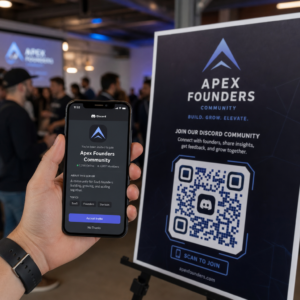
- Dış bir harekete geçirici mesaj çerçevesi ekleyin: Tamamlanmış görsel çalışmanızı, kullanıcıların kodun nereye gittiğini hemen anlaması için “Keşfetmek İçin Tarayın” gibi tanımlı bir kenarlık ve eylem ifadesiyle çevreleyin.
Dinamik QR Kodları Neden Daha İyi Görselleri Destekler
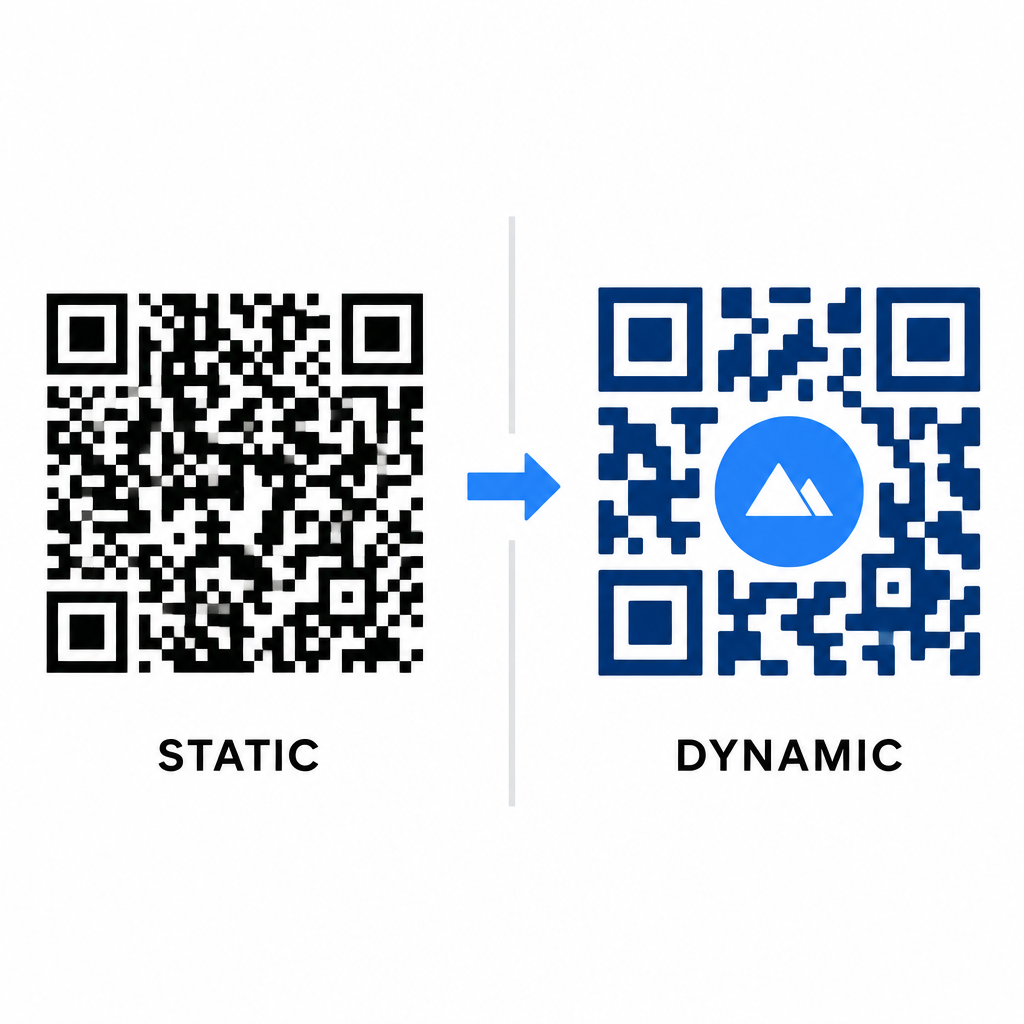
Veri yoğunluğu, sahip olduğunuz sanatsal özgürlüğü doğrudan etkiler. Statik QR kodları, hedef URL'nin tamamını fiziksel desene kodlar. Bağlantınız uzunsa, oluşturucu küçük modüllerden oluşan yoğun bir matris üretmek zorunda kalır ve bu da tarama hatalarına neden olmadan yapay zeka illüstrasyonu veya logo entegrasyonu için çok az yer bırakır.
Dinamik kodlar, merkezi bir sunucuda kısa bir yönlendirme URL'si depolayarak bu darboğazı aşar. Bu, fiziksel ızgarayı geniş ve modülleri büyük tutar, bu da kamera lenslerinin stilize şekilleri okumasını çok daha kolay hale getirir. Gerçek dünya markalı QR kod örneklerini incelemek gösteriyor ki dinamik kurulumlar, baskıdan sonra hedefleri güncellemenize ve aynı zamanda tam QR kod özellikleri cihaz takibi, tarama konumları ve etkileşim analizleri gibi verilere erişmenizi sağlar.
Tasarımlarınızı Test Etme ve Doğrulama
Yapay zeka ile stilize edilmiş bir QR kodunu, çeşitli donanım ve çevresel ayarlarda doğrulamadan asla baskıya göndermeyin. Yapay zeka modelleri, bir premium kamerada geçen ancak standart cihazlarda başarısız olan ince kusurlar oluşturabilir.
- Birden fazla mobil cihazı test edin: Evrensel uyumluluğu doğrulamak için kodu hem iOS hem de Android yerel kamera uygulamalarıyla birlikte daha eski üçüncü taraf tarama uygulamalarını kullanarak tarayın.
- Çeşitli aydınlatma koşullarını değerlendirin: Gölgelerin kontrastı bozmadığından emin olmak için kodu sert doğrudan güneş ışığı altında, iç mekan ofis ampullerinin altında ve loş ortamlarda okunabilirliğini kontrol edin.
- Doğal açılardan tarayın: Cihazınızı sadece düz, doğrudan taramalar yerine 45 derecelik açılardan ve tipik tüketici mesafelerinden tutarak tarayın.
- Baskı materyallerini onaylayın: Parlak laminatlar, dokulu kartonlar veya kumaşlar yapay zeka sanat eserini bozacak yansımalar oluşturabileceğinden, fiziksel provaları planladığınız kağıt stoğunda test edin.
Markanız İçin Fonksiyonel Sanatı Kullanıma Sunmak
Jenerik kodları şık marka varlıklarına dönüştürmek, işlevsellikten ödün vermeden müşteri ilgisini çekmenizi sağlar. Dinamik kısa bağlantılarla başlayarak, H Seviye hata düzeltmesini kilitleyerek, sessiz bölgeyi koruyarak ve katı kontrast oranlarını sürdürerek, zahmetsizce deşifre olan görsel olarak çarpıcı tasarımlar yaratırsınız.
Tüm pazarlama kampanyalarınızda akılda kalıcı, taranmaya hazır deneyimler sunmak için Pageloot’un oluşturma ve takip paketini kullanarak dijital temas noktalarınızı bugün özelleştirmeye başlayın.
Sıkça sorulan sorular
Ters renk şemalarından kaçınmalısınız çünkü birçok akıllı telefon sensörü koyu yüzeylerdeki ışık düzenlerini çözmede başarısız olur. Tutarlı tarama sağlamak için beyaz veya açık renkli arka planlar üzerine yerleştirilmiş koyu renkli ön plan modüllerine sadık kalın.
H Seviyesi, QR kodunun kayıp veya gizlenmiş verilerin 'una kadarını kurtarmasına olanak tanır. Bu yerleşik yedeklilik, yapay zeka dokularını harmanlamak veya ortalanmış logoları veri bütünlüğünü kaybetmeden yerleştirmek için gereken güvenlik arabelleğini sağlar.
Köşe bulucu desenlerini belirgin tutar, sessiz bölgeyi korur ve güçlü kontrastı sağlarsanız, modern akıllı telefonlarda güvenilir bir şekilde taranacaktır. Kampanyanızı başlatmadan önce çalışmanızı her zaman birden fazla telefon modelinde test edin.