집 > 블로그 > AI로 세련된 QR 코드를 만드는 방법
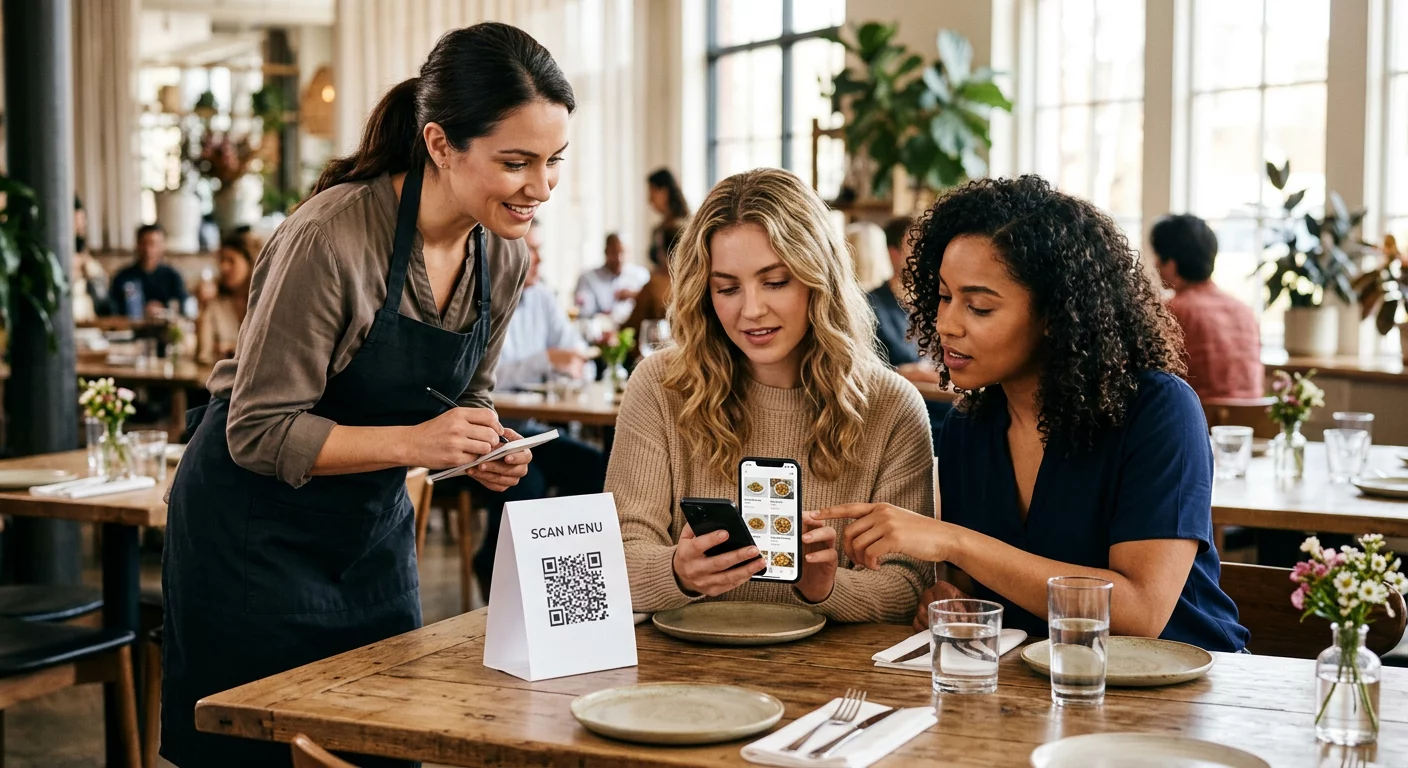
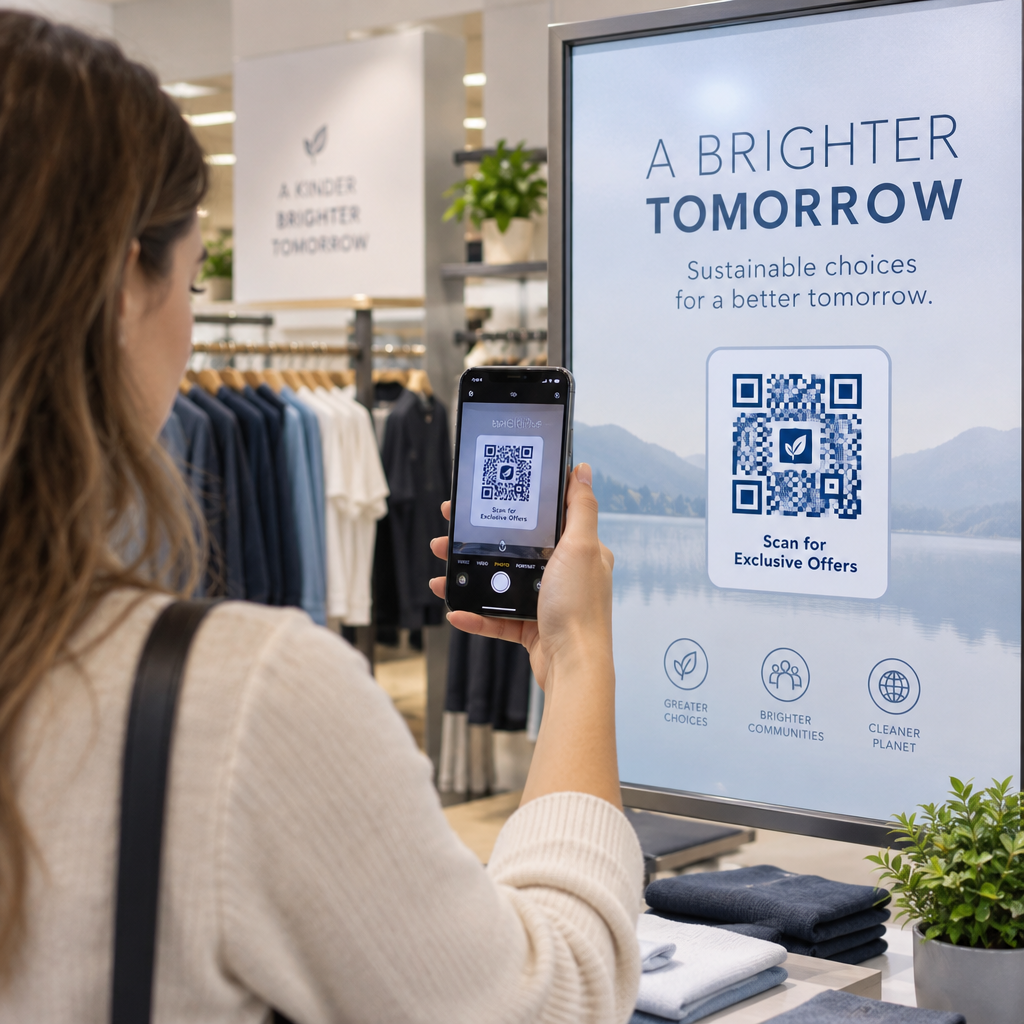
Scanning a branded QR code

AI로 세련된 QR 코드를 만드는 방법

Learn how to create stylish AI QR codes that scan reliably. Follow key technical rules for error correction, contrast, and branding to boost scan rates.
Updated on 9월 29, 2026
목차

Are your standard black-and-white QR codes failing to engage your customers? Generic codes often blend into busy surroundings, causing missed marketing opportunities and disappointing scan rates. Learn how to combine visual AI prompts with functional design standards to produce branded codes that look distinct and scan reliably every time.

시각적 디자인이 더 높은 참여를 유도하는 이유

For years, QR codes were viewed strictly as functional barcodes, but thoughtful aesthetics directly impact user interaction. Branded codes with logos can boost scan rates by 30% to 70% compared to generic designs because consumers associate visual polish with credibility and brand security. When a code looks like an intentional part of your visual identity, users feel confident pointing their phone camera at it.

Beyond basic aesthetic appeal, using artificial intelligence to stylize codes provides concrete operational benefits. Research shows how AI enhances QR code marketing by balancing artistic modifications with pattern reconstruction, which can increase scanning accuracy by roughly 25%. Applying thoughtful palette choices also pays off, as proper QR 코드 색상 대비 and custom colors can lift user engagement by up to 18%.

Technical Rules for Scannable AI Codes

Stylizing a QR code involves modifying individual pixels and module shapes, which introduces reading errors if you ignore technical boundaries. Scanners depend on clear geometric markers to decode the embedded destination. Adhering to recognized ISO standards ensures your artistic choices do not break functionality:

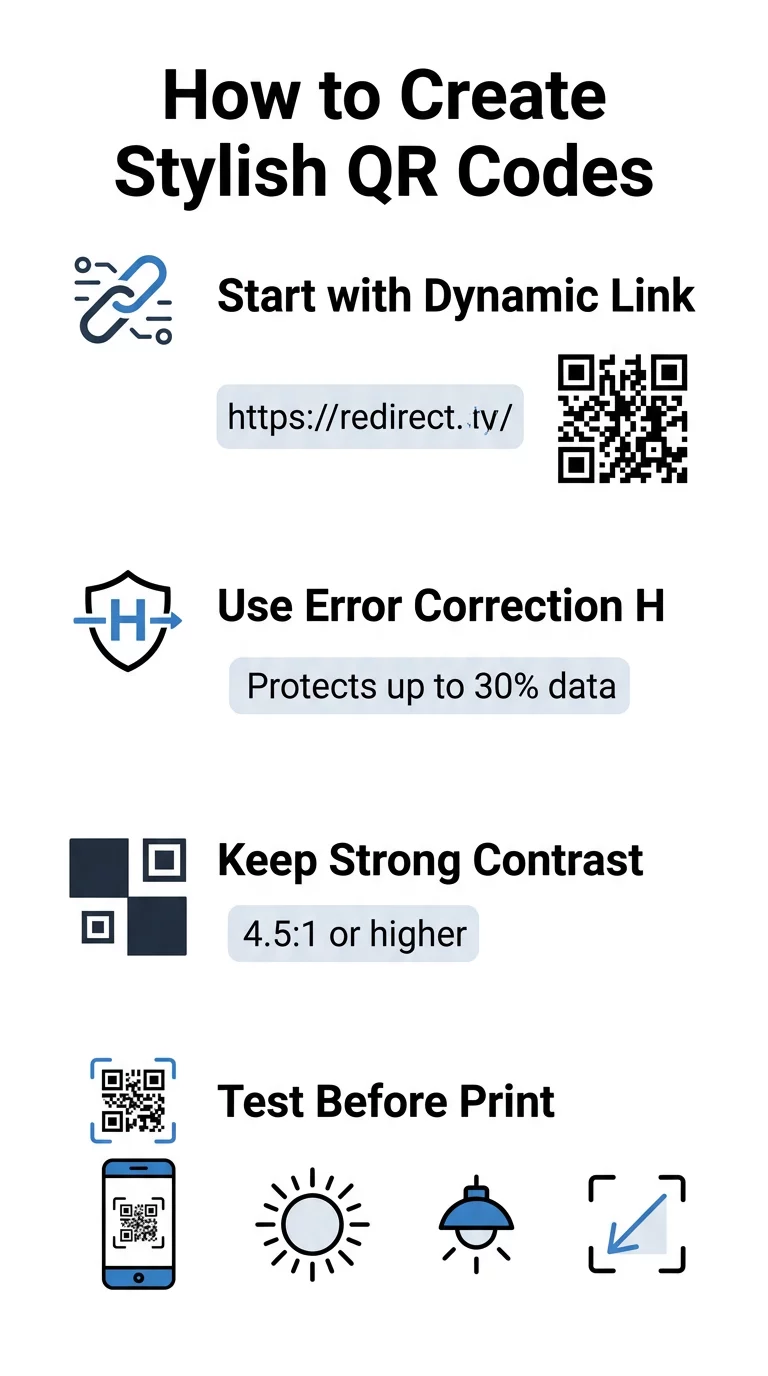
  • Set error correction to Level H: Understanding 오류 수정 작동 방식 is essential for artistic designs. Level H (High) allows a code to restore up to 30% of missing or obscured data, providing the buffer needed to blend AI textures or overlay logos.
  • Protect the finder patterns: The three position-detection squares in the corners use a distinct 1:1:3:1:1 width ratio. Scanners rely on these markers to detect orientation from any angle, so they must remain clearly defined and unobscured.
  • Maintain strong color contrast: QR readers measure the difference in light reflectance between dark modules and light spaces. Aim for a contrast ratio of at least 4.5:1, keeping dark patterns against crisp, light backgrounds while avoiding inverted color palettes.
  • Preserve the quiet zone: Always maintain an unobstructed margin at least four modules wide on all four sides of the code. This empty border isolates the data matrix from nearby text, artwork, or packaging graphics.
  • Follow sizing formulas: For hand-held items like flyers or business cards, keep codes at least 0.8 x 0.8 inches (2 x 2 cm). As highlighted in our QR 코드 디자인 팁, you should add roughly 0.3 inches in dimension for every foot of distance between the user and the code.

Upgrade Your Brand Visuals Instantly Want to combine creative flair with dependable scan performance? Use the Pageloot 로고가 있는 QR 코드 생성기 to customize colors, add your brand icon, and access dynamic tracking tools today.

Practical Workflow for Blending AI and QR Codes

Creating a stylish, machine-readable asset requires moving step-by-step from raw data to artistic generation. Skipping directly to image filters without preparing the foundational matrix frequently results in unreadable artwork.

  • Generate a clean base code: Start inside a standard QR 코드 생성기 to enter your URL and select Level H error correction. Generating this clean digital matrix establishes the exact grid that your AI model will stylize.
  • Craft precise AI prompts: Input your base code into an image generation model using descriptive prompt parameters. Specify clear subjects, architectural styles, lighting conditions, or color palettes, and avoid abstract prompts that bleed dark and light modules together.
  • Preserve critical anchors: Keep the prompt guidance weight balanced so the tool does not alter the three corner finder patterns or distort the module grid beyond recognition.
  • Integrate centered brand marks: Incorporate an icon or brand mark in the center of the design, ensuring it occupies no more than 20% to 30% of the total area, following standard 맞춤 QR 코드 guidelines.
  • Add an outer call-to-action frame: Surround your completed artwork with a defined border and action phrase such as “Scan to Explore” so users immediately understand where the code leads.
브랜드 QR 코드 단계

Why Dynamic QR Codes Support Better Visuals

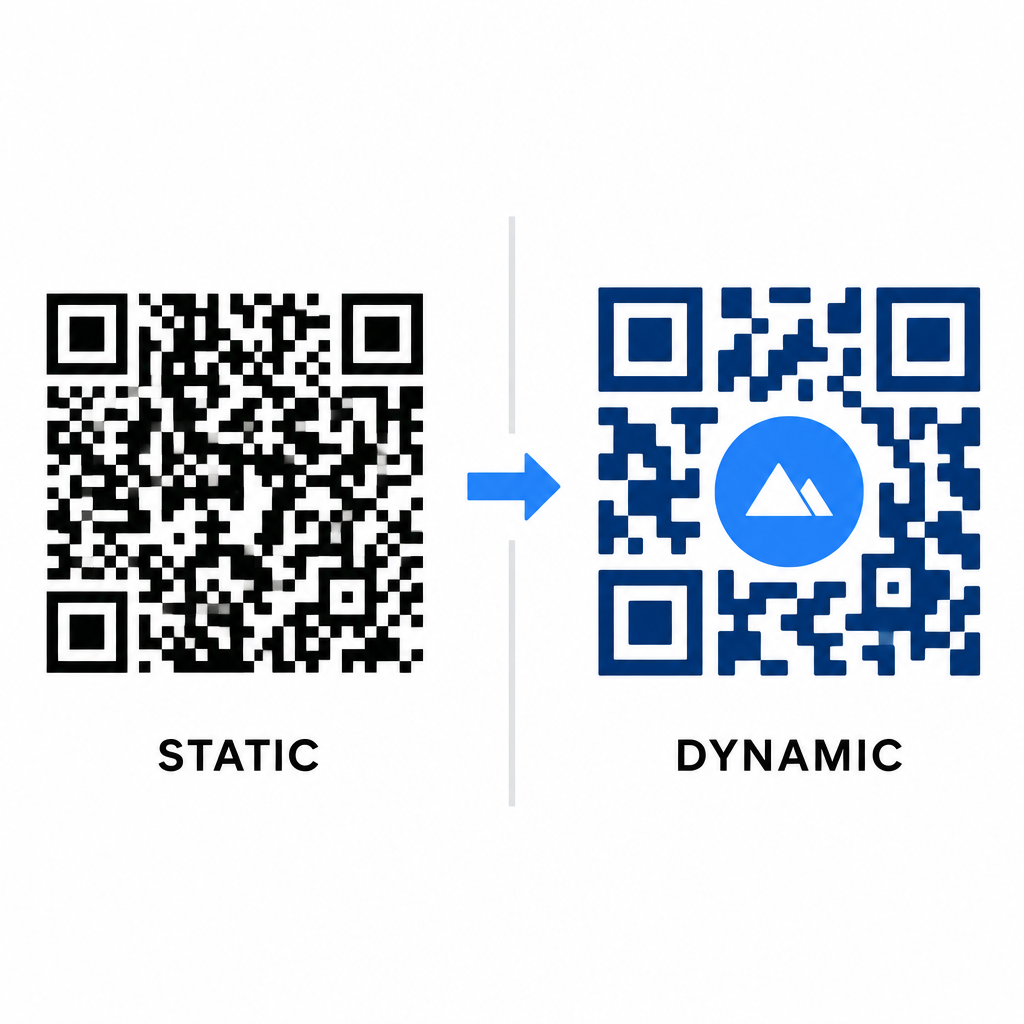
Data density directly impacts how much artistic freedom you have. Static QR codes encode the entire destination URL into the physical pattern. If your link is long, the generator must produce a dense matrix of tiny modules, leaving very little room for AI illustration or logo integration without causing scan failures.

Dynamic codes overcome this bottleneck by storing a short redirect URL on a central server. This keeps the physical grid spacious and the modules large, making it far easier for camera lenses to read stylized shapes. Exploring real-world examples of branded QR codes shows that dynamic setups also let you update destinations after printing while accessing full QR 코드 기능 such as device tracking, scan locations, and engagement analytics.

Static versus dynamic QR codes

Testing and Validating Your Designs

Never send an AI-stylized QR code to print without validating it across diverse hardware and environmental settings. AI models can introduce subtle artifacts that pass on one premium camera but fail on standard devices.

  • Test multiple mobile devices: Scan the code using both iOS and Android native camera apps, along with older third-party scanning applications to confirm universal compatibility.
  • Evaluate varied lighting conditions: Check readability under harsh direct sunlight, under indoor office bulbs, and in dim environments to ensure shadows do not break contrast.
  • Scan from natural angles: Point your device from 45-degree angles and typical consumer distances rather than exclusively testing flat, head-on scans.
  • Confirm print materials: Test physical proofs on your planned paper stock, as glossy laminates, textured cardboards, or fabrics can create reflections that distort AI artwork.

Deploying Functional Art for Your Brand

Transforming generic codes into stylish brand assets allows you to capture customer attention without sacrificing utility. By starting with dynamic short links, locking in Level H error correction, preserving the quiet zone, and maintaining strict contrast ratios, you create visually striking designs that decode effortlessly.

Start customizing your digital touchpoints today using Pageloot’s generation and tracking suite to deliver memorable, scan-ready experiences across all your marketing campaigns.

자주 묻는 질문

Can I use light-colored modules on a dark background for an AI QR code?

You should avoid inverted color schemes because many smartphone sensors fail to decode light patterns on dark surfaces. Stick to dark foreground modules placed on white or light backgrounds to guarantee consistent scanning.

Why is Level H error correction essential when styling QR codes with AI?

Level H allows the QR code to recover up to 30% of lost or obscured data. This built-in redundancy provides the safety buffer required to blend AI textures or embed centered logos without losing data integrity.

Will AI-generated QR codes scan properly across all devices?

They will scan reliably on modern smartphones if you keep the corner finder patterns distinct, preserve the quiet zone, and maintain strong contrast. Always test your artwork across multiple phone models before launching your campaign.

작성자 정보

시임 코스타비는 페이지루트의 콘텐츠 책임자입니다. 그는 페이지루트의 혁신적인 QR 코드 생성 서비스에 대한 글을 쓰고 있습니다. 5년 이상 QR 코드 분야에서 쌓아온 깊이 있는 전문 지식을 바탕으로, 시임은 이 분야의 전문가로 인정받고 있습니다. 그는 QR 기술을 활용하여 디지털 상호작용을 간소화하고 향상시키는 데 크게 기여하고 있습니다.

범주
에 대해 자세히 알아보기
후원자가 기부 QR을 스캔하는 모습
QR 코드 비영리

온라인으로 QR 코드를 생성해야하는 경우 QR 코드 만들기 무료로 여기!
Pageloot는 #1 Go-To 솔루션 QR 코드를 만들고 스캔합니다.

BL-0150

블로그 세대

20,000개 이상의 브랜드로부터 신뢰를 받아 더 많은 매출, 리뷰, 팔로워를 확보했습니다.

클라이언트 로고
최고 브랜드의 신뢰
5 중 4.8 평가

4.86 / 5 별점

휴고 로랑
휴고 로랑
★★★★★
레스토랑 주인
가장 쉽고 안정적인 QR 코드 생성기. PDF 파일을 즉시 업로드할 수 있습니다. 이제 레스토랑 메뉴가 디지털화되었습니다.
루카스 얀센
루카스 얀센
★★★★★
부동산 개발사
이것은 훌륭한 도구이며 QR 코드를 사용하면 원하는 곳으로 이동할 수 있습니다. 우리는 위치 QR 코드만 사용하지만 유용한 기능이 너무 많습니다.
엠마 모레티
엠마 모레티
★★★★★
소매 제품
사용하기 쉽고 빠릅니다. 그것은 훌륭하게 작동하고 완벽한 이미지를 생성하므로 직원들이 내 vCard를 다운로드할 수 있습니다.
휴고 로랑
휴고 로랑
★★★★★
레스토랑 주인
가장 쉽고 안정적인 QR 코드 생성기. PDF 파일을 즉시 업로드할 수 있습니다. 이제 레스토랑 메뉴가 디지털화되었습니다.
루카스 얀센
루카스 얀센
★★★★★
부동산 개발사
이것은 훌륭한 도구이며 QR 코드를 사용하면 원하는 곳으로 이동할 수 있습니다. 우리는 위치 QR 코드만 사용하지만 유용한 기능이 너무 많습니다.
엠마 모레티
엠마 모레티
★★★★★
소매 제품
사용하기 쉽고 빠릅니다. 그것은 훌륭하게 작동하고 완벽한 이미지를 생성하므로 직원들이 내 vCard를 다운로드할 수 있습니다.
더 많은 QR 코드보기
무엇이든 디지털 경험으로 전환하세요 3분 이내에.

14일 무료 체험.

신용카드는 필요 없습니다.

첫 구매 시 30% 할인

코드를 사용하세요:

MP3 파일 공유

PDF QR 코드를 생성하려면 가입하세요

필요한 모든 것을 업로드하고 표시합니다.

  • 오디오 파일
  • 팟캐스트
  • 음악

가입 시 14일 무료 체험.
체험 기간 후 QR 코드 만료.

오디오 mp3 QR 코드를 생성하려면 가입하세요

프레임으로 더 많은 스캔 확보

QR 코드에 더 많은 프레임을 추가하려면 가입하세요

클릭 유도 문안 프레임은 고객이 QR 코드와 쉽게 상호 작용할 수 있도록 도와줍니다. 사용해 보세요!

가입 시 14일 무료 체험.
체험 기간 후 QR 코드 만료.

QR 코드에 더 많은 프레임을 추가하려면 가입하세요

도형으로 더 많은 스타일 추가

더 많은 도형을 만들려면 가입하세요

QR 코드는 정사각형일 필요가 없습니다. 브랜드 이미지에 맞게 전환해 보세요.

가입 시 14일 무료 체험.
체험 기간 후 QR 코드 만료.

더 많은 도형을 만들려면 가입하세요

QR 코드에 로고 추가

QR 코드에 로고를 추가하려면 가입하세요

로고와 브랜드를 추가하여 QR 코드를 돋보이게 만드세요.

가입 시 14일 무료 체험.
체험 기간 후 QR 코드 만료.

QR 코드에 로고를 추가하려면 가입하세요

스마트 앱 스토어 리디렉션

앱 스토어 QR 코드를 생성하려면 가입하세요

스마트 앱 스토어 QR 코드에 앱 링크를 추가하세요. 사용자는 장치에 따라 리디렉션됩니다.

가입 시 14일 무료 체험.
체험 기간 후 QR 코드 만료.

앱 스토어 QR 코드를 생성하려면 가입하세요

QR 코드에 이미지 업로드

이미지 QR 코드를 생성하려면 가입하세요

이미지를 쉽게 공유하세요. 몇 초 안에 동적으로 이미지를 변경하십시오.

가입 시 14일 무료 체험.
체험 기간 후 QR 코드 만료.

이미지 QR 코드를 생성하려면 가입하세요

PDF 파일 공유

PDF QR 코드를 생성하려면 가입하세요

필요한 모든 것을 업로드하고 표시합니다.

  • 메뉴 및 가격표
  • 명령
  • 모든 문서

가입 시 14일 무료 체험.
체험 기간 후 QR 코드 만료.

PDF QR 코드를 생성하려면 가입하세요

인쇄 없이 나중에 편집

다시 인쇄하지 않고 QR 코드를 편집하려면 가입하세요

동적 QR 코드를 사용하면 새 QR 코드를 인쇄하지 않고도 QR 코드의 내용을 변경할 수 있습니다.

가입 시 14일 무료 체험.
체험 기간 후 QR 코드 만료.

다시 인쇄하지 않고 QR 코드를 편집하려면 가입하세요

언제? 어디서? QR 코드 스캔 추적

QR 코드를 추적하려면 가입하세요

어떤 QR 코드가 가장 많이 스캔되고 무엇이 고객을 가장 흥분시키는지 알아보십시오.

가입 시 14일 무료 체험.
체험 기간 후 QR 코드 만료.

QR 코드를 추적하려면 가입하세요

인쇄 준비 파일 제공

PDF 및 SVG와 같은 벡터 QR 코드를 생성하려면 가입하세요.

.EPS, .PDF, .SVG

HD 해상도로 QR 코드를 다운로드하고 싶으신가요? 인쇄할 준비가 된 벡터 또는 픽셀 형식을 가져옵니다.

가입 시 14일 무료 체험.
체험 기간 후 QR 코드 만료.

PDF 및 SVG와 같은 벡터 QR 코드를 생성하려면 가입하세요.

기다리세요. 귀하의 QR 코드는 로드 중... 로드 중...

나만의 것으로 만들기

나중을 위해 QR 코드를 저장하려면 가입하세요.

다양한 색상, 로고 및 클릭 유도문안 프레임으로 멋진 QR 코드를 만들어 더 많은 스캔을 받으세요.

가입 시 14일 무료 체험.
체험 기간 후 QR 코드 만료.

나중을 위해 QR 코드를 저장하려면 가입하세요.