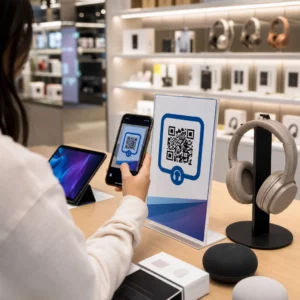
Az alapvető fekete-fehér QR-kódjai nem ragadják meg ügyfeleit? Az általános kódok gyakran beleolvadnak a zsúfolt környezetbe, ami elmulasztott marketinglehetőségeket és kiábrándító szkennelési arányokat eredményez. Tanulja meg, hogyan kombinálhatja a vizuális AI-utasításokat a funkcionális tervezési szabványokkal, hogy olyan márkás kódokat hozzon létre, amelyek különlegesen néznek ki és minden alkalommal megbízhatóan szkennelhetők.
Miért eredményez magasabb elkötelezettséget a vizuális tervezés
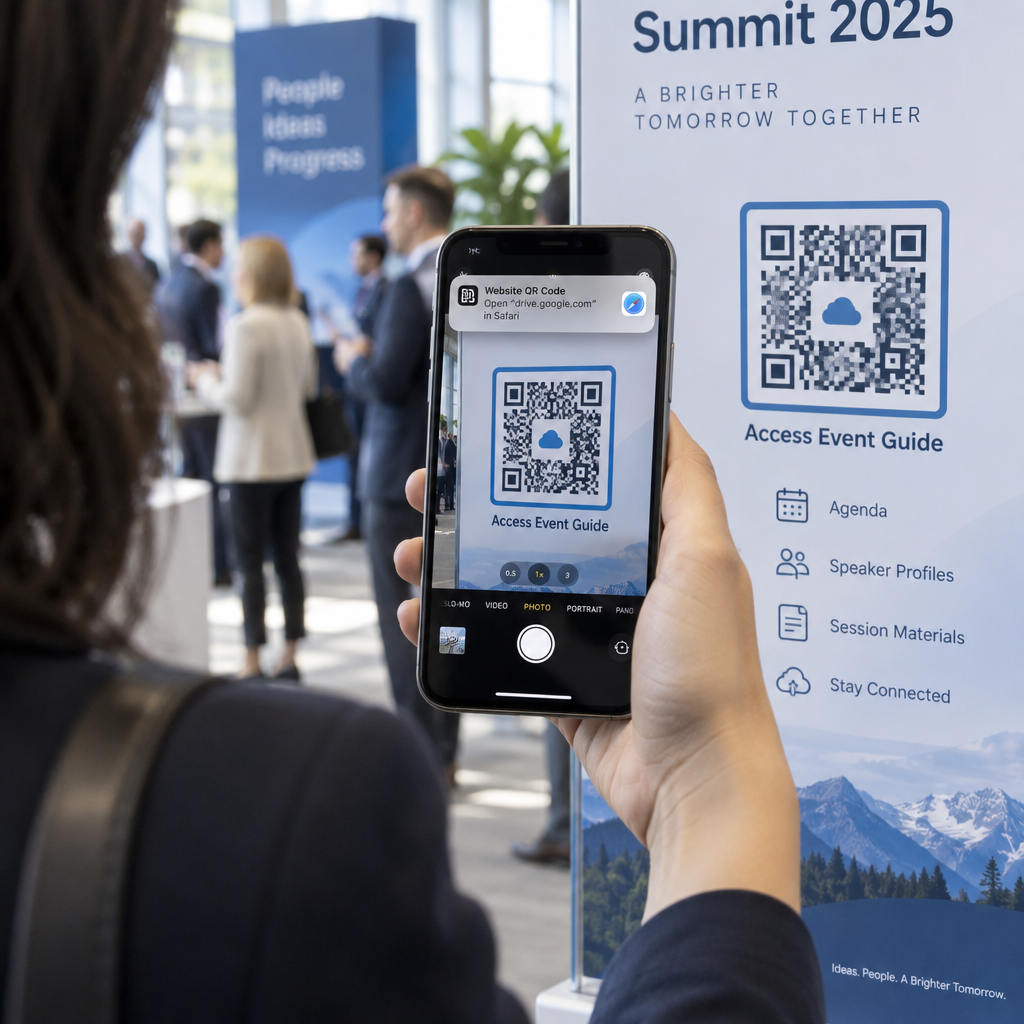
Évekig a QR-kódokat szigorúan funkcionális vonalkódoknak tekintették, de az átgondolt esztétika közvetlenül befolyásolja a felhasználói interakciót. A logóval ellátott márkás kódok 30-70%-kal növelhetik a szkennelési arányt az általános tervekhez képest, mivel a fogyasztók a vizuális kifinomultságot hitelességgel és márkabiztonsággal azonosítják. Márkás QR-kód létrehozásakor egy AI logókészítő segíthet egy olyan következetes logó kialakításában, amely természetesen illeszkedik a kód vizuális identitásába. Ha egy kód a vizuális identitásod szándékos részének tűnik, a felhasználók magabiztosan irányítják rá a telefonjuk kameráját.
Az alapvető esztétikai vonzerőn túl a mesterséges intelligencia használata a kódok stilizálására konkrét működési előnyöket biztosít. Kutatások mutatják be, hogyan javítja az AI a QR-kód marketinget azáltal, hogy egyensúlyt teremt a művészi módosítások és a mintázat rekonstrukciója között, ami nagyjából 25%-kal növelheti a szkennelési pontosságot. Az átgondolt palettaválasztás is megtérül, mivel a megfelelő QR-kód színkontrasztjának és egyedi színek akár 18%-kal is növelhetik a felhasználói elkötelezettséget.
Technikai szabályok a beolvasható AI-kódokhoz
A QR-kód stilizálása az egyes pixelek és modullapok módosítását jelenti, ami olvasási hibákat okozhat, ha figyelmen kívül hagyjuk a technikai határokat. A szkennerek világos geometriai jelölőkre támaszkodnak a beágyazott célhely dekódolásához. A felismerhető ISO szabványok betartása biztosítja, hogy művészi választásai ne rontsák a funkcionalitást:
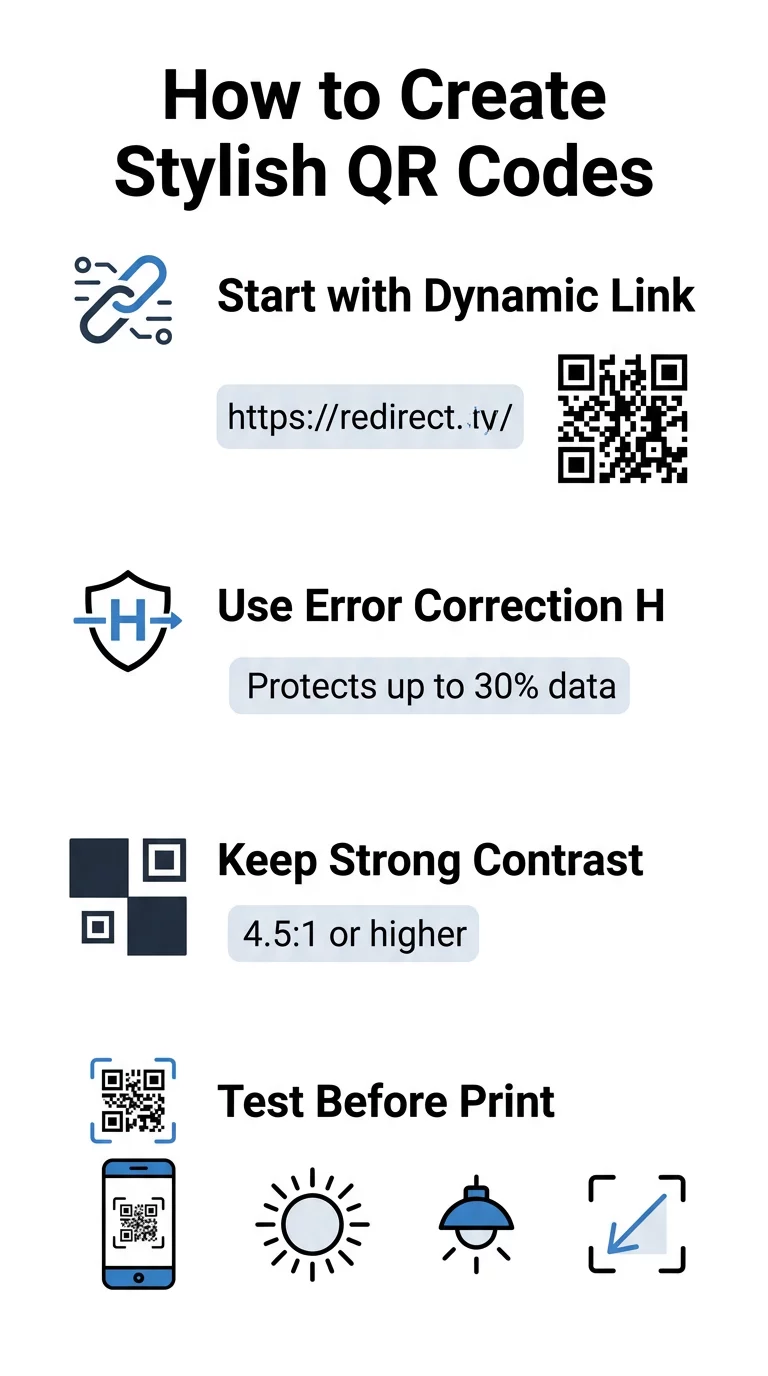
- Állítsa a hibajavítást H szintre: A megértés hogyan működik a hibajavítás elengedhetetlen a művészi tervekhez. A H szint (magas) lehetővé teszi, hogy egy kód a hiányzó vagy elrejtett adatok akár 30%-át is helyreállítsa, biztosítva azt a puffert, amely szükséges az AI textúrák keveréséhez vagy logók átfedéséhez.
- Védje a keresőmintákat: A sarkokban lévő három helyzetérzékelő négyzet jellegzetes 1:1:3:1:1 szélességi arányt használ. A szkennerek ezekre a jelölésekre támaszkodnak az orientáció bármilyen szögből történő felismeréséhez, ezért azoknak egyértelműen meghatározottaknak és akadálymenteseknek kell maradniuk.
- Tartson fenn erős színkontrasztot: A QR-olvasók a sötét modulok és a világos terek közötti fényvisszaverődés különbségét mérik. Törekedjen legalább 4,5:1 kontrasztarányra, tartsa a sötét mintákat éles, világos háttereken, elkerülve a fordított színpalettákat.
- Őrizze meg a csendes zónát: Mindig tartson fenn egy akadálymentes margót, amely legalább négy modul széles a kód mind a négy oldalán. Ez az üres szegély elszigeteli az adatmátrixot a közeli szövegtől, grafikától vagy csomagolási ábráktól.
- Kövesse a méretezési képleteket: Kézi tárgyak, például szórólapok vagy névjegykártyák esetén tartsa a kódokat legalább 0,8 x 0,8 hüvelyk (2 x 2 cm) méretűnek. Ahogy azt a mi QR-kód tervezési tippek, nagyjából 0,3 hüvelykkel növelje a méretet a felhasználó és a kód közötti távolság minden lábáért.
Azonnal frissítse márkája vizuális megjelenését Szeretné ötvözni a kreatív lendületet a megbízható szkennelési teljesítménnyel? Használja a Pageloot logós QR-kód generátorral a színek testreszabásához, márkája ikonjának hozzáadásához és a dinamikus nyomkövető eszközök eléréséhez még ma.
Gyakorlati munkafolyamat az AI és a QR-kódok ötvözésére
Stílusos, géppel olvasható eszköz létrehozásához lépésről lépésre kell haladni a nyers adatoktól a művészi generálásig. Ha kihagyjuk az alapmátrix előkészítését, és közvetlenül a képszűrőkhöz lépünk, az gyakran olvashatatlan műalkotást eredményez.
- Generáljon tiszta alap kódot: Kezdje egy szabványos QR-kód generátorunk felfedezésével kezdheti. hogy beírja URL-jét és kiválassza a H szintű hibajavítást. Ennek a tiszta digitális mátrixnak a generálása határozza meg azt a pontos rácsot, amelyet az AI modellje stílusossá tesz.
- Készítsen pontos AI promptokat: Adja meg az alap kódot egy képgeneráló modellben leíró prompt paraméterekkel. Adjon meg tiszta témákat, építészeti stílusokat, fényviszonyokat vagy színpalettákat, és kerülje az absztrakt promptokat, amelyek összemossák a sötét és világos modulokat.
- Őrizze meg a kritikus horgonypontokat: Tartsa egyensúlyban a prompt irányítási súlyát, hogy az eszköz ne módosítsa a három sarokkereső mintázatot, és ne torzítsa felismerhetetlenségig a modulrácsot.
- Középre igazított márkajelzések integrálása: Illesszen be egy ikont vagy márkajelzést a design közepére, biztosítva, hogy az ne foglalja el a teljes terület 20-30%-ánál többet, a szabványos egyedi QR-kód iránymutatások szerint.
- Adjon hozzá egy külső cselekvésre ösztönző keretet: Vegye körül elkészült alkotását egy meghatározott kerettel és egy cselekvésre ösztönző kifejezéssel, mint például „Szkenneljen a felfedezéshez”, hogy a felhasználók azonnal megértsék, hová vezet a kód.
Miért támogatják a dinamikus QR-kódok a jobb vizuális megjelenést?
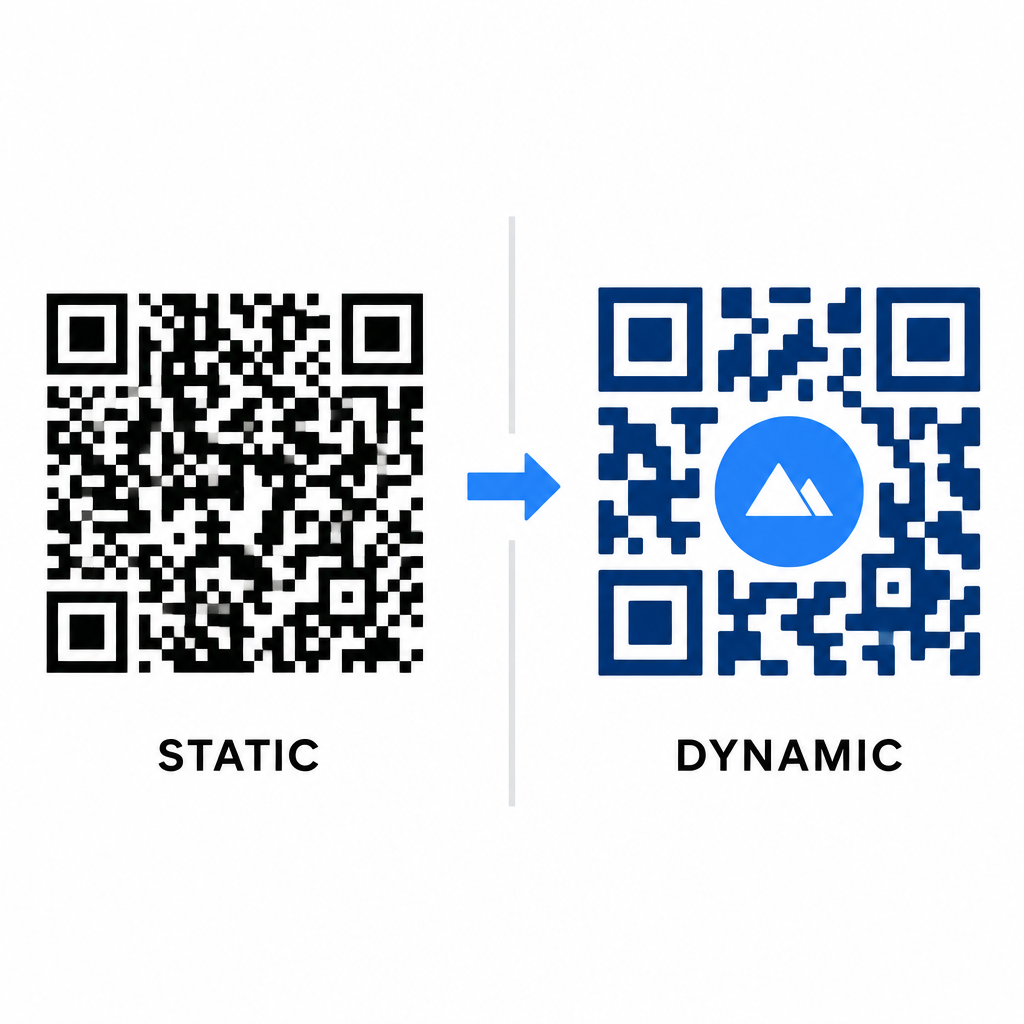
Az adatsűrűség közvetlenül befolyásolja az Ön művészi szabadságát. A statikus QR-kódok a teljes cél URL-t belekódolják a fizikai mintázatba. Ha a link hosszú, a generátornak apró modulok sűrű mátrixát kell előállítania, nagyon kevés helyet hagyva az AI illusztrációknak vagy logóintegrációnak anélkül, hogy beolvasási hibákat okozna.
A dinamikus kódok ezt a szűk keresztmetszetet egy rövid átirányítási URL központi szerveren történő tárolásával oldják meg. Ez tágasabbá teszi a fizikai rácsot és nagyobbá a modulokat, így sokkal könnyebbé válik a stilizált formák leolvasása a kamera lencséi számára. Valós példák feltárása márkázott QR-kódokra azt mutatja, hogy a dinamikus beállítások lehetővé teszik a célok frissítését nyomtatás után is, miközben teljes QR-kód funkciók adatokhoz fér hozzá, mint például az eszközkövetés, a beolvasási helyek és az elkötelezettségi elemzések.
Tervezéseinek tesztelése és validálása
Soha ne küldjön nyomtatásra AI-stilizált QR-kódot anélkül, hogy azt különböző hardvereken és környezeti beállításokon keresztül ne validálná. Az AI modellek olyan finom hibákat okozhatnak, amelyek egy prémium kamerán átmennek, de standard eszközökön hibát jeleznek.
- Tesztelje több mobil eszközön: Olvassa be a kódot iOS és Android natív kamera alkalmazásokkal, valamint régebbi harmadik féltől származó szkennelő alkalmazásokkal is, hogy megerősítse az univerzális kompatibilitást.
- Értékelje a változatos fényviszonyokat: Ellenőrizze az olvashatóságot erős közvetlen napfényben, beltéri irodai fények alatt és gyenge megvilágítású környezetben, hogy a árnyékok ne törjék meg a kontrasztot.
- Vizsgálat természetes szögekből: Irányítsa eszközét 45 fokos szögből és tipikus fogyasztói távolságból, ahelyett, hogy kizárólag lapos, frontális szkennelést tesztelne.
- Nyomtatási anyagok ellenőrzése: Tesztelje a fizikai próbanyomatokat a tervezett papírtípuson, mivel a fényes laminátumok, texturált kartonok vagy szövetek olyan visszaverődéseket hozhatnak létre, amelyek torzítják az AI műalkotásokat.
Funkcionális művészet bevezetése márkájához
Az általános kódok stílusos márkaeszközökké alakítása lehetővé teszi az ügyfelek figyelmének megragadását a hasznosság feláldozása nélkül. A dinamikus rövid linkekkel, a H szintű hibajavítás rögzítésével, a csendes zóna megőrzésével és a szigorú kontrasztarányok fenntartásával vizuálisan lenyűgöző terveket hozhat létre, amelyek könnyedén dekódolhatók.
Kezdje el digitális érintkezési pontjainak testreszabását még ma a Pageloot generációs és nyomon követési csomagjával, hogy emlékezetes, szkennelésre kész élményeket nyújtson minden marketingkampányában.
Gyakori kérdések
Kerüld a fordított színvilágokat, mert sok okostelefon szenzor nem képes megfejteni a fénymintákat sötét felületeken. Maradj a sötét előtér moduloknál, amelyek fehér vagy világos háttereken helyezkednek el, hogy garantált legyen a konzisztens szkennelés.
A H szint lehetővé teszi, hogy a QR-kód a hiányzó vagy elhomályosult adatok akár 30%-át is helyreállítsa. Ez a beépített redundancia biztosítja azt a biztonsági puffert, amely szükséges az AI textúrák keveréséhez vagy a középre igazított logók beágyazásához az adatintegritás elvesztése nélkül.
Megbízhatóan beolvashatók modern okostelefonokon, ha a sarokkereső mintákat jól elkülöníthetővé teszi, megőrzi a csendes zónát, és erős kontrasztot biztosít. Mindig tesztelje műalkotását több telefonmodellen is, mielőtt elindítja a kampányát.