Misslyckas dina standardiserade svartvita QR-koder med att engagera dina kunder? Generiska koder smälter ofta in i hektiska miljöer, vilket leder till missade marknadsföringsmöjligheter och en besvikande skanningsfrekvens. Lär dig hur du kombinerar visuella AI-uppmaningar med funktionella designstandarder för att producera varumärkeskoder som ser unika ut och skannas tillförlitligt varje gång.
Varför visuell design driver högre engagemang
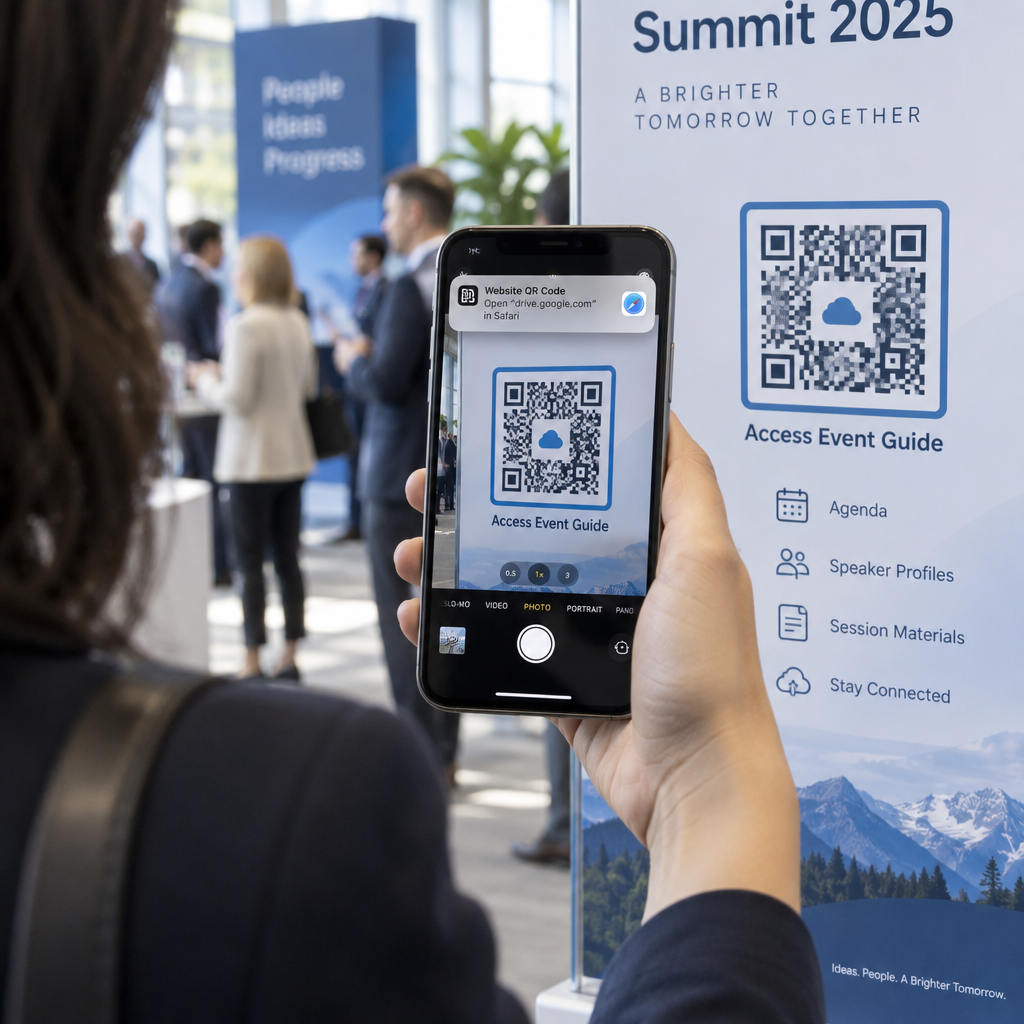
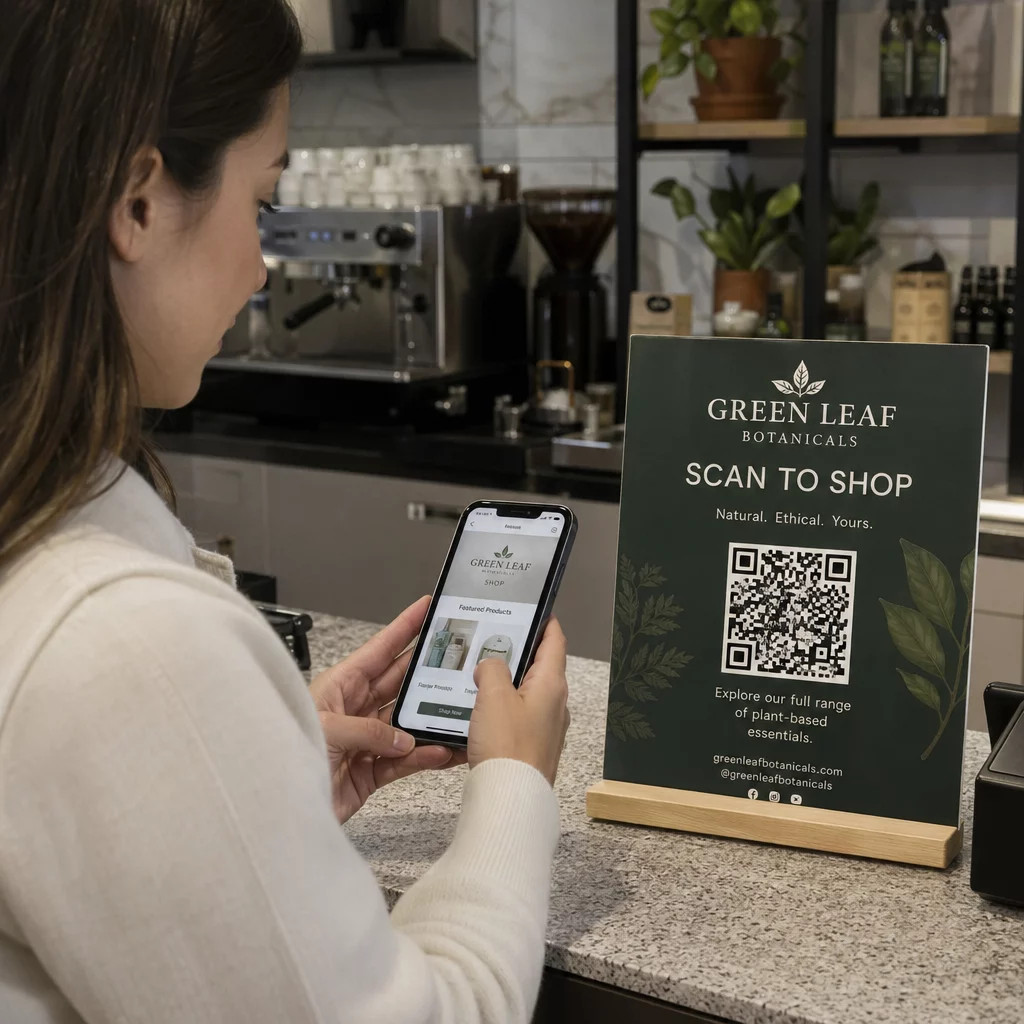
I åratal betraktades QR-koder strikt som funktionella streckkoder, men genomtänkt estetik påverkar direkt användarinteraktionen. Märkeskoder med logotyper kan öka skanningsfrekvensen med 30% till 70% jämfört med generiska designer eftersom konsumenter associerar visuell förfining med trovärdighet och varumärkessäkerhet. När du skapar en märkes-QR-kod kan användning av en AI-logotypskapare kan hjälpa till att utveckla en konsekvent logotyp som passar naturligt in i kodens visuella identitet. Om en kod ser ut som en avsiktlig del av din visuella identitet, känner användare sig trygga med att rikta sin telefonkamera mot den.
Utöver grundläggande estetiskt tilltal ger användningen av artificiell intelligens för att stilisera koder konkreta operativa fördelar. Forskning visar hur AI förbättrar QR-kodmarknadsföring genom att balansera konstnärliga modifieringar med mönsterrekonstruktion, vilket kan öka skanningsnoggrannheten med cirka 25%. Att tillämpa genomtänkta färgval lönar sig också, eftersom korrekta QR-kodens färgkontrast och anpassade färger kan öka användarengagemanget med upp till 18%.
Tekniska regler för skanningsbara AI-koder
Att stilisera en QR-kod innebär att modifiera enskilda pixlar och modulformer, vilket introducerar läsfel om du ignorerar tekniska gränser. Skannrar är beroende av tydliga geometriska markörer för att avkoda den inbäddade destinationen. Att följa erkända ISO-standarder säkerställer att dina konstnärliga val inte bryter funktionaliteten:
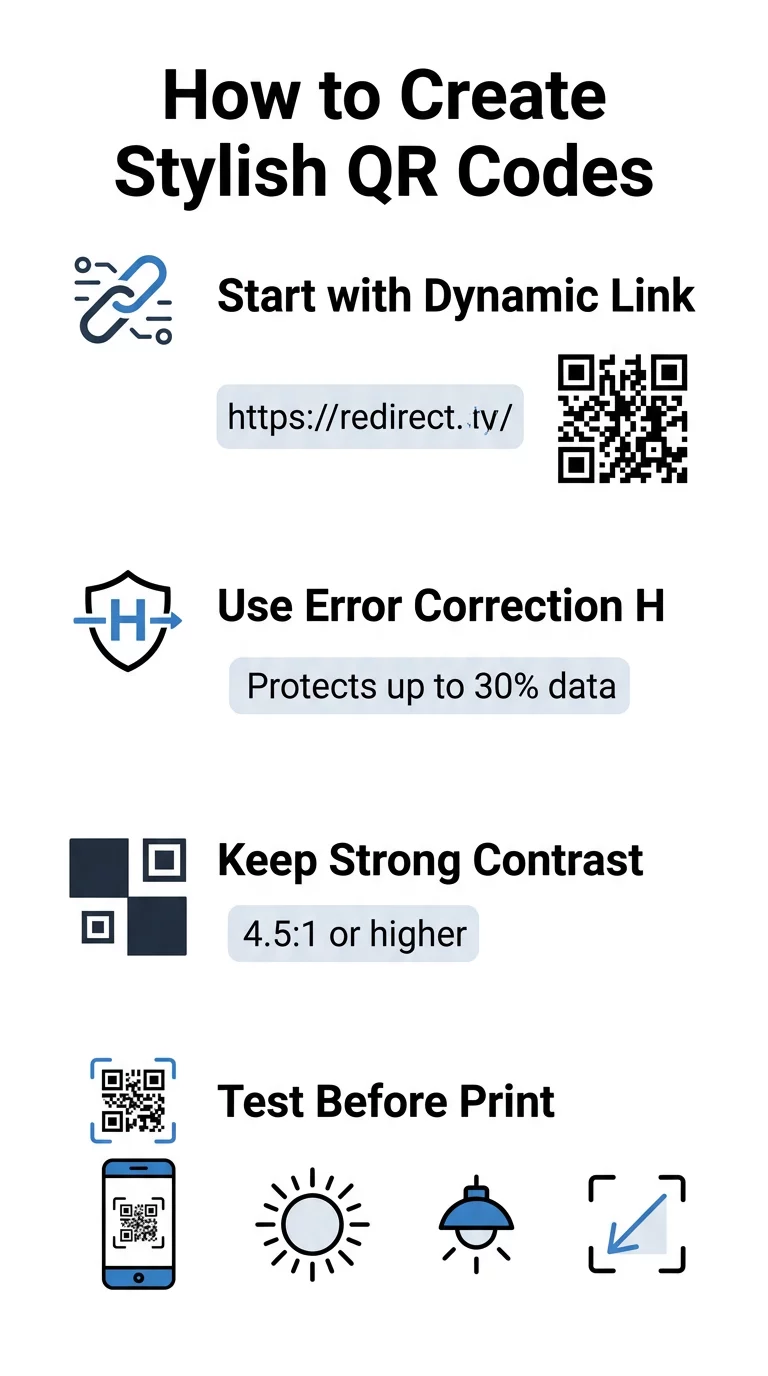
- Ställ in felkorrigering till Nivå H: Att förstå hur felkorrigering fungerar är avgörande för konstnärliga designer. Nivå H (Hög) tillåter en kod att återställa upp till 30% av saknad eller skymd data, vilket ger den buffert som behövs för att blanda AI-texturer eller lägga över logotyper.
- Skydda sökarmönstren: De tre positioneringsrutorna i hörnen använder ett distinkt breddförhållande på 1:1:3:1:1. Skannrar förlitar sig på dessa markörer för att detektera orientering från alla vinklar, så de måste förbli tydligt definierade och fria från hinder.
- Bibehåll stark färgkontrast: QR-läsare mäter skillnaden i ljusreflektion mellan mörka moduler och ljusa utrymmen. Sträva efter ett kontrastförhållande på minst 4,5:1, håll mörka mönster mot skarpa, ljusa bakgrunder samtidigt som du undviker inverterade färgpaletter.
- Bevara den tysta zonen: Upprätthåll alltid en fri marginal på minst fyra moduler bred på alla fyra sidor av koden. Denna tomma kant isolerar datamatrisen från närliggande text, konstverk eller förpackningsgrafik.
- Följ storleksformler: För handhållna föremål som flygblad eller visitkort, håll koder minst 0,8 x 0,8 tum (2 x 2 cm). Som framhålls i vår Tips för QR-koddesign, bör du lägga till cirka 0,3 tum i dimension för varje fot av avstånd mellan användaren och koden.
Uppgradera din varumärkesgrafik direkt Vill du kombinera kreativ finess med pålitlig skanningsprestanda? Använd Pageloot QR-kodgenerator med logotyp för att anpassa färger, lägga till din varumärkesikon och få tillgång till dynamiska spårningsverktyg idag.
Praktisk arbetsflöde för att blanda AI och QR-koder
Att skapa en stilfull, maskinläsbar tillgång kräver att man går steg för steg från rådata till konstnärlig generering. Att hoppa direkt till bildfilter utan att förbereda den grundläggande matrisen resulterar ofta i oläsbara konstverk.
- Generera en ren baskod: Börja inuti en standard QR-kodgenerator för att ange din URL och välja felkorrigering på nivå H. Att generera denna rena digitala matris etablerar det exakta rutnät som din AI-modell kommer att stilisera.
- Skapa precisa AI-prompter: Mata in din baskod i en bildgenereringsmodell med hjälp av beskrivande promptparametrar. Ange tydliga ämnen, arkitektoniska stilar, ljusförhållanden eller färgpaletter, och undvik abstrakta prompter som blandar samman mörka och ljusa moduler.
- Bevara kritiska ankare: Håll ledtrådens vägledningsvikt balanserad så att verktyget inte ändrar de tre hörnsökmönstren eller förvränger moduleringsrutnätet till oigenkännlighet.
- Integrera centrerade varumärkeslogotyper: Infoga en ikon eller varumärkeslogotyp i mitten av designen, se till att den inte upptar mer än 20% till 30% av den totala ytan, enligt standard anpassad QR-kod riktlinjer.
- Lägg till en yttre uppmaningsram: Omge ditt färdiga konstverk med en definierad ram och en uppmaningsfras som “Skanna för att utforska” så att användarna omedelbart förstår vart koden leder.
Varför dynamiska QR-koder stöder bättre visuellt innehåll
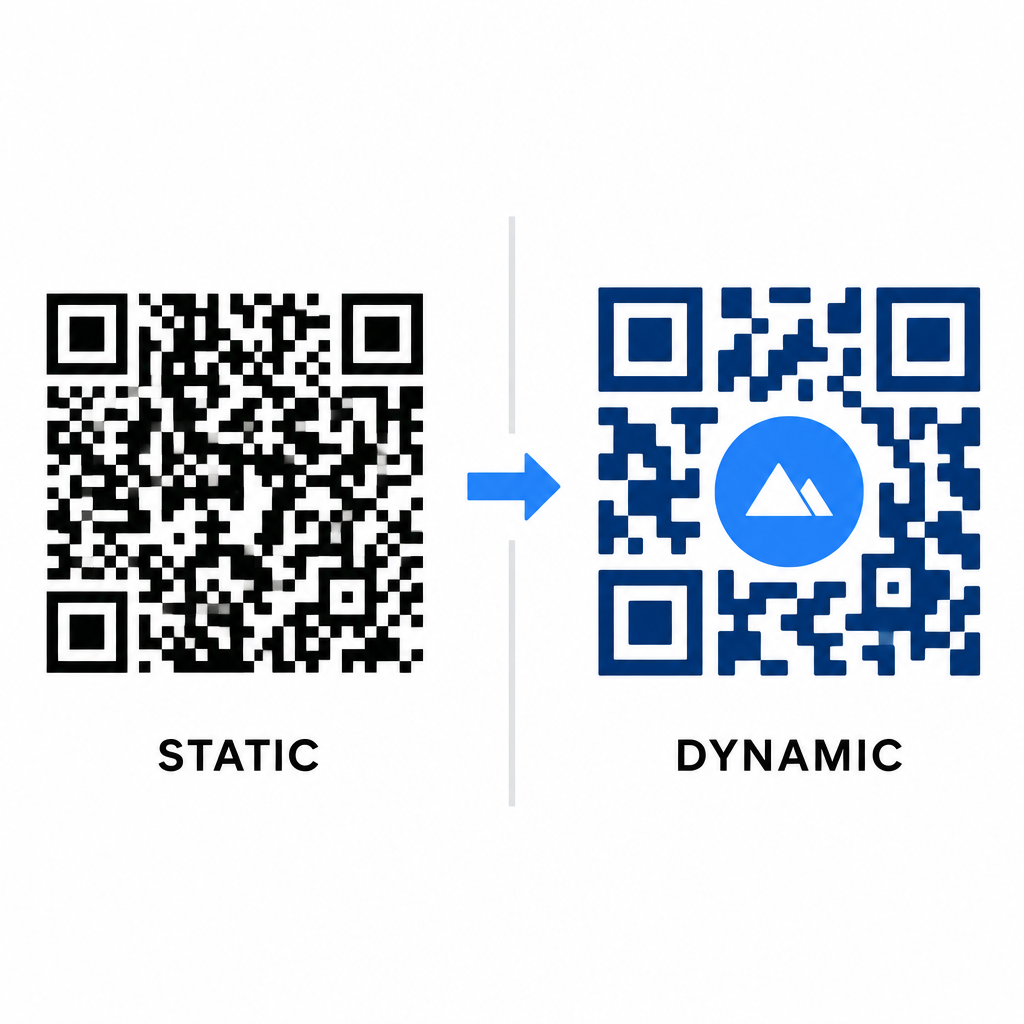
Datatätheten påverkar direkt hur mycket konstnärlig frihet du har. Statiska QR-koder kodar hela destinations-URL:en i det fysiska mönstret. Om din länk är lång måste generatorn producera en tät matris av små moduler, vilket lämnar mycket lite utrymme för AI-illustration eller logotypintegration utan att orsaka skanningsfel.
Dynamiska koder övervinner denna flaskhals genom att lagra en kort omdirigerings-URL på en central server. Detta håller det fysiska rutnätet rymligt och modulerna stora, vilket gör det mycket lättare för kameralinser att läsa stiliserade former. Att utforska verkliga exempel på märkesanpassade QR-koder visar att dynamiska inställningar också låter dig uppdatera destinationer efter utskrift samtidigt som du får tillgång till fullständig QR-kodfunktioner information såsom enhetsspårning, skanningsplatser och engagemangsanalys.
Testa och validera dina designer
Skicka aldrig en AI-stiliserad QR-kod till tryck utan att validera den över olika hårdvara och miljöinställningar. AI-modeller kan introducera subtila artefakter som fungerar på en premiumkamera men misslyckas på standardenheter.
- Testa flera mobila enheter: Skanna koden med både iOS och Androids inbyggda kameraappar, tillsammans med äldre tredjeparts skanningsapplikationer för att bekräfta universell kompatibilitet.
- Utvärdera varierande ljusförhållanden: Kontrollera läsbarheten i starkt direkt solljus, under inomhuskontorslampor och i svaga miljöer för att säkerställa att skuggor inte bryter kontrasten.
- Skanna från naturliga vinklar: Rikta din enhet från 45-graders vinklar och typiska konsumentavstånd snarare än att enbart testa platta, raka skanningar.
- Bekräfta utskriftsmaterial: Testa fysiska korrektur på ditt planerade pappersmaterial, eftersom glansiga laminat, texturerade kartonger eller tyger kan skapa reflektioner som förvränger AI-konstverk.
Implementera funktionell konst för ditt varumärke
Att förvandla generiska koder till stilfulla varumärkestillgångar gör att du kan fånga kundernas uppmärksamhet utan att offra användbarheten. Genom att börja med dynamiska kortlänkar, låsa in felkorrigering på nivå H, bevara den tysta zonen och upprätthålla strikta kontrastförhållanden, skapar du visuellt slående design som avkodas utan ansträngning.
Börja anpassa dina digitala beröringspunkter idag med Pageloots genererings- och spårningssvit för att leverera minnesvärda, skanningsklara upplevelser i alla dina marknadsföringskampanjer.
Vanliga frågor
Du bör undvika inverterade färgscheman eftersom många smartphonesensorer misslyckas med att avkoda ljusmönster på mörka ytor. Håll dig till mörka förgrundsmoduler placerade på vita eller ljusa bakgrunder för att garantera konsekvent skanning.
Nivå H gör att QR-koden kan återställa upp till 30% av förlorad eller skymd data. Denna inbyggda redundans ger den säkerhetsbuffert som krävs för att blanda AI-texturer eller bädda in centrerade logotyper utan att förlora dataintegriteten.
De kommer att skanna pålitligt på moderna smartphones om du håller hörnets sökarmönster distinkta, bevarar den tysta zonen och upprätthåller stark kontrast. Testa alltid ditt konstverk på flera telefonmodeller innan du lanserar din kampanj.