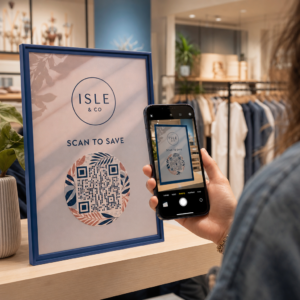
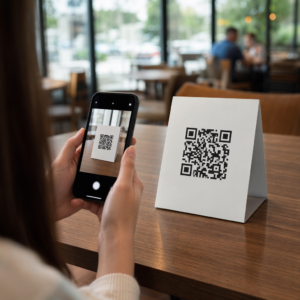
Eivätkö tavalliset mustavalkoiset QR-koodisi onnistu sitouttamaan asiakkaitasi? Yleiset koodit sulautuvat usein kiireiseen ympäristöön, mikä johtaa menetettyihin markkinointimahdollisuuksiin ja pettymyksiä tuottaviin skannausmääriin. Opi yhdistämään visuaalisia tekoälykehotteita toiminnallisiin suunnittelustandardeihin luodaksesi brändättyjä koodeja, jotka näyttävät erottuvilta ja skannautuvat luotettavasti joka kerta.
Miksi visuaalinen suunnittelu lisää sitoutumista
Vuosien ajan QR-koodeja pidettiin puhtaasti toiminnallisina viivakoodeina, mutta harkittu estetiikka vaikuttaa suoraan käyttäjän vuorovaikutukseen. Brändätyt koodit logoilla voivat nostaa skannausmääriä 30–70 % yleisiin malleihin verrattuna, koska kuluttajat yhdistävät visuaalisen viimeistelyn uskottavuuteen ja brändin turvallisuuteen. Kun luot brändättyä QR-koodia, käyttämällä tekoälylogonluojaa voi auttaa kehittämään yhtenäisen logon, joka istuu luonnollisesti koodin visuaaliseen ilmeeseen. Jos koodi näyttää olevan tarkoituksellinen osa visuaalista identiteettiäsi, käyttäjät tuntevat olonsa luottavaisiksi osoittaessaan puhelimen kameransa sitä kohti.
Yksinkertaisen esteettisen houkuttelevuuden lisäksi tekoälyn käyttö koodien muotoilussa tarjoaa konkreettisia toiminnallisia etuja. Tutkimus osoittaa kuinka tekoäly tehostaa QR-koodimarkkinointia tasapainottamalla taiteellisia muutoksia kuvioiden uudelleenrakentamisella, mikä voi lisätä skannauksen tarkkuutta noin 25 %. Myös harkittujen väripalettivalintojen tekeminen kannattaa, sillä oikeat QR-koodin värikontrastin ja mukautetut värit voivat lisätä käyttäjien sitoutumista jopa 18 %.
Tekniset säännöt skannattaville tekoälykoodille
QR-koodin tyylittelyyn sisältyy yksittäisten pikseleiden ja moduulimuotojen muokkaaminen, mikä aiheuttaa lukuvirheitä, jos teknisiä rajoja ei huomioida. Skannerit ovat riippuvaisia selkeistä geometrisista merkeistä upotetun kohteen purkamiseksi. Tunnettujen ISO-standardien noudattaminen varmistaa, etteivät taiteelliset valintasi riko toiminnallisuutta:
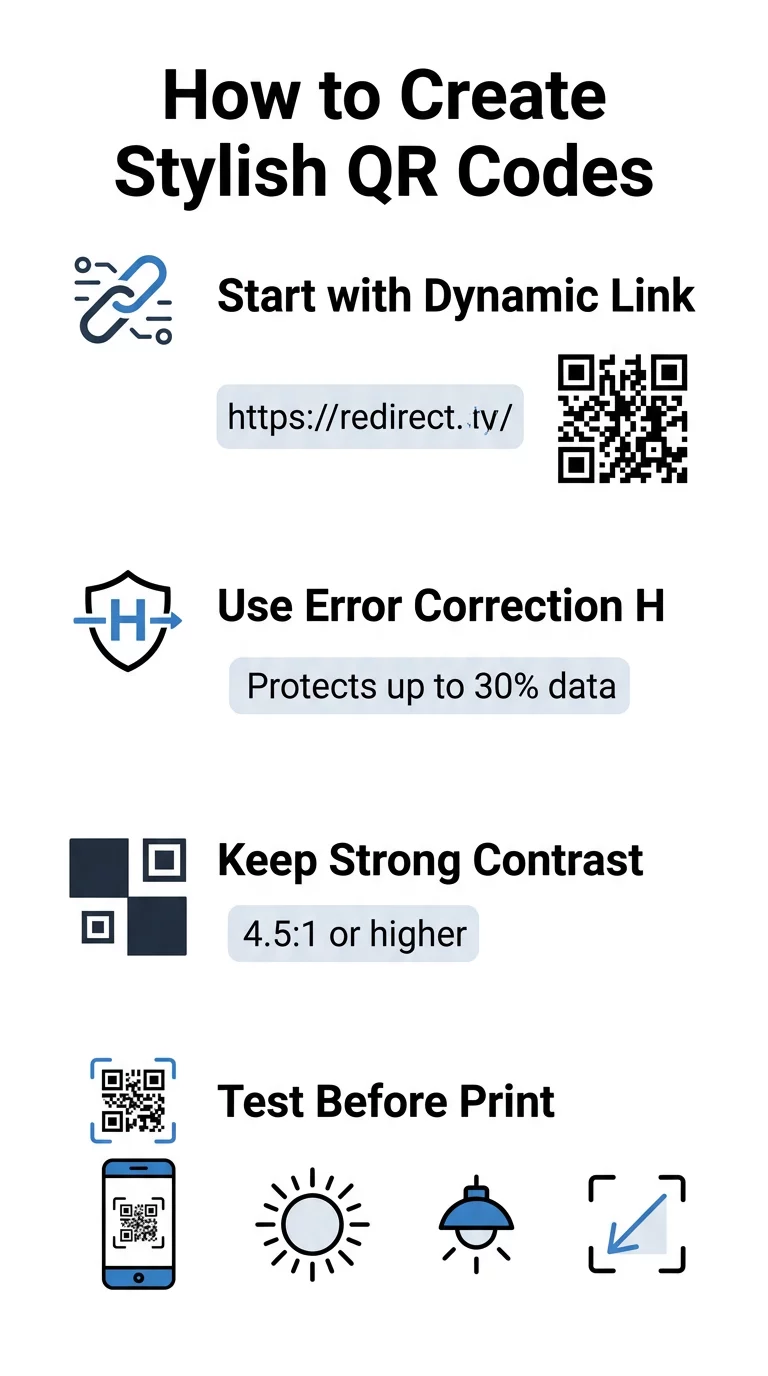
- Aseta virheenkorjaus tasolle H: Ymmärtäminen miten virheenkorjaus toimii on olennaista taiteellisissa suunnitelmissa. Taso H (Korkea) antaa koodin palauttaa jopa 30 % puuttuvasta tai peitetystä tiedosta, tarjoten tarvittavan puskurin tekoälytekstuurien yhdistämiseen tai logojen päällekkäisyyteen.
- Suojaa etsintäkuviot: Kolmessa kulmassa olevat sijainnin tunnistusneliöt käyttävät selkeää 1:1:3:1:1-leveyssuhdetta. Skannerit käyttävät näitä merkkejä havaitakseen suunnan mistä tahansa kulmasta, joten niiden on pysyttävä selkeästi määriteltyinä ja peittämättöminä.
- Säilytä vahva värikontrasti: QR-lukijat mittaavat valon heijastuksen eroa tummien moduulien ja vaaleiden tilojen välillä. Pyri vähintään 4.5:1 kontrastisuhteeseen pitämällä tummat kuviot teräviä, vaaleita taustoja vasten ja välttämällä käännettyjä väripaletteja.
- Säilytä hiljainen alue: Säilytä aina vähintään neljän moduulin levyinen esteetön marginaali koodin kaikilla neljällä sivulla. Tämä tyhjä reunus eristää datamatriisin läheisestä tekstistä, taideteoksista tai pakkausgrafiikasta.
- Noudata mitoituskaavoja: Käsikäyttöisille esineille, kuten lentolehtisille tai käyntikorteille, pidä koodit vähintään 0.8 x 0.8 tuumaa (2 x 2 cm). Kuten korostimme meidän QR-koodin suunnitteluvinkkejä, sinun tulisi lisätä noin 0.3 tuumaa mittaan jokaista jalkaa kohden käyttäjän ja koodin välisessä etäisyydessä.
Päivitä brändisi visuaalinen ilme heti Haluatko yhdistää luovan ilmaisun ja luotettavan skannaussuorituskyvyn? Käytä Pageloot QR-koodigeneraattoria logolla räätälöidäksesi värejä, lisätäksesi brändikuvakkeen ja päästäksesi käsiksi dynaamisiin seurantatyökaluihin tänään.
Käytännöllinen työnkulku tekoälyn ja QR-koodien yhdistämiseen
Tyylikkään, koneellisesti luettavan omaisuuden luominen edellyttää etenemistä askel askeleelta raakadatasta taiteelliseen luomiseen. Suoraan kuvasuodattimiin siirtyminen valmistelematta perusmatriisia johtaa usein lukukelvottomaan taideteokseen.
- Luo puhdas peruskoodi: Aloita standardin sisällä QR-koodigeneraattori syöttääksesi URL-osoitteesi ja valitaksesi tason H virheenkorjauksen. Tämän puhtaan digitaalisen matriisin luominen määrittää tarkan ruudukon, jonka tekoälymallisi stylisoi.
- Muotoile tarkkoja tekoälykehotteita: Syötä peruskoodisi kuvagenerointimalliin käyttäen kuvailevia kehote-parametreja. Määritä selkeät aiheet, arkkitehtoniset tyylit, valaistusolosuhteet tai väripaletit, ja vältä abstrakteja kehotteita, jotka sekoittavat tummat ja vaaleat moduulit keskenään.
- Säilytä kriittiset ankkurit: Pidä ohjeiden ohjauspaino tasapainossa, jotta työkalu ei muuta kolmea kulman etsintäkuviota tai vääristä moduuliverkkoa tunnistamattomaksi.
- Integroi keskitetyt brändimerkit: Sisällytä kuvake tai brändimerkki suunnittelun keskelle varmistaen, että se vie enintään 20–30 % kokonaisalasta, noudattaen standardeja mukautettu QR-koodi ohjeita.
- Lisää ulompi kehotuskehikko: Ympäröi valmis taideteoksesi määritellyllä reunuksella ja toimintalauseella, kuten “Skannaa ja tutki”, jotta käyttäjät ymmärtävät välittömästi, minne koodi johtaa.
Miksi dynaamiset QR-koodit tukevat parempaa visuaalisuutta
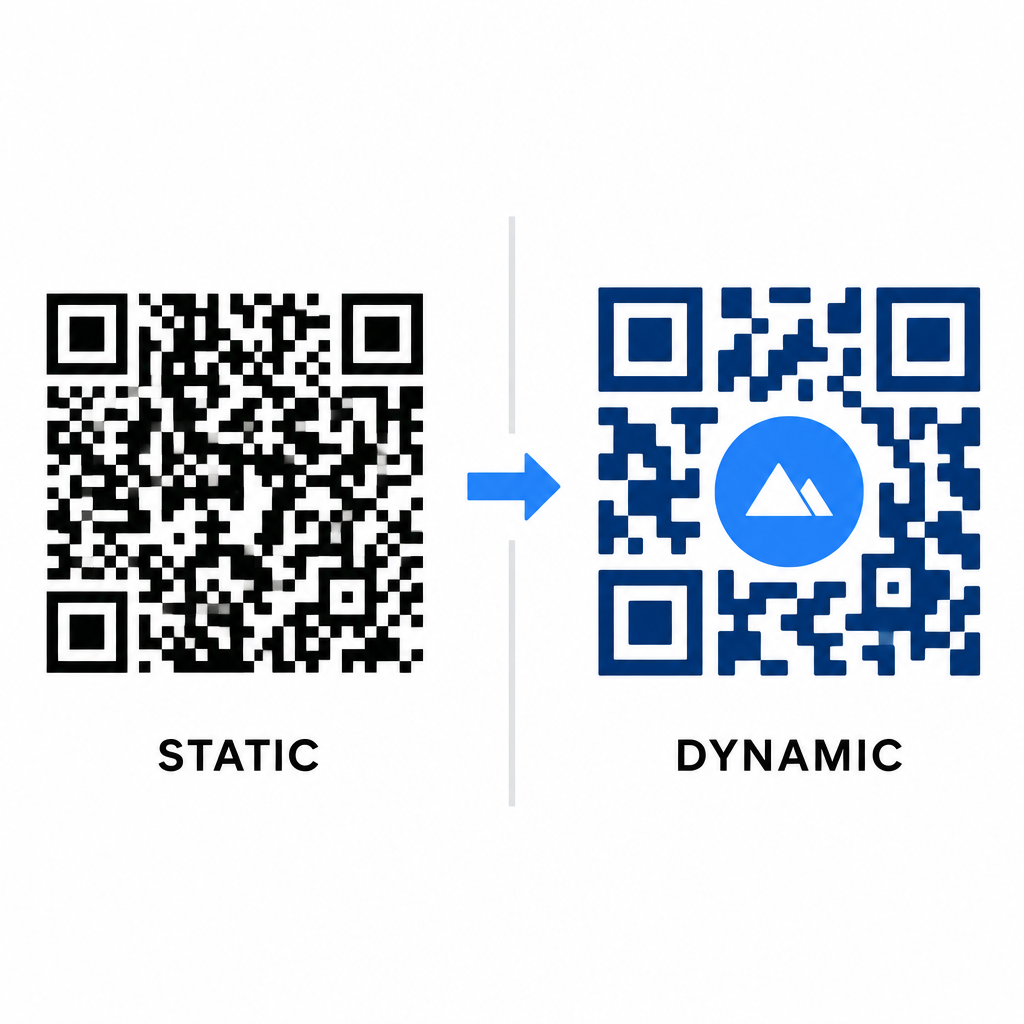
Tiedon tiheys vaikuttaa suoraan siihen, kuinka paljon taiteellista vapautta sinulla on. Staattiset QR-koodit koodaavat koko kohde-URL:n fyysiseen kuvioon. Jos linkkisi on pitkä, generaattorin on tuotettava tiheä matriisi pieniä moduuleja, jättäen hyvin vähän tilaa tekoälykuvitukselle tai logon integroinnille aiheuttamatta skannausvirheitä.
Dynaamiset koodit ylittävät tämän pullonkaulan tallentamalla lyhyen uudelleenohjaus-URL:n keskuspalvelimelle. Tämä pitää fyysisen ruudukon tilavana ja moduulit suurina, mikä tekee tyyliteltyjen muotojen lukemisesta paljon helpompaa kameroiden linsseille. Todellisen maailman tutkiminen esimerkkejä brändätyistä QR-koodeista osoittaa, että dynaamiset asetukset mahdollistavat myös kohteiden päivittämisen tulostuksen jälkeen samalla kun pääset käsiksi täysiin QR-koodin ominaisuudet kuten laitteen seurantaan, skannauspaikkoihin ja sitoutumisen analytiikkaan.
Suunnitelmiesi testaaminen ja validoiminen
Älä koskaan lähetä tekoälytyyliteltyä QR-koodia tulostettavaksi validoimatta sitä erilaisissa laitteisto- ja ympäristöasetuksissa. Tekoälymallit voivat tuottaa hienovaraisia virheitä, jotka toimivat yhdellä premium-kameralla mutta epäonnistuvat vakiolaitteilla.
- Testaa useita mobiililaitteita: Skannaa koodi sekä iOS- että Android-käyttöjärjestelmien natiiveilla kamerasovelluksilla, sekä vanhemmilla kolmannen osapuolen skannaussovelluksilla varmistaaksesi yleisen yhteensopivuuden.
- Arvioi vaihtelevia valaistusolosuhteita: Tarkista luettavuus kovassa suorassa auringonvalossa, sisätilojen toimistolamppujen alla ja hämärissä ympäristöissä varmistaaksesi, etteivät varjot riko kontrastia.
- Skannaa luonnollisista kulmista: Kohdista laitteesi 45 asteen kulmista ja tyypillisiltä kuluttajaetäisyyksiltä sen sijaan, että testaisit vain tasaisia, suoria skannauksia.
- Vahvista painomateriaalit: Testaa fyysisiä vedoksia suunnittelemallasi paperilla, sillä kiiltävät laminaatit, kuvioidut pahvit tai kankaat voivat luoda heijastuksia, jotka vääristävät tekoälykuvia.
Toiminnallisen taiteen käyttöönotto brändillesi
Yleisten koodien muuntaminen tyylikkäiksi brändiomaisuuksiksi antaa sinun vangita asiakkaiden huomion tinkimättä hyödyllisyydestä. Aloittamalla dynaamisilla lyhytlinkeillä, varmistamalla H-tason virheenkorjauksen, säilyttämällä hiljaisen alueen ja ylläpitämällä tiukkoja kontrastisuhteita luot visuaalisesti näyttäviä malleja, jotka luetaan vaivattomasti.
Aloita digitaalisten kosketuspisteiden mukauttaminen tänään käyttämällä Pagelootin luonti- ja seurantapakettia tarjotaksesi ikimuistoisia, skannausvalmiita kokemuksia kaikissa markkinointikampanjoissasi.
Usein kysytyt kysymykset
Sinun tulisi välttää käänteisiä värimaailmoja, koska monet älypuhelinten sensorit eivät pysty purkamaan valokuvioita tummilla pinnoilla. Pysy tummissa etualan moduuleissa, jotka on sijoitettu valkoisille tai vaaleille taustoille varmistaaksesi tasaisen skannauksen.
H-taso mahdollistaa QR-koodin palauttavan jopa 30 % kadonneesta tai peitetystä tiedosta. Tämä sisäänrakennettu redundanssi tarjoaa turvapuskurin, jota tarvitaan tekoälytekstuurien yhdistämiseen tai keskitettyjen logojen upottamiseen menettämättä tietojen eheyttä.
Ne skannaavat luotettavasti nykyaikaisilla älypuhelimilla, jos pidät kulmaetsintäkuviot selkeinä, säilytät hiljaisen alueen ja ylläpidät vahvaa kontrastia. Testaa aina kuvituksesi useilla puhelinmalleilla ennen kampanjasi käynnistämistä.