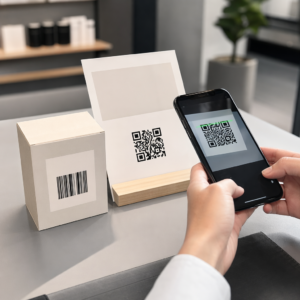
Ali vaši standardni črno-beli QR kode ne uspejo pritegniti vaših strank? Splošne kode se pogosto zlijejo z živahno okolico, kar povzroča zamujene tržne priložnosti in razočarajoče stopnje skeniranja. Naučite se, kako združiti vizualne AI pozive s funkcionalnimi oblikovalskimi standardi za ustvarjanje kod z blagovno znamko, ki so videti značilne in se vsakič zanesljivo skenirajo.
Zakaj vizualno oblikovanje spodbuja večjo angažiranost
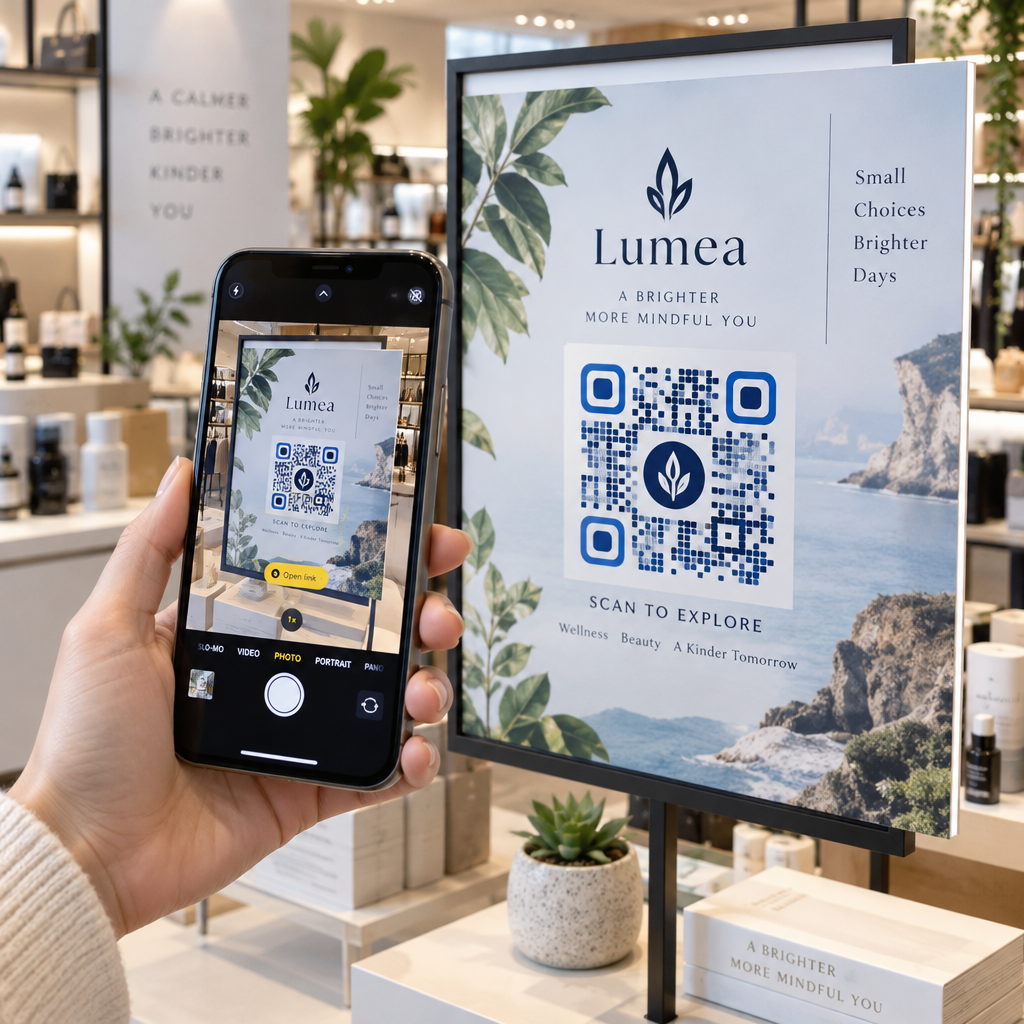
Dolga leta so bile QR kode obravnavane izključno kot funkcionalne črtne kode, vendar premišljena estetika neposredno vpliva na interakcijo uporabnikov. Kode z blagovno znamko in logotipi lahko povečajo stopnjo skeniranja za 30 % do 70 % v primerjavi z generičnimi dizajni, saj potrošniki vizualno dovršenost povezujejo z verodostojnostjo in varnostjo blagovne znamke. Pri ustvarjanju QR kode z blagovno znamko, uporaba izdelovalca logotipov z umetno inteligenco lahko pomaga razviti skladen logotip, ki se naravno vklapa v vizualno identiteto kode. Če je koda videti kot namerni del vaše vizualne identitete, se uporabniki počutijo samozavestne, ko nanjo usmerijo kamero svojega telefona.
Poleg osnovne estetske privlačnosti, uporaba umetne inteligence za stilizacijo kod prinaša konkretne operativne koristi. Raziskave kažejo, kako umetna inteligenca izboljšuje trženje QR kod z uravnoteženjem umetniških modifikacij z rekonstrukcijo vzorcev, kar lahko poveča natančnost skeniranja za približno 25 %. Uporaba premišljenih izbir palete se prav tako obrestuje, saj pravilne barvnega kontrasta QR kode in barve po meri lahko povečajo angažiranost uporabnikov do 18 %.
Tehnična pravila za skenabilne kode z umetno inteligenco
Stiliziranje QR kode vključuje spreminjanje posameznih pikslov in oblik modulov, kar povzroči napake pri branju, če prezrete tehnične omejitve. Skenerji so odvisni od jasnih geometrijskih oznak za dekodiranje vgrajenega cilja. Upoštevanje priznanih standardov ISO zagotavlja, da vaše umetniške izbire ne porušijo funkcionalnosti:
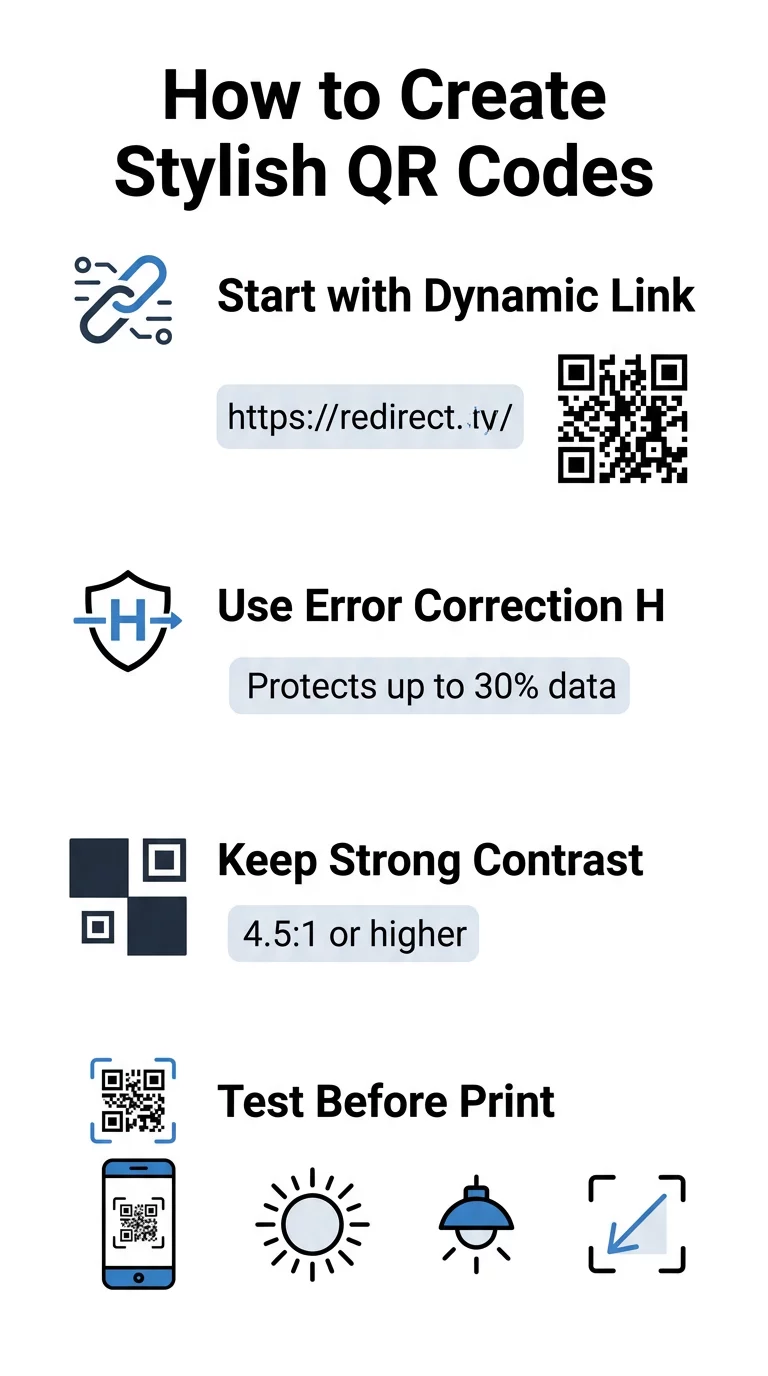
- Nastavite popravek napak na raven H: Razumevanje kako deluje popravljanje napak je bistveno za umetniške zasnove. Raven H (visoka) omogoča, da koda obnovi do 30 % manjkajočih ali zastrtih podatkov, kar zagotavlja medpomnilnik, potreben za združevanje AI tekstur ali prekrivanje logotipov.
- Zaščitite iskalne vzorce: Trije kvadratki za zaznavanje položaja v vogalih uporabljajo značilno razmerje širine 1:1:3:1:1. Skenerji se zanašajo na te oznake za zaznavanje orientacije iz katerega koli kota, zato morajo ostati jasno določeni in neovirkovani.
- Ohranite močan barvni kontrast: Čitalniki QR merijo razliko v odbojnosti svetlobe med temnimi moduli in svetlimi prostori. Prizadevajte si za kontrastno razmerje vsaj 4,5:1, pri čemer naj bodo temni vzorci na ostrih, svetlih ozadjih, izogibajte pa se obrnjenim barvnim paletam.
- Ohranite mirno cono: Vedno ohranite neovirano obrobo, široko vsaj štiri module, na vseh štirih straneh kode. Ta prazna obroba izolira podatkovno matrico od bližnjega besedila, umetniških del ali grafike na embalaži.
- Upoštevajte formule za velikost: Za ročne predmete, kot so letaki ali vizitke, naj bodo kode velike vsaj 0,8 x 0,8 palca (2 x 2 cm). Kot je poudarjeno v našem Nasveti za oblikovanje QR kod, bi morali dodati približno 0,3 palca v dimenzijo za vsako stopalo razdalje med uporabnikom in kodo.
Takoj nadgradite vizualno podobo vaše blagovne znamke Želite združiti kreativnost z zanesljivim delovanjem skeniranja? Uporabite Pageloot generatorjem QR kod z logotipom za prilagoditev barv, dodajanje ikone vaše blagovne znamke in dostop do orodij za dinamično sledenje še danes.
Praktični potek dela za združevanje umetne inteligence in QR kod
Ustvarjanje elegantnega, strojno berljivega sredstva zahteva postopen prehod od surovih podatkov do umetniškega ustvarjanja. Preskakovanje neposredno na slikovne filtre brez priprave temeljne matrike pogosto povzroči neberljivo umetniško delo.
- Ustvarite čisto osnovno kodo: Začnite v standardnem generator QR kod za vnos vašega URL-ja in izberite popravljanje napak ravni H. Z ustvarjanjem te čiste digitalne matrike se vzpostavi natančna mreža, ki jo bo vaš model umetne inteligence stiliziral.
- Oblikujte natančne AI pozive: Vnesite svojo osnovno kodo v model za generiranje slik z uporabo opisnih parametrov poziva. Določite jasne subjekte, arhitekturne sloge, svetlobne pogoje ali barvne palete in se izogibajte abstraktnim pozivom, ki temne in svetle module združujejo.
- Ohranite kritične sidrne točke: Ohranjajte uravnoteženo težo vodenja poziva, da orodje ne spremeni treh vogalnih iskalnih vzorcev ali popači mreže modulov do nerazpoznavnosti.
- Vključite osrednje blagovne znamke: Vključite ikono ali blagovno znamko v središče dizajna, pri čemer pazite, da ne zaseda več kot 20 % do 30 % celotne površine, v skladu s standardnimi QR koda po meri smernicami.
- Dodajte zunanji okvir poziva k dejanju: Svoje dokončano umetniško delo obkrožite z določeno obrobo in akcijsko frazo, kot je „Skeniraj za raziskovanje“, da uporabniki takoj razumejo, kam vodi koda.
Zakaj dinamične QR kode podpirajo boljšo vizualno podobo
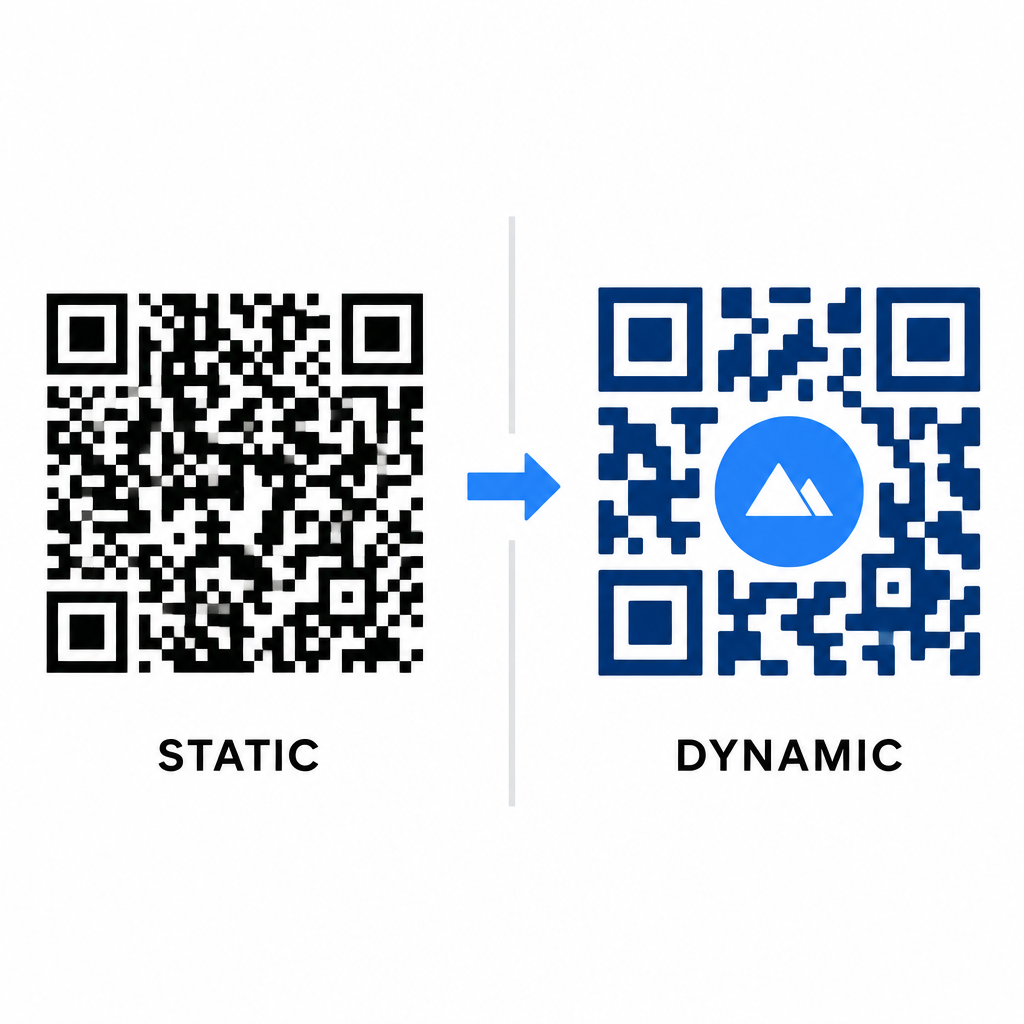
Gostota podatkov neposredno vpliva na vašo umetniško svobodo. Statične QR kode celoten ciljni URL kodirajo v fizični vzorec. Če je vaša povezava dolga, mora generator ustvariti gosto matriko majhnih modulov, kar pušča zelo malo prostora za ilustracije AI ali integracijo logotipa, ne da bi povzročilo napake pri skeniranju.
Dinamične kode premagajo to ozko grlo tako, da shranijo kratek preusmeritveni URL na centralnem strežniku. To ohranja fizično mrežo prostorno in module velike, kar omogoča objektivom kamer veliko lažje branje stiliziranih oblik. Raziskovanje v realnem svetu primerov blagovnih QR kod kaže, da vam dinamične nastavitve omogočajo tudi posodabljanje destinacij po tiskanju, hkrati pa omogočajo dostop do popolnih Funkcije QR kode podatkov, kot so sledenje napravam, lokacije skeniranja in analitika angažiranosti.
Testiranje in potrjevanje vaših dizajnov
Nikoli ne pošiljajte QR kode, stilizirane z umetno inteligenco, v tisk, ne da bi jo preverili na različnih strojni opremi in v različnih okoljskih nastavitvah. Modeli umetne inteligence lahko uvedejo subtilne artefakte, ki so sprejemljivi za eno vrhunsko kamero, vendar ne delujejo na standardnih napravah.
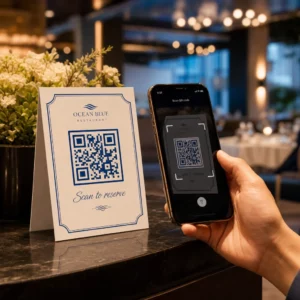
- Preizkusite več mobilnih naprav: Skenirajte kodo z izvorno aplikacijo za kamero iOS in Android, skupaj s starejšimi aplikacijami za skeniranje tretjih oseb, da potrdite univerzalno združljivost.
- Ocenite različne svetlobne pogoje: Preverite berljivost pri močni neposredni sončni svetlobi, pod notranjimi pisarniškimi žarnicami in v zatemnjenih okoljih, da zagotovite, da sence ne pokvarijo kontrasta.
- Skenirajte iz naravnih kotov: Napravo usmerite pod kotom 45 stopinj in z običajne razdalje potrošnika, namesto da bi testirali izključno ravne, čelne skene.
- Preverite tiskane materiale: Preizkusite fizične vzorce na predvidenem papirju, saj lahko sijoči laminati, teksturirani kartoni ali tkanine ustvarijo odseve, ki izkrivljajo umetniško delo z umetno inteligenco.
Uporaba funkcionalne umetnosti za vašo blagovno znamko
Preoblikovanje generičnih kod v elegantno lastnino blagovne znamke vam omogoča, da pritegnete pozornost strank, ne da bi žrtvovali uporabnost. Z začetkom z dinamičnimi kratkimi povezavami, zaklepanjem korekcije napak ravni H, ohranjanjem tihe cone in vzdrževanjem strogih kontrastnih razmerij ustvarite vizualno osupljive dizajne, ki se enostavno dekodirajo.
Začnite prilagajati svoje digitalne stične točke danes z uporabo Pageloot's zbirke za generiranje in sledenje, da zagotovite nepozabne izkušnje, pripravljene za skeniranje, v vseh vaših marketinških kampanjah.
Pogosta vprašanja
Izogibajte se obrnjeni barvni shemi, saj mnogi senzorji pametnih telefonov ne morejo dekodirati svetlobnih vzorcev na temnih površinah. Držite se temnih elementov v ospredju, postavljenih na bele ali svetle podlage, da zagotovite dosledno skeniranje.
Nivo H omogoča QR kodi, da obnovi do 30 % izgubljenih ali zakritih podatkov. Ta vgrajena redundanca zagotavlja varnostni pas, potreben za mešanje AI tekstur ali vdelavo centriranih logotipov, ne da bi pri tem izgubili celovitost podatkov.
Na sodobnih pametnih telefonih se bodo zanesljivo skenirali, če boste ohranili jasne vogalne iskalne vzorce, ohranili mirno območje in vzdrževali močan kontrast. Vedno preizkusite svoje umetniško delo na več modelih telefonov, preden začnete s svojo kampanjo.