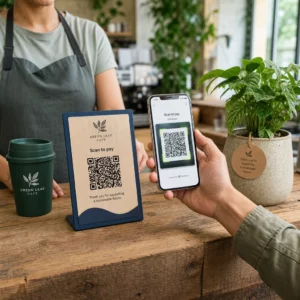
צבעי קוד ה-QR הטובים ביותר הם מודולים כהים (הריבועים) על רקע בהיר, וכן, ניתן לצבוע קודי QR. הכלל פשוט: המודולים חייבים להיות כהים יותר באופן ברור מהרקע. שחור על לבן נותן יחס ניגודיות של 21:1 והוא הבחירה הבטוחה ביותר. עבור קוד ממותג, כוונו ליחס של לפחות 4:1, והשתמשו ביחס של 7:1 או יותר עבור שלטי חוצות, שבהם אור השמש והמרחק מורידים את הניגודיות האפקטיבית. מדריך זה מספק את המספרים, טבלת צבעים ושגרת בדיקה.
אילו צבעי קוד QR עובדים, והאם ניתן לצבוע קודי QR?
קוד QR יכול להיות כמעט בכל צבע, והוא יכול להשתמש בצבעים שונים עבור המודולים והרקע. מצלמת טלפון אינה רואה גוון. היא ממירה את התמונה לגווני אפור ומחליטה, ריבוע אחר ריבוע, מה כהה ומה בהיר. לכן השאלה היא לא איזה צבע בוחרים, אלא עד כמה שני ערכי גווני האפור שונים זה מזה.
- עובד: מודולים בצבע כחול כהה, ירוק כהה, פחם, סגול כהה, חום כהה או שחור על רקע לבן, קרם או רקע בהיר מאוד אחר.
- עובד עם בדיקה: אדום כהה, ירוק-כחלחל כהה וכתום כהה על רקע לבן. בדקו קודם את היחס, וסרקו הוכחת הדפסה.
- לא עובד: מודולים בצבע צהוב, אפור בהיר, פסטל או ניאון, וכל צמד צבעים עם אותה בהירות, כגון ירוק בינוני על אדום בינוני.
- מסוכן: מודולים בהירים על רקע כהה (קודים הפוכים). אפליקציות סורק רבות קוראות אותם, אך חלקן לא, לכן הימנעו מהן בכל דבר שחשוב.
מדוע ניגודיות שולטת ביכולת הסריקה של קוד QR
חיישנים אופטיים קוראים קודי QR על ידי מדידת ההבדל בהחזר האור בין מודולים כהים ובהירים. תקן קוד ה-QR, ISO/IEC 18004, מניח מודולים כהים על רקע בהיר. מודולים כהים בולעים אור והרקע הבהיר מחזיר אותו. אם ההבדל קטן מדי, המפענח אינו יכול להפריד את תבנית הנתונים מהרקע.
בבדיקת ברקוד (ISO/IEC 15415), ניגודיות הסימבול היא ההבדל בין ההשתקפות הבהירה ביותר לכהה ביותר בקוד. ניגודיות סימבול של 70% ומעלה זוכה לציון הגבוה ביותר, ומתחת ל-20% נכשלת. בודקים בודקים גם אפנון, המראה עד כמה באופן אחיד המודולים הבהירים והכהים משתקפים על פני הסימבול כולו. צבעים לא אחידים או הפרדה חלשה גורמים לסורק לפספס את קצוות המודולים.
קוטביות רגילה, עם מודולים כהים על רקע בהיר, עובדת על כל מכשיר. חלק מיישומי מצלמה מובנים בטלפון אינם יכולים לקרוא קודים בהירים על רקע כהה, והתמיכה משתנה לפי דגם הטלפון וגרסת התוכנה. השתמש בקוטביות רגילה אלא אם כן בדקת את הגרסה ההפוכה על המכשירים שהקהל שלך משתמש בהם.
הערכת יחסי ניגודיות וסף צבע
יחס הניגודיות הוא מספר מ-1:1 (אין הבדל) ועד 21:1 (שחור על לבן). היחס מגיע מכללי הנגישות ב-Web Content Accessibility Guidelines (WCAG), שנכתבו עבור טקסט אך הם דרך פרקטית לבדוק צבעי QR. בודק ניגודיות (חפש "WCAG contrast checker") מקבל שני קודי הקס ומחזיר את היחס. למידע נוסף על עיצוב מכיל, קראו את המדריך שלנו בנושא כיצד להפוך קודי QR לתואמים ל-ADA.
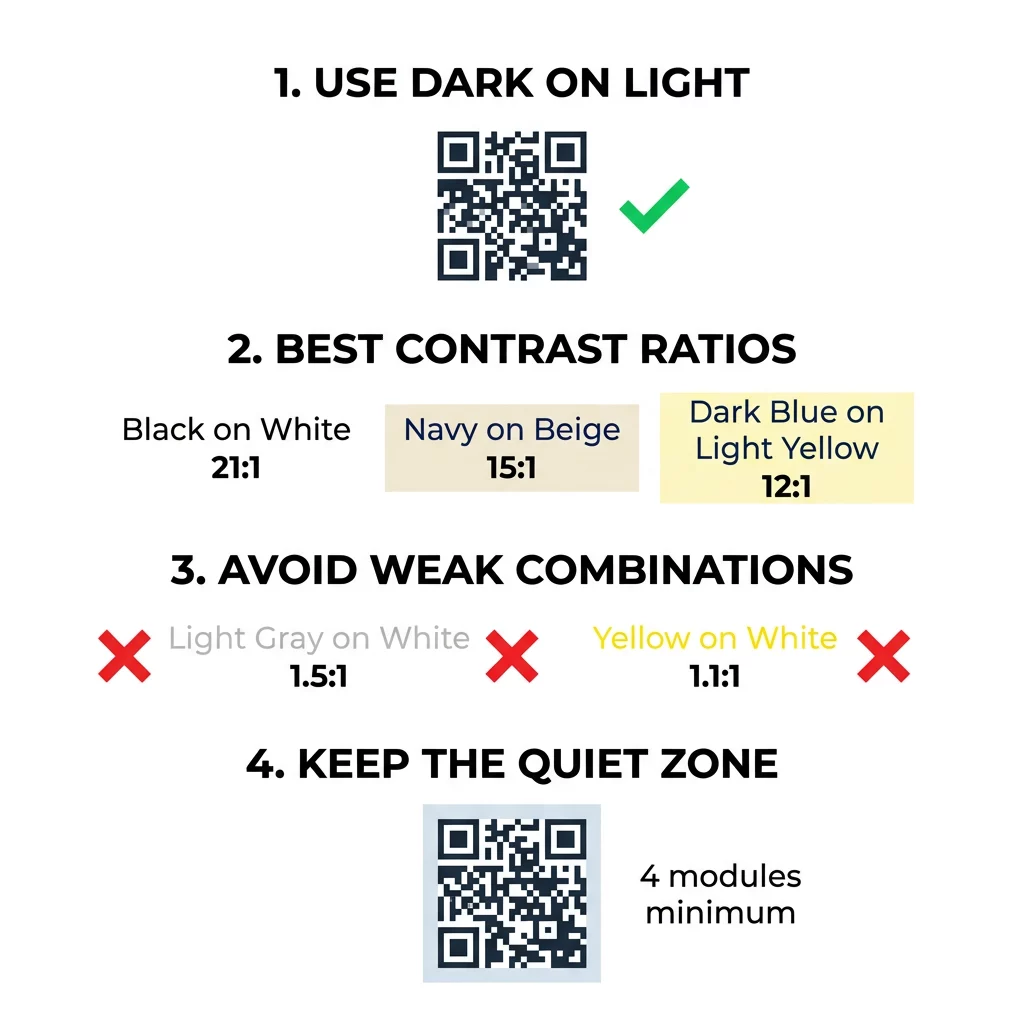
השתמשו ביעדים אלה. לפחות 4:1 הוא המינימום להדפסה פנימית ומסכים. 7:1 או יותר בטוח יותר עבור אריזות, עלונים וכל דבר המצולם בתאורה משתנה. 10:1 או יותר הוא היעד לשילוט חיצוני. היחסים שלהלן הם משוערים ותלויים בגוון המדויק.
| שילוב צבעים | יחס ניגודיות משוער | הערכת סריקות |
|---|---|---|
| שחור על לבן | 21:1 | אופטימלי (תקן תעשייתי) |
| כחול כהה על בז' | ~15:1 | מְעוּלֶה |
| כחול כהה על צהוב בהיר | ~12:1 | טוב מאוד |
| חום כהה על אוף-וויט | ~8:1 | טוב |
| אדום טהור (#FF0000) על לבן | ~4:1 | גבולי, יש לבדוק לפני ההדפסה |
| אדום כהה (#8B0000) על לבן | ~11:1 | טוב מאוד |
| אפור בהיר על לבן | ~1.5:1 | חלש (כשלים תכופים בסריקה) |
| צהוב על לבן | ~1.1:1 | לא ניתן לסריקה |
התאמה אישית של קודים מבלי לוותר על יכולת הסריקה בדוק צבעים והצג תצוגה מקדימה של העיצוב שלך בזמן אמת באמצעות ה- יצירת QR מעוצב עם לוגו כדי לאזן את אסתטיקת המותג עם סריקה אמינה.
יחס ניגודיות מיטבי לקודי QR לשילוט חוץ
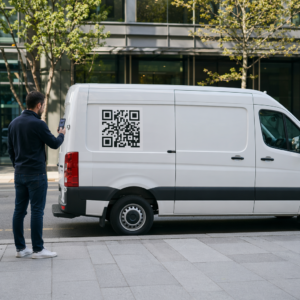
אין תקן הקובע יחס נדרש לקודי QR חיצוניים, אך תנאי חוץ מפחיתים את הניגודיות בשלוש דרכים: שמש ישירה מטשטשת את האזורים הבהירים, בוהק מסתיר חלקים מהקוד, ומרחק מטשטש מודולים קטנים. תכננו למרווח בטיחות גדול יותר ממה שהייתם עושים בפנים.
- השתמשו בשחור או בצבע כהה מאוד על גבי לבן. שאפו ליחס של 10:1 ומעלה.
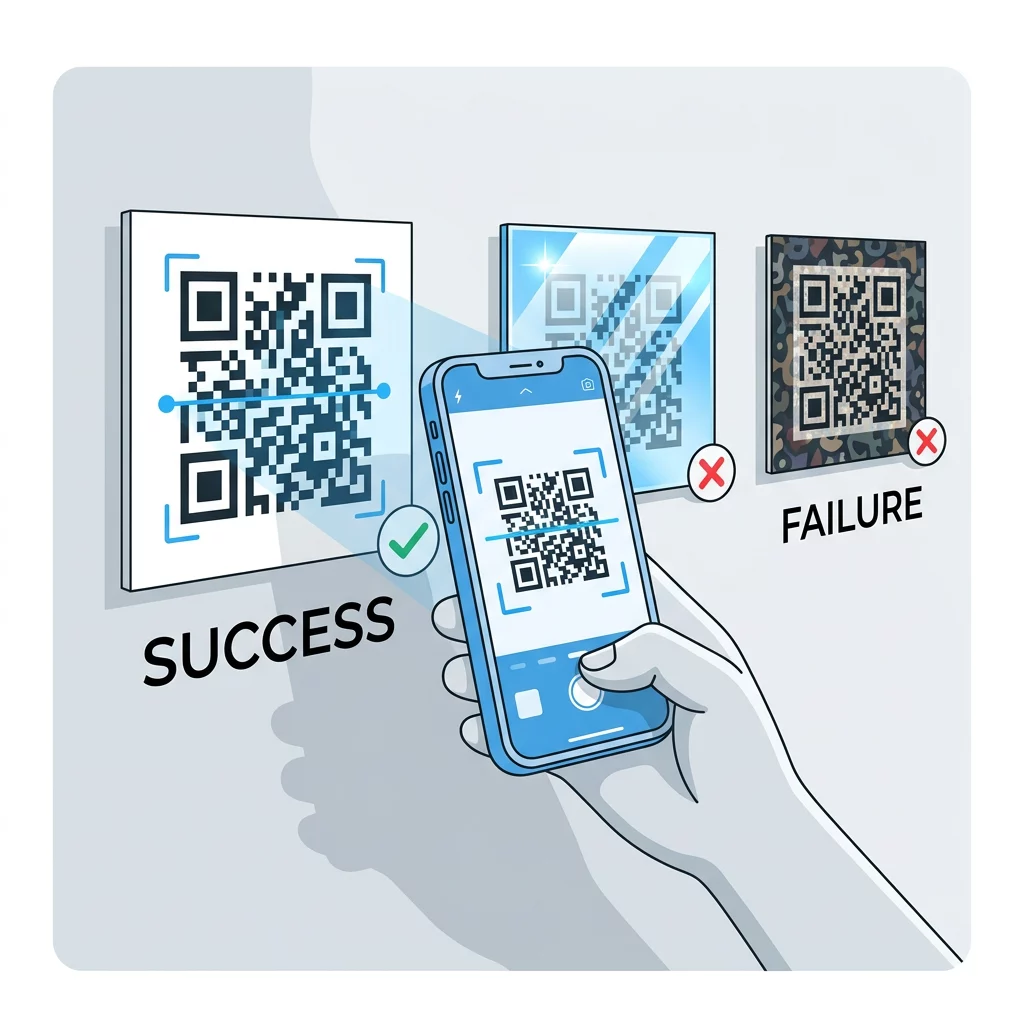
- הדפיסו על חומר מט או הוסיפו למינציה מט. ויניל מבריק וזכוכית מחזירים את השמש ושוברים את הדפוס.
- התאימו את גודל הקוד למרחק הסריקה. כלל נפוץ הוא יחידת רוחב קוד אחת לכל 10 יחידות מרחק, כך שקוד שנסרק ממרחק של 2 מטרים (כ-6.5 רגל) צריך להיות ברוחב של כ-20 ס"מ (8 אינץ').
- שמרו על האזור השקט המלא, והניחו את הקוד על לוח בהיר אחיד במקום על תמונה.
- הימנעו מהצבת הקוד במקום הפונה לשמש נמוכה או מאחורי זכוכית, וסרקו את השלט המודפס באתר בפועל לפני הזמנת ריצה מלאה.
ניגודיות ברקודים: קודי QR מול ברקודים ליניאריים
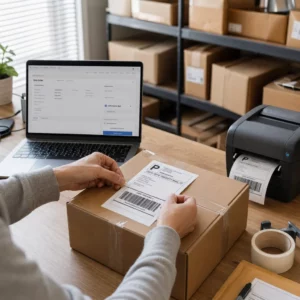
אותם כללי ניגודיות חלים על ברקודים אחרים בעלי ניגודיות גבוהה, כגון קוד 128 או EAN. סורקי קמעונאות משתמשים לעיתים קרובות בלייזר אדום, ואור אדום אינו רואה קווים אדומים או דיו אדום ככהים. עבור ברקודים ליניאריים, הדפיסו את הקווים בשחור, כחול כהה או ירוק כהה על גבי לבן, ולעולם לא באדום או כתום. קודי QR שנקראים על ידי מצלמת טלפון פחות רגישים לגוון, אך אותה עצה מניבה את התוצאה האמינה ביותר עבור שניהם.
שמירה על האזור השקט ומימדי הקוד
ניגודיות גבוהה חייבת להגיע עד לקצה הקוד. השוליים הריקים סביב התבנית הם האזור השקט. הוא אומר למצלמה היכן הקוד מתחיל והיכן יצירות אמנות אחרות נגמרות.
- שמרו על אזור שקט ברוחב של לפחות ארבע יחידות מודול מכל ארבעת הצדדים.
- שמרו על שוליים אלו נקיים מטקסט, איורים וגבולות.
- התאימו את האזור השקט לצבע הרקע הבהיר שלכם כך שהגבול יהיה נקי.
- הדפיסו קודים בגודל של לפחות 2X2 ס"מ (0.8X0.8 אינץ') עבור סריקה קרובה, ידנית. הגדילו את הגודל עבור קישורים ארוכים יותר, כי יותר נתונים פירושם מודולים קטנים יותר.
- העדף קישור קצר. כתובת URL קצרה יוצרת תבנית פשוטה יותר עם מודולים גדולים יותר הנסרקים טוב יותר בתאורה חלשה.
טקסט או גרפיקה בתוך האזור השקט הם גורם שכיח לשגיאות סריקה בחומרים ממותגים. המדריך שלנו ל- שיטות עבודה מומלצות לקריאות קודי QR מראה כיצד לשמור על השוליים תוך התאמה לפריסה שלך.
הימנעות מטעויות נפוצות בצבע ובעיצוב
התאמה אישית של קוד עלולה לפגוע בקריאות. מצלמות ממירות את התמונה לגווני אפור, ולכן שני גוונים שונים יכולים להסתיים באותה בהירות ולהתמזג לאפור אחד.
- הימנע ממודולים פסטליים כגון תכלת, מנטה או צהוב בהיר.
- הימנע ממודולים אדומים או כתומים בהירים. סורקי לייזר קוראים אדום כאור, ויחס הניגודיות הוא לרוב מתחת ל-5:1. אדום כהה כמו בורדו בטוח הרבה יותר.
- הימנע ממעברי צבע (גרדיאנטים) שבהם החלק הבהיר ביותר של צבע המודול קרוב לרקע.
- הימנע מרקעים שקופים מעל תמונות, נייר עם טקסטורה או אריזות עם דוגמאות. הנח את הקוד על לוח בהיר ואחיד.
- הימנע מעיצובים הפוכים עם מודולים בהירים על רקע כהה, אלא אם כן בדקת אותם בטלפונים שהקהל שלך משתמש בהם.
- הימנע מלוגואים גדולים. לוגו שמכסה יותר מדי מודולים עלול לחרוג מיכולת תיקון השגיאות של הקוד.
הכרת מגבלות אלו מאפשרת לך ללמוד איך ליצור קוד QR מותאם אישית המציג את המותג שלך מבלי לשבור את פענוח הקוד.
בדיקה ואימות בסביבות עולם אמיתי
קוד הנסרק ממסך בהיר עלול להיכשל על נייר. אור החדר, זווית הצפייה ומרקם החומר משנים כולם את הניגודיות שמגיעה לעדשה. שמש ישירה מטשטשת הבדלי צבע קטנים, חדרים חשוכים מפחיתים את יכולת החיישן להפריד בין מודולים, וגימורים מבריקים מוסיפים בוהק.
בצע בדיקה זו לפני כל עבודת הדפסה:
- בדוק את זוג הצבעים בבודק ניגודיות. היחס צריך להיות לפחות 4:1, ו-7:1 או יותר עבור אריזות ושימוש חיצוני.
- הדפס הגהה על החומר האמיתי, בגודל האמיתי, עם הגימור האמיתי.
- סרוק אותו עם המצלמה המובנית לפחות באייפון אחד ובטלפון אנדרואיד אחד, טלפון ישן יותר אם אפשר, וכן דרך דפדפן סורק QR אונליין.
- סרוק באור הגרוע ביותר שהקוד יפגוש: חדר עמום, שמש ישירה, ובזווית.
- אם הוא מהסס, הגבר את הניגודיות, הגדל את הקוד, קצר את הקישור או שחזר את האזור השקט.
המדריך שלנו בנושא איך לבדוק קוד QR לפני ההדפסה מכסה זאת בפירוט רב יותר, וכן איך לשפר את קריאות קוד QR מכסה תיקונים לקודים שנכשלים.
מקסום אמינות ומעורבות קוד QR
התייחס לניגודיות כדרישה טכנית, לא כליטוש סופי. בחר צבע כהה על רקע בהיר, שמור על האזור השקט, ובדוק הגהה מודפסת תחת האור שהיא תפגוש. זה מגן על תקציב ההדפסה שלך מקודים שאינם נסרקים.
צור את הקוד בעל הניגודיות הגבוהה שלך באמצעות ה מחולל קודי QR. קבע את צבעי המודול והרקע, והורד PNG, SVG או PDF. אם אתה מדפיס קוד וייתכן שתצטרך לשנות את הקישור מאוחר יותר, השתמש בקוד דינמי: תוכל לערוך את היעד לאחר ההדפסה ולראות נתוני סריקה. קודים דינמיים מגיעים עם ניסיון חינם למשך 14 יום, ותוכניות מפורטות בכתובת https://pageloot.com/pricing/.
שאלות נפוצות
שאפו ליחס של לפחות 4:1 בין המודולים לרקע. השתמשו ביחס של 7:1 ומעלה עבור אריזות ועלונים, ו-10:1 ומעלה עבור שילוט חוץ. שחור על לבן הוא 21:1.
כן. כל צבע יעבוד אם המודולים כהים באופן ברור מהרקע. כחול כהה (נייבי), ירוק יער, פחם (אפור כהה) ובורדו על רקע לבן או קרם עובדים היטב. צהוב, אפור בהיר וצבעי פסטל אינם מתאימים.
המודולים והרקע יכולים להיות בצבעים שונים, ואתה יכול להשתמש בכל גוון, אבל רק הבדל הבהירות קובע. טלפון קורא את הקוד בגווני אפור, ולכן שני צבעים בבהירות שווה ייכשלו. בדוק את היחס וסרוק הוכחה מודפסת.
אין תקן רשמי. יחס של 10:1 או גבוה יותר הוא יעד בטוח, כמו שחור על לבן. השתמשו בגימור מט כדי להפחית בוהק, קבעו את גודל הקוד לכ-1/10 ממרחק הסריקה, ובדקו אותו באתר.
כן, אם צבע המותג שלך כהה מספיק, כגון כחול כהה עמוק, ירוק יער או פחם, ויושב על רקע בהיר אחיד. אם צבע המותג שלך בהיר, השתמש בגוון כהה שלו עבור המודולים.
תקן ה-QR מגדיר מודולים כהים על רקע בהיר. יישומי מצלמה רבים מחפשים קודם את התבנית הזו, וחלקם אינם יכולים לקרוא מודולים בהירים על רקע כהה. התמיכה משתנה ממכשיר למכשיר, לכן יש לבדוק לפני ההדפסה.
כן. ברקודים ליניאריים כגון Code 128 או EAN גם דורשים פסים כהים על רקע בהיר. סורקי לייזר קמעונאיים משתמשים באור אדום, לכן, לעולם אל תדפיס את הפסים באדום או בכתום.