Are you concerned that the information stored in your QR codes is vulnerable to interception or data theft? Because standard QR symbols are open and readable by any smartphone camera, sensitive workflows require intentional cryptographic safeguards. This guide explains how encryption secures QR data pipelines, what information it actually protects, and where its practical limits lie.
Kuidas krüpteerimine andmetorustikku turvab
Standard barcodes and QR symbols created under ISO/IEC 18004 specify data-character encoding and Reed-Solomon error correction, but they provide no built-in encryption or native identity verification. To protect sensitive data, security controls must be applied at different stages of the data workflow.
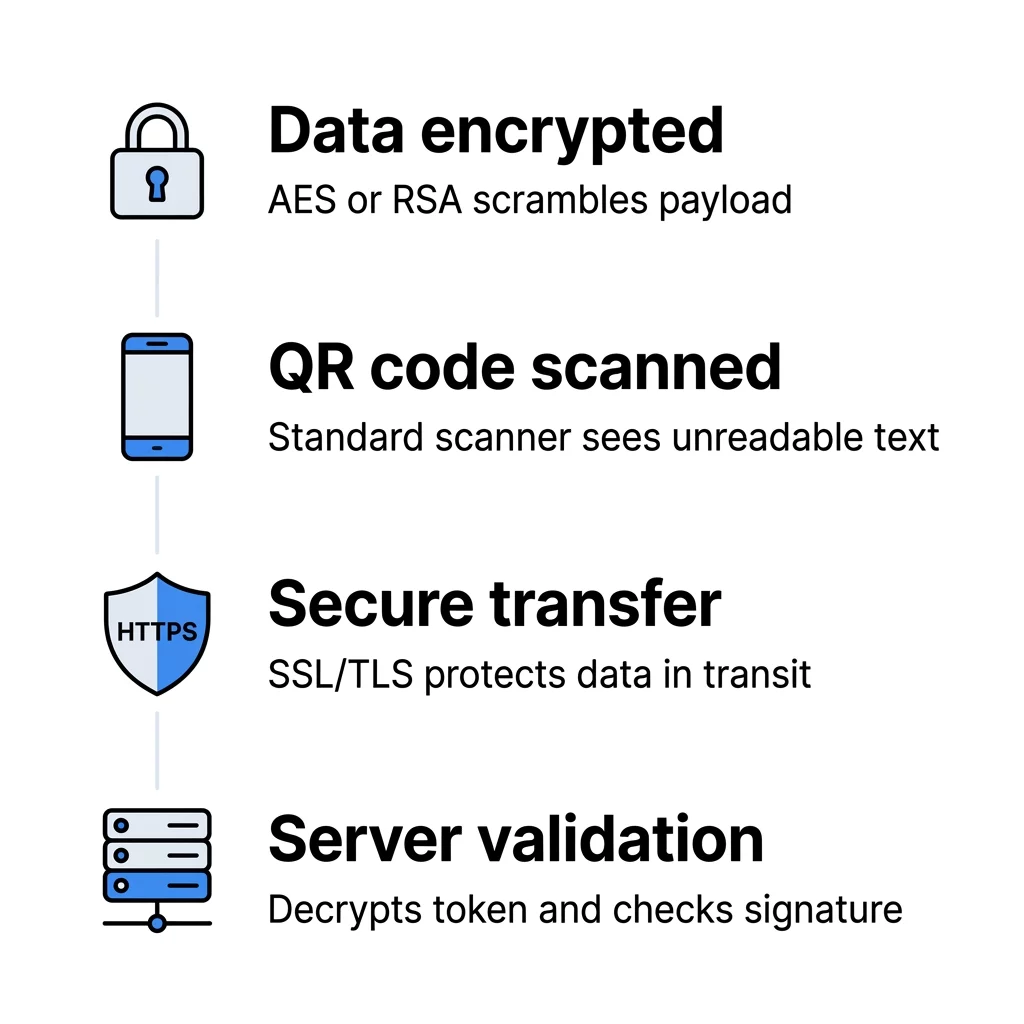
1. Application-Level Payload Encryption
Payload protection begins before pixel generation. By applying authenticated encryption algorithms such as AES-GCM or AES-CCM to the payload prior to generating the symbol, you ensure that the encoded data consists strictly of ciphertext. Standard camera software reading this code will encounter only unreadable characters.
Converting that ciphertext back into usable information requires application support with access to the designated decryption key. This can be a proprietary mobile app holding the appropriate key or an authenticated backend portal that extracts and validates the ciphertext via API. In cryptographic setups, keys must always be stored separately from the encrypted payload and generated using approved random-bit generators.
2. HTTPS Encryption in Transit
Most commercial deployments point to digital web resources rather than storing static encrypted text directly in the pattern. Using HTTPS (TLS) encrypts the communication channel between the user’s scanning device and your server. This transport-layer protection shields request headers, payload parameters, and server responses from interception across untrusted public networks.
3. Encryption at Rest
Once scan records, visitor metrics, or payload tokens reach your destination database or server infrastructure, encryption at rest ensures that stored files remain protected. Even if an unauthorized party gains access to the underlying storage hardware, the database contents appear as ciphertext without the corresponding management keys. Combining these controls helps teams maintain alignment with strict QR-koodi privaatsusseadused across global deployments.
Build Secure, Trackable QR Codes Need an adaptable way to manage sensitive digital touchpoints and control redirects remotely? Use the Dünaamilise QR koodi generaator to maintain full control over your active campaigns.
Key Security Benefits for Business Operations
Applying cryptographic safeguards to QR implementations provides structured protection across high-stakes environments:
- Fraud prevention: Applying authenticated encryption and unique nonces ensures that payload contents cannot be modified or forged during transit.
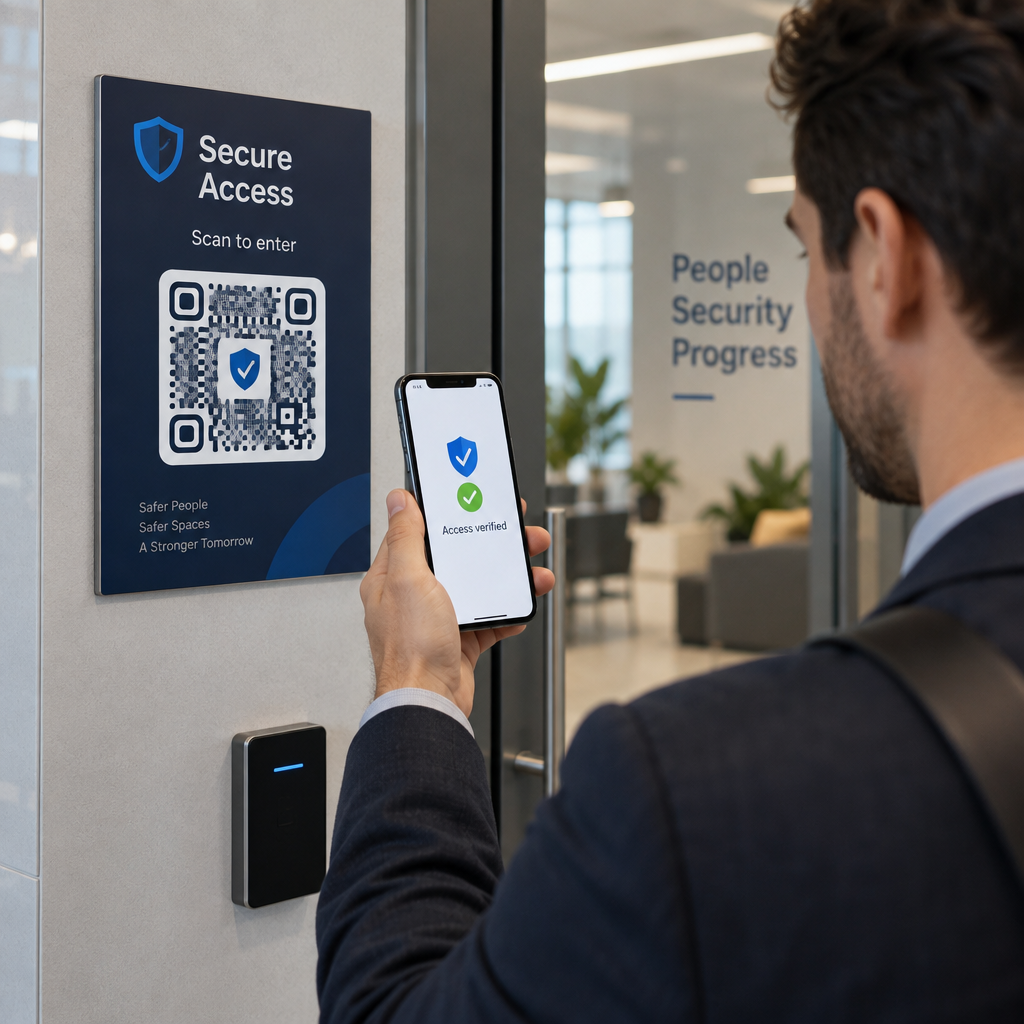
- Secure verification: High-assurance access systems pair QR codes with protocols like OASIS SQRAP to handle cryptographic signatures, nonces, and time-sensitive tokens, preventing replay attacks as outlined in testing QR code authentication.
- Regulatory compliance: Frameworks such as GDPR and HIPAA require robust data protection controls; encrypting scan pipelines and adopting practical methods to design QR codes with minimal data collection significantly limits compliance liability.
- Tamper detection: Authenticated encryption modes provide integrity checks alongside confidentiality, alerting processing software immediately if a payload has been altered.
QR-krüpteerimise piirangute mõistmine
While encryption provides essential confidentiality and integrity for data payloads, it does not solve every operational security challenge.
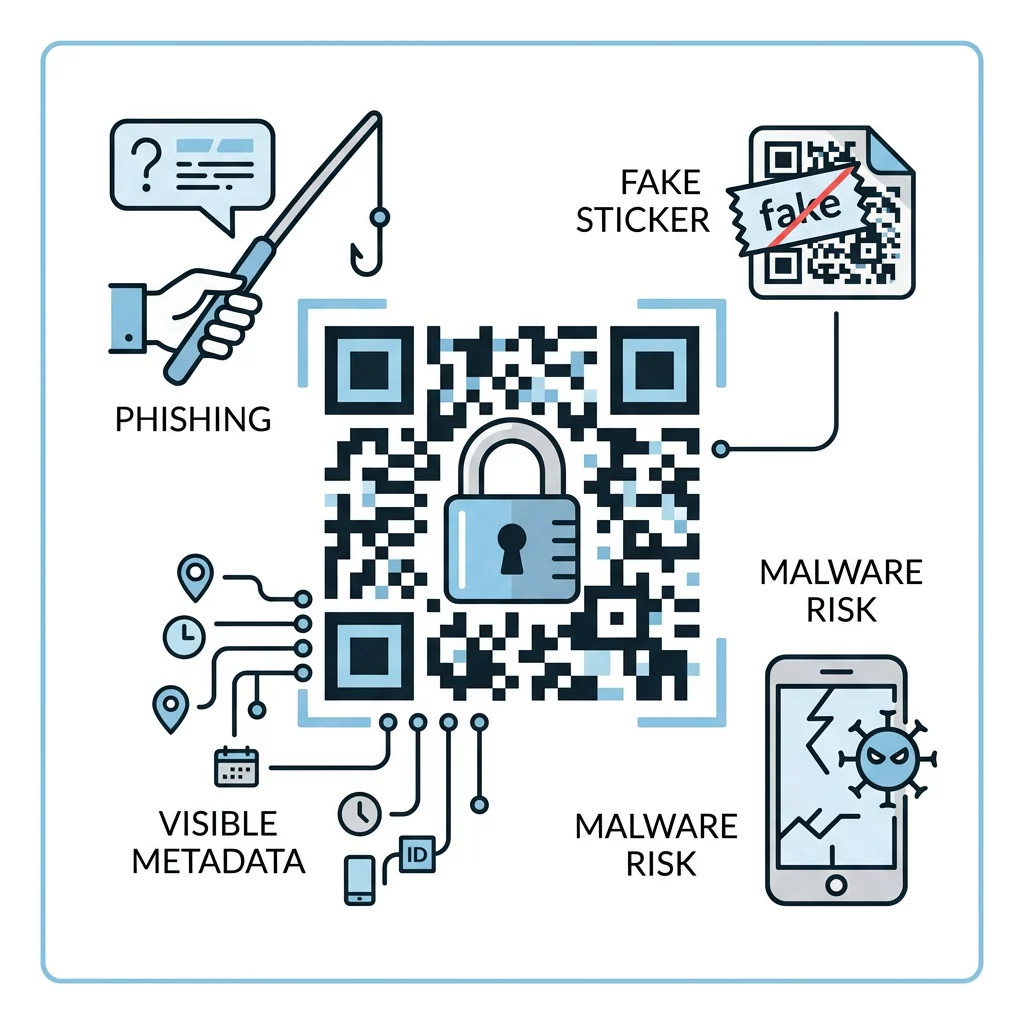
Visible Metadata and Payload Capacity
A QR code cannot conceal its structural metadata. Even when its payload is fully encrypted, the symbol openly displays its version size, data encoding mode, and Reed-Solomon error-correction level (L, M, Q, or H). Furthermore, encryption metadata – such as initialization vectors, nonces, and authentication tags – consumes payload capacity. Because higher error-correction levels reserve up to 30% of symbol codewords for damage recovery, adding large cryptographic payloads can result in dense, complex module grids that require precise scanning conditions.
Phishing and Social Engineering
Encryption protects the data pipeline, but it cannot prevent social engineering. In QR phishing (“quishing”), an attacker distributes a code leading to a fraudulent website designed to mimic legitimate authentication portals. Even if transport encryption via HTTPS is present, the destination itself remains malicious. Mitigating these vectors requires user education and proactive adherence to QR-koodi turvalisuse osas.
Füüsiline võltsimine
Payload encryption offers no physical defense against adhesive label replacement. Scammers frequently place counterfeit stickers over authentic codes on parking meters, payment points, or retail displays. If an unsuspecting user scans an overlay code pointing to an untrusted domain, payload-level encryption on the original code provides zero defense.
Turvalise rakendamise strateegiad
Deploying an effective security posture requires pairing encryption with broader architectural controls:
- Choose dynamic architectures: Evaluating staatiliste ja dünaamiliste QR-koodide vahel shows that dynamic options offer greater flexibility. Because dynamic codes point to controllable short URLs, administrators can update destinations, revoke access, or disable compromised links instantly without reprinting physical collateral.
- Isolate key management: Never bundle private decryption keys directly within publicly accessible payloads. Maintain encryption keys in isolated key management infrastructure with restricted access permissions.
- Monitor scan anomalies: Dynamic platforms track scan counts, timestamps, and general geographic trends. Rapid spikes in volume or unexpected geographic locations often indicate compromised touchpoints or automated bot activity.
- Require secondary validation: For sensitive operational portals, treat the initial scan as an initiation step rather than complete authentication, requiring multi-factor authentication (MFA) before exposing private records.
To understand wider tracking considerations before launching physical materials, review common QR-koodi privaatsusriskid ja kuidas neid vältida.
Korduma kippuvad küsimused
A standard camera will read the physical symbol, but it only displays raw ciphertext. Translating that ciphertext into usable information requires a designated mobile application or backend service holding the matching decryption key.
Yes. Including ciphertext, initialization vectors, and authentication tags increases payload size. Larger data volumes require higher symbol versions with denser pixel modules, which may require testing with a dedicated QR code scanner to verify readability.
Payload encryption mathematically scrambles the embedded content using cryptographic algorithms, rendering it unreadable without keys. Password protection typically functions as an access gate on a web landing page reached after scanning.