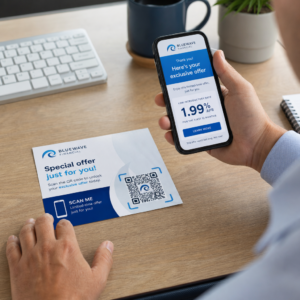
¿Quieres convertir una tarjeta de felicitación de papel en algo que un destinatario realmente reproduzca, vea o escuche? Las tarjetas estáticas se dejan a un lado, pero una tarjeta con un código QR que desbloquea un video personal o un mensaje de voz crea un momento que la gente recuerda. Esta página explica cómo funcionan los códigos QR en las tarjetas de felicitación y cómo crearlos o personalizarlos utilizando las herramientas de Pageloot.
¿Por qué los códigos QR hacen que las tarjetas de felicitación sean más atractivas?
Los estadounidenses compran aproximadamente 6.5 mil millones de tarjetas de felicitación cada año, y las tarjetas de cumpleaños por sí solas representan más de la mitad de todas las tarjetas vendidas. El formato es ubicuo, que es exactamente por qué destacar importa.
Un código QR impreso dentro o en la portada de una tarjeta se vincula a cualquier contenido digital que elijas – un video de YouTube, un mensaje de voz grabado, una canción, una galería de fotos o una página de destino personalizada. Cuando el destinatario abre la tarjeta y escanea el código con la cámara de su teléfono, ese contenido se carga inmediatamente, sin necesidad de descargar ninguna aplicación.
La distinción clave para el uso continuo es entre códigos QR estáticos y dinámicos. Un código estático codifica el destino directamente y no se puede cambiar después de la impresión. Un código dinámico utiliza una URL de redirección corta, lo que significa que puedes actualizar a qué apunta el código en cualquier momento sin reimprimir la tarjeta. Para tarjetas personales únicas, el estático funciona bien. Para empresas que envían tarjetas de marca en volumen, los códigos dinámicos te brindan flexibilidad y la capacidad de rastrear el compromiso.
Qué contenido puedes vincular desde un código QR de tarjeta de felicitación
Las posibilidades de contenido van de lo simple a lo rico. Aquí están los casos de uso más comunes:
- Mensaje de video personal – Graba un video, súbelo a YouTube y vincúlalo usando el Generador de código QR de YouTube. El código abre el video directamente en la aplicación o navegador de YouTube.
- Grabación de voz o audio – Convierte un archivo MP3 o de audio en un código escaneable con el Generador de código QR para MP3. Puedes personalizar una página de destino de audio de marca con un título, imagen de portada y colores de marca.
- Galería de fotos – Vincula a una galería de imágenes curada usando el Generador de código QR con imagen, útil para regalos fotográficos, resúmenes de eventos o tarjetas de aniversario.
- Canción o lista de reproducción – Comparte una canción o lista de reproducción significativa a través del Generador de código QR de Spotify, que se vincula directamente a una pista, álbum o lista de reproducción en Spotify.
- Enlace personalizado o página de destino – Usa el Generador de códigos QR de enlace para apuntar a cualquier URL – un sitio web, un formulario, una página de evento o un mensaje digital personalizado.
Cada uno de estos generadores te permite personalizar los colores del código QR, añadir un logotipo, elegir un estilo de marco y descargar un archivo listo para imprimir.
Crea un código QR para tu tarjeta de felicitación Elige tu tipo de contenido y genera un código QR completamente de marca y escaneable en minutos. Comienza con el Generador de códigos QR de Pageloot – prueba gratuita de 14 días, no se requiere tarjeta de crédito.
Cómo crear un código QR para una tarjeta de felicitación
El proceso toma menos de cinco minutos:
- Elige tu tipo de contenido. Decide qué quieres que entregue la tarjeta – video, audio, imágenes, un enlace o una canción.
- Prepara tu contenido. Sube tu video a YouTube, exporta tu audio como MP3, recopila tus imágenes o copia la URL que quieres usar.
- Abre el generador correcto. Ve al generador de Pageloot relevante según tu tipo de contenido.
- Introduce los detalles de tu contenido. Pega tu URL o sube tu archivo.
- Personaliza el código QR. Ajusta los colores, añade un logotipo, elige un marco o forma, y añade una breve llamada a la acción como “Escanea para escuchar un mensaje”.”
- Descarga tu código. Exporta en un formato listo para imprimir – SVG, EPS o PDF – para la salida de la más alta calidad.
- Colócalo en la tarjeta. Imprime el código QR directamente en el diseño de la tarjeta o imprímelo en una pegatina para adjuntar dentro.
- Prueba antes de imprimir en volumen. Escanea el código con al menos dos smartphones diferentes para confirmar que se resuelve correctamente.
Pautas de diseño de códigos QR para tarjetas
Las tarjetas de felicitación son pequeñas, por lo que acertar con el tamaño y la ubicación es fundamental para un escaneo fiable.

El tamaño: El tamaño mínimo recomendado para un código QR en materiales impresos es 8 × 0.8 pulgadas (20 × 20 mm). En una tarjeta de felicitación estándar escaneada a la distancia de un brazo, esto es suficiente. Si estás añadiendo un logotipo dentro del código, aumenta el tamaño en un 20-30% para compensar el espacio que ocupa el logotipo. Para un desglose completo por tipo de material, consulta la guía sobre dimensionamiento de códigos QR para diferentes materiales de impresión.
Contraste: Utiliza módulos oscuros sobre un fondo claro y nunca inviertas esa relación. El alto contraste es el factor más importante para un escaneo fiable en diferentes modelos de teléfono y condiciones de iluminación. Para una guía detallada, la las mejores prácticas para la legibilidad de los códigos QR guía cubre las relaciones de contraste, las combinaciones de colores y los errores comunes a evitar.
Zona tranquila: Deja un borde claro y sin imprimir alrededor del código QR en los cuatro lados – de al menos cuatro módulos de ancho. Esta zona de amortiguación ayuda a los escáneres a detectar los bordes del código. No coloques texto, patrones o elementos decorativos dentro de este borde.
Colocación: Dónde colocas el código en la tarjeta importa tanto como cómo lo diseñas.
- Coloca el código QR en una superficie plana y no reflectante y evita colocarlo sobre un pliegue de la tarjeta, lo que puede distorsionar el patrón cuando la tarjeta se abre o se manipula.
- Dentro de la tarjeta suele ser la opción más segura: plana, protegida de la manipulación y vista en el momento en que se abre la tarjeta.
- El panel trasero de la tarjeta es otra ubicación fiable si la superficie es mate y el fondo es liso y despejado.
- Evita las superficies muy texturizadas, brillantes o en relieve, que pueden dispersar la luz y evitar un escaneo preciso.
Para una estrategia de ubicación más amplia aplicable a campañas impresas, el guía para la colocación de códigos QR en marketing cubre los tipos de superficie, el posicionamiento a la altura de los ojos y el encuadre de la llamada a la acción en detalle.
Calidad de impresión: Exporta tu código QR como un archivo vectorial (SVG o EPS) en lugar de un PNG de baja resolución siempre que sea posible. Esto mantiene el código nítido independientemente del tamaño de salida. Si trabajas con una impresora comercial, revisa cómo las técnicas de impresión impactan la escaneabilidad del código QR para entender cómo el método, el sustrato y la elección de la tinta afectan el resultado final.
Uso de códigos QR dinámicos para tarjetas enviadas en volumen
Si eres una empresa que envía tarjetas de felicitación de marca para las fiestas, agradecimiento a clientes o campañas de marketing, los códigos QR dinámicos añaden ventajas significativas sobre los estáticos.

Con un código dinámico, puedes:
- Actualizar el contenido vinculado después de la impresión. Si una URL de video cambia o quieres cambiar el destino para una nueva campaña, realizas la actualización en el panel de control de Pageloot y el código impreso sigue siendo válido; no es necesario reimprimir.
- Rastrear el rendimiento de los escaneos. Consulta el total de escaneos, escaneos únicos, tiempos de escaneo, ubicaciones por ciudad o región y tipos de dispositivos, todo desde un único panel de control.
- Reutiliza el mismo diseño de tarjeta en diferentes temporadas. Actualiza el destino en cada ciclo de campaña sin rediseñar o reimprimir tu stock de tarjetas.
Esto importa a gran escala. La Navidad representa aproximadamente 1.300 millones de tarjetas de felicitación compradas en EE. UU. cada año, seguida por el Día de San Valentín con 145 millones de unidades y el Día de la Madre con 113 millones. Para las empresas que operan con esos volúmenes, la capacidad de editar destinos y monitorear el compromiso sin reimprimir se traduce directamente en costos reducidos y datos de campaña más procesables.
Rastrear quién escanea tus tarjetas de felicitación Utilice el de Pageloot Generador de códigos QR para crear códigos actualizables y rastreables para tus campañas de tarjetas y monitorear el rendimiento de los escaneos desde un único panel de control.
Una nota sobre el envío de tarjetas con códigos QR
Añadir un código QR a una tarjeta no afecta su clasificación postal, siempre que la tarjeta cumpla con las dimensiones estándar del USPS. Los mínimos para tamaño carta son 3.5 × 5 pulgadas, y los máximos son 6.125 × 11.5 pulgadas. Las tarjetas dentro de estas dimensiones que pesan menos de 3.5 onzas se envían a tarifas estándar de carta de Primera Clase.
Una excepción a tener en cuenta: tarjetas de felicitación cuadradas pueden estar sujetas a un recargo por no ser mecanizables además del franqueo estándar de Primera Clase, independientemente de si contienen un código QR. Si el costo del franqueo es un factor, cíñete a las dimensiones rectangulares estándar.
Añadir un código QR a una tarjeta de felicitación es una mejora sencilla que convierte un artículo desechable en un momento interactivo. Mantén el código de al menos 0.8 pulgadas de ancho, colócalo en una superficie mate plana lejos de los pliegues y pruébalo siempre en múltiples dispositivos antes de imprimir. Para uso comercial, los códigos dinámicos te permiten actualizar el contenido vinculado y medir el compromiso sin tocar la tarjeta. Usa el Generador de códigos QR de Pageloot para construir tu primer código listo para tarjetas en minutos.
Preguntas frecuentes
Depende de la ocasión. Los mensajes de video personales y las grabaciones de voz suelen tener el mayor impacto emocional para las tarjetas individuales. Para las tarjetas de felicitación comerciales, vincular a un mensaje de video corto, una página de destino curada o una lista de reproducción relevante funciona bien. El Generador de códigos QR de YouTube de Pageloot, el Generador de códigos QR de MP3 y el Generador de códigos QR de Enlace cubren los formatos más comunes.
Sí. Genera tu código QR en Pageloot, descárgalo como PNG o SVG, luego súbelo a tu diseño de Canva. Para obtener orientación paso a paso, consulta la guía del generador de códigos QR de Canva. Asegúrate de que el código tenga al menos 0.8 × 0.8 pulgadas en la salida impresa final para asegurar un escaneo fiable.
Solo si usaste un código QR dinámico. Los códigos dinámicos usan una URL de redirección corta y permanente que puede apuntar a cualquier destino que elijas, incluso después de que la tarjeta haya sido impresa y enviada por correo. Los códigos estáticos codifican el destino directamente y no pueden ser cambiados. Para cualquier campaña de tarjetas donde el contenido pueda evolucionar o donde quieras análisis de escaneo, un código dinámico a través de Pageloot es la elección correcta.