Vil du forvandle et fysisk lykønskningskort til noget, en modtager faktisk spiller, ser eller lytter til? Statiske kort bliver lagt til side, men et kort med en QR-kode, der låser op for en personlig video- eller talebesked, skaber et øjeblik, folk husker. Denne side forklarer, hvordan QR-koder fungerer på lykønskningskort, og hvordan man opretter eller tilpasser dem ved hjælp af Pageloots værktøjer.
Hvorfor QR-koder gør lykønskningskort mere engagerende
Amerikanere køber cirka 6,5 milliarder lykønskningskort hvert år, hvor fødselsdagskort alene tegner sig for mere end halvdelen af alle solgte kort. Formatet er allestedsnærværende, hvilket netop er grunden til, at det er vigtigt at skille sig ud.
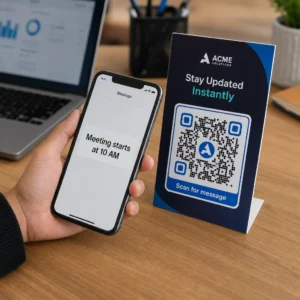
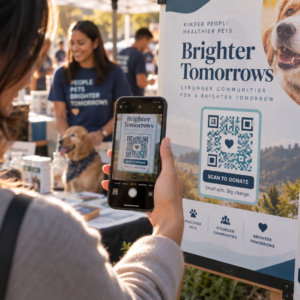
En QR-kode trykt inde i eller på forsiden af et kort linker til ethvert digitalt indhold, du vælger – en YouTube-video, en optaget talebesked, en sang, et fotogalleri eller en personlig landingsside. Når modtageren åbner kortet og scanner koden med deres telefonkamera, indlæses indholdet øjeblikkeligt, ingen app-download påkrævet.
Den vigtigste forskel for løbende brug er mellem statiske og dynamiske QR-koder. En statisk kode koder destinationen direkte og kan ikke ændres efter udskrivning. En dynamisk kode bruger en kort omdirigerings-URL, hvilket betyder, at du kan opdatere, hvad koden peger på, når som helst uden at genudskrive kortet. Til engangs-personlige kort fungerer statisk fint. For virksomheder, der sender brandede kort i store mængder, giver dynamiske koder dig fleksibilitet og muligheden for at spore engagement.
Hvilket indhold du kan linke fra en QR-kode på et lykønskningskort
Indholdsmulighederne spænder fra enkle til rige. Her er de mest almindelige anvendelsestilfælde:
- Personlig videobesked – Optag en video, upload den til YouTube, og link den ved hjælp af YouTube QR-kode generator. Koden åbner videoen direkte i YouTube-appen eller browseren.
- Stemme- eller lydoptagelse – Konverter en MP3- eller lydfil til en scannbar kode med MP3 QR-kode generator. Du kan tilpasse en brandet lyd-landingsside med en titel, et coverbillede og brandfarver.
- Fotogalleri – Link til et kurateret billedgalleri ved hjælp af Billede QR-kode generator, nyttigt til fotogaver, begivenhedsoversigter eller jubilæumskort.
- Sang eller playliste – Del en meningsfuld sang eller playliste via Spotify QR-kode generator, som linker direkte til et nummer, album eller en playliste på Spotify.
- Brugerdefineret link eller landingsside – Brug Link QR-kodegenerator til at pege på enhver URL – en hjemmeside, en formular, en begivenhedsside eller en personlig digital besked.
Hver af disse generatorer lader dig tilpasse QR-kodens farver, tilføje et logo, vælge en rammestil og downloade en printklar fil.
Opret en QR-kode til dit lykønskningskort Vælg din indholdstype og generer en fuldt brandet, scannbar QR-kode på få minutter. Start med Pageloot QR-kodegenerator – gratis 14-dages prøveperiode, intet kreditkort påkrævet.
Sådan opretter du en QR-kode til et lykønskningskort
Processen tager mindre end fem minutter:
- Vælg din indholdstype. Beslut, hvad du vil have kortet til at levere – video, lyd, billeder, et link eller en sang.
- Forbered dit indhold. Upload din video til YouTube, eksporter din lyd som en MP3, saml dine billeder, eller kopier den URL, du vil bruge.
- Åbn den rigtige generator. Gå til den relevante Pageloot-generator baseret på din indholdstype.
- Indtast dine indholdsdetaljer. Indsæt din URL eller upload din fil.
- Tilpas QR-koden. Juster farver, tilføj et logo, vælg en ramme eller form, og tilføj en kort opfordring til handling som “Scan for at høre en besked.”
- Download din kode. Eksporter i et printklart format – SVG, EPS eller PDF – for den højeste kvalitet.
- Placer den på kortet. Print QR-koden direkte på kortdesignet eller print den på et klistermærke til at sætte indeni.
- Test før udskrivning i store mængder. Scan koden med mindst to forskellige smartphones for at bekræfte, at den fungerer korrekt.
Retningslinjer for QR-kodedesign til kort
Lykønskningskort er små, så det er afgørende at få størrelse og placering rigtig for pålidelig scanning.

Størrelse: Den mindste anbefalede størrelse for en QR-kode på printmaterialer er 0,8 × 0,8 tommer (20 × 20 mm). På et standard lykønskningskort scannet på armslængde er dette tilstrækkeligt. Hvis du tilføjer et logo inde i koden, skal du øge størrelsen med 20–30% for at kompensere for den plads, logoet optager. For en fuld oversigt efter materialetype, se guiden om QR-kodestørrelse til forskellige printmaterialer.
Kontrast: Brug mørke moduler på en lys baggrund og vend aldrig dette forhold om. Høj kontrast er den vigtigste faktor for pålidelig scanning på tværs af forskellige telefonmodeller og lysforhold. For detaljeret vejledning, bedste praksis for QR-kodelæsbarhed guiden dækker kontrastforhold, farvekombinationer og almindelige fejl, der skal undgås.
Stillezone: Efterlad en klar, utrykt kant omkring QR-koden på alle fire sider – mindst fire moduler bred. Denne bufferzone hjælper scannere med at registrere kodens kanter. Placer ikke tekst, mønstre eller dekorative elementer inden for denne kant.
Placering: Hvor du placerer koden på kortet, er lige så vigtigt som hvordan du designer den.
- Placer QR-koden på en flad, ikke-reflekterende overflade og undgå at placere den hen over en kortfold, hvilket kan forvrænge mønsteret, når kortet åbnes eller håndteres.
- Inde i kortet er ofte den sikreste løsning – flad, beskyttet mod håndtering og ses i det øjeblik kortet åbnes.
- Kortets bagside er en anden pålidelig placering, hvis overfladen er mat, og baggrunden er ensfarvet og ryddelig.
- Undgå stærkt teksturerede, blanke eller prægede overflader, som kan sprede lys og forhindre nøjagtig scanning.
For en bredere placeringsstrategi, der gælder for printkampagner, dækker den vejledning om QR-kodeplacering i marketing overfladetyper, placering i øjenhøjde og indramning af call-to-action i detaljer.
Udskriftskvalitet: Eksporter din QR-kode som en vektorfil (SVG eller EPS) snarere end en lavopløselig PNG, når det er muligt. Dette holder koden skarp uanset outputstørrelsen. Hvis du arbejder med en kommerciel printer, skal du gennemgå hvordan printteknikker påvirker QR-kodens scanbarhed for at forstå, hvordan metode, substrat og blækvalg påvirker det endelige resultat.
Brug af dynamiske QR-koder til kort sendt i store mængder
Hvis du er en virksomhed, der sender brandede lykønskningskort til helligdage, kundepleje eller marketingkampagner, tilføjer dynamiske QR-koder betydelige fordele i forhold til statiske.

Med en dynamisk kode kan du:
- Opdatere det linkede indhold efter udskrivning. Hvis en video-URL ændres, eller du ønsker at ændre destinationen for en ny kampagne, foretager du opdateringen i Pageloot-dashboardet, og den udskrevne kode forbliver gyldig – ingen genudskrivning nødvendig.
- Spor scanningsydelse. Se samlede scanninger, unikke scanninger, scanningstider, placeringer efter by eller region og enhedstyper, alt fra et enkelt dashboard.
- Genbrug det samme kortdesign på tværs af sæsoner. Opdater destinationen hver kampagnecyklus uden at redesigne eller genudskrive dit kortlager.
Dette betyder noget i stor skala. Julen tegner sig for cirka 1,3 milliarder lykønskningskort købt i USA hvert år, efterfulgt af Valentinsdag med 145 millioner enheder og Mors Dag med 113 millioner. For virksomheder, der opererer med disse mængder, omsættes evnen til at redigere destinationer og overvåge engagement uden genudskrivning direkte til reducerede omkostninger og mere handlingsorienterede kampagnedata.
Spor hvem der scanner dine lykønskningskort Brug Pageloots QR-kodegenerator for at oprette opdaterbare, sporbare koder til dine kortkampagner og overvåge scanningsydelsen fra et enkelt dashboard.
En bemærkning om forsendelse af kort med QR-koder
Tilføjelse af en QR-kode til et kort påvirker ikke dets postklassifikation, forudsat at kortet selv opfylder standard USPS-dimensioner. Minimumsstørrelser for breve er 3,5 × 5 tommer, og maksimum er 6,125 × 11,5 tommer. Kort inden for disse dimensioner, der vejer under 3,5 ounces, sendes til standard First-Class brevpriser.
En undtagelse værd at bemærke: firkantede lykønskningskort kan være underlagt et ikke-maskinelt tillæg ud over standard First-Class porto, uanset om de indeholder en QR-kode. Hvis portoomkostninger er en faktor, hold dig til standard rektangulære dimensioner.
Tilføjelse af en QR-kode til et lykønskningskort er en ligetil opgradering, der forvandler en engangsartikel til et interaktivt øjeblik. Hold koden mindst 0,8 tommer bred, placer den på en flad mat overflade væk fra folder, og test den altid på flere enheder før udskrivning. Til forretningsbrug giver dynamiske koder dig mulighed for at opdatere det linkede indhold og måle engagement uden at røre kortet. Brug den Pageloot QR-kodegenerator til at bygge din første kortklare kode på få minutter.
Ofte stillede spørgsmål
Det afhænger af anledningen. Personlige videobeskeder og stemmeoptagelser har tendens til at have den stærkeste følelsesmæssige indvirkning for individuelle kort. For forretningslykønskningskort fungerer det godt at linke til en kort videobesked, en kurateret landingsside eller en relevant playliste. Pageloots YouTube QR-kodegenerator, MP3 QR-kodegenerator og Link QR-kodegenerator dækker de mest almindelige formater.
Ja. Generer din QR-kode i Pageloot, download den som en PNG eller SVG, og upload den derefter ind i dit Canva-design. For trin-for-trin vejledning, se Canva QR-kodegeneratorguiden. Sørg for, at koden er mindst 0,8 × 0,8 tommer i det endelige printede output for at sikre pålidelig scanning.
Kun hvis du brugte en dynamisk QR-kode. Dynamiske koder bruger en permanent kort omdirigerings-URL, der kan pege på enhver destination, du vælger, selv efter at kortet er blevet printet og sendt. Statiske koder koder destinationen direkte og kan ikke ændres. For enhver kortkampagne, hvor indholdet kan udvikle sig, eller hvor du ønsker scanningsanalyse, er en dynamisk kode via Pageloot det rigtige valg.