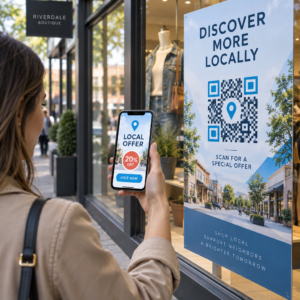
Ingin mengubah kartu ucapan kertas menjadi sesuatu yang benar-benar dimainkan, ditonton, atau didengarkan oleh penerima? Kartu statis akan disisihkan, tetapi kartu dengan kode QR yang membuka kunci video pribadi atau pesan suara menciptakan momen yang akan diingat orang. Halaman ini menjelaskan cara kerja kode QR pada kartu ucapan dan cara membuat atau menyesuaikannya menggunakan alat Pageloot.
Mengapa Kode QR Membuat Kartu Ucapan Lebih Menarik
Orang Amerika membeli sekitar 6,5 miliar kartu ucapan setiap tahun, dengan kartu ulang tahun saja menyumbang lebih dari separuh dari semua kartu yang terjual. Format ini ada di mana-mana, itulah sebabnya menonjol itu penting.
Kode QR yang dicetak di dalam atau di sampul kartu terhubung ke konten digital apa pun yang Anda pilih – video YouTube, pesan suara yang direkam, lagu, galeri foto, atau halaman arahan yang dipersonalisasi. Saat penerima membuka kartu dan memindai kode dengan kamera ponsel mereka, konten tersebut langsung dimuat, tanpa perlu mengunduh aplikasi.
Perbedaan utama untuk penggunaan berkelanjutan adalah antara kode QR statis dan dinamis. Kode statis mengkodekan tujuan secara langsung dan tidak dapat diubah setelah dicetak. Kode dinamis menggunakan URL pengalihan singkat, yang berarti Anda dapat memperbarui tujuan kode kapan saja tanpa mencetak ulang kartu. Untuk kartu pribadi sekali pakai, statis berfungsi dengan baik. Untuk bisnis yang mengirim kartu bermerek dalam jumlah besar, kode dinamis memberi Anda fleksibilitas dan kemampuan untuk melacak keterlibatan.
Konten Apa yang Dapat Anda Tautkan dari Kode QR Kartu Ucapan
Kemungkinan konten bervariasi dari yang sederhana hingga yang kaya. Berikut adalah kasus penggunaan yang paling umum:
- Pesan video pribadi – Rekam video, unggah ke YouTube, dan tautkan menggunakan Generator QR Code YouTube. Kode tersebut membuka video langsung di aplikasi atau browser YouTube.
- Rekaman suara atau audio – Konversi file MP3 atau audio menjadi kode yang dapat dipindai dengan Generator QR Code MP3. Anda dapat menyesuaikan halaman arahan audio bermerek dengan judul, gambar sampul, dan warna merek.
- Galeri foto – Tautkan ke galeri gambar yang dikurasi menggunakan Generator QR Code Gambar, berguna untuk hadiah foto, rangkuman acara, atau kartu ulang tahun pernikahan.
- Lagu atau daftar putar – Bagikan lagu atau daftar putar yang bermakna melalui Generator QR Code Spotify, yang terhubung langsung ke trek, album, atau daftar putar di Spotify.
- Tautan kustom atau halaman arahan – Gunakan Generator Kode QR Tautan untuk mengarahkan ke URL apa pun – situs web, formulir, halaman acara, atau pesan digital yang dipersonalisasi.
Setiap generator ini memungkinkan Anda menyesuaikan warna kode QR, menambahkan logo, memilih gaya bingkai, dan mengunduh file siap cetak.
Buat Kode QR untuk Kartu Ucapan Anda Pilih jenis konten Anda dan hasilkan kode QR bermerek penuh yang dapat dipindai dalam hitungan menit. Mulai dengan Pembuat Kode QR Pageloot – uji coba gratis 14 hari, tidak memerlukan kartu kredit.
Cara Membuat Kode QR untuk Kartu Ucapan
Prosesnya memakan waktu kurang dari lima menit:
- Pilih jenis konten Anda. Putuskan apa yang Anda ingin kartu itu sampaikan – video, audio, gambar, tautan, atau lagu.
- Siapkan konten Anda. Unggah video Anda ke YouTube, ekspor audio Anda sebagai MP3, kumpulkan gambar Anda, atau salin URL yang ingin Anda gunakan.
- Buka generator yang tepat. Buka generator Pageloot yang relevan berdasarkan jenis konten Anda.
- Masukkan detail konten Anda. Tempel URL Anda atau unggah file Anda.
- Menyesuaikan kode QR. Sesuaikan warna, tambahkan logo, pilih bingkai atau bentuk, dan tambahkan ajakan bertindak singkat seperti “Pindai untuk mendengar pesan.”
- Unduh kode Anda. Ekspor dalam format siap cetak – SVG, EPS, atau PDF – untuk keluaran kualitas tertinggi.
- Letakkan di kartu. Cetak kode QR langsung pada desain kartu atau cetak pada stiker untuk ditempel di bagian dalam.
- Uji sebelum mencetak dalam jumlah besar. Pindai kode dengan setidaknya dua smartphone berbeda untuk memastikan kode tersebut berfungsi dengan benar.
Panduan Desain Kode QR untuk Kartu
Kartu ucapan berukuran kecil, jadi mendapatkan ukuran dan penempatan yang tepat sangat penting untuk pemindaian yang andal.

Ukuran: Ukuran minimum yang direkomendasikan untuk kode QR pada bahan cetak adalah 0,8 × 0,8 inci (20 × 20 mm). Pada kartu ucapan standar yang dipindai dari jarak lengan, ini sudah cukup. Jika Anda menambahkan logo di dalam kode, tingkatkan ukurannya sebesar 20–30% untuk mengkompensasi ruang yang ditempati logo. Untuk rincian lengkap berdasarkan jenis bahan, lihat panduan tentang ukuran kode QR untuk berbagai bahan cetak.
Kontras: Gunakan modul gelap pada latar belakang terang dan jangan pernah membalikkan hubungan itu. Kontras tinggi adalah faktor terpenting untuk pemindaian yang andal di berbagai model ponsel dan kondisi pencahayaan. Untuk panduan terperinci, praktik terbaik untuk keterbacaan kode QR panduan mencakup rasio kontras, kombinasi warna, dan kesalahan umum yang harus dihindari.
Zona tenang: Sisakan batas yang jelas dan tidak tercetak di sekitar kode QR di keempat sisinya – setidaknya selebar empat modul. Zona penyangga ini membantu pemindai mendeteksi tepi kode. Jangan letakkan teks, pola, atau elemen dekoratif di dalam batas ini.
Penempatan: Di mana Anda menempatkan kode pada kartu sama pentingnya dengan cara Anda mendesainnya.
- Tempatkan kode QR pada permukaan datar, tidak memantulkan cahaya dan hindari memposisikannya melintasi lipatan kartu, yang dapat mendistorsi pola saat kartu dibuka atau ditangani.
- Di dalam kartu seringkali merupakan pilihan teraman – datar, terlindungi dari penanganan, dan terlihat saat kartu dibuka.
- Panel belakang kartu adalah penempatan lain yang dapat diandalkan jika permukaannya matte dan latar belakangnya polos serta tidak berantakan.
- Hindari permukaan yang bertekstur tebal, mengkilap, atau timbul, yang dapat menyebarkan cahaya dan mencegah pemindaian yang akurat.
Untuk strategi penempatan yang lebih luas yang berlaku untuk kampanye cetak, panduan penempatan kode QR dalam pemasaran mencakup jenis permukaan, penempatan setinggi mata, dan pembingkaian ajakan bertindak secara rinci.
Kualitas cetak: Ekspor kode QR Anda sebagai file vektor (SVG atau EPS) daripada PNG beresolusi rendah kapan pun memungkinkan. Ini menjaga kode tetap tajam terlepas dari ukuran output. Jika Anda bekerja dengan pencetak komersial, tinjau bagaimana teknik pencetakan memengaruhi kemampuan pindai kode QR untuk memahami bagaimana metode, substrat, dan pilihan tinta memengaruhi hasil akhir.
Menggunakan Kode QR Dinamis untuk Kartu yang Dikirim dalam Jumlah Besar
Jika Anda adalah bisnis yang mengirim kartu ucapan bermerek untuk liburan, apresiasi klien, atau kampanye pemasaran, kode QR dinamis menambahkan keuntungan yang berarti dibandingkan yang statis.

Dengan kode dinamis, Anda dapat:
- Perbarui konten yang tertaut setelah dicetak. Jika URL video berubah atau Anda ingin menukar tujuan untuk kampanye baru, Anda melakukan pembaruan di dasbor Pageloot dan kode yang dicetak tetap berlaku – tidak perlu mencetak ulang.
- Lacak kinerja pemindaian. Lihat total pemindaian, pemindaian unik, waktu pemindaian, lokasi berdasarkan kota atau wilayah, dan jenis perangkat, semuanya dari satu dasbor.
- Gunakan kembali desain kartu yang sama di berbagai musim. Perbarui tujuan setiap siklus kampanye tanpa mendesain ulang atau mencetak ulang stok kartu Anda.
Ini penting dalam skala besar. Natal menyumbang sekitar 1,3 miliar kartu ucapan yang dibeli di AS setiap tahun, diikuti oleh Hari Valentine dengan 145 juta unit dan Hari Ibu dengan 113 juta. Untuk bisnis yang beroperasi pada volume tersebut, kemampuan untuk mengedit tujuan dan memantau keterlibatan tanpa mencetak ulang berarti langsung mengurangi biaya dan data kampanye yang lebih dapat ditindaklanjuti.
Lacak Siapa yang Memindai Kartu Ucapan Anda Gunakan Pageloot Generator Kode QR untuk membuat kode yang dapat diperbarui, dapat dilacak untuk kampanye kartu Anda dan memantau kinerja pemindaian dari satu dasbor.
Catatan tentang Mengirim Kartu dengan Kode QR
Menambahkan kode QR ke kartu tidak memengaruhi klasifikasi pengirimannya, asalkan kartu itu sendiri memenuhi dimensi standar USPS. Ukuran minimum surat adalah 3,5 × 5 inci, dan maksimum adalah 6,125 × 11,5 inci. Kartu dalam dimensi ini yang beratnya di bawah 3,5 ons dikirim dengan tarif surat First-Class standar.
Satu pengecualian yang patut dicatat: kartu ucapan persegi mungkin dikenakan biaya tambahan non-mesin di atas ongkos kirim First-Class standar, terlepas dari apakah kartu tersebut berisi kode QR. Jika biaya ongkos kirim menjadi faktor, tetap gunakan dimensi persegi panjang standar.
Menambahkan kode QR ke kartu ucapan adalah peningkatan langsung yang mengubah barang sekali pakai menjadi momen interaktif. Jaga agar kode setidaknya selebar 0,8 inci, posisikan di permukaan matte datar jauh dari lipatan, dan selalu uji pada beberapa perangkat sebelum mencetak. Untuk penggunaan bisnis, kode dinamis memungkinkan Anda memperbarui konten yang tertaut dan mengukur keterlibatan tanpa menyentuh kartu. Gunakan Pembuat Kode QR Pageloot untuk membuat kode siap kartu pertama Anda dalam hitungan menit.
Pertanyaan yang sering diajukan
Itu tergantung pada kesempatan. Pesan video pribadi dan rekaman suara cenderung memiliki dampak emosional terkuat untuk kartu individu. Untuk kartu ucapan bisnis, menautkan ke pesan video singkat, halaman arahan yang dikurasi, atau daftar putar yang relevan berfungsi dengan baik. Generator Kode QR YouTube Pageloot, Generator Kode QR MP3, dan Generator Kode QR Tautan mencakup format yang paling umum.
Ya. Hasilkan kode QR Anda di Pageloot, unduh itu sebagai PNG atau SVG, lalu unggah itu ke dalam desain Canva Anda. Untuk panduan langkah demi langkah, lihat panduan generator kode QR Canva. Pastikan kode tersebut berukuran setidaknya 0,8 × 0,8 inci pada hasil cetak akhir untuk memastikan pemindaian yang andal.
Hanya jika Anda menggunakan kode QR dinamis. Kode dinamis menggunakan URL pengalihan singkat permanen yang dapat mengarah ke tujuan mana pun yang Anda pilih, bahkan setelah kartu dicetak dan dikirimkan. Kode statis mengkodekan tujuan secara langsung dan tidak dapat diubah. Untuk kampanye kartu apa pun di mana konten dapat berkembang atau di mana Anda menginginkan analitik pemindaian, kode dinamis melalui Pageloot adalah pilihan yang tepat.