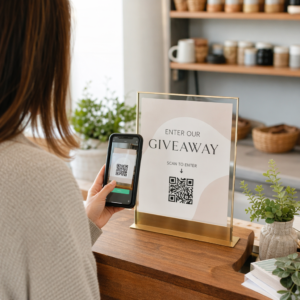
Vil du gjøre et papirgratulasjonskort om til noe en mottaker faktisk spiller av, ser på, eller lytter til? Statiske kort blir lagt til side, men et kort med en QR-kode som låser opp en personlig video- eller talemelding skaper et øyeblikk folk husker. Denne siden forklarer hvordan QR-koder fungerer på gratulasjonskort og hvordan du kan opprette eller tilpasse dem ved hjelp av Pageloots verktøy.
Hvorfor QR-koder gjør gratulasjonskort mer engasjerende
Amerikanere kjøper omtrent 6,5 milliarder gratulasjonskort hvert år, der bursdagskort alene utgjør mer enn halvparten av alle solgte kort. Formatet er allestedsnærværende, noe som er nettopp grunnen til at det å skille seg ut er viktig.
En QR-kode trykt inne i eller på forsiden av et kort lenker til hvilket som helst digitalt innhold du velger – en YouTube-video, en innspilt talemelding, en sang, et fotogalleri, eller en personlig landingsside. Når mottakeren åpner kortet og skanner koden med telefonkameraet sitt, lastes innholdet umiddelbart, ingen appnedlasting er nødvendig.
Hovedskillet for kontinuerlig bruk er mellom statiske og dynamiske QR-koder. En statisk kode koder destinasjonen direkte og kan ikke endres etter utskrift. En dynamisk kode bruker en kort omdirigerings-URL, noe som betyr at du kan oppdatere hva koden peker til når som helst uten å skrive ut kortet på nytt. For engangs personlige kort fungerer statisk fint. For bedrifter som sender merkede kort i volum, gir dynamiske koder deg fleksibilitet og muligheten til å spore engasjement.
Hvilket innhold du kan lenke fra en QR-kode på et gratulasjonskort
Innholdsmulighetene spenner fra enkle til rike. Her er de vanligste bruksområdene:
- Personlig videomelding – Spill inn en video, last den opp til YouTube, og lenk til den ved hjelp av YouTube QR-kode generator. Koden åpner videoen direkte i YouTube-appen eller nettleseren.
- Stemme- eller lydopptak – Konverter en MP3- eller lydfil til en skannbar kode med MP3 QR-kode generator. Du kan tilpasse en merket lydlandingsside med en tittel, forsidebilde og merkevarefarger.
- Fotogalleri – Lenk til et kuratert bildegalleri ved hjelp av QR-kode generator for bilder, nyttig for fotogaver, hendelsesoppsummeringer, eller jubileumskort.
- Sang eller spilleliste – Del en meningsfull sang eller spilleliste via Spotify QR-kode generator, som lenker direkte til et spor, album, eller en spilleliste på Spotify.
- Egendefinert lenke eller landingsside – Bruk Lenke QR-kodegenerator for å peke til hvilken som helst URL – en nettside, et skjema, en arrangementsside, eller en personlig digital melding.
Hver av disse generatorene lar deg tilpasse QR-kodens farger, legge til en logo, velge en rammestil, og laste ned en utskriftsklar fil.
Lag en QR-kode for gratulasjonskortet ditt Velg din innholdstype og generer en fullt merket, skannbar QR-kode på minutter. Start med Pageloot QR-kodegenerator – gratis 14-dagers prøveperiode, ingen kredittkort kreves.
Slik lager du en QR-kode for et gratulasjonskort
Prosessen tar mindre enn fem minutter:
- Velg din innholdstype. Bestem hva du vil at kortet skal levere – video, lyd, bilder, en lenke, eller en sang.
- Forbered innholdet ditt. Last opp videoen din til YouTube, eksporter lyden din som en MP3, samle bildene dine, eller kopier URL-en du vil bruke.
- Åpne riktig generator. Gå til den relevante Pageloot-generatoren basert på din innholdstype.
- Skriv inn innholdsdetaljene dine. Lim inn URL-en din eller last opp filen din.
- Tilpass QR-koden. Juster farger, legg til en logo, velg en ramme eller form, og legg til en kort oppfordring til handling som “Skann for å høre en melding.”
- Last ned koden din. Eksporter i et utskriftsklart format – SVG, EPS, eller PDF – for høyest mulig kvalitet.
- Plasser den på kortet. Skriv ut QR-koden direkte på kortdesignet eller skriv den ut på et klistremerke for å feste den inni.
- Test før du skriver ut i volum. Skann koden med minst to forskjellige smarttelefoner for å bekrefte at den løses riktig.
Retningslinjer for QR-kodedesign for kort
Gratulasjonskort er små, så det er avgjørende å få størrelsen og plasseringen riktig for pålitelig skanning.

Størrelse: Den anbefalte minimumsstørrelsen for en QR-kode på trykt materiale er 0,8 × 0,8 tommer (20 × 20 mm). På et standard gratulasjonskort skannet på armlengdes avstand, er dette tilstrekkelig. Hvis du legger til en logo inne i koden, øk størrelsen med 20–30% for å kompensere for plassen logoen opptar. For en fullstendig oversikt etter materialtype, se veiledningen om QR-kodestørrelse for ulike trykkmaterialer.
Kontrast: Bruk mørke moduler på en lys bakgrunn og snu aldri det forholdet. Høy kontrast er den viktigste faktoren for pålitelig skanning på tvers av forskjellige telefonmodeller og lysforhold. For detaljert veiledning, dekker beste praksis for lesbarhet av QR-koder veiledningen kontrastforhold, fargekombinasjoner, og vanlige feil å unngå.
Stille sone: La det være en klar, utrykt kant rundt QR-koden på alle fire sider – minst fire moduler bred. Denne buffersonen hjelper skannere med å oppdage kodens kanter. Ikke plasser tekst, mønstre, eller dekorative elementer innenfor denne kanten.
Plassering: Hvor du plasserer koden på kortet er like viktig som hvordan du designer den.
- Plasser QR-koden på en flat, ikke-reflekterende overflate og unngå å plassere den over en kortfold, som kan forvrenge mønsteret når kortet åpnes eller håndteres.
- Inne i kortet er ofte det tryggeste alternativet – flatt, beskyttet mot håndtering, og synlig i det øyeblikket kortet åpnes.
- Kortets bakside er en annen pålitelig plassering hvis overflaten er matt og bakgrunnen er enkel og ryddig.
- Unngå sterkt teksturerte, blanke eller pregede overflater, som kan spre lys og forhindre nøyaktig skanning.
For en bredere plasseringsstrategi som gjelder for trykkampanjer, dekker veiledning for plassering av QR-koder i markedsføring overflatetyper, posisjonering i øyehøyde, og innramming av handlingsfremmende oppfordringer i detalj.
Utskriftskvalitet: Eksporter QR-koden din som en vektorfil (SVG eller EPS) i stedet for en lavoppløselig PNG når det er mulig. Dette holder koden skarp uavhengig av utskriftsstørrelsen. Hvis du jobber med en kommersiell skriver, se gjennom hvordan utskriftsteknikker påvirker QR-kodens skannbarhet for å forstå hvordan metode, substrat og blekkvalg påvirker det endelige resultatet.
Bruk av dynamiske QR-koder for kort sendt i store volumer
Hvis du er en bedrift som sender merkede gratulasjonskort for helligdagene, kundetakknemlighet eller markedsføringskampanjer, legger dynamiske QR-koder til betydelige fordeler fremfor statiske.

Med en dynamisk kode kan du:
- Oppdatere det lenkede innholdet etter utskrift. Hvis en video-URL endres eller du vil bytte destinasjon for en ny kampanje, gjør du oppdateringen i Pageloot-dashbordet og den trykte koden forblir gyldig – ingen ny utskrift er nødvendig.
- Spore skanneytelse. Se totale skanninger, unike skanninger, skannetider, lokasjoner etter by eller region, og enhetstyper, alt fra ett enkelt dashbord.
- Gjenbruke samme kortdesign på tvers av sesonger. Oppdatere destinasjonen hver kampanjesyklus uten å redesigne eller skrive ut kortlageret ditt på nytt.
Dette er viktig i stor skala. Julen står for omtrent 1,3 milliarder gratulasjonskort kjøpt i USA hvert år, etterfulgt av Valentinsdagen med 145 millioner enheter og Morsdagen med 113 millioner. For bedrifter som opererer med slike volumer, oversettes evnen til å redigere destinasjoner og overvåke engasjement uten ny utskrift direkte til reduserte kostnader og mer handlingsrettede kampanjedata.
Spor hvem som skanner gratulasjonskortene dine Bruk Pageloot’s QR-kodegenerator for å lage oppdaterbare, sporbare koder for kortkampanjene dine og overvåke skanneytelsen fra ett enkelt dashbord.
En merknad om sending av kort med QR-koder
Å legge til en QR-kode på et kort påvirker ikke postklassifiseringen, forutsatt at selve kortet oppfyller standard USPS-dimensjoner. Minimumsstørrelse for brev er 3,5 × 5 tommer, og maksimum er 6,125 × 11,5 tommer. Kort innenfor disse dimensjonene som veier under 3,5 unser sendes til standard First-Class brevpriser.
Ett unntak verdt å merke seg: kvadratiske gratulasjonskort kan være gjenstand for et ikke-maskinelt tilleggsgebyr i tillegg til standard First-Class porto, uavhengig av om de inneholder en QR-kode. Hvis portokostnaden er en faktor, hold deg til standard rektangulære dimensjoner.
Å legge til en QR-kode på et gratulasjonskort er en enkel oppgradering som gjør en engangsartikkel om til et interaktivt øyeblikk. Hold koden minst 0,8 tommer bred, plasser den på en flat matt overflate vekk fra folder, og test den alltid på flere enheter før utskrift. For forretningsbruk lar dynamiske koder deg oppdatere det lenkede innholdet og måle engasjement uten å røre kortet. Bruk Pageloot QR-kodegenerator for å bygge din første kortklare kode på minutter.
Ofte stilte spørsmål
Det avhenger av anledningen. Personlige videomeldinger og stemmeopptak har en tendens til å ha den sterkeste emosjonelle effekten for individuelle kort. For forretningsgratulasjonskort fungerer det bra å lenke til en kort videomelding, en kuratert landingsside, eller en relevant spilleliste. Pageloots YouTube QR-kodegenerator, MP3 QR-kodegenerator og Lenke QR-kodegenerator dekker de vanligste formatene.
Ja. Generer din QR-kode i Pageloot, last den ned som en PNG eller SVG, og last den deretter opp i ditt Canva-design. For trinnvis veiledning, se Canva QR-kodegeneratorveiledningen. Sørg for at koden er minst 0,8 × 0,8 tommer i det endelige utskrevne resultatet for å sikre pålitelig skanning.
Kun hvis du brukte en dynamisk QR-kode. Dynamiske koder bruker en permanent kort omdirigerings-URL som kan peke til hvilken som helst destinasjon du velger, selv etter at kortet er skrevet ut og sendt. Statiske koder koder destinasjonen direkte og kan ikke endres. For enhver kortkampanje der innhold kan utvikle seg eller der du ønsker skanneanalyser, er en dynamisk kode gjennom Pageloot det riktige valget.