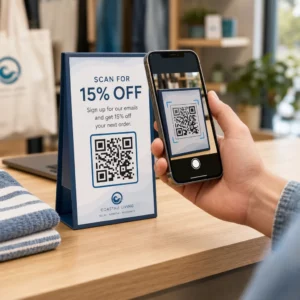
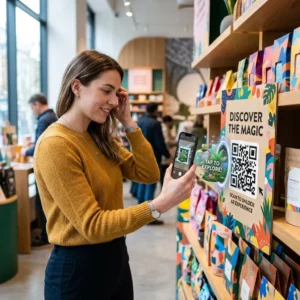
¿Está el personal de su taproom dedicando demasiado tiempo a responder las mismas preguntas sobre sus cervezas? Entre listas de grifos rotativas, detalles de ABV, maridajes de alimentos y lanzamientos de temporada, mantener a los clientes informados sin abrumar a su equipo es un verdadero desafío operativo. Esta guía cubre cómo las cervecerías están utilizando códigos QR para resolver ese problema, desde listas de grifos digitales hasta herramientas de comentarios de clientes.
Por qué los Taprooms están recurriendo a los códigos QR
Los taprooms y brewpubs representan el 73% de todos los negocios de elaboración de cerveza artesanal de EE. UU., pero solo el 15% del volumen total de cerveza artesanal. Esa estructura pone un peso enorme en la experiencia directa al consumidor, y la guía de la industria apunta cada vez más a duplicar las experiencias en el taproom como el camino a seguir para los cerveceros artesanales.
Los códigos QR encajan naturalmente en esa estrategia. Un solo código escaneable en una mesa puede reemplazar una pila de menús laminados, dar a los clientes acceso instantáneo a notas de cata y detalles de la cerveza, e invitarlos a seguir su cervecería en las redes sociales, todo sin requerir que el personal se aleje de la barra.
Para negocios en hostelería, los códigos QR ofrecen una forma de bajo costo de conectar espacios físicos con contenido digital. Las cervecerías son un ajuste particularmente bueno porque la información que los clientes desean – ABV, IBUs, descripciones de estilo, opciones de vuelo – cambia regularmente y se beneficia de ser actualizada sin reimpresión.
La Lista de Grifos Digital: Su Caso de Uso Más Práctico
La aplicación más inmediata es reemplazar o complementar su lista de grifos impresa con una versión digital a la que los clientes pueden acceder escaneando un código en la barra, en los letreros de mesa o en la entrada.
UNA código QR de menú le permite construir una lista de grifos digital que muestra nombres de cerveza, estilos, ABV, IBU, notas de cata y precios por tamaño de vertido. Los menús de cervecería a menudo incluyen vertidos de muestra y vuelos también, por lo que puede estructurar su menú digital para reflejar todas las opciones disponibles sin las limitaciones de formato de una pizarra o tarjeta de papel.
La ventaja operativa clave es que puede actualizar el menú sin tocar el código QR físico. Cuando un barril se agota y un nuevo estacional lo reemplaza, usted actualiza el destino digital – el código impreso en la mesa permanece igual. Esto importa en un entorno donde la lista de grifos puede cambiar diaria o semanalmente.
Cree una Lista de Grifos Digital para Su Cervecería ¿Listo para construir un menú al que sus clientes puedan acceder con un solo escaneo? Use el Generador de códigos QR para menús para cargar su lista de grifos como PDF o construir un menú móvil interactivo, y actualizarlo en cualquier momento sin reimprimir.
Qué Incluir en el Menú Digital de una Cervecería
Una lista de grifos digital bien estructurada ayuda a los clientes a tomar decisiones más rápido y reduce el ir y venir con el personal. Considere organizarlo alrededor de los siguientes elementos:
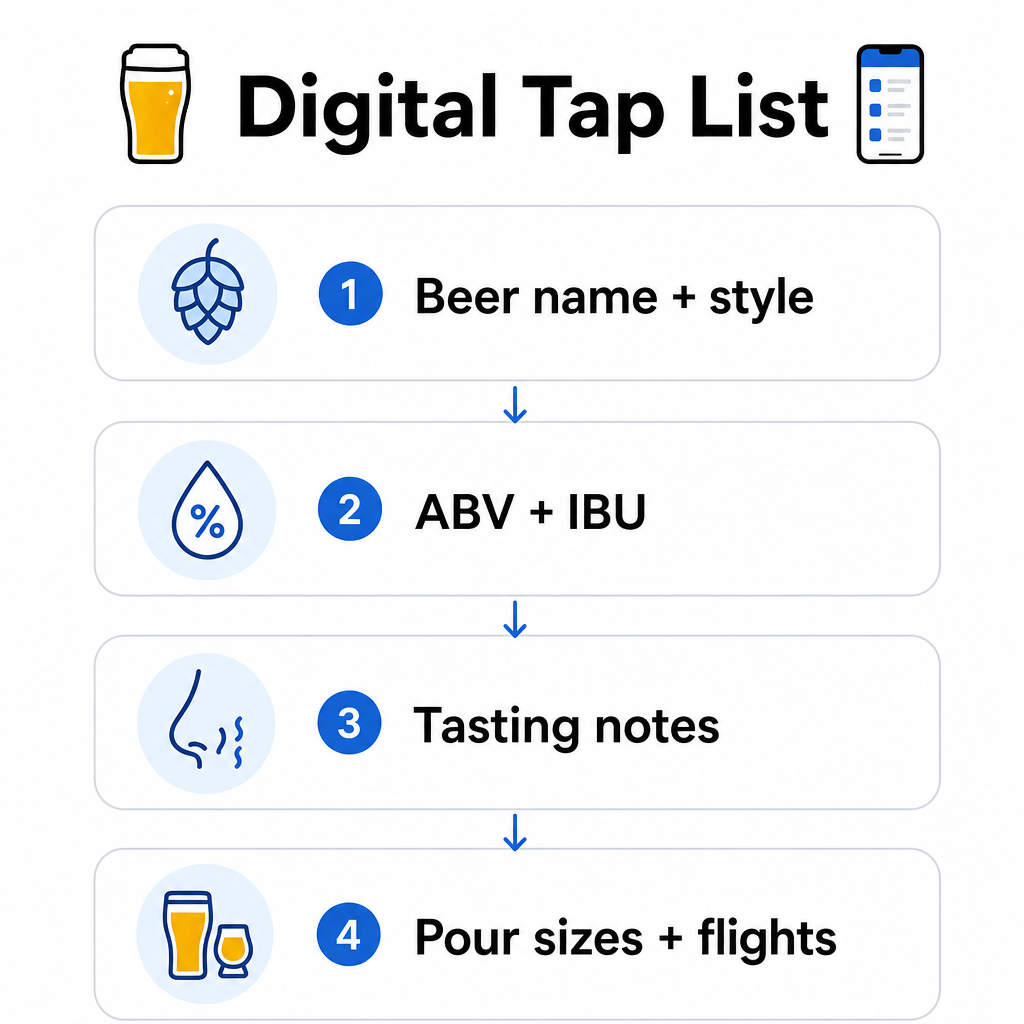
- Nombre y estilo de la cerveza – p. ej., West Coast IPA, Hazy Double IPA, Dry Irish Stout
- ABV e IBU – ayuda a los clientes a medir la fuerza y la amargura de un vistazo
- Notas de cata o descriptores de sabor – “con notas cítricas y un final seco” es más útil que solo “IPA”
- Tamaños de vertido y precios disponibles – si ofrece 5 oz, 10 oz y una pinta, cada tamaño debe tener su propio precio listado
- Opciones de vuelo y muestra – muestre claramente cómo se estructuran y valoran los vuelos
- Lanzamientos de temporada o limitados – destáquelos para que los clientes sepan qué hay de nuevo
Si su cervecería también sirve comida, el mismo código QR puede enlazar a un menú completo de comida y bebida. Para los huéspedes con restricciones dietéticas o preocupaciones por alérgenos, un formato digital facilita la inclusión de información detallada de ingredientes. Tenga en cuenta que el etiquetado de alérgenos de la TTB para las etiquetas de alcohol sigue siendo voluntario según las regulaciones actuales, pero compartir proactivamente esta información a través de su menú digital es una práctica sólida para la confianza del cliente.
Uso de códigos QR en PDF para menús de cerveza y material promocional
Si ya tiene una lista de grifos diseñada en formato PDF, puede generar un código QR que enlace directamente a ese archivo. Los clientes escanean y el PDF se abre en su teléfono – no se requiere aplicación.
Este enfoque funciona bien para varios escenarios específicos de cervecería:
- Tarjetas de menú de temporada que rediseña trimestralmente
- Hojas de educación cervecera para eventos de toma de grifos o eventos
- Material impreso para tours de cervecería que desea extender digitalmente
- Guías de cata estructuradas alrededor de vuelos
Códigos QR en formato PDF son especialmente prácticas porque puede intercambiar el PDF enlazado sin cambiar el código impreso. Si imprime una tirada de letreros de mesa para un evento de temporada y el menú cambia a mitad de la tirada, actualiza el PDF en lugar de reimprimir los códigos. Las aplicaciones más amplias de los códigos QR en PDF para empresas cubren formas adicionales de aplicar este enfoque en marketing y operaciones.
Recopilar reseñas de Google mientras los clientes aún están comprometidos
El mejor momento para pedir una reseña es justo después de una experiencia positiva, lo que en una cervecería significa mientras alguien está terminando una excelente pinta, no tres días después, cuando ya hayan olvidado los nombres de las cervezas.
UNA código QR para reseñas de Google colocado en tu mesa, posavasos o recibo lleva a los clientes directamente a tu página de reseñas de Google Business con un solo escaneo. Añadir un breve mensaje como “¿Disfrutaste tu visita? Cuéntaselo a otros” hace que la solicitud se sienta natural en lugar de insistente.
Más reseñas ayudan a tu cervecería a posicionarse en los resultados de búsqueda locales y a generar credibilidad con nuevos visitantes que están decidiendo dónde pasar una tarde. Es un punto de contacto de bajo esfuerzo con un impacto real a posteriori en el tráfico peatonal.
Más allá del menú: Otras aplicaciones de códigos QR en cervecerías
Los códigos QR pueden cumplir varias otras funciones en todas las operaciones de tu cervecería.
Redes sociales y suscripciones a boletines – Un código QR de enlace en carteles de mesa o en la barra pueden dirigir a los visitantes a tu Instagram, página de Facebook o a un formulario de suscripción por correo electrónico. Los clientes que lo pasaron bien están receptivos a mantenerse conectados, así que dales una forma fácil de hacerlo mientras la experiencia aún está fresca.
Anuncios de eventos y lanzamientos – Vincula un código QR a una página de destino con próximos eventos, fechas de lanzamiento de cerveza o cambios en el horario de la cervecería. Dado que los códigos QR dinámicos se pueden actualizar después de la impresión, puedes usar el mismo código físico para promocionar diferentes eventos futuros a lo largo del tiempo sin reimprimir nada.
Educación cervecera e historia de la cervecería – Algunas cervecerías usan un código QR para compartir la historia detrás de una cerveza: la cepa de levadura, la variedad de lúpulo, la inspiración de la receta. Este tipo de contenido profundiza la experiencia en la cervecería sin requerir que el personal dé una explicación completa con cada servicio. Funciona especialmente bien para lanzamientos limitados o colaboraciones donde la historia de fondo es parte del atractivo.
Pagos sin contacto – Las opciones de pago basadas en QR pueden acelerar el proceso de pago en cervecerías concurridas. Los clientes escanean, revisan su cuenta y pagan, reduciendo el ir y venir en la barra durante las horas pico. Los beneficios de los pagos con código QR en entornos de restaurantes se aplican directamente a las operaciones de las cervecerías también.
Conecta cada punto de contacto de la cervecería con contenido digital Use el Generador de códigos QR para crear códigos de marca y rastreables para tu lista de grifos, redes sociales, eventos y más, todo gestionado desde un único panel de control.
Códigos QR dinámicos vs. estáticos: Lo que las cervecerías deben saber
Existen dos tipos de códigos QR: estático y Dinámico. Comprender la diferencia te ayuda a elegir la herramienta adecuada para cada aplicación.
| FUNCIÓN | Código QR estático | Código QR dinámico |
|---|---|---|
| URL de destino | Fijo en la creación | Se puede actualizar en cualquier momento |
| ESTADÍSTICAS | Ninguno | Escaneos, ubicaciones, tipos de dispositivos, horas |
| Mejor para | Enlaces únicos o permanentes | Listas de grifos, eventos, contenido rotativo |
| ¿Se requiere reimpresión después de la actualización? | Sí | No |
Para la mayoría de las aplicaciones de cervecerías, especialmente listas de grifos y promociones de eventos, los códigos QR dinámicos son la elección correcta. La lista de grifos cambia. Los eventos van y vienen. Los menús de temporada rotan. Un código dinámico te permite actualizar el destino sin desechar tus materiales impresos, lo cual es importante cuando has invertido en carteles de mesa o posavasos personalizados.
Los códigos dinámicos también te proporcionan análisis: cuántas veces se escaneó un código, desde qué ubicación, en qué dispositivos y a qué horas. Esos datos te dicen si los clientes realmente están interactuando con tu menú digital o ignorándolo, lo que te ayuda a decidir dónde colocar los códigos y cómo diseñarlos para una mejor visibilidad. Para un desglose completo de lo que rastrean los códigos dinámicos y por qué es importante, consulta qué datos recopilan los códigos QR dinámicos.
Diseño de códigos QR para un entorno de cervecería
Las cervecerías presentan condiciones físicas específicas que debes tener en cuenta: iluminación ambiental que puede variar de brillante a tenue, superficies que incluyen madera, pizarra y vidrio, y clientes que pueden estar escaneando desde la distancia de un brazo en un taburete de bar.
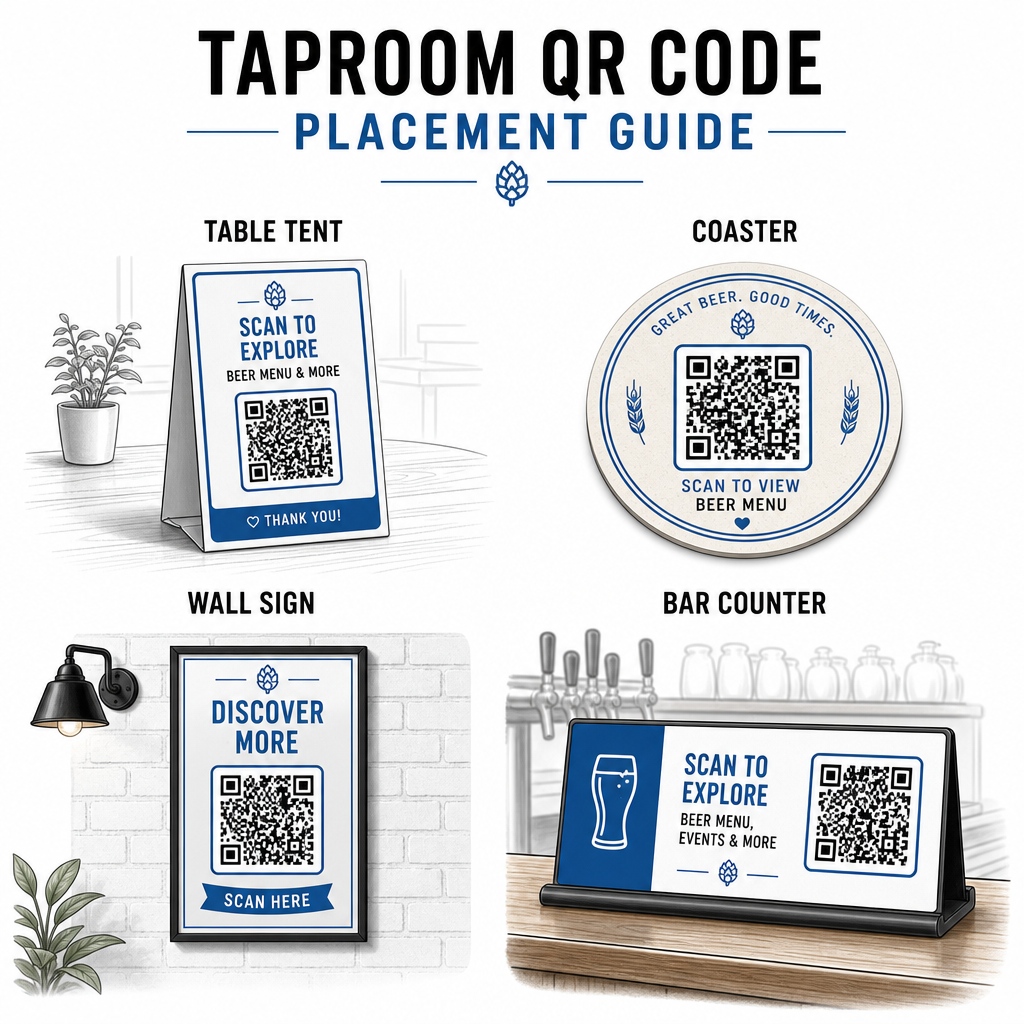
Algunas pautas prácticas extraídas de las mejores prácticas para la legibilidad de los códigos QR:
- Tamaño – Utiliza un mínimo de 2 × 2 cm (aproximadamente 0.8 × 0.8 pulgadas) para escaneos de corto alcance. Para códigos colocados en paredes o pizarras donde los clientes escanean desde más lejos, aplica la regla 10:1: el ancho del código debe ser al menos una décima parte de la distancia de escaneo esperada.
- Contraste – Mantén un fuerte contraste entre el patrón del código y su fondo. Un patrón oscuro sobre un fondo claro es estándar. Evita colocar códigos directamente sobre madera oscura sin un campo de fondo blanco detrás.
- Zona tranquila – Deja un margen claro alrededor del código – aproximadamente 0.25 pulgadas – para que el escáner pueda encontrar y leer el código sin que los elementos circundantes interfieran.
- Superficie – Evita superficies curvas o texturizadas como botellas. Los carteles de mesa, posavasos, menús impresos y letreros de pared son las mejores ubicaciones. Uso de códigos QR en carteles de mesa cubre los detalles de colocación con más detalle.
- Formato de archivo – Descargue sus códigos en formato SVG, EPS o PDF para una impresión de alta calidad. Los formatos ráster como JPG se degradan en tamaños de impresión más grandes y pueden volverse ilegibles.
Si añade el logotipo de su cervecería al código – lo que ayuda con el reconocimiento de marca – utilice el nivel de corrección de errores Q o H, y mantenga el logotipo en no más del 30% del área del código para evitar interferir con la capacidad de escaneo.
Limitaciones Honestas a Considerar
Los códigos QR son útiles, pero funcionan mejor como un suplemento para la experiencia de su taproom en lugar de un reemplazo completo para cada punto de contacto analógico.
La investigación muestra consistentemente que una parte significativa de los comensales aún prefiere los menús físicos. Los datos de encuestas indican que el 67% de los comensales prefiere tener opciones de menú tanto digitales como tradicionales en lugar de una u otra. Mantener algunos menús impresos o de pizarra disponibles junto con los códigos QR se alinea con las preferencias de la mayoría de los clientes y evita alienar a aquellos que encuentran frustrantes las configuraciones solo con QR.
También hay consideraciones de accesibilidad que vale la pena abordar directamente:
- Los clientes sin smartphones, o con dispositivos más antiguos que tienen dificultades para escanear, necesitan una opción alternativa disponible
- Los menús entregados como PDFs solo de imagen pueden ser inaccesibles para los clientes que usan lectores de pantalla – los menús de texto estructurado o HTML son más inclusivos
- Un Wi-Fi débil en edificios de taproom más antiguos puede ralentizar los tiempos de carga del menú, frustrando a los clientes – asegúrese de que su red interna pueda manejar la demanda antes de eliminar los menús físicos por completo
Abordar estos problemas de antemano – manteniendo un menú de papel de respaldo disponible, asegurando que su contenido digital se cargue rápidamente, y probando sus códigos en las condiciones de iluminación reales de su taproom – mantiene los códigos QR como una conveniencia en lugar de un punto de fricción para sus clientes.
Seguimiento de lo que funciona
Una de las ventajas subutilizadas de los códigos QR dinámicos en un taproom es la capa de análisis. Si coloca códigos en el bar, en las mesas y cerca de la entrada, puede ver qué ubicaciones generan la mayor cantidad de escaneos. Si ejecuta una promoción estacional y la vincula a través de un código QR, puede medir cuántas personas interactuaron realmente con ella.
Con el tiempo, estos datos le ayudan a tomar mejores decisiones de ubicación, comprender qué contenido resuena con los clientes, y medir si su compromiso digital está creciendo junto con el tráfico peatonal. También le ayuda a identificar zonas muertas – ubicaciones donde se colocan códigos pero rara vez se escanean – para que pueda ajustarse en consecuencia.
Este tipo de medición es especialmente relevante para los taprooms que dependen en gran medida de las visitas repetidas y el boca a boca. Para una visión más amplia de cómo los códigos QR sirven a la industria hotelera, incluyendo estrategias de seguimiento y engagement, el recurso de hostelería cubre el panorama completo.
Dirigir un taproom eficiente significa dar a los clientes la información que desean rápidamente mientras mantiene a su personal enfocado en lo que mejor saben hacer. Los códigos QR manejan la capa de información – listas de grifo, detalles de cerveza, anuncios de eventos y solicitudes de reseñas – sin añadir complejidad operativa. Comience con un código QR de menú dinámico en sus mesas, añada una solicitud de reseña de Google, y utilice el análisis de escaneo para refinar la ubicación y el contenido a partir de ahí.
Comience con Códigos QR para Taproom Cree su primer código QR en minutos con el Generador de códigos QR de Pageloot – personalícelo con la marca de su cervecería, vincúlelo a su lista de grifo o a cualquier destino digital, y actualícelo en cualquier momento sin reimprimir.
Preguntas frecuentes
Sí, si utiliza un código QR dinámico. Los códigos dinámicos utilizan una URL de redirección gestionada por la plataforma, para que pueda actualizar el contenido de destino – como un nuevo PDF de lista de cervezas de barril o una página de menú en vivo – en cualquier momento sin generar un nuevo código o reemplazar el código físico en sus mesas o posavasos.
Mantén un menú físico o de pizarra disponible como respaldo. Los datos de la encuesta muestran que el 67% de los comensales prefieren tener opciones de menú tanto digitales como tradicionales, por lo que un enfoque híbrido atiende a la gama más amplia de clientes. Los códigos QR funcionan mejor como un complemento, no como un reemplazo, de las alternativas analógicas.
Con códigos QR dinámicos, obtienes acceso a análisis de escaneo – incluyendo escaneos totales, tiempos de escaneo, tipos de dispositivo y datos de ubicación. Coloca diferentes códigos en diferentes ubicaciones (bar, mesas, entrada) para comparar la interacción por área, y usa esos datos para optimizar la ubicación y el diseño con el tiempo.