Vuoi trasformare un biglietto di auguri di carta in qualcosa che un destinatario riproduca, guardi o ascolti davvero? I biglietti statici vengono messi da parte, ma un biglietto con un codice QR che sblocca un video personale o un messaggio vocale crea un momento che le persone ricordano. Questa pagina spiega come funzionano i codici QR sui biglietti di auguri e come crearli o personalizzarli utilizzando gli strumenti di Pageloot.
Perché i codici QR rendono i biglietti di auguri più coinvolgenti
Gli americani acquistano circa 6,5 miliardi di biglietti di auguri ogni anno, con i soli biglietti di compleanno che rappresentano più della metà di tutti i biglietti venduti. Il formato è onnipresente, ed è esattamente per questo che distinguersi è importante.
Un codice QR stampato all'interno o sulla copertina di un biglietto si collega a qualsiasi contenuto digitale tu scelga – un video di YouTube, un messaggio vocale registrato, una canzone, una galleria fotografica o una pagina di destinazione personalizzata. Quando il destinatario apre il biglietto e scansiona il codice con la fotocamera del telefono, quel contenuto si carica immediatamente, senza bisogno di scaricare app.
La distinzione chiave per l'uso continuativo è tra codici QR statici e dinamici. Un codice statico codifica la destinazione direttamente e non può essere modificato dopo la stampa. Un codice dinamico utilizza un URL di reindirizzamento breve, il che significa che puoi aggiornare a cosa punta il codice in qualsiasi momento senza ristampare il biglietto. Per i biglietti personali una tantum, il statico funziona bene. Per le aziende che inviano biglietti brandizzati in volume, i codici dinamici offrono flessibilità e la possibilità di tracciare l'engagement.
Quale contenuto puoi collegare da un codice QR di un biglietto di auguri
Le possibilità di contenuto vanno dal semplice al ricco. Ecco i casi d'uso più comuni:
- Messaggio video personale – Registra un video, caricalo su YouTube e collegalo usando il Generatore di QR code YouTube. Il codice apre il video direttamente nell'app o nel browser di YouTube.
- Registrazione vocale o audio – Converti un file MP3 o audio in un codice scansionabile con il Generatore di QR code MP3. Puoi personalizzare una pagina di destinazione audio brandizzata con un titolo, un'immagine di copertina e i colori del brand.
- Galleria fotografica – Collega a una galleria di immagini curata usando il Generatore di QR code immagine, utile per regali fotografici, riepiloghi di eventi o biglietti di anniversario.
- Canzone o playlist – Condividi una canzone o una playlist significativa tramite il Generatore di QR code Spotify, che si collega direttamente a una traccia, un album o una playlist su Spotify.
- Link personalizzato o pagina di destinazione – Usa il Generatore di codici QR per link per puntare a qualsiasi URL – un sito web, un modulo, una pagina evento o un messaggio digitale personalizzato.
Ciascuno di questi generatori ti consente di personalizzare i colori del codice QR, aggiungere un logo, scegliere uno stile di cornice e scaricare un file pronto per la stampa.
Crea un codice QR per il tuo biglietto di auguri Scegli il tuo tipo di contenuto e genera un codice QR completamente brandizzato e scansionabile in pochi minuti. Inizia con il Generatore di codici QR di Pageloot – prova gratuita di 14 giorni, nessuna carta di credito richiesta.
Come creare un codice QR per un biglietto di auguri
Il processo richiede meno di cinque minuti:
- Scegli il tipo di contenuto. Decidi cosa vuoi che il biglietto consegni – video, audio, immagini, un link o una canzone.
- Prepara il tuo contenuto. Carica il tuo video su YouTube, esporta il tuo audio come MP3, raccogli le tue immagini o copia l'URL che vuoi usare.
- Apri il generatore giusto. Vai al generatore Pageloot pertinente in base al tuo tipo di contenuto.
- Inserisci i dettagli del tuo contenuto. Incolla il tuo URL o carica il tuo file.
- Personalizza il codice QR. Regola i colori, aggiungi un logo, scegli una cornice o una forma e aggiungi una breve call-to-action come “Scansiona per ascoltare un messaggio”.”
- Scarica il tuo codice. Esporta in un formato pronto per la stampa – SVG, EPS o PDF – per la massima qualità di output.
- Posizionalo sul biglietto. Stampa il codice QR direttamente sul design del biglietto o stampalo su un adesivo da attaccare all'interno.
- Testa prima di stampare in volume. Scansiona il codice con almeno due smartphone diversi per confermare che si risolva correttamente.
Linee guida per il design del codice QR per i biglietti
I biglietti di auguri sono piccoli, quindi ottenere la giusta dimensione e posizionamento è fondamentale per una scansione affidabile.

Dimensioni: La dimensione minima consigliata per un codice QR su materiali stampati è 0,8 × 0,8 pollici (20 × 20 mm). Su un biglietto di auguri standard scansionato a distanza di braccio, questo è sufficiente. Se stai aggiungendo un logo all'interno del codice, aumenta la dimensione del 20-30% per compensare lo spazio occupato dal logo. Per una ripartizione completa per tipo di materiale, consulta la guida su dimensionamento del codice QR per diversi materiali di stampa.
Contrasto: Usa moduli scuri su uno sfondo chiaro e non invertire mai questa relazione. L'alto contrasto è il fattore più importante per una scansione affidabile su diversi modelli di telefono e condizioni di illuminazione. Per una guida dettagliata, il le migliori pratiche per la leggibilità dei codici QR guida copre i rapporti di contrasto, le combinazioni di colori e gli errori comuni da evitare.
Zona di silenzio: Lascia un bordo chiaro e non stampato attorno al codice QR su tutti e quattro i lati – largo almeno quattro moduli. Questa zona cuscinetto aiuta gli scanner a rilevare i bordi del codice. Non posizionare testo, motivi o elementi decorativi all'interno di questo bordo.
Posizionamento: Dove posizioni il codice sul biglietto è importante quanto come lo progetti.
- Posiziona il codice QR su una superficie piana e non riflettente ed evita di posizionarlo attraverso una piega della carta, che può distorcere il motivo quando la carta viene aperta o maneggiata.
- All'interno della carta è spesso l'opzione più sicura – piatta, protetta dalla manipolazione e vista nel momento in cui la carta viene aperta.
- Il pannello posteriore della carta è un'altra posizione affidabile se la superficie è opaca e lo sfondo è semplice e ordinato.
- Evita superfici molto strutturate, lucide o in rilievo, che possono disperdere la luce e impedire una scansione accurata.
Per una strategia di posizionamento più ampia applicabile alle campagne di stampa, il guida al posizionamento dei codici QR nel marketing copre i tipi di superficie, il posizionamento all'altezza degli occhi e l'inquadratura della call-to-action in dettaglio.
Qualità di stampa: Esporta il tuo codice QR come file vettoriale (SVG o EPS) piuttosto che un PNG a bassa risoluzione ogni volta che è possibile. Questo mantiene il codice nitido indipendentemente dalla dimensione di output. Se stai lavorando con una stampante commerciale, rivedi come le tecniche di stampa influenzano la scansionabilità dei codici QR per capire come il metodo, il substrato e la scelta dell'inchiostro influenzano il risultato finale.
Utilizzo di codici QR dinamici per carte inviate in volume
Se sei un'azienda che invia biglietti di auguri personalizzati per le festività, l'apprezzamento dei clienti o le campagne di marketing, i codici QR dinamici aggiungono vantaggi significativi rispetto a quelli statici.

Con un codice dinamico, puoi:
- Aggiornare il contenuto collegato dopo la stampa. Se un URL video cambia o vuoi scambiare la destinazione per una nuova campagna, effettui l'aggiornamento nella dashboard di Pageloot e il codice stampato rimane valido – nessuna ristampa necessaria.
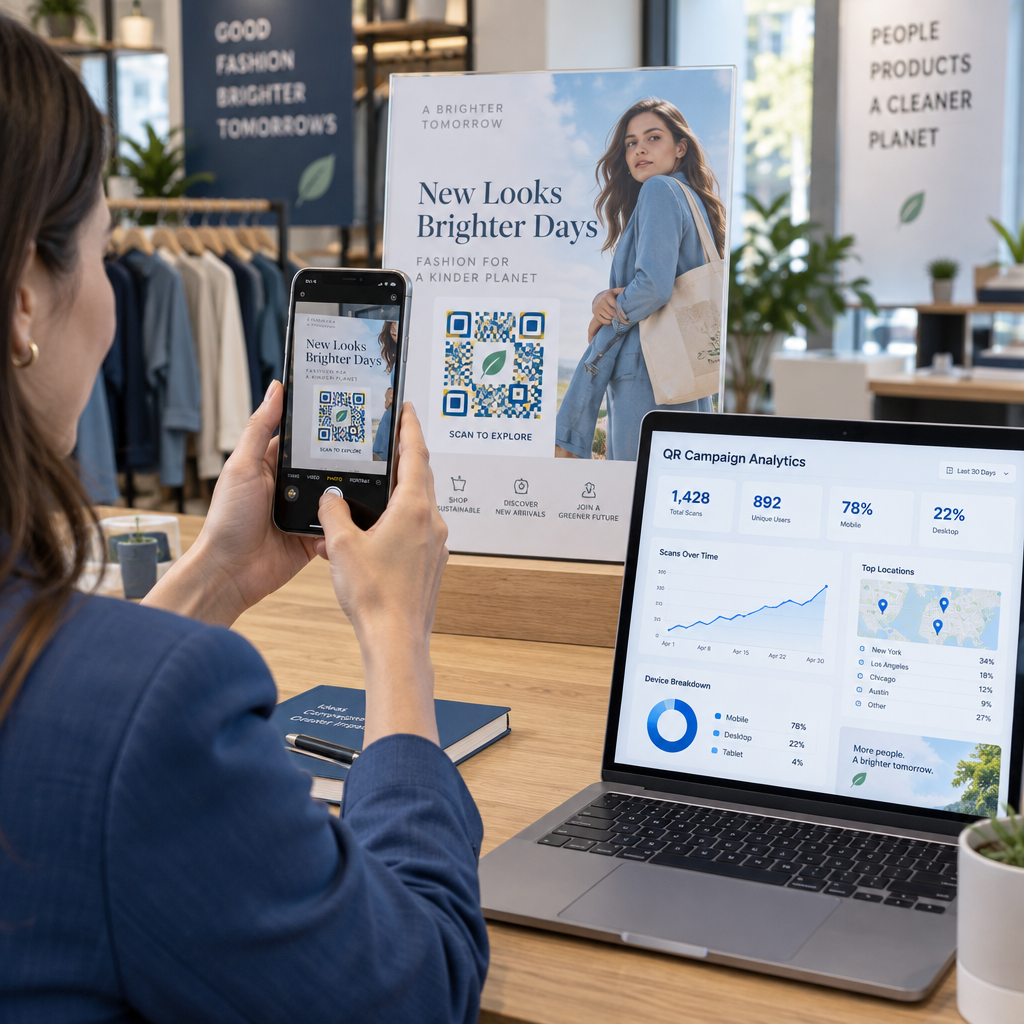
- Monitorare le prestazioni di scansione. Visualizza scansioni totali, scansioni uniche, tempi di scansione, posizioni per città o regione e tipi di dispositivo, tutto da un'unica dashboard.
- Riutilizzare lo stesso design della carta tra le stagioni. Aggiorna la destinazione ad ogni ciclo di campagna senza ridisegnare o ristampare il tuo stock di carte.
Questo è importante su larga scala. Il Natale rappresenta circa 1,3 miliardi di biglietti di auguri acquistati negli Stati Uniti ogni anno, seguito dal Giorno di San Valentino con 145 milioni di unità e dalla Festa della Mamma con 113 milioni. Per le aziende che operano a questi volumi, la capacità di modificare le destinazioni e monitorare l'engagement senza ristampare si traduce direttamente in costi ridotti e dati di campagna più utilizzabili.
Monitora chi scansiona i tuoi biglietti di auguri Usa di Pageloot Generatore di codici QR per creare codici aggiornabili e tracciabili per le tue campagne di carte e monitorare le prestazioni di scansione da un'unica dashboard.
Una nota sull'invio di carte con codici QR
L'aggiunta di un codice QR a una carta non influisce sulla sua classificazione postale, a condizione che la carta stessa soddisfi le dimensioni standard USPS. I minimi per le lettere sono 3,5 × 5 pollici e i massimi sono 6,125 × 11,5 pollici. Le carte all'interno di queste dimensioni che pesano meno di 3,5 once vengono spedite con le tariffe standard per lettere di Prima Classe.
Un'eccezione degna di nota: biglietti di auguri quadrati possono essere soggetti a un supplemento per non meccanizzabile oltre all'affrancatura standard di Prima Classe, indipendentemente dal fatto che contengano un codice QR. Se il costo dell'affrancatura è un fattore, attieniti alle dimensioni rettangolari standard.
L'aggiunta di un codice QR a un biglietto di auguri è un aggiornamento semplice che trasforma un oggetto usa e getta in un momento interattivo. Mantieni il codice largo almeno 0,8 pollici, posizionalo su una superficie piana opaca lontano dalle pieghe e testalo sempre su più dispositivi prima della stampa. Per uso aziendale, i codici dinamici ti consentono di aggiornare il contenuto collegato e misurare l'engagement senza toccare la carta. Usa il Generatore di codici QR di Pageloot per creare il tuo primo codice pronto per la carta in pochi minuti.
Domande frequenti
Dipende dall'occasione. I messaggi video personali e le registrazioni vocali tendono ad avere il più forte impatto emotivo per le singole carte. Per i biglietti di auguri aziendali, collegare a un breve messaggio video, una landing page curata o una playlist pertinente funziona bene. Il generatore di codici QR di YouTube di Pageloot, il generatore di codici QR MP3 e il generatore di codici QR di link coprono i formati più comuni.
Sì. Genera il tuo codice QR in Pageloot, scaricalo come PNG o SVG, quindi caricalo nel tuo design Canva. Per una guida passo-passo, consulta la guida al generatore di codici QR di Canva. Assicurati che il codice sia di almeno 0,8 × 0,8 pollici nell'output di stampa finale per garantire una scansione affidabile.
Solo se hai usato un codice QR dinamico. I codici dinamici usano un URL di reindirizzamento breve e permanente che può puntare a qualsiasi destinazione tu scelga, anche dopo che la carta è stata stampata e spedita. I codici statici codificano la destinazione direttamente e non possono essere modificati. Per qualsiasi campagna di carte in cui il contenuto può evolvere o in cui desideri analisi delle scansioni, un codice dinamico tramite Pageloot è la scelta giusta.