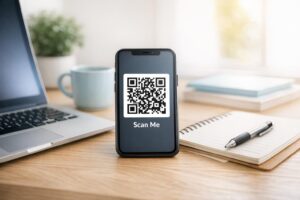
क्या आप एक कागज़ के ग्रीटिंग कार्ड को ऐसी चीज़ में बदलना चाहते हैं जिसे प्राप्तकर्ता वास्तव में खेलता है, देखता है, या सुनता है? स्थैतिक कार्ड अलग रख दिए जाते हैं, लेकिन एक QR कोड वाला कार्ड जो एक व्यक्तिगत वीडियो या ध्वनि संदेश को अनलॉक करता है, एक ऐसा क्षण बनाता है जिसे लोग याद रखते हैं। यह पृष्ठ बताता है कि ग्रीटिंग कार्ड पर QR कोड कैसे काम करते हैं और Pageloot के टूल का उपयोग करके उन्हें कैसे बनाया या अनुकूलित किया जाए।.
QR कोड ग्रीटिंग कार्ड को अधिक आकर्षक क्यों बनाते हैं
अमेरिकी हर साल लगभग 6.5 अरब ग्रीटिंग कार्ड खरीदते हैं, जिसमें अकेले जन्मदिन कार्ड सभी बेचे गए कार्डों के आधे से अधिक होते हैं। यह प्रारूप सर्वव्यापी है, और यही कारण है कि अलग दिखना मायने रखता है।.
कार्ड के अंदर या कवर पर मुद्रित एक QR कोड आपके द्वारा चुने गए किसी भी डिजिटल सामग्री से लिंक होता है – एक YouTube वीडियो, एक रिकॉर्ड किया गया ध्वनि संदेश, एक गीत, एक फोटो गैलरी, या एक व्यक्तिगत लैंडिंग पृष्ठ। जब प्राप्तकर्ता कार्ड खोलता है और अपने फोन कैमरे से कोड को स्कैन करता है, तो वह सामग्री तुरंत लोड हो जाती है, किसी ऐप डाउनलोड की आवश्यकता नहीं होती है।.
चल रहे उपयोग के लिए मुख्य अंतर है स्थिर और गतिशील QR कोड. एक स्थैतिक कोड गंतव्य को सीधे एन्कोड करता है और मुद्रण के बाद बदला नहीं जा सकता। एक गतिशील कोड एक छोटा रीडायरेक्ट URL का उपयोग करता है, जिसका अर्थ है कि आप कार्ड को फिर से प्रिंट किए बिना किसी भी समय कोड किस ओर इंगित करता है उसे अपडेट कर सकते हैं। एक बार के व्यक्तिगत कार्डों के लिए, स्थैतिक ठीक काम करता है। बड़ी मात्रा में ब्रांडेड कार्ड भेजने वाले व्यवसायों के लिए, गतिशील कोड आपको लचीलापन और जुड़ाव को ट्रैक करने की क्षमता देते हैं।.
आप ग्रीटिंग कार्ड QR कोड से कौन सी सामग्री लिंक कर सकते हैं
सामग्री की संभावनाएं सरल से समृद्ध तक हैं। यहाँ सबसे सामान्य उपयोग के मामले दिए गए हैं:
- व्यक्तिगत वीडियो संदेश – एक वीडियो रिकॉर्ड करें, उसे YouTube पर अपलोड करें, और उसे का उपयोग करके लिंक करें YouTube ka QR Code Kaise Nikale: QR कोड जनरेटर. । कोड वीडियो को सीधे YouTube ऐप या ब्राउज़र में खोलता है।.
- ध्वनि या ऑडियो रिकॉर्डिंग – एक MP3 या ऑडियो फ़ाइल को के साथ एक स्कैन करने योग्य कोड में बदलें MP3 QR कोड जनरेटर. । आप एक शीर्षक, कवर छवि और ब्रांड रंगों के साथ एक ब्रांडेड ऑडियो लैंडिंग पृष्ठ को अनुकूलित कर सकते हैं।.
- फोटो गैलरी – का उपयोग करके एक क्यूरेटेड छवि गैलरी से लिंक करें Image to QR Code: इमेज QR कोड जनरेटर, फोटो उपहार, इवेंट रिकैप्स, या सालगिरह कार्ड के लिए उपयोगी।.
- गीत या प्लेलिस्ट – के माध्यम से एक सार्थक गीत या प्लेलिस्ट साझा करें Spotify QR कोड जनरेटर, जो सीधे Spotify पर एक ट्रैक, एल्बम, या प्लेलिस्ट से लिंक होता है।.
- कस्टम लिंक या लैंडिंग पृष्ठ – उपयोग करें लिंक क्यूआर कोड जनरेटर किसी भी URL पर इंगित करने के लिए – एक वेबसाइट, एक फॉर्म, एक इवेंट पेज, या एक व्यक्तिगत डिजिटल संदेश।.
इनमें से प्रत्येक जनरेटर आपको QR कोड के रंगों को अनुकूलित करने, एक लोगो जोड़ने, एक फ्रेम शैली चुनने और एक प्रिंट-तैयार फ़ाइल डाउनलोड करने देता है।.
अपने ग्रीटिंग कार्ड के लिए एक QR कोड बनाएं अपनी सामग्री का प्रकार चुनें और मिनटों में एक पूरी तरह से ब्रांडेड, स्कैन करने योग्य QR कोड बनाएं। के साथ शुरू करें पगेलूट क्यूआर कोड जनरेटर – 14-दिन का निःशुल्क परीक्षण, क्रेडिट कार्ड की आवश्यकता नहीं।.
ग्रीटिंग कार्ड के लिए QR कोड कैसे बनाएं
प्रक्रिया में पांच मिनट से भी कम समय लगता है:
- अपनी सामग्री का प्रकार चुनें।. तय करें कि आप कार्ड से क्या डिलीवर करना चाहते हैं – वीडियो, ऑडियो, चित्र, एक लिंक, या एक गीत।.
- अपनी सामग्री तैयार करें।. अपना वीडियो YouTube पर अपलोड करें, अपने ऑडियो को MP3 के रूप में निर्यात करें, अपनी छवियां एकत्र करें, या उस URL को कॉपी करें जिसका आप उपयोग करना चाहते हैं।.
- सही जनरेटर खोलें।. अपनी सामग्री के प्रकार के आधार पर संबंधित Pageloot जनरेटर पर जाएं।.
- अपनी सामग्री का विवरण दर्ज करें।. अपना URL पेस्ट करें या अपनी फ़ाइल अपलोड करें।.
- QR कोड को अनुकूलित करें. रंग समायोजित करें, एक लोगो जोड़ें, एक फ्रेम या आकार चुनें, और एक छोटा कॉल-टू-एक्शन जोड़ें जैसे “संदेश सुनने के लिए स्कैन करें।”
- अपना कोड डाउनलोड करें।. उच्चतम गुणवत्ता वाले आउटपुट के लिए प्रिंट-तैयार प्रारूप – SVG, EPS, या PDF – में निर्यात करें।.
- इसे कार्ड पर रखें।. QR कोड को सीधे कार्ड डिज़ाइन पर प्रिंट करें या इसे अंदर चिपकाने के लिए एक स्टिकर पर प्रिंट करें।.
- बड़ी मात्रा में प्रिंट करने से पहले परीक्षण करें।. यह पुष्टि करने के लिए कि यह सही ढंग से हल होता है, कम से कम दो अलग-अलग स्मार्टफ़ोन से कोड को स्कैन करें।.
कार्ड के लिए QR कोड डिज़ाइन दिशानिर्देश
ग्रीटिंग कार्ड छोटे होते हैं, इसलिए विश्वसनीय स्कैनिंग के लिए आकार और प्लेसमेंट को सही करना महत्वपूर्ण है।.

आकार: मुद्रित सामग्री पर QR कोड के लिए न्यूनतम अनुशंसित आकार है 8 × 0.8 इंच (20 × 20 मिमी). । एक मानक ग्रीटिंग कार्ड पर हाथ की लंबाई से स्कैन करने पर, यह पर्याप्त है। यदि आप कोड के अंदर एक लोगो जोड़ रहे हैं, तो लोगो द्वारा घेरे गए स्थान की भरपाई के लिए आकार को 20-30% बढ़ा दें। सामग्री के प्रकार के अनुसार पूर्ण विवरण के लिए, पर गाइड देखें विभिन्न प्रिंट सामग्रियों के लिए QR कोड का आकार निर्धारण.
कंट्रास्ट: हल्के बैकग्राउंड पर गहरे मॉड्यूल का उपयोग करें और उस संबंध को कभी भी उल्टा न करें। विभिन्न फोन मॉडल और प्रकाश स्थितियों में विश्वसनीय स्कैनिंग के लिए उच्च कंट्रास्ट सबसे महत्वपूर्ण कारक है। विस्तृत मार्गदर्शन के लिए, गाइड कंट्रास्ट अनुपात, रंग संयोजन और बचने वाली सामान्य गलतियों को कवर करता है। क्यूआर कोड पठनीयता के लिए सर्वोत्तम अभ्यास गाइड कंट्रास्ट अनुपात, रंग संयोजन और बचने वाली सामान्य गलतियों को कवर करता है।.
शांत क्षेत्र: QR कोड के चारों ओर एक स्पष्ट, बिना मुद्रित बॉर्डर छोड़ें – कम से कम चार मॉड्यूल चौड़ा। यह बफर ज़ोन स्कैनर को कोड के किनारों का पता लगाने में मदद करता है। इस बॉर्डर के अंदर टेक्स्ट, पैटर्न या सजावटी तत्व न रखें।.
प्लेसमेंट: आप कार्ड पर कोड को कहाँ रखते हैं, यह उतना ही मायने रखता है जितना कि आप इसे कैसे डिज़ाइन करते हैं।.
- क्यूआर कोड को एक सपाट, गैर-चिंतनशील सतह पर रखें और इसे कार्ड के मोड़ पर रखने से बचें, जो कार्ड को खोलने या संभालने पर पैटर्न को विकृत कर सकता है।.
- कार्ड के अंदर अक्सर सबसे सुरक्षित विकल्प होता है – सपाट, संभालने से सुरक्षित, और कार्ड खोलने के क्षण में देखा जाता है।.
- कार्ड का पिछला पैनल एक और विश्वसनीय स्थान है यदि the सतह मैट है और the पृष्ठभूमि सादी और अव्यवस्थित है।.
- अत्यधिक बनावट वाली, चमकदार, या उभरी हुई सतहों से बचें, जो प्रकाश को बिखेर सकती हैं और सटीक स्कैनिंग को रोक सकती हैं।.
प्रिंट अभियानों पर लागू होने वाली व्यापक प्लेसमेंट रणनीति के लिए, the मार्केटिंग में QR कोड प्लेसमेंट के लिए गाइड सतह के प्रकारों, आंखों के स्तर की स्थिति, और कॉल-टू-एक्शन फ़्रेमिंग को विस्तार से कवर करती है।.
प्रिंट गुणवत्ता: जब भी संभव हो अपने क्यूआर कोड को कम-रिज़ॉल्यूशन वाले PNG के बजाय एक वेक्टर फ़ाइल (SVG या EPS) के रूप में निर्यात करें। यह आउटपुट आकार की परवाह किए बिना the कोड को तेज रखता है। यदि आप एक वाणिज्यिक प्रिंटर के साथ काम कर रहे हैं, तो समीक्षा करें प्रिंटिंग तकनीकें QR कोड की स्कैन करने की क्षमता को कैसे प्रभावित करती हैं यह समझने के लिए कि विधि, सब्सट्रेट और स्याही का चुनाव अंतिम परिणाम को कैसे प्रभावित करते हैं।.
बड़ी मात्रा में भेजे गए कार्डों के लिए डायनामिक क्यूआर कोड का उपयोग करना
यदि आप छुट्टियों, ग्राहक प्रशंसा, या मार्केटिंग अभियानों के लिए ब्रांडेड ग्रीटिंग कार्ड भेजने वाले एक व्यवसाय हैं, तो डायनामिक क्यूआर कोड स्थिर कोडों की तुलना में सार्थक लाभ जोड़ते हैं।.

एक डायनामिक कोड के साथ, आप कर सकते हैं:
- प्रिंटिंग के बाद the लिंक की गई सामग्री को अपडेट करें।. यदि एक वीडियो URL बदलता है या आप एक नए अभियान के लिए the गंतव्य को बदलना चाहते हैं, तो आप Pageloot डैशबोर्ड में the अपडेट करते हैं और the मुद्रित कोड वैध रहता है – फिर से प्रिंट करने की आवश्यकता नहीं है।.
- स्कैन प्रदर्शन को ट्रैक करें।. कुल स्कैन, अद्वितीय स्कैन, स्कैन समय, शहर या क्षेत्र के अनुसार स्थान, और डिवाइस के प्रकार, सभी एक ही डैशबोर्ड से देखें।.
- विभिन्न मौसमों में एक ही कार्ड डिज़ाइन का पुन: उपयोग करें।. अपने कार्ड स्टॉक को फिर से डिज़ाइन या फिर से प्रिंट किए बिना प्रत्येक अभियान चक्र में the गंतव्य को अपडेट करें।.
यह बड़े पैमाने पर मायने रखता है। संयुक्त राज्य अमेरिका में हर साल लगभग 1.3 बिलियन ग्रीटिंग कार्ड क्रिसमस के लिए खरीदे जाते हैं, जिसके बाद वेलेंटाइन डे पर 145 मिलियन इकाइयाँ और मदर्स डे पर 113 मिलियन। उन मात्राओं पर काम करने वाले व्यवसायों के लिए, गंतव्यों को संपादित करने और फिर से प्रिंट किए बिना जुड़ाव की निगरानी करने की क्षमता सीधे कम लागत और अधिक कार्रवाई योग्य अभियान डेटा में बदल जाती है।.
ट्रैक करें कि आपके ग्रीटिंग कार्ड कौन स्कैन करता है Pageloot का उपयोग करें क्यूआर कोड जनरेटर अपने कार्ड अभियानों के लिए अपडेट करने योग्य, ट्रैक करने योग्य कोड बनाने और एक ही डैशबोर्ड से स्कैन प्रदर्शन की निगरानी करें।.
क्यूआर कोड के साथ कार्ड मेल करने पर एक नोट
कार्ड में क्यूआर कोड जोड़ना इसकी मेलिंग वर्गीकरण को प्रभावित नहीं करता है, बशर्ते the कार्ड स्वयं मानक USPS आयामों को पूरा करता हो। लेटर-साइज़ न्यूनतम 3.5 × 5 इंच हैं, और अधिकतम 6.125 × 11.5 इंच हैं। इन आयामों के भीतर के कार्ड जिनका वजन 3.5 औंस से कम है, मानक फर्स्ट-क्लास लेटर दरों पर मेल किए जाते हैं।.
एक अपवाद ध्यान देने योग्य है: चौकोर ग्रीटिंग कार्ड मानक फर्स्ट-क्लास डाक के अतिरिक्त गैर-मशीनीकृत अधिभार के अधीन हो सकते हैं, भले ही उनमें क्यूआर कोड हो या न हो। यदि डाक लागत एक कारक है, तो मानक आयताकार आयामों पर टिके रहें।.
एक ग्रीटिंग कार्ड में क्यूआर कोड जोड़ना एक सीधा अपग्रेड है जो एक डिस्पोजेबल आइटम को एक इंटरैक्टिव क्षण में बदल देता है। कोड को कम से कम 0.8 इंच चौड़ा रखें, इसे मोड़ों से दूर एक सपाट मैट सतह पर रखें, और प्रिंटिंग से पहले हमेशा इसे कई उपकरणों पर परीक्षण करें। व्यावसायिक उपयोग के लिए, डायनामिक कोड आपको the लिंक की गई सामग्री को अपडेट करने और जुड़ाव को मापने देते हैं बिना the कार्ड को छुए। the का उपयोग करें पगेलूट क्यूआर कोड जनरेटर मिनटों में अपना पहला कार्ड-तैयार कोड बनाने के लिए।.
अक्सर पूछे जाने वाले सवाल
यह अवसर पर निर्भर करता है। व्यक्तिगत वीडियो संदेश और वॉयस रिकॉर्डिंग व्यक्तिगत कार्डों के लिए सबसे मजबूत भावनात्मक प्रभाव डालते हैं। व्यावसायिक ग्रीटिंग कार्डों के लिए, एक छोटे वीडियो संदेश, एक क्यूरेटेड लैंडिंग पेज, या एक प्रासंगिक प्लेलिस्ट से लिंक करना अच्छा काम करता है। Pageloot का YouTube QR कोड जनरेटर, MP3 QR कोड जनरेटर, और लिंक QR कोड जनरेटर सबसे सामान्य प्रारूपों को कवर करते हैं।.
हाँ। Pageloot में अपना QR कोड जनरेट करें, इसे PNG या SVG के रूप में डाउनलोड करें, फिर इसे अपने Canva डिज़ाइन में अपलोड करें। चरण-दर-चरण मार्गदर्शन के लिए, Canva QR कोड जनरेटर गाइड देखें। सुनिश्चित करें कि अंतिम मुद्रित आउटपुट में कोड कम से कम 0.8 × 0.8 इंच का हो ताकि विश्वसनीय स्कैनिंग सुनिश्चित हो सके।.
केवल तभी जब आपने एक डायनामिक क्यूआर कोड का उपयोग किया हो। डायनामिक कोड एक स्थायी लघु रीडायरेक्ट यूआरएल का उपयोग करते हैं जो आपके द्वारा चुनी गई किसी भी गंतव्य की ओर इंगित कर सकता है, कार्ड प्रिंट और मेल किए जाने के बाद भी। स्टैटिक कोड गंतव्य को सीधे एन्कोड करते हैं और बदला नहीं जा सकता। किसी भी कार्ड अभियान के लिए जहाँ सामग्री विकसित हो सकती है या जहाँ आप स्कैन एनालिटिक्स चाहते हैं, पेजेलूट के माध्यम से एक डायनामिक कोड सही विकल्प है।.