רוצים להפוך כרטיס ברכה מנייר למשהו שהנמען באמת משחק בו, צופה בו, או מאזין לו? כרטיסים סטטיים נשארים בצד, אבל כרטיס עם קוד QR שפותח סרטון אישי או הודעה קולית יוצר רגע שאנשים זוכרים. עמוד זה מסביר כיצד קודי QR פועלים על כרטיסי ברכה וכיצד ליצור או להתאים אותם אישית באמצעות הכלים של Pageloot.
מדוע קודי QR הופכים כרטיסי ברכה למרתקים יותר
אמריקאים רוכשים כ-6.5 מיליארד כרטיסי ברכה מדי שנה, כאשר כרטיסי יום הולדת לבדם מהווים יותר ממחצית מכלל הכרטיסים הנמכרים. הפורמט נפוץ בכל מקום, וזו בדיוק הסיבה לכך שלבלוט חשוב.
קוד QR המודפס בתוך או על גבי כריכת כרטיס מקשר לכל תוכן דיגיטלי שתבחרו – סרטון יוטיוב, הודעה קולית מוקלטת, שיר, גלריית תמונות, או דף נחיתה מותאם אישית. כאשר הנמען פותח את הכרטיס וסורק את הקוד עם מצלמת הטלפון שלו, התוכן נטען מיד, ללא צורך בהורדת אפליקציה.
ההבחנה המרכזית לשימוש מתמשך היא בין קודי QR סטטיים ודינמיים. קוד סטטי מקודד את היעד ישירות ולא ניתן לשנותו לאחר ההדפסה. קוד דינמי משתמש בכתובת URL קצרה להפניה מחדש, כלומר ניתן לעדכן את היעד שאליו הקוד מפנה בכל עת ללא הדפסה מחדש של הכרטיס. עבור כרטיסים אישיים חד-פעמיים, סטטי עובד מצוין. עבור עסקים השולחים כרטיסים ממותגים בכמויות, קודים דינמיים מעניקים גמישות ויכולת לעקוב אחר מעורבות.
איזה תוכן ניתן לקשר מקוד QR של כרטיס ברכה
אפשרויות התוכן נעות מפשוטות לעשירות. הנה מקרי השימוש הנפוצים ביותר:
- הודעת וידאו אישית – הקליטו סרטון, העלו אותו ליוטיוב, וקשרו אותו באמצעות ה- יצירת ברקוד לסרטון ביוטיוב. הקוד פותח את הסרטון ישירות באפליקציית יוטיוב או בדפדפן.
- הקלטת קול או אודיו – המירו קובץ MP3 או אודיו לקוד סריקה באמצעות ה- ברקוד לשיר מקובץ MP3. ניתן להתאים אישית דף נחיתה אודיו ממותג עם כותרת, תמונת כריכה וצבעי מותג.
- גלריית תמונות – קשרו לגלריית תמונות אוצרת באמצעות ה- יצירת קוד QR לתמונה, שימושי למתנות תמונה, סיכומי אירועים, או כרטיסי יום נישואין.
- שיר או פלייליסט – שתפו שיר או פלייליסט משמעותי באמצעות ה- ברקוד ספוטיפיי: מחולל קוד QR, המקשר ישירות לרצועה, אלבום, או פלייליסט בספוטיפיי.
- קישור מותאם אישית או דף נחיתה – השתמשו ב- מחולל קודי QR לקישורים כדי להפנות לכל כתובת URL – אתר אינטרנט, טופס, דף אירוע, או הודעה דיגיטלית מותאמת אישית.
כל אחד מהגנרטורים הללו מאפשר לכם להתאים אישית את צבעי קוד ה-QR, להוסיף לוגו, לבחור סגנון מסגרת, ולהוריד קובץ מוכן להדפסה.
צרו קוד QR לכרטיס הברכה שלכם בחרו את סוג התוכן שלכם וצרו קוד QR ממותג לחלוטין וניתן לסריקה תוך דקות. התחילו עם ה- מחולל קוד QR של Pageloot – ניסיון חינם למשך 14 יום, ללא צורך בכרטיס אשראי.
כיצד ליצור קוד QR לכרטיס ברכה
התהליך לוקח פחות מחמש דקות:
- בחר את סוג התוכן שלך. החליטו מה אתם רוצים שהכרטיס יספק – וידאו, אודיו, תמונות, קישור, או שיר.
- הכינו את התוכן שלכם. העלו את הסרטון שלכם ליוטיוב, ייצאו את האודיו שלכם כ-MP3, אספו את התמונות שלכם, או העתיקו את כתובת ה-URL שבה אתם רוצים להשתמש.
- פתחו את הגנרטור הנכון. עברו לגנרטור הרלוונטי של Pageloot בהתבסס על סוג התוכן שלכם.
- הזינו את פרטי התוכן שלכם. הדביקו את כתובת ה-URL שלכם או העלו את הקובץ שלכם.
- התאם אישית את קוד ה-QR. התאימו צבעים, הוסיפו לוגו, בחרו מסגרת או צורה, והוסיפו קריאה קצרה לפעולה כמו “סרקו כדי לשמוע הודעה”.”
- הורידו את הקוד שלכם. ייצאו בפורמט מוכן להדפסה – SVG, EPS, או PDF – לקבלת הפלט באיכות הגבוהה ביותר.
- מקמו אותו על הכרטיס. הדפיסו את קוד ה-QR ישירות על עיצוב הכרטיס או הדפיסו אותו על מדבקה כדי להדביק בפנים.
- בדקו לפני הדפסה בכמויות. סרקו את הקוד עם לפחות שני סמארטפונים שונים כדי לוודא שהוא נפתר כהלכה.
הנחיות עיצוב קוד QR לכרטיסים
כרטיסי ברכה קטנים, ולכן קביעת הגודל והמיקום הנכונים היא קריטית לסריקה אמינה.

גודל: הגודל המינימלי המומלץ לקוד QR על חומרי הדפסה הוא 8 × 0.8 אינץ' (20 × 20 מ"מ). על כרטיס ברכה סטנדרטי הנסרק ממרחק זרוע, זה מספיק. אם אתם מוסיפים לוגו בתוך הקוד, הגדילו את הגודל ב-20–30% כדי לפצות על השטח שהלוגו תופס. לפירוט מלא לפי סוג חומר, ראו את המדריך בנושא גודל קוד QR עבור חומרי הדפסה שונים.
ניגודיות: השתמשו במודולים כהים על רקע בהיר ולעולם אל תהפכו את היחס הזה. ניגודיות גבוהה היא הגורם החשוב ביותר לסריקה אמינה על פני דגמי טלפון שונים ותנאי תאורה. להדרכה מפורטת, ה- שיטות עבודה מומלצות לקריאות קודי QR מדריך מכסה יחסי ניגודיות, שילובי צבעים, וטעויות נפוצות שיש להימנע מהן.
אזור שקט: השאירו גבול ברור ולא מודפס סביב קוד ה-QR מכל ארבעת הצדדים – ברוחב של לפחות ארבעה מודולים. אזור חיץ זה עוזר לסורקים לזהות את קצוות הקוד. אל תמקמו טקסט, דפוסים, או אלמנטים דקורטיביים בתוך גבול זה.
מיקום: המיקום של הקוד על הכרטיס חשוב לא פחות מאופן עיצובו.
- מקם את קוד ה-QR על משטח שטוח ולא מחזיר אור והימנע ממיקומו על קיפול כרטיס, שעלול לעוות את התבנית כאשר הכרטיס נפתח או מטופל.
- בתוך הכרטיס היא לרוב האפשרות הבטוחה ביותר – שטוח, מוגן מפני טיפול, ונראה ברגע פתיחת הכרטיס.
- הפאנל האחורי של הכרטיס הוא מיקום אמין נוסף אם המשטח מט והרקע פשוט ולא עמוס.
- הימנע ממשטחים בעלי טקסטורה כבדה, מבריקים, או מובלטים, שעלולים לפזר אור ולמנוע סריקה מדויקת.
לאסטרטגיית מיקום רחבה יותר החלה על קמפיינים מודפסים, ה- מדריך למיקום קודי QR בשיווק מכסה סוגי משטחים, מיקום בגובה העיניים, ומסגור קריאה לפעולה בפירוט.
איכות הדפסה: ייצא את קוד ה-QR שלך כקובץ וקטורי (SVG או EPS) במקום PNG ברזולוציה נמוכה בכל הזדמנות. זה שומר על הקוד חד ללא קשר לגודל הפלט. אם אתה עובד עם מדפסת מסחרית, סקור כיצד טכניקות הדפסה משפיעות על סריקות קוד QR כדי להבין כיצד שיטה, מצע, ובחירת דיו משפיעים על התוצאה הסופית.
שימוש בקודי QR דינמיים לכרטיסים הנשלחים בכמויות
אם אתה עסק השולח כרטיסי ברכה ממותגים לחגים, להערכת לקוחות, או לקמפיינים שיווקיים, קודי QR דינמיים מוסיפים יתרונות משמעותיים על פני קודים סטטיים.

עם קוד דינמי, אתה יכול:
- עדכן את התוכן המקושר לאחר ההדפסה. אם כתובת URL של סרטון משתנה או שאתה רוצה להחליף את היעד לקמפיין חדש, אתה מבצע את העדכון בלוח המחוונים של Pageloot והקוד המודפס נשאר תקף – אין צורך בהדפסה חוזרת.
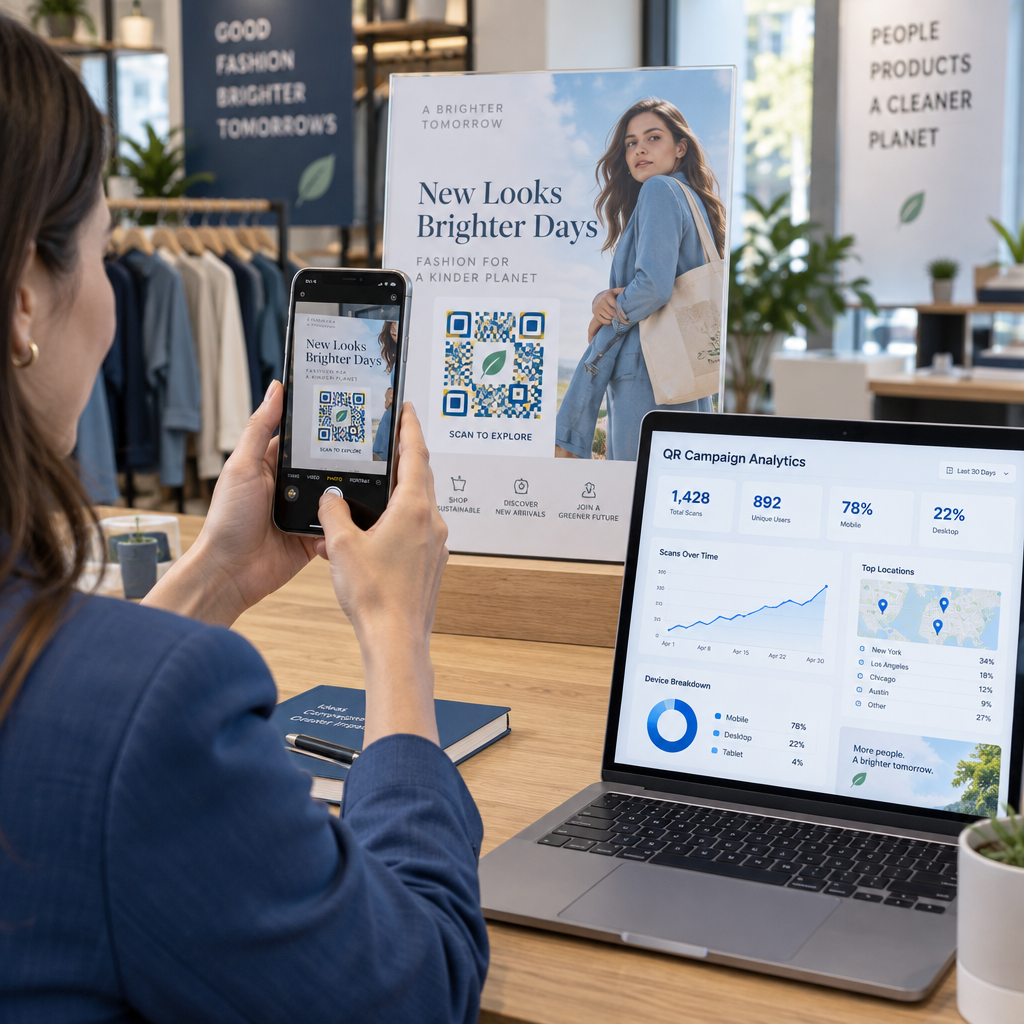
- עקוב אחר ביצועי סריקה. ראה סריקות כוללות, סריקות ייחודיות, זמני סריקה, מיקומים לפי עיר או אזור, וסוגי מכשירים, הכל מלוח מחוונים אחד.
- השתמש מחדש באותו עיצוב כרטיס לאורך עונות השנה. עדכן את היעד בכל מחזור קמפיין מבלי לעצב מחדש או להדפיס מחדש את מלאי הכרטיסים שלך.
זה חשוב בקנה מידה גדול. חג המולד מהווה כ-1.3 מיליארד כרטיסי ברכה שנרכשים בארה"ב מדי שנה, אחריו יום האהבה עם 145 מיליון יחידות ויום האם עם 113 מיליון. עבור עסקים הפועלים בהיקפים כאלה, היכולת לערוך יעדים ולנטר מעורבות ללא הדפסה חוזרת מתורגמת ישירות לעלויות מופחתות ונתוני קמפיין ניתנים לפעולה יותר.
עקוב אחר מי סורק את כרטיסי הברכה שלך השתמשו ב-Pageloot’s מחולל קודי QR כדי ליצור קודים ניתנים לעדכון ולמעקב עבור קמפייני הכרטיסים שלך ולנטר את ביצועי הסריקה מלוח מחוונים אחד.
הערה על משלוח כרטיסים עם קודי QR
הוספת קוד QR לכרטיס אינה משפיעה על סיווג הדואר שלו, בתנאי שהכרטיס עצמו עומד במידות הסטנדרטיות של USPS. מינימום גודל מכתב הוא 3.5 × 5 אינץ', והמקסימום הוא 6.125 × 11.5 אינץ'. כרטיסים במידות אלה ששוקלים פחות מ-3.5 אונקיות נשלחים בתעריפי מכתב רגילים של First-Class.
חריג אחד ששווה לציין: כרטיסי ברכה מרובעים עשויים להיות כפופים לתוספת תשלום עבור פריט שאינו ניתן למיון במכונה בנוסף לדמי משלוח רגילים של First-Class, ללא קשר אם הם מכילים קוד QR. אם עלות הדואר היא גורם, היצמד למידות מלבניות סטנדרטיות.
הוספת קוד QR לכרטיס ברכה היא שדרוג פשוט שהופך פריט חד פעמי לרגע אינטראקטיבי. שמור על הקוד ברוחב של לפחות 0.8 אינץ', מקם אותו על משטח מט שטוח הרחק מקיפולים, ותמיד בדוק אותו על מספר מכשירים לפני ההדפסה. לשימוש עסקי, קודים דינמיים מאפשרים לך לעדכן את התוכן המקושר ולמדוד מעורבות מבלי לגעת בכרטיס. השתמש ב- מחולל קוד QR של Pageloot כדי לבנות את הקוד הראשון שלך מוכן לכרטיס תוך דקות.
שאלות נפוצות
זה תלוי באירוע. הודעות וידאו אישיות והקלטות קוליות נוטות להיות בעלות ההשפעה הרגשית החזקה ביותר עבור כרטיסים בודדים. עבור כרטיסי ברכה עסקיים, קישור להודעת וידאו קצרה, דף נחיתה מותאם אישית, או רשימת השמעה רלוונטית עובד היטב. מחולל קודי ה-QR של YouTube של Pageloot, מחולל קודי ה-QR של MP3, ומחולל קודי ה-QR של קישורים מכסים את הפורמטים הנפוצים ביותר.
כן. צור את קוד ה-QR שלך בפייג'לוט, הורד אותו כ-PNG או SVG, ואז העלה אותו לעיצוב הקנבה שלך. להדרכה שלב אחר שלב, ראה את מדריך מחולל קוד ה-QR של קנבה. ודא שהקוד הוא לפחות 0.8 × 0.8 אינץ' בפלט המודפס הסופי כדי להבטיח סריקה אמינה.
רק אם השתמשת בקוד QR דינמי. קודים דינמיים משתמשים בכתובת URL קצרה קבועה להפניה מחדש שיכולה להצביע על כל יעד שתבחר, גם לאחר שהכרטיס הודפס ונשלח בדואר. קודים סטטיים מקודדים את היעד ישירות ולא ניתן לשנות אותם. עבור כל קמפיין כרטיסים שבו התוכן עשוי להתפתח או שבו אתה רוצה ניתוח סריקות, קוד דינמי דרך Pageloot הוא הבחירה הנכונה.