Bạn muốn biến một tấm thiệp giấy thành thứ mà người nhận thực sự có thể chơi, xem hoặc nghe? Những tấm thiệp tĩnh thường bị bỏ qua, nhưng một tấm thiệp có mã QR mở khóa video hoặc tin nhắn thoại cá nhân sẽ tạo ra một khoảnh khắc đáng nhớ. Trang này giải thích cách mã QR hoạt động trên thiệp chúc mừng và cách tạo hoặc tùy chỉnh chúng bằng các công cụ của Pageloot.
Tại sao mã QR làm cho thiệp chúc mừng trở nên hấp dẫn hơn
Người Mỹ mua khoảng 6,5 tỷ thiệp chúc mừng mỗi năm, riêng thiệp sinh nhật đã chiếm hơn một nửa tổng số thiệp được bán ra. Định dạng này phổ biến khắp nơi, đó chính là lý do tại sao việc nổi bật lại quan trọng.
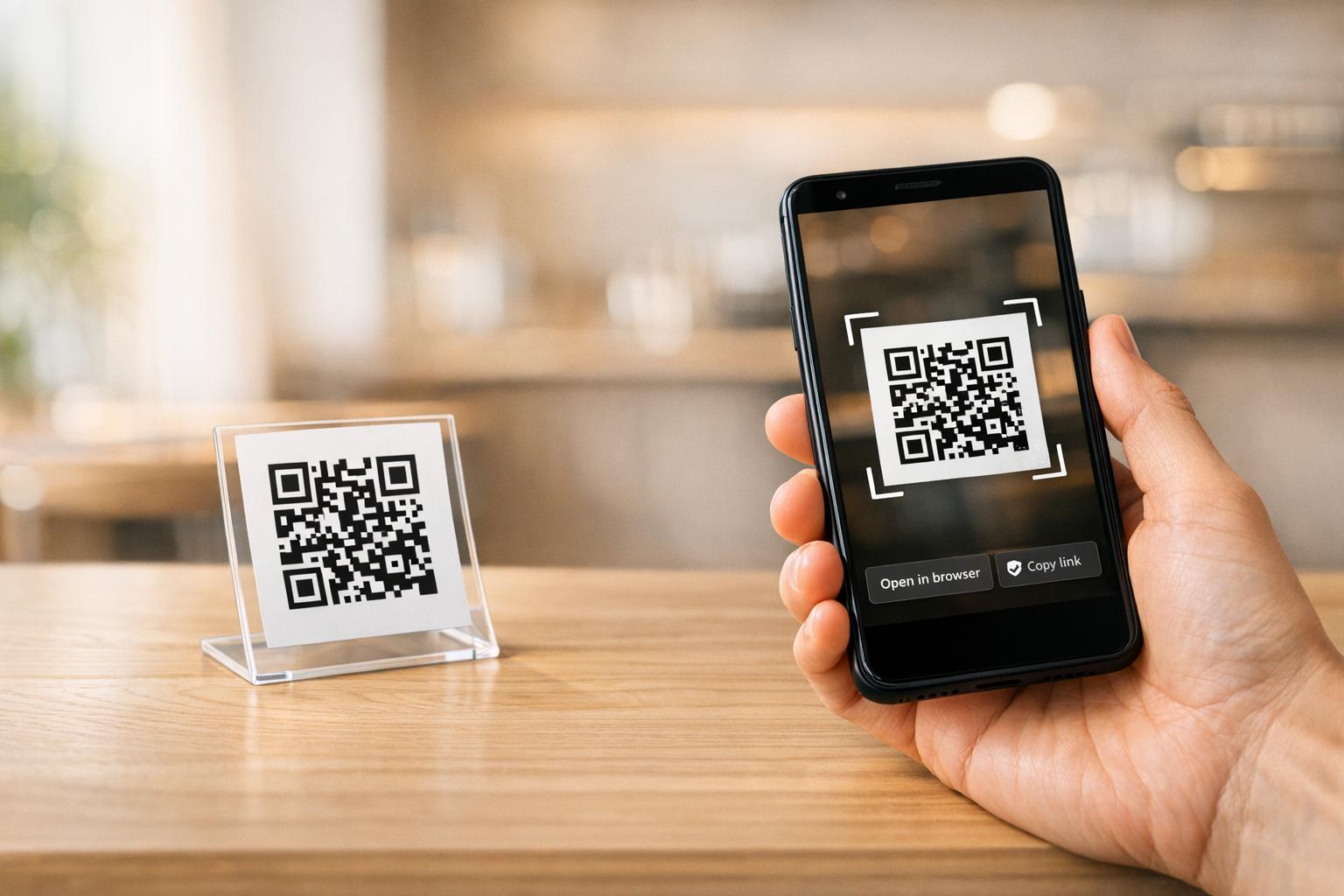
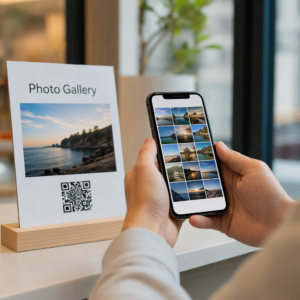
Một mã QR được in bên trong hoặc trên bìa thiệp sẽ liên kết đến bất kỳ nội dung kỹ thuật số nào bạn chọn – một video YouTube, một tin nhắn thoại đã ghi âm, một bài hát, một thư viện ảnh hoặc một trang đích cá nhân hóa. Khi người nhận mở thiệp và quét mã bằng camera điện thoại của họ, nội dung đó sẽ tải ngay lập tức, không yêu cầu tải ứng dụng.
Sự khác biệt chính để sử dụng liên tục là giữa mã QR tĩnh và động. Một mã tĩnh mã hóa đích đến trực tiếp và không thể thay đổi sau khi in. Một mã động sử dụng URL chuyển hướng ngắn, nghĩa là bạn có thể cập nhật nội dung mà mã trỏ đến bất cứ lúc nào mà không cần in lại thiệp. Đối với các thiệp cá nhân dùng một lần, mã tĩnh hoạt động tốt. Đối với các doanh nghiệp gửi thiệp có thương hiệu với số lượng lớn, mã động mang lại sự linh hoạt và khả năng theo dõi mức độ tương tác.
Nội dung bạn có thể liên kết từ mã QR trên thiệp chúc mừng
Các khả năng nội dung đa dạng từ đơn giản đến phong phú. Dưới đây là các trường hợp sử dụng phổ biến nhất:
- Tin nhắn video cá nhân – Quay video, tải lên YouTube và liên kết bằng Tạo mã QR YouTube. Mã sẽ mở video trực tiếp trong ứng dụng YouTube hoặc trình duyệt.
- Ghi âm giọng nói hoặc âm thanh – Chuyển đổi tệp MP3 hoặc tệp âm thanh thành mã có thể quét được bằng Tạo mã QR âm thanh MP3. Bạn có thể tùy chỉnh một trang đích âm thanh có thương hiệu với tiêu đề, hình ảnh bìa và màu sắc thương hiệu.
- Thư viện ảnh – Liên kết đến một thư viện hình ảnh được tuyển chọn bằng Tạo mã QR hình ảnh, hữu ích cho quà tặng ảnh, tóm tắt sự kiện hoặc thiệp kỷ niệm.
- Bài hát hoặc danh sách phát – Chia sẻ một bài hát hoặc danh sách phát ý nghĩa qua Tạo mã QR Spotify, liên kết trực tiếp đến một bản nhạc, album hoặc danh sách phát trên Spotify.
- Liên kết tùy chỉnh hoặc trang đích – Sử dụng Trình tạo mã QR liên kết để trỏ đến bất kỳ URL nào – một trang web, một biểu mẫu, một trang sự kiện hoặc một tin nhắn kỹ thuật số cá nhân hóa.
Mỗi trình tạo này cho phép bạn tùy chỉnh màu sắc của mã QR, thêm logo, chọn kiểu khung và tải xuống tệp sẵn sàng in.
Tạo mã QR cho thiệp chúc mừng của bạn Chọn loại nội dung của bạn và tạo mã QR có thương hiệu đầy đủ, có thể quét được trong vài phút. Bắt đầu với Trình tạo mã QR Pageloot – dùng thử miễn phí 14 ngày, không yêu cầu thẻ tín dụng.
Cách tạo mã QR cho thiệp chúc mừng
Quá trình này mất chưa đầy năm phút:
- Chọn loại nội dung của bạn. Quyết định nội dung bạn muốn thiệp truyền tải – video, âm thanh, hình ảnh, liên kết hoặc bài hát.
- Chuẩn bị nội dung của bạn. Tải video của bạn lên YouTube, xuất âm thanh của bạn dưới dạng MP3, thu thập hình ảnh của bạn hoặc sao chép URL bạn muốn sử dụng.
- Mở trình tạo phù hợp. Truy cập trình tạo Pageloot có liên quan dựa trên loại nội dung của bạn.
- Nhập chi tiết nội dung của bạn. Dán URL của bạn hoặc tải tệp của bạn lên.
- Tùy chỉnh mã QR. Điều chỉnh màu sắc, thêm logo, chọn khung hoặc hình dạng và thêm lời kêu gọi hành động ngắn gọn như “Quét để nghe tin nhắn.”
- Tải mã của bạn xuống. Xuất ở định dạng sẵn sàng in – SVG, EPS hoặc PDF – để có chất lượng đầu ra cao nhất.
- Đặt nó lên thiệp. In mã QR trực tiếp lên thiết kế thiệp hoặc in nó lên một nhãn dán để dán vào bên trong.
- Kiểm tra trước khi in số lượng lớn. Quét mã bằng ít nhất hai điện thoại thông minh khác nhau để xác nhận nó giải quyết đúng cách.
Hướng dẫn thiết kế mã QR cho thiệp
Thiệp chúc mừng nhỏ, vì vậy việc điều chỉnh kích thước và vị trí chính xác là rất quan trọng để quét đáng tin cậy.

Kích thước: Kích thước tối thiểu được khuyến nghị cho mã QR trên vật liệu in là 0,8 × 0,8 inch (20 × 20 mm). Trên một tấm thiệp chúc mừng tiêu chuẩn được quét ở khoảng cách cánh tay, kích thước này là đủ. Nếu bạn thêm logo vào bên trong mã, hãy tăng kích thước lên 20–30% để bù đắp cho không gian mà logo chiếm. Để biết phân tích đầy đủ theo loại vật liệu, hãy xem hướng dẫn về kích thước mã QR cho các vật liệu in khác nhau.
Độ tương phản: Sử dụng các mô-đun tối trên nền sáng và không bao giờ đảo ngược mối quan hệ đó. Độ tương phản cao là yếu tố quan trọng nhất để quét đáng tin cậy trên các mẫu điện thoại và điều kiện ánh sáng khác nhau. Để được hướng dẫn chi tiết, các phương pháp hay nhất để đọc mã QR hướng dẫn bao gồm tỷ lệ tương phản, kết hợp màu sắc và các lỗi phổ biến cần tránh.
Vùng yên tĩnh: Để lại một đường viền rõ ràng, không in xung quanh mã QR ở cả bốn phía – rộng ít nhất bốn mô-đun. Vùng đệm này giúp máy quét phát hiện các cạnh của mã. Không đặt văn bản, hoa văn hoặc các yếu tố trang trí bên trong đường viền này.
Vị trí: Vị trí bạn đặt mã trên thiệp cũng quan trọng như cách bạn thiết kế nó.
- Đặt mã QR trên một bề mặt phẳng, không phản chiếu và tránh đặt nó ngang qua nếp gấp của thẻ, điều này có thể làm biến dạng mẫu khi thẻ được mở hoặc xử lý.
- Bên trong thẻ thường là lựa chọn an toàn nhất – phẳng, được bảo vệ khỏi việc xử lý, và được nhìn thấy ngay khi thẻ được mở.
- Mặt sau của thẻ là một vị trí đáng tin cậy khác nếu bề mặt là mờ và nền đơn giản, không lộn xộn.
- Tránh các bề mặt có kết cấu dày, bóng loáng hoặc dập nổi, điều này có thể làm tán xạ ánh sáng và ngăn chặn việc quét chính xác.
Đối với chiến lược đặt vị trí rộng hơn áp dụng cho các chiến dịch in ấn, cái hướng dẫn đặt mã QR trong tiếp thị bao gồm các loại bề mặt, vị trí ngang tầm mắt, và cách đóng khung lời kêu gọi hành động một cách chi tiết.
Chất lượng in: Xuất mã QR của bạn dưới dạng tệp vector (SVG hoặc EPS) thay vì PNG độ phân giải thấp bất cứ khi nào có thể. Điều này giữ cho mã sắc nét bất kể kích thước đầu ra. Nếu bạn đang làm việc với một nhà in thương mại, hãy xem xét cách các kỹ thuật in ảnh hưởng đến khả năng quét mã QR để hiểu cách phương pháp, chất nền và lựa chọn mực ảnh hưởng đến kết quả cuối cùng.
Sử dụng Mã QR Động cho Thẻ được Gửi với Số Lượng Lớn
Nếu bạn là một doanh nghiệp gửi thiệp chúc mừng có thương hiệu cho các ngày lễ, tri ân khách hàng, hoặc các chiến dịch tiếp thị, mã QR động mang lại những lợi thế đáng kể so với mã tĩnh.

Với một mã động, bạn có thể:
- Cập nhật nội dung được liên kết sau khi in. Nếu một URL video thay đổi hoặc bạn muốn thay đổi đích đến cho một chiến dịch mới, bạn thực hiện cập nhật trong bảng điều khiển Pageloot và mã đã in vẫn hợp lệ – không cần in lại.
- Theo dõi hiệu suất quét. Xem tổng số lượt quét, lượt quét duy nhất, thời gian quét, vị trí theo thành phố hoặc khu vực, và loại thiết bị, tất cả từ một bảng điều khiển duy nhất.
- Tái sử dụng cùng một thiết kế thẻ qua các mùa. Cập nhật đích đến mỗi chu kỳ chiến dịch mà không cần thiết kế lại hoặc in lại phôi thẻ của bạn.
Điều này quan trọng ở quy mô lớn. Giáng sinh chiếm khoảng 1,3 tỷ thiệp chúc mừng được mua ở Hoa Kỳ mỗi năm, tiếp theo là Ngày Valentine với 145 triệu đơn vị và Ngày của Mẹ với 113 triệu. Đối với các doanh nghiệp hoạt động ở những khối lượng đó, khả năng chỉnh sửa đích đến và theo dõi mức độ tương tác mà không cần in lại chuyển trực tiếp thành giảm chi phí và dữ liệu chiến dịch có thể hành động hơn.
Theo dõi Ai Quét Thiệp Chúc Mừng Của Bạn Sử dụng của Pageloot Trình tạo mã QR để tạo mã có thể cập nhật, có thể theo dõi cho các chiến dịch thẻ của bạn và theo dõi hiệu suất quét từ một bảng điều khiển duy nhất.
Một Lưu Ý về Việc Gửi Thẻ có Mã QR
Việc thêm mã QR vào một thẻ không ảnh hưởng đến phân loại gửi thư của nó, miễn là thẻ đó đáp ứng kích thước tiêu chuẩn của USPS. Kích thước tối thiểu của thư là 3,5 × 5 inch, và tối đa là 6,125 × 11,5 inch. Các thẻ trong phạm vi kích thước này nặng dưới 3,5 ounce được gửi theo mức giá thư First-Class tiêu chuẩn.
Một ngoại lệ đáng chú ý: thiệp chúc mừng hình vuông có thể phải chịu phụ phí không thể xử lý bằng máy ngoài phí bưu chính First-Class tiêu chuẩn, bất kể chúng có chứa mã QR hay không. Nếu chi phí bưu chính là một yếu tố, hãy tuân thủ kích thước hình chữ nhật tiêu chuẩn.
Việc thêm mã QR vào một thiệp chúc mừng là một nâng cấp đơn giản biến một vật phẩm dùng một lần thành một khoảnh khắc tương tác. Giữ mã rộng ít nhất 0,8 inch, đặt nó trên một bề mặt mờ phẳng, tránh xa các nếp gấp, và luôn kiểm tra nó trên nhiều thiết bị trước khi in. Đối với mục đích kinh doanh, mã động cho phép bạn cập nhật nội dung được liên kết và đo lường mức độ tương tác mà không cần chạm vào thẻ. Sử dụng cái Trình tạo mã QR Pageloot để xây dựng mã sẵn sàng cho thẻ đầu tiên của bạn trong vài phút.
Câu hỏi thường gặp
Điều đó phụ thuộc vào dịp. Tin nhắn video cá nhân và bản ghi âm giọng nói có xu hướng có tác động cảm xúc mạnh nhất đối với các thẻ cá nhân. Đối với thiệp chúc mừng doanh nghiệp, liên kết đến một tin nhắn video ngắn, một trang đích được tuyển chọn, hoặc một danh sách phát liên quan hoạt động tốt. Trình tạo mã QR YouTube, Trình tạo mã QR MP3 và Trình tạo mã QR Liên kết của Pageloot bao gồm các định dạng phổ biến nhất.
Có. Tạo mã QR của bạn trong Pageloot, tải xuống nó dưới dạng PNG hoặc SVG, sau đó tải nó lên thiết kế Canva của bạn. Để được hướng dẫn từng bước, hãy xem hướng dẫn tạo mã QR của Canva. Đảm bảo mã có kích thước ít nhất 0,8 × 0,8 inch trong bản in cuối cùng để đảm bảo quét đáng tin cậy.
Chỉ khi bạn sử dụng mã QR động. Mã động sử dụng một URL chuyển hướng ngắn vĩnh viễn có thể trỏ đến bất kỳ đích đến nào bạn chọn, ngay cả sau khi thẻ đã được in và gửi đi. Mã tĩnh mã hóa đích đến trực tiếp và không thể thay đổi. Đối với bất kỳ chiến dịch thẻ nào mà nội dung có thể phát triển hoặc nơi bạn muốn phân tích lượt quét, mã động thông qua Pageloot là lựa chọn đúng đắn.