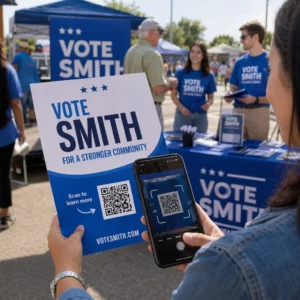
Искате ли да превърнете хартиена поздравителна картичка в нещо, което получателят действително да пусне, гледа или слуша? Статичните картички се оставят настрана, но картичка с QR код, която отключва лично видео или гласово съобщение, създава момент, който хората помнят. Тази страница обяснява как работят QR кодовете на поздравителни картички и как да ги създадете или персонализирате с помощта на инструментите на Pageloot.
Защо QR кодовете правят поздравителните картички по-ангажиращи
Американците купуват приблизително 6,5 милиарда поздравителни картички всяка година, като само картичките за рожден ден съставляват повече от половината от всички продадени картички. Форматът е повсеместен, което е точно защо изпъкването е от значение.
QR код, отпечатан вътре или на корицата на картичка, води до всяко цифрово съдържание, което изберете – видео в YouTube, записано гласово съобщение, песен, фотогалерия или персонализирана целева страница. Когато получателят отвори картичката и сканира кода с камерата на телефона си, това съдържание се зарежда незабавно, без да е необходимо изтегляне на приложение.
Ключовото разграничение за текуща употреба е между статични и динамични QR кодове. Статичният код кодира дестинацията директно и не може да бъде променян след отпечатване. Динамичният код използва кратък URL адрес за пренасочване, което означава, че можете да актуализирате към какво сочи кодът по всяко време, без да препечатвате картичката. За еднократни лични картички статичният работи добре. За фирми, изпращащи брандирани картички в голям обем, динамичните кодове ви дават гъвкавост и възможност за проследяване на ангажираността.
Какво съдържание можете да свържете от QR код на поздравителна картичка
Възможностите за съдържание варират от прости до богати. Ето най-често срещаните случаи на употреба:
- Лично видео съобщение – Запишете видео, качете го в YouTube и го свържете с помощта на YouTube QR код. Кодът отваря видеото директно в приложението или браузъра на YouTube.
- Гласов или аудио запис – Преобразувайте MP3 или аудио файл в сканируем код с QR код за MP3. Можете да персонализирате брандирана аудио целева страница със заглавие, изображение на корицата и цветове на марката.
- Фотогалерия – Свържете към подбрана галерия с изображения с помощта на QR код за снимка, полезно за фото подаръци, резюмета на събития или картички за годишнина.
- Песен или плейлист – Споделете смислена песен или плейлист чрез QR код за Spotify, което води директно до песен, албум или плейлист в Spotify.
- Персонализирана връзка или целева страница – Използвайте Генератор на QR кодове за връзки за насочване към всеки URL адрес – уебсайт, формуляр, страница на събитие или персонализирано цифрово съобщение.
Всеки от тези генератори ви позволява да персонализирате цветовете на QR кода, да добавите лого, да изберете стил на рамка и да изтеглите файл, готов за печат.
Създайте QR код за вашата поздравителна картичка Изберете типа на съдържанието си и генерирайте напълно брандиран, сканируем QR код за минути. Започнете с Генератор на QR кодове на PageLoot – безплатен 14-дневен пробен период, не е необходима кредитна карта.
Как да създадете QR код за поздравителна картичка
Процесът отнема по-малко от пет минути:
- Изберете типа на съдържанието си. Решете какво искате да достави картичката – видео, аудио, изображения, връзка или песен.
- Подгответе съдържанието си. Качете видеото си в YouTube, експортирайте аудиото си като MP3, съберете изображенията си или копирайте URL адреса, който искате да използвате.
- Отворете правилния генератор. Отидете на съответния генератор на Pageloot въз основа на типа на съдържанието ви.
- Въведете данните за съдържанието си. Поставете вашия URL адрес или качете файла си.
- Персонализиране на QR кода. Регулирайте цветовете, добавете лого, изберете рамка или форма и добавете кратък призив за действие като “Сканирайте, за да чуете съобщение.”
- Изтеглете кода си. Експортирайте във формат, готов за печат – SVG, EPS или PDF – за най-високо качество на изхода.
- Поставете го на картичката. Отпечатайте QR кода директно върху дизайна на картичката или го отпечатайте на стикер, който да прикрепите отвътре.
- Тествайте преди печат в голям обем. Сканирайте кода с поне два различни смартфона, за да потвърдите, че се разчита правилно.
Насоки за дизайн на QR код за картички
Поздравителните картички са малки, така че правилното оразмеряване и позициониране са от решаващо значение за надеждно сканиране.

Размер: Минималният препоръчителен размер за QR код върху печатни материали е 0,8 × 0,8 инча (20 × 20 мм). На стандартна поздравителна картичка, сканирана от разстояние на ръка, това е достатъчно. Ако добавяте лого вътре в кода, увеличете размера с 20–30%%, за да компенсирате пространството, което логото заема. За пълна разбивка по тип материал вижте ръководството за оразмеряване на QR код за различни печатни материали.
Контраст: Използвайте тъмни модули на светъл фон и никога не обръщайте тази връзка. Високият контраст е най-важният фактор за надеждно сканиране при различни модели телефони и условия на осветление. За подробни указания, най-добрите практики за четливост на QR кодовете ръководството обхваща съотношенията на контраст, цветовите комбинации и често срещаните грешки, които трябва да се избягват.
Тиха зона: Оставете ясна, непечатана граница около QR кода от всичките четири страни – поне четири модула широка. Тази буферна зона помага на скенерите да открият краищата на кода. Не поставяйте текст, шарки или декоративни елементи вътре в тази граница.
Поставяне: Къде позиционирате кода на картичката е също толкова важно, колкото и как го проектирате.
- Поставете QR кода върху равна, неотразяваща повърхност и избягвайте да го позиционирате през сгъвка на карта, което може да изкриви шаблона, когато картата е отворена или обработвана.
- Вътре в картата често е най-безопасният вариант – равна, защитена от обработка и видима в момента, в който картата е отворена.
- Задният панел на картата е друго надеждно място за поставяне, ако повърхността е матова и фонът е изчистен и ненатоварен.
- Избягвайте силно текстурирани, гланцови или релефни повърхности, които могат да разпръснат светлината и да предотвратят точно сканиране.
За по-широка стратегия за позициониране, приложима за печатни кампании, на ръководство за поставяне на QR кодове в маркетинга обхваща типове повърхности, позициониране на нивото на очите и рамкиране на призиви за действие в детайли.
Качество на печата: Експортирайте своя QR код като векторен файл (SVG или EPS) вместо PNG с ниска разделителна способност, когато е възможно. Това поддържа кода ясен, независимо от размера на изхода. Ако работите с търговски принтер, прегледайте как техниките за печат влияят на сканируемостта на QR кода за да разберете как методът, субстратът и изборът на мастило влияят на крайния резултат.
Използване на динамични QR кодове за карти, изпращани в голям обем
Ако сте бизнес, изпращащ брандирани поздравителни картички за празници, благодарност към клиенти или маркетингови кампании, динамичните QR кодове добавят значителни предимства пред статичните.

С динамичен код можете:
- Актуализирайте свързаното съдържание след отпечатване. Ако URL адресът на видеоклип се промени или искате да смените дестинацията за нова кампания, правите актуализацията в таблото за управление на Pageloot и отпечатаният код остава валиден – не е необходимо повторно отпечатване.
- Проследявайте ефективността на сканирането. Вижте общи сканирания, уникални сканирания, времена на сканиране, местоположения по град или регион и типове устройства, всичко от едно табло за управление.
- Използвайте повторно същия дизайн на карта през сезоните. Актуализирайте дестинацията всеки цикъл на кампания, без да преработвате или препечатвате вашия картон.
Това е от значение в голям мащаб. Коледа представлява приблизително 1,3 милиарда поздравителни картички, закупени в САЩ всяка година, следвана от Свети Валентин със 145 милиона единици и Деня на майката със 113 милиона. За бизнеси, работещи с такива обеми, възможността да редактират дестинации и да наблюдават ангажираността без повторно отпечатване се превръща директно в намалени разходи и по-приложими данни за кампанията.
Проследявайте кой сканира вашите поздравителни картички Използвайте Pageloot’s Генератор на QR кодове за да създадете актуализируеми, проследими кодове за вашите кампании с картички и наблюдавайте ефективността на сканирането от едно табло за управление.
Бележка относно изпращането на картички с QR кодове
Добавянето на QR код към карта не влияе на нейната пощенска класификация, при условие че самата карта отговаря на стандартните размери на USPS. Минималните размери за писмо са 3,5 × 5 инча, а максималните са 6,125 × 11,5 инча. Картички в тези размери, които тежат под 3,5 унции, се изпращат по стандартни тарифи за писма от първа класа.
Едно изключение, което си струва да се отбележи: квадратни поздравителни картички могат да подлежат на допълнителна такса за немеханизирана обработка в допълнение към стандартната пощенска такса от първа класа, независимо дали съдържат QR код. Ако цената на пощенските услуги е фактор, придържайте се към стандартни правоъгълни размери.
Добавянето на QR код към поздравителна картичка е лесно надграждане, което превръща еднократен предмет в интерактивен момент. Дръжте кода широк поне 0,8 инча, позиционирайте го върху равна матова повърхност далеч от сгъвки и винаги го тествайте на множество устройства преди отпечатване. За бизнес употреба, динамичните кодове ви позволяват да актуализирате свързаното съдържание и да измервате ангажираността, без да докосвате картата. Използвайте на Генератор на QR кодове на PageLoot за да създадете първия си готов за карта код за минути.
Често задавани въпроси
Зависи от повода. Лични видео съобщения и гласови записи са склонни да имат най-силно емоционално въздействие за индивидуални картички. За бизнес поздравителни картички, свързването към кратко видео съобщение, подбрана целева страница или подходящ плейлист работи добре. Генераторът на QR кодове за YouTube на Pageloot, Генераторът на QR кодове за MP3 и Генераторът на QR кодове за връзки покриват най-често срещаните формати.
Да. Генерирайте вашия QR код в Pageloot, изтеглете го като PNG или SVG, след това го качете във вашия дизайн в Canva. За насоки стъпка по стъпка, вижте ръководството за генератор на QR кодове на Canva. Уверете се, че кодът е поне 0.8 × 0.8 инча в крайния отпечатан резултат, за да осигурите надеждно сканиране.
Само ако сте използвали динамичен QR код. Динамичните кодове използват постоянен кратък URL адрес за пренасочване, който може да сочи към всяка дестинация, която изберете, дори след като картата е отпечатана и изпратена по пощата. Статичните кодове кодират дестинацията директно и не могат да бъдат променяни. За всяка кампания с карти, където съдържанието може да се развива или където искате анализи на сканиранията, динамичен код чрез Pageloot е правилният избор.