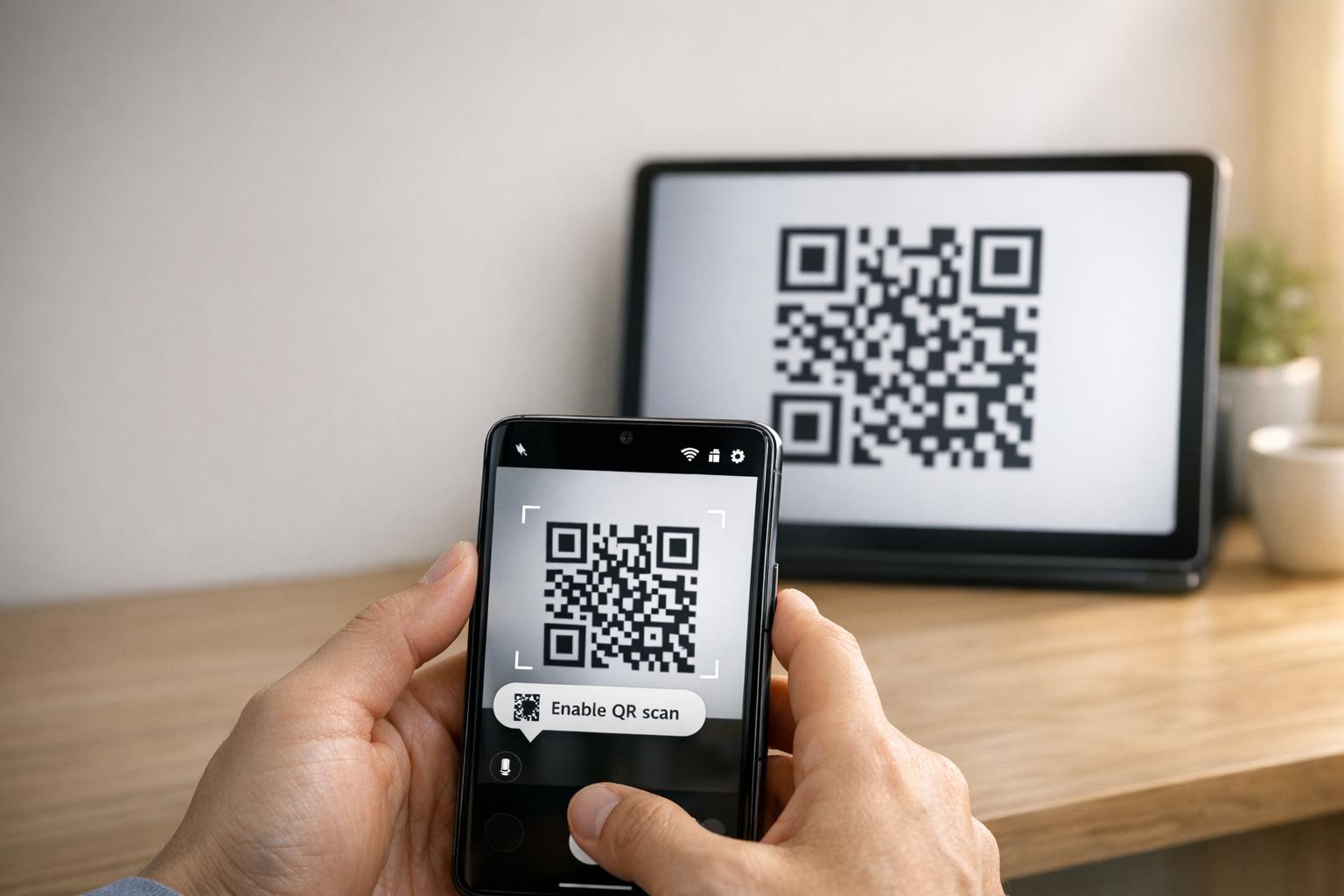
Quản lý việc tham dự sự kiện theo cách thủ công thì chậm, dễ xảy ra lỗi và không kết nối với các hệ thống quan trọng. Hướng dẫn này chỉ cho bạn cách xây dựng mã QR động để đưa dữ liệu check-in trực tiếp vào CRM của bạn, loại bỏ việc nhập liệu thủ công và cung cấp cho bạn hồ sơ tham dự theo thời gian thực cho mỗi liên hệ.
Tại sao mã QR động hiệu quả cho việc check-in CRM
Mã QR tĩnh mã hóa một URL cố định và không thể theo dõi hoặc thay đổi sau khi in. Một mã QR động, ngược lại, sử dụng một liên kết chuyển hướng ngắn làm trung gian. Bạn có thể cập nhật đích đến đó bất cứ lúc nào mà không cần in lại, và mỗi lần quét đều được ghi lại với dữ liệu bao gồm dấu thời gian, loại thiết bị và vị trí địa lý.
Đối với việc check-in CRM, sự khác biệt đó có ý nghĩa vô cùng lớn. Khi mỗi người tham dự nhận được một mã động duy nhất được liên kết với hồ sơ liên hệ của họ, việc quét mã đó tại cửa sẽ thực hiện ba việc cùng lúc: xác minh danh tính, đánh dấu sự tham dự và đẩy dữ liệu vào CRM của bạn – tất cả mà không cần nhân viên phải nhập bất cứ điều gì.
Các nền tảng như HubSpot theo dõi trạng thái đăng ký, tình trạng tham dự, hủy bỏ và các chỉ số không đến đối với từng hồ sơ liên hệ thông qua các công cụ sự kiện marketing của họ. Các hệ thống sử dụng check-in dựa trên biểu mẫu có thể cập nhật hồ sơ liên hệ hiện có bằng cách thêm ID duy nhất của liên hệ vào URL biểu mẫu, để dữ liệu gửi đi hợp nhất với hồ sơ chính xác thay vì tạo bản sao. Logic tương tự áp dụng cho dù bạn đang sử dụng một nền tảng sự kiện chuyên dụng hay một CRM đa năng có tích hợp biểu mẫu.
Để hiểu rõ sự khác biệt giữa các loại mã trước khi xây dựng quy trình làm việc của bạn, hãy xem so sánh về mã QR tĩnh và động.
Tạo mã check-in có thể theo dõi trong vài phút Sử dụng Tạo mã QR động để xây dựng mã QR có thể chỉnh sửa, sẵn sàng phân tích, kết nối trực tiếp với các biểu mẫu sự kiện và quy trình làm việc CRM của bạn.
Những gì bạn cần trước khi bắt đầu
Trước khi tạo bất kỳ mã nào, hãy đảm bảo ba điều sau đã sẵn sàng:
- Một biểu mẫu web CRM chấp nhận các tham số URL. Hầu hết các công cụ CRM và biểu mẫu – bao gồm Google Forms, biểu mẫu HubSpot và các nền tảng tương tự – cho phép bạn điền trước các trường bằng cách truyền giá trị thông qua chuỗi truy vấn trong URL (ví dụ: `?email=value&first_name=value`). Xác nhận biểu mẫu của bạn hỗ trợ điều này trước khi xây dựng quy trình làm việc.
- Hồ sơ liên hệ với các trường hợp nhất. CRM của bạn phải có khả năng lấy dữ liệu như email, tên và họ từ các hồ sơ liên hệ hiện có và chèn các giá trị đó một cách động vào một mẫu URL.
- Một trình tạo mã QR động có phân tích. Bạn cần một nền tảng tạo mã duy nhất cho mỗi liên hệ, theo dõi từng lần quét và cho phép bạn cập nhật đích đến mà không cần in lại. Nền tảng công cụ mã QR điểm danh được xây dựng chính xác cho trường hợp sử dụng này.
Từng bước: Xây dựng mã QR động cho việc đăng ký CRM
Thiết lập biểu mẫu đăng ký của bạn
Tạo một biểu mẫu web trong CRM hoặc công cụ biểu mẫu của bạn với các trường thu thập dữ liệu bạn cần khi đăng ký: tối thiểu là địa chỉ email, tên và họ. Nếu bạn đang sử dụng Google Forms, thì Tạo mã QR cho Google Form cho phép bạn liên kết trực tiếp đến biểu mẫu của mình và theo dõi các lần quét cùng với các lượt gửi.
Biểu mẫu của bạn cũng nên được cấu hình để cập nhật một bản ghi liên hệ hiện có thay vì tạo một bản ghi mới. Trong các hệ thống cho phép, việc thêm một định danh liên hệ vào URL – chẳng hạn như `?contact_id={{contact.id}}` – sẽ tự động liên kết lượt gửi biểu mẫu với bản ghi CRM chính xác.
Xây dựng URL động với các trường hợp nhất
Một URL đăng ký động sử dụng cú pháp trường hợp nhất của CRM của bạn để chèn dữ liệu của mỗi liên hệ làm tham số truy vấn. Một mẫu trông như thế này:
“`
https://yourform.com/checkin?email=[Contact.Email]&firstname=[Contact.FirstName]&lastname=[Contact.LastName]
“`
Khi CRM của bạn xử lý mẫu này cho một liên hệ cá nhân, các phần giữ chỗ sẽ được thay thế bằng các giá trị thực:
“`
https://yourform.com/[email protected]&firstname=Jane&lastname=Smith
“`
Cú pháp trường hợp nhất chính xác phụ thuộc vào CRM của bạn. Keep/Infusionsoft sử dụng các thẻ kiểu dấu ngoặc vuông; HubSpot sử dụng định dạng mã thông báo cá nhân hóa riêng. Kiểm tra tài liệu nền tảng của bạn để biết cú pháp chính xác.
Mã hóa URL đúng cách
Các URL bị lỗi khi chúng chứa các ký tự đặc biệt chưa được mã hóa. Dấu cách, ký hiệu và dấu bằng bên trong tham số giá trị phải được mã hóa phần trăm để trình duyệt và đầu đọc mã QR diễn giải chúng một cách chính xác. Các chuyển đổi phổ biến bao gồm:
- Space → `%20`
- Ampersand (`&`) → `%26`
- Equal sign (`=`) → `%3D`
Hầu hết các nền tảng CRM đều bao gồm chức năng mã hóa URL mà bạn có thể áp dụng cho đầu ra trường hợp nhất. Hãy sử dụng nó. Một ký tự chưa được mã hóa trong tên liên hệ – như ký hiệu và trong tên công ty – có thể âm thầm làm hỏng toàn bộ quy trình check-in cho người tham dự đó.
Tạo Mã QR Động Duy nhất cho mỗi Liên hệ
Với mẫu URL đã được mã hóa sẵn sàng, hãy tạo một mã QR động cho mỗi người tham dự. Mỗi mã trỏ đến URL biểu mẫu đã điền sẵn của người đó. Vì đây là các mã động, bạn vẫn có thể cập nhật đích đến sau này – hữu ích nếu URL biểu mẫu của bạn thay đổi sau khi mã đã được phân phối.
Đối với các sự kiện lớn, hầu hết các nền tảng CRM và công cụ tự động hóa email đều hỗ trợ tạo mã hàng loạt: hợp nhất mẫu URL, mã hóa nó và kích hoạt tạo mã QR cho mỗi liên hệ theo một trình tự. Mã kết quả sau đó được bao gồm trong email xác nhận của người tham dự cùng với thông tin đăng ký của họ.
Các Tạo mã QR sự kiện hỗ trợ quy trình làm việc này và cho phép bạn tùy chỉnh giao diện của mã – thêm thương hiệu, logo hoặc bảng màu sự kiện của bạn – trước khi phân phối.
Phân phối và Triển khai tại Cửa
Gửi cho mỗi người tham dự mã QR duy nhất của họ trong email xác nhận. Tại lối vào sự kiện, một nhân viên quét mã bằng bất kỳ camera điện thoại thông minh tiêu chuẩn nào. Việc quét mở biểu mẫu đã điền sẵn, người tham dự xác nhận hoặc gửi, và bản ghi CRM được cập nhật với dấu thời gian tham dự.
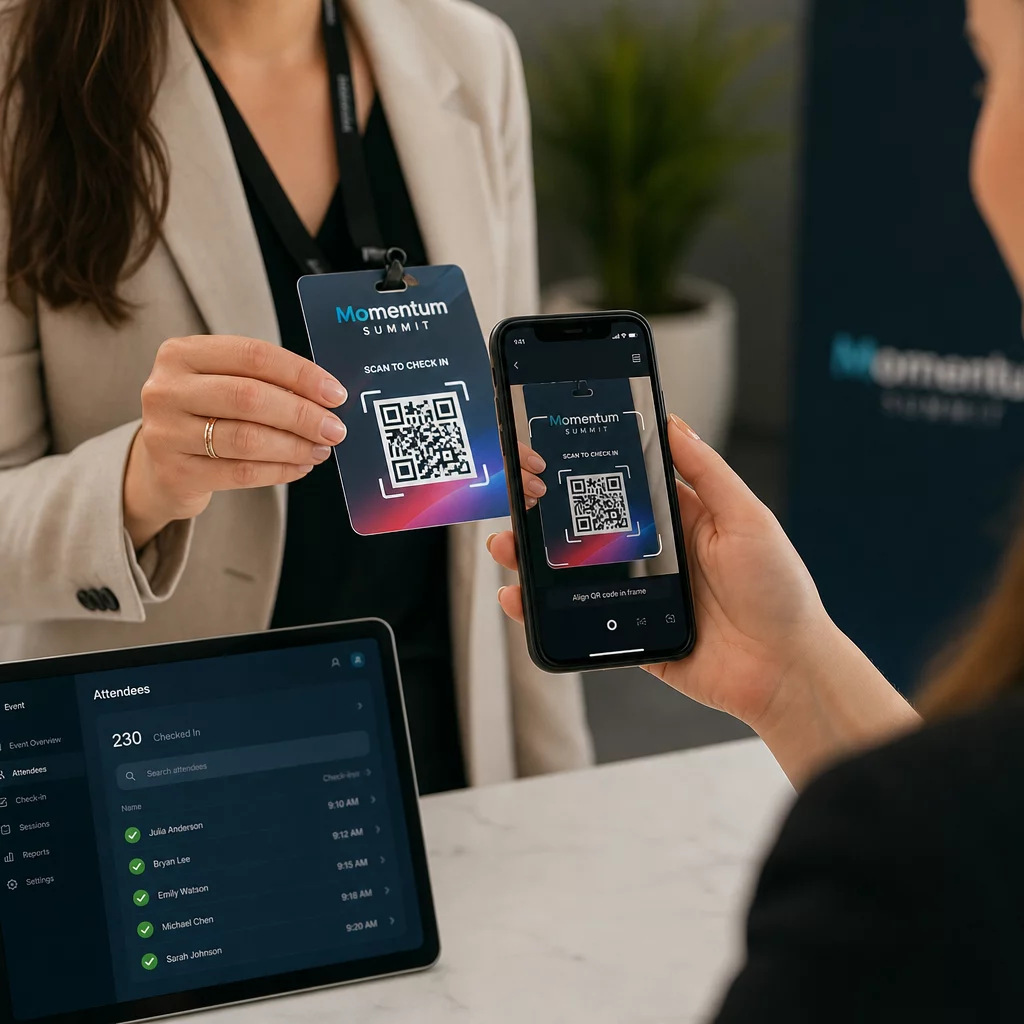
Đối với các sự kiện lớn hơn, hãy cân nhắc thiết lập các trạm quét chuyên dụng. Đào tạo nhân viên giữ thiết bị quét cách mã khoảng 30 cm và bật đèn flash camera trong môi trường thiếu sáng. Nếu bạn in mã trên huy hiệu hoặc vòng tay, hãy sử dụng vật liệu mờ thay vì bề mặt bóng để tránh chói làm cản trở quá trình quét. Thông tin chi tiết hơn về các phương pháp hay nhất khi triển khai vật lý có sẵn trong hướng dẫn tối ưu về mã QR cho việc check-in sự kiện.
Cách Dữ liệu Tham dự Chuyển vào CRM của Bạn
Việc quét check-in kích hoạt một chuỗi các sự kiện kết thúc bằng một bản ghi liên hệ được cập nhật. Đây là những gì xảy ra ở mỗi bước:
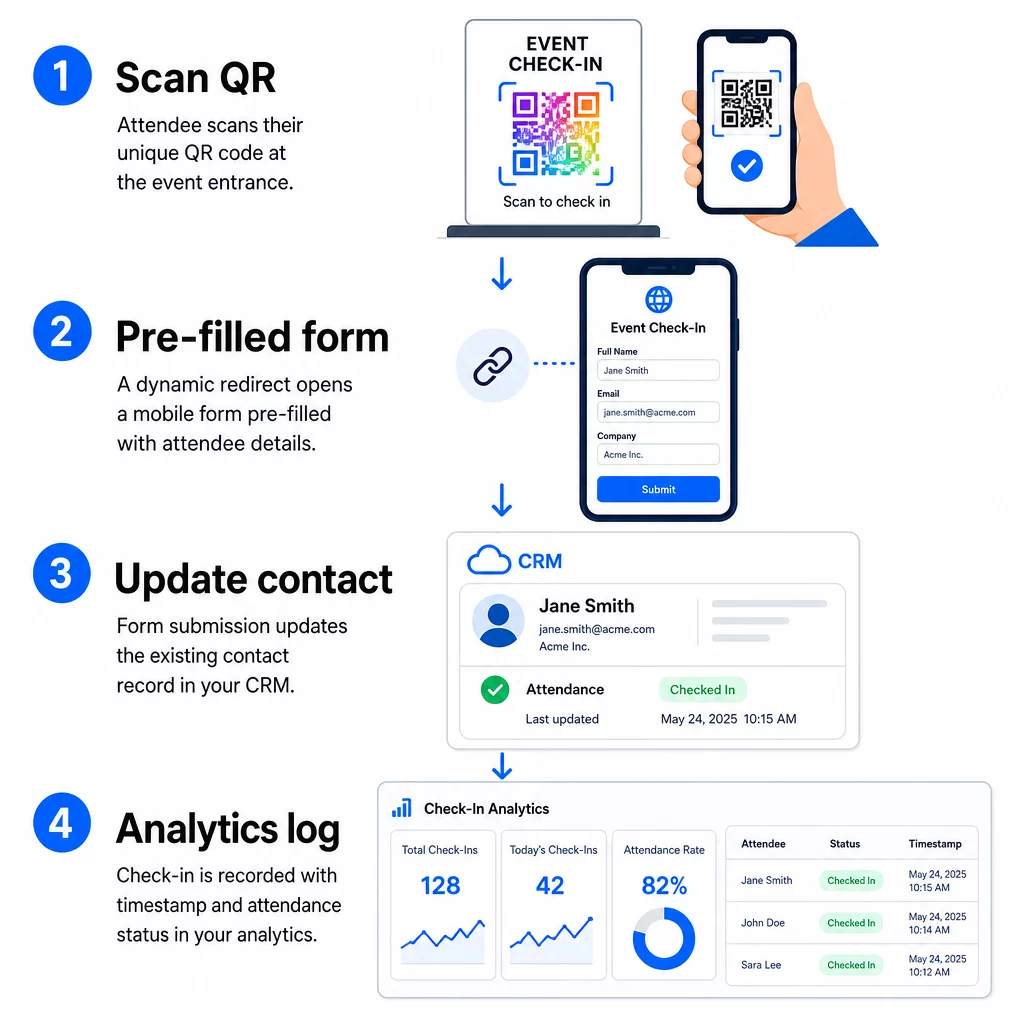
- Mã QR duy nhất của người tham dự được quét tại lối vào.
- Chuyển hướng động tải biểu mẫu đăng ký đã điền sẵn vào trình duyệt của người tham dự.
- Người tham dự gửi biểu mẫu (hoặc biểu mẫu tự động gửi sau một xác nhận ngắn gọn).
- Việc gửi biểu mẫu, được liên kết với ID duy nhất của liên hệ, cập nhật bản ghi CRM hiện có với trạng thái đăng ký, dấu thời gian và bất kỳ trường bổ sung nào được thu thập.
- Nếu CRM của bạn hỗ trợ tự động hóa dựa trên webhook, việc gửi có thể đồng thời kích hoạt các hành động tiếp theo: giao nhiệm vụ theo dõi, gửi email sau sự kiện hoặc cập nhật trạng thái chiến dịch.
Các nền tảng như HubSpot lưu trữ trạng thái tham gia – Đã đăng ký, Đã tham dự, Vắng mặt, Đã hủy – trực tiếp trên thẻ sự kiện tiếp thị của liên hệ, cung cấp cho nhóm của bạn lịch sử tham dự đầy đủ cho mọi liên hệ mà không cần đối chiếu thủ công. Để tìm hiểu cách kết nối các lượt quét với các hành động CRM tự động một cách rộng rãi hơn, hãy xem hướng dẫn về Tự động hóa quy trình làm việc quét mã QR.
Theo dõi hiệu suất đăng ký bằng phân tích
Vì bạn đang sử dụng mã động, mỗi lượt quét sẽ tạo ra dữ liệu phân tích – không chỉ là một biểu mẫu đã hoàn thành. Bảng điều khiển mã QR của bạn thu thập:
- Tổng số lượt quét so với lượt quét duy nhất – hữu ích để xác định xem có ai đã quét mã của họ nhiều lần không
- Dấu thời gian quét – cho phép bạn tái tạo các mô hình đến và xác định các khoảng thời gian đăng ký cao điểm
- Loại thiết bị và hệ điều hành – giúp bạn tối ưu hóa trải nghiệm di động của biểu mẫu đăng ký
- Vị trí địa lý – xác nhận các lượt quét đang diễn ra tại địa điểm dự kiến
Dữ liệu này nằm cùng với các bản ghi tham dự CRM của bạn và cung cấp cho bạn một lớp xác minh thứ hai. Nếu việc gửi biểu mẫu của một liên hệ không thành công nhưng lượt quét QR của họ đã được ghi lại, bạn có một bản ghi để điều tra. Để xem xét sâu hơn về những gì cần đo lường và cách hành động, hướng dẫn về phân tích mã QR doanh nghiệp và các chỉ số chính bao gồm toàn bộ bức tranh.
Bạn cũng có thể theo dõi lượt quét mã QR và phân tích ở cấp độ chiến dịch, phân đoạn theo sự kiện, phạm vi ngày hoặc mã riêng lẻ để so sánh hiệu suất giữa nhiều điểm check-in.
Giám sát số lượng người tham dự theo thời gian thực Xem chính xác ai đã quét, khi nào và từ địa điểm nào. Sử dụng công cụ Mã QR Điểm danh để triển khai mã check-in với đầy đủ phân tích lượt quét được tích hợp sẵn.
Các vấn đề thường gặp và cách khắc phục
URL bị hỏng sau khi thay thế trường hợp nhất. Luôn kiểm tra URL đã mã hóa của bạn với dữ liệu liên hệ thực tế trước khi gửi mã cho người tham dự. Đặc biệt chú ý đến các liên hệ có tên hoặc địa chỉ email chứa ký tự đặc biệt.
Các bản ghi CRM trùng lặp được tạo khi check-in. Điều này xảy ra khi URL biểu mẫu không mang theo định danh liên hệ. Thêm tham số ID liên hệ vào mẫu URL của bạn và xác nhận CRM của bạn được cấu hình để khớp trên trường đó thay vì tạo một bản ghi mới.
Mã QR ngừng hoạt động sau khi phân phối. Đây là lúc các mã động chứng minh giá trị của chúng. Nếu URL biểu mẫu của bạn thay đổi – vì bạn đã chuyển đổi công cụ biểu mẫu hoặc cập nhật miền của mình – bạn có thể cập nhật đích đến trong bảng điều khiển quản lý mã QR của mình mà không cần phân phối lại mã mới cho người tham dự.
Mã quét đúng nhưng không tự động điền vào biểu mẫu. Kiểm tra xem công cụ biểu mẫu của bạn có yêu cầu tên tham số truy vấn cụ thể hay không. Một số nền tảng sử dụng `email` trong khi những nền tảng khác yêu cầu `entry.12345` (Google Forms) hoặc khóa trường tùy chỉnh. Điều chỉnh mẫu URL của bạn với các tên tham số dự kiến của công cụ biểu mẫu.
Lỗi quét trong điều kiện ánh sáng yếu tại lối vào. Đảm bảo mã QR in của bạn đáp ứng tỷ lệ kích thước-đến-khoảng cách 10:1: mã được quét từ khoảng cách 10 inch phải rộng ít nhất 1 inch. Sử dụng in độ tương phản cao – các mô-đun tối trên nền trắng – và tránh giấy bóng hoặc cán màng.
Những điểm chính
Mã QR động cho việc check-in CRM hoạt động vì mỗi mã mang danh tính của một liên hệ được mã hóa trong URL đích của nó, định tuyến dữ liệu đó vào một biểu mẫu được liên kết với một bản ghi hiện có và ghi lại bản quét đó như một sự kiện phân tích riêng biệt. Kết quả là một bản ghi tham dự chính xác, có dấu thời gian và được kết nối với CRM của bạn mà không cần nhập dữ liệu thủ công.
Các yêu cầu kỹ thuật rất đơn giản: một CRM có các trường hợp nhất và biểu mẫu web chấp nhận các tham số URL, các URL động được mã hóa đúng cách và một nền tảng mã QR hỗ trợ tạo mã cho từng liên hệ và theo dõi quét. Thực hiện đúng ba yếu tố đó, và quy trình check-in phần lớn sẽ tự động chạy.
Bắt đầu xây dựng hệ thống check-in của bạn với Tạo mã QR động – không yêu cầu thẻ tín dụng cho bản dùng thử 14 ngày.
Câu hỏi thường gặp
Mã QR tĩnh mã hóa một URL cố định trực tiếp vào mẫu của nó và không thể thay đổi hoặc theo dõi sau khi in. Mã QR động sử dụng một liên kết chuyển hướng ngắn mà bạn có thể cập nhật bất cứ lúc nào từ bảng điều khiển của mình, và mỗi lần quét được ghi lại với dữ liệu bao gồm dấu thời gian, loại thiết bị và vị trí. Đối với việc check-in CRM, mã động là rất cần thiết vì chúng cho phép cá nhân hóa URL cho từng liên hệ và cung cấp các phân tích cần thiết để xác minh sự tham dự.
Thêm định danh CRM duy nhất của liên hệ của bạn làm tham số truy vấn trong URL check-in – ví dụ, `?contact_id={{contact.id}}`. Khi biểu mẫu được gửi, CRM của bạn sử dụng định danh đó để khớp dữ liệu gửi với bản ghi hiện có thay vì tạo một bản ghi mới. Hầu hết các nền tảng CRM cũng có cài đặt để hợp nhất dựa trên địa chỉ email làm phương án dự phòng khi không có ID liên hệ.
Có. Bởi vì các mã là động, bạn có thể thay đổi URL đích trong bảng điều khiển quản lý mã QR của mình bất cứ lúc nào. Mã đã in hoặc đã phân phối vẫn giữ nguyên – chỉ mục tiêu chuyển hướng thay đổi. Điều này có nghĩa là nếu URL biểu mẫu của bạn thay đổi sau khi email xác nhận đã được gửi đi, những người tham dự có mã gốc vẫn sẽ truy cập được biểu mẫu chính xác.