Att hantera evenemangsnärvaro manuellt är långsamt, felbenäget och frånkopplat från de system som är viktiga. Denna guide visar dig hur du bygger dynamiska QR-koder som matar in incheckningsdata direkt i ditt CRM, vilket eliminerar manuell inmatning och ger dig en närvarohistorik i realtid för varje kontakt.
Varför dynamiska QR-koder fungerar för CRM-incheckningar
En statisk QR-kod kodar en fast URL och kan inte spåras eller ändras efter utskrift. En dynamisk QR-kod, däremot, använder en kort omdirigeringslänk som mellanhand. Du kan uppdatera den destinationen när som helst utan att skriva ut igen, och varje skanning loggas med data inklusive tidsstämpel, enhetstyp och geografisk plats.
För CRM-incheckningar är den skillnaden enormt viktig. När varje deltagare får en unik dynamisk kod kopplad till sin kontaktpost, gör skanningen vid dörren tre saker samtidigt: den verifierar identitet, markerar närvaro och skickar data till ditt CRM – allt utan att en personalmedlem behöver skriva något.
Plattformar som HubSpot spårar registreringsstatus, närvarostatus, avbokningar och uteblivna indikatorer mot individuella kontaktposter genom sina verktyg för marknadsföringsevenemang. System som använder formulärbaserade incheckningar kan uppdatera en befintlig kontaktpost genom att lägga till kontaktens unika ID till formulär-URL:en, så att inlämningen slås samman med rätt profil istället för att skapa en dubblett. Samma logik gäller oavsett om du använder en dedikerad evenemangsplattform eller ett allmänt CRM med formulärintegrationer.
För att förstå den fullständiga skillnaden mellan kodtyper innan du bygger ditt arbetsflöde, se jämförelsen av statiska vs dynamiska QR-koder.
Skapa spårbara incheckningskoder på några minuter Använd Dynamisk QR-kodgenerator för att bygga redigerbara, analysklara QR-koder som ansluter direkt till dina evenemangsformulär och CRM-arbetsflöden.
Vad du behöver innan du börjar
Innan du genererar en enda kod, se till att tre saker är på plats:
- Ett CRM-webbformulär som accepterar URL-parametrar. De flesta CRM- och formulärverktyg – inklusive Google Forms, HubSpot-formulär och liknande plattformar – låter dig förifylla fält genom att skicka värden via frågesträngar i URL:en (t.ex. `?email=value&first_name=value`). Bekräfta att ditt formulär stöder detta innan du bygger arbetsflödet.
- Kontaktposter med sammanslagningsfält. Ditt CRM måste kunna hämta data som e-post, förnamn och efternamn från befintliga kontaktposter och infoga dessa värden dynamiskt i en URL-mall.
- En dynamisk QR-kodgenerator med analysfunktioner. Du behöver en plattform som genererar unika koder per kontakt, spårar varje skanning och låter dig uppdatera destinationer utan att skriva ut igen. Den verktyg för närvaro-QR-kod är byggd för exakt detta användningsfall.
Steg för steg: Bygga dynamiska QR-koder för CRM-incheckningar
Ställ in ditt incheckningsformulär
Skapa ett webbformulär i ditt CRM eller formulärverktyg med fält som samlar in den data du behöver vid incheckning: som minst, e-postadress, förnamn och efternamn. Om du använder Google Forms, så QR-kodgenerator för Google Formulär låter dig länka direkt till ditt formulär och spåra skanningar tillsammans med inskickade svar.
Ditt formulär bör också konfigureras för att uppdatera en befintlig kontaktpost snarare än att skapa en ny. I system som tillåter det, länkar att lägga till en kontaktidentifierare till URL:en – som `?contact_id={{contact.id}}` – formulärinlämningen till rätt CRM-post automatiskt.
Bygg den dynamiska URL:en med sammanslagningsfält
En dynamisk inchecknings-URL använder ditt CRM:s syntax för sammanslagningsfält för att infoga varje kontakts data som frågeparametrar. En mall ser ut så här:
“`
https://yourform.com/checkin?email=[Contact.Email]&firstname=[Contact.FirstName]&lastname=[Contact.LastName]
“`
När ditt CRM bearbetar denna mall för en enskild kontakt, ersätts platshållarna med verkliga värden:
“`
https://yourform.com/[email protected]&firstname=Jane&lastname=Smith
“`
Den exakta syntaxen för sammanslagningsfält beror på ditt CRM. Keep/Infusionsoft använder taggar i hakparentesstil; HubSpot använder sitt eget format för personaliseringstoken. Kontrollera din plattforms dokumentation för korrekt syntax.
Koda URL:en korrekt
URL:er bryts när de innehåller okodade specialtecken. Mellanslag, et-tecken och likhetstecken inuti parameter- värden måste procentkodas så att webbläsare och QR-kodläsare tolkar dem korrekt. Vanliga konverteringar inkluderar:
- Space → `%20`
- Ampersand (`&`) → `%26`
- Equal sign (`=`) → `%3D`
De flesta CRM-plattformar inkluderar en URL-kodningsfunktion som du kan tillämpa på utdata från sammanslagningsfält. Använd den. Ett enda okodat tecken i en kontakts namn – som ett et-tecken i ett företagsnamn – kan tyst bryta hela incheckningsflödet för den deltagaren.
Generera en unik dynamisk QR-kod per kontakt
När den kodade URL-mallen är klar, generera en dynamisk QR-kod per deltagare. Varje kod pekar på den personens förifyllda formulär-URL. Eftersom dessa är dynamiska koder behåller du möjligheten att uppdatera destinationen senare – användbart om din formulär-URL ändras efter att koderna redan har distribuerats.
För stora evenemang stöder de flesta CRM-plattformar och e-postautomatiseringsverktyg massgenerering av koder: slå samman URL-mallen, koda den och utlös skapandet av QR-koder för varje kontakt i en sekvens. Den resulterande koden inkluderas sedan i deltagarens bekräftelsemail tillsammans med deras registreringsuppgifter.
De QR-kodgenerator för event stöder detta arbetsflöde och låter dig anpassa kodens utseende – lägga till ditt evenemangs varumärke, logotyp eller färgschema – före distribution.
Distribuera och implementera vid dörren
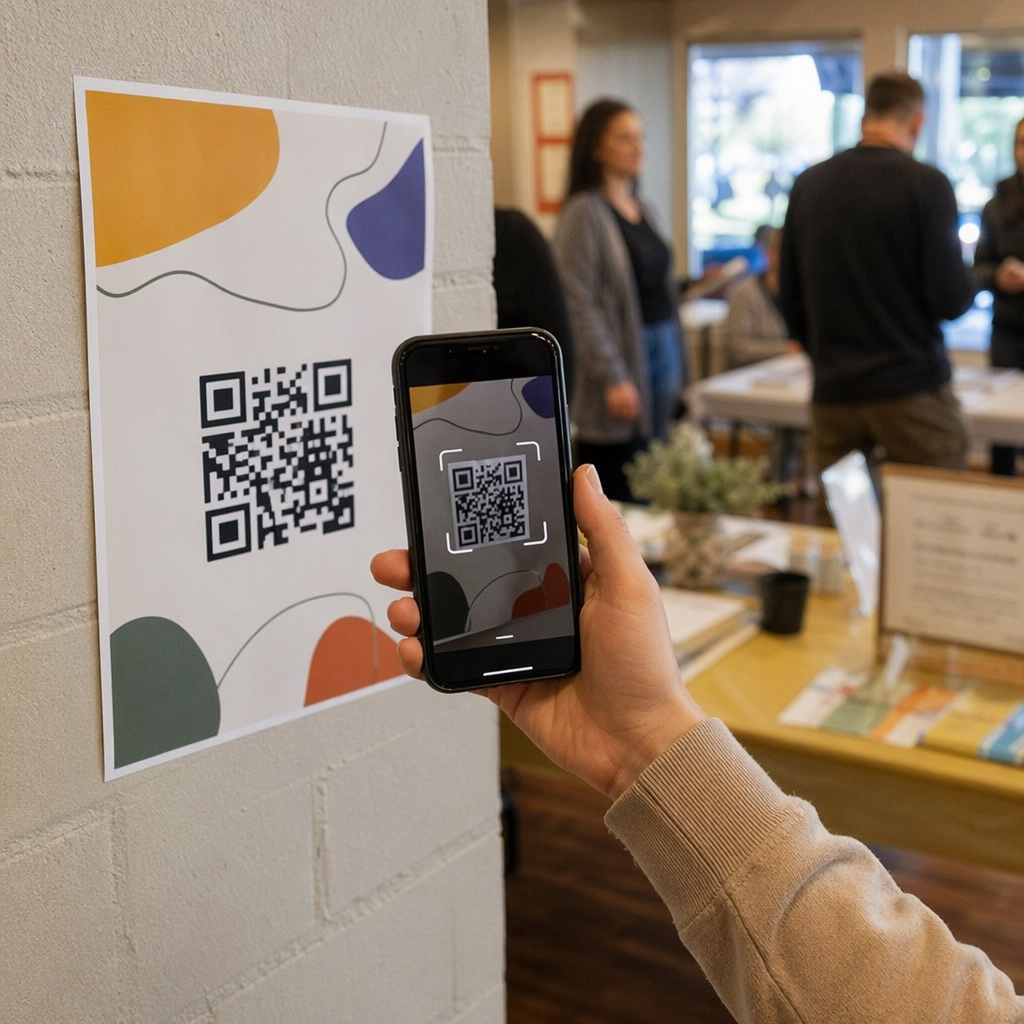
Skicka varje deltagare deras unika QR-kod i deras bekräftelsemail. Vid evenemangets ingång skannar en personalmedlem koden med vilken standard smartphonekamera som helst. Skanningen öppnar det förifyllda formuläret, deltagaren bekräftar eller skickar in, och CRM-posten uppdateras med närvarostämpeln.
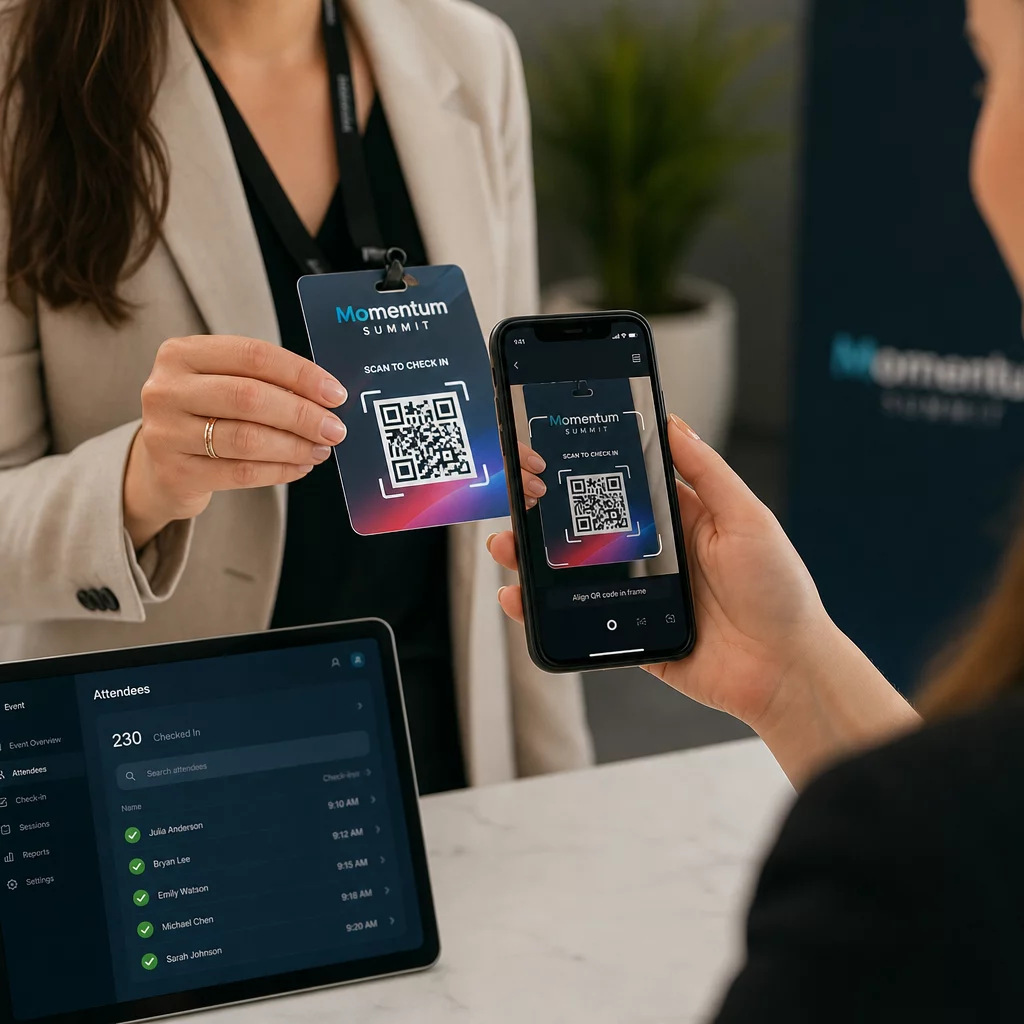
För större evenemang, överväg att inrätta dedikerade skanningsstationer. Träna personalen att hålla skanningsenheten cirka 30 cm från koden och att aktivera kamera blixt i miljöer med svagt ljus. Om du skriver ut koder på märken eller armband, använd matta material snarare än glansiga ytor för att förhindra att bländning stör skanningen. Mer detaljer om bästa praxis för fysisk implementering finns i ultimata guiden till QR-koder för evenemangsincheckningar.
Hur närvarodata flödar in i ditt CRM
Incheckningsskanningen utlöser en kedja av händelser som slutar med en uppdaterad kontaktpost. Här är vad som händer vid varje steg:
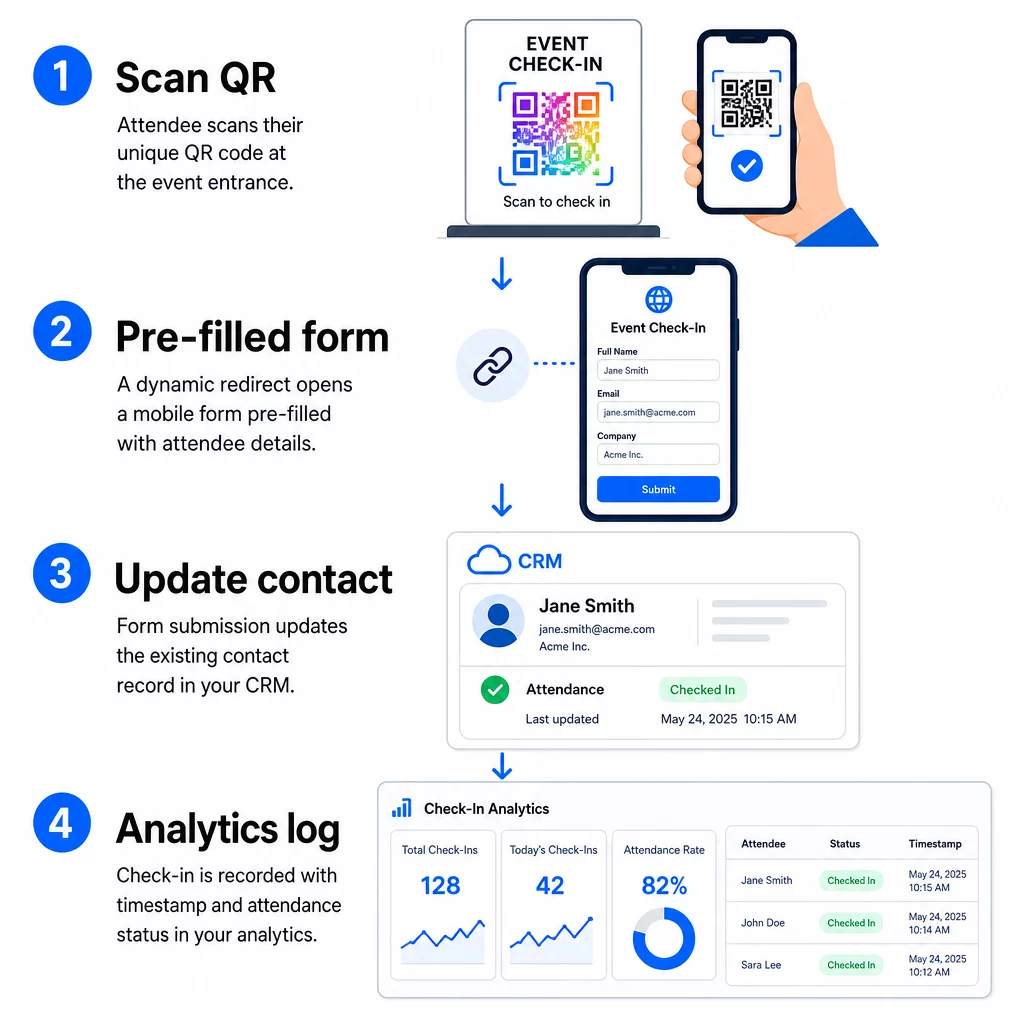
- Deltagarens unika QR-kod skannas vid ingången.
- Den dynamiska omdirigeringen laddar det förifyllda incheckningsformuläret i deltagarens webbläsare.
- Deltagaren skickar in formuläret (eller formuläret skickas in automatiskt efter en kort bekräftelse).
- Formulärinlämningen, kopplad till kontaktens unika ID, uppdaterar den befintliga CRM-posten med incheckningsstatus, tidsstämpel och eventuella ytterligare fält som registrerats.
- Om ditt CRM stöder webhook-baserad automatisering kan inlämningen samtidigt utlösa efterföljande åtgärder: tilldela en uppföljningsuppgift, skicka ett e-postmeddelande efter evenemanget eller uppdatera en kampanjstatus.
Plattformar som HubSpot lagrar deltagandestatus – Registrerad, Närvarade, Ej dök upp, Avbokad – direkt på kontaktens marknadsföringsevenemangskort, vilket ger ditt team en fullständig närvarohistorik för varje kontakt utan manuell avstämning. För att lära dig hur du kopplar skanningar till automatiserade CRM-åtgärder mer brett, se guiden om Automatisering av arbetsflöden för QR-kodsskanning.
Spåra incheckningsprestanda med analys
Eftersom du använder dynamiska koder genererar varje skanning analysdata – inte bara ett ifyllt formulär. Din QR-kodpanel registrerar:
- Totalt antal skanningar vs. unika skanningar – användbart för att identifiera om någon skannade sin kod flera gånger
- Skanningstidstämplar – låter dig rekonstruera ankomstmönster och identifiera toppar i incheckningsperioder
- Enhetstyp och operativsystem – hjälper dig att optimera mobilupplevelsen av ditt incheckningsformulär
- Geografisk plats – bekräftar att skanningar sker på den förväntade platsen
Denna data ligger bredvid dina CRM-närvaroposter och ger dig ett andra verifieringslager. Om en kontakts formulärinlämning misslyckades men deras QR-skanning loggades, har du en post att undersöka. För en djupare titt på vad man ska mäta och hur man agerar på det, guiden om analys av QR-koder för företag och nyckeltal täcker hela bilden.
Du kan också spåra QR-kodsskanningar och analyser på kampanjnivå, segmenterat efter evenemang, datumintervall eller individuell kod för att jämföra prestanda över flera incheckningspunkter.
Övervaka närvaro i realtid Se exakt vem som skannade, när och från vilken plats. Använd verktyget för närvaro-QR-koder för att distribuera incheckningskoder med fullständig skanningsanalys inbyggd.
Vanliga problem och hur man åtgärdar dem
Trasiga URL:er efter sammanslagningsfältsubstitution. Testa alltid din kodade URL med verklig kontaktdata innan du skickar koder till deltagare. Var särskilt uppmärksam på kontakter vars namn eller e-postadresser innehåller specialtecken.
Dubbla CRM-poster skapade vid incheckning. Detta händer när formulär-URL:en inte innehåller kontaktidentifieraren. Lägg till kontakt-ID-parametern i din URL-mall och bekräfta att ditt CRM är konfigurerat att matcha på det fältet istället för att skapa en ny post.
QR-koder som slutar fungera efter distribution. Det är här dynamiska koder bevisar sitt värde. Om din formulär-URL ändras – för att du bytte formulärverktyg eller uppdaterade din domän – kan du uppdatera destinationen i din QR-kodshanteringspanel utan att distribuera nya koder till deltagarna.
Koder som skannar korrekt men inte förifyller formuläret. Kontrollera om ditt formulärverktyg kräver specifika namn på frågeparametrar. Vissa plattformar använder `email` medan andra kräver `entry.12345` (Google Forms) eller en anpassad fältnyckel. Anpassa din URL-mall med ditt formulärverktygs förväntade parameternamn.
Skanningsfel i svagt ljus vid entrén. Se till att dina utskrivna QR-koder uppfyller förhållandet 10:1 mellan storlek och avstånd: en kod som skannas från 10 tums avstånd bör vara minst 1 tum bred. Använd utskrift med hög kontrast – mörka moduler på vit bakgrund – och undvik glansigt papper eller laminat.
Viktiga slutsatser
Dynamiska QR-koder för CRM-incheckningar fungerar eftersom varje kod bär en kontakts identitet kodad i dess destinations-URL, dirigerar den datan till ett formulär kopplat till en befintlig post och loggar själva skanningen som en separat analyshändelse. Resultatet är en närvaropost som är korrekt, tidsstämplad och ansluten till ditt CRM utan någon manuell datainmatning.
De tekniska kraven är enkla: ett CRM med sammanslagningsfält och webbformulär som accepterar URL-parametrar, korrekt kodade dynamiska URL:er och en QR-kodplattform som stöder kodgenerering per kontakt och skanningsspårning. Få dessa tre element rätt, så sköter incheckningsflödet sig i stort sett självt.
Börja bygga ditt incheckningssystem med Dynamisk QR-kodgenerator – inget kreditkort krävs för den 14-dagars provperioden.
Vanliga frågor
En statisk QR-kod kodar en fast URL direkt i sitt mönster och kan inte ändras eller spåras efter utskrift. En dynamisk QR-kod använder en kort omdirigeringslänk som du kan uppdatera när som helst från din kontrollpanel, och varje skanning loggas med data inklusive tidsstämpel, enhetstyp och plats. För CRM-incheckningar är dynamiska koder avgörande eftersom de möjliggör URL-personalisering per kontakt och tillhandahåller den analys som behövs för att verifiera närvaro.
Lägg till din kontakts unika CRM-identifierare som en frågeparameter i inchecknings-URL:en – till exempel `?contact_id={{contact.id}}`. När formuläret skickas in använder ditt CRM den identifieraren för att matcha inlämningen med den befintliga posten istället för att skapa en ny. De flesta CRM-plattformar har också en inställning för att slå samman baserat på e-postadress som en reserv om inget kontakt-ID finns.
Ja. Eftersom koderna är dynamiska kan du ändra destinations-URL:en i din hanteringspanel för QR-koder när som helst. Den utskrivna eller distribuerade koden förblir exakt densamma – endast omdirigeringsmålet ändras. Detta innebär att om din formulär-URL ändras efter att bekräftelsemejl har skickats ut, kommer deltagare med de ursprungliga koderna fortfarande att nå rätt formulär.