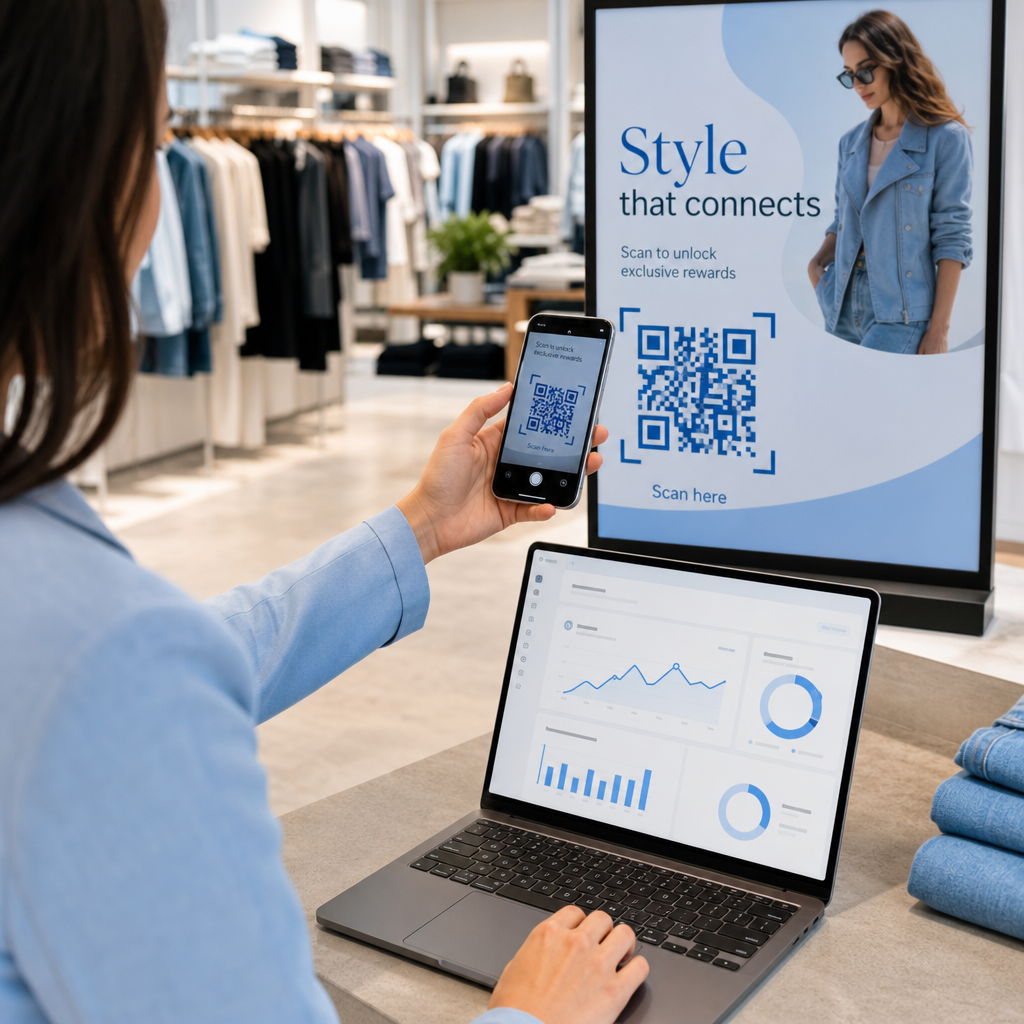
Gestionarea manuală a prezenței la evenimente este lentă, predispusă la erori și deconectată de sistemele importante. Acest ghid vă arată cum să construiți coduri QR dinamice care introduc datele de check-in direct în CRM-ul dvs., eliminând introducerea manuală și oferindu-vă o înregistrare în timp real a prezenței pentru fiecare contact.
De ce funcționează codurile QR dinamice pentru check-in-urile CRM
Un cod QR static codifică o adresă URL fixă și nu poate fi urmărit sau modificat după imprimare. Un cod QR dinamic, prin contrast, utilizează un link scurt de redirecționare ca intermediar. Puteți actualiza acea destinație oricând fără a reimprima, iar fiecare scanare este înregistrată cu date incluzând marcajul temporal, tipul dispozitivului și locația geografică.
Pentru check-in-urile CRM, această distincție contează enorm. Atunci când fiecare participant primește un cod dinamic unic legat de înregistrarea contactului său, scanarea acestuia la intrare face trei lucruri simultan: verifică identitatea, marchează prezența și introduce date în CRM-ul dvs. – totul fără ca un membru al personalului să tasteze nimic.
Platforme precum HubSpot urmăresc starea înregistrării, starea prezenței, anulările și indicatorii de neprezentare în raport cu înregistrările individuale de contact prin intermediul instrumentelor lor de evenimente de marketing. Sistemele care utilizează check-in-uri bazate pe formulare pot actualiza o înregistrare de contact existentă prin adăugarea ID-ului unic al contactului la URL-ul formularului, astfel încât trimiterea să se îmbine cu profilul corect, mai degrabă decât să creeze un duplicat. Aceeași logică se aplică indiferent dacă utilizați o platformă dedicată de evenimente sau un CRM de uz general cu integrări de formulare.
Pentru a înțelege diferența completă dintre tipurile de coduri înainte de a construi fluxul de lucru, consultați comparația coduri QR statice vs dinamice.
Creați coduri de check-in urmăribile în câteva minute Folosește Generator cod QR dinamic pentru a construi coduri QR editabile, pregătite pentru analiză, care se conectează direct la formularele dvs. de evenimente și la fluxurile de lucru CRM.
Ce aveți nevoie înainte de a începe
Înainte de a genera un singur cod, asigurați-vă că sunt îndeplinite trei condiții:
- Un formular web CRM care acceptă parametri URL. Majoritatea instrumentelor CRM și de formulare – inclusiv Google Forms, formularele HubSpot și platforme similare – vă permit să pre-completați câmpuri prin transmiterea valorilor prin șiruri de interogare în URL (de exemplu, `?email=value&first_name=value`). Confirmați că formularul dvs. acceptă acest lucru înainte de a construi fluxul de lucru.
- Înregistrări de contact cu câmpuri de îmbinare. CRM-ul dvs. trebuie să poată extrage date precum e-mailul, prenumele și numele de familie din înregistrările de contact existente și să insereze acele valori dinamic într-un șablon URL.
- Un generator de coduri QR dinamice cu analiză. Ai nevoie de o platformă care generează coduri unice per contact, urmărește fiecare scanare și îți permite să actualizezi destinațiile fără a retipări. instrument pentru coduri QR de prezență este construită exact pentru acest caz de utilizare.
Pas cu Pas: Crearea de Coduri QR Dinamice pentru Check-in-uri CRM
Configurează-ți Formularul de Check-in
Creează un formular web în CRM-ul tău sau în instrumentul de formulare cu câmpuri care captează datele de care ai nevoie la check-in: minim, adresă de e-mail, prenume și nume de familie. Dacă utilizezi Google Forms, Generator cod QR Google Forms îți permite să te conectezi direct la formularul tău și să urmărești scanările alături de trimiteri.
Formularul tău ar trebui, de asemenea, configurat să actualizeze o înregistrare de contact existentă, mai degrabă decât să creeze una nouă. În sistemele care permit acest lucru, adăugarea unui identificator de contact la URL – cum ar fi `?contact_id={{contact.id}}` – leagă automat trimiterea formularului de înregistrarea CRM corectă.
Construiește URL-ul Dinamic cu Câmpuri de Îmbinare
Un URL dinamic de check-in utilizează sintaxa câmpurilor de îmbinare a CRM-ului tău pentru a insera datele fiecărui contact ca parametri de interogare. Un șablon arată astfel:
“`
https://yourform.com/checkin?email=[Contact.Email]&firstname=[Contact.FirstName]&lastname=[Contact.LastName]
“`
Când CRM-ul tău procesează acest șablon pentru un contact individual, substituenții sunt înlocuiți cu valori reale:
“`
https://yourform.com/[email protected]&firstname=Jane&lastname=Smith
“`
Sintaxa exactă a câmpurilor de îmbinare depinde de CRM-ul tău. Keep/Infusionsoft utilizează etichete în stil paranteză; HubSpot utilizează propriul format de token de personalizare. Verifică documentația platformei tale pentru sintaxa corectă.
Codifică URL-ul Corect
URL-urile se strică atunci când conțin caractere speciale necodificate. Spațiile, ampersandurile și semnele egal din interiorul parametrilor valori trebuie să fie codificate procentual, astfel încât browserele și cititoarele de coduri QR să le interpreteze corect. Conversiile comune includ:
- Space → `%20`
- Ampersand (`&`) → `%26`
- Equal sign (`=`) → `%3D`
Majoritatea platformelor CRM includ o funcție de codificare URL pe care o puteți aplica la ieșirea câmpului de îmbinare. Folosiți-o. Un singur caracter necodificat în numele unui contact – cum ar fi un ampersand într-un nume de companie – poate întrerupe în tăcere întregul flux de înregistrare pentru acel participant.
Generați un cod QR dinamic unic per contact
Cu șablonul URL codificat gata, generați un cod QR dinamic per participant. Fiecare cod indică URL-ul formularului pre-completat al acelei persoane. Deoarece acestea sunt coduri dinamice, păstrați capacitatea de a actualiza destinația ulterior – util dacă URL-ul formularului se modifică după ce codurile au fost deja distribuite.
Pentru evenimente mari, majoritatea platformelor CRM și a instrumentelor de automatizare a e-mailurilor acceptă generarea în masă de coduri: îmbinați șablonul URL, codificați-l și declanșați crearea codului QR pentru fiecare contact într-o secvență. Codul rezultat este apoi inclus în e-mailul de confirmare al participantului, alături de detaliile de înregistrare.
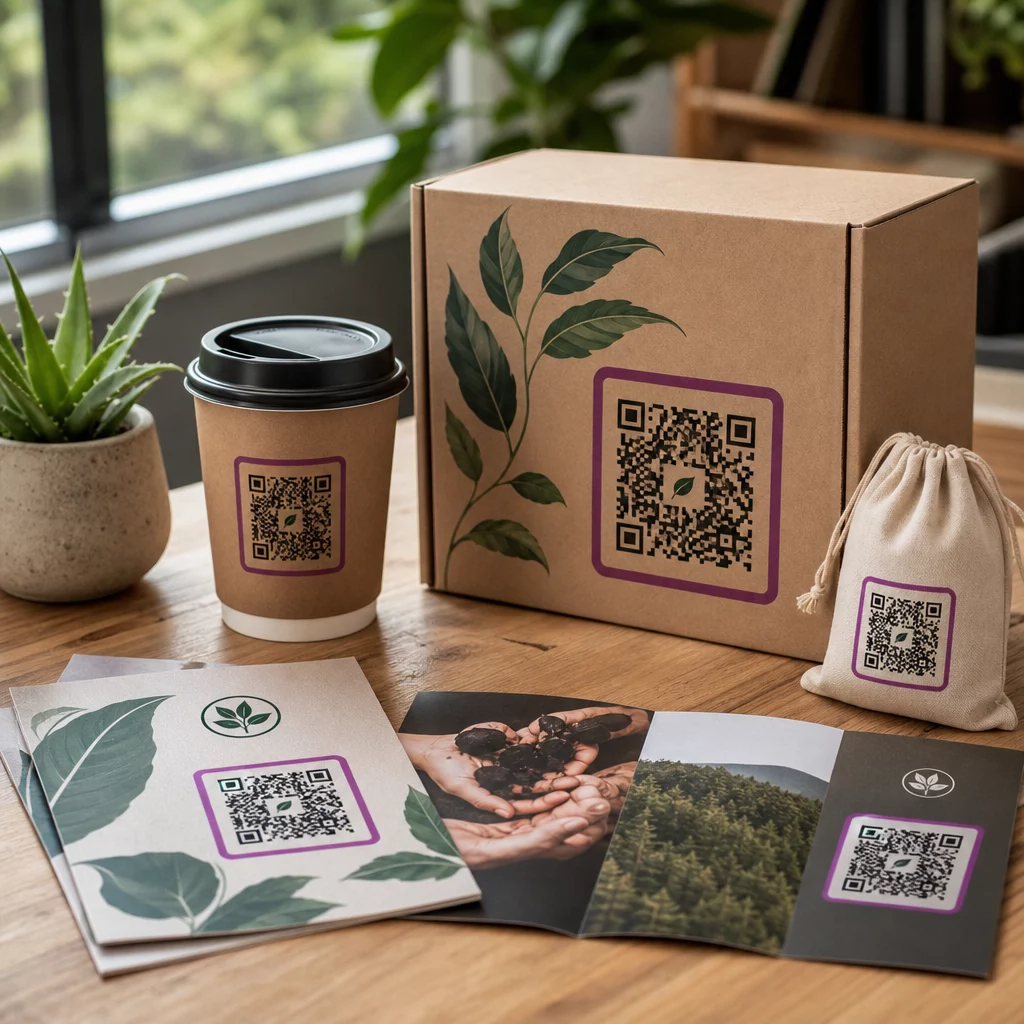
Cel Cod QR invitații pentru evenimente acceptă acest flux de lucru și vă permite să personalizați aspectul codului – adăugând brandingul evenimentului, logo-ul sau schema de culori – înainte de distribuție.
Distribuiți și implementați la intrare
Trimiteți fiecărui participant codul QR unic în e-mailul de confirmare. La intrarea evenimentului, un membru al personalului scanează codul folosind orice cameră standard de smartphone. Scanarea deschide formularul pre-completat, participantul confirmă sau trimite, iar înregistrarea CRM este actualizată cu marcajul de timp al prezenței.
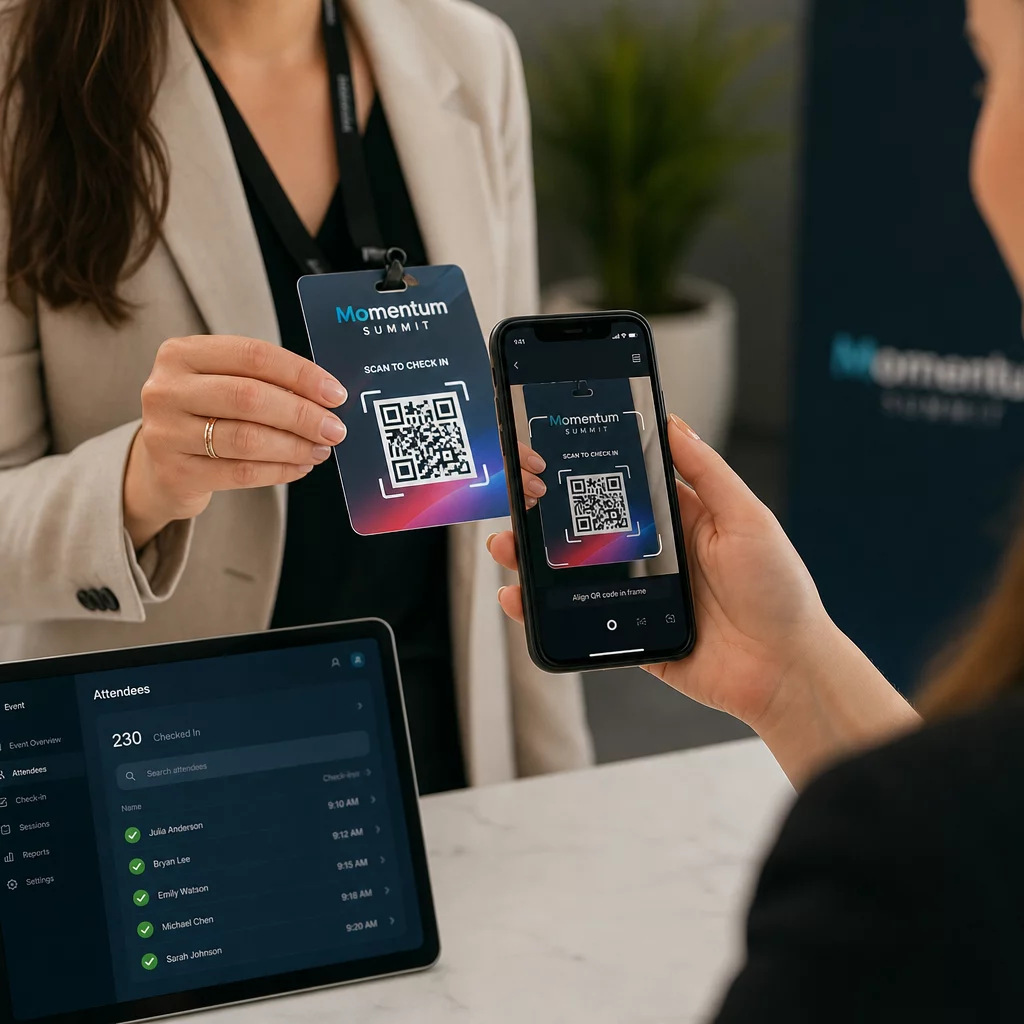
Pentru evenimente mai mari, luați în considerare configurarea unor stații de scanare dedicate. Instruiți personalul să țină dispozitivul de scanare la aproximativ 30 cm de cod și să activeze blițul camerei în medii cu lumină scăzută. Dacă imprimați coduri pe ecusoane sau brățări, utilizați materiale mate, mai degrabă decât finisaje lucioase, pentru a preveni ca reflexiile să interfereze cu scanarea. Mai multe detalii despre cele mai bune practici de implementare fizică sunt disponibile în ghidul suprem pentru codurile QR pentru înregistrarea la evenimente.
Cum ajung datele de prezență în CRM-ul dvs.
Scanarea de înregistrare declanșează un lanț de evenimente care se încheie cu o înregistrare de contact actualizată. Iată ce se întâmplă la fiecare pas:
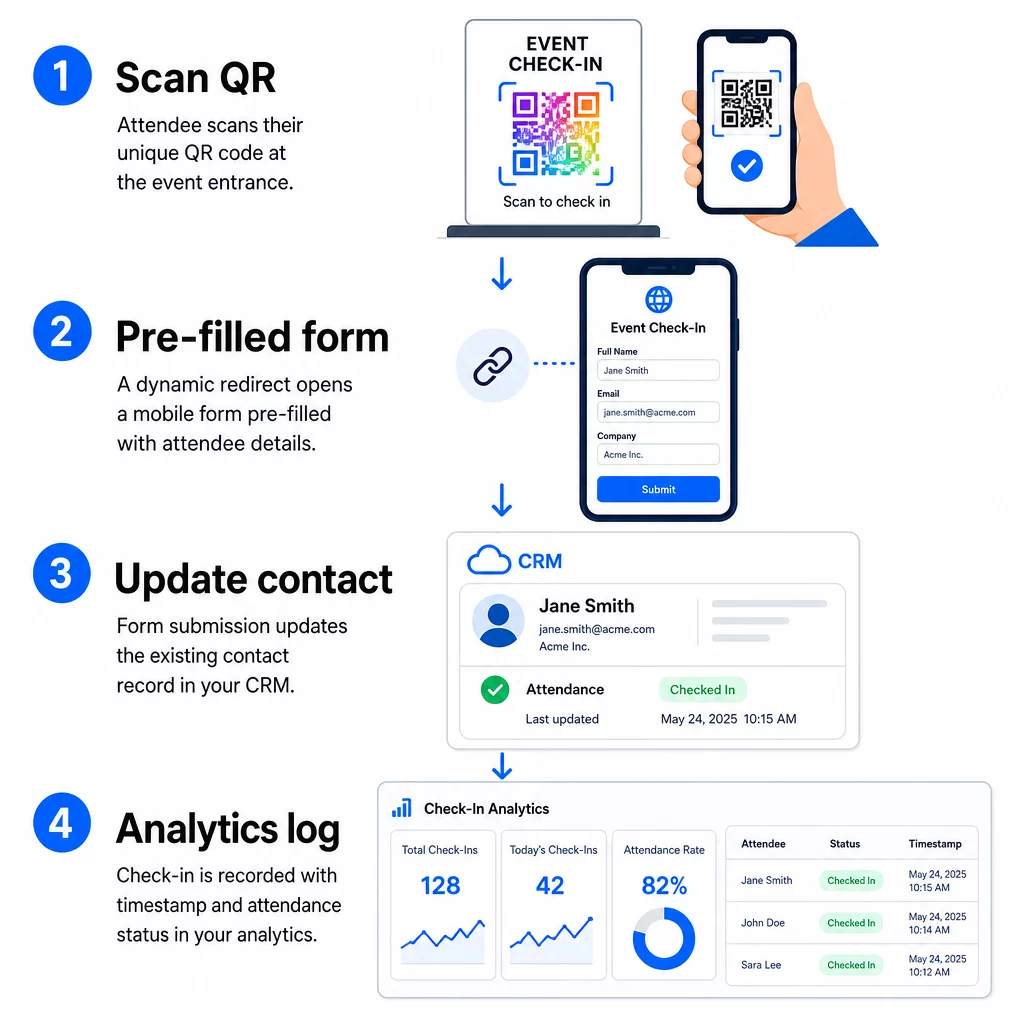
- Codul QR unic al participantului este scanat la intrare.
- Redirecționarea dinamică încarcă formularul de check-in pre-completat în browserul participantului.
- Participantul trimite formularul (sau formularul se auto-trimite după o scurtă confirmare).
- Trimiterea formularului, legată de ID-ul unic al contactului, actualizează înregistrarea existentă în CRM cu statusul de check-in, marcajul temporal și orice câmpuri suplimentare capturate.
- Dacă sistemul dvs. CRM suportă automatizarea bazată pe webhook, trimiterea poate declanșa simultan acțiuni ulterioare: atribuirea unei sarcini de follow-up, trimiterea unui e-mail post-eveniment sau actualizarea statusului unei campanii.
Platforme precum HubSpot stochează stările de participare – Înregistrat, Prezent, Absent, Anulat – direct pe cardul de evenimente de marketing al contactului, oferind echipei dvs. un istoric complet al prezenței pentru fiecare contact fără nicio reconciliere manuală. Pentru a afla cum să conectați scanările la acțiuni CRM automate într-un mod mai amplu, consultați ghidul despre Automatizarea fluxului de lucru pentru scanarea codurilor QR.
Urmărirea Performanței Check-In-ului cu Analize
Deoarece utilizați coduri dinamice, fiecare scanare generează date analitice – nu doar un formular completat. Tabloul de bord al codurilor QR captează:
- Scanări totale vs. scanări unice – util pentru a identifica dacă cineva și-a scanat codul de mai multe ori
- Marcaje temporale ale scanărilor – vă permite să reconstruiți modelele de sosire și să identificați perioadele de vârf ale check-in-ului
- Tipul dispozitivului și sistemul de operare – vă ajută să optimizați experiența mobilă a formularului dvs. de check-in
- Locație geografică – confirmă că scanările au loc la locația așteptată
Aceste date se află alături de înregistrările dvs. de prezență din CRM și vă oferă un al doilea strat de verificare. Dacă trimiterea formularului unui contact a eșuat, dar scanarea codului QR a fost înregistrată, aveți o înregistrare de investigat. Pentru o privire mai aprofundată asupra a ceea ce trebuie măsurat și cum să acționați, ghidul despre analiza codurilor QR pentru întreprinderi și metricile cheie acoperă imaginea completă.
De asemenea, poți urmăriți scanările codurilor QR și analizele la nivel de campanie, segmentând după eveniment, interval de date sau cod individual pentru a compara performanța în mai multe puncte de înregistrare.
Monitorizați Prezența în Timp Real Vedeți exact cine a scanat, când și din ce locație. Utilizați instrumentul Cod QR de Prezență pentru a implementa coduri de înregistrare cu analize complete de scanare încorporate.
Probleme Frecvente și Cum să le Rezolvați
URL-uri rupte după substituirea câmpurilor de îmbinare. Testați întotdeauna URL-ul codificat cu date reale de contact înainte de a trimite coduri participanților. Acordați o atenție deosebită contactelor ale căror nume sau adrese de e-mail includ caractere speciale.
Înregistrări CRM duplicate create la înregistrare. Acest lucru se întâmplă atunci când URL-ul formularului nu conține identificatorul de contact. Adăugați parametrul ID-ului de contact la șablonul URL și confirmați că sistemul dvs. CRM este configurat să se potrivească pe acel câmp, mai degrabă decât să creeze o nouă înregistrare.
Coduri QR care nu mai funcționează după distribuire. Aici codurile dinamice își dovedesc valoarea. Dacă URL-ul formularului dvs. se modifică – pentru că ați schimbat instrumentele de formular sau ați actualizat domeniul – puteți actualiza destinația în tabloul de bord de gestionare a codurilor QR fără a redistribui noi coduri participanților.
Coduri care scanează corect, dar nu pre-completează formularul. Verificați dacă instrumentul dvs. de formular necesită nume specifice pentru parametrii de interogare. Unele platforme utilizează `email`, în timp ce altele necesită `entry.12345` (Google Forms) sau o cheie de câmp personalizată. Aliniați șablonul URL cu numele parametrilor așteptați de instrumentul dvs. de formular.
Eșecuri de scanare în condiții de lumină slabă la intrare. Asigurați-vă că codurile QR imprimate respectă raportul dimensiune-distanță de 10:1: un cod scanat de la 10 inci distanță ar trebui să aibă cel puțin 1 inch lățime. Utilizați imprimare cu contrast ridicat – module întunecate pe un fundal alb – și evitați hârtia lucioasă sau laminatul.
Idei principale
Codurile QR dinamice pentru înregistrările CRM funcționează deoarece fiecare cod poartă identitatea unui contact codificată în URL-ul său de destinație, direcționează acele date într-un formular legat de o înregistrare existentă și înregistrează scanarea în sine ca un eveniment analitic separat. Rezultatul este o înregistrare a prezenței care este precisă, cu marcaj temporal și conectată la CRM-ul dumneavoastră fără nicio introducere manuală de date.
Cerințele tehnice sunt simple: un CRM cu câmpuri de îmbinare și formulare web care acceptă parametri URL, URL-uri dinamice codificate corespunzător și o platformă de coduri QR care acceptă generarea de coduri per contact și urmărirea scanărilor. Obțineți aceste trei elemente corect, iar fluxul de lucru de înregistrare se desfășoară în mare parte de la sine.
Începeți să construiți sistemul dumneavoastră de înregistrare cu Generator cod QR dinamic – nu este necesar un card de credit pentru perioada de probă de 14 zile.
Întrebări frecvente
Un cod QR static codifică o adresă URL fixă direct în modelul său și nu poate fi schimbat sau urmărit după imprimare. Un cod QR dinamic utilizează un link scurt de redirecționare pe care îl poți actualiza oricând din tabloul de bord, și fiecare scanare este înregistrată cu date incluzând marcaj temporal, tip de dispozitiv și locație. Pentru înregistrările CRM, codurile dinamice sunt esențiale deoarece permit personalizarea URL-ului per contact și oferă analizele necesare pentru a verifica prezența.
Adăugați identificatorul unic CRM al contactului dumneavoastră ca parametru de interogare în URL-ul de înregistrare – de exemplu, `?contact_id={{contact.id}}`. Când formularul este trimis, CRM-ul dumneavoastră utilizează acel identificator pentru a potrivi trimiterea cu înregistrarea existentă, în loc să creeze una nouă. Majoritatea platformelor CRM au, de asemenea, o setare pentru a îmbina pe adresa de e-mail ca soluție de rezervă atunci când nu este prezent niciun ID de contact.
Da. Deoarece codurile sunt dinamice, puteți schimba adresa URL de destinație în tabloul de bord de gestionare a codurilor QR în orice moment. Codul tipărit sau distribuit rămâne exact același – doar ținta de redirecționare se modifică. Aceasta înseamnă că, dacă adresa URL a formularului dumneavoastră se modifică după ce au fost trimise e-mailurile de confirmare, participanții cu codurile originale vor ajunge în continuare la formularul corect.