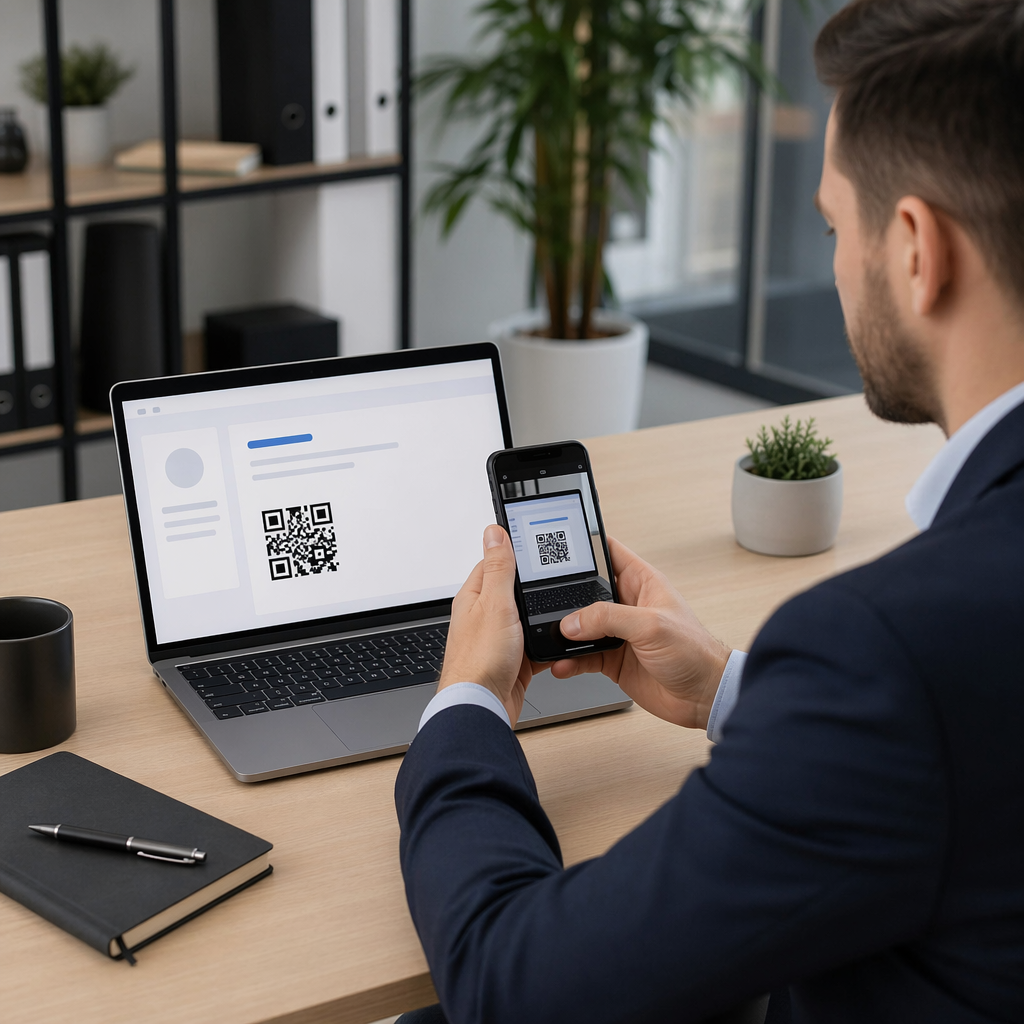
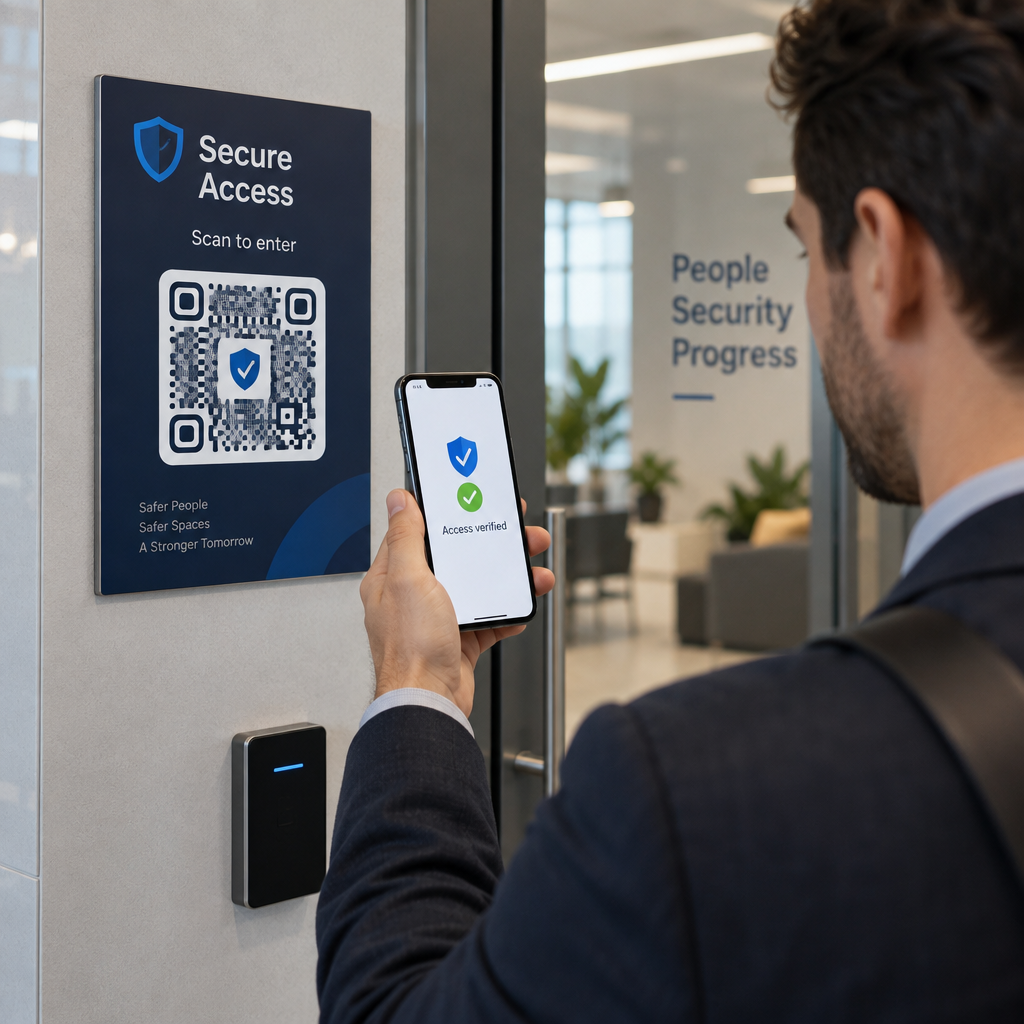
Het handmatig beheren van evenementaanwezigheid is traag, foutgevoelig en losgekoppeld van de systemen die ertoe doen. Deze gids laat zien hoe je dynamische QR-codes bouwt die check-in gegevens rechtstreeks in je CRM invoeren, waardoor handmatige invoer wordt geëlimineerd en je een real-time aanwezigheidsregistratie krijgt voor elk contact.
Waarom dynamische QR-codes werken voor CRM-check-ins
Een statische QR-code codeert een vaste URL en kan na het afdrukken niet worden gevolgd of gewijzigd. Een dynamische QR-code, daarentegen, gebruikt een korte omleidingslink als tussenpersoon. Je kunt die bestemming op elk moment bijwerken zonder opnieuw af te drukken, en elke scan wordt gelogd met gegevens zoals tijdstempel, apparaattype en geografische locatie.
Voor CRM-check-ins is dat onderscheid enorm belangrijk. Wanneer elke deelnemer een unieke dynamische code ontvangt die gekoppeld is aan hun contactrecord, doet het scannen ervan bij de deur drie dingen tegelijk: het verifieert de identiteit, markeert de aanwezigheid en pusht gegevens naar je CRM – allemaal zonder dat een medewerker iets hoeft te typen.
Platforms zoals HubSpot volgen de registratiestatus, aanwezigheidsstatus, annuleringen en no-show indicatoren tegen individuele contactrecords via hun marketingevenementtools. Systemen die formuliergebaseerde check-ins gebruiken, kunnen een bestaand contactrecord bijwerken door de unieke ID van het contact toe te voegen aan de formulier-URL, zodat de indiening samenvoegt met het juiste profiel in plaats van een duplicaat te creëren. Dezelfde logica is van toepassing, of je nu een speciaal evenementenplatform of een algemeen CRM met formulierintegraties gebruikt.
Om het volledige verschil tussen codetypen te begrijpen voordat je je workflow bouwt, zie de vergelijking van statische versus dynamische QR-codes.
Maak traceerbare check-in codes in minuten Gebruik de Dynamische QR code generator om bewerkbare, analyse-klare QR-codes te bouwen die rechtstreeks verbinding maken met je evenementformulieren en CRM-workflows.
Wat je nodig hebt voordat je begint
Voordat je één code genereert, zorg ervoor dat drie dingen aanwezig zijn:
- Een CRM-webformulier dat URL-parameters accepteert. De meeste CRM- en formuliertools – inclusief Google Forms, HubSpot-formulieren en vergelijkbare platforms – laten je velden vooraf invullen door waarden door te geven via query strings in de URL (bijv. `?email=value&first_name=value`). Bevestig dat je formulier dit ondersteunt voordat je de workflow bouwt.
- Contactrecords met samenvoegvelden. Je CRM moet gegevens zoals e-mail, voornaam en achternaam uit bestaande contactrecords kunnen halen en die waarden dynamisch in een URL-sjabloon kunnen invoegen.
- Een dynamische QR-codegenerator met analyses. Je hebt een platform nodig dat unieke codes per contact genereert, elke scan bijhoudt en je bestemmingen kunt bijwerken zonder opnieuw te printen. De aanwezigheid QR-codetool is precies voor dit gebruiksscenario gebouwd.
Stap-voor-stap: Dynamische QR-codes bouwen voor CRM-check-ins
Stel je check-in formulier in
Maak een webformulier in je CRM of formuliertool met velden die de gegevens vastleggen die je nodig hebt bij het inchecken: minimaal e-mailadres, voornaam en achternaam. Als je Google Forms gebruikt, dan Google Forms QR code maken kun je direct naar je formulier linken en scans bijhouden naast inzendingen.
Je formulier moet ook zo geconfigureerd zijn dat het een bestaand contactrecord bijwerkt in plaats van een nieuw aan te maken. In systemen die dit toestaan, koppelt het toevoegen van een contactidentificatie aan de URL – zoals `?contact_id={{contact.id}}` – de formulierinzending automatisch aan het juiste CRM-record.
Bouw de dynamische URL met samenvoegvelden
Een dynamische check-in URL gebruikt de samenvoegveldsyntaxis van je CRM om de gegevens van elk contact als queryparameters in te voegen. Een sjabloon ziet er zo uit:
“`
https://yourform.com/checkin?email=[Contact.Email]&firstname=[Contact.FirstName]&lastname=[Contact.LastName]
“`
Wanneer je CRM dit sjabloon verwerkt voor een individueel contact, worden de plaatsaanduidingen vervangen door echte waarden:
“`
https://yourform.com/[email protected]&firstname=Jane&lastname=Smith
“`
De exacte samenvoegveldsyntaxis hangt af van je CRM. Keep/Infusionsoft gebruikt tags in haakjesstijl; HubSpot gebruikt zijn eigen personalisatie-tokenformaat. Controleer de documentatie van je platform voor de juiste syntaxis.
Codeer de URL correct
URL's breken wanneer ze niet-gecodeerde speciale tekens bevatten. Spaties, ampersands en gelijktekens binnen parameter waarden moeten percent-gecodeerd zijn zodat browsers en QR-codelezers ze correct interpreteren. Veelvoorkomende conversies zijn:
- Space → `%20`
- Ampersand (`&`) → `%26`
- Equal sign (`=`) → `%3D`
De meeste CRM-platforms bevatten een URL-coderingsfunctie die u kunt toepassen op de uitvoer van samenvoegvelden. Gebruik deze. Eén niet-gecodeerd teken in de naam van een contactpersoon – zoals een ampersand in een bedrijfsnaam – kan de gehele check-in workflow voor die deelnemer stilletjes verstoren.
Genereer een Unieke Dynamische QR-code per Contactpersoon
Met de gecodeerde URL-sjabloon klaar, genereert u één dynamische QR-code per deelnemer. Elke code verwijst naar de vooraf ingevulde formulier-URL van die persoon. Omdat dit dynamische codes zijn, behoudt u de mogelijkheid om de bestemming later bij te werken – handig als uw formulier-URL verandert nadat de codes al zijn verspreid.
Voor grote evenementen ondersteunen de meeste CRM-platforms en e-mailautomatiseringstools het genereren van codes in bulk: voeg de URL-sjabloon samen, codeer deze en activeer de aanmaak van QR-codes voor elk contact in een reeks. De resulterende code wordt vervolgens opgenomen in de bevestigingsmail van de deelnemer, samen met hun registratiegegevens.
De QR code voor evenementen maken ondersteunt deze workflow en stelt u in staat het uiterlijk van de code aan te passen – door uw evenementbranding, logo of kleurenschema toe te voegen – vóór distributie.
Verspreid en Implementeer bij de Deur
Stuur elke deelnemer hun unieke QR-code in hun bevestigingsmail. Bij de ingang van het evenement scant een medewerker de code met een standaard smartphonecamera. De scan opent het vooraf ingevulde formulier, de deelnemer bevestigt of dient in, en het CRM-record wordt bijgewerkt met het aanwezigheidstijdstempel.
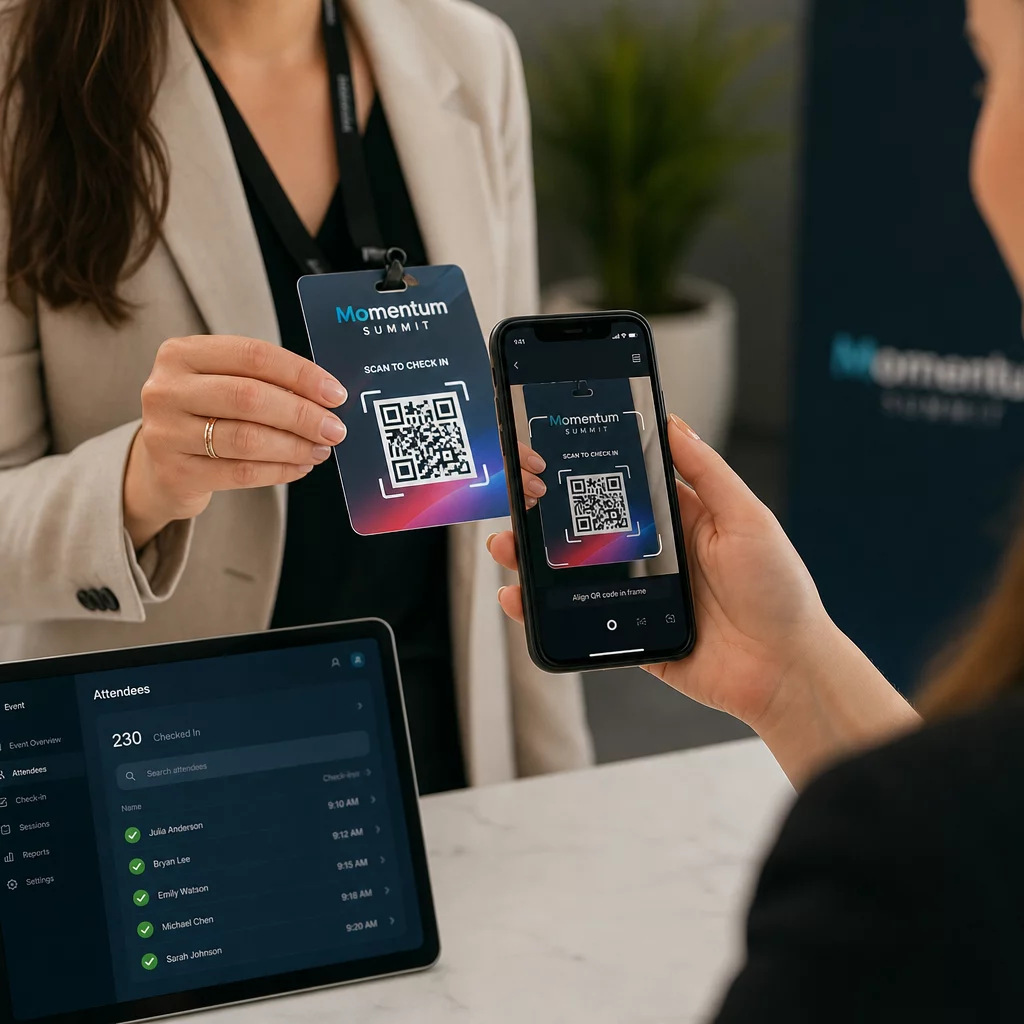
Voor grotere evenementen kunt u overwegen speciale scanstations in te richten. Train personeel om het scanapparaat op ongeveer 30 cm afstand van de code te houden en om de cameraflitser in te schakelen in omgevingen met weinig licht. Als u codes afdrukt op badges of polsbandjes, gebruik dan matte materialen in plaats van glanzende afwerkingen om te voorkomen dat schittering de scan verstoort. Meer details over best practices voor fysieke implementatie zijn beschikbaar in de ultieme gids voor QR-codes voor evenementen check-ins.
Hoe Aanwezigheidsgegevens in Uw CRM Stromen
De check-in scan activeert een reeks gebeurtenissen die eindigt met een bijgewerkt contactrecord. Dit is wat er bij elke stap gebeurt:
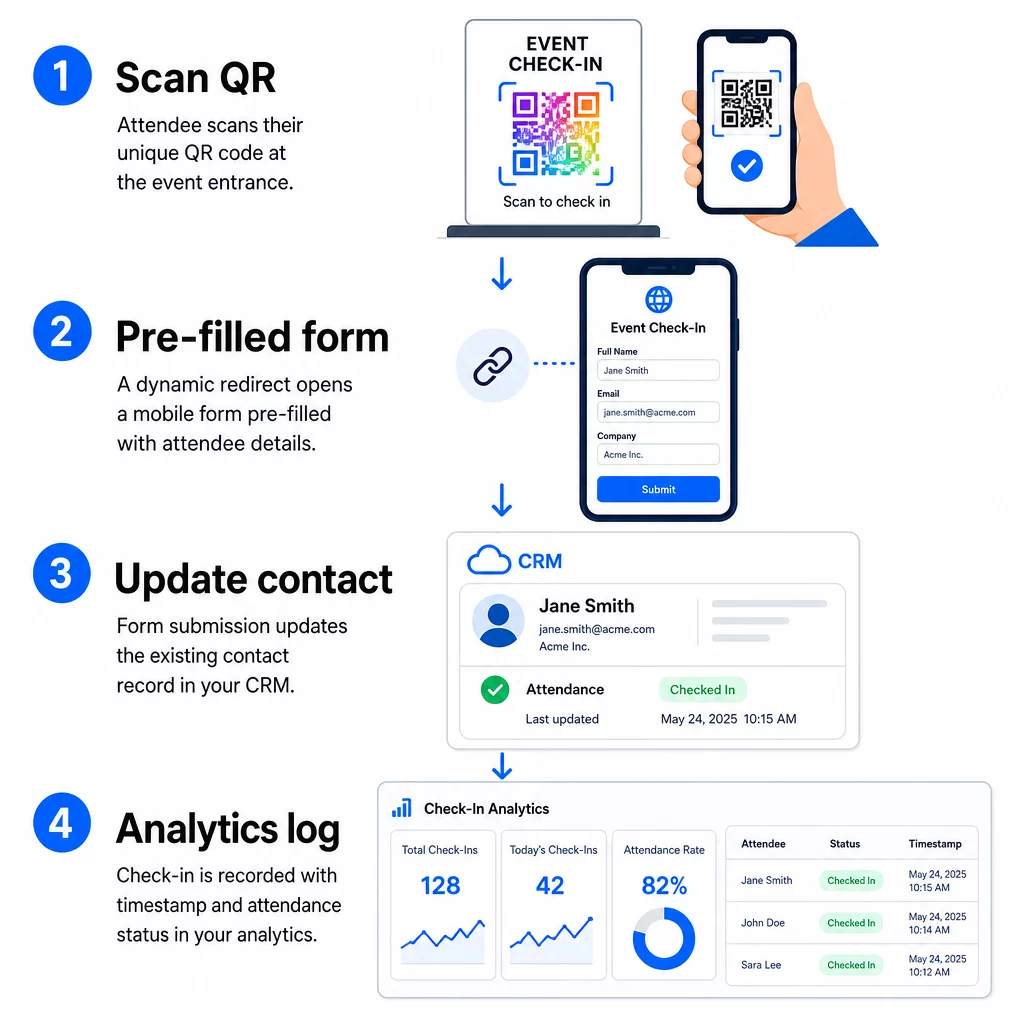
- De unieke QR-code van de deelnemer wordt gescand bij de ingang.
- De dynamische omleiding laadt het vooraf ingevulde check-in formulier in de browser van de deelnemer.
- De deelnemer dient het formulier in (of het formulier wordt automatisch ingediend na een korte bevestiging).
- De ingediende gegevens van het formulier, gekoppeld aan de unieke ID van het contact, werken het bestaande CRM-record bij met de check-in status, tijdstempel en eventuele aanvullende vastgelegde velden.
- Als uw CRM webhook-gebaseerde automatisering ondersteunt, kan de indiening gelijktijdig vervolgacties activeren: het toewijzen van een opvolgtaak, het verzenden van een e-mail na het evenement, of het bijwerken van een campagnestatus.
Platforms zoals HubSpot slaan deelnamestatussen – Geregistreerd, Aanwezig, Niet Verschenen, Geannuleerd – direct op de marketingevenementenkaart van het contact op, waardoor uw team een volledige aanwezigheidsgeschiedenis heeft voor elk contact zonder handmatige afstemming. Om te leren hoe u scans breder kunt koppelen aan geautomatiseerde CRM-acties, zie de gids over QR-code scanning workflowautomatisering.
Check-in prestaties volgen met analyses
Omdat u dynamische codes gebruikt, genereert elke scan analysedata – niet alleen een ingevuld formulier. Uw QR-code dashboard legt vast:
- Totaal aantal scans versus unieke scans – nuttig om te identificeren of iemand zijn code meerdere keren heeft gescand
- Scantijdstempels – stelt u in staat aankomstpatronen te reconstrueren en piek-check-in periodes te identificeren
- Apparaattype en besturingssysteem – helpt u de mobiele ervaring van uw check-in formulier te optimaliseren
- Geografische locatie – bevestigt dat scans plaatsvinden op de verwachte locatie
Deze gegevens staan naast uw CRM-aanwezigheidsrecords en bieden u een tweede verificatielaag. Als de formulierinzending van een contactpersoon is mislukt, maar hun QR-scan is geregistreerd, heeft u een record om te onderzoeken. Voor een diepere blik op wat te meten en hoe ernaar te handelen, de gids over analyse van QR-codes voor bedrijven en belangrijke statistieken behandelt het volledige plaatje.
U kunt ook volg QR-codescans en analyses op campagneniveau, segmenteren op evenement, datumbereik of individuele code om de prestaties te vergelijken over meerdere check-inpunten.
Monitor Aanwezigheid in Realtime Zie precies wie scande, wanneer en vanaf welke locatie. Gebruik de Aanwezigheid QR Code tool om check-in codes te implementeren met ingebouwde volledige scananalyses.
Veelvoorkomende Problemen en Hoe Ze Op Te Lossen
Kapotte URL's na samenvoeging van velden. Test altijd uw gecodeerde URL met echte contactgegevens voordat u codes naar deelnemers stuurt. Besteed speciale aandacht aan contacten waarvan de namen of e-mailadressen speciale tekens bevatten.
Dubbele CRM-records aangemaakt bij check-in. Dit gebeurt wanneer de formulier-URL de contactidentificatie niet bevat. Voeg de contact-ID-parameter toe aan uw URL-sjabloon en bevestig dat uw CRM is geconfigureerd om te matchen op dat veld in plaats van een nieuw record aan te maken.
QR-codes die na distributie niet meer werken. Dit is waar dynamische codes hun waarde bewijzen. Als uw formulier-URL verandert – omdat u van formulierhulpmiddelen bent gewisseld of uw domein hebt bijgewerkt – kunt u de bestemming in uw QR-codemanagementdashboard bijwerken zonder nieuwe codes opnieuw te distribueren naar deelnemers.
Codes die correct scannen maar het formulier niet vooraf invullen. Controleer of uw formulierhulpmiddel specifieke queryparameternamen vereist. Sommige platforms gebruiken `email`, terwijl andere `entry.12345` (Google Forms) of een aangepaste veldsleutel vereisen. Stem uw URL-sjabloon af op de verwachte parameternamen van uw formulierhulpmiddel.
Scanfouten bij weinig licht bij de ingang. Zorg ervoor dat uw geprinte QR-codes voldoen aan de 10:1 verhouding tussen grootte en afstand: een code die vanaf 10 inch afstand wordt gescand, moet minstens 1 inch breed zijn. Gebruik afdrukken met hoog contrast – donkere modules op een witte achtergrond – en vermijd glanzend papier of laminaat.
Belangrijkste punten
Dynamische QR-codes voor CRM-check-ins werken omdat elke code de identiteit van een contactpersoon bevat, gecodeerd in de bestemmings-URL, die gegevens naar een formulier leidt dat gekoppeld is aan een bestaand record, en de scan zelf registreert als een afzonderlijke analysegebeurtenis. Het resultaat is een aanwezigheidsregistratie die nauwkeurig is, voorzien van een tijdstempel en verbonden met uw CRM zonder handmatige gegevensinvoer.
De technische vereisten zijn eenvoudig: een CRM met samenvoegvelden en webformulieren die URL-parameters accepteren, correct gecodeerde dynamische URL's, en een QR-codeplatform dat code-generatie per contact en scan-tracking ondersteunt. Als u deze drie elementen goed aanpakt, verloopt de check-in workflow grotendeels vanzelf.
Begin met het bouwen van uw check-in systeem met de Dynamische QR code generator – geen creditcard vereist voor de proefperiode van 14 dagen.
Veelgestelde vragen
Een statische QR-code codeert een vaste URL direct in zijn patroon en kan na het afdrukken niet worden gewijzigd of gevolgd. Een dynamische QR-code gebruikt een korte omleidingslink die u op elk moment vanuit uw dashboard kunt bijwerken, en elke scan wordt gelogd met gegevens zoals tijdstempel, apparaattype en locatie. Voor CRM-check-ins zijn dynamische codes essentieel omdat ze URL-personalisatie per contact mogelijk maken en de benodigde analyses bieden om aanwezigheid te verifiëren.
Voeg de unieke CRM-identificatie van uw contactpersoon toe als een queryparameter in de check-in URL – bijvoorbeeld, `?contact_id={{contact.id}}`. Wanneer het formulier wordt ingediend, gebruikt uw CRM die identificatie om de indiening te koppelen aan het bestaande record in plaats van een nieuw record aan te maken. De meeste CRM-platforms hebben ook een instelling om samen te voegen op e-mailadres als terugval wanneer er geen contact-ID aanwezig is.
Ja. Omdat de codes dynamisch zijn, kunt u de bestemmings-URL in uw QR-codebeheerdashboard op elk gewenst moment wijzigen. De geprinte of gedistribueerde code blijft precies hetzelfde – alleen het omleidingsdoel verandert. Dit betekent dat als uw formulier-URL verandert nadat bevestigingsmails zijn verzonden, deelnemers met de originele codes nog steeds het juiste formulier zullen bereiken.