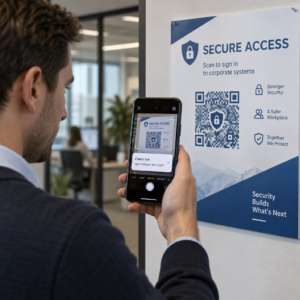
Ročno upravljanje udeležbe na dogodkih je počasno, nagnjeno k napakam in nepovezano s sistemi, ki so pomembni. Ta vodnik vam pokaže, kako zgraditi dinamične QR kode, ki podatke o prijavi vnašajo neposredno v vaš CRM, s čimer odpravite ročni vnos in vam zagotovijo evidenco udeležbe v realnem času za vsak kontakt.
Zakaj dinamične QR kode delujejo za prijave v CRM
Statična QR koda kodira fiksni URL in je po tiskanju ni mogoče slediti ali spremeniti. A dinamična QR koda, nasprotno, uporablja kratko preusmeritveno povezavo kot posrednika. To destinacijo lahko kadar koli posodobite brez ponovnega tiskanja, vsako skeniranje pa se zabeleži s podatki, vključno z časovnim žigom, vrsto naprave in geografsko lokacijo.
Za prijave v CRM je ta razlika izjemno pomembna. Ko vsak udeleženec prejme edinstveno dinamično kodo, povezano z njegovim kontaktnim zapisom, skeniranje te kode na vhodu hkrati opravi tri stvari: preveri identiteto, označi prisotnost in potisne podatke v vaš CRM – vse to, ne da bi zaposleni karkoli tipkal.
Platforme, kot je HubSpot, spremljajo status registracije, stanje udeležbe, odpovedi in kazalnike neudeležbe za posamezne kontaktne zapise prek svojih orodij za marketinške dogodke. Sistemi, ki uporabljajo prijave na podlagi obrazcev, lahko posodobijo obstoječi kontaktni zapis tako, da dodajo edinstven ID kontakta k URL-ju obrazca, tako da se oddaja združi s pravilnim profilom namesto da bi ustvarila dvojnik. Enaka logika velja, ne glede na to, ali uporabljate namensko platformo za dogodke ali splošni CRM z integracijami obrazcev.
Za razumevanje celotne razlike med vrstami kod pred izgradnjo vašega delovnega toka, si oglejte primerjavo statičnimi in dinamičnimi kodami QR.
Ustvarite sledljive kode za prijavo v nekaj minutah Uporabi QR generator za dinamične QR kode za izgradnjo urejevalnih QR kod, pripravljenih za analitiko, ki se neposredno povezujejo z vašimi obrazci za dogodke in delovnimi tokovi CRM.
Kaj potrebujete, preden začnete
Preden ustvarite eno samo kodo, se prepričajte, da so na voljo tri stvari:
- Spletni obrazec CRM, ki sprejema parametre URL. Večina orodij CRM in obrazcev – vključno z Google Obrazci, HubSpot obrazci in podobnimi platformami – vam omogoča predizpolnjevanje polj s posredovanjem vrednosti prek poizvedovalnih nizov v URL-ju (npr. `?email=value&first_name=value`). Preden zgradite delovni tok, potrdite, da vaš obrazec to podpira.
- Kontaktni zapisi z združitvenimi polji. Vaš CRM mora biti sposoben pridobiti podatke, kot so e-pošta, ime in priimek, iz obstoječih kontaktnih zapisov in te vrednosti dinamično vstaviti v predlogo URL.
- Generator dinamičnih QR kod z analitiko. Potrebujete platformo, ki generira edinstvene kode za vsak stik, sledi vsakemu skeniranju in vam omogoča posodabljanje destinacij brez ponovnega tiskanja. The QR-kode za prisotnost je zgrajen ravno za ta primer uporabe.
Korak za korakom: Izdelava dinamičnih QR kod za prijave v CRM
Nastavite svoj obrazec za prijavo
Ustvarite spletni obrazec v svojem CRM-ju ali orodju za obrazce s polji, ki zajemajo podatke, ki jih potrebujete ob prijavi: vsaj e-poštni naslov, ime in priimek. Če uporabljate Google Forms, the Generator QR kod za Google obrazec vam omogoča neposredno povezavo do vašega obrazca in sledenje skeniranjem poleg oddaj.
Vaš obrazec bi moral biti konfiguriran tudi tako, da posodobi obstoječ zapis stika, namesto da ustvari novega. V sistemih, ki to omogočajo, dodajanje identifikatorja stika k URL-ju – kot je `?contact_id={{contact.id}}` – samodejno poveže oddajo obrazca s pravilnim zapisom v CRM-ju.
Zgradite dinamični URL z združitvenimi polji
Dinamični URL za prijavo uporablja sintakso združitvenih polj vašega CRM-ja za vstavljanje podatkov vsakega stika kot parametrov poizvedbe. Predloga izgleda takole:
“`
https://yourform.com/checkin?email=[Contact.Email]&firstname=[Contact.FirstName]&lastname=[Contact.LastName]
“`
Ko vaš CRM obdela to predlogo za posamezen stik, se nadomestna mesta zamenjajo z resničnimi vrednostmi:
“`
https://yourform.com/[email protected]&firstname=Jane&lastname=Smith
“`
Natančna sintaksa združitvenih polj je odvisna od vašega CRM-ja. Keep/Infusionsoft uporablja oznake v obliki oklepajev; HubSpot uporablja lasten format personalizacijskih žetonov. Preverite dokumentacijo vaše platforme za pravilno sintakso.
Pravilno kodirajte URL
URL-ji se pokvarijo, če vsebujejo nekodirane posebne znake. Presledki, ampersandi in enačaji znotraj parametrov vrednosti morajo biti odstotkovno kodirani, da jih brskalniki in čitalniki QR kod pravilno interpretirajo. Pogoste pretvorbe vključujejo:
- Space → `%20`
- Ampersand (`&`) → `%26`
- Equal sign (`=`) → `%3D`
Večina platform CRM vključuje funkcijo kodiranja URL-jev, ki jo lahko uporabite za izhod združenega polja. Uporabite jo. En sam nekodiran znak v imenu kontakta – kot je ampersand v imenu podjetja – lahko tiho prekine celoten postopek prijave za tega udeleženca.
Ustvarite edinstveno dinamično QR kodo na kontakt
Ko je kodirana predloga URL-ja pripravljena, ustvarite eno dinamično QR kodo na udeleženca. Vsaka koda kaže na URL predizpolnjenega obrazca te osebe. Ker so to dinamične kode, ohranite možnost posodobitve destinacije pozneje – kar je uporabno, če se URL vašega obrazca spremeni, potem ko so kode že bile razdeljene.
Za velike dogodke večina platform CRM in orodij za avtomatizacijo e-pošte podpira množično generiranje kod: združite predlogo URL-ja, jo kodirajte in sprožite ustvarjanje QR kode za vsak kontakt v zaporedju. Nastala koda je nato vključena v potrditveno e-pošto udeleženca skupaj z njegovimi podatki o registraciji.
Vprašanje Generator QR kode za dogodke podpira ta potek dela in vam omogoča prilagoditev videza kode – dodajanje blagovne znamke dogodka, logotipa ali barvne sheme – pred distribucijo.
Razdelite in namestite na vhodu
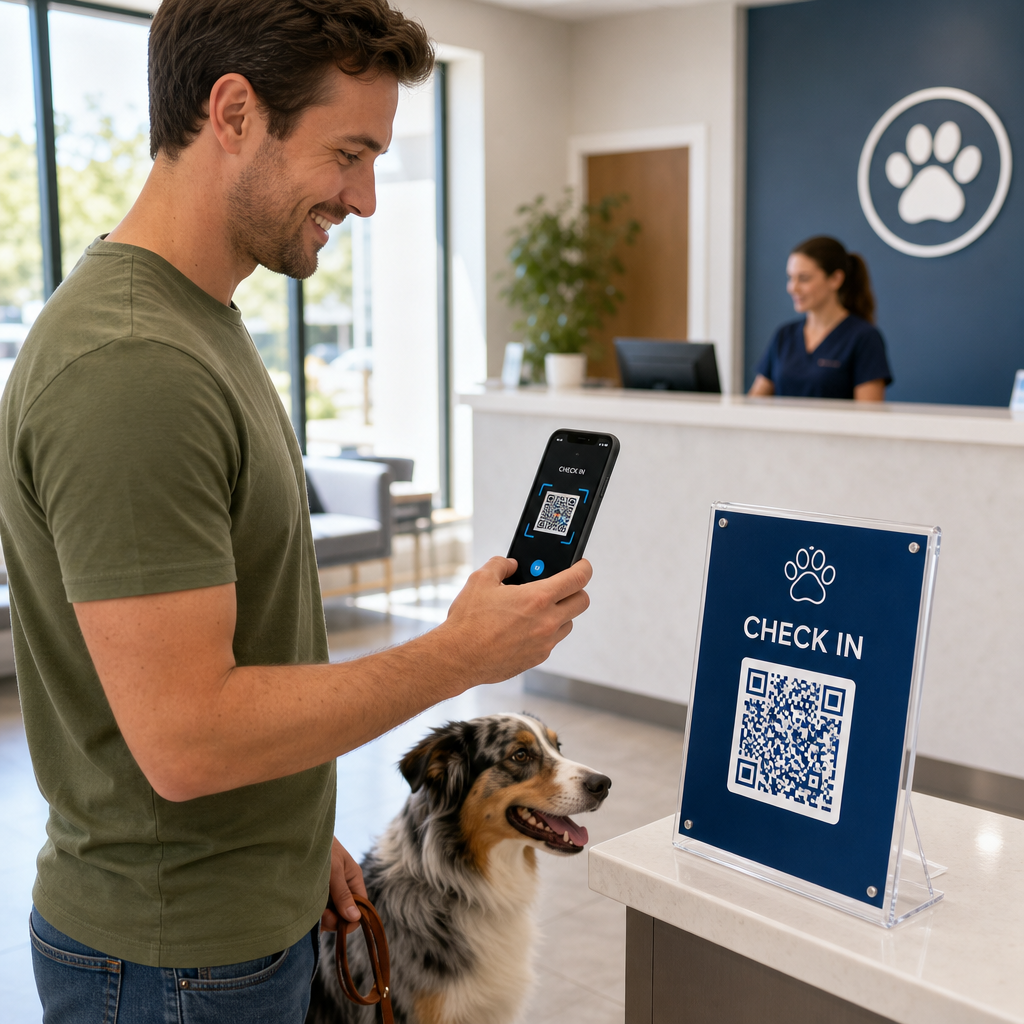
Vsakemu udeležencu pošljite njegovo edinstveno QR kodo v potrditvenem e-poštnem sporočilu. Na vhodu dogodka uslužbenec skenira kodo z uporabo katere koli standardne kamere pametnega telefona. Skeniranje odpre predizpolnjen obrazec, udeleženec potrdi ali odda, in zapis v CRM se posodobi s časovnim žigom prisotnosti.
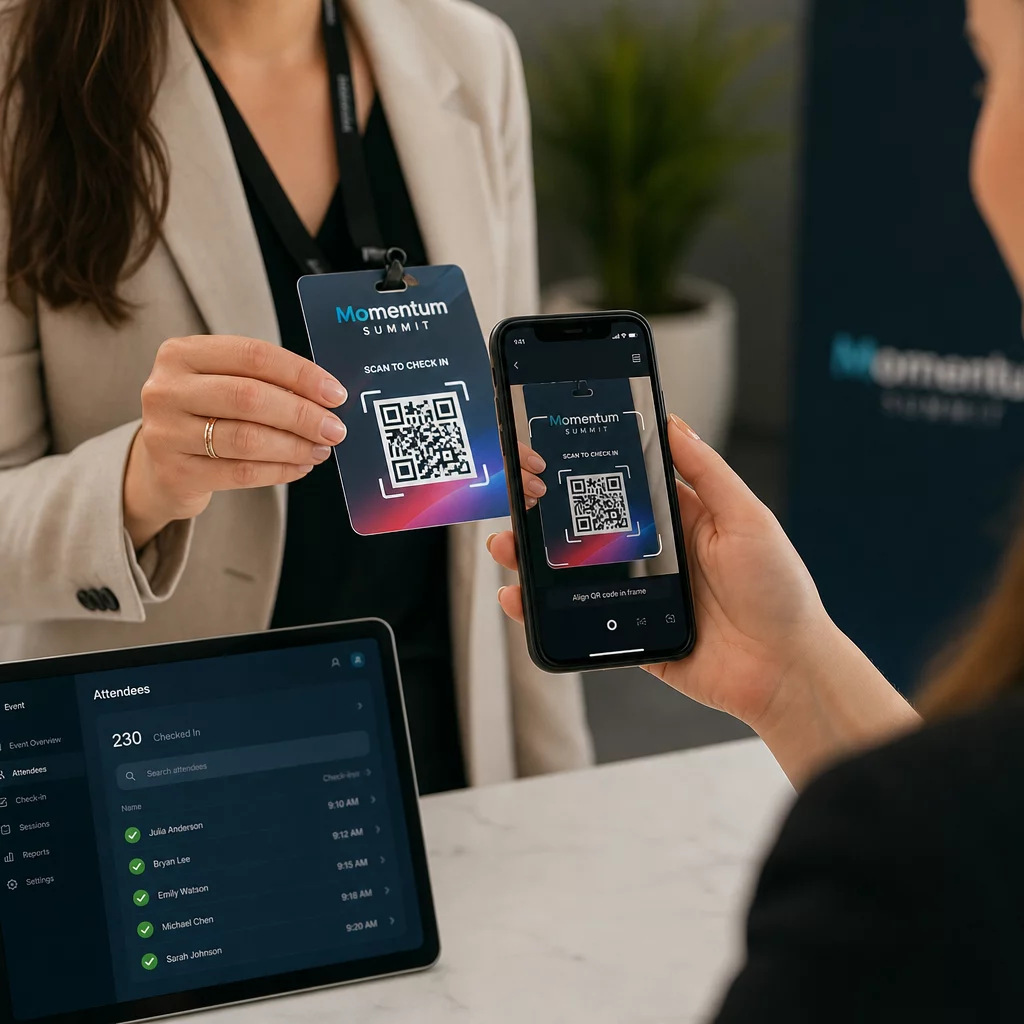
Za večje dogodke razmislite o postavitvi namenskih skenirnih postaj. Usposobite osebje, da drži skenirno napravo približno 30 cm od kode in da omogoči bliskavico kamere v slabih svetlobnih pogojih. Če tiskate kode na značke ali zapestnice, uporabite mat materiale namesto sijočih površin, da preprečite bleščanje, ki bi motilo skeniranje. Več podrobnosti o najboljših praksah fizične namestitve je na voljo v dokončni vodnik za QR kode za prijavo na dogodke.
Kako podatki o prisotnosti tečejo v vaš CRM
Skeniranje prijave sproži verigo dogodkov, ki se konča s posodobljenim zapisom kontakta. Tukaj je, kaj se zgodi na vsakem koraku:
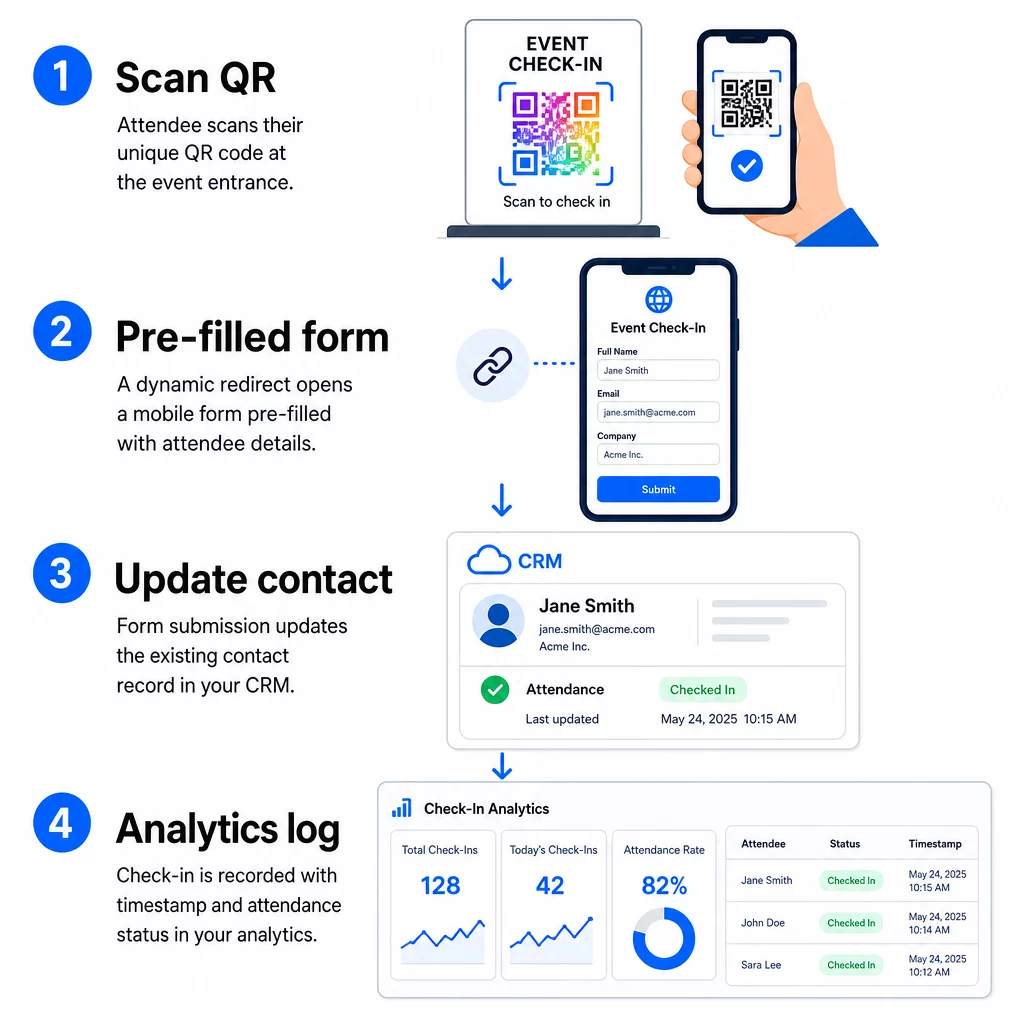
- Edinstvena QR koda udeleženca se skenira na vhodu.
- Dinamična preusmeritev naloži vnaprej izpolnjen obrazec za prijavo v brskalniku udeleženca.
- Udeleženec odda obrazec (ali pa se obrazec samodejno odda po kratki potrditvi).
- Oddaja obrazca, povezana z edinstvenim ID-jem kontakta, posodobi obstoječi zapis v CRM-ju s statusom prijave, časovnim žigom in morebitnimi dodatnimi zajetimi polji.
- Če vaš CRM podpira avtomatizacijo na podlagi webhookov, lahko oddaja hkrati sproži nadaljnje akcije: dodelitev naloge za spremljanje, pošiljanje e-pošte po dogodku ali posodobitev statusa kampanje.
Platforme, kot je HubSpot, shranjujejo statuse udeležbe – Registriran, Udeležen, Ni se pojavil, Preklican – neposredno na kartici marketinških dogodkov kontakta, kar vaši ekipi omogoča popolno zgodovino prisotnosti za vsak kontakt brez ročnega usklajevanja. Če želite izvedeti, kako širše povezati skeniranja z avtomatiziranimi dejanji CRM-ja, si oglejte vodnik o Avtomatizacija delovnega toka skeniranja QR kode.
Sledenje uspešnosti prijave z analitiko
Ker uporabljate dinamične kode, vsako skeniranje generira analitične podatke – ne le izpolnjen obrazec. Vaša nadzorna plošča QR kod zajema:
- Skupno število skeniranj proti edinstvenim skeniranjem – uporabno za ugotavljanje, ali je kdo večkrat skeniral svojo kodo
- Časovni žigi skeniranja – omogoča rekonstrukcijo vzorcev prihoda in identifikacijo obdobij največje prijave
- Vrsta naprave in operacijski sistem – pomaga vam optimizirati mobilno izkušnjo vašega obrazca za prijavo
- Geografska lokacija – potrjuje, da se skeniranja dogajajo na pričakovanem prizorišču
Ti podatki so poleg vaših evidenc prisotnosti v CRM-ju in vam zagotavljajo drugo raven preverjanja. Če oddaja obrazca kontakta ni uspela, vendar je bilo njegovo skeniranje QR kode zabeleženo, imate zapis za preiskavo. Za podrobnejši vpogled v to, kaj meriti in kako ukrepati, vodnik o analitiki QR kod za podjetja in ključnih metrikah zajema celotno sliko.
Prav tako lahko sledite skeniranjem QR kod in analitiki na ravni kampanje, segmentiranje po dogodku, časovnem obdobju ali posamezni kodi za primerjavo uspešnosti na več kontrolnih točkah.
Spremljajte udeležbo v realnem času Natančno si oglejte, kdo je skeniral, kdaj in s katere lokacije. Uporabite orodje za QR kode za udeležbo za uvedbo kod za prijavo z vgrajeno celotno analitiko skeniranja.
Pogoste težave in kako jih odpraviti
Pokvarjeni URL-ji po zamenjavi polja za združevanje. Vedno preizkusite svoj kodirani URL z resničnimi kontaktnimi podatki, preden pošljete kode udeležencem. Posebno pozornost posvetite stikom, katerih imena ali e-poštni naslovi vsebujejo posebne znake.
Podvojeni zapisi CRM, ustvarjeni ob prijavi. To se zgodi, ko URL obrazca ne vsebuje identifikatorja stika. Dodajte parameter ID stika v svojo predlogo URL-ja in potrdite, da je vaš CRM konfiguriran tako, da se ujema s tem poljem, namesto da ustvari nov zapis.
QR kode, ki prenehajo delovati po distribuciji. Tu se dinamične kode izkažejo. Če se vaš URL obrazca spremeni – ker ste zamenjali orodja za obrazce ali posodobili svojo domeno – lahko posodobite cilj na nadzorni plošči za upravljanje QR kod, ne da bi morali udeležencem ponovno distribuirati nove kode.
Kode, ki se pravilno skenirajo, vendar ne predizpolnijo obrazca. Preverite, ali vaše orodje za obrazce zahteva določena imena parametrov poizvedbe. Nekatere platforme uporabljajo `email`, medtem ko druge zahtevajo `entry.12345` (Google Forms) ali ključ polja po meri. Uskladite svojo predlogo URL-ja z pričakovanimi imeni parametrov vašega orodja za obrazce.
Napake pri skeniranju v slabih svetlobnih pogojih na vhodu. Zagotovite, da vaše natisnjene QR kode ustrezajo razmerju velikosti in razdalje 10:1: koda, skenirana z razdalje 10 palcev, mora biti široka vsaj 1 palec. Uporabite visokokontrastno tiskanje – temne module na belem ozadju – in se izogibajte sijočemu papirju ali laminatu.
Ključne ugotovitve
Dinamične QR kode za prijave v CRM delujejo, ker vsaka koda vsebuje identiteto kontakta, kodirano v ciljnem URL-ju, te podatke usmerja v obrazec, povezan z obstoječim zapisom, in samo skeniranje zabeleži kot ločen analitični dogodek. Rezultat je evidenca prisotnosti, ki je natančna, časovno žigosana in povezana z vašim CRM-jem brez ročnega vnosa podatkov.
Tehnične zahteve so preproste: CRM s polji za združevanje in spletnimi obrazci, ki sprejemajo parametre URL, pravilno kodirane dinamične URL-je in platformo za QR kode, ki podpira generiranje kod za posamezne kontakte in sledenje skeniranju. Če te tri elemente pravilno nastavite, potek dela prijave v veliki meri poteka samodejno.
Začnite graditi svoj sistem za prijavo z QR generator za dinamične QR kode – kreditna kartica ni potrebna za 14-dnevno preizkusno obdobje.
Pogosta vprašanja
Statična QR koda kodira fiksni URL neposredno v svoj vzorec in je ni mogoče spremeniti ali slediti po tiskanju. Dinamična QR koda uporablja kratko preusmeritveno povezavo, ki jo lahko kadar koli posodobite iz svoje nadzorne plošče, in vsako skeniranje je zabeleženo s podatki, vključno z časovnim žigom, vrsto naprave in lokacijo. Za prijave v CRM so dinamične kode bistvene, ker omogočajo personalizacijo URL-ja na kontakt in zagotavljajo analitiko, potrebno za preverjanje prisotnosti.
Dodajte edinstven identifikator CRM vašega kontakta kot parameter poizvedbe v URL za prijavo – na primer, `?contact_id={{contact.id}}`. Ko je obrazec oddan, vaš CRM uporabi ta identifikator za ujemanje oddaje z obstoječim zapisom, namesto da bi ustvaril novega. Večina platform CRM ima tudi nastavitev za združevanje po e-poštnem naslovu kot nadomestno možnost, kadar ni prisoten ID kontakta.
Da. Ker so kode dinamične, lahko kadar koli spremenite ciljni URL na nadzorni plošči za upravljanje QR kod. Natisnjena ali razdeljena koda ostane popolnoma enaka – spremeni se le cilj preusmeritve. To pomeni, da če se URL vašega obrazca spremeni, potem ko so bila poslana potrditvena e-poštna sporočila, bodo udeleženci z izvirnimi kodami še vedno dosegli pravilen obrazec.