Koja tehnologija za prijavu je prava za vaš događaj – i šta se dešava kada izaberete pogrešnu? Uska grla pri ulasku, deljenje akreditiva i nedostaci u praćenju u realnom vremenu koštaju organizatore vremena i poverenja posetilaca. Ovaj vodič objašnjava kako se QR kodovi, RFID i NFC porede za prijavu na događaje i kako da primenite pristup koji odgovara vašem podešavanju.
Kako QR kodovi, RFID i NFC rade drugačije
Pre nego što izaberete sistem za prijavu, korisno je razumeti šta svaka tehnologija zapravo radi – i gde svaka od njih ima nedostatke.
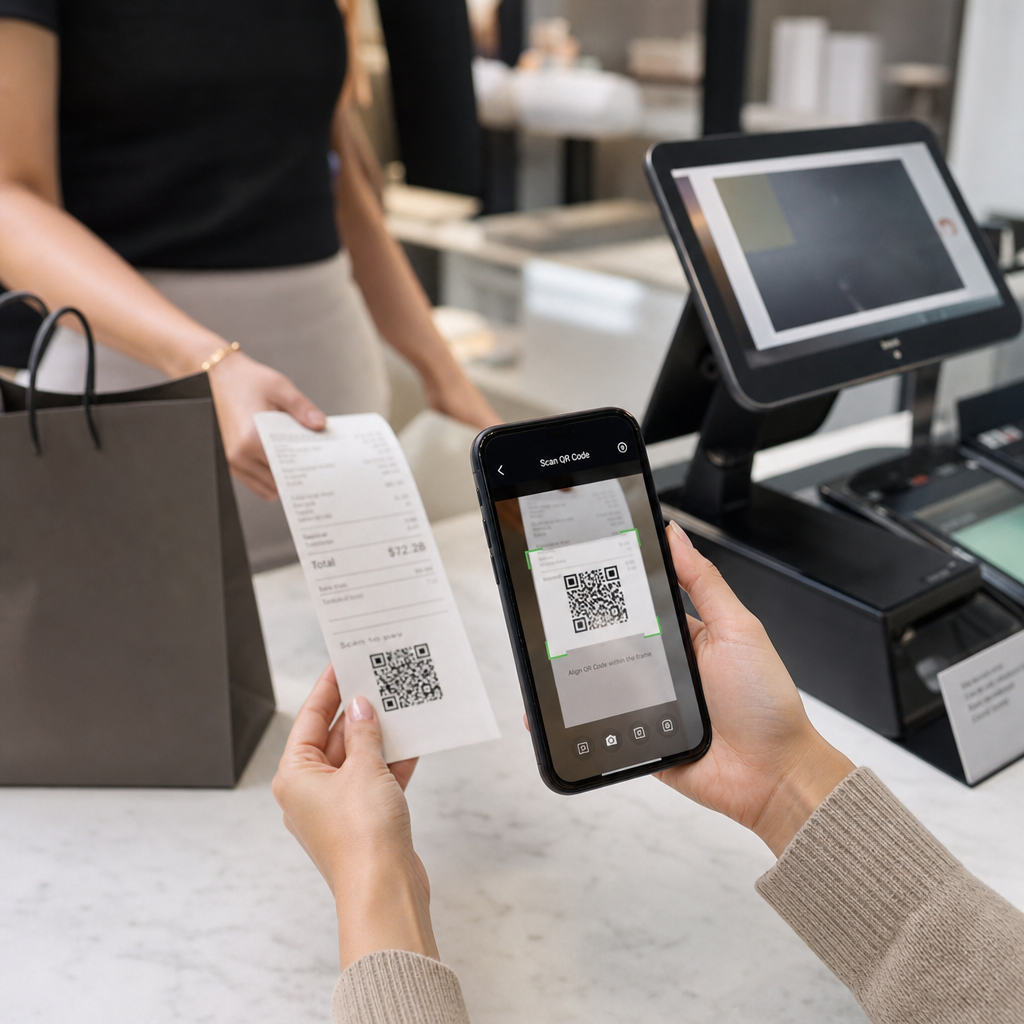
КР кодови su vizuelni kodovi zasnovani na kameri. Skener ili kamera pametnog telefona čita obrazac, dekodira informacije i pronalazi zapis o posetiocu. Zahtevaju direktnu vidljivost i najbolje funkcionišu kada je kod čist, dobro osvetljen i neoštećen. Prijava putem QR koda je najjeftinija opcija za implementaciju: posetioci dobijaju kod putem e-pošte ili SMS-a, a osoblje ga skenira bilo kojim uređajem opremljenim kamerom.
RFID (Radiofrekventna identifikacija) koristi radio talase između taga ugrađenog u bedž ili narukvicu i uređaja za čitanje. Posetioci ne moraju ništa da rade – samo prođu pored čitača i sistem beleži njihov ulazak. RFID je potpuno pasivan sa strane posetioca, što ga čini izuzetno brzim pri velikom broju ljudi. Čitači mogu detektovati tagove na udaljenosti od nekoliko stopa, što znači da ulaz može biti potpuno bez osoblja na kapiji.
NFC (Komunikacija bliskog polja) je podskup RFID tehnologije kratkog dometa, zahtevajući da bedž ili narukvica budu unutar otprilike 1–4 centimetra od čitača – u suštini dodir. Kratak domet je nameran: NFC nudi šifrovanu, dvosmernu komunikaciju koju je teško klonirati, što ga čini najjačim izborom za sigurnu kontrolu pristupa, bezgotovinsko plaćanje i upravljanje VIP zonama.
Poređenje tri tehnologije uporedo
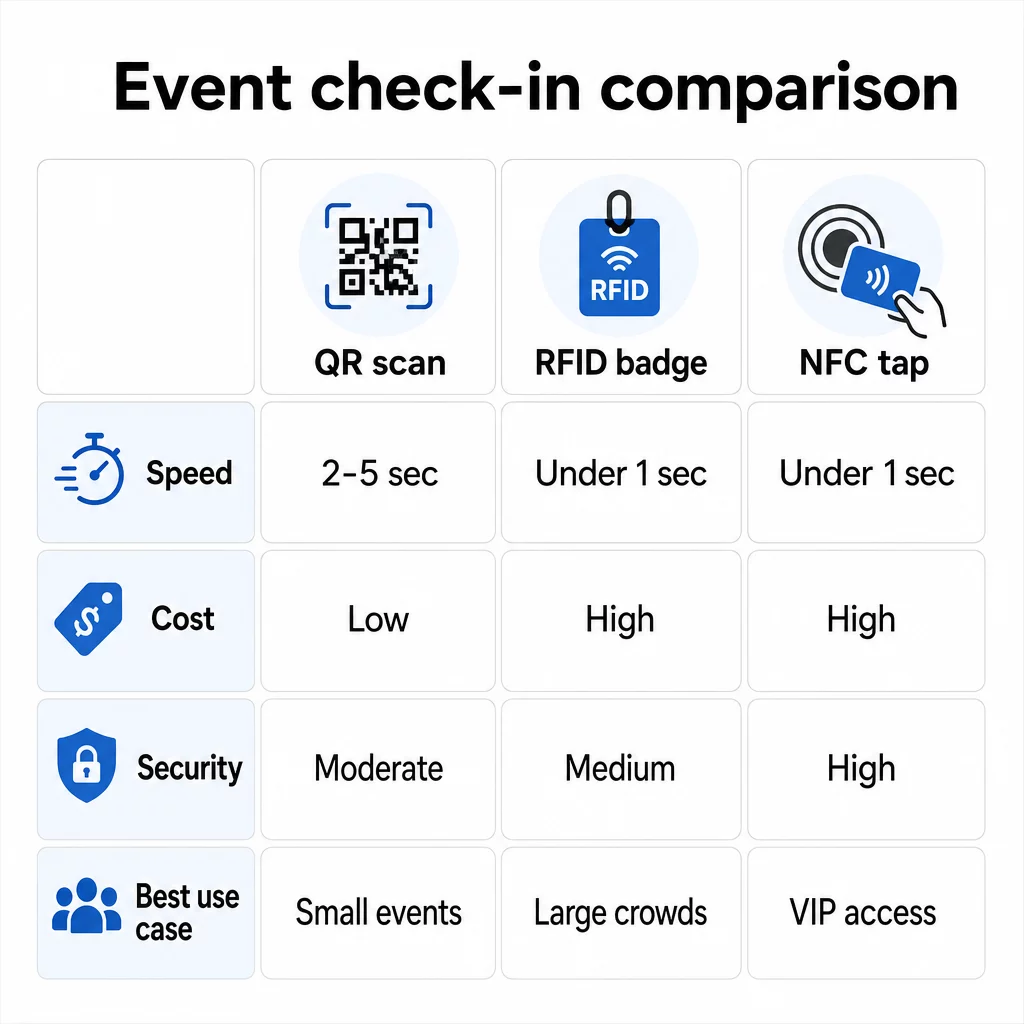
| FUNKCIJA | КР код | RFID | NFC |
|---|---|---|---|
| KAKO RADI | Kamera skenira vizuelni kod | Radio talasi, bez direktne vidljivosti | Dodir kratkog dometa (1–4 cm) |
| Brzina po ulasku | 2–5 sekundi | Ispod 1 sekunde, bez ruku | Ispod 1 sekunde |
| Troškovi infrastrukture | Niski (bilo koji uređaj sa kamerom) | Visoki (čitači + kodirane značke) | Visoki (čitači + kodirane značke) |
| Сигурност | Umereni (lako se deli putem snimka ekrana) | Varijabilno | Visoki (šifrovano, teško za kloniranje) |
| Mogućnost rada van mreže | Zavisi od platforme | Generalno da | Generalno da |
| Mogućnost ponovne upotrebe | Jednokratna upotreba ili jednokratno štampanje | Višekratna upotreba tokom dana ili događaja | Višekratna upotreba tokom dana ili događaja |
| Praćenje kretanja u realnom vremenu | Samo na mestima skeniranja | Preko celog mesta događaja | Preko definisanih zona |
| Najbolje za | Mali do srednji događaji, nizak budžet | Događaji sa velikim brojem posetilaca, festivali | Siguran pristup, VIP zone, plaćanja |
QR kodovi su brzi, ali krhki. Dobro funkcionišu u idealnim uslovima, ali postaju uska grla kada se posetiocima isprazne baterije, ekrani su napukli ili veza sa mrežom opadne. RFID obrađuje velike gužve sa minimalnim trenjem. NFC nudi najjači sigurnosni profil, ali zahteva najbližu fizičku blizinu.
Kada koristiti QR kodove za prijavu
QR kodovi su pravi izbor za većinu malih do srednjih događaja, jednodnevnih konferencija i svaku situaciju gde su budžet ili vreme za postavljanje ograničeni. Možete implementirati kompletan sistem prijave putem QR kodova bez specijalizovanog hardvera – samo pouzdana platforma za QR kodove i uređaj opremljen kamerom na svakoj ulaznoj tački.
Praktične prednosti QR kodova uključuju:
- Nije potreban hardver za posetioce – kodovi se nalaze na ekranu telefona ili štampanoj karti
- Laka distribucija – šaljite putem e-pošte, SMS-a ili aplikacija za razmenu poruka pre događaja
- Dinamičko ažuriranje – ako se vaše mesto događaja promeni ili se tok prijave pomeri, možete ažurirati na šta dinamički QR kod ukazuje bez ponovnog štampanja bilo čega
- Analitika skeniranja – pratite vremena prijave, tipove uređaja i obim ulaza u realnom vremenu
Glavne slabosti koje treba uzeti u obzir: QR kodovi sami po sebi ne verifikuju identitet, već samo posedovanje koda. Lako ih je snimiti i deliti. I ne prate pasivno gde posetioci idu između tačaka skeniranja.
Da biste zatvorili neke od ovih praznina, dodelite svakom registrovanom učesniku jedinstven, jednokratni QR kod koji se označava kao iskorišćen pri prvom skeniranju. Ovo sprečava duplikate i deljenje akreditiva bez dodavanja dodatnog hardvera. Možete saznati kako ovo funkcioniše u praksi u ultimativni vodič za QR kodove za prijavu na događaje.
Postavite kodove za prijavu na događaj koji se mogu pratiti Kreirajte personalizovane, dinamičke QR kodove za svakog posetioca i pratite podatke o skeniranju u realnom vremenu sa jedne kontrolne table. Počnite sa Pageloot Generator QR kodova za događaje.
Kada umesto toga koristiti RFID ili NFC
Za velike festivale, višednevne konferencije ili bilo koji događaj sa 1.000+ posetilaca koji se kreću kroz više pristupnih zona, RFID i NFC nude značajno bolji protok i dubinu praćenja.
RFID ima smisla kada:
- Potrebne su vam potpuno automatizovane, bespilotne ulazne kapije
- Posetioci se kreću kroz više sesija ili područja i potrebno vam je pasivno praćenje lokacije
- Deljenje akreditiva predstavlja značajan rizik od prevare
- Ionako izdajete fizičke narukvice ili bedževe
NFC ima smisla kada:
- Potrebna vam je kontrola pristupa zasnovana na zonama sa šifrovanim akreditivima (VIP, bekstejdž, štampa)
- Vodite bezgotovinsko plaćanje pored upravljanja ulazom
- Želite dvosmernu razmenu podataka između bedževa i čitača
- Maksimalna otpornost na kloniranje je bezbednosni zahtev
Kompromis je infrastruktura. RFID i NFC oba zahtevaju početno ulaganje u čitače, kodirane bedževe ili narukvice, i softversku integraciju sa vašom platformom za upravljanje događajima. Takođe morate izdati akreditive unapred, što dodaje logistički korak pre događaja koji sistemi QR kodova u potpunosti preskaču.
Podešavanje prijave putem QR koda: Pristup korak po korak
Ako ste odlučili da su QR kodovi pravi izbor, evo kako da ih pravilno primenite.
Izaberite dinamičke umesto statičkih kodova
Statički QR kodovi zaključavaju fiksnu destinaciju u trenutku kreiranja. Ako se URL adresa vašeg obrasca za prijavu promeni, ili vaša platforma za događaje padne i morate preusmeriti posetioce, morate ponovo štampati. Dinamički QR kodovi vam omogućavaju da ažurirate destinaciju u bilo kom trenutku – čak i tokom događaja – bez izdavanja novih kodova.
Za događaje gde se bilo koji detalj može promeniti, dinamički kodovi su praktična podrazumevana opcija. Platforme poput Pageloot-a generator QR kodova omogućavaju vam da kreirate kodove koji se mogu uređivati i pratite svako skeniranje u realnom vremenu.
Dodelite pojedinačne kodove svakom posetiocu
Jedan kod po posetiocu sprečava deljenje, stvara zapis o prijavi koji se može revidirati i omogućava vašem sistemu da označi svaki kod kao iskorišćen pri prvom skeniranju. Distribuirajte kodove putem e-pošte (ugrađene kao slika sa PDF rezervnom kopijom za preuzimanje) i putem SMS-a za posetioce koji možda ne proveravaju e-poštu pouzdano. Pošaljite poruke podsetnika 48 i 24 sata pre događaja kako biste smanjili broj ljudi koji dolaze bez svog koda.
Ako gradite integrisaniji sistem – gde QR kodovi unapred popunjavaju podatke o posetiocima u CRM ili obrazac prilikom skeniranja – vodič o izgradnji dinamičkih QR kodova za prijave u CRM prolazi kroz tehničku implementaciju.
Podesite svoj obrazac za praćenje prisustva
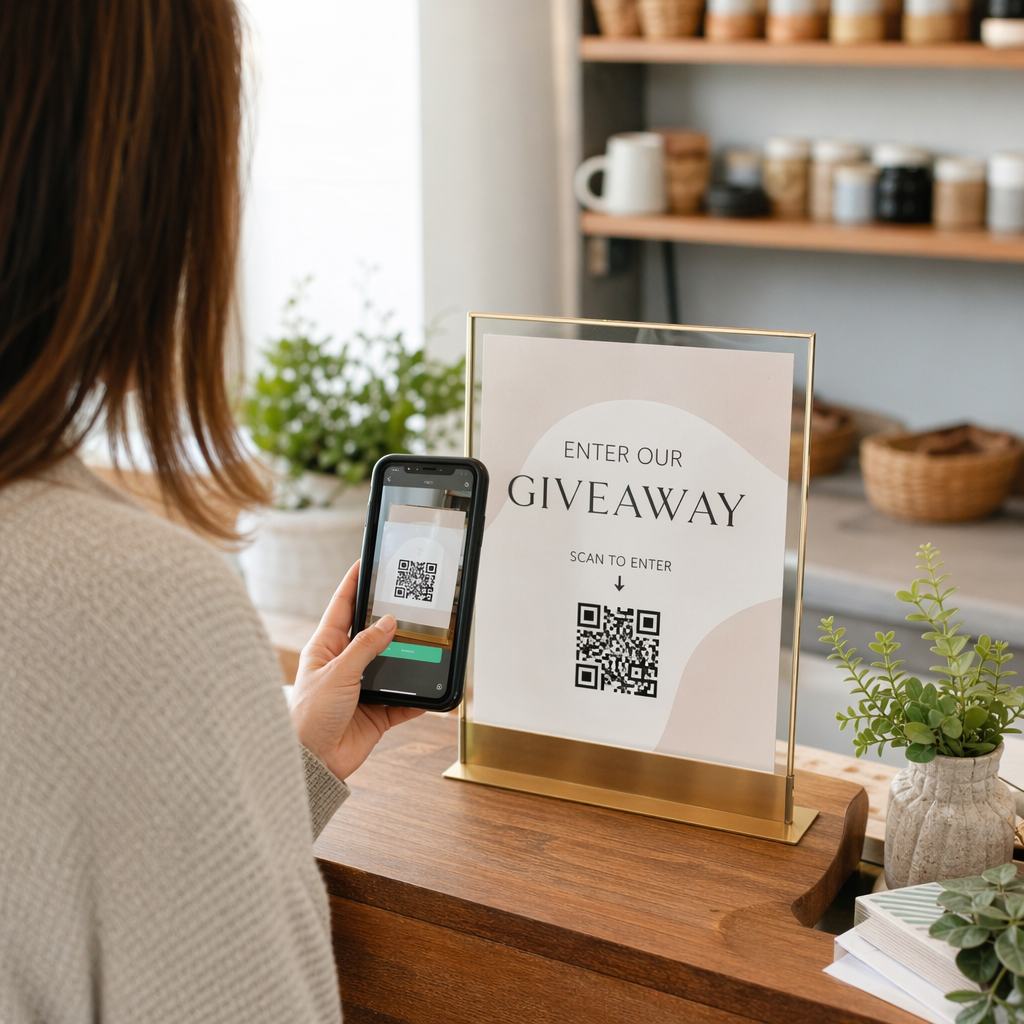
Jednostavan i efikasan pristup: kreirajte obrazac za prijavu na Google Forms ili sličnom alatu, a zatim generišite QR kod koji direktno vodi do njega. Kada posetioci skeniraju, oni podnose svoje informacije, a podaci se unose u vašu kontrolnu tablu za praćenje. Ovaj QR kod za praćenje prisustva Podešavanje na Pagelootu podržava upravo ovaj tok posla – organizatori mogu videti sve poslate podatke u generatoru nakon što posetioci skeniraju i pošalju.
Za događaje koji koriste QR kodove na ulaznicama, povežite kod sa sigurnom tačkom za validaciju kako bi osoblje moglo potvrditi identitet posetioca u realnom vremenu, umesto da se oslanjaju na pasivno slanje obrasca.
Pažljivo planirajte postavljanje
Gde postavljate QR kodove je važno koliko i kako ih kreirate. Ključni principi postavljanja:
- Postavite stanice za skeniranje na visini od oko 4 stope kako bi se svi korisnici udobno smestili
- Postavite više punktova za prijavu za događaje sa preko 200 posetilaca kako biste sprečili zagušenja
- Obezbedite jako, ravnomerno osvetljenje na svakoj stanici – posebno za večernje ili unutrašnje događaje
- Postavite QR kodove na izlaznim tačkama povezane sa obrascem za povratne informacije kako bi gosti mogli da podele svoja razmišljanja prilikom odlaska
- Za događaje zasnovane na sesijama, postavite pojedinačne QR kodove na svakom ulazu u sesiju za praćenje učešća
Prošetajte mestom događaja pre samog događaja kao da ste posetilac. Proverite da li se kodovi čisto skeniraju iz više uglova i pod stvarnim uslovima osvetljenja prostora.
Dizajnirajte kodove koji se pouzdano skeniraju
Vizuelni dizajn QR koda direktno utiče na to da li se dosledno skenira na različitim uređajima i u različitim okruženjima.
- Minimalna veličina: 0,8 × 0,8 inča (2 × 2 cm) za skeniranje izbliza; veći za ekrane ili signalizaciju
- Kontrast: tamni moduli na svetloj pozadini, sa kontrastnim odnosom od najmanje 4:1
- Ispravka greške: koristite nivo H kada dodajete logo u centar koda, jer omogućava da do 30% koda bude zaklonjeno, a da pritom ostane čitljivo
- Za štampane karte koje se mogu saviti ili zgužvati, koristite ravnu mat štampu umesto sjajnih završnih obrada kako biste smanjili odsjaj
- Dodajte kratak poziv na akciju ispod koda: “Skenirajte za prijavu” uklanja dvosmislenost za posetioce
Možete dodati boje brenda i logo vašeg događaja uz zadržavanje mogućnosti skeniranja – alati poput Pageloot-ovog generatora automatski primenjuju ispravku greške kada su logotipi ugrađeni. Testirajte svaki kod na više modela telefona i u različitim svetlosnim uslovima pre distribucije.
Za detaljniji uvid u to kako kodove učiniti dostupnim svim posetiocima, uključujući one sa oštećenjem vida ili bez pametnih telefona, pogledajte Vodič za RSVP QR kodove detaljno pokriva najbolje prakse pristupačnosti.
Praćenje prijava u realnom vremenu
Jedna od praktičnih prednosti sistema zasnovanih na QR kodovima u odnosu na mnoge RFID implementacije je dostupna analitika u realnom vremenu bez specijalizovanog softvera.
Metrike koje vredi pratiti tokom događaja:
- Ukupan broj prijava u bilo kom trenutku
- Prosečno vreme obrade skeniranja po posetiocu
- Dužina reda i prozori vršnog dolaska
- Broj skeniranja specifičnih za sesiju (ako se koriste QR kodovi sesije)
Са Праћење КР кода na platformi kao što je Pageloot, svako skeniranje beleži vremensku oznaku, tip uređaja i lokaciju, dajući vam živu sliku o tome gde se okupljaju gužve. Ako se jedna ulazna traka zaguši, možete odmah preusmeriti osoblje. Ako QR kod sesije pokazuje neočekivano veliku posećenost, možete prilagoditi kapacitet prostorije pre nego što to postane problem.
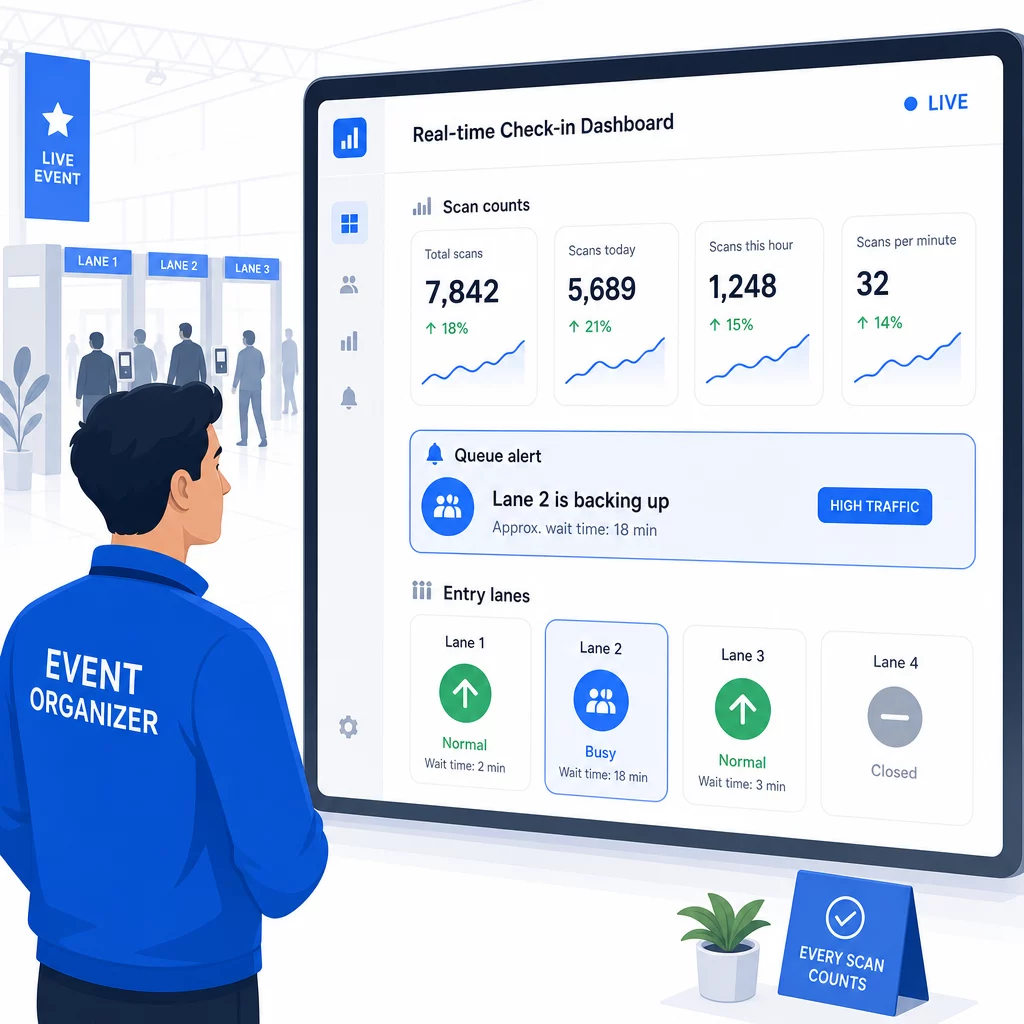
Nakon događaja, ovi podaci služe za donošenje odluka za sledeći put: kada otvoriti vrata, koliko ulaznih traka vam je potrebno i koje su sesije privukle najviše angažovanja. Alati za Praćenje događaja putem QR koda nude izveštaje nakon događaja koji se direktno integrišu u tokove rada planiranja.
Bezbednost i privatnost podataka
Sistemi za prijavu obrađuju lične podatke, što stvara i pravne i reputacione obaveze.
Konkretno za sisteme QR kodova:
- Koristite jednokratne kodove koji se deaktiviraju nakon prvog skeniranja kako biste sprečili deljenje akreditiva
- Šifrujte sve podatke u tranzitu i u mirovanju – potvrdite da vaša QR platforma to podržava pre nego što se obavežete
- Prikupljajte samo ono što vam je potrebno: ime, tip karte i vreme prijave su obično dovoljni; kućne adrese i brojevi telefona retko su potrebni
- Primenite kontrole pristupa tako da samo osoblje koje treba podatke o posetiocima može da ih vidi
- Uključite jasno obaveštenje o privatnosti na vašem obrascu za registraciju objašnjavajući šta prikupljate, zašto i koliko dugo to čuvate
Za događaje sa posetiocima iz Kalifornije, usklađenost sa CCPA je obavezna bez obzira na to gde se vaš događaj održava. Posetioci imaju pravo da znaju koje ste podatke prikupili i da zatraže njihovo brisanje. Za smernice o ugradnji ovih zaštita u vaš tok rada sa ulaznicama od samog početka, vodič za sigurne QR kod ulaznice za događaje detaljno pokriva šifrovanje, tokenizaciju i jednokratnu validaciju.
Prilikom procene platformi za QR kodove, tražite usklađenost sa SOC 2, podatke uskladištene na američkim serverima ako je vaš događaj domaći, revizorske zapise za pristup podacima i jasnu politiku koja navodi da zadržavate puno vlasništvo nad podacima o vašim posetiocima.
Rezervni planovi za slučaj kvara tehnologije
Čak i dobro testirani sistemi nailaze na probleme na dan događaja. Izgradite svoj rezervni plan pre nego što vam zatreba.
Uobičajeni problemi sa skeniranjem i brza rešenja:
- Loše osvetljenje: dodajte LED radno osvetljenje na svakoj stanici
- Oštećeni ili nečitljivi kodovi: držite tablet na svakoj stanici kako bi osoblje moglo da pristupi digitalnoj verziji iz evidencije posetilaca
- Nekompatibilnost uređaja: zamolite posetioce da drže telefon 6–8 inča od skenera; ako izvorna aplikacija kamere ne uspe, namenska aplikacija za skeniranje QR kodova obično rešava problem
Za kvarove mreže:
- Koristite platformu koja lokalno skladišti podatke o prijavi i sinhronizuje ih kada se povezanost vrati
- Držite dva rezervna uređaja za skeniranje na svakoj ulaznoj tački
Ako svi digitalni sistemi zakažu:
- Imajte abecedni štampani spisak posetilaca na svakoj ulaznoj tački
- Uputite osoblje kako da pretražuje po imenu, rukuje izgubljenim kodovima i izdaje privremene bedževe
- Koristite pečate ili nalepnice u boji za označavanje ručnih prijava i sprečavanje duplih unosa
Za događaje sa VIP nivoima ili ograničenim zonama, unapred odštampajte privremene bedževe u boji pre događaja kako bi osoblje moglo da upravlja nivoima pristupa bez oslanjanja na digitalni sistem. Jasno saopštite sva kašnjenja: “Koristimo naš rezervni sistem da vas što pre uvedemo” je dovoljno da se očuva pozitivno iskustvo posetilaca tokom tehničkih poteškoća.
Automatizacija praćenja nakon prijave
Podaci o prijavi koje prikupite postaju vredniji nakon završetka događaja. Povezivanjem vašeg sistema za skeniranje QR kodova sa vašom e-poštom ili marketinškom platformom, možete slati segmentirane poruke za praćenje na osnovu onoga što je svaki posetilac zaista uradio.
Praktična post-događajna automatizacija:
- Pošaljite e-poruke zahvalnosti u roku od 2 sata od završetka događaja, uključujući linkove do slajdova ili resursa
- Za događaje sa više sesija, koristite podatke o skeniranju QR koda specifične za sesiju da biste poslali samo sadržaj relevantan za ono čemu je svaki učesnik prisustvovao
- Podelite ankete za povratne informacije 24–48 sati nakon događaja – neka imaju pet pitanja ili manje i ponudite mali podsticaj za popunjavanje
- Za događaje umrežavanja, sastavite e-poruku sa sažetkom veza iz podataka skeniranja kako bi učesnici imali evidenciju o tome koga su upoznali
Pratite stope otvaranja i stope klikova na porukama za praćenje kako biste kalibrisali vreme i sadržaj za buduće događaje.
Često postavljana pitanja
Zavisi od veličine vašeg događaja, budžeta i sigurnosnih zahteva. QR kodovi su najjeftinija opcija i dobro funkcionišu za male i srednje događaje gde posetioci donose sopstvene uređaje. RFID odgovara događajima sa velikim brojem posetilaca gde vam je potreban pasivan ulaz bez ruku za hiljade posetilaca. NFC je najjači izbor kada vam je potrebna šifrovana kontrola pristupa zasnovana na zonama, bezgotovinsko plaćanje ili višekratna upotreba akreditiva tokom više dana. Većina događaja sa manje od 500 posetilaca može obaviti nesmetanu prijavu u potpunosti pomoću QR kodova i pouzdane platforme.
Dodeli jedinstveni QR kod svakom registrovanom učesniku i konfiguriši svoj sistem da označi svaki kod kao iskorišćen odmah nakon prvog skeniranja. Jednom skeniran, kod se ne može ponovo koristiti. Dinamički QR kodovi upareni sa pozadinskim sistemom za validaciju u realnom vremenu trenutno hvataju pokušaje duplog skeniranja. Za događaje gde je provera identiteta važna, obuči osoblje da unakrsno proveri ličnu kartu sa fotografijom sa imenom sa registracije kada se kod skenira.
Imajte odštampan, abecedni spisak prisutnih na svakom ulazu i obučite osoblje da ručno prijavljuje prisutne koristeći ime i broj karte. Držite najmanje dva rezervna uređaja za skeniranje po ulazu sa napunjenim baterijama ili prenosnim punjačima. Koristite platformu koja čuva prijave lokalno i sinhronizuje se kada se vrati internet konekcija tako da se podaci ne izgube. Upoznajte svoj tim sa ručnim procesom pre početka događaja kako bi prelaz bio neometan ako je potrebno.