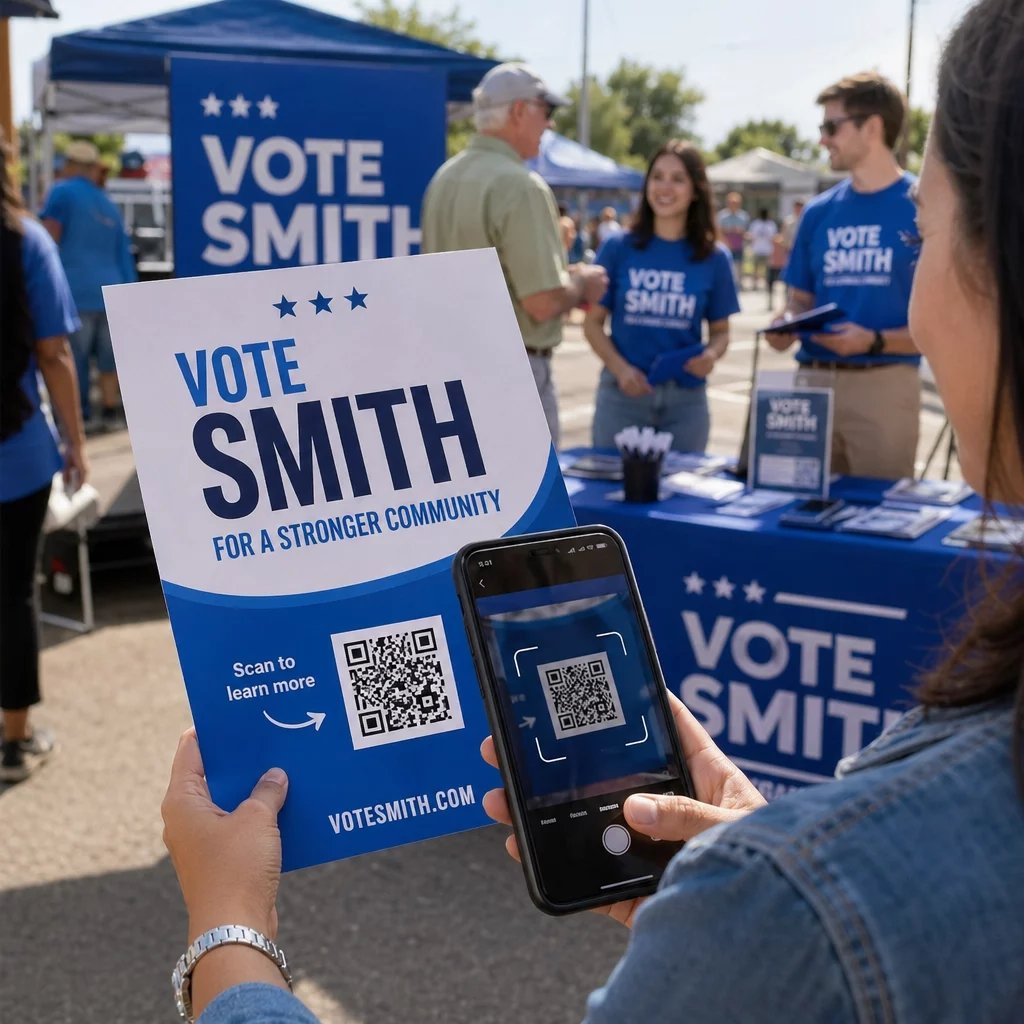
Are you running a political campaign and unsure how to connect with voters across print, digital, and in-person touchpoints? Without a clear strategy, campaign materials get ignored and outreach efforts fall flat. This guide explains how to deploy QR codes effectively across every stage of a political campaign – from voter registration to fundraising to election-day communication.
Why QR Codes Work for Political Outreach
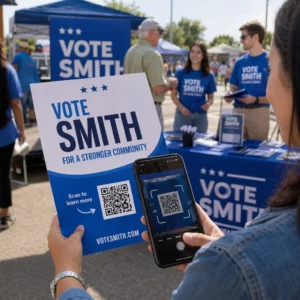
Political campaigns operate on tight timelines with limited budgets, and every touchpoint with a voter matters. QR codes bridge the gap between physical materials – yard signs, flyers, mailers, rally banners – and the digital content voters actually engage with. Rather than expecting someone to type a long URL into their browser, a QR code lets them scan and land exactly where you need them in seconds.
The adoption curve is in your favor. U.S. adult smartphone users scanning QR codes reached 83.4 million in 2022, with projections reaching 102.6 million by 2026. That means the behavior is already mainstream across age groups, including older voters who might have seemed like an unlikely audience just a few years ago.
Campaigns that use QR codes on flyers and posters can pack far more information into a single piece of print material – without cluttering the design. A clean yard sign or door hanger with a single scannable code can lead voters to a full policy platform, event registration page, or donation portal.
Core Use Cases for Campaign QR Codes
Voter Registration and Event Sign-Ups
Encouraging voter registration is one of the highest-impact activities a campaign can undertake, especially in states that support online registration. A QR code on a mailer or tabled handout can link directly to a state registration portal or a campaign-hosted landing page with step-by-step instructions.
For campaign events – rallies, town halls, canvassing coordination meetings – you can use a Google Form QR code to collect RSVPs and contact information on the spot. Place the code on event flyers or at sign-in tables so supporters can register without your volunteers needing to manually collect and transcribe details.
Fundraising and Donations
Asking for donations in person or on a flyer is much more effective when supporters can act on it immediately. A QR code that links directly to your campaign’s donation page removes every barrier between intention and action. For charity-style fundraising events, the same principles that apply to QR codes for charity fundraisers apply here – prominently place the code with clear context about what the donation supports.
Drive Donations Directly from Print Materials Link your QR code directly to your campaign donation page and make it easy for supporters to give on the spot. Use the Link QR Code Generator to create a scannable code for any URL in seconds.
Distributing Campaign Materials and Voter Guides
Lengthy policy documents, candidate bios, and voting guides are difficult to fit on a palm card or door hanger. A PDF QR code solves this cleanly – your printed material stays concise while voters can access the full document by scanning. This is especially useful for endorsement sheets, ballot measure explainers, or multi-language voter information.
Directing Supporters to Your Location or Headquarters
Whether you’re hosting a campaign office open house or directing volunteers to a canvassing meet-up point, a Google Maps QR code opens navigation instantly when scanned. Place it on invitations, local newspaper ads, or community bulletin board postings so supporters never have to search for you.
Collecting Polls and Survey Data
Voter sentiment is data. A QR code linking to a quick survey or poll gives your campaign real-time feedback without requiring volunteers to conduct lengthy phone interviews. Place survey QR codes in high-dwell locations – waiting areas, community centers, or campaign literature left at local businesses – where people have a moment to engage. A Google Form QR code is a straightforward way to build and deploy these surveys without technical complexity.
Why Dynamic QR Codes Matter for Campaigns
Political campaigns change fast. Event locations shift, donation pages update, and messaging evolves. If you print thousands of flyers with a static QR code and the destination URL changes, those materials become useless overnight.
Dynamic QR codes let you update the destination URL after the code has already been printed and distributed – without reprinting anything. This is a critical advantage for any campaign running across multiple print runs over weeks or months. Beyond flexibility, dynamic codes also provide scan analytics: you can track how many people scanned each code, what devices they used, and where scans originated geographically.
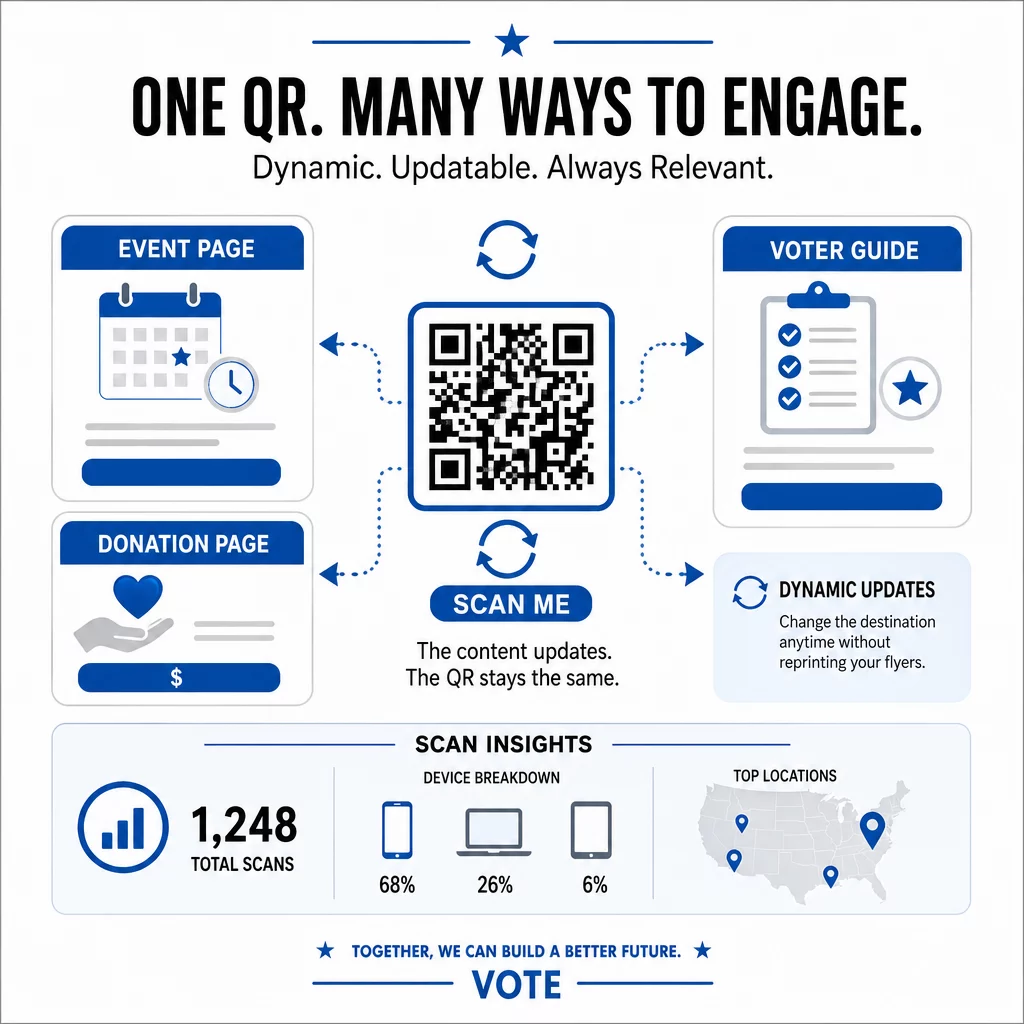
That scan data lets your team identify which materials are resonating. If your downtown rally poster generates five times more scans than your neighborhood mailer, that’s actionable intelligence for your next print run. You can read more about how QR code tracking works and how to build it into your campaign workflow.
Update Your Campaign Links Without Reprinting Use dynamic QR codes to keep all your printed materials current throughout the campaign. Manage every code and view scan analytics from a single dashboard with the Link QR Code Generator.
FEC Disclaimer Requirements for Campaign QR Codes
Before you print or publish any QR code for a political campaign, you need to understand disclaimer requirements set by the Federal Election Commission (FEC). Any public communication made by a political committee must include a disclaimer – and QR codes are no exception.
For printed materials, disclaimers must appear in a printed box set apart from other content. For digital communications accessed via a QR code – including pages on websites, apps, and digital platforms – the disclaimer must identify who paid for the communication and whether it was authorized by a candidate. These disclaimers must be viewable without requiring additional user action, clearly readable, and shown with a reasonable degree of color contrast.
When a full disclaimer cannot fit within the space constraints of the communication itself, the FEC allows an adapted disclaimer: a payment statement paired with a mechanism that lets users reach the full disclaimer in one additional step. This adapted format may be relevant for compact QR code placements where space is limited.
If your campaign sends text messages that incorporate QR codes, those messages must identify the sender and include clear opt-out instructions such as “Reply STOP to opt out.” Opt-outs must be honored promptly.
Disclaimer rules are detailed and campaign-specific. Consult your campaign’s legal counsel to confirm your materials comply with current FEC guidance before distribution.
Design and Placement Best Practices
A QR code that nobody scans – or that fails to scan – is wasted print real estate. A few technical principles make the difference between a code that works reliably and one that frustrates supporters.
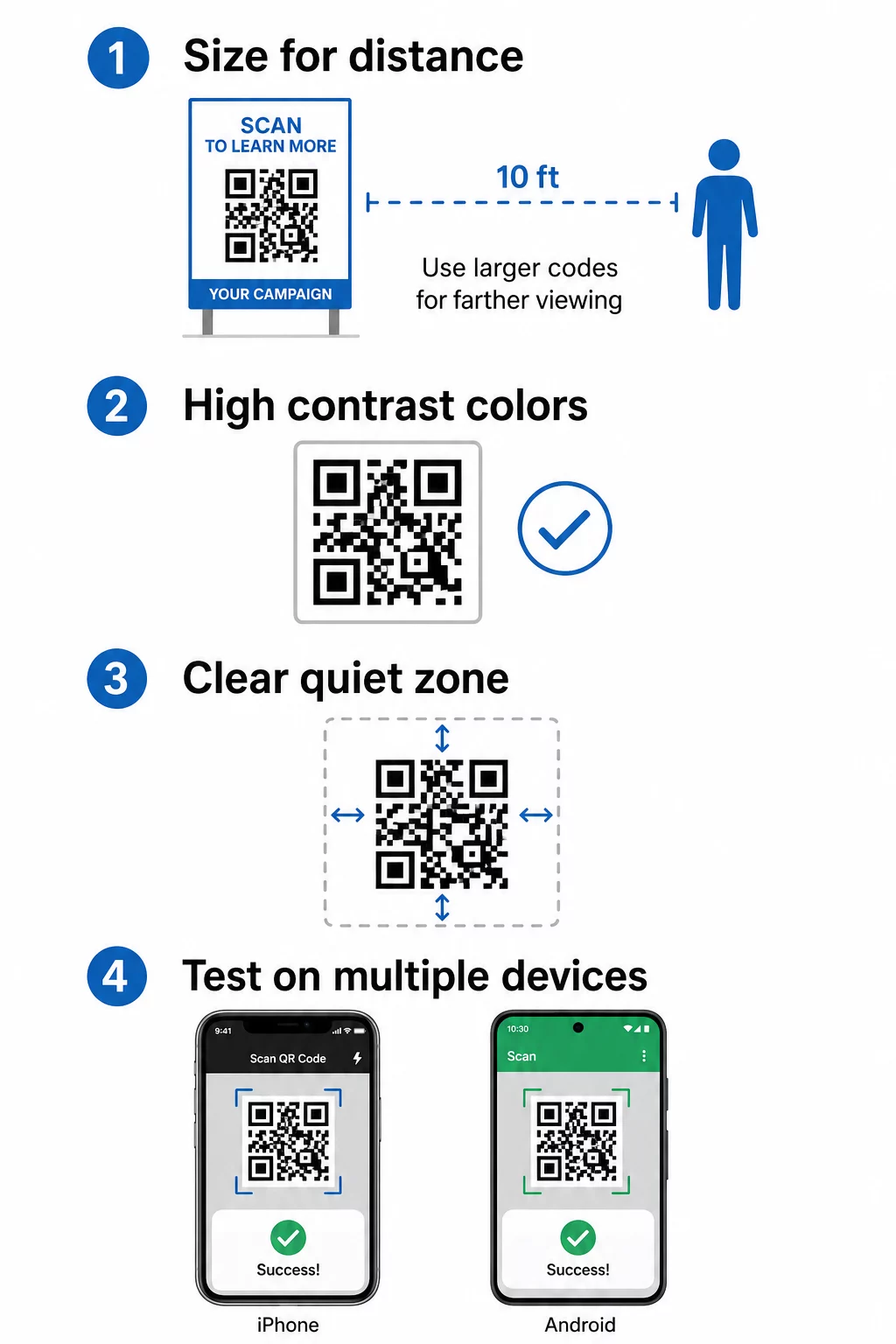
Size matters for scanning distance. Follow the 10:1 rule: for every 10 cm of expected scanning distance, your QR code should be at least 1 cm wide. For close-range materials like palm cards or table signage, a minimum of 2 × 2 cm is required. For posters or yard signs viewed from several feet away, scale up significantly. You can find detailed guidance on QR code sizing for different print materials.
Contrast determines scannability. Dark QR patterns on a light background are the most reliable combination. For small codes, aim for a contrast ratio of at least 4.5:1; for larger codes, 3:1 is a workable minimum. Avoid gradients, reversed colors (light on dark), and low-contrast brand color combinations. Detailed contrast guidelines are covered in the QR code color contrast best practices guide.
Keep quiet zones clear. The quiet zone – the empty border surrounding the QR code – allows scanners to detect the code edges. Crowding it with text, imagery, or design elements disrupts scanning. Maintain a clear margin on all sides.
Brand your codes. A QR code with your campaign logo in the center is more recognizable and builds trust with voters. Branded codes also stand out on busy printed materials where a plain black-and-white square might get overlooked.
Test before you print. Scan your code across multiple smartphones, in different lighting conditions, and at the actual distances voters will encounter it. Test both iOS and Android devices. If the code fails in any real-world scenario, fix it before committing to a print run. See the full QR code readability best practices guide for a complete testing checklist.
Putting It All Together
Across every campaign touchpoint – canvassing materials, event signage, direct mail, and digital outreach – QR codes give your team a measurable, updatable way to connect voters with the information and actions that matter. The key is matching the right QR code type to each use case, designing for reliable scanning, staying compliant with FEC disclaimer rules, and using dynamic codes so your materials stay accurate as the campaign evolves.
Start Building Your Campaign QR Codes Create branded, trackable QR codes for every stage of your campaign. Use the Link QR Code Generator to get started, and manage all your codes from a single dashboard.
Frequently Asked Questions
Yes, if you use a dynamic QR code. Dynamic codes store a short redirect URL internally, so you can change the destination – whether it is a donation page, event sign-up, or voter guide – without altering the printed code itself. This means you never have to reprint materials just because a link changes.
Yes. Any public communication by a political committee must include a disclaimer identifying who paid for it and whether it was authorized by a candidate. This applies to both the printed material carrying the QR code and the digital content the code links to. For printed matter, disclaimers must appear in a separate printed box. For digital pages reached via QR code, the disclaimer must be visible without requiring any additional user action. Consult your campaign’s legal counsel for guidance specific to your situation.
Place QR codes in a prominent, uncluttered area – typically the lower portion of a flyer or the corner of a poster – where they are easy to find but do not compete with your headline or candidate imagery. Make sure the code meets minimum size requirements (at least 2 × 2 cm for close-range materials) and that the surrounding quiet zone is free of text and design elements. Always test scanning at the actual distance voters will be standing from the material before printing.