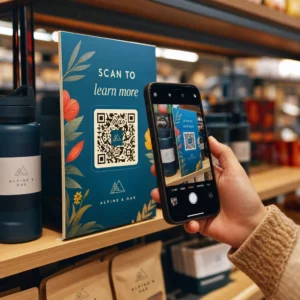
Nie wiesz, jak faktycznie wykorzystać kody QR w swojej siłowni lub studiu fitness poza podstawowym linkiem do strony internetowej? Firmy fitness, które strategicznie wdrażają kody QR, zmniejszają tarcia administracyjne, utrzymują większe zaangażowanie członków i przekształcają więcej przypadkowych klientów w płacących. Ten przewodnik zawiera praktyczne, gotowe do wdrożenia pomysły, uporządkowane według tego, jak pasują do Twoich codziennych operacji.
Dlaczego firmy fitness przyjmują kody QR
Branża fitness dokonała trwałego przejścia w kierunku cyfrowych punktów styku. Członkowie oczekują szybkiego, samoobsługowego dostępu do harmonogramów zajęć, przewodników treningowych i zarządzania kontem – a wszystko to chcą mieć na swoich telefonach. Kody QR wypełniają lukę między fizycznym środowiskiem siłowni a cyfrowymi treściami, których pragną członkowie, bez konieczności ręcznego obsługiwania każdej interakcji przez personel.
Dynamiczne kody QR są szczególnie dobrze przystosowane do firm fitness. W przeciwieństwie do kodów statycznych, gdzie docelowy adres URL jest trwale zakodowany, kody dynamiczne pozwalają aktualizować połączoną treść w dowolnym momencie bez ponownego drukowania fizycznego kodu. Oznacza to, że możesz zmienić promocję sezonową, zaktualizować harmonogram zajęć lub zmienić film treningowy – a kod na Twojej ścianie nadal będzie działać. Kody dynamiczne obsługują również śledzenie skanów, dzięki czemu możesz monitorować, ile razy kod został zeskanowany, z jakiej lokalizacji, na jakim urządzeniu i o której godzinie.
Aby uzyskać przegląd, w jaki sposób kody QR są wykorzystywane w operacjach siłowni, zobacz Kody QR dla siłowni i firm wellness.
Rejestracja członków i kontrola dostępu
Zastąpienie fizycznych kart członkowskich lub list obecności rejestracją opartą na kodach QR jest jednym z najbardziej wpływowych operacyjnie zastosowań. Członkowie skanują kod przy wejściu, aby zarejestrować swoją obecność lub odblokować bramkę obrotową, eliminując kolejki i zmniejszając obciążenie recepcji.
Możesz zbudować prosty system śledzenia obecności za pomocą kodu QR z linku który łączy się z formularzem lub stroną rejestracji. Kody dynamiczne są tutaj lepszym wyborem, ponieważ możesz przekierować kod do nowego adresu URL rejestracji, jeśli Twoja platforma się zmieni, bez dotykania wydrukowanego oznakowania.
Gdzie umieścić kody do rejestracji:
- Wejście do siłowni lub bramka obrotowa
- Lada recepcji
- Drzwi do poszczególnych studiów lub sal zajęciowych
Rejestracja i wdrożenie nowych członków

Kod QR na oknie, ulotce lub wyświetlaczu recepcji może skierować potencjalnego członka bezpośrednio do formularza rejestracyjnego, oświadczenia lub rejestracji na zajęcia próbne – bez konieczności pomocy ze strony personelu. Jest to szczególnie przydatne poza godzinami pracy lub w szczytowych okresach, gdy personel recepcji jest zajęty.
Użyj Kod QR formularza Google aby zapewnić potencjalnym klientom natychmiastowy dostęp do zapytań, rejestracji członkostwa lub zgłoszeń zrzeczenia się z własnego urządzenia. W przypadku wdrażania nowych członków, pojedynczy Kod QR PDF może połączyć Twój kodeks postępowania, harmonogram zajęć i początkowy plan treningowy w jeden dokument do zeskanowania.
Usprawnij rejestrację nowych członków Utwórz formularz rejestracyjny do zeskanowania, który potencjalni członkowie mogą wypełnić na swoich telefonach. Użyj Generator kodów QR do Google Forms aby połączyć się bezpośrednio z formularzem rejestracyjnym lub formularzem zrzeczenia się – bez papieru, bez ręcznego wprowadzania danych.
Samouczki dotyczące sprzętu i przewodniki treningowe
Umieszczenie kodu QR bezpośrednio na sprzęcie to jedna z najjaśniejszych korzyści dla doświadczenia członków. Członkowie skanują kod i natychmiast uzyskują dostęp do krótkiego filmu instruktażowego, demonstracji prawidłowej formy lub wskazówek bezpieczeństwa dla tej konkretnej maszyny. Zmniejsza to ryzyko kontuzji i liczbę razy, kiedy trenerzy muszą przeprowadzać kogoś przez podstawowe użytkowanie sprzętu.
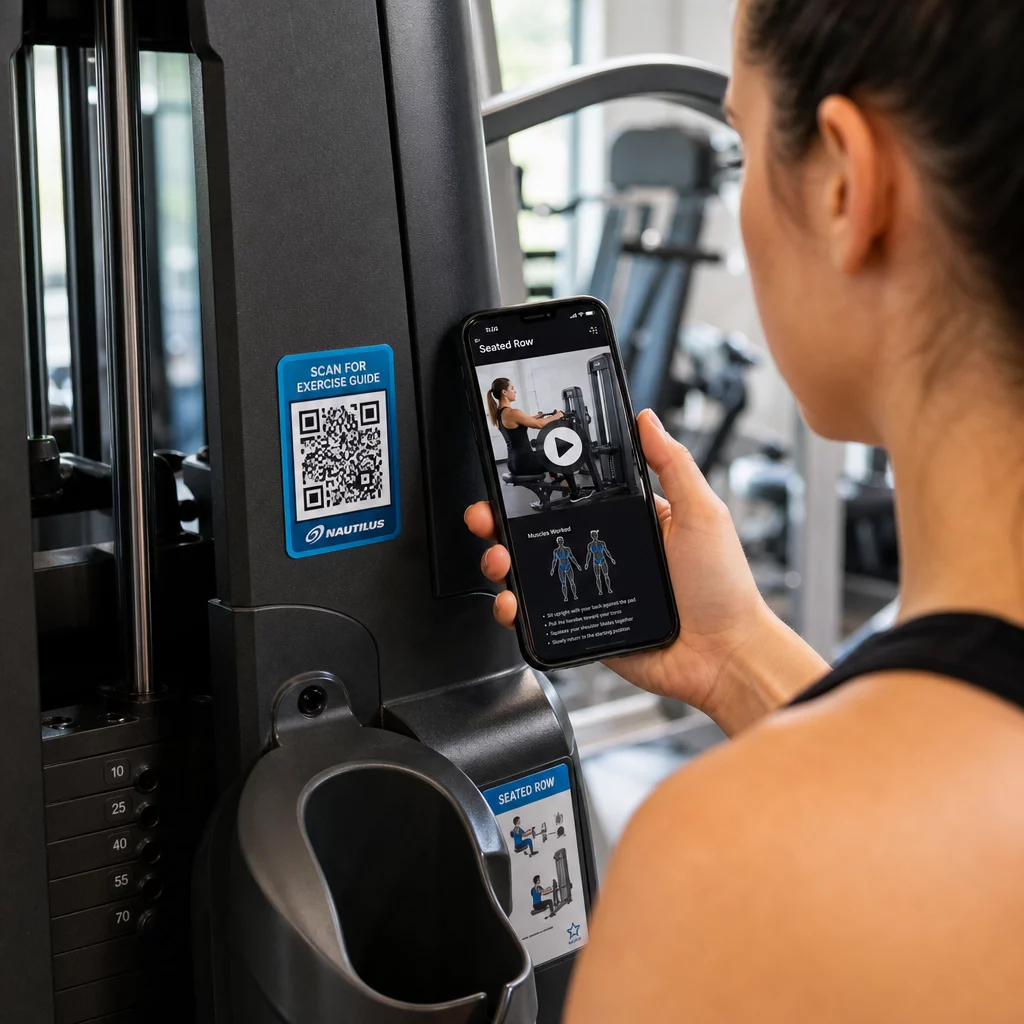
Używaj dynamicznych kodów do etykiet sprzętu. Kiedy aktualizujesz treści wideo lub zmieniasz platformy, po prostu aktualizujesz miejsce docelowe – nie ma potrzeby ponownego drukowania i etykietowania każdej maszyny w Twoim obiekcie.
Trenerzy personalni mogą również używać Kody QR PDF do dostarczania spersonalizowanych planów treningowych. Wydrukuj kod na karcie dla każdego klienta i aktualizuj połączony plan w miarę postępów w ich programie.
Harmonogramy zajęć i rezerwacje
Kod QR umieszczony w pobliżu Twojego studia zajęć, na wyświetlaczu w holu lub dołączony do ulotki, zapewnia członkom dostęp jednym dotknięciem do aktualnego harmonogramu zajęć i strony rezerwacji. Działa to szczególnie dobrze w studiach prowadzących wiele rodzajów zajęć lub z wieloma instruktorami, gdzie harmonogramy zmieniają się co tydzień.
Ponieważ dynamiczne kody umożliwiają aktualizację treści bez ponownego drukowania, możesz zachować ten sam wydrukowany kod na ścianie przez cały rok i po prostu aktualizować połączony harmonogram co tydzień. Przeczytaj więcej o tym, jak zastosować to w praktyce w jak kody QR wspierają marketing siłowni.
Promocje i oferty ograniczone czasowo
Kody QR na ulotkach, plakatach i postach w mediach społecznościowych mogą prowadzić bezpośrednio do oferty członkostwa, rejestracji na zajęcia próbne lub strony z kuponami. Kiedy promocja się zakończy, zaktualizuj miejsce docelowe zamiast ponownie drukować materiały.
Niektóre praktyczne zastosowania:
- Naklejki na okna z zachętą “Zeskanuj, aby otrzymać 7-dniowy darmowy karnet”
- Materiały informacyjne na lokalnych wydarzeniach lub targach zdrowia
- Plakaty w pobliżu wejścia w szczytowych sezonach zapisów
Kody dynamiczne są zalecanym wyborem do promocji, ponieważ adres URL oferty zmienia się, ale materiał drukowany nie musi. Wskazówki dotyczące tego, gdzie i jak umieścić te kody dla maksymalnej widoczności, znajdziesz w przewodnik po umieszczaniu kodów QR w marketingu.
Opinie członków i recenzje Google
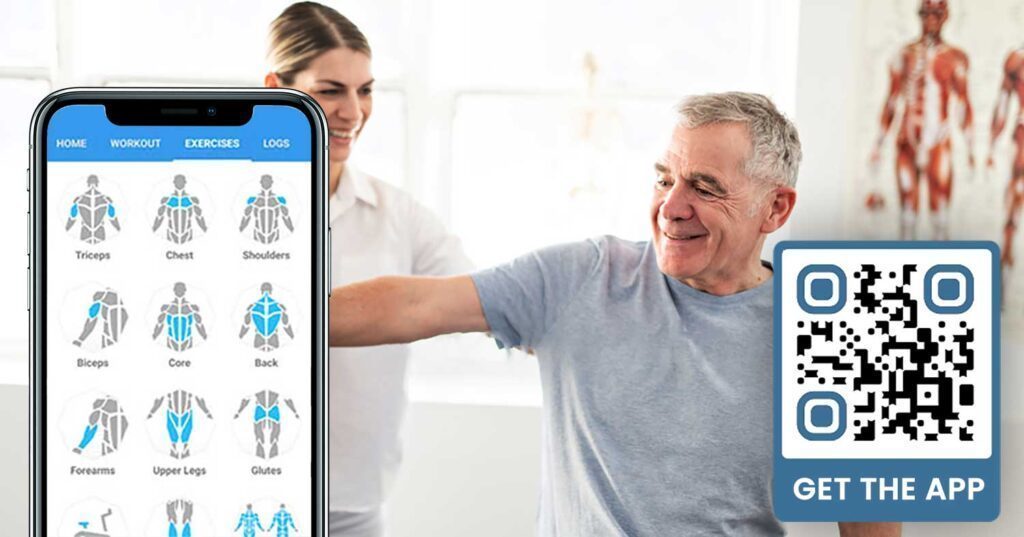
Konsekwentne zbieranie opinii jest trudne, gdy członkowie w pośpiechu wchodzą i wychodzą. Kod QR umieszczony w pobliżu wyjścia, w szatni lub przy barze z sokami daje członkom bezproblemowy sposób na pozostawienie szybkiej recenzji lub wypełnienie ankiety satysfakcji.
A kodu QR do opinii Google umieszczony w miejscach o dużym natężeniu ruchu kieruje członków bezpośrednio na Twoją stronę recenzji w Google Moja Firma – bez konieczności wyszukiwania. Więcej recenzji poprawia Twoją lokalną pozycję w wyszukiwarce i daje potencjalnym członkom dowód społeczny, którego potrzebują, aby wybrać Twoją siłownię.
W przypadku ankiet zwrotnych, a Kod QR formularza Google pozwala zbierać ustrukturyzowane dane dotyczące zajęć, sprzętu, personelu i obiektów.
Zbieraj więcej recenzji Google automatycznie Umieść kod QR przy wyjściu lub w szatni i obserwuj, jak rosną Twoje recenzje. Użyj Generator kodów QR do opinii Google aby stworzyć markowy kod, który przeniesie członków bezpośrednio na Twoją stronę recenzji.
Dostęp do Wi-Fi dla członków i gości
Oferowanie Wi-Fi jest oczekiwane w większości nowoczesnych siłowni. Kod QR Wi-Fi wyświetlony w recepcji, w pobliżu baru z sokami lub na ścianach szatni pozwala członkom natychmiast połączyć się poprzez zeskanowanie – bez konieczności szukania hasła czy ręcznego wprowadzania. Ta mała wygoda zwiększa ogólne doświadczenie członków bez angażowania personelu.
Zaangażowanie w mediach społecznościowych
Kody QR umieszczone w miejscach o dużym natężeniu ruchu – lustra, stacje wodne, lobby – mogą prowadzić bezpośrednio do Twojego Instagrama, kanału YouTube lub profilu społecznościowego. Członkowie, którzy już są zaangażowani w Twoją przestrzeń, najprawdopodobniej będą obserwować i udostępniać. Działa to dobrze w połączeniu z wyzwaniami fitness lub wydarzeniami, podczas których chcesz budować uczestnictwo społeczności online.
Wyzwania i wydarzenia fitness
Kody QR ułatwiają zapraszanie członków do udziału w zorganizowanych wyzwaniach, warsztatach lub wydarzeniach na siłowni. Umieść kod na plakacie lub tablicy informacyjnej, który prowadzi do formularza rejestracyjnego lub strony ze szczegółami wydarzenia. Aktualizuj docelowe miejsce docelowe w miarę zmian wydarzeń w ciągu roku – bez ponownego drukowania plakatu.
Wskazówki dotyczące umieszczania, które mają zastosowanie we wszystkich przypadkach użycia
Jakość umieszczenia bezpośrednio wpływa na liczbę skanów. Dobrze zaprojektowany kod w niewłaściwej lokalizacji będzie działał gorzej niż prostszy kod umieszczony tam, gdzie członkowie naturalnie się zatrzymują.
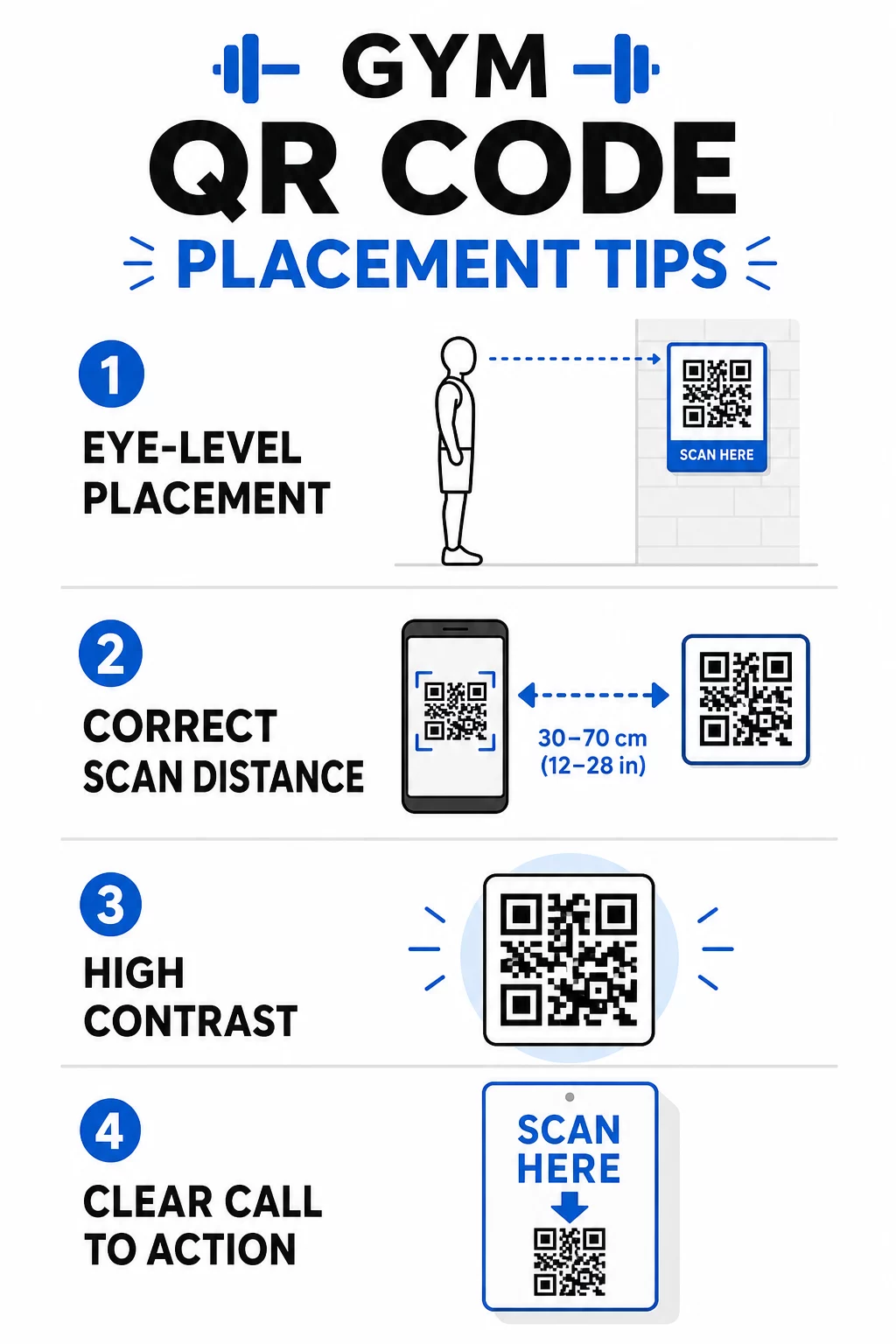
- Umieszczaj kody na wysokości wzroku, mniej więcej od 105 do 165 cm od podłogi
- Stosuj zasadę rozmiaru 10:1: na każde 10 cali oczekiwanej odległości skanowania, kod powinien mieć co najmniej 1 cal szerokości
- Priorytetem jest projekt o wysokim kontraście: ciemne wzory na jasnym tle skanują się niezawodnie w warunkach oświetlenia siłowni
- Dodaj wyraźne wezwanie do działania obok każdego kodu (“Skanuj, aby uzyskać wskazówki treningowe”, “Skanuj, aby się zameldować”, “Zostaw nam recenzję”)
Szczegółowe wskazówki techniczne dotyczące rozmiaru i czytelności znajdziesz w najlepszymi praktykami w zakresie czytelności kodów QR. Każdy kod QR, który wdrażasz na swojej siłowni, to okazja do zmniejszenia tarcia dla członków i ograniczenia pracy ręcznej dla Twojego zespołu. Zacznij od jednego lub dwóch miejsc o dużym wpływie – zameldowanie, przewodniki po sprzęcie lub recenzje Google – i śledź wyniki przed rozszerzeniem. Użyj generator kodów QR aby tworzyć markowe, dynamiczne kody, które możesz aktualizować bez ponownego drukowania, i korzystaj z wbudowanych analiz, aby zobaczyć, które miejsca generują największe zaangażowanie.
Najczęściej zadawane pytania
Statyczny kod QR trwale koduje docelowy adres URL – po wydrukowaniu nie można zmienić miejsca, do którego prowadzi. Dynamiczny kod QR przechowuje krótki adres URL przekierowania, dzięki czemu możesz zaktualizować miejsce docelowe w dowolnym momencie bez ponownego drukowania kodu. Dla firm fitness kody dynamiczne są lepszym wyborem, ponieważ harmonogramy zajęć, promocje i treści treningowe często się zmieniają, a kody dynamiczne zapewniają również analizy skanowania, dzięki czemu można śledzić wydajność.
Najskuteczniejsze miejsca umieszczenia to przy wejściu do odprawy, bezpośrednio na sprzęcie do samouczków, w pobliżu wyjść i szatni do recenzji i opinii, przy recepcji do zapisów oraz w miejscach o dużym natężeniu ruchu, takich jak stacje wodne lub bar z sokami, dla mediów społecznościowych i promocji. Umieść kody na wysokości wzroku (około 3,5 do 5,5 stopy od podłogi) z wyraźnym wezwaniem do działania obok każdego z nich.
Tak, każdy kod QR powinien prowadzić do jednego, konkretnego miejsca docelowego, aby doświadczenie członka było jasne i skoncentrowane. Kod do zameldowania powinien prowadzić do Twojej strony zameldowania, kod sprzętu powinien prowadzić do samouczka tej maszyny, a kod recenzji powinien prowadzić bezpośrednio do Twojej strony recenzji Google. Korzystanie z platformy do zarządzania kodami QR pozwala organizować wszystkie kody w jednym panelu, niezależnie aktualizować miejsca docelowe i śledzić wydajność każdego kodu oddzielnie.