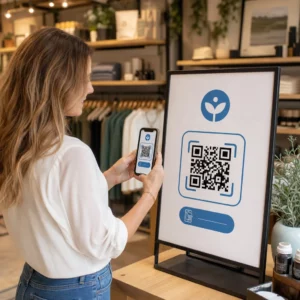
Neviete, ako skutočne používať QR kódy vo vašej posilňovni alebo fitness štúdiu okrem základného odkazu na webovú stránku? Fitness podniky, ktoré strategicky nasadzujú QR kódy, znižujú administratívne trenie, udržujú členov viac zapojených a premieňajú viac náhodných návštevníkov na platiacich klientov. Táto príručka pokrýva praktické, okamžite implementovateľné nápady usporiadané podľa toho, ako zapadajú do vašich každodenných operácií.
Prečo fitness podniky prijímajú QR kódy
Fitness priemysel prešiel trvalým posunom smerom k digitálnym kontaktným bodom. Členovia očakávajú rýchly, samoobslužný prístup k rozvrhom tried, sprievodcom cvičením a správe účtu – a všetko to chcú mať na svojich telefónoch. QR kódy prekonávajú priepasť medzi fyzickým prostredím posilňovne a digitálnym obsahom, ktorý členovia chcú, bez toho, aby personál musel manuálne spracovávať každú interakciu.
Dynamické kódy QR sú obzvlášť vhodné pre fitness podniky. Na rozdiel od statických kódov, kde je cieľová URL adresa trvalo zakódovaná, dynamické kódy vám umožňujú kedykoľvek aktualizovať prepojený obsah bez opätovnej tlače fyzického kódu. To znamená, že môžete vymeniť sezónnu akciu, aktualizovať rozvrh tried alebo vymeniť video s cvičením – a kód na vašej stene bude naďalej fungovať. Dynamické kódy tiež podporujú sledovanie skenovania, takže môžete monitorovať, koľkokrát bol kód naskenovaný, z akého miesta, na akom zariadení a v akom čase.
Pre prehľad, ako sa QR kódy konkrétne používajú v prevádzke posilňovní, pozrite si QR kódy pre posilňovne a wellness podniky.
Prihlásenie členov a kontrola prístupu
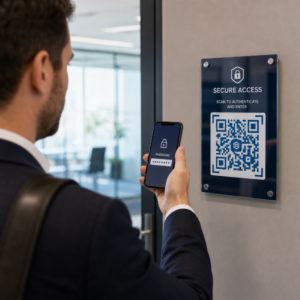
Nahradenie fyzických členských kariet alebo prezenčných listín prihlásením na základe QR kódu je jedným z najvýznamnejších prevádzkových využití. Členovia naskenujú kód pri vstupe, aby zaznamenali svoju účasť alebo odomkli turniket, čím sa eliminujú rady a znižuje sa pracovné zaťaženie recepcie.
Môžete si vytvoriť jednoduchý systém sledovania dochádzky pomocou QR kód odkazu ktorý sa pripája k formuláru alebo stránke na prihlásenie. Dynamické kódy sú tu lepšou voľbou, pretože môžete kód presmerovať na novú URL adresu na prihlásenie, ak sa vaša platforma zmení, bez toho, aby ste sa dotkli vytlačeného označenia.
Kam umiestniť kódy na prihlásenie:
- Vstup do posilňovne alebo turniket
- Pult recepcie
- Dvere jednotlivých štúdií alebo tried
Registrácia a onboarding nových členov
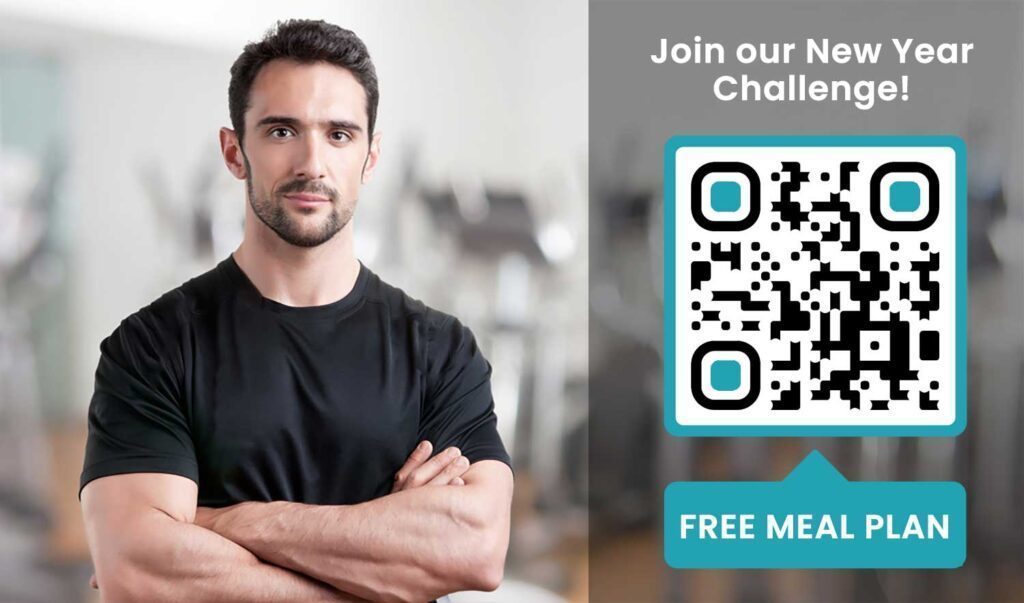
QR kód na okne, letáku alebo displeji recepcie môže potenciálneho člena priviesť priamo k registračného formuláru, vyhláseniu o zodpovednosti alebo registrácii na skúšobnú hodinu – bez potreby asistencie personálu. To je obzvlášť užitočné počas mimopracovných hodín alebo rušných špičiek, keď je personál recepcie zaneprázdnený.
Použite a Kód QR formulára Google aby potenciálni klienti získali okamžitý prístup k dopytom, registráciám členstva alebo odoslaniu vyhlásení o zrieknutí sa zodpovednosti zo svojho vlastného zariadenia. Pre prijímanie existujúcich nových členov, jeden Kód QR vo formáte PDF môže spojiť váš kódex správania, rozvrh hodín a začiatočný tréningový plán do jedného skenovateľného dokumentu.
Zjednodušte registráciu nových členov Vytvorte skenovateľný registračný formulár, ktorý môžu potenciálni členovia vyplniť na svojich telefónoch. Použite Formulár Google ako QR kód: generátor na priame prepojenie s vaším registračným formulárom alebo formulárom o zrieknutí sa zodpovednosti – žiadny papier, žiadne manuálne zadávanie údajov.
Návody na vybavenie a tréningové príručky
Umiestnenie QR kódu priamo na kus vybavenia je jedným z najjasnejších prínosov pre skúsenosti členov. Členovia naskenujú kód a okamžite získajú prístup k krátkemu inštruktážnemu videu, ukážke správnej formy alebo bezpečnostným pokynom pre daný konkrétny stroj. Tým sa znižuje riziko zranenia a znižuje sa počet prípadov, kedy tréneri musia niekoho previesť základným používaním vybavenia.
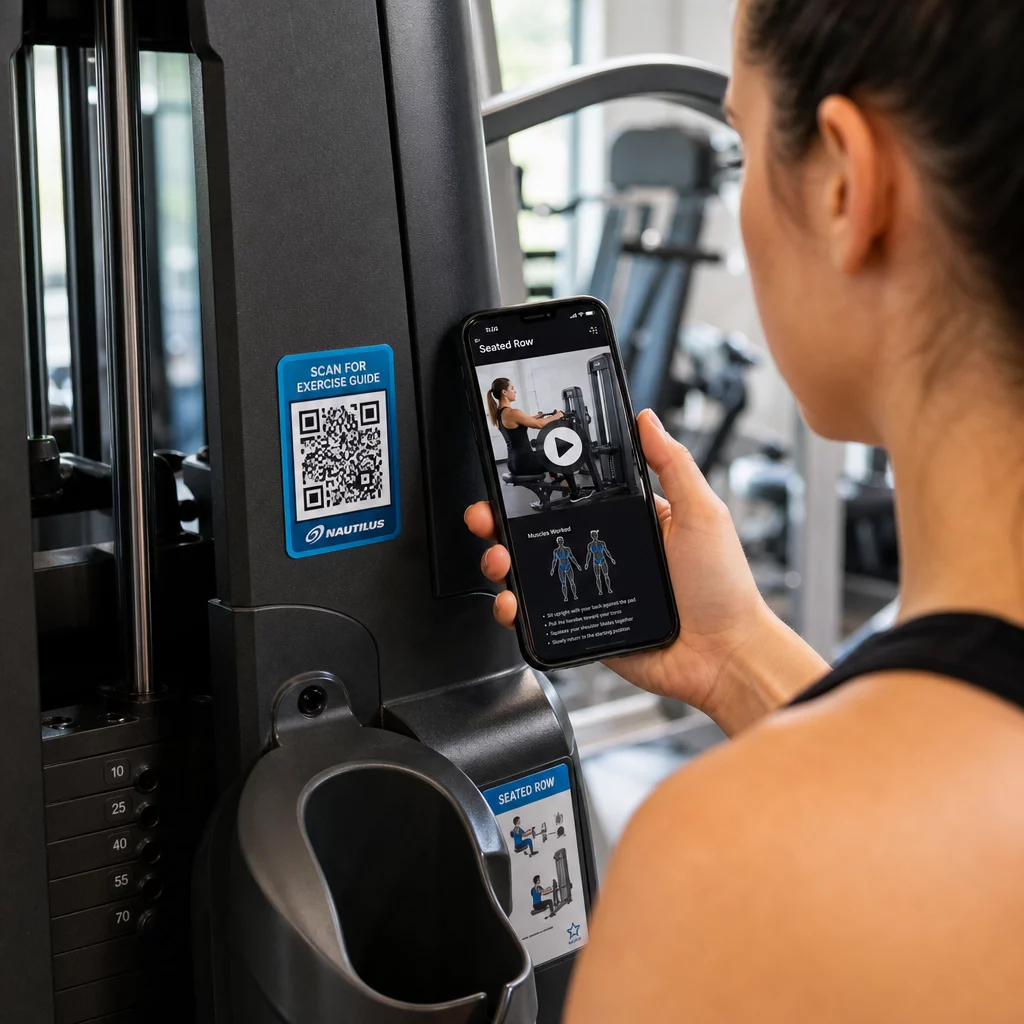
Používajte dynamické kódy pre štítky vybavenia. Keď aktualizujete svoj video obsah alebo zmeníte platformu, jednoducho aktualizujete cieľ – nie je potrebné pretláčať a prelepovať každý stroj vo vašom zariadení.
Osobní tréneri môžu tiež použiť PDF QR kódy na poskytovanie personalizovaných tréningových plánov. Vytlačte kód na kartu pre každého klienta a aktualizujte prepojený plán podľa toho, ako ich program postupuje.
Rozvrhy hodín a rezervácie
QR kód umiestnený v blízkosti vášho štúdia, na displeji v hale alebo zahrnutý v letáku poskytuje členom prístup jedným klepnutím k vášmu aktuálnemu rozvrhu hodín a rezervačnej stránke. To funguje obzvlášť dobre pre štúdiá, ktoré prevádzkujú viacero typov hodín alebo inštruktorov, kde sa rozvrhy menia týždenne.
Pretože dynamické kódy umožňujú aktualizácie obsahu bez opätovnej tlače, môžete mať rovnaký vytlačený kód na stene po celý rok a jednoducho aktualizovať prepojený rozvrh každý týždeň. Prečítajte si viac o tom, ako to aplikovať v praxi v ako QR kódy podporujú marketing posilňovní.
Akcie a časovo obmedzené ponuky
QR kódy na letákoch, plagátoch a príspevkoch na sociálnych sieťach môžu priamo odkazovať na ponuku členstva, registráciu na skúšobnú hodinu alebo stránku s kupónmi. Keď sa akcia skončí, aktualizujte cieľ namiesto opätovnej tlače materiálov.
Niektoré praktické umiestnenia:
- Nálepky na okná s výzvou “Naskenujte pre 7-dňový bezplatný vstup”
- Letáky na miestnych podujatiach alebo zdravotných veľtrhoch
- Plagáty pri vchode počas hlavných náborových sezón
Dynamické kódy sú odporúčanou voľbou pre propagačné akcie, pretože URL adresa ponuky sa mení, ale tlačený materiál nemusí. Pokyny, kde a ako umiestniť tieto kódy pre maximálnu viditeľnosť, nájdete v sprievodca umiestnením QR kódu v marketingu.
Spätná väzba od členov a recenzie Google
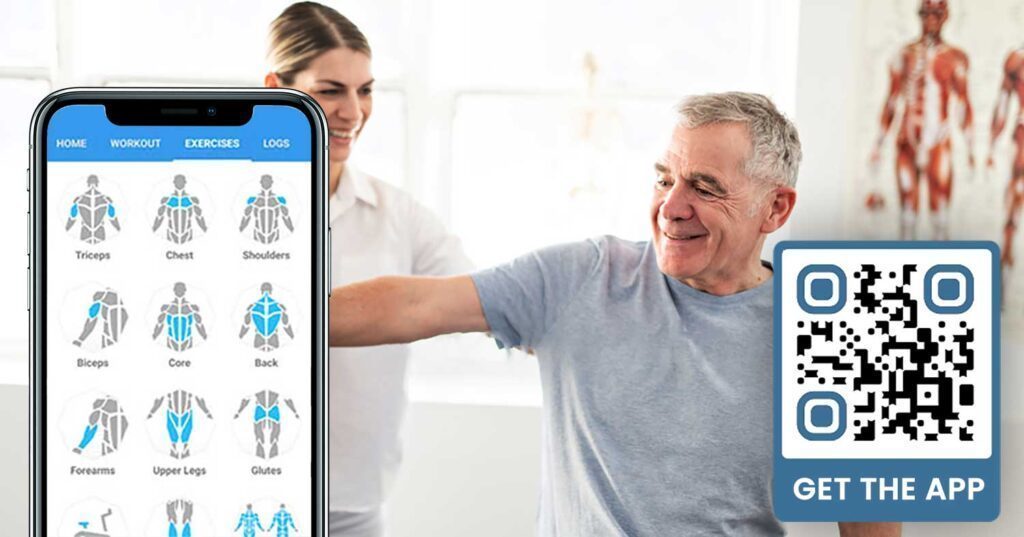
Pravidelné zbieranie spätnej väzby je ťažké, keď sa členovia ponáhľajú dnu a von. QR kód umiestnený pri východe, v šatni alebo pri džúsovom bare poskytuje členom bezproblémový spôsob, ako zanechať rýchlu recenziu alebo vyplniť prieskum spokojnosti.
A QR kód recenzií Google umiestnený vo vysoko frekventovaných oblastiach smeruje členov priamo na vašu stránku recenzií Google Business – nie je potrebné žiadne vyhľadávanie. Viac recenzií zlepšuje vaše miestne umiestnenie vo vyhľadávaní a poskytuje potenciálnym členom sociálny dôkaz, ktorý potrebujú na výber vašej posilňovne.
Pre prieskumy spätnej väzby, a Kód QR formulára Google vám umožňuje zbierať štruktúrované vstupy o kurzoch, vybavení, personáli a zariadeniach.
Zbierajte viac recenzií Google automaticky Umiestnite QR kód pri východe alebo v šatni a sledujte, ako rastú vaše recenzie. Použite Google recenzie QR kód generátor na vytvorenie značkového kódu, ktorý zavedie členov priamo na vašu stránku s recenziami.
Prístup k Wi-Fi pre členov a hostí
Ponúkanie Wi-Fi sa očakáva vo väčšine moderných posilňovní. QR kód Wi-Fi zobrazený na recepcii, pri džúsovom bare alebo na stenách šatní umožňuje členom okamžité pripojenie skenovaním – nie je potrebné hľadať heslo ani manuálne zadávať. Táto malá vymoženosť prispieva k celkovému zážitku členov bez potreby zapojenia personálu.
Zapojenie do sociálnych médií
QR kódy umiestnené vo vysoko frekventovaných oblastiach – zrkadlá, vodné stanice, lobby – môžu priamo odkazovať na váš Instagram, kanál YouTube alebo sociálny profil. Členovia, ktorí sú už zapojení do vášho priestoru, sú najpravdepodobnejšie, že budú sledovať a zdieľať. To funguje dobre popri fitness výzvach alebo udalostiach, kde chcete budovať účasť komunity online.
Fitness výzvy a podujatia
QR kódy uľahčujú pozývanie členov k účasti na štruktúrovaných výzvach, workshopoch alebo podujatiach v posilňovni. Umiestnite kód na plagát alebo nástenku, ktorý odkazuje na registračný formulár alebo stránku s podrobnosťami o udalosti. Aktualizujte prepojený cieľ, keď sa udalosti menia počas roka – bez opätovnej tlače plagátu.
Tipy na umiestnenie, ktoré platia pre všetky prípady použitia
Kvalita umiestnenia priamo ovplyvňuje počet skenov, ktoré získate. Dobre navrhnutý kód na nesprávnom mieste bude mať horší výkon ako jednoduchší kód umiestnený tam, kde sa členovia prirodzene zastavia.
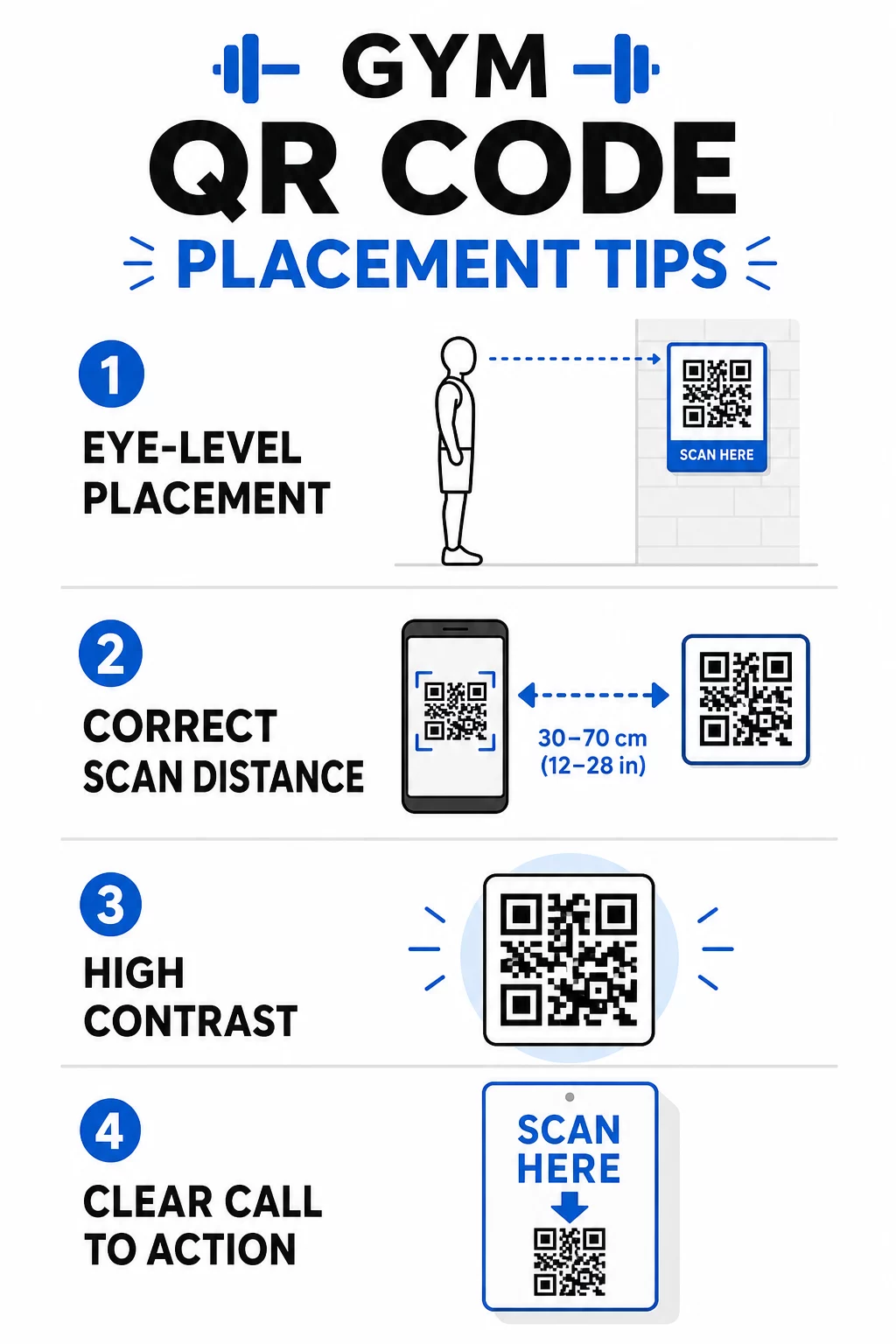
- Umiestnite kódy vo výške očí, približne medzi 3,5 a 5,5 stopy od podlahy
- Použite pravidlo veľkosti 10:1: na každých 10 palcov očakávanej vzdialenosti skenovania by mal byť kód široký aspoň 1 palec
- Uprednostnite vysokokontrastný dizajn: tmavé vzory na svetlých pozadiach sa spoľahlivo skenujú pri osvetlení posilňovne
- Pridajte jasnú výzvu k akcii vedľa každého kódu (“Skenujte pre tipy na cvičenie,” “Skenujte pre prihlásenie,” “Zanechajte nám recenziu”)
Podrobné technické pokyny k veľkosti a čitateľnosti nájdete na osvedčených postupov pre čitateľnosť QR kódov. Každý QR kód, ktorý nasadíte vo svojej posilňovni, je príležitosťou na zníženie trenia pre členov a zníženie manuálnej práce pre váš tím. Začnite s jedným alebo dvoma vysoko účinnými umiestneniami – prihlásenie, sprievodcovia vybavením alebo recenzie Google – a sledujte výsledky pred rozšírením. Použite generátor QR kódov na vytvorenie značkových, dynamických kódov, ktoré môžete aktualizovať bez opätovnej tlače, a použite vstavanú analýzu na zistenie, ktoré umiestnenia generujú najväčšiu angažovanosť.
Často kladené otázky
Statický QR kód natrvalo kóduje cieľovú URL adresu – po vytlačení nemôžete zmeniť, kam smeruje. Dynamický QR kód ukladá krátku presmerovaciu URL adresu, takže môžete kedykoľvek aktualizovať cieľ bez opätovnej tlače kódu. Pre fitness podniky sú dynamické kódy lepšou voľbou, pretože rozvrhy hodín, akcie a obsah tréningov sa často menia, a dynamické kódy tiež poskytujú analytiku skenov, aby ste mohli sledovať výkonnosť.
Najefektívnejšie umiestnenia sú pri vchode pre registráciu, priamo na vybavení pre návody, blízko východov a šatní pre recenzie a spätnú väzbu, na recepcii pre registrácie a vo vysoko frekventovaných oblastiach, ako sú vodné stanice alebo džúsový bar pre sociálne médiá a propagáciu. Umiestnite kódy vo výške očí (približne 3,5 až 5,5 stopy od podlahy) s jasnou výzvou k akcii vedľa každého z nich.
Áno, každý QR kód by mal odkazovať na jeden, špecifický cieľ, aby bola skúsenosť člena jasná a sústredená. Kód na prihlásenie by mal viesť na vašu stránku prihlásenia, kód vybavenia by mal viesť na tutoriál daného stroja a kód recenzie by mal viesť priamo na vašu stránku recenzií Google. Používanie platformy na správu QR kódov vám umožňuje organizovať všetky vaše kódy na jednom paneli, nezávisle aktualizovať ciele a sledovať výkon každého kódu samostatne.