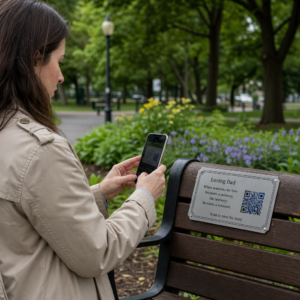
Nežinote, kaip iš tikrųjų naudoti QR kodus savo sporto salėje ar fitneso studijoje, be paprastos nuorodos į svetainę? Sporto verslai, kurie strategiškai naudoja QR kodus, sumažina administracinę trintį, išlaiko narius labiau įsitraukusius ir paverčia daugiau atsitiktinių lankytojų mokančiais klientais. Šiame vadove pateikiamos praktinės, paruoštos įgyvendinti idėjos, suskirstytos pagal tai, kaip jos dera su jūsų kasdiene veikla.
Kodėl sporto verslai diegia QR kodus
Fitneso pramonė ilgam persiorientavo į skaitmeninius sąlyčio taškus. Nariai tikisi greitos, savitarnos prieigos prie užsiėmimų tvarkaraščių, treniruočių vadovų ir paskyros valdymo – ir visa tai nori turėti savo telefonuose. QR kodai užpildo spragą tarp fizinės sporto salės aplinkos ir skaitmeninio turinio, kurio nori nariai, nereikalaujant personalo rankiniu būdu tvarkyti kiekvienos sąveikos.
Dinaminiai QR kodai ypač tinka sporto verslams. Skirtingai nuo statinių kodų, kuriuose paskirties URL yra nuolat užkoduotas, dinaminiai kodai leidžia bet kada atnaujinti susietą turinį, neperspausdinant fizinio kodo. Tai reiškia, kad galite pakeisti sezoninę akciją, atnaujinti užsiėmimų tvarkaraštį arba pakeisti treniruočių vaizdo įrašą – ir kodas ant jūsų sienos toliau veiks. Dinaminiai kodai taip pat palaiko nuskaitymo stebėjimą, todėl galite stebėti, kiek kartų kodas buvo nuskaitytas, iš kurios vietos, kuriame įrenginyje ir kokiu laiku.
Norėdami gauti apžvalgą, kaip QR kodai naudojami konkrečiai sporto salės veikloje, žr. QR kodai sporto salėms ir sveikatingumo verslams.
Narių registracija ir prieigos kontrolė
Fizinių narystės kortelių ar registracijos lapų pakeitimas QR pagrindu veikiančia registracija yra vienas iš labiausiai operatyviai paveikių naudojimo būdų. Nariai nuskenuoja kodą prie įėjimo, kad užregistruotų savo lankomumą arba atrakintų turniketą, taip pašalindami eiles ir sumažindami registratūros darbo krūvį.
Galite sukurti paprastą lankomumo stebėjimo sistemą naudodami nuorodos QR kodui kuri jungiasi prie formos arba registracijos puslapio. Dinaminiai kodai yra geresnis pasirinkimas, nes galite nukreipti kodą į naują registracijos URL, jei jūsų platforma pasikeičia, neliesdami atspausdintų ženklų.
Kur patalpinti registracijos kodus:
- Sporto salės įėjimas arba turniketas
- Registratūros stalas
- Atskirų studijų ar klasių durys
Naujų narių registracija ir įvedimas
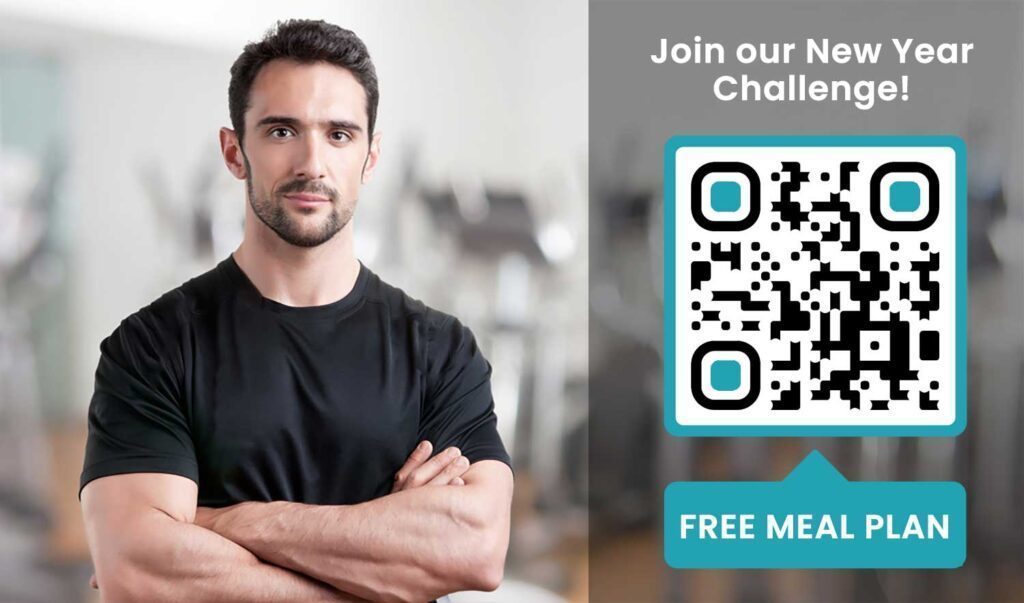
QR kodas ant lango, skrajutės ar registratūros ekrano gali nukreipti potencialų narį tiesiai į registracijos formą, atsisakymo formą arba bandomojo užsiėmimo registraciją – nereikalaujant personalo pagalbos. Tai ypač naudinga ne darbo valandomis arba piko metu, kai registratūros darbuotojai yra užimti.
Naudoti "Google" formos QR kodas suteikti potencialiems klientams tiesioginę prieigą prie užklausų, narystės registracijų ar atsisakymo pateikimo iš savo įrenginio. Norint įtraukti esamus naujus narius, vienas PDF QR kodas gali sujungti jūsų elgesio kodeksą, užsiėmimų tvarkaraštį ir pradinį treniruočių planą į vieną nuskenuojamą dokumentą.
Supaprastinkite naujų narių registraciją Sukurkite nuskenuojamą registracijos formą, kurią potencialūs nariai gali užpildyti savo telefonuose. Naudokite Google formos QR kodo generatorius norėdami tiesiogiai susieti su jūsų registracijos ar atsisakymo forma – jokio popieriaus, jokio rankinio duomenų įvedimo.
Įrangos pamokos ir treniruočių vadovai
QR kodo uždėjimas tiesiai ant įrangos yra vienas akivaizdžiausių laimėjimų nario patirčiai. Nariai nuskaito kodą ir iškart gauna prieigą prie trumpo mokomojo vaizdo įrašo, tinkamos formos demonstravimo ar saugos nurodymų tai konkrečiai mašinai. Tai sumažina traumų riziką ir sumažina, kiek kartų treneriams reikia paaiškinti kam nors pagrindinį įrangos naudojimą.
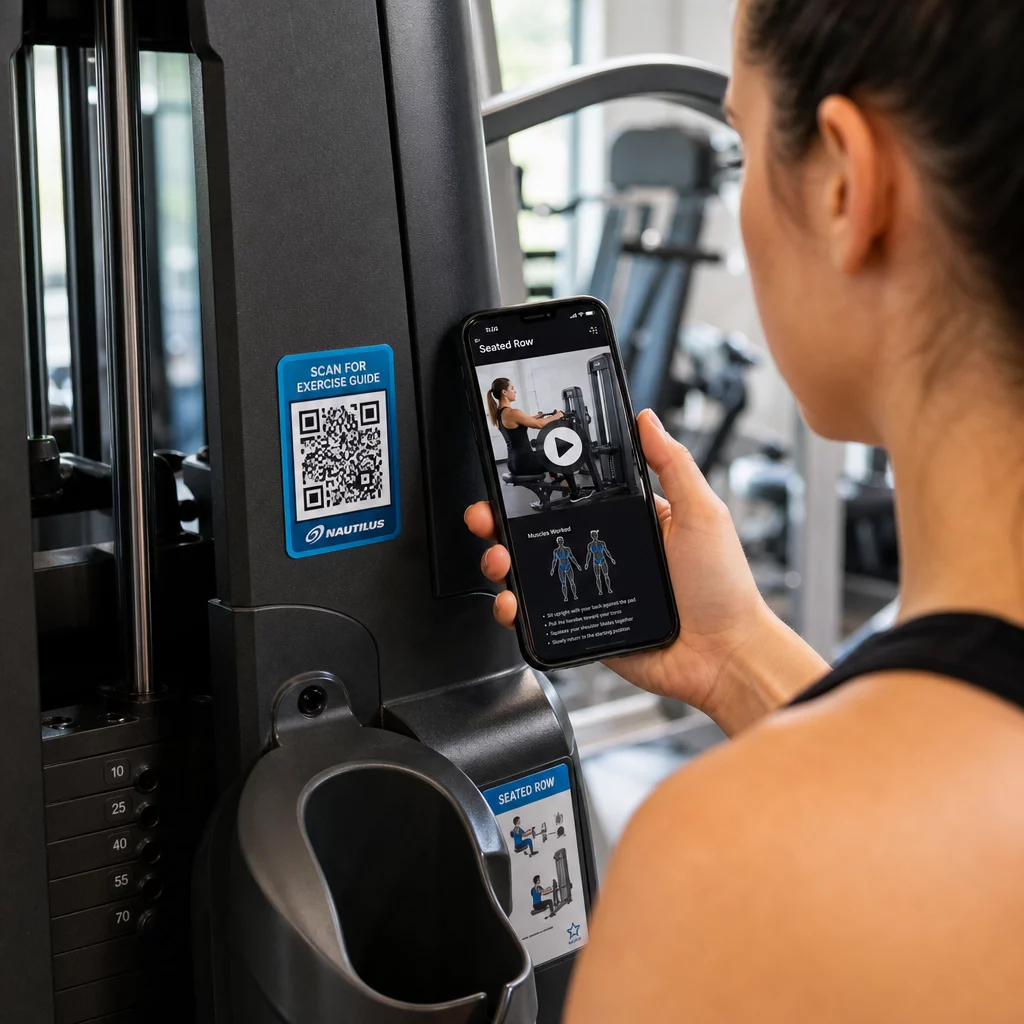
Naudokite dinaminius kodus įrangos etiketėms. Kai atnaujinate vaizdo įrašo turinį arba keičiate platformas, tiesiog atnaujinate paskirties vietą – nereikia perspausdinti ir peržymėti kiekvienos mašinos jūsų įstaigoje.
Asmeniniai treneriai taip pat gali naudoti PDF QR kodai norėdami pateikti individualizuotus treniruočių planus. Atspausdinkite kodą ant kortelės kiekvienam klientui ir atnaujinkite susietą planą, kai jų programa progresuoja.
Užsiėmimų tvarkaraščiai ir rezervacijos
QR kodas, pakabintas prie jūsų užsiėmimų studijos, fojė ekrane arba įtrauktas į skrajutę, suteikia nariams vieno paspaudimo prieigą prie jūsų dabartinio užsiėmimų tvarkaraščio ir rezervacijos puslapio. Tai ypač gerai veikia studijoms, kuriose vyksta kelių tipų užsiėmimai ar dirba keli instruktoriai, kur tvarkaraščiai keičiasi kas savaitę.
Kadangi dinaminiai kodai leidžia atnaujinti turinį be perspausdinimo, galite visus metus laikyti tą patį atspausdintą kodą ant savo sienos ir tiesiog kas savaitę atnaujinti susietą tvarkaraštį. Daugiau apie tai, kaip tai pritaikyti praktikoje, skaitykite kaip QR kodai skatina sporto klubų rinkodarą.
Akcijos ir riboto laiko pasiūlymai
QR kodai ant skrajučių, plakatų ir socialinės žiniasklaidos įrašų gali tiesiogiai susieti su narystės pasiūlymu, bandomojo užsiėmimo registracija ar kuponų puslapiu. Pasibaigus akcijai, atnaujinkite paskirties vietą, o ne perspausdinkite medžiagą.
Kai kurios praktinės vietos:
- Langų lipdukai su raginimu “Nuskaitykite, kad gautumėte 7 dienų nemokamą abonementą”
- Dalijamoji medžiaga vietiniuose renginiuose ar sveikatos mugėse
- Plakatai prie įėjimo piko registracijos sezonais
Dinaminiai kodai yra rekomenduojamas pasirinkimas akcijoms, nes pasiūlymo URL keičiasi, bet spausdintos medžiagos keisti nereikia. Norėdami sužinoti, kur ir kaip išdėstyti šiuos kodus, kad jie būtų maksimaliai matomi, žr. QR kodų išdėstymo rinkodaroje vadovas.
Narių atsiliepimai ir „Google“ apžvalgos
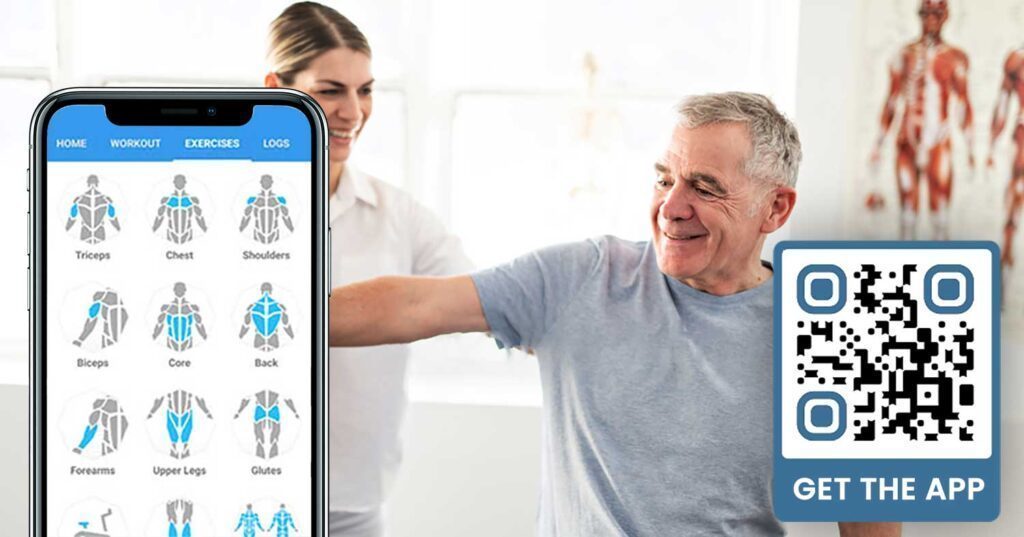
Nuolat rinkti atsiliepimus sunku, kai nariai skuba įeiti ir išeiti. QR kodas, patalpintas prie išėjimo, persirengimo kambaryje arba sulčių bare, suteikia nariams lengvą būdą palikti greitą atsiliepimą arba užpildyti pasitenkinimo apklausą.
A Google atsiliepimų QR kodui patalpintas didelio srauto vietose nukreipia narius tiesiai į jūsų „Google Business“ atsiliepimų puslapį – nereikia ieškoti. Daugiau atsiliepimų pagerina jūsų vietinę paieškos reitingą ir suteikia būsimiems nariams socialinį įrodymą, kurio jiems reikia norint pasirinkti jūsų sporto klubą.
Atsiliepimų apklausoms, a "Google" formos QR kodas leidžia rinkti struktūrizuotą informaciją apie užsiėmimus, įrangą, personalą ir patalpas.
Automatiškai rinkite daugiau „Google“ atsiliepimų Patalpinkite QR kodą prie išėjimo arba persirengimo kambaryje ir stebėkite, kaip auga jūsų atsiliepimai. Naudokite Google atsiliepimų QR kodo generatorius norėdami sukurti firminį kodą, kuris nukreipia narius tiesiai į jūsų atsiliepimų puslapį.
„Wi-Fi“ prieiga nariams ir svečiams
„Wi-Fi“ siūlymas yra tikėtinas daugumoje šiuolaikinių sporto klubų. „Wi-Fi“ QR kodas, rodomas registratūroje, prie sulčių baro arba ant persirengimo kambario sienų, leidžia nariams prisijungti akimirksniu nuskenavus – nereikia ieškoti slaptažodžio ar įvesti rankiniu būdu. Šis nedidelis patogumas prisideda prie bendros narių patirties nereikalaujant jokio personalo įsitraukimo.
Socialinės žiniasklaidos įsitraukimas
QR kodai, patalpinti didelio srauto vietose – veidrodžiai, vandens stotelės, fojė – gali tiesiogiai susieti su jūsų „Instagram“, „YouTube“ kanalu ar socialiniu profiliu. Nariai, kurie jau yra įsitraukę į jūsų erdvę, greičiausiai seks ir dalinsis. Tai puikiai tinka kartu su fitneso iššūkiais ar renginiais, kur norite sukurti bendruomenės dalyvavimą internete.
Fitneso iššūkiai ir renginiai
QR kodai leidžia lengvai pakviesti narius dalyvauti struktūrizuotuose iššūkiuose, seminaruose ar sporto salės renginiuose. Uždėkite kodą ant plakato ar stendo, kuris susieja su registracijos forma arba renginio detalių puslapiu. Atnaujinkite susietą paskirties vietą, kai renginiai keičiasi per metus – neperspausdindami plakato.
Išdėstymo patarimai, taikomi visais atvejais
Išdėstymo kokybė tiesiogiai veikia nuskaitymų skaičių. Gerai suprojektuotas kodas netinkamoje vietoje veiks prasčiau nei paprastesnis kodas, patalpintas ten, kur nariai natūraliai sustoja.
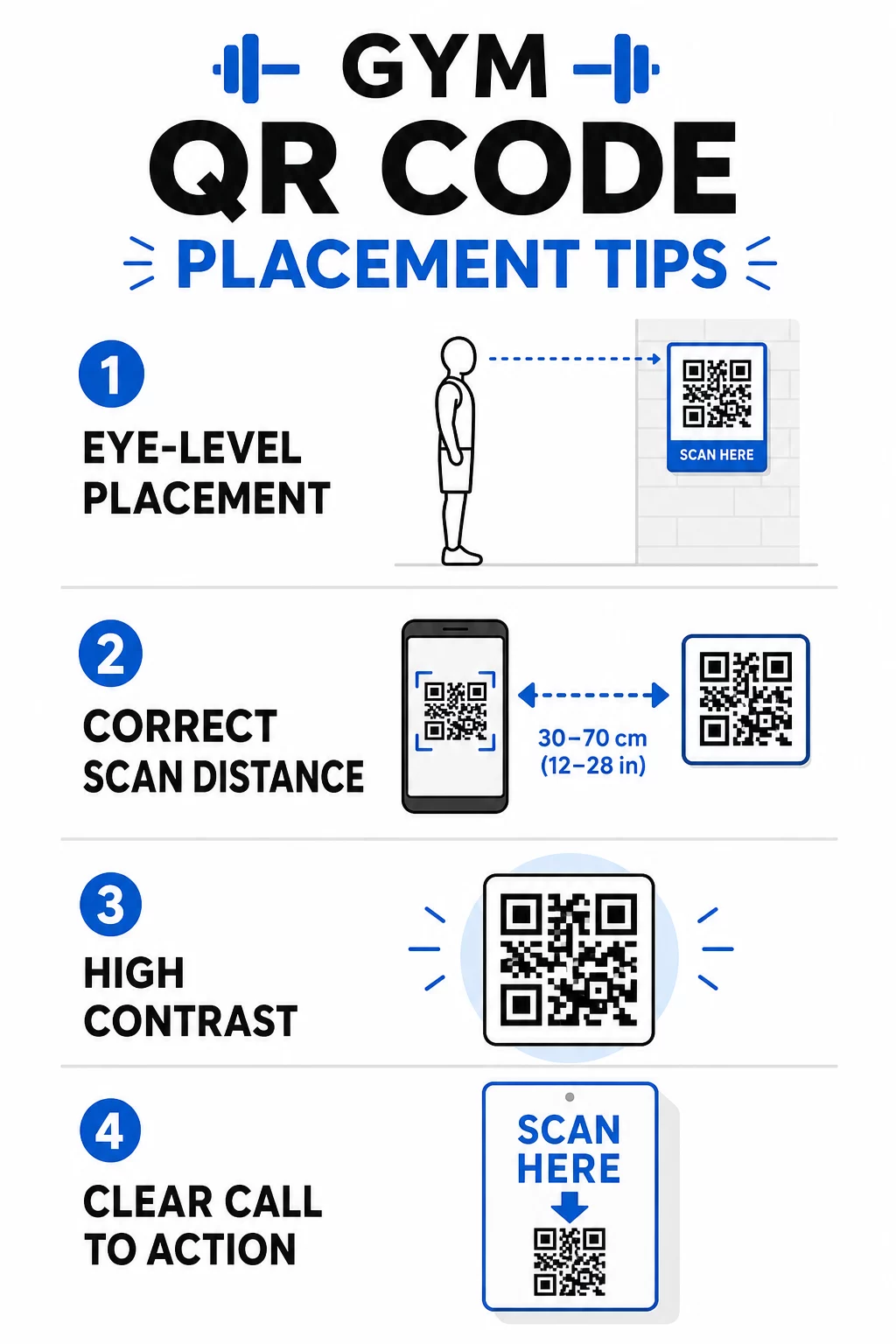
- Padėkite kodus akių lygyje, maždaug nuo 3,5 iki 5,5 pėdų nuo grindų
- Naudokite 10:1 dydžio taisyklę: kiekvieniems 10 colių numatomo nuskaitymo atstumo kodas turėtų būti bent 1 colio pločio
- Pirmenybę teikite didelio kontrasto dizainui: tamsūs raštai šviesiame fone patikimai nuskaitomi esant sporto salės apšvietimo sąlygoms
- Pridėkite aiškų raginimą veikti šalia kiekvieno kodo (“Nuskaitykite, kad gautumėte treniruočių patarimų”, “Nuskaitykite, kad užsiregistruotumėte”, “Palikite mums atsiliepimą”)
Išsamias technines gaires dėl dydžio ir skaitomumo rasite geriausia praktika QR kodo skaitomumui. Kiekvienas QR kodas, kurį įdiegiate savo sporto salėje, yra galimybė sumažinti narių nepatogumus ir sumažinti rankinį darbą jūsų komandai. Pradėkite nuo vienos ar dviejų didelio poveikio vietų – registracijos, įrangos vadovų ar „Google“ atsiliepimų – ir stebėkite rezultatus prieš plėsdami. Naudokite QR kodo generatorių , kad sukurtumėte firminius, dinaminius kodus, kuriuos galite atnaujinti neperspausdindami, ir naudokite integruotą analizę, kad pamatytumėte, kurios vietos skatina didžiausią įsitraukimą.
Dažniausiai užduodami klausimai
Statinis QR kodas visam laikui užkoduoja paskirties URL – atspausdinus, negalite pakeisti, kur jis nukreipia. Dinaminis QR kodas saugo trumpą nukreipimo URL, todėl galite bet kuriuo metu atnaujinti paskirties vietą neperspausdinant kodo. Sporto verslui dinaminiai kodai yra geresnis pasirinkimas, nes užsiėmimų tvarkaraščiai, akcijos ir treniruočių turinys dažnai keičiasi, o dinaminiai kodai taip pat teikia nuskaitymo analizę, kad galėtumėte stebėti veiklos rezultatus.
Efektyviausios vietos yra prie įėjimo registracijai, tiesiai ant įrangos pamokoms, prie išėjimų ir persirengimo kambarių atsiliepimams ir grįžtamajam ryšiui, prie registratūros registracijai ir didelio srauto vietose, tokiose kaip vandens stotelės ar sulčių baras, socialinei žiniasklaidai ir reklamai. Kodus išdėstykite akių lygyje (maždaug nuo 3,5 iki 5,5 pėdų nuo grindų) su aiškiu raginimu veikti šalia kiekvieno.
Taip, kiekvienas QR kodas turėtų būti susietas su viena, konkrečia paskirties vieta, kad narių patirtis būtų aiški ir sutelkta. Registracijos kodas turėtų vesti į jūsų registracijos puslapį, įrangos kodas turėtų vesti į tos mašinos mokymo programą, o atsiliepimų kodas turėtų vesti tiesiai į jūsų „Google“ atsiliepimų puslapį. Naudojant QR kodų valdymo platformą, galite tvarkyti visus savo kodus vienoje prietaisų skydelyje, atnaujinti paskirties vietas nepriklausomai ir atskirai stebėti kiekvieno kodo veikimą.