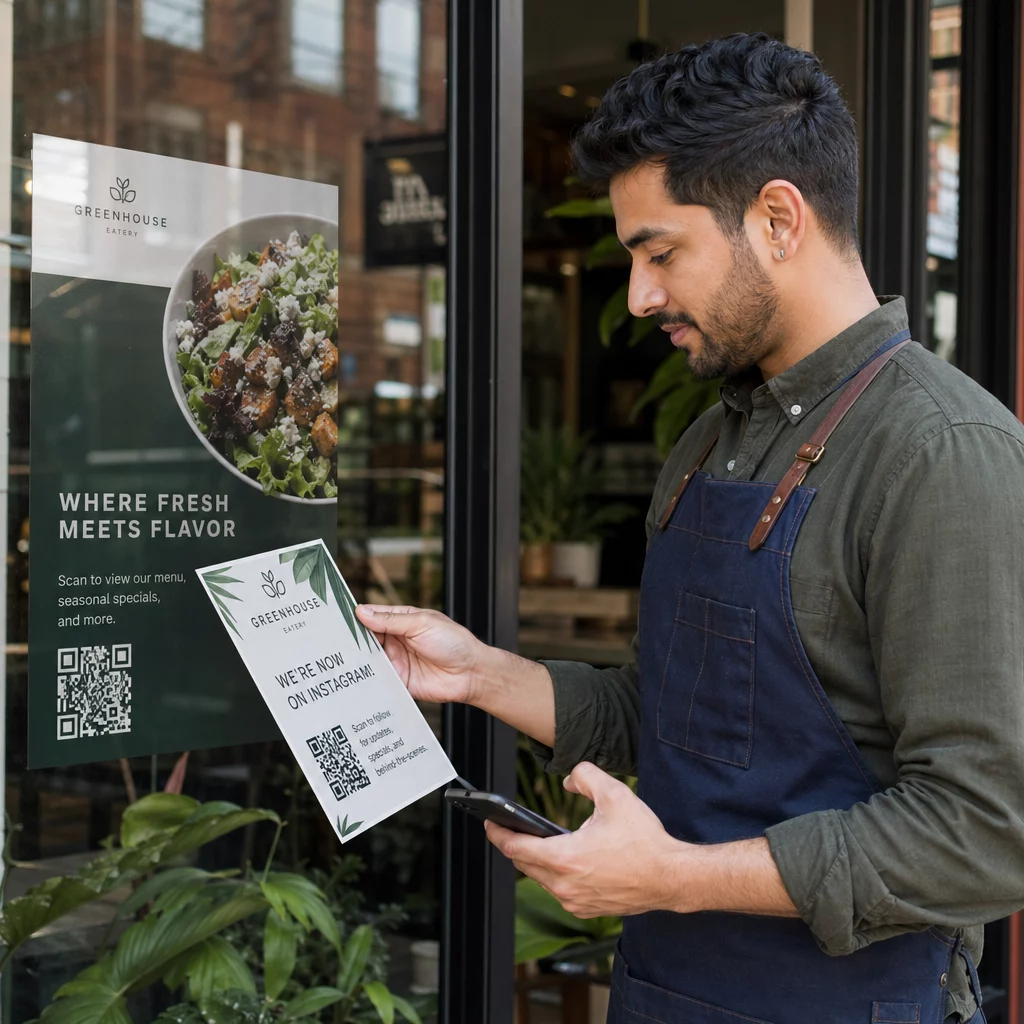
Niste sigurni kako zapravo koristiti QR kodove u svojoj teretani ili fitness studiju osim za osnovnu poveznicu na web stranicu? Fitness tvrtke koje strateški primjenjuju QR kodove smanjuju administrativne prepreke, održavaju članove angažiranijima i pretvaraju više slučajnih posjetitelja u klijente koji plaćaju. Ovaj vodič pokriva praktične ideje spremne za implementaciju, organizirane prema tome kako se uklapaju u vaše svakodnevne operacije.
Zašto fitness tvrtke usvajaju QR kodove
Fitness industrija je napravila trajan pomak prema digitalnim dodirnim točkama. Članovi očekuju brz, samoposlužni pristup rasporedima satova, vodičima za vježbanje i upravljanju računom – i sve to žele na svojim telefonima. QR kodovi premošćuju jaz između fizičkog okruženja teretane i digitalnog sadržaja koji članovi žele, bez potrebe da osoblje ručno obrađuje svaku interakciju.
Dinamički QR kodovi posebno su prikladni za fitness tvrtke. Za razliku od statičkih kodova, gdje je odredišni URL trajno kodiran, dinamički kodovi omogućuju vam ažuriranje povezanog sadržaja u bilo kojem trenutku bez ponovnog ispisa fizičkog koda. To znači da možete zamijeniti sezonsku promociju, ažurirati raspored satova ili zamijeniti videozapis vježbanja – a kod na vašem zidu nastavlja raditi. Dinamički kodovi također podržavaju praćenje skeniranja, tako da možete pratiti koliko je puta kod skeniran, s koje lokacije, na kojem uređaju i u koje vrijeme.
Za pregled kako se QR kodovi specifično koriste u radu teretana, pogledajte QR kodovi za teretane i wellness tvrtke.
Prijava članova i kontrola pristupa
Zamjena fizičkih članskih iskaznica ili lista za prijavu s prijavom putem QR koda jedna je od najutjecajnijih operativnih primjena. Članovi skeniraju kod na ulazu kako bi zabilježili svoju prisutnost ili otključali okretnu barijeru, eliminirajući redove i smanjujući opterećenje recepcije.
Možete izgraditi jednostavan sustav za praćenje prisutnosti koristeći QR kod za poveznicu koji se povezuje s obrascem ili stranicom za prijavu. Dinamički kodovi su bolji izbor ovdje jer možete preusmjeriti kod na novi URL za prijavu ako se vaša platforma promijeni, bez diranja tiskanih natpisa.
Gdje postaviti kodove za prijavu:
- Ulaz u teretanu ili okretna barijera
- Pult recepcije
- Vrata pojedinih studija ili učionica
Prijava i uvođenje novih članova

QR kod na prozoru, letku ili zaslonu recepcije može potencijalnog člana odvesti izravno na obrazac za prijavu, izjavu o odricanju odgovornosti ili registraciju za probni sat – bez potrebe za pomoći osoblja. Ovo je posebno korisno izvan radnog vremena ili tijekom prometnih vršnih sati kada je osoblje recepcije zauzeto.
Koristi QR kod Google obrasca kako bi potencijalnim klijentima omogućili trenutačan pristup upitima, registracijama članstva ili podnošenju izjava o odricanju odgovornosti s vlastitog uređaja. Za uvođenje postojećih novih članova, jedan jedini PDF QR kod može objediniti vaš kodeks ponašanja, raspored nastave i početni plan vježbanja u jedan dokument koji se može skenirati.
Pojednostavite registraciju novih članova Izradite obrazac za prijavu koji se može skenirati, a koji potencijalni članovi mogu ispuniti na vlastitim telefonima. Koristite Google obrazac QR kod generator za izravno povezivanje s vašim obrascem za registraciju ili odricanje odgovornosti – bez papira, bez ručnog unosa podataka.
Vodiči za opremu i planovi vježbanja
Postavljanje QR koda izravno na komad opreme jedna je od najočitijih prednosti za iskustvo članova. Članovi skeniraju kod i odmah pristupaju kratkom videozapisu s uputama, demonstraciji pravilne forme ili sigurnosnim smjernicama za taj specifični stroj. To smanjuje rizik od ozljeda i smanjuje broj puta kada treneri moraju nekoga provesti kroz osnovno korištenje opreme.
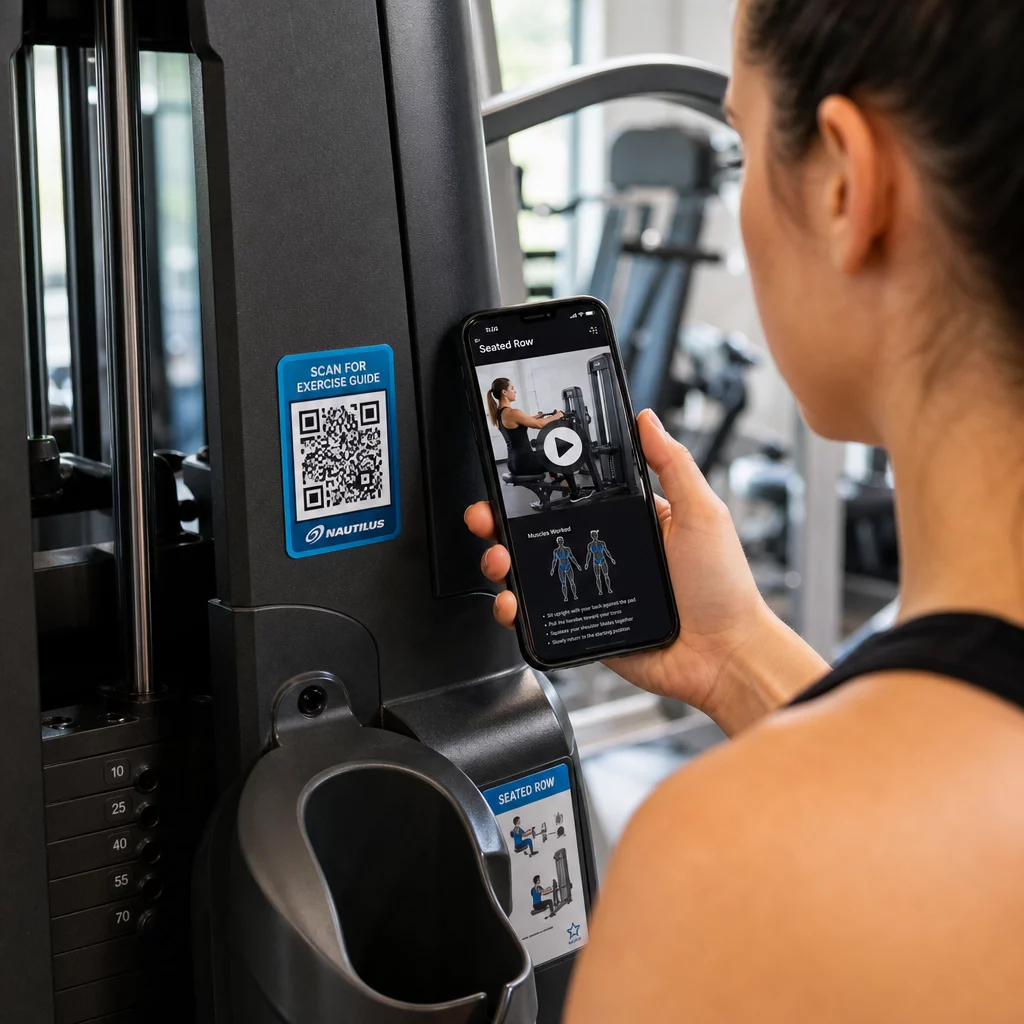
Koristite dinamičke kodove za oznake opreme. Kada ažurirate svoj video sadržaj ili promijenite platformu, jednostavno ažurirate odredište – nema potrebe za ponovnim ispisom i preoznačavanjem svakog stroja u vašem objektu.
Osobni treneri također mogu koristiti PDF QR kodovi za isporuku personaliziranih planova vježbanja. Ispišite kod na karticu za svakog klijenta i ažurirajte povezani plan kako njihov program napreduje.
Rasporedi nastave i rezervacije
QR kod postavljen u blizini vašeg studija za nastavu, na zaslonu u predvorju ili uključen na letku daje članovima pristup jednim dodirom vašem trenutnom rasporedu nastave i stranici za rezervacije. Ovo posebno dobro funkcionira za studije koji vode više vrsta nastave ili instruktora, gdje se rasporedi mijenjaju tjedno.
Budući da dinamički kodovi omogućuju ažuriranje sadržaja bez ponovnog ispisa, možete zadržati isti ispisani kod na zidu tijekom cijele godine i jednostavno ažurirati povezani raspored svaki tjedan. Pročitajte više o tome kako to primijeniti u praksi u kako QR kodovi potiču marketing teretana.
Promocije i vremenski ograničene ponude
QR kodovi na letcima, plakatima i objavama na društvenim mrežama mogu izravno voditi do ponude članstva, prijave za probni sat ili stranice s kuponima. Kada promocija završi, ažurirajte odredište umjesto ponovnog ispisa materijala.
Neke praktične lokacije:
- Naljepnice za prozore s natpisom “Skenirajte za 7-dnevnu besplatnu propusnicu”
- Letci na lokalnim događanjima ili sajmovima zdravlja
- Plakati blizu ulaza tijekom sezona najvećeg broja prijava
Dinamički kodovi su preporučeni izbor za promocije jer se URL ponude mijenja, ali tiskani materijal ne mora. Za smjernice o tome gdje i kako postaviti ove kodove za maksimalnu vidljivost, pogledajte vodič za postavljanje QR kodova u marketingu.
Povratne informacije članova i Google recenzije
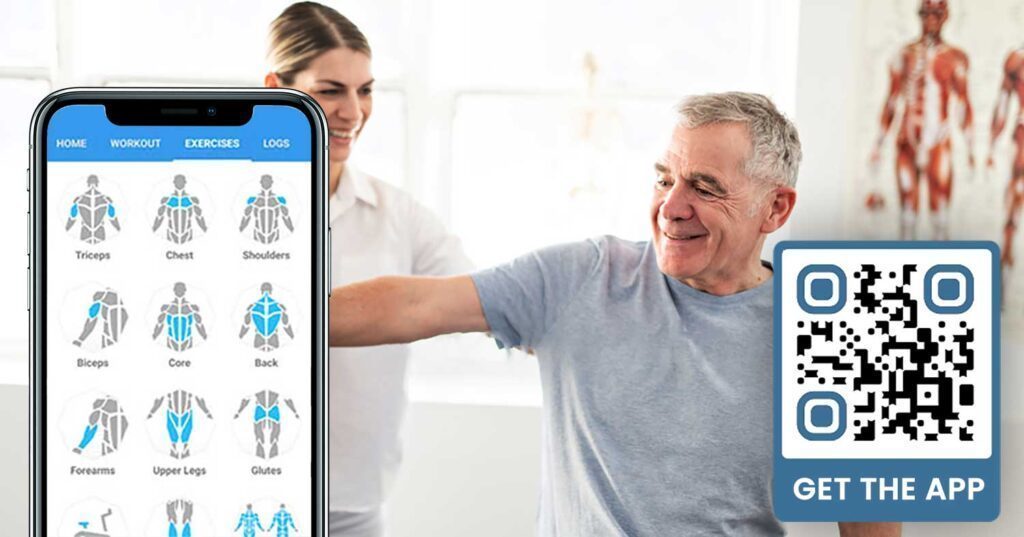
Dosljedno prikupljanje povratnih informacija teško je kada članovi žure unutra i van. QR kod postavljen blizu izlaza, u svlačionici ili na baru sa sokovima pruža članovima jednostavan način da ostave brzu recenziju ili ispune anketu o zadovoljstvu.
A QR kod za Google recenzije postavljen u područjima s velikim prometom usmjerava članove izravno na vašu stranicu za recenzije Google Business – nije potrebno pretraživanje. Više recenzija poboljšava vaš rang u lokalnom pretraživanju i daje potencijalnim članovima društveni dokaz koji im je potreban da odaberu vašu teretanu.
Za ankete o povratnim informacijama, a QR kod Google obrasca omogućuje vam prikupljanje strukturiranih podataka o tečajevima, opremi, osoblju i objektima.
Automatski prikupljajte više Google recenzija Postavite QR kod na izlazu ili u svlačionici i gledajte kako vaše recenzije rastu. Koristite QR kod Google recenzije za stvaranje brendiranog koda koji članove vodi izravno na vašu stranicu za recenzije.
Wi-Fi pristup za članove i goste
Ponuda Wi-Fi-ja očekuje se u većini modernih teretana. Wi-Fi QR kod prikazan na recepciji, blizu bara sa sokovima ili na zidovima svlačionice omogućuje članovima trenutno povezivanje skeniranjem – nije potrebno traženje lozinke niti ručni unos. Ova mala pogodnost doprinosi cjelokupnom iskustvu članova bez potrebe za angažmanom osoblja.
Angažman na društvenim mrežama
QR kodovi postavljeni u područjima s velikim prometom – ogledala, stanice za vodu, predvorje – mogu se izravno povezati s vašim Instagramom, YouTube kanalom ili društvenim profilom. Članovi koji su već angažirani s vašim prostorom najvjerojatnije će vas pratiti i dijeliti. Ovo dobro funkcionira uz fitness izazove ili događaje gdje želite izgraditi sudjelovanje zajednice na mreži.
Fitness izazovi i događaji
QR kodovi olakšavaju pozivanje članova na sudjelovanje u strukturiranim izazovima, radionicama ili događajima u teretani. Postavite kod na plakat ili oglasnu ploču koji vodi do obrasca za prijavu ili stranice s detaljima događaja. Ažurirajte povezanu destinaciju kako se događaji mijenjaju tijekom godine – bez ponovnog ispisa plakata.
Savjeti za postavljanje koji se primjenjuju na sve slučajeve upotrebe
Kvaliteta postavljanja izravno utječe na broj skeniranja koje dobivate. Dobro dizajniran kod na pogrešnoj lokaciji imat će lošije rezultate od jednostavnijeg koda postavljenog tamo gdje se članovi prirodno zaustavljaju.
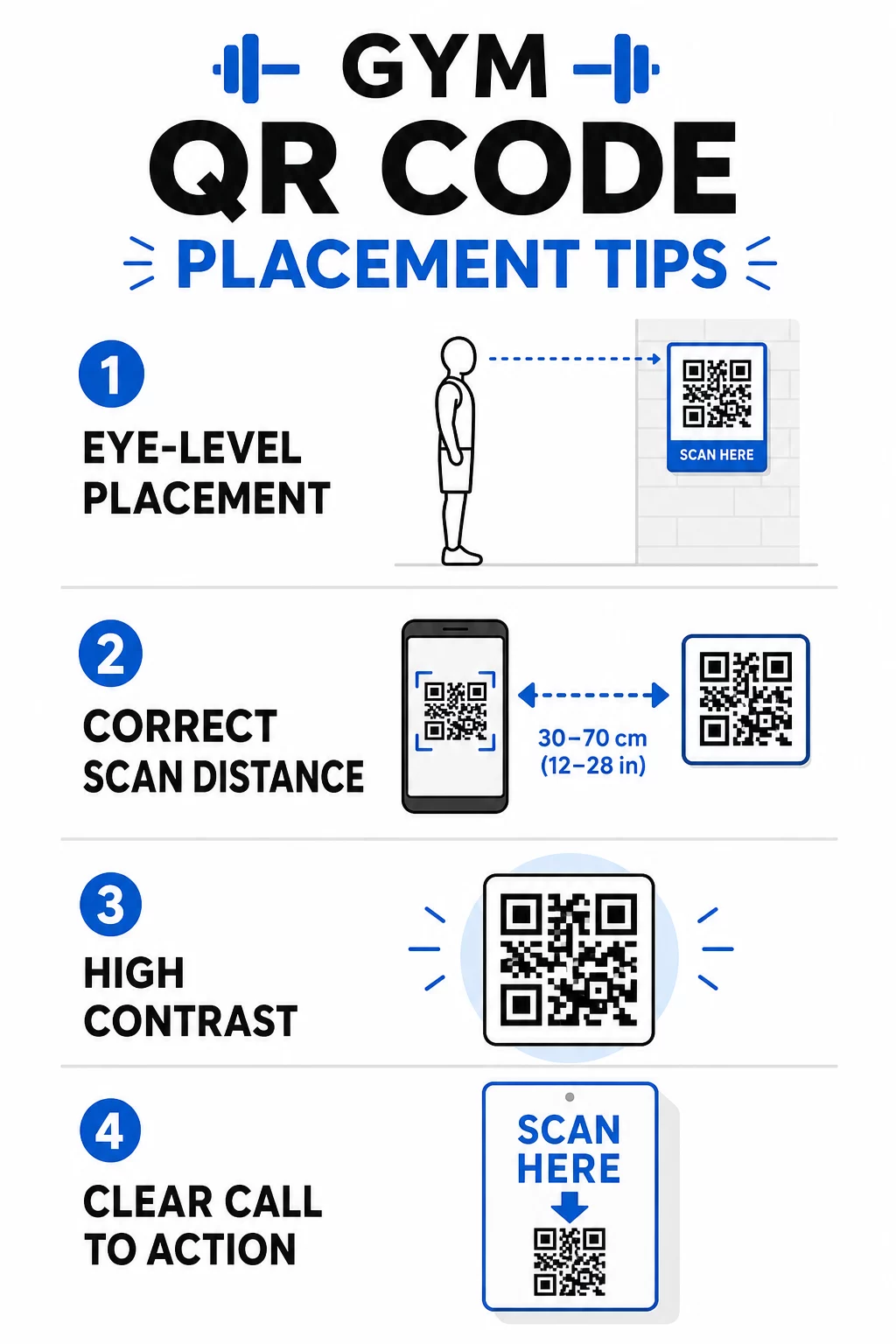
- Postavite kodove u razini očiju, otprilike između 106 i 167 centimetara od poda
- Koristite pravilo veličine 10:1: za svakih 25 centimetara očekivane udaljenosti skeniranja, kod bi trebao biti širok najmanje 2,5 centimetra
- Dajte prednost dizajnu visokog kontrasta: tamni uzorci na svijetlim pozadinama pouzdano se skeniraju u uvjetima osvjetljenja teretane
- Dodajte jasan poziv na akciju pored svakog koda (“Skenirajte za savjete za vježbanje”, “Skenirajte za prijavu”, “Ostavite nam recenziju”)
Za detaljne tehničke smjernice o veličini i čitljivosti, pogledajte najbolje prakse za čitljivost QR koda. Svaki QR kod koji postavite u svojoj teretani prilika je za smanjenje prepreka za članove i smanjenje ručnog rada za vaš tim. Započnite s jednim ili dva visoko učinkovita postavljanja – prijava, vodiči za opremu ili Google recenzije – i pratite rezultate prije proširenja. Koristite generator QR kodova za stvaranje brendiranih, dinamičnih kodova koje možete ažurirati bez ponovnog ispisa i koristite ugrađenu analitiku kako biste vidjeli koja postavljanja potiču najveći angažman.
Često postavljana pitanja
Statični QR kod trajno kodira odredišni URL – jednom isprintan, ne možete promijeniti na što pokazuje. Dinamični QR kod pohranjuje kratki URL za preusmjeravanje, tako da odredište možete ažurirati u bilo kojem trenutku bez ponovnog ispisa koda. Za fitness tvrtke, dinamični kodovi su bolji izbor jer se rasporedi nastave, promocije i sadržaj vježbanja često mijenjaju, a dinamični kodovi također pružaju analitiku skeniranja tako da možete pratiti izvedbu.
Najefikasnija mjesta su na ulazu za prijavu, izravno na opremi za upute, blizu izlaza i svlačionica za recenzije i povratne informacije, na recepciji za prijave, te u područjima s velikim prometom poput stanica za vodu ili bara s sokovima za društvene mreže i promocije. Postavite kodove u visini očiju (otprilike 1 do 1,7 metara od poda) s jasnim pozivom na akciju pored svakog.
Da, svaki QR kod trebao bi voditi do jedne, specifične destinacije kako bi iskustvo člana bilo jasno i fokusirano. Kod za prijavu trebao bi voditi na vašu stranicu za prijavu, kod za opremu trebao bi voditi na tutorial tog stroja, a kod za recenziju trebao bi voditi izravno na vašu Google stranicu za recenzije. Korištenje platforme za upravljanje QR kodovima omogućuje vam organiziranje svih vaših kodova na jednoj nadzornoj ploči, neovisno ažuriranje destinacija i zasebno praćenje performansi svakog koda.