ホーム > QRニュース > QR Code Ideas for Fitness Businesses
Gym QR code scan

QR Code Ideas for Fitness Businesses

Streamline gym operations with QR codes for check-ins, equipment guides, and class bookings. Improve member engagement and reduce admin work with these ideas.
Updated on 6月 11, 2026
目次

Not sure how to actually use QR codes in your gym or fitness studio beyond a basic website link? Fitness businesses that deploy QR codes strategically reduce administrative friction, keep members more engaged, and convert more walk-ins into paying clients. This guide covers practical, ready-to-implement ideas organized by how they fit into your day-to-day operations.

Why Fitness Businesses Are Adopting QR Codes

The fitness industry has made a lasting shift toward digital touchpoints. Members expect fast, self-serve access to class schedules, workout guides, and account management – and they want all of it on their phones. QR codes bridge the gap between the physical gym environment and the digital content members want, without requiring staff to manually handle every interaction.

ダイナミックQRコード are particularly well-suited to fitness businesses. Unlike static codes, where the destination URL is permanently encoded, dynamic codes let you update the linked content at any time without reprinting the physical code. That means you can swap out a seasonal promotion, update a class schedule, or swap a workout video – and the code on your wall continues to work. Dynamic codes also support scan tracking, so you can monitor how many times a code was scanned, from which location, on which device, and at what time.

For an overview of how QR codes are being used across gym operations specifically, see QR codes for gyms and wellness businesses.

Member Check-In and Access Control

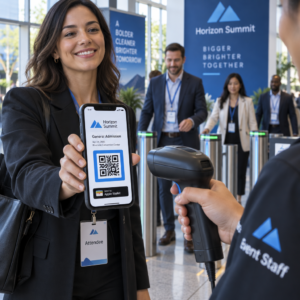
Replacing physical membership cards or sign-in sheets with QR-based check-in is one of the most operationally impactful uses. Members scan a code at the entrance to log their attendance or unlock a turnstile, eliminating queues and reducing front-desk workload.

You can build a simple attendance tracking system using a リンクQRコード that connects to a form or check-in page. Dynamic codes are the better choice here because you can redirect the code to a new check-in URL if your platform changes, without touching the printed signage.

Where to place check-in codes:

  • Gym entrance or turnstile
  • Front desk counter
  • Individual studio or class room doors

New Member Sign-Up and Onboarding

フィットネスソーシャルメディアインフルエンサーのQRコードを生成する

A QR code on a window, flyer, or front-desk display can take a prospective member directly to a sign-up form, waiver, or trial class registration – without a staff member needing to assist. This is especially useful during off-hours or busy peak times when front-desk staff are occupied.

を使います。 グーグルフォームQRコード to give prospects instant access to inquiries, membership registrations, or waiver submissions from their own device. For onboarding existing new members, a single PDF QRコード can bundle your code of conduct, class schedule, and a starter workout plan into one scannable document.

Streamline New Member Registration Create a scannable sign-up form that potential members can complete on their own phones. Use the GoogleフォームQRコードジェネレーター to link directly to your registration or waiver form – no paper, no manual data entry.

Equipment Tutorials and Workout Guides

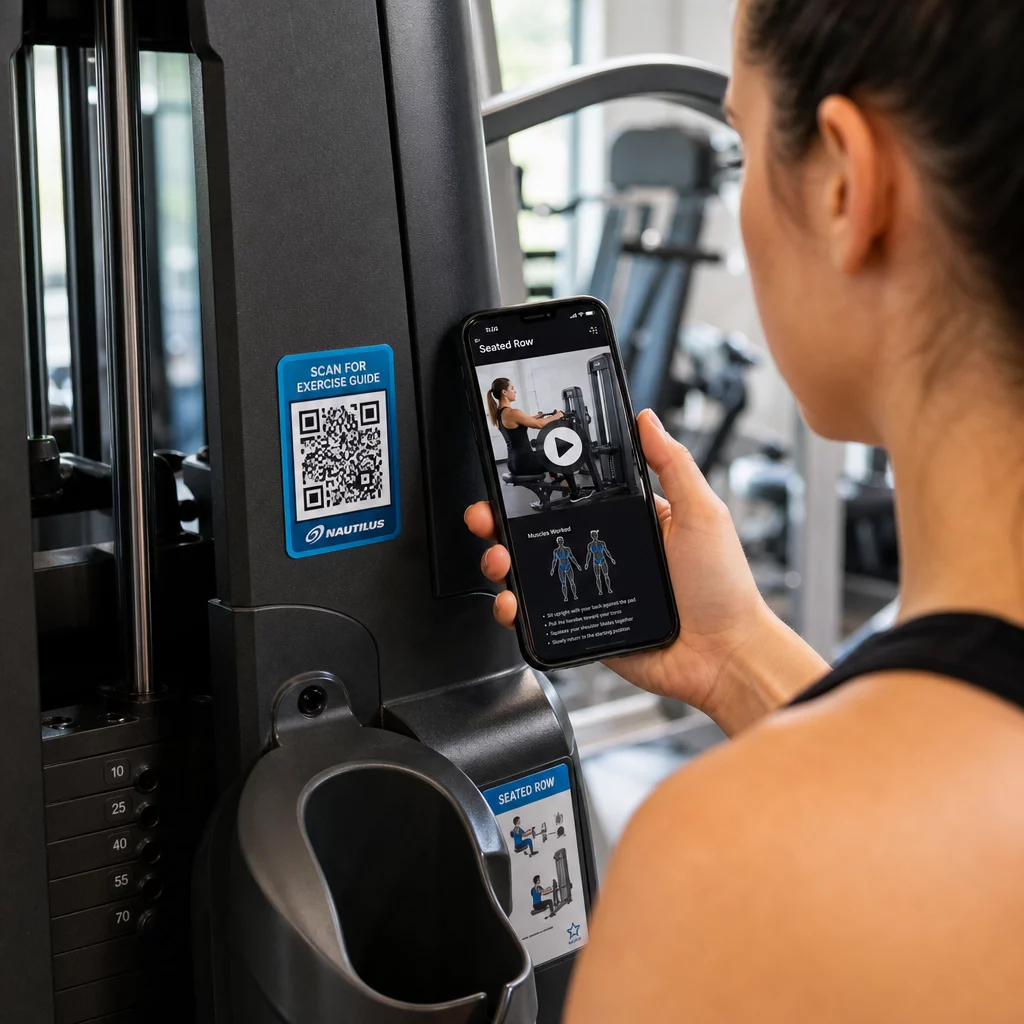
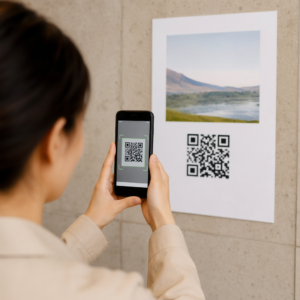
Placing a QR code directly on a piece of equipment is one of the clearest wins for member experience. Members scan the code and immediately access a short instructional video, proper form demonstration, or safety guidance for that specific machine. This reduces injury risk and reduces the number of times trainers need to walk someone through basic equipment use.

Scanning gym equipment code

Use dynamic codes for equipment labels. When you update your video content or switch platforms, you simply update the destination – no need to reprint and relabel every machine in your facility.

Personal trainers can also use PDF QRコード to deliver personalized workout plans. Print the code on a card for each client, and update the linked plan as their program progresses.

Class Schedules and Bookings

A QR code posted near your class studio, on a lobby display, or included on a flyer gives members one-tap access to your current class schedule and booking page. This works especially well for studios running multiple class types or instructors, where schedules change weekly.

Because dynamic codes allow content updates without reprinting, you can keep the same printed code on your wall year-round and simply update the linked schedule each week. Read more about how to apply this in practice in QRコードがジムのマーケティングをどのように向上させるか.

Promotions and Limited-Time Offers

QR codes on flyers, posters, and social media posts can link directly to a membership offer, trial class sign-up, or coupon page. When the promotion ends, update the destination rather than reprinting materials.

Some practical placements:

  • Window clings with a “Scan for a 7-Day Free Pass” prompt
  • Handouts at local events or health fairs
  • Posters near the entrance during peak sign-up seasons

Dynamic codes are the recommended choice for promotions because the offer URL changes but the printed material doesn’t have to. For guidance on where and how to place these codes for maximum visibility, see the guide to QR code placement in marketing.

Member Feedback and Google Reviews

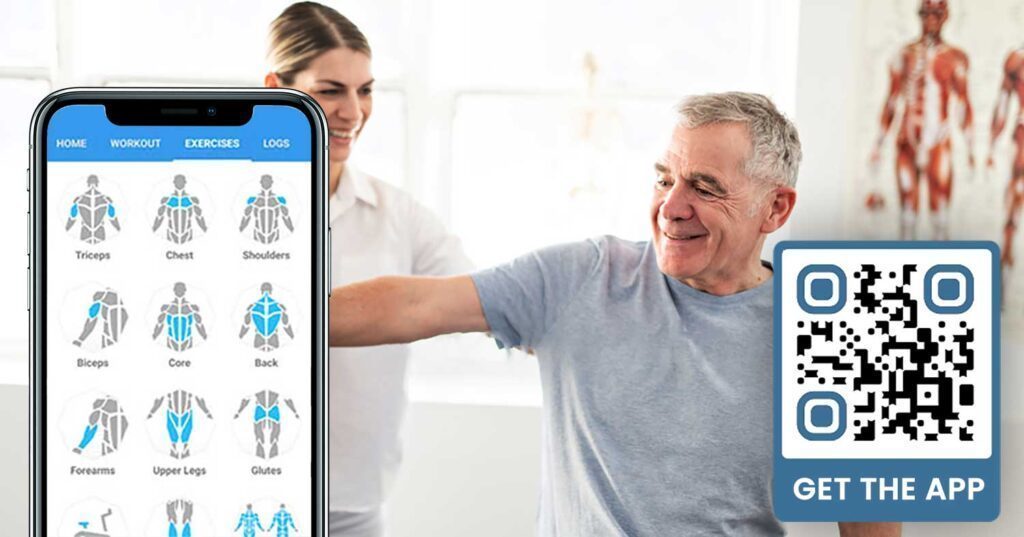
フィットネスアプリQRコードダウンロードジェネレータ

Gathering feedback consistently is difficult when members are rushing in and out. A QR code placed near the exit, in the locker room, or at the juice bar gives members a frictionless way to leave a quick review or complete a satisfaction survey.

GoogleレビューQRコード placed in high-traffic areas routes members directly to your Google Business review page – no searching required. More reviews improve your local search ranking and give prospective members the social proof they need to choose your gym.

For feedback surveys, a グーグルフォームQRコード lets you collect structured input on classes, equipment, staff, and facilities.

Collect More Google Reviews Automatically Place a QR code at your exit or in the locker room and watch your reviews grow. Use the GoogleレビューQRコードジェネレーター to create a branded code that takes members straight to your review page.

Wi-Fi Access for Members and Guests

Offering Wi-Fi is expected at most modern gyms. A Wi-Fi QR code displayed at reception, near the juice bar, or on locker room walls lets members connect instantly by scanning – no password hunting or manual entry required. This small convenience adds to the overall member experience without requiring any staff involvement.

Social Media Engagement

QR codes placed in high-traffic areas – mirrors, water stations, the lobby – can link directly to your Instagram, YouTube channel, or social profile. Members who are already engaged with your space are the most likely to follow and share. This works well alongside fitness challenges or events where you want to build community participation online.

Fitness Challenges and Events

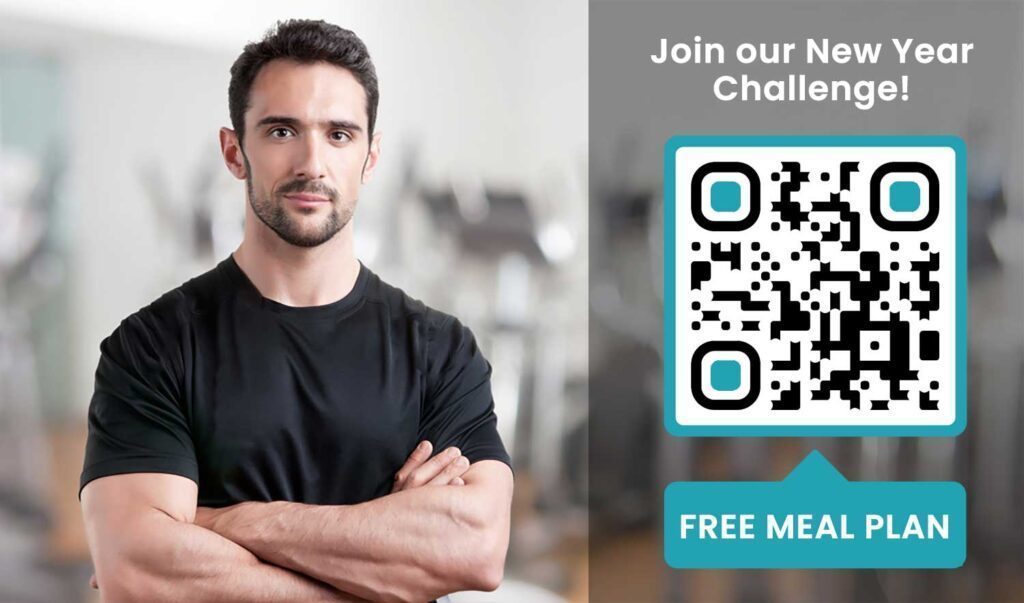
QR codes make it easy to invite members to participate in structured challenges, workshops, or in-gym events. Place a code on a poster or display board that links to a sign-up form or event details page. Update the linked destination as events change throughout the year – without reprinting the poster.

Placement Tips That Apply Across All Use Cases

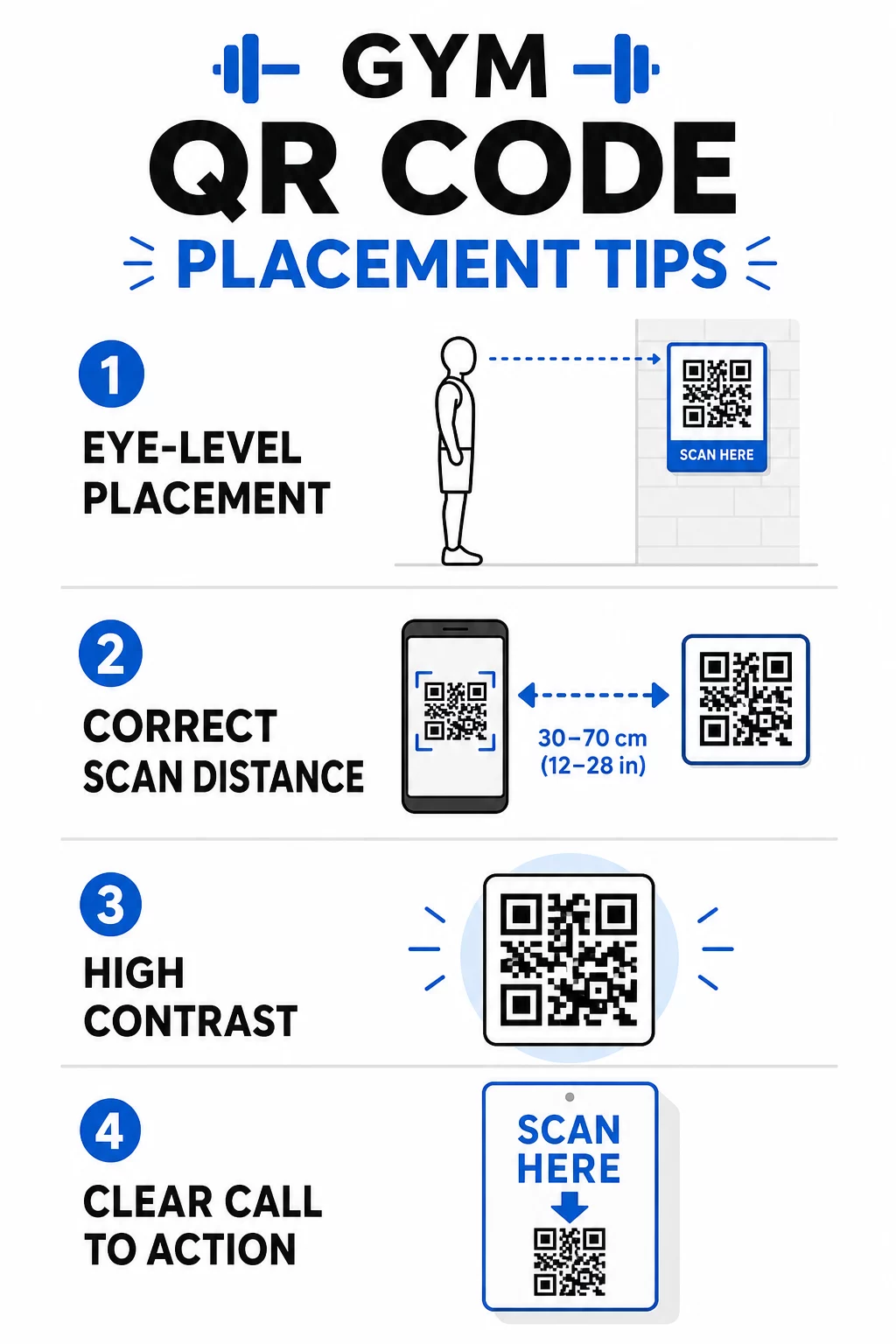
Placement quality directly affects how many scans you get. A well-designed code in the wrong location will underperform a simpler code placed where members naturally pause.

Gym QR placement tips
  • Position codes at eye level, roughly between 3.5 and 5.5 feet from the floor
  • Use the 10:1 sizing rule: for every 10 inches of expected scanning distance, the code should be at least 1 inch wide
  • Prioritize high-contrast design: dark patterns on light backgrounds scan reliably under gym lighting conditions
  • Add a clear call to action next to every code (“Scan for workout tips,” “Scan to check in,” “Leave us a review”)

For detailed technical guidance on sizing and readability, see QRコードの読みやすさに関するベストプラクティス. Every QR code you deploy in your gym is an opportunity to reduce friction for members and reduce manual work for your team. Start with one or two high-impact placements – check-in, equipment guides, or Google reviews – and track the results before expanding. Use the QRコードジェネレーター to create branded, dynamic codes you can update without reprinting, and use the built-in analytics to see which placements are driving the most engagement.

よくある質問

What is the difference between a static and dynamic QR code for a gym?

A static QR code permanently encodes the destination URL – once printed, you cannot change where it points. A dynamic QR code stores a short redirect URL, so you can update the destination at any time without reprinting the code. For fitness businesses, dynamic codes are the better choice because class schedules, promotions, and workout content change frequently, and dynamic codes also provide scan analytics so you can track performance.

Where should I place QR codes inside a gym?

The most effective placements are at the entrance for check-in, directly on equipment for tutorials, near exits and locker rooms for reviews and feedback, at the front desk for sign-ups, and in high-traffic areas like water stations or the juice bar for social media and promotions. Position codes at eye level (roughly 3.5 to 5.5 feet from the floor) with a clear call to action next to each one.

Do I need a separate QR code for every use case?

Yes, each QR code should link to a single, specific destination to keep the member experience clear and focused. A check-in code should go to your check-in page, an equipment code should go to that machine’s tutorial, and a review code should go directly to your Google review page. Using a QR code management platform lets you organize all your codes in one dashboard, update destinations independently, and track the performance of each code separately.

著者について

Siim KostabiはPagelootのコンテンツリードです。Pagelootの革新的なQRコード生成サービスについて執筆しています。5年以上にわたるQRコードに関する深い専門知識を持つSiimは、この分野の専門家です。QRテクノロジーを活用してデジタルインタラクションを簡素化・拡張する上で、大きな進歩を遂げています。.

カテゴリー
について詳しくはこちら
顧客がQRコードをスキャン
のQRコードインスタントメッセージング

オンラインでQRコードを作成する必要がある場合は QRコードを作る ここで無料で
ページルートは #1のGo-Toソリューション でQRコードを作成してスキャンすることができます。

QRN-018

ブログジェネ

売上、レビュー、フォロワーを増やすために 20,000 を超えるブランドから信頼されています。

クライアントのロゴ
トップブランドから信頼される
5 のうち 4.8 と評価しました

4.86 / 5つ星評価

ユーゴ・ローラン
ユーゴ・ローラン
レストランオーナー
最も簡単で信頼性の高いQRコードジェネレータです。PDFファイルを即座にアップロードできます。レストランのメニューがデジタル化されました。
ルーカス・ジャンセン
ルーカス・ジャンセン
不動産開発業者
これは優れたツールで、QRコードでちょうど欲しいところに連れて行ってくれます。私たちは位置情報のQRコードしか使っていませんが、とても便利な機能がたくさんあります。
エマ・モレッティ
エマ・モレッティ
小売製品
使いやすいし、早い。素晴らしい機能で、完璧な画像を作成してくれるので、社員は私のvCardをダウンロードすることができます。
ユーゴ・ローラン
ユーゴ・ローラン
レストランオーナー
最も簡単で信頼性の高いQRコードジェネレータです。PDFファイルを即座にアップロードできます。レストランのメニューがデジタル化されました。
ルーカス・ジャンセン
ルーカス・ジャンセン
不動産開発業者
これは優れたツールで、QRコードでちょうど欲しいところに連れて行ってくれます。私たちは位置情報のQRコードしか使っていませんが、とても便利な機能がたくさんあります。
エマ・モレッティ
エマ・モレッティ
小売製品
使いやすいし、早い。素晴らしい機能で、完璧な画像を作成してくれるので、社員は私のvCardをダウンロードすることができます。
QRコードをもっと見る
寄付者がチャリティQRをスキャン
のQRコード寄付と募金活動
Gym QR code scan
フィットネスQRコード
スマートフォンでログインQRをスキャン
のQRコードを作るGmail
バンに貼られたQRコード
QRコードの車両
あらゆるものをデジタル体験に変えよう 3分以内に。

14日間の無料トライアル。

クレジットカードは必要ありません。

初回購入で30%オフ

次のコードを使用してください:

MP3ファイルを共有

PDF QRコードを作成するにはサインアップしてください

必要なものをすべてアップロードして表示する。

  • オーディオファイル
  • ポッドキャスト
  • 音楽

サインアップで14日間無料トライアル。.
トライアル終了後、QRコードは期限切れになります。.

オーディオmp3 QRコードを作成するにはサインアップしてください

フレームでより多くのスキャンを獲得

QRコードにフレームを追加するにはサインアップしてください

コールトゥアクションフレームは、お客様が簡単にQRコードと対話できるようにします。ぜひお試しください。

サインアップで14日間無料トライアル。.
トライアル終了後、QRコードは期限切れになります。.

QRコードにフレームを追加するにはサインアップしてください

シェイプでスタイルを追加

より多くの図形を作成するにはサインアップしてください

QRコードは四角いものである必要はありません。あなたのブランドのイメージに合わせて変えてみてください。

サインアップで14日間無料トライアル。.
トライアル終了後、QRコードは期限切れになります。.

より多くの図形を作成するにはサインアップしてください

QRコードにロゴを追加

QRコードにロゴを追加するにはサインアップしてください

QRコードにロゴやブランドを入れることで、目立たせることができます。

サインアップで14日間無料トライアル。.
トライアル終了後、QRコードは期限切れになります。.

QRコードにロゴを追加するにはサインアップしてください

スマートなApp Storeリダイレクト

アプリストアのQRコードを作成するにはサインアップしてください

スマートなApp StoreのQRコードに、あなたのアプリのリンクを追加します。ユーザーは、デバイスに応じてリダイレクトされます。

サインアップで14日間無料トライアル。.
トライアル終了後、QRコードは期限切れになります。.

アプリストアのQRコードを作成するにはサインアップしてください

QRコードに画像をアップロード

画像QRコードを作成するにはサインアップしてください

画像を簡単に共有できます。どんな画像も、数秒でダイナミックに変化します。

サインアップで14日間無料トライアル。.
トライアル終了後、QRコードは期限切れになります。.

画像QRコードを作成するにはサインアップしてください

PDFファイルを共有

PDF QRコードを作成するにはサインアップしてください

必要なものをすべてアップロードして表示する。

  • メニュー&プライスリスト
  • 指示
  • 任意の書類

サインアップで14日間無料トライアル。.
トライアル終了後、QRコードは期限切れになります。.

PDF QRコードを作成するにはサインアップしてください

印刷せずに後で編集

再度印刷せずにQRコードを編集するにはサインアップしてください

ダイナミックQRコードは、新たにQRコードを印刷することなく、QRコードの内容を変更することができます。

サインアップで14日間無料トライアル。.
トライアル終了後、QRコードは期限切れになります。.

再度印刷せずにQRコードを編集するにはサインアップしてください

いつ?どこで?QRコードのスキャンを追跡

QRコードを追跡するにはサインアップしてください

どのQRコードが最も多くスキャンされ、何が最も顧客を喜ばせているのかを知ることができます。

サインアップで14日間無料トライアル。.
トライアル終了後、QRコードは期限切れになります。.

QRコードを追跡するにはサインアップしてください

印刷可能なファイルが利用可能

PDFやSVGのようなベクターQRコードを作成するにはサインアップしてください

.eps、.pdf、.svg

QRコードをHD解像度でダウンロードしたいですか?すぐに印刷できるベクターまたはピクセル形式を入手しましょう。

サインアップで14日間無料トライアル。.
トライアル終了後、QRコードは期限切れになります。.

PDFやSVGのようなベクターQRコードを作成するにはサインアップしてください

しばらくお待ちください。あなたのQRコードは ロード... ロード...

あなただけのものに

サインアップしてQRコードを後で保存してください

異なる色、ロゴ、コールトゥアクションフレームで素晴らしいQRコードを作成することで、より多くのスキャンを得ることができます。

サインアップで14日間無料トライアル。.
トライアル終了後、QRコードは期限切れになります。.

サインアップしてQRコードを後で保存してください